HubSpot Community Developer Show | Accessibility with Jon Sasala | S01E01
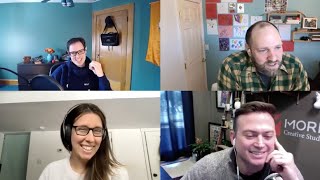
Jon Sasala, Tanya Scales, and John McLaren discuss accessibility in the HubSpot CMS, covering WCAG standards, semantic HTML, ARIA roles, and alt text. The Inclusion Hub uses HubDB and custom objects to build accessible sites. They recommend contributing to the CMS boilerplate and avoiding vague link text like 'click here'.
Questions this video answers
Mid to early 2019 (she began delving into accessibility projects and later completed IAAP training).
The CMS CLI was renamed to the HubSpot CLI and requires uninstalling the old version and installing the new one.
Chapters
Hello, world. Welcome to the first HubSpot Community Developer Show. That is a mouthful and I will get better saying it over time. Thank you for your patience. We're going to be doing this on a monthly basis. I think it's going to be fun each month as we do with the first one. If you've been tuning in, you'll know we put a post up on the community. It's going to have a specific topic, we'll have a guest, and we will be answering the questions from that topic. This month. We are working with accessibility. I am very happy to be working with that. And we have a special guest, John Sasawa. I said it, right?
Yeah, Yep, that's right. Thanks, Dennis.
Okay, perfect. Yes. John is the president at Maury Creative, co founder of Inclusion Hub, which I'm extremely excited about, and. And Adatta too. We might even get a guest appearance from one of them.
Yeah, my youngest is 13 months and working from home, as most of us are. She does tend to pop onto any podcast appearances I do or our podcast when we record locally, but, yeah, you know, she's always welcome, so. But Dennis, thank you so much for having me on. This really is a topic that is near and dear to my heart and really grateful for the opportunity to get it in front of as many people as possible. More and more, I think people are becoming aware of it and it's things, things like this that are going to help kind of move that forward. So thank you for having me on for sure.
Yeah, definitely. We also have Tanya, Tanya Scales, who is a HubSpot engineer. Well, you just tell them what you do because last time I asked you, it was like, it was a mouthful that I just unable to regurgitate.
For sure. Yeah. I had to write it up myself, so don't worry about it. So I am an engineer on the Design assets team at HubSpot and I work on the CMS. So. So our team is responsible for a large amount of different projects, but the relevant ones for today's discussions are the CMS boilerplate, the default themes and the modules that are included in those themes. So that's like Session Sprout Rally, those themes that you see when you're in a portal, the default modules, and also the theme that's used on the knowledge base, as well as the themes that are used for the landing pages. So that would be like bold architecture, vibrant. So that is what I do as far as HubSpot, in terms of accessibility. I have a rather large title there too. I'm actually a certified Professional of Web accessibility. And that comes from the International association of Accessibility Professionals. And it basically means that, that I've studied accessibility and I understand the core concepts both in, like, the physical world, as well as how those concepts translate to the use of digital technologies on the web. So.
Amazing.
That is where I'm at. Yeah, I'm very excited about this topic.
Wow. Yeah. As I said, I could not say all that, so thank you for stepping up there.
Yeah. And Claire, for the record, I'd like to chime in and just say you have the most inaccessible title, Tanya. Maybe shorten that somehow.
Definitely, yeah.
Last but not least, John McLaren. I've known this guy for a long time. He is the senior developer advocate@HubSpot. And tell us a little bit about yourself, John.
Well, you already said my title. I specialize in our cms, and among many things, I share responsibility with another familiar face named AJ laporte in maintaining our CMS developer documentation, among many other responsibilities. One of these days, AJ will be on. But today's topic was accessibility. And since I wrote the documentation on accessibility, I called dibs.
Amen. Amen. Okay, so. Well, first off, Covid has been terrible, but there's one good thing about it, and it's the fact that I haven't had to dress up in a long time. And my wife said, you're going to dress up for this, Right. And this is the middle ground I could. I could meet. So this is my one dress up day. So thank you for entertaining that as well.
I am excited for, you know, when we do get to return to the office environment, I'm sticking with what I've been wearing. I like hoodies, I like sweats. I think that, you know, the professional world has evolved. Now when I do get back into the office, I'm going to look just as cozy as I do at home.
Amen. Yeah. So, folks, as I said, this will be a monthly podcast. If you guys have ideas, please submit them to me. There's gonna be a place at the start over, there's gonna be a blog. We have a new blog coming out that's gonna be dedicated to things like this. Within that blog, I'll have a space where you can fill out a form. And if you have some ideas you want to be on, please do fill that out. Let's talk about a few things going on at HubSpot. I wanted to get out there by the time this release. I think this will be pretty settled. But the CMS just got the CMS. CLI is now the HubSpot CLI that was kind of a big deal because you had to uninstall it and reinstall. Also came with a couple new features for blog post template. Right. And the blog listing template. John, if you had anything else to almost say JMac, by the way, just to make sure I'm going to the right person.
Yeah, that is absolutely fine. Yeah. So just to highlight that. So we updated the CLI. It is no longer called the CMS CLI. It is now the HubSpot CLI. That is not just a naming change. It does require you to uninstall the old version and install the new version. We have instructions for that on our developer changelog@developers.HubSpot.com changelog and one of the great parts about that is it's also symbolic of the CLI will start being more and more useful for things outside of just the cms.
Indeed. How old is the CLI at this point?
Where are we? I would have to check GitHub, but it is at least a little over a year, I think a year and a half maybe.
Been iterating on that like crazy. It's really, it's really impressive. The CLI is amazing. We also are going to be. Because of things like the cli, the the Academy is kind of reorchestrating or re architecting the certification for cms. Expect something on that in the summer. Jeff Asura is the person in charge of that and he decided to have a kid so he's gonna be on paternity to leave for a while. Best of luck to you out there, Jeff. You're gonna be amazing. So stay tuned for the Academy content coming up. Also the 10th, I think it is, we have. Yeah, February 10th we have a workshop coming up harnessing CRM data on websites which is going to feature Zach Wolfson and a few other people and he's going to discuss the difference between custom objects and hubdb as well. I'm sure at other things. John, you might also have some more insight onto that one.
Yeah, a lot of it is tbd so we'll just say watch out for announcements in our developer blog and marketing emails.
Sweet. And yeah, as I said earlier, there's going to be a new community blog dedicated to this stuff that should be coming out the very beginning of February. It's going to be full of how to content. I'm going to be start. I'm going to start doing some short like one to five minute videos of just everything from the APIs to the CMS. Just I'm seeing a lot of questions out there and I think we can probably service the developers quite a bit more by just these small little tidbits here and there. Tanya, have anything that you want or you're excited about or want to announce? If not, it's totally fine.
No, I just want to call out the CMS boilerplate. I think the developer community is probably familiar with Jason Rosa, if you're actually watching that repository, he's doing a lot of great updates over there all the time. So if you're using that as a baseline to start some of your own projects, I would definitely just keep up to date with that. He's doing a lot of good work over there.
Use the GitHub Watch feature. Highly recommend it.
Yeah, Jason's very, very popular in my inbox. I see him almost on a daily basis with a new push. John, did you have anything else or. John says Salah, what's the best way to go about this? Guys, I want to get this confused. Not only like the same, you can.
Just call me jmac.
All right, J. Mac it is. Don't make it easy. And John. All right, John, do you have anything that you're excited about? Anything going on?
You know, I've got a lot going on with our company. Just kind of as we continue to evolve through Covid and you know, one of the most significant things is the primary thing we're going to be discussing here today. As we came into Covid and as we saw this need for digital accessibility, we had been working on this for many, many years. Right. This is something that's always been a passion of ours, but we saw that there are now other businesses out there that need to understand this and need to address digital accessibility. So we put a lot of effort into developing this platform, Inclusion Hub. And you know, I still have my role with Maury Creative Studios as the president there. But this passion project of ours, this Inclusion Hub, is something that I do expect to evolve, evolve dramatically in the coming weeks and months. You know, we just went live with it and we'll get into exactly what it is and you know, the value that we're trying to provide. But that's, you know, where all of our effort is going to be going in the next couple coming weeks and months. Here is evolving that, rolling new features out, improving on the algorithm, improving on the environment and getting people aware of digital accessibility.
So amazing. Yeah, I think it's probably a good segue. Why don't you go and just tell us a little about Inclusion Hub? Just what you're doing over there.
Yeah, absolutely. So I'm actually going to start with Mori Creative Studios just because I think a lot of people can relate with that aspect. We are a HubSpot partner agency. We're a solutions partner. We've been in the ecosystem for about six years and we actually pivoted out of the publishing space. We were a newspaper, we were a media company on Long island and really passionate about the work that we were doing. But as we saw the writing on the wall, as we saw the world evolving and the role of journalism kind of pivoting or kind of the lack of effect effectiveness of the print publication, we realized that we had to pivot. And having really incredible content developers on staff and really great designers, you know, we were building websites, we were building, you know, we were hosting our own events. So we were building websites for those events. We had LongIslandPress.com, which was the second most trafficked website in our market. So we were really like, we understood how to build websites and we understood how to write really great content. And when we learned of HubSpot, when we learned of inbound marketing, I mean, what alignment, what a great, like, you know, for us to have these skills in our pocket and say, wow, we can actually not just build websites for people, but produce content that ranks and that helps get them in front of people. So it was a really logical transition for us. I've been with this organization in some capacity as we've evolved over the years, for almost 20 years. In November of this year, it's gonna be 20 years that I've been with this organization. It's my first job out of college. I was a graphic designer for a print publication making ads. And all of my formal training, my education was in graphic design. And as any hungry designer starts to absorb more and more, you just naturally become a web developer, right? But officially I'm not a developer officially. I've never taken any types of courses in coding or anything like that. But as we started to migrate over to the HubSpot environment and working on the CMS, working with a language like Hubble, it's so easy to pick up that you as a designer can also be a front end and back end developer. So it's one of the reasons why we really love working in the environment. And so we've grown as an inbound marketing agency. We are a diamond agency at this point and the work that we've been doing. Maybe two years ago we started having clients come to us saying, hey, I'M hearing about these ADA based lawsuits. I'm hearing about companies in my industry getting sued. What are you guys, as the managers of our digital properties, what are you guys doing to protect us? And not having an answer, I said, let me get back to you, let me go do some research. And when you start doing the research, you know, we start learning about the ada, the Americans with Disabilities Act. When you start learning about the wcag, the web content accessibility guidelines, it can be pretty intimidating. And at first we were upset. We were like, man, these, these attorneys are doing these, you know, they're going after businesses who are totally vulnerable. This is extortion, this is unfair. And we were trying to find solutions. So we started doing our research. We were finding things like these widgets that you could just add to a website. Ah, we fixed it. Look, we fixed accessibility, we added a widget. Now we're good to go. And the journey that we've had has been a lot of reconciliation. It's been a lot of, I'm sorry, I was wrong to say all we have to do is add this widget to your website. I'm sorry, I was wrong to say all we had to do. And there was also a change in our perspective when we realized, yeah, these attorneys are, you know, making us go and address these things. They're taking money away from our clients. We realize that they're also the catalyst for change. And when they're encouraging us to fix our website so that we don't get sued, well, they're also opening up our eyes to. Hang on a second. My website has been discriminating against people. I've been failing to deliver an adequate experience to people, you know, comparable to having a business that doesn't have a ramp. I'm not letting a percentage of the population into my business. By not having an accessible website, you're preventing a percentage of the population from getting into your business. So we became really passionate about this. You know, one of our, one of our values at Maury Creative Studios is empathy and empathy. You know, we apply that in a few different ways. One, empathy. Understanding what our co workers are going through and making sure that we can help each other operate as efficiently and quickly as possible. Empathy is also for our clients. We want to make sure that we understand when a client reaches out to us and they have a request that might really feel frustrating. It might be like, you want me to help you update your email signature in Outlook. Well, first of all, I just did that two weeks ago. And second of all, that's not My job. But empathy is understanding. They're not asking you because they want to be annoying. It's they're asking you because you can help them. You can fill a void. You know, there's a financial relationship here where they're depending on you and what do you want them to have to pay somebody else to help them out with something that's loosely related? And then the third aspect of empathy is understanding the customers of our customers, understanding the people that are coming to the websites that we manage and what is it they're looking for. I can't produce content just at the whim of my client who says, I really want to be known for this. And my nephew just graduated. I'm really proud. Let's do a blog post about how proud I am my nephew. Okay? But I also need to understand what the people coming to your website are looking to achieve. And that's going to guide my content plan. That's going to guide, like, you know, how we communicate with people or the conversion opportunities that we put on a website. Now, isn't empathy also understanding the challenges that people might have when they come to your website? You know, it's accounting for them. So I think it was, you know, just one of the things that's important to us. One of the things, you know, that makes us who we are is being empathetic people. And as a result, this has been something that we wanted to focus on not. And I like to say to people, when you hear a conversation like this, when you start learning about the challenges that people have on your website, you can't unhear it, you can't ignore it. You can't just say, you know what? You know, I learned about it, but I'm gonna go continue on with my day. I'm going to lunch. Like, once you start to really understand the barriers that we're putting up and how we're treating people poorly, you need to fix it. You know, if you looked at your phone and a website was not being delivered properly, you wouldn't be like, eh, so what, you'd fix it? This is the exact same thing. We're looking at our websites through a different means and we realize they're broken. Let's fix it.
Yeah, totally agree.
So that brings us to Inclusion Hub. Being that this is a passion of ours, at Moria Creative Studios, we launched this platform. You know, we went through that process of trying to understand what are the service providers out there, you know, what are the bad players in the space, who are the good players in the space? And because it was so challenging for us to make our comparisons or we spent so much time going down a path that was leading us in the wrong direction, we said we want to help dissuade other people or help other people make better decisions around the service providers that they trust and that they invest in and that they rely on and, and not say, I'm just gonna pay somebody the bare minimum to fix my site and move on and be done. We wanna help people really make quality decisions around digital accessibility. And that's where Inclusion Hub came in, the accessibility route that we're gonna talk about. That's important, I think, to your audience. If these are HubSpot developers, people that like to build on the HubSpot environment, well, it falls, a lot of this falls on them to address these things. But the other thing I'm excited to talk about is how We've used the HubSpot CMS, how we use Hub DB, how we use APIs to make this engine out of the tools that you guys have provided for us. We're really proud of how functional this thing is and what we've been able to achieve because we were pushing the boundaries for ourselves and the way that it's all come together. Like I said, we are very proud of how this thing is cranking along.
Amazing. Yeah. You guys bought all in for the cms, right? You're using as much as you possibly can out of it right now. Yeah, yeah.
I think as this was right in line when custom objects first rolled out and we were like, this is exactly what we need. This is the idea that we're crafting here. It doesn't need to be, you know, shoehorning, you know, listings into deals. We can make a listing object. Great. That listing object can populate Hub db. Great. That Hub DB can make dynamic pages live. Great. People can leave reviews on that specific listing and it show up there. Great. People can comment on the review and it shows up associated with the review. So as, as often as we can find different ways to satisfy functionality, there's a HubSpot tool waiting there for us to, to make it functional. So it's really great.
So cool. Yeah, man. I guess I'm just naive. I, I, I felt like accessibility is becoming more popular now because people are empathetic and the, the whole financial, Obviously it's, it's obviously the answer is there's, you know, like there's a financial incentive, like not being sued, pushing, you know, the catalyst there. I'm always that naive guy who just thinks the best of everyone.
Well, there has to be a financial incentive because it does take resources to fix this, Right? Like, yeah, you do want to say, man, everybody's working from home. Everyone is, is relying so much on their computers and their, the digital world. Now let's all do the right thing and make things accessible. But the fact is, if it's going to cost money to fix your property, if it's going to cost resources, time, energy, you need to get buy in from the top. And in order to do that, you need to be able to say to them, hey, there's a market share opportunity here that maybe we're missing out on. And there's a sign of goodwill that might do great things for the growth of our company. Attracting talent, you know, attracting new potential customers. Not to mention that the number one driver and the way that we became aware of this is the financial risk, the legal risk, right? If you get presented a demand letter, which is essentially I'm gonna take you to court unless you pay me to go away. If you get a demand letter that's gonna cost you a significant amount of money and you're still gonna have to go back and fix the accessibility, not to mention you can get two demand letters, three demand letters, they can keep coming after you, other attorneys can keep on coming after you. Paying one demand letter to go away doesn't fix your properties, doesn't make you more accessible. So, so the financial impact, the potential financial impact should be a driving force. And then you do have people, Dennis, like yourself, who say, well no, morally that should be the driving force. I agree, morally that should be the driving force. It's just hard to get people to financially commit for moral reasons.
Yeah, I totally understand.
Having worked at an agency before, similar to Maury, something that I found was useful for kind of encouraging people along that morally good path. But still using money is to remind them that literally if you are not providing an accessible experience, you are telling people it's like having a store and then locking the door and expecting people to buy things. Like if they can't get in to make purchase or talk to your salespeople, you're not making money.
I would say for the longest time I had the blinders on myself, but about two years ago my father in law had a stroke and just everything just changes at that point. And it's the simplest things. In the physical world, I'd be wheeling him in his wheelchair on a sidewalk, there's a crack. To you and me that's nothing, right? But that wheelchair man, that you just It's, It's. It's. It's a roadblock. It's. It stops you. And then, especially right now with COVID and. And everyone's inside, it's all digital. Right. I mean, here in New York. I know, John, you're also in New York. You have to go through, you know, the web to get, you know, the vaccine. Right. And that's just another experience. You have to make sure that, you know, everyone can get to that. Not just, you know, me, you, but everyone.
Yeah.
And I think, you know, using that vaccine experience is a great way to also look at, you know, who are we doing this for when we make a better digital experience? It's not just for people who were born blind or who have a typical disability. You're doing it for the primary people that need to get vaccinated right now.
Right.
Elderly people may have challenges navigating the Internet or booking things. And if you can streamline that experience, you're not only making it, you know, for, yes, the lifelong disabilities, but also for the people with acquired disabilities, with old age, with, you know, glaucoma, with trouble seeing. You know, we're fixing this for our moms and our dads.
You know, we're even fixing it for ourselves. I mean, I'm gonna get old one day. It's gonna happen.
On our podcast, Inbound and Down, I interviewed a young lady named Regine Gilbert who wrote a book all about accessibility and user experience, and she encourages her students to think about themselves. Design for the future. You, you know, this isn't a fictional person. It's what are you going to do whenever you have trouble seeing? Why don't we start doing the work today instead of hoping somebody does it in 20 years when you're losing your eyesight?
So, yeah, yeah, Tanya, what got you? I mean, you're, like, totally skilled up in accessibility. What got you into it?
I think as you threw that question to her, she locked up.
I totally did. And I'm back.
Hi, friend. Hi.
Hello.
Did you hear my question?
I did not.
Okay. No, I was asking you, you really skilled up in accessibility? I'm just curious, like, what got you into it? What made you go down that path.
Really, was my previous job. I worked for an agency that works with a lot of larger healthcare companies, and healthcare companies, health insurance companies require accessibility, and there wasn't really anybody on the team who had knowledge about it. So I just kind of took it upon myself as I was assigned those projects to start delving into accessibility and how to code excessively So I started on a really technical front of how to actually just make the technical side of it work. And then I just became really interested in the overall topic. And as I was doing research into coding techniques, I started taking classes just for general accessibility concepts. And then I found the program that I'm certified in and took that course and took testing for that. So it really just became a passion as I started to look and research into it. So. And that probably was, I would say, mid to early 2019. So I'm not super experienced in terms of timeframe on accessibility, but I really kind of dove headfirst into it over the past couple years. Yeah.
Do you mind if I ask the certification that you're talking about, that's the iaap, can you tell people what the IAAP is and what your. You can't just go and take the test? Like, what was the training process before you even sat down to take that test?
Yeah. So the iaap, they are basically a membership association that works primarily in accessibility. I'm gonna kind of like keep this short because I could go into all their different services, but they credential. They do credentialing for various topics in accessibility, particularly. The one that I have is a combination of two certifications, but they offer, you know, if you're just interested in, like I said, kind of physical concepts of accessibility, there's a certification just about become familiar with that. So maybe that, you know, for somebody who just wants to gain some empathy, is a great certification to have just to know that you understand disabilities and how they affect people in the world. And the testing itself is actually a proctored exam. So you would go to a location and you actually sit down and take this exam in front of somebody. But for training purposes, they don't actually require you to. To do any training before you take the tests for certification, although the tests are pretty difficult. So I can't imagine somebody would just go straight into it without any knowledge. The training that I took was actually from dq, which is a big name in accessibility. They offer paid accessibility services, remediation, they'll audit your website, things like that. They offer a lot of education services, and they also offer some free tools, which I'm sure we'll talk about today. And so I use their certification educational courses that they provide specifically for the IAAP certifications in order to train up on that.
Amazing. What do you guys say? Should we take some of these questions?
Sure, sounds good.
All right, let's get in it. We'll start with Nick from Decker Devs. He asked. He has two questions. The first one I skipped for now I'll just go to him directly at some point in time and talk to him. I'll be reaching out to you Nick. The second one is I am going through the code base in this HubSpot so let me start over to the very beginning. I recently started doing work for Regional Bank. I have two items I want to mention most likely more for dense blah blah blah. The question is I'm going through the code base in HubSpot and the amount of JavaScript needed to make the navigation menus other elements in HubSpot is huge. I'm talking about full 100% accessibility score they get in Lighthouse. They even have keyboard navigations, ARIA labels, etc. It's super in depth. Does HubSpot have any plans to make their website more accessible and defaults like menus? If you want to discuss blah blah. But that's the rest of it is no, that's the question. So John, you want to take that?
Yeah, I'd love to take that. Thanks for asking Nick.
Jmac.
Yes, jmac. So what's good to know is there's a little bit of historical context. So a long time ago when the CMS was getting its feet, we had this concept of the Hubble tags and we have a lot of Hubble tags. The menu tag is one of those and at that time these tags were kind of magic. As a developer you didn't really see how that code was generated and you didn't have the ability to modify it either. And then we also had default modules. These were what you'd see in the drag and drop design manager templates. We now no longer encourage you to use those. We hope that you'll use the more theme compatible coded templates. But the gist is that we have released a few updates to those existing tags to make them a little bit better. But there are some concerns for backward compatibility. So because these tags are used on thousands of websites already, it is a little bit hard for us at HubSpot to just go let's just add those ARIA roles properly to everything. But we can do some non destructive types of changes and we've rolled those out already as much as we can. So the current functionality, what you'll find is it's not perfect but it does let you for example keyboard navigate through the menu links. The screen reader support is what's mostly needing work. But to address these problems, one of the things that we did was we actually created a Hubble menu function which we encourage using instead. The idea with the Hubble menu function is that similar to like what you can do with other CMS like WordPress, you can actually build your own full menu structure, fully customizing all of the HTML, CSS, JavaScript, et cetera. And then what we're also trying to do is tackle this from another perspective. So we don't want to keep introducing magic into the system like the way that those tags worked where you didn't know how it worked. We're instead using like the boilerplate to encourage a better, more transparent way of how you actually access that. So if you look at our boilerplate and you look at that menu section module, it is completely transparent how that HTML is being generated and you can tweak it as much as you need. A common thing that people do is they'll tweak it for like a mega menu, for example. But anyways, the gist is that we were trying to approach this from a lot of different angles. As far as the actual default module that we have for the menu, we're still thinking about different ways of approaching solving it. It could mean that someday we might have a new version of the module. But we're not going to just suddenly break thousands of websites. That's a concern for us. So we highly encourage you to follow along on the boilerplate. And if you have accessibility chops and you want to flex them and potentially make thousands of websites better as a result, you totally, totally make a PR to that boilerplate. We would be so happy.
That's a huge plug. I totally agree with that. Yeah, that's. Donating to an open source project like that is such a, I mean it's a thrill the second that you get a pull request that's actually accepted and you're, you're part of that. I remember when I, you know, was working with the, the extension, the, the visual code extension, Visual Studio code extension for the tags. The Hubble felt so great when I, like I was part of that all of a sudden.
So can I actually speak to something that Nick brought up there related to improving his Lighthouse score? So a lot of people, you know, developers when they're looking to test the speed of their site, that also will deliver, right? Google Lighthouse will deliver the accessibility score and it'll point out things that it's going to see systematically pick up. And one of the things that the navigation presents, it says, hang on a second, it looks like your navigation has an aria role of menu item, but there's no parent of menu or no parent of menu bar. So people go do some research. Okay, I want to apply a parent role of menu bar. Meanwhile, they're fixing the wrong thing. Yes, if you put a parent role of menu bar, it's going to make the error go away. But the fact is that's not a menu. A navigation is not a menu. I mean, for screen readers, first for assistive technology, they're looking for a nav, not a div with a role of menu. They're looking for a navigation. So we use tools like these auditing tools that are going to surface issues and you're going to find ways to fix those issues. But if you don't fully understand the issues, you might be fighting the wrong fight. You might be going and trying to fix this so that your Lighthouse score goes up. But. But for somebody using assistive technology, when they want to quickly see all the links on a page, it's going to move right past those. If you're using that menu module in your footer and they want to jump to the footer and see all links, those don't get picked up as links because it's not inside of a nav. So just something that I wanted to point out. Yes, using tools like Lighthouse will help guide the conversation. But there's so much more research that needs to go into these things.
Yeah, I mean, I'm sure I've gone down the wrong path about a thousand different times. It's hard to know when, though. Like, what, like, at what point do you know you're going down the wrong path? What's. What, what do you. What do you. What do you do? Honestly, like, if this is new to you, like, and you really do want to do the right thing and you're doing all your research and, you know, the Internet's full of junk. How do you know? When do you stop? What's. What's your measure?
Yeah, what it. Sorry, go ahead, John.
I think the key is to develop a sense of empathy first. Like, understand, like, okay, there's all these different types of problems that folks could face. And just one, be aware that that's a thing. And then two, to actively, like, for example, like keyboard navigation. We don't even think about it. But so many people rely on the exact same systems that enable keyboard navigation. And it doesn't mean that somebody has a disability or anything like that. Like, I personally, like, when I fill out a form, I'm using that tab key all the time. You're not just helping someone who has a need, you are helping everybody. A lot of the time. And to chime on what you said about the NAV element, one of the biggest things that you can do, and easiest things you can do is just use the semantic HTML elements that already exist. Those will handle so much of the biggest challenges of accessibility for you.
I think that's a great thing to bring up. And a perfect example of something that a lot of us are guilty of is we know that there's an element that's a button element, but how many of us build a div that have a class of button and that's going to apply the style? Why didn't you just make it a button? Assistive technology would have picked that up better if it was a button. So it's a great point. Go back and rely on just basic.
Semantic HTML, I think, to tack onto that too. If you're looking for like a resource that really spells things out, it might be a little robust initially when you get into it, but the W3C, that's specifically the Web Accessibility Initiative, puts out a lot of code examples for things like navigation buttons, different kinds of menus, and they really explain how to code something like that and how it conforms to the standards, which is what everybody's trying to do technically. So using them as a resource is really going to help understand some of those concepts.
Is there a project out there that is like a boilerplate of just an accessible dummy site that you could, you know, like or in VS code just type in boilerplate accessible or something like that and it dumps out.
There might be, but what Tanya pointed out there is actually probably one of the best resources. So there is a website. I'll make sure that we get it into our show notes. But it is. They have accessibility patterns and a list of them. But really like the, the ones that the W3C have. I believe almost every single resource that they put up is, was at least originally an open source project. So just the top experts on this were the ones that came up with how to. How to do this. And so it's. You can literally copy and paste their work and style it up and you're pretty good.
And I think it's important to remember too that every website's different. So, you know, a button's a button if that's what you're looking for. But perhaps your button opens a menu or, you know, does various functionality and that is going to make your accessible markup potentially different from a standard button. And how that works, maybe it requires different keyboard navigation than you would think the typical button would so there's a lot of nuance to each website and how they're using different elements that really again kind of the W3C and how they lay out standards is really going to explain so that you understand what you're trying to. To get to as opposed to just maybe like a copy paste of a menu especially navigations are very, very complex depending on what you're implementing. A mega menu versus just five links on a main navigation has a lot more nuance and caveats inside of it than you think. And I think just really understanding the standards and what you're trying to achieve is going to help get you where you need to go.
Cool.
Moving on to a new question here from Melinda. Hello, Melinda. See, she is agreeing with Nick about all that he said and she has a particular issue with the alt text pre populating in the image file name, which I totally get. I. If I ever see a shutterstock alt text in an image file and an image hand, I'm done. It was the hardest thing when I was at an agency.
I just.
You'd see it all over the place. All right, the question, I mean, are we gonna. What do you guys do think about that? What should we. Should we do anything about? Can we do anything about that? And I think adding to that, I think us. Stefan Steven asked later on something about having images purely decorative image. Like that'd be a nice addition to that module.
So I can approach it from the HubSpot side. For we, we currently when you do place an image into a page, we do auto generate the alt text based on the image name. And at least in my personal opinion, I think that's better than nothing because it sometimes will give you context to what's in the image. But you're absolutely right, Melinda. Like that's not, that's not ideal. Like you, you should be giving better context. And the true, true solution to that is education. There's. There's not really a way to just in an automated way deliver really good quality alt text. There are actually AI based tools that exist for this, but it's, it's not going to give you the same context that a human would give you for that same sort of image. And then along the lines of Stephen. Yeah, sorry, I believe it's pronounced Stephen. His, his question about decorative alt text or decorative images and alt text. So there's a couple of different ways for handling a more presentational image. There is literally a role that you can add to an image tag called presentation. That is probably the most explicit way that you can tell the browser that, hey, like this is purely presentational, does not add context. The other acceptable thing is to have alt text that is is empty. Tanya, you look like you might have extra to say on that.
I do. And I also see that John unmuted himself. So I'll do something quick and then I'll pass it over to John, because I have enjoyed listening to John on this podcast so far. I think it's funny because you look at something like Lighthouse that gives you kind of these conflicting assessments of your site. So SEO says, hey, images, you need alt text. And for accessibility, that's not always the case. And sometimes you really need to leave those alt tags blank because they're presentational. And then you get these two kind of alerts and you're like, what am I supposed to do? How do I make this one? And using the role presentation is going to help. I'm not exactly sure how that role presentation affects the output of something like Lighthouse in SEO. If that actually sees that and says, oh, I can tell that you don't actually need the alt text here, but from a screen reader standpoint and from the browser standpoint, it will help to pair a blank alt text attribute with a role of presentation to really kind of drive home that it is only for presentation and not needed for the context of the page.
And for good measure, throwing in a third attribute of aria. Hidden equals true. Now we're just. It's a home run. But what I wanted to jump back to regarding Stephen's question and, and John J. Mac, you saying that yeah, we just add a role equals presentation. If you're using a HubSpot module, you can't, you know, like we're taught you're talking about. If you embed it with HTML, sure, you can fully control it, but for somebody who's a layman, somebody who's just using the default modules, you can't mark it as decorative. So in an ideal world, what I would love to see is that HubSpot module has a place for an alt description and it's required, but it's blank and a little info thing that explains what you need to do. Please describe this image as if you were describing it to somebody over the phone, you know, for accessibility purposes. And then a little ticker that says, this is decorative. Please hide from assistive technology. You turn that on, it applies those three different attributes that we just, just spoke about there. So ideal world. You know what, I'm going to go build it and put it up on the app Marketplace. Right now.
So I love that we actually did something similar on the icon tag, the Hubble tag, to try to do some accessibility adjustments to that. Basically in the same vein, adding some options like is this presentational? Or do you need this for your context? And then showing a text field for the title of that icon so you can kind of better control the accessibility and offering that information. That's just one spot. We've done it. Obviously there's like the image module, all these things that really, really need those accessibility options. So that's something that I'm excited about and that I personally work on trying to push forward in our group for the different modules. As we've started to think about adding accessibility in, how do we present that to a content editor, somebody who's not going to be in the code and really just needs to fill in some of those options and know what they're doing. It's definitely on our radar.
I think, because we're on the topic. I also quickly want to point out a lot of people leverage icon font libraries like Font Awesome. Font awesome is going to give you a little piece of code that you put it on there. There's no description, so just keep in mind you could quickly add in a little aria label and describe if you want it to be to not flag in lighthouse. And if you want to describe what that image is, it's just not default in Font awesome. Yet.
This actually ties directly into Steven's other question, which was inline SVG accessibility. Is a title tag good enough with current browser screen readers? And so just like you mentioned, you should have some screen reader text available if you're going to have an icon. However, there's also a little bit more to that. So an example being like if you have a button, if your button has text already on the button, in addition to that icon, you might be able to do something similar to aria hidden. Or you can also, if you have just an icon on the button, you can add to the button itself an aria label. There's a lot of different techniques you can use, but the basic gist is somebody should be able to get a text readout of what that button does.
Yeah, SVGs, inline SVGs in particular benefit from having a role of image, a title and description tag, and even an aria labeled by that maps to the IDs of those titles and descriptions. Deque actually has a really awesome write up on accessible SVGs that shows what each screen reader technology. So there's various screen reader technologies, there's jaws, there's nvda, voiceover on Mac so all these different technologies that people, you know, do they pick one that they're comfortable using, but they all read the browser in different ways and they read the content in different ways. So the write up by DQ goes through each of those and shows how it's reading out to those various screen reader technologies and they've come up with this kind of combination that's the best for SVGs in line. I'll have Dennis link it in, show notes just for anybody who's interested in that. But it's a really neat write up to see how everything kind of interacts together.
Cool. Thank you for bringing the SVGs in. That was my next question. I wanted to look at. I wanted to look at the one from Nick Brown a little bit. I was curious to know what your thoughts are on specific the multi language. It's an interesting topic, I think. A multi language site or do you build out an independent site for each language? What are you guys thoughts? Go. Anyone? John, I'll start with you. Oh, wait, wait, no, Tanya. Tanya started talking. I apologize.
I was reading this earlier and I was like, oh, okay. This is a big question because it not only encompasses accessibility, it's localization and the word like inclusive was being tossed out there. So really, really basic. I feel like from an accessibility standpoint we're talking about technologies. You want to make sure that the page language is identified by a language attribute on the HTML element. There is also accessibility standards for. It's called language of parts. So if you have an English page and you have some French on that page, you can actually add a language attribute to the French portion of that text and that will help screen readers read in an accent with the different pronunciations for French language. And if you don't, I'm sure that you've probably heard like a robot just read some text, he has no idea how to pronounce something. That's pretty much what it sounds like. So for accessibility, just making sure that you're marking up a page correctly in that way for language in terms of localization, I think the rebuilding of websites or like the rebuilding of a site from America to Japan, like where's that website going to be shown? Really should be taken into consideration because I think JMac brought this up earlier in some, some notes he wrote basically like colors mean different things in different countries and you know, you could just translate a page over to Japanese. But that content and that the way that you're trying to express branding or just contextual clues throughout the page are not making it over. So you really need to look at that from a whole kind of, kind of inclusive standpoint as opposed to accessibility, which is a part of that, but not the whole piece.
Definitely. So basically, I mean, this is not just development. This is like this is the beginning of the project and you start thinking about these things and it's going to affect every aspect of the project from the copy to the design to the development.
Exactly.
So I think we're about ready to wrap up here. I was wondering, I'll start with you, John, as a guest. Like, what are your quick tips? I think if you were to list the three things that you should definitely just worry about when you're building your site, what would they be and how would you address them?
Yeah, so that's a great question because there is like a very actionable thing that you can do to address accessibility. There's a very widely adopted celebrated report that a company called webaim puts together every year called the webaim Million. And what they do is, you know, through the use of APIs and scraping, they go and they look at the 1 million most trafficked websites on the Internet and they look for like lighthouse surfaced issues. And sure enough, there are issues on a lot of them. In fact, last year there were 98% of them had systematically identified issues. And they're pretty consistent if you put them into buckets. The types of issues that these websites are presenting, the most common being missing or poor alt attributes. Okay, so we've discussed that. Just describe better images. You know, keep in mind that that's going to go a long way. Color contrast is huge. This is something that maybe a lot of people aren't aware of. But if you don't have high enough contrast images, you know, you might be using like a nice light mint green on top of white and it's right in line with your brand book. But for somebody who has low vision or blurred vision, they're not going to be able to pick up on that. So just look at your brand book just. And there are tons of tons of tools out there that you can check the contrast of your colors. And then when you think about if you're using CSS properly and you have like, you know, your colors, just fix it in one place, it fixes it across the board and you're really doing a lot there. One of the bigger issues, and you can kind of understand why is the accessibility of forms presents problems. That is the way that someone is going to interact with your company. And if you're fully, which is a little bit more complicated than a lot of the other content that's on your site. If a form doesn't work properly, man, that's where you start opening yourself up to a lawsuit. Somebody can't purchase your product. That is not fair. Somebody can't communicate with you. So taking a look at your forms, this is a really complicated topic if we wanted to get into it. So I'm not going to go too deep, but the biggest thing that I want to point people to is don't remove the Label in the HubSpot Forms tool. You, design wise might say, say I, you know, it's a subscribe button. I'm just going to use the preview text inside and say subscribe here. By removing that top label, you're preventing screen readers from understanding what that field is for. So please leave that in. If you want to hide it, use css, use css, but don't just say, you know, target that label and do display none. That's going to hide it from screen readers. You can go out there and find a safe display none. A way that you can still have that content picked up by assistive technology but visually displayed. One of the other, like most common issues is, you know, going back to what Tanya was talking about with language. Websites for some reason don't have the general language that of the website HubSpot. That's not an issue. You guys do that already by default. So we're good there. But yeah, so if you just go look at the web a million, look at the top issues, I think that that goes a long way as far as making your digital assets accessible and start there, don't stop. The other thing that I really want to encourage people to do is, is if you find something that's too good to be true, it's probably snake oil. It's probably, it's probably B.S. you know, do some research, don't trust a salesperson. Make sure that you're, you know, really understanding that this takes time and this takes effort. So if you found something that's, wow, man, this is awesome. Look, we're done. You're probably not done, so I'll leave it at that. And the other thing that I want to encourage people to do is to, you know, go and do their research. Not just on inclusionhub.com, which that's what we've built this thing for. But Google is incredible. Everybody. There are answers to all of these things. You know, the formal, you know, there are a lot of bloggers in this Space. And I guess another tip would be find Slack channels. If you use Slack, you know, HubSpot, we have an Accessibility Slack channel. Very helpful. You have questions, go throw it in there. And people are so helpful in this space, so you'll find an answer there. There are other dedicated Accessibility Slack groups that you can join, so I encourage people to go and find that as well.
Thank you very much. Tanya, you have anything to add to that?
Just tagging in. Yeah. The developer Slack room, the Accessibility channel in particular, I watch that personally for anything that comes in. So ask questions, I'm more than happy to answer them.
And we all thank you for it. John J. Mac.
Same. Same as Tanya. I'm in that Slack chat room and love answering questions in there. Also, I will surface this one because it is a pet peeve of mine and so many websites do this and it's usually not the developer's fault. Don't use the words click here in your links. That is an accessibility fail for everybody. It makes it harder for someone who has dyslexia to understand the entire content of the link. It makes it hard for somebody who's reading a big, bulky piece of text to understand what it is. If you're on a cell phone, what does that mean to you? Click here. If you're. There's so many different contexts to. It just isn't a great thing to do. And so it's one of my pet peeves. Don't do it. Thank you.
Thanks for that psa. All right, guys, thank you so much for being here with me. Without you, I would have just no.
Idea what I've done, actually.
It would have been really embarrassing. John, great. Great talking with you. I'm sure we'll talk a lot more and I really hope the success of Inclusion Hub. I think it's going to be amazing. Tanya, jmac, so much.
I just want to say thank you, Dennis, for having me on. I'm really excited this being the inaugural episode. Really, really pumped to see where not just this podcast goes, but the community in general, how it's evolving. Like, really some great things are changing over there. So, you know, just wanted to say thank you for. For involving me, that this is important to me.
Awesome. Yeah, I mean, 2021, it's gonna be. It's gonna be a big year for us. So we're gonna be doing a lot in the community and development in general. So stay tuned. Tanya, jmac, I love you. Stay strong.
Thanks.
All right, guys, have a good day.
Bye now.










