hubSpot Customer Platform Updates 10/27/2025
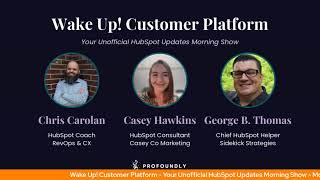
Chris Carolyn, Casey Hawkins, and George B. Thomas cover five HubSpot updates: Task Queues adds a "Start all tasks" button for sequential processing in CS Workspace. Time to First Human Assign is a new Desk Insights metric that measures ticket-to-human-assignment time, excluding AI. Breeze Assistant, a mobile LLM-style tool, launched on Android and iOS with portal conversation history and optional Gmail and Drive access.
Chapters
Foreign.
Wake Up Customer Platform. It's time to start the day. Discover all the value you already own. Don't let solutions slip away. Wake up, Customer Platform. The tools are at your hand. No need to sleep on capabilities that can help your business stand. The answer's right before your eyes. You just need to realize Wake up Customer platform and watch your business rise. Wake up. Wake up. The platform's waiting for for you. Wake up. Wake up. See what your system can do.
Good morning, HubSpot Nation. It is time to Wake Up Customer Platform with your unofficial HubSpot Updates morning show where we help you discover the platform value you already own.
Chris.
I'm Chris Carolyn, joined by my co hosts Casey Hawkins and George B. Thomas. We're here every weekday morning to make sure you're not sleeping on HubSpot's true capabilities. If we're joining live, drop a hello in the comments and let us know what you're building in HubSpot today. Happy Monday, October 27, 2025.
Almost. Almost the end of the month. Almost Halloween time. Doing good. How are you guys doing?
Doing all right? Feeling better? Feeling clear. Got. I think I rested for about half the weekend.
There you go. There you go.
Love to hear it.
Yeah. Rest is good, Chris. Rest is good.
Yes, yes. Sometimes just let the body do its thing and it'll take care of you. Do we have any costumes planned for Friday this week? We still do things like that.
I mean, I. I've got this dope hat and hoodie thing going. I might just dress up as George B. Thomas for Halloween, but other than that, no, nothing. Nothing going on on my side of the pond.
I think you're gonna crush that, George.
I usually say, like, I don't know, I. I'm not a huge Halloween person. I think Halloween is for the kids. Is my. For me. That's my feelings on it.
Do you have a costume? Inquiring minds want to know.
I. I do not. Yeah, yeah.
I'm more of like what you. Here's where you should have went. So, George, what candy bar are you most excited about that might be in there. There. That would start a conversation.
Yeah, that's fair. Yeah. I do look forward to that haul for sure.
The November 1st haul.
Yeah.
Yeah. But for today's haul, we're going to get into five updates before we do. Interesting comment here from LinkedIn user. Sorry, I can't see your name. Please adjust your security settings if you want me to see your name in the future. Looking at buying groups beta. Org chart, I'm wondering If it's RIP as in rest in peace. Maybe some context missing is that this exists because of org chart.
Yeah. And their acquisition.
Yeah. I just look forward to when it will not just be buying groups and it will be all kinds of customer groups that we can. We can see context on. But gotta start somewhere.
Yeah.
Very cool update.
I think we talked about that on Fridays.
Yes.
Thursday or Friday, Friday show. And. And I'll tell you for anybody who didn't watch that episode, go back and watch it, listen to that episode. But more importantly, if you didn't go watch the loom video that we alluded to, I. I did take the time to go watch the video and it talks about. Exactly, Chris, kind of what you said and shows how you can add two different cards and different things like that. So definitely take time to do that.
Indeed. In the meantime, let's remember we still got people doing tasks in HubSpot instead of fancy heat maps. Sometimes you just got to check off that task Our first update today, Task Queues in CS Workspace. CS here stands for Customer success. What is it? Task Queues is a feature that adds a Start all tasks button when more than two tasks are listed in the CS workspace, allowing users to work through them sequentially rather than returning to the workspace every time a task is completed.
Why does it matter? This helps users make their workflow more continuous between tasks.
It's interesting when you get used to something in another place of HubSpot and maybe not realize that it doesn't live other places because like you've been able to do this with just tasks in general, like so now here. Anyway, interesting but cool, cool little update.
I am interested in how this works because I've run into some issues with the task queue functionality before and just understanding how it can work differently. If you're doing task work over there versus not in the queue, how does it work? There's now a Start all tasks button in the top right corner of the table. When there are more than two tasks in the table, the button activates and allows the user to work through tasks one after another. If the first task selected is unassociated, so Task to Companies column is blank, it'll show a modal where you can select an association.
Nice.
From the modal. You can also complete a task or skip it. Once the first task has an association, it should redirect you to the CRM with a task queue bar at the top. This redirect happens automatically if your tasks are already associated.
Very nice.
Yeah, so just take A minute. If you're excited about this and understand how it might work just a little bit differently and how it records stuff across CRM, but very cool. Number two Time to first Human Assign Reporting. What is it? We've added a new metric to help Desk Insights called Time to First Human Assign. This metric measures how long it takes for a ticket to be assigned to a human support rep for the first time. This property captures the time between when a ticket is created and when it first lands with a human, excluding any AI or automated assignments. Once calculated, this value is written once and never updated. Preserving the first. Preserving the true first assignment moment. Quick request here. If we could use less ambiguate, less ambiguous language than lands with the human, I would greatly appreciate that. I'm sure there's some specific property that might be mentioned here. Anyways, go ahead, Casey.
Why does it matter? In today's support landscape, customer agent often handles the first layer of customer interaction. Answering common questions, routing requests, or suggesting solutions. But when the customer agent can't resolve an issue, customers expect a quick, seamless handoff to a human rep who can. This metric helps teams measure and improve that handoff moment by tracking the overall time it takes for a customer to be connected to a human. When AI can't help your customer spot delays in human response, routing or prioritization that impact customer satisfaction. Identify and improve friction points in your customer agent to human workflows. Understand how quickly your team is stepping in to assist customers who still need a personal touch.
You know, I like this update. It feels very, to me, I had to do it, guys.
I mean, a lot of human words in here in this.
I'm like, yeah, we got it. We got to break the sound effect out for this bad boy.
Yeah, we had a pretty good conversation about this on Friday. Hey, George.
Yep, yep.
Yeah.
Give me something there, buddy.
I think it's the call in show that people need to call in. So the HubSpot, the HubSpot helpline that they can call into. I believe it's that show which is.
Turning into Casey's weekly grievances.
Yeah, it's. I think it's 3 o' clock Eastern. Is that correct?
That's correct, yeah. Every Friday on LinkedIn.
Chris would like to say on Fridays.
Yeah. And what started out being about credits and how to use them went into a conversation about agents and how easy or not easy they are to set up. And this is a good example of not easy when you have to take the time to understand. Okay, when is the handoff happening? Do we know how are we tracking that? Like all that stuff's available. Even who gets it? Service free. Service free has access to this and.
I don't have a lot of clients that have like a robust service team. So, like, from my perspective, if I was going to set this up, it would almost likely go into like an email queue, which means that the follow up is going to be. There's going to be a heavy delay in the follow up with the human touch, whatever.
Yeah. And it should highlight it should make it easier for owners or whoever's curious about that stat to understand that it needs some help.
Now, you mentioned service free, but please, ladies and gentlemen, don't misconstrue that with credits aren't free, so you can get access to it in service free. It's tied to a customer agent, you know, tool that is credit based. So there, there still could be potentially some cost even though you get this functionality. I'm just throwing that out there.
Yeah, that's a good, good call out. I'm very interested in learning that what is available at free.
Yep.
Level. Introducing Debris Assistant mobile app now on Android and iOS.
Oh, my.
That's what it is. Why does it matter, Casey?
Oh, I think she's muted again. She's so cute when she does that.
She just like, you did it. You did it. Oh, you did it on Friday and it was amazing.
I don't remember that at all. No, no. Well, yes, I did, actually.
Why does it matter? Work doesn't stop when you leave your desk. You're between meetings, traveling or out with clients. But you still need customer contacts, deal updates or quick summaries. Breeze Assistant gives you that business intelligence anywhere, so you can prep for calls in the car, respond to urgent questions while traveling, and capture insights right after meetings when they're fresh in your mind. It's not just mobile AI, it's mobile AI that knows your business data and remembers your preferences.
So what I'll say is you should probably type in Breeze Assistant because if you just type in Breeze Woo Wee, my goodness, do you get a lot. But it is a. As it would, you would think it is a pink logo with the breeze iconography on it. And obviously it's under productivity by HubSpot Inc. So don't, don't be downloading something else that happens. A breeze on it, please.
Indeed.
Yeah.
And quick tip for the Breeze Assistant team. If you want to put in this how does it work? Section after downloading maybe some example prompts that you might put into the mobile app because it's pretty powerful. And for most people out there, it is as simple as downloading and then asking questions about the next call, the next deal, the next, you know, customer, and it's. It'll surprise you for sure.
So Chris, you. You've downloaded it and kind of played with it a little bit.
Oh, yeah, yeah. Like right out of the gate, the way it shows your calendar and you can talk to it about your account. Like, it's good. I. I love it.
Interesting. Yeah, I'm. I'm. If you can't tell, I'm literally like downloading it and going through the 27 steps of security. Yeah. Be able to. To get it onto my phone. So we've officially. We've officially arrived.
I've got. It is interesting to try and understand the difference between this app and the HubSpot mobile app. And will they always be separate or not? And. And if the experience is any different, if you pull up Breeze Assistant inside of the mobile app. Yeah, I haven't done too much testing there. Just understand that it's kind of like the main difference is that it looks like an LLM, like chat, basically.
Like so, ladies and gentlemen, you can see on my screen there. It's interesting because it does bring all my historical conversations from my portal in here so I can get back like, I like it because I could be working on something, need to hop in the car, go meet somebody and then pull something up that I had been working on. Dependent upon what you're doing there and.
Something they added last week. Is that a little microphone? Yeah. That you can click on.
They did add that. And you can also in. In the app, Gmail, Google Drive, that kind of thing. You can turn that on as well, which makes it super, super powerful.
Yeah. Screenshots here, team.
Oh, that would be good.
That would be good. Maybe. Maybe hook up with the other app team. I know you guys don't always talk to each other. They're pretty good. I put in some awesome screenshots in.
The HubSpot mobile app or a walkthrough video even. Come on, let's do a loom. Get crazy screenshot.
Let's unbox it.
Yeah, there you go.
Form submissions on the company record. Uh oh. In private beta. What is it? New records now Display form submissions from all associated contacts on the activity timeline.
This is the one I'm the most excited about. Hey, I know it's not Breeze app, but why does this matter? When evaluating a company's engagement, you need visibility into all the touch points across the organization. Instead of checking individual contact records, you can now view all form submissions from associated contacts in one place, saving time and giving you a complete picture of company level interest.
Yeah, this is actually huge.
I'm like, when I saw this, I was actually like, this is it didn't let you do this before. Good point.
Yeah. The patterns that you'll be able to see. Like my brain goes to immediate, like, wow, seven different people downloaded that same thing. Talk about a direct indicator from an organizational wide issue. Or maybe not issue. You could always go positive intent here. But yeah, very interesting.
I mean, how else? Like what is replacing in terms of a faster way to understand the engagement? Because I know that a lot of teams like SDRs and stuff, they're like their process starts from the company record. A lot of the time to get to the contacts you want to reach out to. What have they been doing? Like, have they had to rely on scoring or like the historical court score charts. Understand if other people are engaging in this at this level.
Casey, I'm curious where your brain goes. But Chris, my immediate like knee jerk got answers clicking. That's what they've been doing. They've been clicking from the company record to the contact record and then this contact record and that contact record. Like and also I'm super curious if like if this. Casey, you'd be the one to ask before this and it being in the timeline, was there a direct way or is there a direct way now in scoring to be able to score like at a company level. Form conversions.
Yeah. You could have set up a company score and you could set up associated contacts. Yeah, you could have it still it.
Would have had to have gone to the contact level versus being able to stay at the company level, which also.
You could have scored the at the company level.
But by looking at contact information instead of correct. Yeah, yeah, company information. Because this is not following information. Which then makes me wonder how much this actually will tie into like buyer intent and that kind of stuff now. Interesting.
Anyway, yeah. You know who's going to enjoy this the most?
Get that beta.
Who breeze trying to understand the context of a company all in one place. Yeah. Like what the level is that you want to see this and then you get to like 10 or 20 like submissions and you maybe don't want to see it anymore. But I like looking at that, that gif. Like just what are you looking at, Jeff? Sorry. Yeah, like the updated property depending on what you're asking on the form. Right. Seeing how different people fill out different things like right next to Each other in the context of the same company.
Yeah, I mean I just think it's helpful from like a context on like yeah, the company wide engagement. Like even just like as, as a human looking at those submissions. Okay. Somebody filled out that, you know, someone from this company downloaded, signed up for our webinar and then 30 minutes later somebody else did. Like that's all right. That's cool.
Yeah, yeah. Visibility. And again, because I do like where you went. Because being able to know that this information is being tracked in activity shown in activity, you could literally now be like, hey, how many people from this organization did XYZ like submission wise in breeze? And it like it's gonna know.
Love it. Last on the list for today, participant state management for marketing events.
I have no idea.
I've read this title like three times and I think I might know what it is.
I'm just gonna be quiet and listen because right now I'm like, what?
Well, it's in private beta. What is it? Update contact registration and participation status for marketing events directly from the contact record in HubSpot.
Why does this matter? Accurate event participation data is crucial for effective marketing segmentation and follow up. You can now easily update this information without time consuming imports or allowing you to one segment contact based on their attendance record before, during and after events. 2 maintain up to date registration statuses. Registered, canceled, attended, no show. And three improve the accuracy of your marketing and sales reporting.
So.
So state not as in Montana or Ohio.
No, not state.
AKA maybe the word should have been status might have been more helpful. Canceled, attended, maybe like.
Yeah.
In which they are not location anyway. Am I? Yeah. Did I grab that right?
Yeah. Basically you can change the pipeline stage now. Yes. Directly on the.
On the record to add more words to confuse people. State status and pipeline. Yes.
Yep.
Yep.
It's easier to know where the people are at in their journey with your business or in this case the marketing event.
Yeah. Marketing events.
And that is our updates for today. Got something later today, Casey.
Yes. We are talking with Riley about lead scoring and the value paths and how lead scoring fits into the value paths where. What are we scoring on at the different value path stages? I'm excited because I think today we're going to talk about some stuff that's going to align with the conversations I've been having with Clement on Tuesday. He's out this week. But about like, you know, what does data look like at each of the value stages? And I think especially in the early stages, which is when we are always constantly trying to figure out who is worth our time in those early stages. Sometimes we don't have a lot of data so it'll be interesting to look at what what we are scoring on there.
Nice.
Excited for that for sure. Tomorrow is Inbound Rebound Marketing Hub on the HubSpot Admins Hug. Naomi Fitzpatrick and Dean Kenney from the Product management team at HubSpot. Going to talk about what's updated. Just a few things got updated at Inbound, so while this might give you some idea, I'm sure there'll be some pleasant surprises related to what they're focused on in terms of what was updated and what they want us to know about. So if you feel like feeling like you're behind on what's been updated, especially as it relates to Marketing Hub, check this out tomorrow, 10am Central, 11am Eastern and remember folks, you probably already own the solution you're looking for in HubSpot. Sometimes you just need to wake up to it. Join us Tomorrow Morning Live, 7:30am Central, or catch us anytime on Spotify and Apple Music. Drop your biggest takeaway in the comments and let us know what capabilities you want to wake up to next.
Until then, I'm Chris Carolyn I'm Casey Hawkins.
And I'm George B. Thomas and this.
Has been Wake Up Customer Platform. Now go build something amazing. Have a great day everybody.
Wake Up Customer Platform it's time to start the day. Discover all the value you already own. Don't let solutions slip away. Wake Up Customer Platform the tools are at your hand. No need to sleep on. Check a business that can help your business stand. The answer's right before your eyes. You just need to realize Wake Up Customer Platform and watch your business rise. Wake up, Wake up. The platform's waiting for you. Wake up. Wake up. See what your system can do.










