HubSpot Customer Platform Updates - 8/12/2025
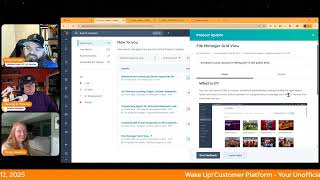
Chris Carolyn, Casey Hawkins, and George B. Thomas walk through HubSpot's latest platform updates from August 2025, including new AI tools, video editor improvements, and quoting workflows. They discuss how marketers can actually use these features in their work.
Wake up, customer platform. It's time to start the day. Discover all the value you already own. Don't let the solutions slip away. Wake up, customer platform. The tools are at your hand. No need to sleep on capabilities that can help your business stand. The answer's right before your eyes. You just need to realize Wake up, customer platform. And watch your business rise. Wake up. Wake up. The platforms waiting for you. Wake up. Wake up. See what your system can do.
Good morning, HubSpot Nation. It is time to Wake up, Customer Platform with your unofficial HubSpot updates morning show where we help you discover the platform value you already own. I'm Chris Carolyn, joined by my co hosts Casey Hawkins and George B. Thomas. We are here every weekday morning to make sure you're not sleeping on HubSpot's true capabilities. If you're joining live, drop a hello in the comments and let us know what you're building in HubSpot today. Happy Tuesday, August 12th. How we doing? Good day today. Big day today.
Yeah, I. I just had an epiphany. I need a. I need a new soundboard sound. I need a sound of somebody snoring. So when you say the it's not sleeping on, then we can get like a like sound. No, maybe not.
Yeah, no, I've been thinking maybe we need to up our game a little bit when we're for the live recording at Inbound.
There you go.
We've got to bring some magic. How are you doing?
I think I'm good. I think when you say it's a big day, you're referring to Taylor Swift announcing her 12th album, Life of a Showgirl.
That is exactly what I was talking about.
Actually, it's believed to be the Orange album.
Oh, stop it. Really?
Yeah.
Okay. Oh, now.
Now we got him. Now we got him.
Really, bro? It's that easy.
Hey, branding, branding. Now that it's orange.
Oh, okay.
It's orange. It's popular and has an audience. Let's get it in here.
There you go.
Now it's Inbound Sessions, open for the non vipers of the world. Opens today and I'm excited. Doing a special Road to Inbound episode with my buddy, Anton Bujanowski, fellow Inbound correspondent. We're going to be going live in just a little over an hour to, you know, try to sign up for stuff live and go over. Click on George's sessions and see them full already. No, just be prepared to get waitlisted. Yeah. And yeah. No, it's going to be fun. So excited for that. That is the Big day. I was actually referring to on the HubSpot focused morning show.
So it's a little bit of both, I think.
Yeah, go ahead and let's get in here. Right. We found the linkage. Let's just make it work. Humans do. All right. Fifteen updates on the page today, so we're gonna dive in. Index Page Report View private beta expected tomorrow for release. Oh, I love it when they do this for us. Updates as of August 11, 2025. And just take this screenshot in for a second. Index tabs on the top, reports on the bottom of this screenshot. Thank you for testing out the Report View type. This beta is now closed and the feature will be available within the flexible CRM Views beta. To continue access to the Report View type, please enroll in the flexible CRM Views beta. What is it? The Report View type integrates reporting into the CRM and provides a new way to visualize and analyze, analyze index page data. How long do we let it go for, George?
I mean, I was wondering if she was gonna figure out he's got Taylor.
Swift on the mind. It's gonna be an interesting show.
My air conditioner is so loud, you guys complain about it. So then I try to mute myself.
You mean that jet engine you have in your basement?
I just can't win.
It's like we've got, you know, the cools, but man, anyway, why does it matter, Casey?
CRM Index pages are used to filter records, review property details and perform key actions. The new Report View type integrates reporting functionality directly into the CRM Index page, delivering immediate access to insights and analysis. Also, is this update saying that this is no longer the beta, it's now.
Right click and open that Flexible CRM view betas in a new tab. Right click Open link in new tab. Yeah. So basically now we've got this that we can talk about. Yep. Just whichever one you're going to open it in. Redesign CRM Index. And it's. It's a. Again, that's the beta that you want to follow. So redesign CRM Index Pages is what it's called. That's where it's going.
Yeah, man. I love serendipity. Thank you, George, because I wanted to thank you for the sandbox episode that you did this week. Yeah. On Hub Heroes.
Yep. You're welcome.
This is actually for another show we're doing later today where we've been building out from scratch using the help of Claude HubSpot CRM data model. So your. Your friendly neighborhood HubSpot helper, George B. Thomas, if you ask for a topic, he will deliver the goods. I do my best, but certainly check it out if you have if Sandbox is our new concept to you and you're wondering whether or not you should should pay attention to what's happening with the new Sandbox Beta number two, light color theme is back. Yeah, what is it? We've updated HubSpot's visual design to help you focus better on your work. This is the first step toward a more modern customizable experience. Nothing about how HubSpot works is changing your workflows, data and teams can keep operating without interruption.
I like that they clarified that this matters because you get a more focused workspace that helps you concentrate on your most important tasks. The improved contrast and simplified visual design. Reduce eye strain during long work sessions with clear cleaner interface, removing unnecessary visual noise that can interrupt your workflow. So HubSpot might look different, but it's not going to behave different.
At least related to this update.
At least related to this.
Still changing every day. So that's. I don't know if they want to.
Set the expectation, but other than the daily changes. Sorry, you're right.
I'm very curious why they can't just give us dark mode like every other app and software seems to be able to do. I have to imagine there's so many visual elements that it's not just easy to flip that switch. Also orange. Orange doesn't always look great on a black background, but cool to see them working on it at least. Right?
I will say this. I have switched to the. Like I go in there and switch to new theme. It might be broke because nothing's switching for me. Mine does not look burgundy when I do it. So just try this and it doesn't work. Maybe let give them feedback that it's not working for you since you can restart.
Please just like try like close the browser first. Maybe log in, log out. Yeah, maybe restart the PC while we're at it.
Oh my God.
You probably haven't done it in a while.
So why would I restart my theme color anyway? Okay.
I mean, how bad do you want.
Chris is trying to save the support team.
Yeah, yeah.
I'm just saying I don't trust any error message that HubSpot's giving me right now. So often it actually worked and tells you it doesn't and then you refresh like. Okay. Just kidding. Number three, audio uploads in Video Editor. What is it? The new audio upload feature allows you to easily upload and overlay external audio tracks. Including voice recordings, background music, and sound effects directly onto your video timeline. Quickly replace or enhance your video's original audio without leaving your editor that is inside of your HubSpot platform.
Wow. Before you know it, they're gonna have like audio syncing where you can like have anyway. Geez.
This matters because great audio enhances audience engagement and content quality for marketers. Creating video content creat easily. Adding professional voiceovers or music directly within your video editing tool saves significant time. No more complicated workflows or external software needed to combine audio and video. Just upload your tracks and fine tune directly in one place. This feature makes it easy to elevate the production value of your video and tailor audio to your audience.
It's craziness.
How many things left on the list before we can call this parody from a video editor perspective for 98 of humans that don't actually know how to do. Yeah, video editing.
I mean, and it's in hubs anyway.
Yeah, that's. You guys gotta check it out. Yeah, please, we're begging you.
And. And if you don't believe us now, just wait till we do this next update.
Image Overlays in Video Editor what is it? You can now add image file overlays in addition to the audio uploads we just talked about to your videos directly in the editor. Whether it's arrows, screenshots, or custom graphics, this feature lets you enhance your video content with visual elements that appear at specific times.
Why does it matter? For content marketers, visual clarity is everything. With image overlays, you can draw attention to specific points in your video, add quick illustrative screenshots, or insert branding visuals like logos and watermarks. This helps viewers better understand the message and makes your video more engaging. The ability to adjust timing, position.
Ah.
It'S like that word is just I know it. And size give you full control over how your images appear so your video can look polished without complex editing tools.
Wait, so my question then is, does this mean that we have the ability to like, do animations?
That's where I was gonna go too.
Like, can I slide the logo in and slide the logo out? Or is. Is that not what this is saying? Or is that coming to a HubSpot portal near you in the future? Like, interesting, interesting.
I don't see anything about transitions and how does it work, but I have to imagine, if not now, right behind.
Yeah, that's the thing. Like I would say, because when you say transitions, I think of like fades in, fades out. But like transitions and animations, like if. If all of a sudden we get a beta, you can now transition and animate inside of HubSpot. My goodness.
Animation.
Yeah, yeah. Like a slightly dumbed down version of after effects in your HubSpot portal. What world do we live in when that becomes reality?
Yeah, and this one I think. And clearly this team is doing something so I'm skipping over this one today. Not even going to say it out loud. Yeah, don't even the words the next one. Rename HubSpot Defined Objects is live. If you didn't know in case you missed it. Not going to go into a bunch of details here, but you can now rename your HubSpot defined objects. For example, you might want to change deals to opportunities. So that is. Here it is live. Next one. Landing pages clone with AI in public beta. What is it? When cloning a landing page, you can now choose to generate content for the new page using AI.
This matters because we know that many marketers leverage our cloning functionality when creating content to easily start with a template they want. We want to make it easier to make high quality content by offering a quick starting point with AI.
Curious to hear Doria's thoughts on this?
Wow. I want to know what the so okay, well here, how does it work? When clicking clone on a page, either from the Landing pages dashboard or from the editor, you'll have the option to indicate if you want to clone with AI. If you choose to clone with AI, you'll be sent into the AI powered landing page creation flow where you can provide more details to help improve and tailor the generated content. Wow. So literally what it feels like and I haven't done this yet obviously I need to join the beta right now is I want to clone this and now I want you to help me build copy. I need an H1 subheading paragraph with 3 benefit bullet points on XYZ I'm super curious if I can upload like a document for context or information from somewhere.
Yeah text.
For that. But yeah, I'm super interested in because by the way I I do this as far as crap crafting. Crapping crafting Landing page draft copy in chat GPT already.
Yeah.
So like if I can just clone it and do the same drafting that I do over there in depending upon what output and also knowing that it's attached to my brand voice.
Man.
Oh interesting.
Powerful.
Yeah this could be very interesting.
A lot of HubSpot websites and or even if you've just been using the landing pages like the dev and the design and the delivery of the first build is like, I need three page templates. I need five page templates. In the case of profoundly, we're about to publish the kinds of things that we help with. There's 18 of those pages that I've already done this for, but I'm probably going to try it with this because we've got Google Docs for all the types of HubSpot problems and challenges like integrations and audits and all these things. But we want the page design to be the same. Right. Like, and if that's the case, so that. So I wouldn't use this necessarily if I just wanted like an iterative change, like a update to the date or.
No.
Right. But if it's like an industry page and then I want to do another one just like that for a separate industry.
Yeah.
Why in the world would you not use AI to help you do that? Like, oh, man, so good. Like George said, we're doing the same thing in the LLMs right now. Hey, hey, Claude. Hey, GBT. Like, here's the last time we did this. I need to do one for this thing now.
Well, my. My brain goes to. This is literally the ability for personalization at scale. Like, you want to have this product or service for accountants. Oh, now you want to have this product or service for airlines. Oh, now you want to have this product or service for. It's like clone and now make all this verbiage for this type of human.
And I hope you don't mind me one upping you just one time here.
Are you kidding me?
Because we. We help clients do this. And this is part of the magic of landing page like in pages in HubSpot, tied to your CRM dynamic content. Imagine a page specific to each client, each buyer. And if AI is helping us do this, at this point, I guarantee there's things coming that will allow us to say, hey, AI, whoever is looking at the page right now, just handle it.
Here's the thing for you where. When do we get to a world where smart content is actually AI assisted smart content?
AI decides where in the content. That's what prospecting agent is right now. Right. And it's in emails. And it's doing some pretty amazing things like, oh, the game's changing, folks.
People are gonna have to hand over some reins. They're not gonna be immediately happy.
Yeah. But if you can embrace it, like your scalability as a human being, this is your iron man suit. Like, get comfy, like, testing it out, please, man, you could have so much more impact. All right. This one we've seen a couple times. Improved international phone number formatting in personalization tokens is now live. We've got a smarter campaign goals experience we've mentioned a few times.
It's live. That's. That's the change.
Yeah. AI Powered Recommendations and Automation Overview I think we hit this yesterday. That is in public beta. Here we go, some other good ones. And by the way, the 12 with yesterday's date standard and advanced quote approvals for CPQ what is it? Power your quote workflows with the flexibility of standard or advanced quote approvals. Standard approvals, you can easily configure quote approvals to match your team's workflow. The system supports both single and multiple approvers. Single approver A quote can be approved by any one person in the approver group. All approvers A quote must be approved by every person in the approver group before it can proceed. This flexibility enables you to choose whether all assigned approvers must approve a quote or if approval from just one person is enough. For advanced approvals, use workflows to automatically trigger quote approvals based on specific criteria, ensuring consistency, accuracy and control without slowing down your sales process. Workflows can be built using properties from the quote itself, as well as associated objects like line items and deals. Oh, this gives you the flexibility to define exactly when an approval is needed. We've recently introduced sequential approvals so you can set the exact order customers need to approve a quote, for example first year manager, then the legal team. Fantastic. Example common use cases include approving quotes with discounts above a set percentage, requiring review for quotes over a certain total amount, flagging specific SKUs that exceed discount or price limits, routing quotes from new sales reps for extra oversight, triggering approvals for when billing frequency or net terms are modified, and approving quotes based off ordering. Not exactly sure about the words in that last one, but with sequential and property based approvals, you can ensure managers only review quotes that meet specific criteria, streamlining the process, reducing noise and supporting stronger business controls without adding friction. This just became closer to cpq.
Yeah, why does it matter? Quote approvals help you stay in control as your quoting process grows. With standard approvals, every quote goes through an approval step. Perfect for teams that want a simple, consistent review process with an easy setup when you need more flexibility. Advanced approvals let you set rules based on criteria like discount amount or or deal size, so only specific quotes with high discounts require approval. This reduces errors, helps enforce policies, and saves time by focusing reviews where they matter most. I like that there's like standard. I like that it's being broken out.
Yep. Keep it simple when you can.
Yeah folks.
Just a greatest hits list of everything people have been wanting related to quote approvals in HubSpot and a significant you thought what I was reading was long? Lots of screenshots. If you haven't seen the quoting tools yet and they're interesting for you, get into this beta and check out all these screenshots on this product update. Happy to do all of that reading for the purposes of an update like this. Thank you team. We also have AI powered landing pages with custom templates. What is it? When creating a landing page using AI, you will now have the option to pick from any of the existing templates in your portal. Images and text will be generated and plugged into the template so that you have a publish ready page that is aligned to your brand.
This matters because today the AI powered landing page flow only works with HubSpot default templates. This can make it difficult to match the AI generated pages to the look and feel of your existing content.
Yeah, the barriers are coming down left and right. Speaking of Prospecting Agent can use it for advanced research and adaptive outreach. Now in public beta scheduled for release. Oh look at that. September 3rd. Oh.
Special happening on that day.
What is it? Your prospecting agent just got a whole lot smarter. What's changing? The agent now makes strategic decisions about when to reach out, what to say and how to engage based on real buying signals and prospect behavior. What a beautiful world that is for existing users. Your currently enrolled contacts will continue using the existing legacy flow. New enrollments default to the powerful new adaptive flow with these updates. Can't wait to hear the feedback about less control. Deep research Any company outreach that adapts to real signals. Real signals, clear boundaries, custom control, 200 plus languages, zero delays, some bold statements here and enhanced workflow automation. Literally they're bold. They're bold and they're big at this point.
Yeah, the formatting on this is a little odd.
Like we're definitely getting yelled at. Somebody's excited about prospecting agent.
This matters because marketing assigns high intent leads to reps through the agent. The agent automatically researches and begins outreach, allowing reps to focus on replies and booking meetings. You can scale your territory coverage by enrolling dozens of prospects at once. Review and improve suggested outreach or just handle the replies for post event follow up after events, enroll all attendees and let the agent craft personalized follow ups based on the session attendance and engagement history. You can revive cold leads. Oh, Chris is going to Love this one. Revive cold leads by having the agent reference the original interest point combined with new company development and trigger events.
That might be my favorite one. Oh yeah, yeah. Like let the super smart thing do this instead of the what instead of the. The person that needs to hit quota like this month. Don't get me started. I love this, man. This is, this is the world we're going into. Like real signals create real outreach that's actually valuable. Right. We have not been good at that as human beings traditionally. So let's get some help from. From the prospecting agent. Super interested to see Casey how this interacts with scores, if at all.
I think there's a. I, I think there's a lot of potential. I think there's a lot of potential.
Yep. If anything you could do a, an amazing A B test of scores versus prospecting agent decision making. Awesome to see that. And again expected for release on, on the first day of inbound next month. And just no inside information here even as a partner. So this is just expect like the one, the one agent that is not officially in the beta still is customer agent and that cost credits. So just keep your, keep your eye on that folks. As these agents come out of beta and they, they run on the same mechanisms, be ready for more credit usage. We've got customizable ticket properties in the customer portal. I've gone over this a few times. They're making the customer portal better and better. Great to see progress there. And then we've got the file manager grid view, if you haven't seen it yet, highlighted this a couple times. If you've signed up, make sure you click that that Grid View tab when you go over into your files so that you can enjoy this new experience. Oh, the inbound energy keeps going every day. Remember folks, you probably already own the solution you're looking for in HubSpot. Never thought I'd be excited about, quote, approvals, but there's some pretty cool stuff happening there. Maybe it's that sometimes you just need to wake up to it. Join us tomorrow Morning live at 7:30am Central. Catch us anytime on Spotify and Apple Music. Drop your biggest takeaway in the comments and let us know what capabilities you want to wake up to next. Till then, I'm Chris. Carolyn.
I'm Casey Hawkins.
And I'm George B. Thomas.
And this has been Wake Up Customer Platform. Now go build something amazing. Have a great day, everybody.
Wake Up, Customer Platform. It's time to start the day. Discover all the value you already own. Don't let solutions slip away. Wake up, customer platform. The tools are at your hand. No need to sleep on capabilities that can help your business stand. The answer's right before your eyes. You. You just need to realize. Wake up, customer platform. And watch your business rise. Wake up. Wake up. The platform's waiting for you. Wake up. Wake up. See what's your system can do.










