HUbSpot Customer Platform Updates | 8/15/2025 #hubspot
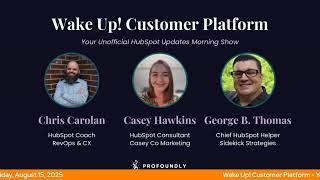
Chris Carolyn, Casey Hawkins, and George B. Thomas walk through the latest HubSpot Customer Platform updates from August 2025, covering new tools and beta features for sales, marketing, and service workflows.
Foreign Wake Up Customer Platform. It's time to start the day. Discover all the value you already own. Don't let solutions slip away. Wake up, Customer Platform. The tools are at your hand. No need to sleep on capabilities that can help your business stand. The answer's right before your eyes. You just need to realize Wake up, Customer Platform and watch your business rise. Wake up. Wake up. The platform's waiting for you. Wake up. Wake up. See what your system can do.
Good morning, HubSpot Nation. It is time to Wake Up Customer Platform with your unofficial HubSpot Updates morning show where we help you discover the platform value you already own. Chris I'm Chris Carolyn, joined by my co hosts Casey Hawkins and George B. Thomas. We are here every weekday morning to make sure you're not sleeping on HubSpot's true capabilities. If you're joining live, drop a hello in the comments and let us know what you're building in HubSpot today. Happy Friday, August 15th.
Yay. How's everybody doing?
Doing all right.
Heyday, it's Friday.
Draw a lining Friday.
Yeah. Good. Going to the beach this weekend. One last what beach? Summer Ocean City, Maryland.
Nice. Very cool. Enjoy. Be sitting by the pool this weekend. Friends have invited us over so I'm excited to just chill for a little bit. Chris, how about you? What's your weekend looking like?
Oh, he's going to be working. He has an AI show. He has.
Some shows for sure, but there's some fun shows. I'm super excited for one tomorrow with Joshua Oaks. We both invested in Seth Godin. Yeah has created this like AI coach deck of cards where everything has a QR code and it's backed by Claude. So you scan the code and brings you into some kind of coaching tool. We're gonna unbox that live tomorrow, tomorrow morning just to have some fun. And then Nico and I on on Sunday doing our tech stack reimagined trying to help people understand the basics of AI. This Sunday. Nice counter to all the GPT5.
Well, just so you know, the Oxford dictionary says that relaxation is the state of being relaxing or re recreating state of being less activity, a pastime. Okay. That's all.
That's exactly how I got Oaks to to join me on a Saturday. I was like this is hobby content, dude. Like not work. This is just. Honestly it is like it's why the weekend stuff is more fun. Like we're not. There's nothing on the task list that's like being replaced and it's just hanging out with friends and that's how so like that. Hanging out with friends.
Yeah, speaking of friends, how about those updates?
Speaking of friends, how about our AI friends doing some note taking on our behalf? Apparently.
There you go.
Sales Meeting Note Taker in private beta. What is it? Admins can turn on Sales Meeting Note Taker so sales conversations are automatically recorded, transcribed and stored in HubSpot. This frees your team to focus fully on customers instead of note taking. The tool seamlessly joins your Zoom, Google Meet and Microsoft Teams meeting with external contacts.
This matters because sales reps can engage completely in customer conversations rather than dividing attention with manual note taking. Notes are automatically logged in HubSpot immediately after each call, providing valuable context for follow ups and coaching opportunities. I'm a big fan of note takers. I have not been leveraging hubspots though, which might be a behavioral hurdle.
Admittedly I know George has been taking baby steps. Oh yeah, are we there yet?
I haven't completely shifted off of platforms, but I can tell you that the. The buttons are flipped that we're seeing in this screen piece here.
So.
Yeah, not a doubt.
Nice. And is this the dawn of the burgundy screenshots?
Well, I was gonna say that that's the light. What is that the light theme that we've been talking about. Yeah, yeah, yeah.
Maybe I'll have to turn on the. Turn it on so I can match match the updates.
There you go.
Here's. Here's an old one. We'll keep it. Keep it interesting.
Well, that's not necessarily an old one. It just might be A different person took that screenshot who hasn't used the late theme yet.
But yeah, anyway, yeah, true. Making it easier to record our calls. Additional details returned when generating OAuth access tokens. What is it? We're updating the response body for post requests to the OAuth token endpoint. Two new fields will be included in the response hub ID and scopes. These fields mirror what's already available via the GET request. More information about These and related APIs is available in our reference documentation.
This matters because this update makes it easier and faster for developers to work with customer portals by including hub ID and scopes directly in the initial OAuth token response. By reducing the need for follow up API calls, it simplifies permission handling and improves overall efficiency when setting up and managing integrations.
This is.
Anytime we get into API territory, I start to get.
Sounds like a good idea. One point of clarification. The phrase customer portals here is not referring to the Customer Portals tool. It is referring to HubSpot portals used by customers.
The general portal State Yes.
Number 3 Sunset Email Performance Chart on Email Analyze what is it? We're moving the Email Performance scatter plot chart from Email Analytics. This chart previously showed individual sent emails plotted against open and click performance metrics and is now being deprecated to streamline reporting across the platform.
This matters because removing the email performance chart helps reduce visual clutter and simplifies the experience for users by eliminating redundant data. Georges might have some feelings about calling it redundant data.
I've given up on this.
You've given up on this one. You're letting it go times.
I'm like whatever. Like you know, there's still pollution. There's, you know, still.
Anyway, yeah, if we can't the masses to let go of some of their performance metrics, I don't mind HubSpot maybe helping them with that in places. Number 4 Campaigns Analyze Tab what is it? A brand new Campaigns Analyze tab is now available, providing a clear centralized view of performance across all campaigns all in one place. And if you're not watching and just listening, there is a screenshot that shows you it's basically dashboard and reporting like inside of the campaigns. Whether you're viewing a single campaign, a selected group, or all campaigns at once, the new Analyze tab gives you a fast, unified way to compare results and spot trends with select reports, offering deeper AI powered insights when you drill in, the Analyze tab includes a suite of focused reports grouped into key performance areas, revenue and deals influence contacts, engagement by asset Please note this new tab replaces the Campaigns analytics tool, offering deeper insights and a more intuitive experience all within the Campaigns tool. No more switching between tools to get a full picture. To further streamline analysis, the Compare Campaigns tool is now directly accessible from the Analyze tab, putting everything you need in one central location.
This matters because until now, seeing how your campaign perform Campaigns perform across the board meant jumping between tools, dashboards and spreadsheets. Metrics were scattered, reports were manual, and pooling insights took a lot of time. The new Campaigns Analyze tab changes that. It brings all your performance data into one clear, unified view. Whether you're reviewing a single campaign or tracking results across multiple efforts, you can now get the insights you need in seconds.
So whoever is in charge of HubSpot's brand voice, we're using Unified a lot. Yes, maybe teach it to alternate between some other words that maybe mean unified but not use unified. I get it, we want to be unified. But how many times was it in this update like multiple. My brain like heard it. So.
Anyway you show me teams that are no longer siloed and we can start to use Unified. Less about that.
Oh, shoot. Shots fired. Okay, I'll shut up.
Flexible CRM views. Flexible CRM views. High Impact Public beta. All right, come in and take a look at this picture. We're gonna move on.
By the way, I ran into a portal where they had this on already.
Huh?
I and I was like, oh, I need a minute.
I did the same actually. Just yesterday.
Yeah, yeah, it was. For me, it was yesterday. Things have changed. Things look different. Things have moved. Oh yes, that's right. We talked about this. Dang on it. People are turning stuff on quickly, so it's actually really cool though.
Yeah, I can't wait until. Until I can talk about it more. Conversation Powered Recent Activities in Deal Insights what is it? Conversation Powered summaries are now embedded directly within the Recent Activities card in Deal Insights. When reps review recent calls or meetings, they'll see a concise AI generated summary of the conversation in line, collapsible, and right where they already track Deal engagement.
Why does this matter? Transcript summaries are now available directly within Recent Activities, a key surface that can be relied on to assess deal health. By embedding AI powered summaries in Recent activities, we reduce friction and make it easier for reps to quickly recall key topics, tone and context right from where they already work. This helps rep stay in flow prep more efficiently and deepen the habits of using recent activities as their Go to reference for Deal Engagement.
Hit that beta.
Yeah button. Yeah, I'm liking this Conversation Powered phrase from Being honest. A lot easier to understand that than unstructured data and all the other ways that we've been describing this this thing.
Yeah, I mean, as the guy who has been talking about conversations for years, I will definitely take conversation powered as a term we use.
Indeed, it's been inevitable and it's finally here. Healthy Slash Unhealthy Lists in Email Health is live. What is it? You can now view a new report within the Email Health Dashboard to surface the healthiest and unhealthiest performing recipient lists based on key engagement and delivery metrics.
I saw this one yesterday and I was kind of excited. This matters because email lists with poor performance can damage your sender reputation and reduce overall deliverability, while your best performing lists represent valuable insights for optimization for optimizing your email strategy. Understanding which lists drive strong engagement versus those that hurt your metrics help you focus your efforts where they'll have the greatest impact on ROI and customer relationships. A question I have. I'm pretty sure I'm making an assumption here, so I could be wrong. Assumptions are always good things to share, but if this is only going to show up if the list is added to the email. What I mean by that is, on last week's call and show, I demoed using waterfall lists, which are list within lists. I commonly have clients that have one like primary email list that is a waterfall of like a few different segments within their database. If you need to add the list itself to the email to see the health, then you would want to add those individual lists, which is fine, but adds a little bit of manual work. Did I lose any? I feel like I lost Chris. I feel like George might still be with me because he.
No, you didn't lose me. You didn't lose me because my brain goes in two different directions with us. And one, should you change the way that you're actually emailing people to use micro lists to understand the healthy and unhealthy. And the second place my brain went from that is how many of you are willing to completely kill lists that suck? Because just because you can email 10,000 billion people doesn't mean 10,000 billion people are interacting with your email. And so in an effort to have big numbers, are you actually hurting yourself with the numbers that you could be reaching?
I agree with both of those statements or questions.
Yeah.
Propositions.
Yeah. Hey, that was conversation powered podcasting right there.
Think about that.
Yep. Health metrics may be more important than performance metrics, folks. Eight. Number eight today. Job title in contact, Data enrichment. What is it? In addition to the role, sub role and seniority information that Breeze Intelligence previously provided, we now provide the job title as well. This will help you personalize your outreach better than ever before.
This matters because this has been one of the most requested features over the past six months. You have told us how having the complete job title helps you better personalize your outreach. Setup, filters and workflows and more.
Who gets it?
How about credits? Just.
Just saying.
So go ahead and look at your contract and find that line or don't find it and understand if you get this or not.
I've got 5 million contacts. Let me go ahead and rent job title real quick. That alone. Oh man, do the Math. Carry the one. Add 7,562,462.
Oh, be careful.
Sleeper. Part of this update though is it will enrich anytime the job title is seen to change. So there's a use case here on identifying job changes, which is a major trigger for some conversation.
Let me just say Something about that. In most cases, that might be cool. But I've been a chief HubSpot helper, an inbound evangelist, HubSpot trainer. My. My title has changed many a times and it doesn't mean squat.
I actually brought this up in one of my lead scoring mastermind groups. I work for myself. Sometimes I fill out a form and I want to feel important on that form for whatever reason. And I refer to myself as owner, principal, CEO, whatever, president, whatever. Other times, for other reasons, I want to seem very unimportant and I might say consultant, marketer. Like, yeah, things that are.
Yeah, I just.
I agree.
But I get it in a lot of cases. Job title does make a lot of sense, but be careful because there are many people out there that don't play the job title game.
Yep. And I definitely want to know where, what is. What is giving the job title information. Because we see people show up differently on platforms.
Yep.
All the time. But what you want to avoid is. Hey, George, as a fellow chief HubSpot helper, I know how hard it is to help people with HubSpot. Like, oh man, this person really gets me. Cool.
Yeah.
Oh, yeah. No, that's not a title that other people use.
Yeah.
Dead ringer. You're a pitch.
I love when people reach out and be like, hi, inbound evangelist.
Oh, God. Goodbye.
Goodbye.
Oh. LinkedIn DMS. Yep. Help Desk Ticket timeline. What is it? This update adds a new Ticket Timeline panel to the Help Desk sidebar, giving users quick access to details on historic ticket events like merges, workflows, custom events, and status updates. And there's a very large screenshot here. Why does it matter, Casey?
Once you scroll fast to this big screenshot, it matters because the Ticket timeline panel directly addresses feedback. We've heard from Help Desk users that key ticket information such as merges or recent status changes can be difficult to find. Prior to this update, support agents and managers primarily working out of Help Desk had to open up the ticket record just to view the critical details. By bringing more ticket information into Help Desk, users can access the information they need to provide personalized, high quality support without having to jump to another page, increasing efficiency and helping teams resolve issues faster.
How does it work, George?
Oh, really? Okay. Click Activities tab on the Help Desk sidebar. That's it.
Making it tough for us folks.
One click.
Yeah. Very cool that this can be available in the workspace spots like Help Desk. And we're almost there. Not having to go to the records to view to get our job done in these spots. Thank you HubSpot team for that. I'm excited for this one because I've been. I've been figuring this out the hard way very recently. Manually add campaign contacts for offline or untracked interactions plus view all campaign influence from the contact record.
Just a short update name.
Sheesh.
What is it? You now have two new ways to work with campaigns directly from the contact record. This screenshot is awesome. Please come take a look at it. 1. Manually add a contact to a campaign if someone engages with your campaign outside of HubSpot's tracked assets, like attending an offline event inbound next month, folks speaking with your team or registering through another system, you can now manually associate them with a campaign function from their contact record. You can also add a note to give your team context about why they were added, something I was also unable to do Yesterday already using HubSpot's event object. Use this manual method only for edge cases that aren't captured through event or list based edge associations. See a contact's campaign history is the second thing you can do here. You'll now see a list of all campaigns that have influenced a contact based on their interactions with campaign assets like emails, forms and landing pages. This gives you a more complete view of how your campaigns are resonating with each individual without needing to dig through campaign reports or leave the contact record.
This matters because not every meaningful campaign interactions happens through attract asset. You've told us I need a way to reflect people we spoke with. If they didn't fill out a form or click an email, they disappear. Campaign reporting doesn't feel complete unless I reflect everyone who is actually part of it, not just those who took a digital action. This update helps you fill those gaps by enabling you to one. Manually reflect offline, last minute minute or human driven interactions like conversations, paper signups or ad hoc registrations. 2. Ensure important contacts are are included in campaign reporting even if they didn't engage with the chart assets. 3. Give your team shared context on how and why contacts were added directly from the contact.
My goodness, hit that beta.
Always good to be reminded that it's never easy to talk about campaigns.
Yeah, well here's here's what I'll say though. Chris too. It might not be easy to talk about them, but it sure has gotten a whole lot easier to build them and track them. And somebody somebody is trying to give us so many signals that compartmentalizing your marketing and sales and service efforts into buckets that are easily measurable and understandable is important in the day and age that we live in right now. They're giving you all the signs by all the updates and changes that has happened over the last six to nine months that if you are not using historically HubSpot campaigns or not thinking about how sales, marketing and service align in a campaign mindset, then it's time to stop, pause, re strategize, rethink and move forward in a different way. That's all. That's all.
Indeed. His case from yesterday. Client went to a small event. They didn't really know how many people were going to be there, but like about 10 people, they spent hours there. That's some really valuable conversations and interactions. And when it's outside of specific deals or things that are already planned, it's hard to just mentally know, okay, I'm going to go add that to the CRM and this is exactly where I'm going to put it. And this is why I'm going to put it there so stuff doesn't end up going there. Right. Meanwhile, there's this campaign. It's like, yeah, that's where the event is. It's within the plan for the rest of the year. Right. So creating the space for like any, especially when they're getting excited about how valuable like the interactions were and that when that stuff doesn't make it into the CRM. Right. That's why I get so down about performance metrics that miss all of that. And then we try to attribute things without those other very important experiences being identified. Thank you to the team for making that easier for us. Three more as we wrap up today. Call from other devices using the call remote. Tell me more. What is it? Users can now use the call remote to make calls using an external Device or the HubSpot mobile app.
This matters because this update allows users to make outbound calls using their preferred device, providing additional flexibility when calling in HubSpot. We had that, there was a calling hug admin hug this week was about calling. A lot of good information there on what's been updated and what's coming.
Nice. Yeah, I saw Starter down there for who gets it. Yeah, nice.
Almost all these call updates have been available at that level. Huge for most small businesses I've met. If you can get, if you can move over here, like the power of just what we've seen in the call in show, like the breeze summaries and like all the other stuff that you see in the CRM, just imagine it like right after a live call like from your desk can be there for you. File manager, grid view, what is it. You can now browse files in a visual thumbnail based layout, making finding the right assets faster and more intuitive. Switch between list and grid views to manage your files in the way that works best for you.
This matters because the current list only view means scanning through long columns of file names to find assets, making it especially difficult to find specific assets in large file libraries. The new grid view solves this problem by displaying files in a visual thumbnail based layout similar to desktop file system. It's very nice.
It is very, very nice indeed. Remember to hit the grid button up here if you're not seeing it yet. Lastly, we've got SLA pausing. What is it? This feature allows sla, also known as Service Level Agreement Timers, to be paused based on ticket pipeline status. Service managers can designate specific pipeline stages to automatically pause all SLA timers when a ticket enters that stage. In Help Desk, reps will clearly see when a ticket is paused. SLA reports will reflect these pauses, ensuring consistency with what reps see in the Help desk.
This matters because SLAs are key measuring ticket are key to measuring ticket lifecycle and agent performance. However, during stages like on hold or waiting for customer agents often can't take action. Yet SLA timers continue counting down. To avoid unfairly penalizing agent and distorting performance data, we now offer a way to systematically pause SLA timers during these periods. This ensures SLA metrics are more accurately reflect urgency and gives agents meaningful ownership without being held accountable for delays beyond their control.
Nice.
Let's join it. But only available at Service Enterprise and as I referenced in this calling update, we do a HubSpot helpline call in show every Friday streaming live on LinkedIn from the profoundly page 3pm Eastern, 2pm Central. Hope to see you today. And if if you're having one of those relaxing Fridays that that George described at the beginning of the show, maybe you can hang out with with me and Rob just before the show as we're going to be doing a fun breakdown of the Admin of the Year competition. Giving giving Rob a chance to share all the amazing videos this dude man 18 videos he created for the candidates.
Wow.
All personalized with nicknames and pictures and it's just he's going. He's going all out and I really appreciate what what him and the team at super are doing to to raise all these valuable people up in the in the ecosystem.
Yes sir.
And while you're at it, maybe you vote for me and me and Casey to get through to Round eight Round of eight.
Wow.
Is that fair?
I'm starting to feel like. I don't know, I haven't feeling. I have a lot of Big Brother feeling stuff coming into today. This is the.
Conviction night elimination.
The show elimination. Right.
Yes.
Yeah.
Big Brother eviction night.
Oh, damn.
I'm gonna be talking to Julie soon. I'm worried.
Right.
Sitting on that tall chair. So, Casey, where'd you screw up?
Where did you go wrong?
I just didn't realize.
Oh, man.
I don't want to. I don't want to talk to Julie tonight.
Yeah, yeah. Join us this afternoon.
I immediately want to know who the super admin showmance is then. But that's another story.
Maybe, maybe next week. Maybe the round of eight. I should mention a little bit before that, the road to Inbound. Hanging out with Mark Hans, the guy who does the Donut Happy Hour. He's over at Tango now, but he's still doing that. That Donut Happy hour at Inbound in a few weeks. So exciting to chat with him and see what he's excited about related to inbound. And that is at 11:30 Central. So until then, remember, folks, you probably already own the solution you're looking for in HubSpot. Sometimes you just need to wake up to it. Join us Monday morning live at 7:30am Central or catch us anytime on Spotify and Apple Music. Drop your biggest takeaway in the comments and let us know what capabilities you want to wake up to next. Until then, I'm Chris Carolyn.
I'm Casey Hawkins.
And I'm George B. Thomas.
And this has been Wake up, Customer Platform. Now go build something amazing and have a great weekend.
Wake up, customer Platform. It's time to start the day. Discover all the value you already own. Don't let solutions slip away. Wake up, customer platform. The tools are at your hand. No need to sleep on capabilities that can help your business stand. The answer's right before your eyes. You just need to realize Wake up, customer platform and watch your business rise. Wake up. Wake up. The platform waiting for you. Wake up. Wake up. See what your system can do.










