HUbSpot Customer Platform Updates - 8/19/2025
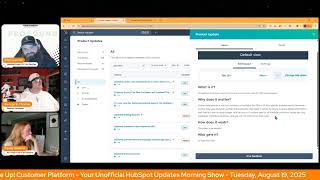
Chris Carolyn and George B. Thomas walk through HubSpot's latest platform updates, including LinkedIn Audience Insights, Google Performance Max campaigns, new pop-up form options, and deal risk alerts powered by conversation data.
Foreign.
Wake Up, Customer Platform. It's time to start the day. Discover all the value you already own. Don't let solutions slip away. Wake up, Customer platform. The tools are at your hand. No need to sleep on capabilities that can help your business stand. The answer's right before your eyes. You just need to realize Wake up, customer platform and watch your business rise. Wake up. Wake up. The platform's waiting for you. Do wake up. Wake up. See what your system can do.
Good morning, HubSpot Nation. It is time to Wake up Customer Platform with your unofficial HubSpot updates morning show where we help you discover the platform value you already own. I'm Chris Carolyn, joined by my co host, George B. Thomas, and Casey will be joining us momentarily. We are here every weekday morning to make sure you're not sleeping on HubSpot's true capabilities. If you're joining live, drop a hello in the comments and let us know what you're building in HubSpot today. Happy Tuesday, August 19th. George, how are we doing?
Good. How are you doing, brother?
I'm doing all right. Doing all right. Always a little regretful when I accidentally hit the updates page, you know, before, but maybe doubly so yesterday because here's, here's how it happened. So this is what, what I've got because I did that yesterday. I'm only showing four. George says he's got 14 on his side. As I went over here and I was like, let me, let me check out this new theme that I'm starting to see in screenshots and maybe we should just get on board. Right. It shows me this and not as painful as it was yesterday, but maybe it's the picture, the fact that I'm viewing this as a screenshot.
Right.
But when I first saw it, it was a little painful to the eyes, if I'm being honest. And my, my thoughts are likely that it. This new theme was not designed necessarily for the product updates page.
No, no, no. I. They probably had zero thought of the product.
So maybe at some point, as this continues to take hold, we can get to the product updates page and make it jive a little bit better. So I'll be switching between new to you and all today to try and capture these because we got some exciting ones we don't want to miss right after these rather unexciting ads, focused ones. But that's me. That's my language. That's not anybody else.
Yeah, careful. Some people might actually be excited about those ads.
I know, I know. People like ads. Yeah, they like Spending money on ads. And HubSpot's here to help you out if that's you.
There you go.
Yeah, we're starting with LinkedIn Audience Insights. I'll be honest. Ads or not, I'm happy with any kind of LinkedIn data, like getting into HubSpot. We need it. What is it? HubSpot users now have access to LinkedIn Audience Insights, a new feature that uses the LinkedIn Audience Insights API to show characteristics about your LinkedIn audiences, including job functions, industries, company sizes, and more. This gives you a much clearer picture of who you're marketing to, helping you craft more personalized and effective campaigns. You'll be able to access these insights in both the Ads tool and in the new Segments tool.
Yeah, make. Make sure you hit that beta. Why does it matter? Personalizing content is vital to maximize the effectiveness of your marketing campaigns. However, personalization becomes near impossible without reliable aggregated data on your audience. With LinkedIn audience insights, that changes. Now you can understand your audience's traits such as seniority, job function, company size, interest, skills, etc. Etc. Etc. Eliminate the guesswork and stop relying on assumptions. We should never.
Oh, man. Chris.
Rely on those assumptions in your personalization.
Stop relying on them. Just to be clear.
Yeah.
Oh, man. I always look for opportunities like getting data into the platform. I would imagine ads is just a first step. The segments tool that they mentioned separately from Ads, is that within the ads tool or is that the segments that we can create on social media in the social tools? Do you know.
I'm muted. I'm muted. Okay, well, the screenshot says create contact list audience, so I. I'm wondering if this is like a list thing, to be honest with you. Although it does say it shows ads account HubSpot ads testing LinkedIn. So this looks like it might be part of the ads piece.
Yeah, yeah. So alternatively, you can create an audience in segments home by navigating to one of your segments and clicking on the.
Ads that's in the ad.
Okay.
Yeah, it's beta, people. We just turned it on. We don't know where it's at. Go look for it. No, I'm just kidding. It's segments. It's an ads. It's an ads.
Indeed. Either way, like this, additional data. Definitely. They nailed it here. Stop relying on assumptions. You got so much data, so much activity at your fingertips. Use it.
Yes.
Not far behind Google performance. Max ad creation and enhanced reporting.
Wow. I don't even know what all those words mean.
We're about to find out. Yeah, what is it? HubSpot users can now create and view more granular reporting on Google Performance Max ad campaigns right from HubSpot.
Okay, this is again, another a beta. Why does it matter? HubSpot customers love using HubSpot because they can do it all on one platform. With today's release of Google Performance Max ad campaigns creation, HubSpot users can now create ad campaigns for Google's all in one AI powered campaign type right from HubSpot. And because campaign creation exists within HubSpot, users can easily use assets they've already made in HubSpot in their Performance Max campaign. HubSpot customers can also view in depth reporting on how their Performance Max campaigns assess asset groups. Sorry. And individual assets are performing. So you can double down on what's working best. Not sure why, but that sentence was like lifting £5,000 over my head. Okay, cool.
We got some. We got some help to. To lift. Lift the. Why does it matter right now, George?
There we go.
Welcome in, Casey.
Thank you.
You missed out on a couple of. On a couple of ads updates.
I saw. I saw a really. I missed my. My moment to shine.
Yeah. Google Performance Max. I'm sorry, that just feels like a bad idea, that phrase.
I'm old, so I immediately go to like, Max Headroom. The old. Yeah, but. But whatever. That's just me. That's not everybody.
So, I mean, Performance Max is just giving. Giving Google all the control. I mean, that's what it is. The long and the short of it is you give Google some, like, topics that you would like to show ads for, and you give it some images and some text, and then Google mixes all of that up and says, this is the right ad at the right moment for the right person. How accurate? That is rightfully skeptical, but it is the way that Google is moving. And so Google prioritizes those ads over traditional, like, search and traditional display ads. So you're less likely to show up in searches if you have like one of those more traditional campaigns compared to Performance Max.
That's very helpful context.
You came in at a perfect time. Yeah, um, I'm not necessarily an ads guy.
I was gonna say, with all that being said, please don't hire me to do your ads.
Not available. Not available. So I would say about 98.
I'm retired from ads.
Probably in about 98% of situations, Google is better at the ads than you are. So if you're gonna. If you're gonna invest in Google Ads, let them use their data to do it on your behalf.
And that's. Yeah, that's. The concept behind the performance. And to be honest, it makes ad management a lot easier. I actually have a client who I'm running ads for that we had traditional campaigns, they had some budget reallocations so we actually moved to performance max just because the management was like easier. Google does a lot of it.
Yeah. Even managing it, period. Would be a huge benefit for some. Some companies.
Yes. Don't set and forget please.
Anyway, I earn my stripes and get this reward. Sunsetting pop up forms. What could this mean?
Oh, I don't know if this is what you as much.
Yeah, I know what it is. It's the old forms.
Yeah, yeah.
Pop up piece, not the CTAs.
Yeah, yeah, yeah. I was like, sorry Chris.
That's okay. Baby steps. I'm here for it.
Well, first of all, if you, if you even try to be a pop up hater on this podcast, I will shut my computer off. Let me just say this before you read this update. I used to be a pop up hater and was very vocal about it. And then, and by the way, this is way back in the day when I was working with Marcus Sheridan at Sales line and then we launched a pop up and we saw 400% in our human generation around the offer. That was the so as a human, do I still hate pop ups? Maybe as the marketer, do I love them?
Oh yeah.
Just. Okay, let's. Let's go.
I say that every time. Pop up people hate pop ups. Pop ups work like stop using them.
Oh man. Yeah. So what is it? Pop up forms allow users to create modal based lead capture forms that appear on their website based on predefined triggers. Example exit intent, scroll, percentage time delay. They have been a long standing feature for lead generation and have historically been available to all hubs and tiers. However, new customers will no longer be able to create pop up forms. Starter plus customers will be able to use CTAs as an alternative. New free portals will need to Upgrade to access CTAs. Existing pop up forms will remain functional for now, but future plans may include full deprecation. This does not hear I didn't hear anything between new and legacy.
I feel like confused the crap out of people because they have to be talking about what was possible in the forms tool, not what they just built and launched like this update it I.
Because the new pop ups tool is technically the CTAs. It's just like a feature within the CTAs. But it is super confusing.
Yeah.
Excuse me, excuse me. Somebody at the HubSpot product team, can you please update this to say what it needs to say as far as if it is the forms pop up tool and not the pop up tool in the CTAs so that people are not confused. Thank you.
Well, I think the why does it matter Might help here because that says pop up forms have been a long standing feature for lead generation, but they have now been replaced by CTAs. Yeah. By streamlining our form offerings, we can focus on delivering a more seamless and modern experience for marketers while reducing complexities in our platform.
Excuse me, excuse me, somebody at HubSpot product. Can we add that piece in the top piece as well? Okay, I'm done here. I'm done here and I'm waxing a little bit funny, but I mean it's.
Yeah, it's in there a little bit. I'm excited that they're gating it like to some extent this is one of those things that, you know, people see as a, as a quick win when you're just starting up a free HubSpot. There's a lot of resources involved to make that stuff happen. And when you don't have to attach it to a cta, a lot less thought and strategy goes into that, which I think relates to a lot of the pop up experiences that many of us can relate to that we don't necessarily appreciate. Number four Conversation powered deal risks and buyer goals. What is it? Deal insights now pull from your conversations. HubSpot's deal risks and buyer goals now include call transcripts as a data source on top of emails and notes. This means AI generated risks and buyer goals can reflect the full scope of buyer seller conversations, including what's said live. During phone and video calls, every conversation holds valuable signals about deal health. Until now, deal risks and buyer goals didn't include phone or video call content, despite that data being among the richest sources of buyer signals. With transcript analysis now live, identify risks earlier and with greater confidence. Coach more effectively and forecast more accurately. See fewer false alarms and more actionable signals.
This matters because every conversation holds valuable signals about deal health. But until now, deal risks and buyer goals didn't include phone or video call content, despite that data being among the richest sources of context. With transcript analysis now live sales reps can identify risks earlier with greater confidence. Sorry, this is literally a rewarded what you just read, Chris. Sales managers can coach more effectively and forecast more accurately and customers see fewer irrelevant risks and actionable ones.
I'm happy to repeat this message over and over.
I know it's huge.
This is a hugely impactful like update and I would love to be in those initial conversations to where we're we're debriefing a sales process or closed one, or closed lost. And we've only been able to rely on, you know, emails and notes. Notes that are generated by the human that thinks they understood the conversation or might think they know better than the than the AI sentiment analysis. And what's going to happen when when those sentiment analysis don't don't agree.
What'S.
Going to happen then I look forward. That's where those coaching moments are sales managers. So just so you know, that's how it's how it's related. But this is huge. Using transcripts to truly understand the depth of conversations that are being had. It's usually where the gold is. All right, from yesterday Improving Zendesk to Help to Help Desk Ticket Migration Improving the Zendesk to Help Desk Ticket Migration There we go. What is it? Customers can now more easily migrate their customer support ticket data from Zendesk into Service Hub using the Smart Transfer platform. This new functionality enables the migration of the full historical ticket conversation threads between support teams and customers, closing a long standing gap in HubSpot's ticket migration capabilities. Migrated conversations will appear like native threads in the Help Desk, be associated to migrated tickets, and retain all necessary associations in HubSpot.
This matters because as more customers move from mature support tools like Zendesk to HubSpot Service Hub, the ability to seamlessly migrate historical support data is becoming increasingly critical, particularly for upmarket teams managing large volumes of tickets and conversations. While HubSpot currently supports basic ticket data import, until now there was no way to bring historical conversations in a way that appeared and functioned like native threats in the Help Desk. This gap created poor agent visibility into past interactions, broken customer experiences, and significant friction during onboarding. By enabling a more complete transfer of support context, this feature helps ensure smoother migrations, better continuity for support teams, and more consistent experience for customers.
Hit that beta if you're trying to do this.
If you have Zen.










