HubSpot Customer Platform Updates 8/20/2025 #hubspot
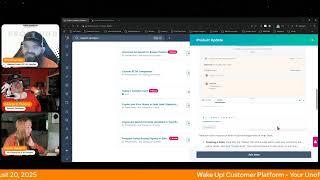
Chris Carolyn, George B. Thomas, and Casey walk through HubSpot's latest platform updates from August 2025, including customizable board views, Breeze tags, AI tools, SCIM integration, and workflow improvements for sales prospecting.
Foreign.
Wake Up Customer Platform it's time to start the day. Discover all the value you already own. Don't let solutions slip away. Wake Up, Customer Platform. The tools are at your hand. No need to sleep on capabilities that can help your business stand. The answer's right before your eyes. You just need to realize Wake up Customer Platform and watch your business rise. Wake up. Wake up. The platform's waiting for you. Wake up. Wake up. See what your system can do.
Good morning HubSpot Nation. It is time to Wake Up Customer Platform with your unofficial HubSpot Updates morning show where we help you discover the platform value you already own. Chris I'm Chris Carolyn, joined by my co host George B. Thomas. Casey will be joining us shortly. We are here every weekday morning to make sure you're not sleeping on HubSpot's true capabilities. If you're joining live, drop a hello in the comments and let us know what you're building in HubSpot today. Happy Wednesday, August 20, 2025.
Chris, how are, how are you doing today?
I'm doing good, doing good.
Well that's good.
Ready to dive in to some updates. We've got looks like 12 here and some new tags. Yeah, a lot of stuff going on.
Saw that this morning. Yeah bro. Those of you listening, there's, there's breeze tags inside of the product updates which is a nice visual addition.
Yes, we'll get started with this big one that dropped last week. A private beta. Customize board view with any property. What is it? You can now group CRM records in board view by any property, not just pipeline stages. Choose any property such as deal owner, ticket priority or custom fields to organize your board view into columns. Note this beta includes access to the new CRM board experience and flexible CRM views. No additional action is needed.
Thanks HubSpot. So why does this matter? Many workflows don't follow traditional pipeline stages. Obviously we're not talking about automated workflows there. We're just talking about your general day in, day out workflows. This gives you greater flexibility to organize and interact with your data in a way that matches your specific business process and possibly your team structure. Very nice. See, they knew I missed that day, Chris. So like let's throw it back in there for George B. Thomas so he can see exactly what this is. So I'm super happy right now.
Any use cases come to mind for you?
I mean I immediately think of people who are creating some type of board view in ClickUp for like a delivery process and now I start to Wonder like well does it need to be in ClickUp? Probably maybe or maybe not. In some cases they may have been using that as a hack around and so also Depending on what HubSpot, whatever else, what does it inbound and if there's anything coming around like projects tool and things like that, you know, like the step child that's still sitting over there.
Well anyway not why we can, we can hope we can help.
Definitely.
From a project management perspective we can dream. Also a lot of times I've run into people wanting to create like calendar style boards where it's like Monday, Tuesday, Wednesday, Thursday, Friday. Yeah, right. And you could get there but it would have to be a pipeline and pipeline stages and that's super awkward when you look at reporting and all that stuff. It doesn't make any sense. Now you can do it without messing with, you know, the way that pipelines are meant to be managed and the reporting. So don't let this kind of workflows. It doesn't have to be a workflow. Right. Like Kanbans are visual tools. So play with it. If it's just one property that allows you to have this visual that you've always been wanting. Right. It's gonna be powerful.
It's interesting. When you went to like the weekday thing, I was like well how long before we have a social view with something like that and like a drag and drop forward view for like our content or social efforts inside of HubSpot?
Don't think you'll have to wait too long, my friends.
Interesting.
Inbound is going to be exciting for many and.
And scary as I'll get out.
Yeah, no, it's gonna scare the out of everybody. Like I'm pretty sure like some will be excited, some will not. Oftentimes that's the same energy and you're in control of how you want to perceive it.
Yeah, yeah.
They're doing this for us folks. They're not just doing it because they like making awesome products, which they do, but they know that we need this to help manage our teams and our customers and do things better. So we appreciate them for that.
Yep.
App insights, portal and trends data.
Yeah. Our first Breeze tag for the day.
Yeah, what is it? App Usage Insights provide partners the ability to solve, to select API operations to view daily, weekly and monthly trends and usage Based on public APIs, identify top portals and portal usage, view active installations and active installation trends over the past 30 days.
Wow. Why does it matter? Partners are able to build better apps when they have insights into their user base and Activity trends. App partners will now be able to filter by API operation to see trends in usage as well as the top power users for these operations and see their top portals for overall activity. View accurate active install accounts within their insights with trends data and view summary breakdown and trends of API errors sorted by client side, server side auth or rate limit errors. Obviously we're talking about app partners, not solution partners here. So this is if you're like the happily of the world or well, any app person but you know. Yeah, but it is.
Oh this is, it's. Is it silly that I'm more excited about the tag?
Well, we're not app partners. If you an app partner, you might be jumping for joy, right? So like if we throw in the empathy of where they've been and what they haven't been able to see and what this might mean for a better app for those who are using it like that, they might be jumping for joy again. But I mean I too like the Breeze tag.
Yeah. Oh, I know they are. I know Casey is jumping for joy as well. Welcome in.
Hey. Yeah, I saw this last night. The Breeze tag. I think it's interesting but one thing that I think is extra interesting is like a lot of these updates are like powered by Breeze behind the scenes. So I guess I'm just confused like when it's out.
That's, that's I'm excited about because in the past I've, I've, you know, I can wax poetic every now and then about how I bet this update, even though it doesn't say anything about AI, is now available because we have AI helping us. And that's exactly what this tag means. In terms of this update, that doesn't say anything about Breeze or AI.
But, but here's the question. What happens when every one of the updates at the free stack because the entire platform is actually powered by Breeze at some point, I'm just saying at some point this tag might not be as awesome as it is today. Day one when it's every update has the Breeze tech, but we'll see, we'll see how this plays out.
Sounds like that new world we've been talking about.
Sounds like it.
Maybe we don't call out AI anymore. Everybody just knows it's involved and it's a part of the infrastructure.
Wait, there's something called AI? Oh man. Wow.
Not powered by Breez yet. No, that'll be the leader now.
Yeah, there you go.
New to you tab in the product updates where we are right now probably telling us about this Breeze Tag update. We've improved the new to you tab so updates no longer disappear when you switch tabs or refresh the page.
Wow, Chris.
You'll always see what's new since your last visit, making it easier to keep track of changes without losing context.
I think no one cares about this.
As much as, like, they're literally like, let's help the show out. We're tired of Chris having to grab a screenshot of what he looked at last night. Because he did.
Yeah, literally day after. Oh, man. And of course, admins are the only ones that look at this so they can. Admins can easily view what's changed since they last visited the product updates page in the new to you tab.
Yeah, Casey, I got this one. You can take the next one. As our product team continues to watch Chris do the show and ship updates, it's becoming more difficult for admins to understand what's changed since they last viewed the product updates page. We're trying to help out. The customer platform podcast with the new to you tab will highlight updates for admins to review marketing. Easier for them to catch up on HubSpot's new releases and have a better flowing show. Okay, there we go. That's that update right there.
This is such a niche update. I feel like.
But how. How do you know when the last visit was?
I will. I'm a little.
The refresh means like, I'm gonna. I wanna test it, but I don't.
I agree. I've also like, wait.
But like, we'll see.
Yeah, don't test it right now. Test it on your own time over the weekend or something, please.
Yeah, we'll test it at the end. Meanwhile, we'll. We'll talk about probably some more valuable Things for. For HubSpot users, including Edit power.
I breathe information.
I think we need a new sound button for that. And get the robot voice going. What is it? HubSpot now lets you customize your brand information used in AI tools. HubSpot AI tools use brand information to provide helpful context for content creation. This data is automatically gathered from Breeze Intelligence, AI settings and domain crawls. Now you can review and edit this brand information to add your own insights, giving AI an even deeper understanding of your brand.
Why does this matter? Your brand, your insights. No one knows your brand better than you. By adding context and refining existing brand information, you help ensure Breeze has the most accurate and useful data to work with, leading to smarter, more tailored results across tools.
Nice. Nice. I like it.
Yes. That's a great step forward.
Chris. I Got you on this next one because this. Oh, wait, wait, wait, wait. My next one isn't your next one. Hang on. Never mind. Go ahead.
Universal AI search in Breeze co pilot.
Oh, actually, it is. Okay, hang on, hang on.
Okay, okay.
Wow.
I'm into it.
Just did that while we read the last update. Modern technologies here, Felix, I'm telling you. Oh, I love it. We're transforming HubSpot's Breeze Co pilot.
This is big, people. This is so big.
Into a powerful, all in one AI partner that can access and synthesize knowledge across your business app ecosystem, delivering contextual, actionable insights without the need to switch tools. Here comes what's new besides this update. Starting today, in private beta, you can connect apps like Google Drive, OneDrive, Confluence, and Jira directly to Breeze Copilot.
Can we get click up, please? Good God.
This makes your co pilot smarter, more personalized, and capable of searching across all your work tools, so you get answers instantly and in context.
Are you crying, Chris? Is there a tear?
Ah.
What do we say? What have I said? The new job of an admin. Make sure everything's connected.
Yep. Yeah. You might be wondering who gets it. This private beta is available today. Crossed all hubs and all tiers.
This update makes Copilot your team's central knowledge hub.
Yeah. Can. Can we get a moment of silence for the way it used to be? I'm just saying.
I mean, even OneDrive, right off the bat, I mean, come on, folks, that's a big deal.
So can me, the AI novice of.
The group, stop it?
Of the group. So we would be connecting. In my case, my business. I'd be connecting Google Drive.
Yep.
And then I could use Breeze Copilot.
Yep.
To just search. It would just search my Google Drive. Like, it would just. Yeah, I think. I think this is breaking my brain.
That's the moral of the story. Can we get a moment of silence for the way.
The way it used to be?
Yeah, Like, I don't think my brain's like, what?
Yeah, imagine all of the business context that lives in your Google Drive, your calendar, your email, like, whatever, apps for me. That's why I scream. Can we get click up, Click up. Come on. Like all the business.
Yeah, because, like, I use Asana. So.
So, yeah, yeah, imagine all of the context and HubSpot becomes the AI Hub, the AI tool for all of your business context because it's the best at.
The data layer for your business.
So, okay, this is a whole nother show. Got it, got it.
Maybe we can run it.
Call and show for everyone to explain this to me.
Yeah, I mean, got a long way.
To go and nine minutes to do it. Holy crap, another show for sure.
Custom SCIM Integration Also private Beta do what?
Where?
What is it? Provisioning users through scim. Which stands for, I'm sure all of you know, system for Cross Domain Identity Management.
I had no clue.
This provides a secure and automated way to create and manage HubSpot users, speeding up the process and helping to get new users into HubSpot. The custom scim integration enables customers to set up SCIM provisioning with any identity provider beyond our officially supported Okta and Google integrations. Admins can now create a private app via the HubSpot CLI to generate the necessary API token and configure SCIM with providers like Microsoft, Entra, ID, Ping, Federate, One Login, JumpCloud and all our other favorite providers. Note this will work as a generic solution and we are also working with Microsoft to get a more streamlined solution built. We don't have a timeline on that one, so the custom SCIM app will work if you're looking for something to use now.
Wow, that note was very honest.
This matters because customers using identity providers other than Okta or Google currently cannot utilize SCIM and have to manually provision and deprovision users. This release improves manual user management by automated provisioning for centralized identity management. I can honestly say this has never come up for me, but yeah, I've.
Been on this planet for almost 54 years and have never heard the acronym S E I M. Let's move on.
Yeah. Only one acronym for Casey. So unfair.
Like 15 times. It felt like.
Oh man, we love our acronyms. Yes, Insights Card. What supports today's Insights Card? George.
Oh, see you. Call me. Okay? Okay, I'm ready. Powered by Breeze Intelligence.
Yeah, Breeze. Not recent.
I got it.
We'll work on it. We'll work on it, folks.
We'll get that done. We'll get it out.
What is it with today's the new Today's Insights Card in Help Desk Workspace shows key trends in rep availability, ticket volume and team performance of note. The new card links directly to the relevant place in Service Hub. For example, an insight about an increase in tickets that didn't meet SLA might link directly to a view of those tickets, enabling leaders to take action to quickly resolve bottlenecks.
This matters because the new card gives service leaders a unified place to track key data points and monitor operational health, enabling quicker and more informed decision making and less time spent on manufacturing manual data. Analysis with one click, leaders can drill into precise tickets, driving a downward trend and take the necessary steps to support their team and improve customer experience.
Nice.
Create and view notes in Help Desk replacing comments this is in public beta and has a high impact important information. Please read check out this video to learn more about this product update. Please watch this video prior to requesting access to make sure your team is a good fit for the current beta experience. Once ungated, you will not be able to manually unenroll from this beta. You will have to email the team and they probably won't be too happy about it for being honest. What is it? Support teams can now view, create and edit notes in Help Desk replacing comments as the primary means for internal collaboration and Help Desk notes are already the building blocks that power internal collaboration across the rest of the HubSpot platform, and now they power collaboration that takes place inside of Help Desk as well.
This matters because since the since the release of Help Desk, we've heard consistent feedback that support teams are struggling to collaborate internally and with cross functional stakeholders like sales agents when troubleshooting and resolving tickets. These changes will effectively replace comments with notes addressing two of the biggest pain points of our our customers have shared first, streamlining collaboration between Help Desk and the ticket record by making information consistent across both exclamation point. Second, users will be able to create note on blank tickets from Help Desk.
Thank you for truncating that. It was like they handed you a textbook to read.
I said not today.
We're getting pretty good at this thing. I think we were all hoping that Casey was not going to read the whole thing and then she didn't. So thank you. Improve Search for Data Variables in Workflows what is it? When searching for a data variable, you'll now see all potential matches across all of your data sources.
This matters because data variables in your workflow actions are essential for crafting highly tailored experiences. However, with so much property and runtime data available, locating exactly what you need can be time consuming. That's why we've dramatically improved the search experience for data variables. Now, instead of navigating through individual categories, you can quickly find the data variables from all your sources with one powerful unified search. This update makes it easier than ever to build precise personalized workflows that drive real results. I will say I'm pretty sure you'd still need to add the variable. Like if you're referencing a specific object associated object.
Join that beta, ladies and gentlemen.
Nice.
Yeah. Noise.
This is awesome. Now the screenshot where you just type in Description. It's showing you the description field from the company, from the contact from the deal.
Yeah. Yeah.
That is awesome.
Yep. Join that later.
Prospect using buying signals in that sales workspace.
Powered by Breeze.
There he goes.
What is it? Sales teams can now instantly identify and prioritize the companies in their CRM most likely to respond positively to outreach. By tracking website visits, research activities related to your products, recent funding events, and engagement with marketing materials, your team can quickly uncover prospects demonstrating compelling reasons to connect.
This matters because as meetings and admin work take up more of a seller's day, every minute counts when it comes to prospecting with HubSpot sales. Intelligent buying signals your team can effect efficiently target high potential prospects who demonstrate clear readiness to engage, improving conversion rates and reducing waste. I'm intrigued how this will work.
Yeah.
Yeah. Casey, how does this work if I have lead scoring already?
Yeah, I'm feeling a little bit. I'm thinking the same question.
That's why we got that beta, ladies and gentlemen. See what it looks like.
See, we're on the right. Hi to. We're on the right side of history. George there. I just want to point out.
Yeah.
To add the top signals card, you need permission to customize the CRM record page. Top signals, not top leads. Just gonna throw that out there and definitely request that beta.
My best guess, I will say is that scoring is like customizable versus this at this time doesn't look customizable. You're just getting what HubSpot AI. Not to say that will be better or worse than your customized lead scoring, to be clear.
I mean, let's just be honest though. Can we scroll back up for a second before we move on to the next one? When it says marketing collateral, like the fact that sales will be able to see people who are interacting with marketing collateral, that visual understanding of, oh, oh, they are driving humans to our stuff so that we can have conversations and. And make commission. Oh, yes.
Without needing to translate a score to understand it. So I want to list the signals real quick. Visitor intent, research, intent news, job changes, email bounce, marketing email click form submission. And coming soon, CTA click and view sales document. And hopefully somewhere in the future, social and campaign stuff. And, you know, all the other stuff that we're doing.
You just need everything.
I want you on social. Entire journey includes everything.
George, George, don't get started at 902.
902.
We gots to go remix Google Drive files. What is it? You can now start remix projects directly from Google Drive files. Simply select start, remove.










