HubSpot Customer Platform Updates 8/26/2025
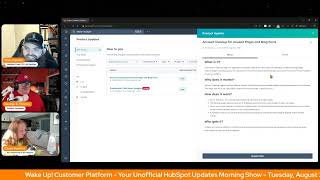
Chris Carolan, Casey Hawkins, and George B. Thomas break down HubSpot's latest updates: AI-powered list suggestions, syncing lists to ad networks, lead scoring limits raised to 10,000 for Professional and Enterprise tiers, a new social caption optimizer in public beta, and an Account Cleanup app that auto-archives unpublished content older than six months.
Chapters
Wake up, customer Platform. It's time to start the day. Discover all the value you already own. Don't let solutions slip. Step away. Wake up, customer Platform. The tools are at your hand. No need to sleep on capabilities that can help your business stand. The answer's right before your eyes. You just need to realize Wake up, customer platform. And watch your business rise. Wake up. Wake up. The platform's waiting for you. Wake up. Wake up. See what your system can do.
Good morning, HubSpot Nation. It is time to Wake up Customer Platform with your unofficial HubSpot Updates morning show where we help you discover the platform value you already own. I'm Chris Carolyn, joined by my co hosts Casey Hawkins and George B. Thomas. We are here every weekday morning to make sure you're not sleeping on HubSpot's true capabilities. If you're joining live, drop a hello in the comments and let us know what you're building in HubSpot today. Happy Tuesday, August 26, 2025. How we doing?
Happy Tuesday.
Happy Tuesday.
It is busy over here, but we're.
Less than a week away from inbound. I'm super curious if my amount of updates is the amount of updates that you have. My God. I also see an update that is an OMG like update. So yeah, this, I'm, I'm doing good but I'm like, my goodness. What does the team sleep?
They just have a lot of people. A lot of people.
Oh my goodness.
Resourced folks. HubSpot is resourced for this. Without it magic. A lot of businesses could take maybe.
Maybe it's a little bit of magic happening.
They're very good. They are very, very good at what they do. Let's, let's be Frank or Betty.
Whichever, whoever you want.
Frank. A.C. how's he recovering from, from last week's campaign?
He's relieved. I think it's. It was hard on him to keep up with the campaign and he likes to sleep a lot.
Yeah.
So greyhounds sleep like 20 hours a day. So, you know, that's a lot.
I should come back as a greyhound.
It does a lot of sleeping.
Yes.
On that note, you got a workshop to our workshop coming up today too, right?
With first score workshop. Yeah. So I told Chris and George I've got a packed schedule today and most of that is I have a two hour block for a workshop where I'll be answering any lead scoring questions from 2 to 4pm Eastern today.
Oh, wow.
Nice.
There we go.
Very, very.
Don't forget to join us on August 28th for the value First, Data summit shaping up really well. And then also Today Video Ankur and Amanda from the Content Hub team are on the admin target today showing off the new video marketing platform. So check that out. Yep, we got 12 today.
All right, that's what I got.
Okay, dive right in.
Get moving.
My new Lists Intro page with AI suggestions.
Yeah, that was the wrong button. That was not a joke. That was magic.
What is it? The list's intro is a centralized experience to help you understand and manage your segments and uncover new segmentation opportunities. With Suggestions Lists Suggestions analyzes your goals, ideal customers, and target Personas and suggests three segments for your consideration.
Stacy, can I have a minute before you say why it's important or all that good stuff?
Sure.
Thank you. Thank you.
Ladies and gentlemen, I'm here to tell you right now, if you have not yet put your goals in HubSpot, if you have not put your ideal customers in HubSpot, oh my God. If you have not got Target Personas in place. I'm wondering how this new beta tool will work. Okay, Casey, go ahead.
This matters because prior to the List Intro page and suggestions, understanding managing and creating segments was manual, tedious and time consuming. Now you can easily create the right segment through guided creation flows plus AI powered suggestions to jump off of. What George said is I have a client who does. I think I might have. I said this on a live. I don't know if it was here somewhere else. I have a client that doesn't have a whole lot of data in HubSpot. And yeah, and we keep running in. I keep seeing these updates and I'm like, this would be perfect for them. And then I go, and we just don't have. We don't have enough.
We don't know in time, ladies and gentlemen, you got to spend time getting the. The Persona property. Get the Personas in place. AI data sources, client profiles, ICPs. Get the data in place. Like, spend the time to set. Help us help you. Like, spend the time to get the context into the portal so that the magic stuff that HubSpot has built and will continue to build works. Clip that and put it on your socials. Good God.
Yes. Document your strategy, document your data model, put it in HubSpot and you will be enjoying yourself quite a bit. These tools cannot help you without those two things though. All right. Sync to ads from lists. What is it? Easily activate contact lists across ad networks like LinkedIn, Google and Facebook right from your list. Unlocking segment creation and activation in one unified experience.
Why does this matter? List A lot of list stuff today. Sorry. I'm fine. I'm fine. List throughout HubSpot to help you quickly communicate with your most seg. With your most important segments and create personalized experiences for them. Before this Release, creating a LinkedIn, Google or Facebook ad audience from one of your segments was a disjointed experience, having to navigate back and forth between lists, ads and the ad network. This new experience removes the friction by bringing ads directly into your segmentation workflow, making targeting eligible, visible, eligibility visible and actionable, and taking immediate actions on your best segments. When you first read this update, Chris, I was like, we can already do that HubSpot.
And then what happened?
And now I get it. It's just. So if you didn't know, you could already target HubSpot lists in your ad Platforms match rates and performance will vary. But now my understanding is it's a little bit more of a unified experience. It was. It was disjointed. It was. That's accurate.
You can do it from the other side.
Yeah.
Lists instead of going into ads. Yeah.
I'm curious of this next update, what Casey's gonna think of this next one. Yeah, hit that beta.
I. I saw it yesterday, actually. Like, I saw it in Platform.
I know how much of a habit it is to hit that beta button at the beginning of this. I explicitly said internally that I was not going to hit it because I do not like ads. And then I hit it.
And then you hit it.
I like, Chris, you're never gonna use this in your portal. But you were like, just on principle, I will not join this. Whoopsie.
Too late.
Well, you do have a leave beta.
I know. You know what?
Yeah, there you go.
Just try that. Don't put unhappy I've ever hit this. I'm not gonna rate it because I haven't experienced it, so I'm not gonna skew the data.
Yeah. Your issue isn't with the update. Your issue is with.
Yeah. Create lead scores with total score limits of up to 10,000.
We'll see if he likes it or not.
All lead scoring customers, both professional and enterprise, can now create lead scores with total score limits up to 10,000. You can select the following options from the total score limit dropdown. 1002-003004-00500, 1000 and 10,000. The increased score limit applies to all types of score contacts, companies and deals.
But what if I want 900? No, never mind. I won't be that guy.
Why does it matter? Customers felt constrained trying to build lead scores with Lower total score limits because it was difficult to differentiate engagement levels with the total score being capped. With increased total score limits, you now have more flexibility in creating scoring rules with greater point values and interpreting the wider range of your leads, engagement activities and fit. Okay, I have basically already canceled my 9am crispy if you're watching and because I can't not talk about. So my feeling on score limits is that people ask me a lot like, what should my. What should my MQL score be? It doesn't matter. It like, I think this like 10. I actually don't really like this. Oh, you don't need 10,000 points. Like you don't you. If 100 is too small, then just give people one point when you are giving them 10 points. Like, it's not that. It's not that complicated. I don't generally think people need 10,000. I think HubSpot did this because people were complaining. Moving from the old scoring model where you could, where there was no score limit, you just went up, up, up, up, up. And people were feeling constrained rebuilding their old scores here. However, this change. And there was another change actually last week around the groups. I think both of those changes are just a way to make the new lead scoring tool work more closely to the old scoring properties. But the new tool is better in a lot of ways. And if we are, I, I feel like we're just rebuilding our. We're rebuilding our bad scores. We're rebuilding all of these things that we don't really need by taking some of these guardrails down actually that are helping us actually make more impactful scores. Clip that. I don't know. That wasn't very succinct.
I agree and I disagree. I, I don't necessarily know if we're rebuilding the score property because this lead scoring tool is way better. I do feel a level of flexibility is good also. I agree. 10, 000 might have been overkill. You might have been able to cap it at a thousand. Just, Just saying. But I do like the ability because again, if we're, if we're talking about using this tool for things outside of what the tool was meant to be used for and actually doing scores for like discovery sessions or scores for like other creative ideas, then more points does make sense in some manners.
Yeah. Here's what I want to see. I want to see the enablement and training documents for the sales team that is receiving leads. Oh yeah, between 0 and 10,000.
I go back to the radar research revenue. Like I could take that 10,000 I could break it up into three numeric chunks and apply radar research revenue on it and your team would know exactly what to do from a sales perspective. Are they on your radar? Should you be doing research? Should you be using zoom info? Should you be enriching? Should you have generated revenue because they could sell the ish to you like it's done? The numbers don't. Well, careful. The numbers matter. Don't matter. The mindsets over the numbers is what matters.
Clip that.
Okay.
Know what the number means. That's what matters. With great scoring tools comes great responsibility. And we have proven ourselves very, very irresponsible with scoring tools in the past. And this constraint that people were having to work in 0 to 100 was forcing people to do things in a better way. Maybe. Anyway, well, there you go.
I feel like I'm usually the one that disagrees with everyone, so I like, I like me. I like being on the majority.
Okay, you make a good point. We'll keep moving on. Default and email. Default email and help desk has been available for a while. Looks like it's live today. Check that out. Optimize your social media posts, captions and best time to publish Public beta powered by Braze. What is it? AI caption optimizers. Creating a post across many networks can be very time consuming. The Caption optimizer gives you inflow AI powered recommendations to improve your copy and make it network specific in just one click. We also have recommended times to post. You use your previous engagement data to suggest top times.
That's nice.
Not some industry benchmark standard. Yeah, but your data to publish so you can get the most out of your reach. Hover over to see why this time was recommended for you. These little nuggets of insight, man.
I ran into this on a training two days ago where I was in my normal narrative. And so you can see here this is why you want to customize that times in your settings area that we talked about. And then I was like, hang on, hit the brakes. That's actually down below this. Oh wow. This is a new feature and literally just started to teach it like in the moment because I was like, I need to go figure out what in the world just happened to my social tool. Because it's a big change.
Yeah, it's. It's huge. Pay attention folks. Again, it can only do that if your engagement Data is in HubSpot. If you're posting from HubSpot product team.
If you can do that in the social tool, could you please use the same information to actually customize the actual settings calendar for people so it's not just the HubSpot general default times that goes in every portal. Like could it adjust over time? That would be dope anyway.
Oh, I also want this in email.
Give it time.
There's an app for that by the way.
But yes, consolidating your toolkit. That's what your goal is, right?
Yeah, I hear you, but the 7 cents does something what you just kind of alluded to.
Anyway, moving on Forecast Submission Cadence and Reminders get those forecasts in folks. Another is it. You now have the power to set a consistent forecast submission cadence for your team and send automated reminders to ensure timely submissions.
This matters because managers have long struggled to implement consistent forecasting processes without built in structure or reminders. Getting reps to submit forecasts reliably often means manually tracking them down, leading to low participation and incomplete data. This not only wastes valuable time, but undermines accuracy and trust in your forecast. Before today, submission status indicators offered some visibility into recency of submission but lacked due dates, flexibility and reminders. With this new feature, you can ensure complete up to date forecasts without chasing reps. Make reps lives easier with reminders. Say goodbye to scattered spreadsheets and manual follow ups. By driving better rep participation, you're improving both your team's forecasting hygiene and your visibility into pipeline health so that you can proactively spot and mitigate risks.
Okay, this is the most we feel your pain post I think I've ever seen in product updates. This is literally HubSpot saying listen bro or bro it we feel your pain, we will digitally slap them across the back of the head and let them know to get their ish done. Like that is what this is saying. Like your reps don't do what you need them to do, will digitally poke them so they'll do what they need to do so that you can actually do what you need to do, which is your work instead of chasing them down. I love you HubSpot.
Oh, because digital pokes and notifications and emails always work to make sure your team is doing their job. Moving on.
Insert Gmail rule Move to archive Jesus, I tell you.
Maybe the chasing them down part is the problem we need to be solving for. Okay, Enable automatic billing after first subscription invoice payment. What is it? You now have more options for subscription billing with this update you can set up subscriptions to automatically charge after the first invoice payment, which gives you flexibility in how you collect and store payment methods.
This matters because this gives your customer more options. They can now pay the first invoice manually and have future payments auto charge using that same same payment method. This saves your customers time and ensures you get paid.
Yeah man, payments have come a long way. Like this. This right here. And then the other day I literally had an opportunity to build something that I didn't even know was able to be built in HubSpot where we did a $1.7day trial and then a monthly subscription after that and it was in the same payment link that people could use. It was magical. Like if you haven't used Commerce Hub, you need to use Commerce Hub. I know we're short on time. I'll shut up.
It's so good. We'll be talking more about that. Domain Settings Improvements Lots of stuff here. Yeah, we have made a number of improvements to domain settings management. Below is a short list of some of those changes.
That is not a short list but.
Auto Associate New content Types to existing domain Collapsible Notifications Improved business unit Behavior Persistent Reverse Proxy Validation Tool Persistent SSL Validation Tool System domains always appear in UI Reduced notification noise and if you want to learn what any of those words mean when used in this way, come and check out this update.
Because if you're listening, just know you might be like George, that sounded short to me. There's a paragraph, if not more for each one of those. It's not short. Go check out the update.
Right? Yeah, I'll handle the why does it matter for Casey? It makes domain settings easier is what I said. So yeah Custom Report Builder Quick Access to Report Settings what is it? You can now edit settings for reports built using the Custom Report Builder, giving you the same flexibility as reports built with the single Object Report Builder.
This matters because this empowers you to quickly customize existing reports without starting from scratch. If you see a report that's close to what you need but requires adjustments, you can now modify chart types, properties and dimensions directly rather than rebuilding the entire report in the custom Report Builder. I think this is great because there is very often that I like just need to tweak a report and even just like for a one time question and then rather than yes having to rebuild the whole report, having the custom having the ability to like very quickly in the dashboard view make adjustments is helpful.
Question from from Guy here that probably won't dive deep into here. I'd be surprised if notifications can be managed in this way, but really related to forecasts. Can you see the number of pokes? Can you manage whether or not they've take an action or not could be possible but my question would be like how much infrastructure do we want to build to support this funk this getting your team to do their jobs depends.
On the amount of pain. But I I don't want to dive too deep in this, but I love the idea of being able to report the amount of pokes. Hashtag write up hashtag not job security. Okay, page two.
Before we get to page two, Create personalized content from lists A big one. What is it? Content that isn't tailored to a specific audience isn't going to resonate with list based Remixing. List Based Remixing Creating content that is targeted to a specific customer segment has never been easier. This allows marketers to move faster with creating content that unique content that is bespoke to your customers.
This matters because most marketers engage in account based marketing or marketing segmentation. With list based remixing you can turn your contact list into context that our AI can use to create unique content that is tailored to to your audience.
Check it out folks.
That's very cool.
So much really powerful. Oh, last one for today. Account Cleanup for Unused Pages and Blog posts what is it? The Account Cleanup app in the most common area now supports automated cleanup for new types of marketing content, landing pages, website pages and blog posts. The automation will archive all unpublished pages and posts that haven't been modified in over 6 months.
Why does this matter? Account cleanup helps HubSpot admins identify and quickly remove unused assets using automated and manual tools. This helps you focus on high impact tasks and reduce clutter in your account. I checked this out recently. I was working with a client on cleaning up their portal and this kind of just like came in right at the right moment. I do. I. I'm not a historic like deleter of things, but I like the rules here about like if it's unpublished, if it hasn't been modified in over six months, archiving, I mean I think that just. It makes sense. It makes sense.
Is this thing on? Is this thing on? When your portal can self audit and your portal can self clean up, what is there to continue to do?
Make better content value. Be better.
Oh man. All of the things that you haven't made time to do before because you've been busy worrying about your data or you haven't been worried about it which makes everybody else take longer to do their job because they got to wade through all bad data.
It's like at my house, if, if I can't keep up with the cleaning of my house because I have two kids living here now and it's crazy all the time now I can't, I don't have time to like change the doors that we wanted to change because all we're doing is like trying to keep up with like activity.
Exactly right. And if you have access to a HubSpot portal that has product updates in it, come and check out bonus number 12 update today that we are not gonna, we're not gonna cover but you might want to come check it out. Remember folks, you probably already the solution you're looking for in HubSpot and it might be super duper list suggestions new front page of lists doing all the segmentation on your behalf. If you have all the data in the system, sometimes you just need to wake up to it. Join us tomorrow morning live at 7:30am Central or catch us anytime on Spotify and Apple Music. Drop your biggest takeaway in the comments and let us know what capabilities you want to wake up to next. Until then, I'm Chris Carolan.
I'm Casey Hawkins.
And I'm George B. Thomas.
And this has been Wake up, Customer Platform. Now go build something amazing. Have a great Tuesday, everybody.
Wake up, Customer Platform. It's time to start the day. Discover all the value you already own. Don't let solutions slip away. Wake up, Customer Platform. The tools are at your hand. No need to sleep on capability that can help your business stand. The answer's right before your eyes. You just need to realize Wake up, Customer Platform and watch your business rise. Wake up, Wake up. The platform's waiting for you. Wake up. Wake up. See what your system can do.










