HubSpot Customer Platform Updates - 8/27/2027
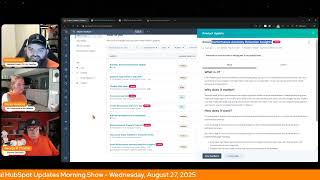
Chris Carolyn, Casey Hawkins, and George B. Thomas walk through HubSpot's latest product updates. New features include a dynamic reply editor in Help Desk, enhanced CRM views with calendar and Gantt options, AI-powered Forms Analyze reports, and in-app social post creation in private beta. Email Performance Anomaly Detection arrives September 3.
Chapters
Foreign.
Wake Up Customer Platform. It's time to start the day. Discover all the value you already own. Don't let solutions slip away. Wake Up, Customer Platform. The tools are at your hand. No need to sleep on capabilities that can help your business stand. The answer's right before your eyes. You just need to realize Wake up Customer Platform and watch your business rise. Wake up. Wake up. The platform's waiting for you. You wake up. Wake up. See what your system can do.
Good morning HubSpot Nation. It is time to Wake Up Customer Platform with your unofficial HubSpot Updates morning show where we help you discover the platform value you already own. I'm Chris Carolyn, joined by my co host Casey Hawkins and George B. Thomas. We are here every weekday morning to make sure you're not sleeping on HubSpot's true capabilities. If you're joining live, drop a hello in the comments and let us know what you're building in HubSpot today. Happy Wednesday August 27th, one week officially until the opening of Inbound 2025.
Let's go.
Let's go indeed. Are the dogs ready? Do they miss their mom when. When you go away?
Well so it's interesting. So since we got Beau usually when I went away Andy would take Frank just to work with him. But the two dogs at the office is a. A little. So I don't know what they'll do. They might have to stay home alone which they don't like doing because I stay home with them all the time. So they don't like being left alone.
So it gets taken care of either way. So that's good.
Yeah.
Let'S go ahead and dive in. We've got nine today it looks like. I don't know if what you guys are seeing.
I got nine too on your side.
A little concerned I'm not have seeing any numbers over here like I usually do, do I? Pretty sure I do. Okay. I don't know how many you have George. Eight.
We'll see. What's the missing one?
Yeah. Sandbox Environment banner update what is it? We have updated the notifications banner for all sandbox environments. A persistent blue banner now displays at the top of the page clearly stating the name of the sandbox environment you are active in. And just to open this image here very I guess that's kind of blue but yeah this banner above the nav basically so very cool.
This matters because the previous yellow banner often caused friction especially when there were other yellow banners visible in the top. Navigation Based on user feedback, we designed the new banner to Be unique and consistent. Visual cue this change ensures you can quickly and confidently distinguish which which environment you are in, helping to prevent accidental actions in production. Okay, all right, I'm following.
I love the transparency here team. If you can see this screenshot for anybody working on a new website or their experience this kind of thing happening, not great. Stacking up all the pop up notifications, which can sometimes happen when you're just adding banners to pages. So appreciate the team taking care of that. Number two, I love seeing the word dynamic. I'm just going to throw that out there. Very curious what this means. Dynamic Reply editor in Help Desk. What is it? It is a dynamic reply editor and help desk that resizes automatically as the user composes their reply.
This matters because support reps need an adaptive workspace that lets them work quickly and provides easy access to information they need without overwhelming them with visual clutter. This update to the Reply Editor extends the available real estate in the thread and the editor itself, making it easier to absorb customer contacts quickly and creating more space to focus on crafting replies. This update brings three improvements to the Reply Editor experience. You get more vertical space to easily read and digest the threads. More room in the Reply editor to accommodate longer messages with extra clicks without the extra without the extra clicks of manually resizing, easier and faster copying and pasting experience. Support reps need to copy and paste information in their responses to customers very frequently. With dynamically resizing reply editors, they won't need to manually resize when they paste longer content. The dynamic reply editor gives reps more space to read the thread by making the reply editor small when it's empty, and more room to work by automatically expanding as they type. No extra scrolling or resizing required.
Wow.
The ratio to Chris words to words on that one.
Wow.
I feel like. I feel like I could use a gif here. Just.
Yeah, that shows you.
Good because I'm kind of speechless right now. Like this might have been a better delivery of the word dynamic than I could have ever hoped for. This seems like a mind blowingly awesome quality of life update.
Yeah, I mean I could see that. Like this.
Does this happen anywhere else?
I was going to say I'm a Google girl. A Google girl. And it doesn't happen on Google and that would be kind of nice. That would be nice. Would be nice.
Yeah. I think this is pretty cool. I do agree with the update needing a visual just to get it. But listen, if you're a person who uses this, you're probably dancing on the ceiling right now.
Yeah. I mean anybody that has clicked the little double arrows to give you more space to compose an email in my immediate use case that came to mind. LinkedIn, if you're listening, I know that you're not, unfortunately is every time I create a LinkedIn Live event, I paste in the event description and then have to expand that space in order to edit it effectively and is not fun. It would be amazing if that automatically expanded in the way that is being described here.
Now Chris wants awesomeness over the entire Internet.
Calm down.
So if it's here, it's probably coming elsewhere in HubSpot.
But I'm really glad you said that, Chris, because I don't use this reply editor. So I was having a little bit of a hard time like understanding how impactful it is. But what I do is what you just described and I totally agree. It's such a pain.
Yeah, I think it's going to be huge. Again, I don't ever anticipate I will be using Help Desk, but if it can happen in Help Desk, well, we've seen over and over, if it hits Help Desk, if it hits sales workspace, if it hits customer success workspace, it's going to end up in all three and possibly other parts of the HubSpot platform. Very cool.
Yeah. Hey, just for the next like I don't know, 1, 2, 3 and then 4 and then 5.
1.
Powered by Breeze okay, that's the only time I'm doing it. That's for the five that were six or so that we're talking about today.
That Powered by Breeze efficiency. There we go. Nothing better. Nothing says Powered by Breeze better than some efficient categorization. Flexible CRM Views High impact Updates as of August 26, 2025, we've added the following features to Flexible CRM Views CRM metrics on company contact and ticket index pages A customizable data well to display the most relevant information to their business and a calendar view type gives you a real time snapshot of your CRM data organized visually. Where's that calendar screenshot? Man, I really want to see what that looks like.
I can show you if you want.
Sure, yeah. Share my screen and you might also be interested in the following private betas which we've added these features Enhanced Flexible CRM Views CRM Smart insights instantly surfaces the most important data recommended actions and insights directly in your workflow and I'll share George's while I continue Here, here. There we go. Got a Gantt chart view Provides a visual timeline of your records and associated tasks helping you see how work is progressing over time. Custom board view allows you to group CRM records by any property such as deal owner, ticket priority or custom fields. These links are active if your entire portal is enrolled in the flexible CRM Views beta. If you have only self enrolled, please go to the product updates page and manually enroll in each beta. Yep.
So you can see here I'm on contacts and you can see calendar view, you can see the board view, you can see the table view. Like all of. Oops, I didn't mean to do that. Let me go back over here though. But you mentioned the. The Gantt chart too. The Gantt chart view. This is in my deals or my opportunities. Sorry. Because as you can see, ladies and gentlemen, it's humans, organizations and opportunities.
I told Chris this already. I was in the demo portal showing somebody something just yesterday and they were like, oh, you changed deals to opportunities? And I was like, I hate it. Chris did it.
Funny.
George, do you know if the. What's the calendar dates based on Create date, meeting date?
Well, it looks like when I went to. When I went to the contacts and went to that. It looks like it's probably based on the create date. So if I look quick at the table view and I look at.
Create.
Date and then I go to calendar view. Yeah, I would almost say.
And if you're. Yeah, yeah. If you're an admin that has struggled to get people to stop exporting data from HubSpot and you've never been sure why, like show them this? Because I think the most common reason to pull stuff out of HubSpot is for visual representation purposes.
Chris, share my screen again real quick. I'm just going to show something real quick and then we're going to get back at it. Here's what's interesting. You're in this calendar view. If I literally click the human, it opens up and I want to hide that real quick so we don't get. Oh crap, it's still there. Bye. Just hit the. Hit the stop share so she'll be okay. It literally opens up a side panel where you get the communication center, you get the. About that human. Like all of the kind of openable associations, things like that. Literally off to the side of the board view that you're now or calendar view that you're now looking at and.
Who gets it available at Starter plus and above. We got another plus to worry about. Yeah, this is. This is a big deal. We'll move on now. Forms Analyze tab, also powered by Breeze. What is it? We're surfacing a new set of seven Forms reports directly in the Forms Analyze tab. These reports give you more flexibility than ever before, generate AI Powered insights and recommendations and can be saved to your own custom dashboards. You'll also be able to edit and save reports on the Analyze tab, or even replace the Analyze tab with a custom dashboard tailored to your needs.
This matters because it's important to have all of your reports in one place, giving you the ability to monitor performance without leaving the app. AI Powered insights help you recognize trends instantly and helps you quickly answer common performance questions without building custom reports from scratch. You can add Forms reports to your marketing dashboards to fully understand what's working and what's not. The forms this has come up before. The Forms report to dashboards is is a really big deal. Previously you had to kind of do some weird workarounds for this. I actually have a client I should show this to because we are doing something really kind of crazy just to work around the forms reports.
Well they just released or that also in Private beta is like form submissions, right? Are portable in new ways in the custom report builder.
Yeah yeah.
So it makes templates ready.
Yeah yeah yeah.
Very cool. We like it when they create new ways to do things, but then also give us templates that show those new things in action. Very cool. Create Social Posts with AI in App Private Beta by in app here we mean the social tools inside of HubSpot. What is it with the create with AI button you can create social media posts within seconds. You can fill in any contextual info such as text, URLs, PDFs, and this will pull from your content to create posts optimized to each network. You can use your images or have AI generate images as well. These are ready to publish posts that keep in mind your brand and social voice and my words and not HubSpot's still require your approval and review prior to hitting the Publish button. Yeah, okay Casey. Why does it matter?
Content creation is a crucial part of a social marketer's daily tasks. However, teams often face challenges in generating ideas and crafting fresh, engaging content that resonates with the target audience, aligns with brand messaging, and ultimately drives results. The Create with AI feature helps marketers create on brand and effective social media posts within seconds. The Create with AI will consider your brand, social and brand voice and identity Social media accounts, past performance data, business details, industry audience value propositions and other marketing assets Marketing and industry best practices input URLs, docs and media My guess is Chris is already thinking I do the top five posts every day. Chris has been working with me on making it more efficient because I do it in a less than efficient way and this seems like it could certainly help.
Maybe. And this is new like just if you've been following along kind of we've been able to re like edit and like manage content in the social app once it's in there. We haven't been able to use AI to create from scratch in the app. The closest I've gotten is like doing a remix to create a social post and then bring into the app. So this is sort of huge.
The social agent also needs to be mentioned here because the social will give you stuff from scratch.
And it looks a lot like this. I think so Makes sense that a lot of these are coming together. Yeah, if I could snap my fingers right now, move all my cloud projects over to HubSpot effectively I, I would, I would do it like that's how good the content generation like tools are. And it's strictly a learning curve for me at this point because obviously HubSpot works in a little bit different way than the LLM and I just need to make time to understand when to push which buttons. But the the path is there with stuff like this because this is definitely a great use case of something I am doing and I think Casey mentioned too inside of the LLM because we cannot do this in HubSpot. Add transcript from show into editor so that we can make post. In private Beta Add Active Contact Lists to Campaigns what is it? You can now add active contact lists to your campaigns, saving time, reducing manual work and giving you more confidence in how you manage campaign related contacts.
That's the one I'm missing. We found it okay.
This matters because unlike static lists, active lists automatically update automatically based on criteria you define. This means you no longer need to manually update or replace lists as contacts, move through journeys, meet eligibility criteria, or become disqualified. Whether you're using lists for life cycle stage segmentation, reporting purposes or internal operations, associating active lists with your campaigns helps ensure they always reflect the most relevant and up to date contacts. While list level reporting is still limited, the ability to track real time changes in list management offers directional insights into how your campaigns are evolving without the manual work. What this doesn't say but like also worth noting is like you can only associate specific assets to a campaign right now there's a lot and it's growing. But for example, you could now use an active list to like proxy associate an object or an asset that might not be able be associated directly. I'm trying to find an example, but I can't think of an asset that.
You can't put in campaigns right now.
Maybe I'm just thinking of, you know what, maybe I'm stuck in the old way. Maybe I'm stuck in the old way.
Yeah, there's like almost all the sales, almost all the service. There's definitely all the marketing. Like.
Yeah, I mean, as I said it out loud, I was trying to think of what.
The only thing that I can think of, Casey, to help to help a sister out a little bit.
Thanks.
Is there's no real way right now that I know of unless they've added it since the last time I looked of like calls. So like if you had an active list of people that came from, let's say, I don't know, air call or call rail, then you could say, well, they use these numbers that are inbound, trackable numbers, active list add to campaign. And now all of a sudden you could have like phone calls as part that like that's one of the pieces you were talking.
I think the active. I think what you're highlighting is that I think the goal should be to add the contact to the campaign and not all the other things that we might think about because this is super interesting to think about how the team is approaching this. Because if we were to. So it comes to mind like post sales management, like product, you know, behavior might be a thing that we would want to add to the campaign if we're trying to drive more adoption of a specific product, you know, part of the product when in reality that kind of stuff should be managed in customer success except for the people associated to doing that, which is what the campaign metrics are are all about. Like how are we impacting and creating value for humans? So I think active contact lists obviously unlocks something that people have been wanting for a while. So very cool to see that Breeze powered property creation in private beta. What is it? Breeze can now generate custom properties for you using natural language.
This matters because a CRM should reflect the way you work and support your data needs. Now it's easier than ever to create custom properties in HubSpot Smart CRM that reflect your business. Instead of using trial and error to create properties or get the data you need, you can use Breeze to quickly set up your data precisely the way you want it. This is like pro. I feel like maybe the biggest update of the day. When I saw this yesterday, I was very surprised.
I just wonder, I wonder if you can only do one property at a time or if you can tell it that you want multiple properties, that's where my brain goes first glance. But I am excited about this. It's interesting. I don't want to share this quite yet. Well, maybe. No, I don't want to share this.
Here, I'll help you out, George. I think it was in the call in show on Friday that Kyle mentioned using Breeze to. He said, you know, set up a couple of properties. I don't know if he was using a version of this beta or just the Breeze in app, but he mentioned using using Breeze to set up like. I think it was even like a new portal and it was like we need these values.
Yeah, yeah. This was something I don't remember us covering. But when I asked this clarifying question yesterday to the, to the data management team, my question was this is cool. And I asked Copilot to do the same thing. And the answer, because this is in a very specific way, you have to generate it from here, which is a good idea because this is I think for a lot. In a lot of cases this is how you're like, oh, I need to do this thing right. I can't see it. I'm going to go make a property now so that we can fill it up. And right. Instead of that you have this option and what I was shown was a link to this. I don't remember us sharing it all but Breeze Copilot data model configuration. Breeze Copilot can now help you configure your data model and answer questions about best practices. You don't need to worry about knowing all the exact terminology. Just explain what you're trying to achieve and Breeze Copilot will guide you along the way.
I remember this.
What's that?
It was a while ago, but I feel like I remember this. I don't know. I don't know why.
Five days ago updated, not created.
I mean, five days.
Because we tested it. I tested it with somebody last week because I've been creating properties through mcp, right. And we could create records and stuff with Breeze we can edit records but I had not been able to create properties. So I think this is one of those things that sometimes we've seen in the past. It's been worked on and there is no beta and it just, just hits because you can ask it to create like create a custom object for partners with fields for region and contact, contract type. So to George's question, Copilot would be the route if you want to create multiple properties. At once. Very cool nonetheless. Very powerful. So just be responsible with that activity. Can it delete those properties right after we we make a mistake? Would be interesting to understand User level Ticket visibility in customer portal what is it? User level ticket permissions gives you more control over ticket visibility in the customer portal. Previously you could only set ticket visibility for contacts to view all organization tickets or their own tickets. Now you can assign access at the individual user level so managers, admins or designated users can see all tickets while others only see their own.
This matters because not every user needs the same level of ticket visibility. With this update you can support more complex org structures with managers, contractors, vendors and partners and prevent oversharing sensitive data by limiting visibility to the right people.
This is often a very common request when building portals for people in the cms. So good to see some continued improvement in the out of the box customer portal that HubSpot provides email performance Anomaly Detection Insights data scheduled for release September 3rd what is it? Email Performance Anomaly detection automatically keeps an eye on your marketing emails and informs you when something unusual happens with open rates, click rates or unsubscribes so you can quickly understand what's going on and take action.
Why does this matter? Because small shifts in performance can signal big opportunities or potential problems. Instead of spending time digging through reports or wondering if a drop is normal, anonymous detection spots is wondering if a drop is normal. Anomaly Detection spots unusual changes for you explains why they might be happening, and gives you recommended next steps. That means you can respond faster, protect your results, and act on opportunities with confidence. I'll be curious to test this out. So all of the email accounts I work in have seen drops in performance over the past few years. Really some of that is due to the way that data gets tracked for emails. And like Apple has made some changes recently for privacy concerns. So I would be I and that oftentimes raises alarm bells and people are will come to me and they'll say our email is tanking and I'm like well it's not really it just like we're comparing kind of apples to oranges. So I'll be curious. I'll be curious how this kind of fits into all of that.
Also yeah, I'd say this is an additional layer, but in the situation it described I would not expect many insights from this specific layer because I think the word anomaly is important and kind of like the same way that it can shut down an email send when it notices everything.










