HubSpot Customer Platform Updates - 8/5/2025
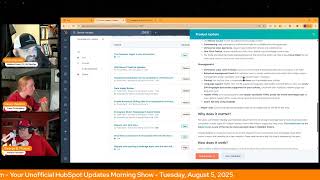
Chris Carolyn, Casey Hawkins, and George B. Thomas walk through HubSpot's latest platform updates, including AI enhancements, CRM timeline improvements, and social inbox integrations. They discuss new features and best practices in a conversational morning show format.
Foreign.
Wake Up, Customer Platform. It's time to start the day. Discover all the value you already own. Don't let solutions slip away. Wake up, Customer Platform. The tools are at your hand. No need to sleep on capabilities that can help your business stand. The answer's right before your eyes. You just need to realize. Wake up, Customer Platform. And watch your business rise. Wake up. Wake up. The platform's waiting for for you. Wake up. Wake up. See what your system can do.
Good morning, HubSpot Nation. It is time to Wake Up Customer Platform with your unofficial HubSpot Updates morning show where we help you discover the platform value you already own. I'm Chris Carolyn, joined by my co hosts Casey Hawkins and George B. Thomas. We are here every weekday morning to make sure you're not sleeping on HubSpot's true capabilities. If you're joining live, drop a hello in the comments and let us know what you're building in HubSpot today. Happy Tuesday, August 5, 2025. Apparently we wear red on Tuesdays.
Well, let's not make that a thing. It just happened to be like, oopsie, like.
Yeah, I can barely remember the orange.
I don't need to remember color coded day. Yeah, no, yeah.
Well, I'll go ahead and share my screen.
Chris laughed. I'm still not.
I know.
Well, we're just. We're starting with the pop quiz. Starting with the pop quiz. Get ready, folks.
You gotta go. Bye.
Everyone's favorite part of the show.
Yeah, I'm sure I'll leave this to either. Either of you could take this before I click into this first one, which is the customer agent is now two times smarter.
Two times.
Two times.
What could that possibly mean?
So it's the best customer agent that it's ever been. The best.
George, you know what, what's up with AI? What? What could this possibly mean?
Well, if I had to guess two times smarter. Well, it's. So let's think about this. It's context. It's usually answering questions. The next lesson or next layer of questions is what to do with them. So maybe something around like AI helping with insights or strategy potentially, maybe. I don't know. That's asking a lot.
Yeah, let's click in there. What is it? The customer agent now has enhanced reasoning skills that bring it even closer. Oh, to human level problem solving. It's not just about answering questions anymore. It's about truly understanding and strategizing to get the best results for your customers.
Look at that.
There you go, George. See? Man, you love a quiz.
No I don't. But okay.
Famously. Actually, I would go as far as to say this matters because while the customer agent was great at resolving support issues and finding the right answers, it wasn't always able to think on its feet like a real person. With the new changes, you'll notice a huge leap in its ability to reason, adaptation and strategize on the fly, helping your customers get resolutions faster and more smoothly.
This might be the most human why does it matter Blurb ever its feet and strategize on the fly. My goodness.
How many businesses, how many businesses are comfortable with this agent doing those things?
I don't know.
I was literally about to say. I don't. It makes me feel a little weird hearing like it's gonna think on its feet, strategize on the fly. I don't know.
So you know what else leaders don't like that I've heard is magic happening behind the scenes related to AI.
Oh, man.
Just trust it. It's. It's happening, it's happening.
I think we need a human in the loop on this draft that seems to be created by AI. Last thing. The reason I I wanted that pop quiz is like, none of this can be 2x anything. Like, what are we measuring to say that it's two times better than before? So can we not just ruin it like from the get go marketers.
Hey, hey.
We don't want to be in the field saying, oh well, this is what like we're asking you to do everything else, like measurement based, but this 2x is just like, we're just throwing it out there like, like that's how we feel. We feel like it's two times better.
Maybe, maybe, maybe behind the scenes there is a measurement though maybe they do measure if it's smarter based on the.
Magic is happening behind the scenes, Chris. And they're measuring. Yeah.
And it sounds more human than ever. Yeah. Okay.
As someone who's written a lot of. This is the best software ever. Sentences.
Oh, I had a great feedback session actually with some of, some of the AI team yesterday and you know, they're trying to figure out the best way to have these recommendations pop up. Right. And I was just like, can you just be more direct? Like it's not about go build more pipeline. It's about like, do you want to connect with 10 more people? Like do this, like, do you want to do more of this thing that's not like some third layer result? Like, we gotta be more direct in our, like, AI will help you do this thing directly like users have tasks that they have to get done and so, so often we, we try to get them to think about their monthly and quarterly goals to click the button, and it's like we're not in that mode on a daily, minute by minute basis. So.
Either way, habits, actions.
Yes, either way, we really enjoy these improvements, no matter how much of a hard time we sound like we're giving HubSpot right now.
Well, I think it was more of a you than we on this one, but you know, we'll let you have this one, buddy.
Yeah, this we.
I mean, he's got a mouse in.
His pocket or something.
There we go. Okay, number two CRM Record Timeline Updates what is it? We're rolling out an updated CRM Record Activity Timeline that combines a modern new look with powerful new filtering capabilities to help you find what matters fast. Visual Redesign Threaded Timeline Layout we refresh the timeline with a modern threaded layout where activities are visually connected. This makes it easier to follow the flow of engagements and understand the sequence of events at a glance. Enhanced visual signals A new icon system helps you quickly identify key activity types so you can scan your timeline faster without needing to read each entry. We've got new filtering features including Sticky header for easy access. The Activity Timeline header is now sticky so filters stay visible as you scroll. This makes it easier to tweak your view without having to scroll back to the top. We have assigned to filter options Filter activities by me Automatically scope to the current user or all deactivated and removed owners, making it easier to audit, reassign, or review activities connected to users no longer in your account. Got Filter by Engagement properties. You can now filter activities by properties specific to each engagement type, like direction for emails, outcome for meetings, and status or priority for tasks. This makes it easier to zero in on the interactions that matter most. And we've got smarter filtering for users or teams across tabs. You can now filter by user or team across all tabs like calls, meetings and notes, and not just the Activity tab. When applied, you'll also see activity types that are not filterable by user or team while still filtering out unnecessary information.
Why does this matter? The Activity Timeline is one of the most frequently used surfaces in the CRM, and now it's faster, clearer and more powerful. You can see full story at a glance. The threaded layout helps you follow conversations and engagement sequences with less cognitively load. Scan smarter, not harder Icons and visual hierarchy make it easier to spot key moments without digging. Get to what matters faster. New filtering options let you zoom in on Specific types of activities, properties or ownership. So you spend less time searching and more time acting and support better team workflows. Whether you're reviewing handoffs, triaging tasks, or cleaning up old activities, these updates give you the context and control you need to work efficiently.
Yeah, we need to scroll down. I need to.
Yeah.
Yes.
Yeah, I was having a really hard time conceptualizing this as well, George.
I mean, all hubs, all tiers, so that's nice. And I gotta be honest, this is a good use of icons. Like.
Mm, yeah, they. They're learning.
I. I think the threading is what I'm most excited about because in the past when you've tried to follow an email thread through the contact timeline, it was. It was a mess. It was a mess. If anything else happened in between the. The threads. So that's my personal most excited piece of this.
I'm interested. Have they been working this since March 2023?
That's funny.
Possible.
Maybe.
But either way, this looks awesome and I'm excited to check it out. So we'll request that beta.
Let's hit the button twice for this one.
How about request that? Indeed.
And hello, Josephine, thanks for joining us today. All the way from Sweden. International show, folks, is international.
You were close, weren't you?
I was. I saw it.
Number three. This one just won't go away. Off the board. Unsubscribe feedback survey available on preference pages. You know what it is by now, so I'm not gonna dig in if.
You don't go check it out in your portal.
Yep.
Watch yesterday's show. Watch the day before the day, the.
Last five shows, 14 shows. Yeah.
When we haven't seen in a little bit. Data Model Builder. Really exciting update here. What is it? A new centralized data model configuration space. Within this space, admins can see their objects, create new ones and make association and property decisions in context.
This matters because configuring your data model in HubSpot can feel like a daunting task, requiring knowledge of key terms, how to sequence tasks, and the patience to hop around while building. Unsurprisingly, HubSpot CRM admins frequently report feeling overwhelmed and not knowing where to start. Insert. Chris Caron.
Yes, I think this is coming out of private beta into public beta with this update. It's expected to release August 20th. And one of the new things is this ability to activate and deactivate associations to the new objects appointment, course listing and service, and use those new associations across HubSpot. Also, like if you haven't seen any of the features that are starting to use this canvas style drag, like mapping stuff that we're used to in a lot of other software suites, this is a good way to check it out. But yeah, really exciting times to see these objects get associated. Also, like, if you think about it, since it's so brand new, it can be hard to think about like when and why. Like you would even find yourself in here. Like almost any of the things you would go to settings for right now related to properties and object management, they're starting to bring you into here instead. And it's just such a much better contextual experience to start to manage the data model.
Yep. And if you haven't come to this update, you should probably do that. There's a video link in there and if you haven't signed up. Signed up for the beta.
Indeed. Number five, Enable automatic billing after first subscription invoice payment. What is it? You now have more options for subscription billing with this update, you can set up subscriptions to automatically charge after the first invoice payment, which gives you flexibility in how you collect and store payment methods.
This matters because this gives your customers more options. They can now pay the first invoice manually, then have future payments auto charge using the same payment method. This saves your customers time and helps ensure you get paid.
And this one is in private beta again. Commerce hub stuff. All hubs, all tiers have access to this. Good progress there. Number six, Instagram direct messaging in social inbox.
Yeah, this one made me perk up this morning when I saw it on the list.
I looked at this and was immediately like, I wonder what George's thoughts are on this.
What is it? Social users are now able to manage their Instagram direct messages from a single experience within HubSpot's social reply tab.
This matters because businesses need a single location to manage all social interactions and to collaborate across team members. This reduces the stress of jumping across multiple platforms to manage these interactions and increases efficiency in deepening strong and authentic relationships with leads and customers.
Yeah, for four years I've been a fan of the HubSpot social tools and, and wanted them to get better and like be. And they have been like, over the last couple months we've seen updates and updates and so when I saw an Instagram update I was like, okay, like. And not. I'm not even saying that I'm like a heavy Instagram user by the way, but I was.
That was one.
Yeah, there's another place where you don't have to jump around, jump out and. And just Communicate, doing all your communication. It just, it's simple as the process for those folks who have larger social accounts and have to communicate with multiple humans on a daily basis, like, this is just a good quality of life update.
Yeah. And I think from a messaging perspective, while it's not social, like, technically, definitely. Check out the hug the admins hug. Later today, the messaging team related to WhatsApp and SMS are going to be kind of explaining what they're up to in the portal. But it's the same kind of deal where it's this whole motion of we've been relying on email as a primary means of communication a lot of times because it's trackable and we can store it in the CRM easily. And so you see people sometimes try to move a conversation over into email when it's been happening in social or direct messages. And that's just not how we go about our day as human beings. Now that we can bring these kinds of interactions or it's literally just bring the conversation in, like, wherever it is. And if we can do that, AI is there to help us. Like, because it's. I'm sure people are going to see this and be like, oh, man, that's. There's so much happening in my Instagram, I can't even imagine it, like in this place with all this other stuff and how do I worry about contacts and like, how do I assign it? All right, well, they're doing it in a great way here, like right next to comments. Like, you can respond to comments on LinkedIn now, like inside of posts. So all of this conversational activity is finally being brought into, into one place. And if you say you want unified customer view inside of HubSpot, this is what that looks like.
So a couple things. One, sign up for the beta. Two, I didn't say anything yesterday. I just let it go, but I can't let it go today. You brought up the hug for today. Super admin hug for today. And yesterday you mentioned SMS and WhatsApp, and today you mentioned SMS and WhatsApp. But on the page, if you go to the admin hug, it's not a this or that, it's this and that. It says email, SMS and WhatsApp. So it's, it's all three of those things. So I don't want anybody to think of, like, because here's, here's what scares the crap out of me. Emails dead. Like, SMS is the new thing. This and that. Email, SMS and WhatsApp is what they're talking about at least from the subtitle that I saw on the page that you shared yesterday.
So just yeah, thank you for the correction.
Ease on there people. If you were going in a direction that you shouldn't be Chris can't even.
Say the e word.
I know. It's like brother email comma, SMS comma I let it go yesterday.
That's why we have three people. I'll say that. And it's pretty obvious that I'm biased, but here's why I'm biased. Like we don't have a messaging tag to describe this hug. What we do have is email marketing.
Yep.
Right. So for like finding balance about how we talk about this stuff is important but that doesn't mean I get to omit this word whenever I feel like it. So I do appreciate George highlighting that.
I like how you omitted it by saying this word instead of by not saying email.
Can't get it out. Can this thing that you see here.
Number seven on the list today Reports List Grid View what is it? You can now view your reports in a visual grid layout. In addition to the traditional list view, each report appears as a tile showing key details like title, owner, last updated date and quick actions, giving you a cleaner, more intuitive way to browse and manage reports.
Why does it matter? As teams build and manage more reports, it can become harder to quickly find what you need in a long list. The grid view solves this by 1 making it easier to scan and spot important reports, 2 identifying key report details at a glance and 3 creating a more visual user friendly experience. Especially helpful if you work with a small set of high impact reports. Whether you are a power user or just getting started, the views give you more control over how you navigate and organize your workspace. I had a client, or an old client actually just yesterday comment on one of my posts and ask if reporting updates are in the roadmap for HubSpot. To which I said yes, what updates are you? Yes, I can confidently say that reporting updates are in the roadmap, but I do think a lot of people still have a lot of pain in HubSpot reports and so I'm always happy to see a reporting update on our list.
The thing about that though that I've learned over the years is some of that has zero to do with platform correct and everything to do with people.
I my actual response was yes it is in the roadmap. Also DM me what you're having a problem with and we can take a look together.
Yeah, yeah, there's I there's A go ahead, Kasey.
Oh, I was just. I've said before, you guys have heard me say this a million times. I often think the problem is people using single object reports and not trying to reference multiple data points in a single object report and having trouble.
Well, here's, here's the thing too. And I don't know this human that you're talking to, so I'll just broadly talk to all humans. If you're wondering if there's HubSpot report updates coming yet, you don't have the HubSpot reporting certification. Maybe go get the HubSpot reporting certification. Maybe Go watch the HubSpot custom report builder training and then be excited for any report updates that come as well. Yeah, like you've gotta edge. The education is the only way to get over the mental roadblock of you and reporting. Same with work post by the way, for most of your mortal human beings. But Those are the two Achilles heels, like over the last what, since 2012? Let's say. So the 13, 14 years. Anyway, math, those are the two places where people have these mental hangups. And like if you just, if you educate your way through that, it doesn't become a hang up anymore. And by the way, I still have hang ups and I've been using it all for years, so give yourself some grace on it too.
Yep, number eight today. I think we mentioned this one yesterday. Send form submissions from Excluded IP and refers to Spam with this update, all form submissions from excluded IPs and referrals will be treated as spam and will be sent to the Spam Submissions tool. As a result, these submissions would not have any impact on the CRM data. This would ensure consistency between the CRM data and web analytics.
This matters because customers have been able to exclude website Traffic from excluded IPs and refers from the site analytics. Prior to this update, form submissions from an excluded IP or refer were still collected and processed like a regular submission. This was confusing for customers as they would see the contact records created from a form submission and other CRM property updates. But relevant automations were not triggered and none of the corresponding analytics was available in the system.
Pop quiz Chris? Yes, I have a question for you Chris. Do you like spam and not the digital kind? Just spam?
No.
No. You don't like fried spam Spam on the food.
The food kind?
Yeah, he said not the digital one. It was very clear.
I mean there's, there's physical spam all over the place. Food wise. If I'm in Hawaii, like in Maui. I've enjoyed some spam on occasion for sure. The one time that I was there. Yeah.
Nice.
Yeah, it's a part. It's crazy. Like it's a part of the menu. Like in. In Maui. It was really cool. Yeah. But yeah, as long as it tastes good. I don't always care about what happened before that. So.
You know what doesn't taste good? Digital spam. Knock it off.
Yeah, last today. This one's live. Been in beta for a while. Migrate your existing knowledge base onto the new suite of customization tools.
Is it fixed now?
What is it? Our previous release customization tools for new knowledge bases required that users start from scratch to take advantage of new customization features. With this update, we offer an easy path for existing customers to migrate their legacy knowledge base to the new platform. Note, this release is only applicable to customers that actually have a legacy knowledge base to migrate to the new tools.
I like that.
To confirm if you should be utilizing this migration tool, check out your Knowledge Base dashboard and look for our legacy interface. If you see a configured dropdown in lieu of the Customize template and Organize Categories buttons, you're already taking advantage of our newest tools. New customization features in the Knowledge Base tool are outlined below. They include themes, navigation menus, and editor management. And if you've ever done anything in the cms, this will look very more familiar to you. It's not exactly all the CMS tools. Still a different tool, but yeah, big upgrade. And if you're like me and you're trying to click on the new Knowledge Base button and you're not sure why it's not working for you, just go over and click on Knowledge Base and maybe there's a Knowledge Base article that you like. We're testing like five years ago that put you in the camp of having a legacy knowledge base that you didn't know about. And you'll have to use this migration method to to get into the new one.
Did you hear that noise?
Yeah, that means time to go, right?
That was me slacking a client. Migration tools back up. It's been down for a hot minute as they reworked it.
So there we go.
People can actually change that they want to make.
Good to hear and should note, users will have 90 days to begin the migration flow. We'll begin migrating any remaining users over in late October 25th. So if you don't do it by then, looks like HubSpot will be kind enough to do it for you whether you want them to or not. So get on it. And if you're if you have Service Hub, give Knowledge Base a look please. It's really, really good now and integrates really well with the rest of the AI tool set, which we know they're going to keep developing. So remember folks, you probably already own the solution you're looking for in HubSpot. Sometimes you just need to wake up to it. Join us tomorrow morning live at 7:30am Central or catch us anytime on Spotify and Apple Music. Drop your biggest takeaway in the comments and let us know what capabilities you want to wake up to next. Until then, I'm Chris Carolyn I'm Casey Hawkins.
Wow, I can't finish the show yet. You didn't do and today it might be oh, Instagram, Direct messaging and Social inbox. I'm George B. Thomas and this has.
Been Wake Up Customer Platform.
I didn't even put that in my.
Top five something amazing. Have a great day everybody.
Wake up, Customer Platform it's time to start the day. Discover all the value you already own. Don't let solutions slip away. Wake up, Customer Platform the tools are at your hand. No need to sleep on Check a bill that can help your business stand. The answer's right before your eyes. You just need to realize Wake up Customer Platform and watch your business rise. Wake up, wake up. The platform's waiting for you. Wake up, Wake up. See what your system can do.










