HubSpot Customer Platform Updates - 8/7/2025
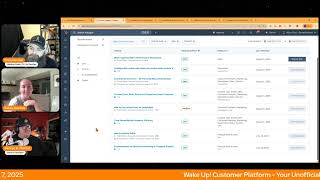
Chris Carolyn, Kelly, Casey Hawkins, and George B. Thomas walk through HubSpot's latest platform updates from August 2025, covering new features and beta releases with practical takeaways for users.
Foreign. Wake Up, Customer Platform. It's time to start the day. Discover all the value you already own. Don't let solutions slip away. Wake up, Customer Platform. The tools are at your hand. No need to sleep on capabilities that can help your business stand. The answer's right before your eyes. You just need to realize Wake up, Customer Platform and watch your business rise.
Wake up. Wake up. The platform's waiting for you. Do wake up. Wake up.
See what your system can do.
Good morning, HubSpot Nation. It is time to Wake Up, Customer Platform with your unofficial HubSpot Updates morning show where we help you discover the platform value you already own. I'm Chris Carolyn, joined by my co host, Kelly, Casey Hawkins and George B. Thomas. We are here every weekday morning to make sure you're not sleeping on HubSpot's true capabilities. If you're joining live, drop a hello in the comments and let us know what you're building in HubSpot today. Happy Thursday, August 7, 2025.
Happy Thursday.
Happy Thursday. Do we always have to say the.
Date like, yes, yes.
Important. It's very important.
Very important. Okay.
It's like, critical to the show.
It's like it's just a constant reminder that time keeps on slipping, slipping, slipping into the future. I'm just saying. I'm just saying.
I think we need that reminder, especially when it comes to Hub spots, capabilities, and functionality, because there's a lot of misinformation out there based on years past and where HubSpot has been. That's why that particular part is important to me. And Happy Friday Eve, indeed. Michelle, thanks for joining us today.
I love that.
With that, let's dive into some updates. We've got a beta update. I love it when they put these little, little notifications in there. Almost feels like just for us sometimes, maybe. Beta update with the sales performance workspace.
Wow, wrong button.
I think that's fair. Private beta. I remember seeing this and then getting excited about it and then not hearing about it. Looks like they're back and maybe instead of clicking on that, I click on this button.
You were just so excited.
I got excited. George hit the button. So I'm like, all right, where's the beta button?
Yeah.
Okay, what is it? Centralized space for sales leaders to track team progress and identify opportunities to drive better results. It brings together the scattered tools they use to understand if their reps are on track to meet their goals with proactive insights and summaries to help them spot patterns in their team's activity.
It matters because sales leaders and managers Spend hours every week jumping between spreadsheets, dashboards, and multiple systems to understand how their team is performing. With data scattered across different tools is easy to miss important trends and may impact the bottom line. Sales performance brings everything together in a single powerful interface, making it easy to stay on top of sales team results and explore key metrics and trends in depth. With one place to go for visibility into their team's performance, sales leaders and managers can spend less time digging for data and more time helping their team succeed. There's a lot of screenshots in here.
Which I like, and these screenshots are vital too. Like if. If you're looking at this before you turn it on. Like, I love that. In the first screenshot, there's the tab of risks, wins and trends that you can flip through. And it looks like that might be powered a little bit by the last screenshot, which is like sales performance insights. And then you've got like, deal win rate, deal creation at risk, deals unstructured. And like, there's. You can show or hide these certain things and then give them like quarter or week or number of days for your organization. So I like that it's customizable. I like that it's bringing this stuff to the top. I love this tab idea too. It's like one area but multiple things.
Yeah.
Not to mention there's a leaderboard. I'm. I'm. I'm not competitive at all. At all. If you ask my family to play Monopoly, they'll definitely say no. Anyway, not why.
Yeah, good to see this. That they are like anything we can do to stop people from using all the spreadsheets and all the tools that they've been forced to use to under to get a complete picture of what's happening on their team. I just want to plant this seed. Imagine if we called this the sales success workspace instead of performance.
What is.
Yeah, maybe.
Or imagine if we called the customer success workspace customer performance. No, that's a terrible idea.
Yeah.
So, yeah, configurable action rate limits on custom code actions and webhook actions. What is it? Introducing configurable rate limits for the custom code and webhook actions and workflows. This feature is an elegant native solution, if HubSpot does say so themselves. That gives you more control over how quickly these actions should execute. Note that using any actions with configurable rate limits will consequently also impact all of the following actions in the workflow as well.
Why does this matter? By default, workflow actions execute as fast as possible. This behavior is not always beneficial, especially when actions call APIs and encounter rate limit issues because of large enrollments or third party services with strict quotas. Can I talk through that note just for the no, you're not allowed.
Yeah, of course you can go there.
So my understanding of this that so the note was any actions with limits will impact following actions in the workflow. So in theory if the first step of the workflow is an API call and then the second step of the workflow is to send an email, for example, that second email action wouldn't would get paused until the API call was completed.
I believe that's how it works just in general as well.
But I think the reason they're calling it out is like if someone gets delayed because they're waiting for the limit.
Oh yeah, yeah, yeah, yeah, yeah.
Now that could delay your email that goes out. I guess that's why I wanted to just like highlight that piece.
Yeah, yeah, yeah. Basically if the limit is reached, enrolled records won't continue to the next action until the selected time frame has passed. A more complex version of the delay step in those terms. But in this case, in the other case we do delays. It's like give the system time to work to make sure we're not doing the next step too quickly. I think is a fair way to think about it. But yeah, so if you're one of those that has this, it might be hard to get rid of your amazing workflows that have done a job of addressing this so that since you haven't been able to adjust these limits, you have to adjust how many things hit you see these just magnificently complex workflows created by some people to to manage that. No more. No more. Automation Overview AI Powered Recommendations is a private beta and scheduled for release expected August 13, 2025. What is it? You can now see AI Powered Automation suggestions based on how Your team uses HubSpot directly on the Automation Overview page. These recommendations help you discover impactful automations that are relevant to your portal.
Exclamation point why does it matter? It's easy for teams to miss automation opportunities hidden in their day to day activity. This addition will surface relevant high impact recommendations that are personalized to your portal, allowing you to automate faster, save time and get more value value out of HubSpot exclamation point. The how does it work image was is helpful for me in understanding what this is.
How does it work? Once you're on the Automation Overview page, you'll see a set of personalized automation suggestions Simply click on a recommendation, select Create automation and turn on the workflow. Man, the future is here, George.
I mean, well, it's a beta. Test it and see and try. But I. I'm excited to see what this can enable for people. Yeah, I would say that you have to have AI enabled in your portal to even be able to use this. I say this because I was actually in a portal the other day that they had yet to enable AI in their portal. So, yeah, make sure that you're paying attention to all that stuff to get to this stuff.
Yeah, I would love to have a show about that at some point. Like, I have a similar situation and it's like, you know, they're talking about AI things, but there's obviously been some reasons they haven't turned the button on yet, like, related to security and risk and uncertainty. And it can be very easy to just say, like, oh, it's going to save you time. Oh, you'll get more of this. And it's like if you don't address it in the right way can be, you know, challenge to overcome the reason that they haven't turned it on, like, in the first place. But if you're an administrator watching this, right, this is where your job is shifting a little bit to where it's okay that you're not the one coming up with these ideas. Right. But what we need you to do is to click on these buttons, check it out, try it out, test it out, have a conversation with Breeze while you're doing it. Maybe it's 80% of the way. There's. Maybe it's 90% of the way. Figure out that last mile. And now, like, this is how we get to all these efficiency and adoption gains that we've been talking about for years. Right? So very exciting to see that. Unfortunately, still no content hub in this list of who gets it. So someday, Someday.
Someday.
Maybe.
Maybe.
Keep praying for it.
Maybe. Number four, Custom event rate, batch and reporting limits. Improvements. What is it? The limits for the custom event completions have increased. The Send custom event completions endpoint now supports 1250 requests per second. The custom event completion batch Endpoint now supports batches of 500 reports. Built in. The custom report builder now support viewing 10 years for all event types, including custom events. All right, I need like a glossary. I need anytime the event word is used in these panels. Like have definitions because you want like a little. Custom events includes 30 million events per month across all event types. Event reporting has a limit of 100 million events per report. Man, such strict limits here like 100 million.
This matters because understanding all of your data is critical to your business and helps you make data driven decisions. Supportive rate, batch and reporting limits. Ensure your data makes it to HubSpot and you can analyze across relevant time ranges. Do we know what the rate previously were?
Not important.
Not important.
We've got new.
I'm just like were people hitting limits because these limits.
Oh yeah.
Okay, okay.
I mean this is so my understanding of one of the primary use cases is understanding behavioral data. At Foundly, we have Marketplace, we're integrating. Not everything fits inside of a data model as we think about it, but when people are clicking across pages or clicking buttons, you can create custom events to track that. While it's crazy to think about, you know, 1250 requests per second, we know that there are sizes of businesses that have that much traffic on their website or in their application. HubSpot probably being one of them.
They probably did this for themselves.
So it's very possible. And this is available at the enterprise level. Yeah, just be careful as you're in the reporting tools. Like to always confirm events and custom events and marketing events. And just take care in that word as you're playing around. Number five, Add active contact list to campaigns Public beta. This feels like a big deal.
Does feel like a big deal. I agree.
What is it? You can now add active contact lists to your campaigns, saving time, reducing manual work and giving you more confidence in how you manage campaign related contacts.
This matters because unlike static lists, active lists update automatically based on criteria you define this means. Hey, I also started laughing. But you know, this is actually important for a lot of people.
Somebody watching this might not know the difference between active and static list. So I'm sorry, start over. Casey. My bad. I shouldn't have been an idiot at that point.
This means you no longer need to manually update or replace lists as contacts move through the journey, meet eligibility criteria or become disqualified. Whether you're using lists for lifecycle segmentation, reporting purposes or internal operations, associating active lists with your campaigns helps you ensure they always reflect the most relevant and up to date contacts. While list level reporting is still limited, the ability to track real time changes in list membership offers directional insight into how your campaigns are evolving without the manual work. I have a question for a salesforce person who is not I and I, probably not in this room, but one of the big I work in a lot of portals that are HubSpot salesforce portals. And a pain point tends to be the use of the term campaign which Is very different in Salesforce versus HubSpot, and it can cause a lot of confusion.
Yeah.
One of the major confusion points of confusion is Salesforce uses campaign members. I'm almost wondering if, like, the ability to have these active lists could be a proxy for campaign members. No, you don't love it, George.
No, I'm not. That was. That side was not. I'll go with a maybe on that. Maybe my brain did not go to the Salesforce side of this. My brain went to the. Imagine how you're gonna feel when your campaign is actually reality, Meaning the humans can ebb and flow in and out of that list, Meaning your campaign can be doing great, and then all of a sudden, it could be doing so.
You think that's the reason we haven't had active lists yet is because we didn't know how to handle that number going down?
I don't know. I don't know. But here's the thing. Like, I also want people, like, I feel like this is yay. This is awesome. Which to me, immediately, I put a flag in the sand and say, yay, be strategic. Because, like, the type of human who has used one list for multiple reasons, this might not be a reason to use that list for multiple reasons that can impact it. And then all of a sudden, you jack up your campaign. Like, I'm just saying, be thoughtful in what you're creating the list around and to then add it to the campaign for it to make sense as things ebb and flow versus being this historic, static mindset. That's all I'm saying.
Yeah. No, and use this. There's probably just a learning opportunity here to use a campaign. Like, imagine this. Your marketing strategy driving your list segmentation. Right.
Like, so if you say it ain't.
Add a contact list to the campaign.
Yeah.
And it doesn't make sense. Right. Like, let's adjust the list. Like, if the campaign is built out, because this is what we're planning to do for the rest of the year, and the lists aren't matching. We've got to square that circle. These things need to be able to work together.
My mind immediately goes to. By the way, it's also adding an additional piece that was already there. For instance, you can add a form to a campaign.
Cool.
You should best practices create a list based on the form submissions so you can get to the people who have submitted the form. Well, now, historically, you couldn't put that list into a campaign, but now you have the form and the list of humans, which then, Chris, think about this. Because you have the form and the list of humans in the campaign and you can do remix based on lists. Now what exactly you start to connect those dots.
I'm so glad that I pulled up the screenshot because what we don't see is our align for static lists and a line for active lists. We see one line that is contact lists. This is how we get to where we want to go, folks. And for those of us who have not been, who have avoided campaigns over the years because it hasn't been what we need it to be. And when I came in recently and I saw only static lists, I'm just like, what? Like that doesn't make any sense. I'm starting to understand more. But I'm glad I didn't have to wait very long like do some common sense stuff with, with all the other lists we have.
You picked the right time to get into campaigns.
Oh man, that might be the. The tagline of HubSpot right now.
Listen, if even think I want to say six months ago, but I'll say a year, one year from today's date. The difference of what the campaigns tool looked like you today it's night flipping day. So like if you historically were like ah, campaigns, that's cute. Not anymore ladies and gentlemen. It's way past cute, man.
And this like party's just getting started. They are working on some cool stuff behind the scenes. So just get in there like go check it out. Like if you haven't been in there a while, that's all we're asking. But go and look at the list of assets and that should tell you like everything is different. Right? All right, number six today time based roll up property filtering. What is it? You can now use time since in time until calculated properties as filter conditions in roll up properties to create time based calculations.
Why does it. Yeah, my brain kind of broke but we're going to get through this. Why does it matter? This enhancement allows you to create more precise roll up calculations by filtering records based on relative data. Instead of including all associated records in your calculations, you can now focus only on the records that are relevant to your specific timeframe needs. This means you can track metrics like recent performance, upcoming deadlines or time sensitive business data more accurately. Examples. Thank you. HubSpot Only include deals that were closed in the last seven days. Only include contacts whose renewal date is 30 days from today. Associated. I like, I like.
This seems powerful.
Yeah.
And I think this is how they like connect these dots to the increases in association management and limits because in the World where you can be intentional. Intentionable.
Is that a word?
Intentional? With what gets automated and what doesn't like the load on the system gets managed better and allows for us to get even more granular like this. Very, very cool.
I am very excited to see how that continues because the filtering of those association label the conditional fields is very important. Excited indeed.
Ads activation paths in a public beta scheduled for release expected October 13, 2025.
That's pretty far interesting.
What is it? You'll now see personalized activation paths in the ADS tool. Smart contextual recommendations guiding you on what to do next. This will help you save time by focusing on the ad features that will deliver the most impact for your business.
This matters because, let's be real, it's hard to start advertising. We offer so many tools, audiences, events, lead syncing, automation, tracking, etc. That it's hard to know what to get started with. Now we can let you know what you should set up and when so that you can. So that you can stop second guessing and start running campaigns that build better results faster. I needed some help guiding myself.
No, I think that sentence like, anyway, yeah, nice. This almost makes me want to start running ads.
Almost.
I'm just. I. Listen, historically, I just haven't been. I know a lot of you are out there, but historically I just haven't been a big ads guy. I've been like a 2012 inbound content purist. But this like, I'm like, oh, okay, maybe should I give it a shot? Should I try it now and then? Also, the other mindset that came to my brain when I saw this is like, man, how long before HubSpot's just running all the businesses?
Not long. Not long, my friend. But be strong. I think you can. I think you can persist without.
Chris is saying, hold off.
Okay, you're doing all right. I think you're doing all right, George.
I mean, we're still in the business. I guess that's a. That's a bonus.
All right, last for today, enhancements to options formatting in property export file. I've been enjoying this. I'll be honest. What is it? Property options now display in a simplified, easily readable format in the property export file.
This matters because this change makes the property export file easier to read and work with. Previously, options were exported in a structured format like this. Before it was label yes value true. Label no value false. They will now appear as a simplified text. Yes true no false. For enumeration properties, the options column will now have a simplified format.
Yeah, just look at the number of characters here.
Label. Yes.
The number of characters here. Indeed, George. Like man, efficiencies abound.
Abound.
Indeed they do. Remember folks, you probably already own the solution you're looking for in HubSpot. And maybe it's time based roll up property filtering.
Nice choice.
Waiting for him to say ads.
Yeah, definitely not saying ads.
Nice choice.
Sometimes you just need to wake up to it. Join us tomorrow morning live at 7:30am Central or catch us anytime on Spotify and Apple Music. Drop your biggest takeaway in the comments and let us know what capabilities you want to wake up to next. Until then, I'm Chris Carolyn.
I'm Casey Hawkins.
And I'm George B. Thomas.
And this has been Wake Up Customer Platform. Now go build something amazing. What great day everybody.
Wake up, Customer Platform. It's time to start the day. Discover all the value you already own. Don't let solutions slip away. Wake up, Customer Platform the tools are at your hand. No need to sleep on capabilities that can help your business stand. The answer's right before your eyes. You just need to realize Wake up, Customer Platform and watch your business rise.
Wake up. Wake up. The platform waiting for you. Wake up. Wake up. See what your system can do.










