HubSpot Customer Platform Updates 9/16/2025
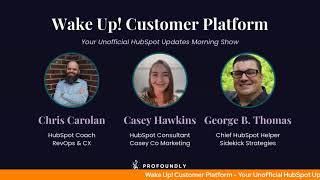
Chris Carolyn, Casey Hawkins, and George B. Thomas walk through 15 HubSpot updates: click-to-call from index pages launching Sept 22, Projects improvements with task dependencies and templates, Google Meet auto-record integration, customizable CRM record cards, and video text overlays. New React UI extensions for Enterprise users and a workflow action to register contacts to marketing events.
Questions this video answers
September 16, 2025.
Public beta expected September 22, 2025.
Sales or Service Hub Enterprise.
Chapters
Foreign. Wake Up, Customer Platform. It's time to start the day. Discover all the value you already own. Don't let solutions slip away. Wake up, Customer Platform. The tools are at your hand. No need to sleep on capabilities that can help your business stand. The answer's right before your eyes. You just need to realize Wake up, Customer Platform and watch your business rise. Wake up. Wake up. The platform's waiting for you. Wake up. Wake up. See what your system can do.
Good morning, HubSpot Nation. It is time to Wake Up Customer Platform with your unofficial HubSpot updates morning show where we help you discover the platform value you already own. Chris I'm Chris Carolyn, joined by my co hosts Casey Hawkins and George B. Thomas. We are here every weekday morning to make sure you're not sleeping on HubSpot's true capabilities. If you're joining live, drop a hello in the comments and let us know what you're building in HubSpot today. Happy Tuesday, September 16th. How we doing?
Happy Tuesday, Chris. Chugging along.
Yeah, doing good, doing good. Ready? Excited to see what HubSpot has in store for us today.
All right, well, there's a few. And by few I mean 15. So we'll, we'll dive right in. Click to call from the index page in public beta expected September 22nd for release. What is it? Phone number property values on index pages are now clickable links that open HubSpot's calling dialer, making it easier than ever to start a call.
Why does it matter? This update streamlines outbound calling. If you're working through a list of phone numbers, you can now launch calls with a single click. No need to copy and paste phone numbers into the dialer.
Yeah, we've talked about this one before, but the idea of having a view for that instead of a queue for that really stuck last time. So I'll just say it again. It's, it definitely changes the way that you might use HubSpot for calling for sure.
Indeed. Indeed. And we see a group of project stuff.
Yeah, we do.
In development.
I'm kind of excited about what I'm seeing.
Yeah. And I just listened. I started listening to the Hub Heroes podcast. So I heard a little bit about, of this specific gap being asked for in that, in that, in that episode. So I'm going to click in. Maybe we don't go through all four, but let's see what, what they're up to here. This is all in development. So as a forward looking statement at the front. Yeah, this one is a projects task card. What is It a new tasks card on project records that displays all tasks associated with the project in one centralized location.
Why does it matter? Projects rely on clear task visibility to stay on track and meet deadlines. Previously, you had to navigate away from project records to see associated tasks, making it harder to understand project progress at a glance. The new task card brings task information directly to project records, helping you quickly assess what needs to be done and take action without switching between views.
Yeah, so if you open the image in a new tab, it kind of gives you an idea of the potential future look of what a project might look like, your tasks might look like combined. What I want, what excites me is the idea that there's still a communication central on the top left and corner. What I like to call it. There's an. About this project over there. And then you've just got everything where it's like who's assigned to it, when's the due date? Like it. It very much is looking like a. Well, a project management system. Okay.
Yep. So in. In that light, where I'm definitely going through all these. I'm not skipping over any of this.
When he said maybe we won't go all over, I'm like, what are you doing? But yes.
So next Project subtasks, I. It's like they just actually they're just really good at knowing what everybody wants already and just happens to be in line with all of the requests from LinkedIn as soon as the projects object was. Was released. Basically you could check off all these project subtasks again in development. What is it? When it's released, you will be able to break down a specific task into more detailed steps. Using subtasks within projects.
Why does it matter? Tasks often contain multiple steps to be fully completed. Using subtasks allows you to configure your task to match your team's workflow, ensuring every aspect of your project is actioned.
Love it.
This was hot coming out of Inbound. I feel like anyone I talked at least like the HubSpot product side, if I talked to them about projects, they were like, subtasks are coming.
Yeah, yeah.
So when this drops, we should have like a specific episode or do some kind of content. All right, what else you need? Project management people.
Yeah.
Why can't we do that stuff in HubSpot yet?
My brain immediately goes to. I hope that they have like project templates. Like I can create a project template like as we do this thing over and over and over again. Sweet. Have a project template. Anyway, let's.
If we can clone a project object.
Yeah. Oh, yeah, yeah. True, True, then.
Oh, man. Task dependencies for projects. What is it? Task dependencies will allow you to set that a task is blocking or blocked by another task. When a task is blocked by another task, the task won't start until the other task is complete.
This matters because when working on a project, your team Austin has sequential process for completing the work. Task dependencies enable you to represent the way you your work should be done in HubSpot and ensure your business processes are followed.
Dude, this image. How about this image visually be the way that it's showing it, but the fact that there's like a. Almost like, you know how in workflows there's a go to next action? Like this almost looks like the task version of go to next action or go to the next task. Like.
Yeah, that's the exciting part. Like when you understand HubSpot's value is visibility and communication across the teams and to customers. When it decides to bring that functionality into the system. Yeah, it's. It does it better than the way it's been done in the past in a lot of ways. So.
Well, imagine too, when AI and projects meet. So like, let's just say for instance, you're working in Breeze, or you're working in Claude, or you're working in gbt and all of a sudden you're like, please create these project or create this project and create these seven tasks.
Yeah, which I know I have done. I know I heard on the podcast say that you've also started testing stuff like that out.
Yeah, not with projects, but with tasks.
Right, Just tasks. Right. And so much of the. The kind of pushback on stuff like this in HubSpot is like, well, tasks are clunky, like, oh, tasks are hard to use. Well, matters less when the AI is doing that for you. Yeah, right. Speaking of George's request, we'll hit this other in development project update, which is called Project templates. What is it? Admins will be able to, once this is out of development, create project templates with predefined tasks for team members to use when creating new projects in HubSpot.
This matters. This matters because project templates help teams efficiently create projects from existing templates and ensure consistency across your organization. Instead of manually adding tasks after creating each project, your team can start with standardizing processes that include all necessary tasks. This saves time and helps ensure projects follow established workflows from the start.
Yeah, buddy. It was on page two of mine. That's why I didn't See it. But oh, my God, yes. This is gonna be. So here we go again. My brain goes to, like, I'm literally sitting here thinking, like, when. When do I not need ClickUp now? When. When you know, and. And you. If you've been watching the show or listening to this show for a while, you realize, like, I'm. I'm on this kick of, like, how do I decrease the tech stack? Like.
Any. And here's where I get excited. When you see this functionality show up in this place, what other objects could this be enabled for? Instead of relying on go here, then click Clone, and then you're going to recreate. Then you got to fix all this data because, you know you cloned it instead of having actual templates like this. This is awesome to see. This is very cool. Oh, man. All right, back to the real world. Enable auto record for Google Meet meetings via HubSpot. Yeah, I just got a shout out, Nico here. Indeed. Tech stack reimagined. Yes, my friend.
Yes, sir. Yes, sir.
What is it say, George? Have you ever forgotten to record an important meeting?
So silly.
My goodness, have I.
The Google Meet app for HubSpot now has the ability to enable automatic recording of meetings in Google Meet directly from HubSpot. When you turn on. Enable Recording. Enable auto recording of meeting in Google Meet from your integration settings. HubSpot will activate this setting in your Google account on your behalf from inside of HubSpot.
Yeah.
Ensuring all your meetings are recorded without manual intervention.
Yeah.
Why does this matter?
Casey, Never miss capturing important meeting details. Again, with auto recording enabled, all your Google Meet meeting recordings and transcripts automatically Sync to your HubSpot account. This helps you stay organized, improve team collaboration, and maintain a complete record of customer conversations, all without having to remember to hit record.
And the amount of unstructured data that heads over to your HubSpot portal.
Yeah, get it all in there.
Yeah.
Customizable highlight card on CRM records. I saw this in a couple places on LinkedIn yesterday. Private beta. What is it? You can now customize which properties appear in the highlight card at the top of most CRM records, ensuring your team sees the most relevant data front and center. Hallelujah.
Why does it matter? Can you scroll down, Chris? It's not on my first page. And no, thank you. I'm too scared to change the page. You know, teams often scroll down.
You can flip back and forth and be safe.
Yeah, teams often scroll through lengthy records or multiple tabs to find critical information. Now you can easily surface the most important properties where users can't miss them. You'll save time with inline editing capabilities and instantly spot urgent signals. Enhanced support for color coded tags and dropdown properties can highlight important statuses like high priority tickets or expiring deals. There are two updates on my list today that truly came up in my life yesterday and I was like here's a beta and this is one of them.
So good beta ladies and gentlemen.
And I wasn't even thinking about putting colors like man. So good.
See, this is why they have to.
Tell us favorite that one too.
Yeah.
Add Text Overlays to Video in Public Beta what is it? Text overlays allow you to quickly add customized text directly onto your short form marketing videos. Now you can easily add and position text, select styles, colors and edit the durations all within the video editor.
This matters because you can now easily enhance your videos with speaker titles, event information, promotional details or critical statistics, improving clarity and viewer engagement. With built in brand consistency tools and flexible customization options, videos maintain a professional polished look while without the added time and tools.
Nice.
Very cool.
Yeah, very cool indeed.
It's crazy to even think that we live in a world where HubSpot and video are synonymous with each other.
Sure getting good getting good. CRM development tools to build UI extensions with React as front end oh what is it? Developers with access to sales or service hub enterprise can now use CRM development tools to build UI extensions custom cards based on a new technology stack with React as front end. These extensions can be displayed on the middle column tab or the sidebar of the record page.
GIF is like amazing. Why does it matter?
Kasey this allows developers to build custom cards that are flexible, dynamic and interactive. The choice of this technology stack makes it so that customers can have entirely custom yet immersive user interfaces built on top of HubSpot and that matches cohesively with the UX that HubSpot is known for. They can build complex integrations multi step business processes on top of HubSpot to solve their unique business needs and scale their business.
So much fun to see this progress and shout out to Ryan Ginsberg who's doing some amazing things in a portal for me right now. Nice in that center card just enables so much when you can design the workflow as as the team like needs it and wants it without clicking all over the place or scrolling all over the place.
Do you want to know something weird that I'm the only person probably in the entire world that is weirded out by by that update. The ID for that update is five numbers usually they're six. That's actually why I couldn't answer. The why doesn't matter. I was so stuck on the fact that it was the wrong number.
Oh, deep cut there. Deep cuts, folks. Behind the scenes. Casey Hawkins mind there.
My brain couldn't get past.
It's kind of like when you see those HubSpot portal IDs. They're only like seven digits or six digits.
I really. I like, couldn't move. I was stunned.
What is happening here?
My portal ID is six digits.
Yeah, that's why.
See, that would. That would ruin my whole day.
Yeah, yeah.
What is this? It is a workflow action to register a contact to a marketing event.
Oh, come on now.
You can now automatically register contacts to manually created marketing events in HubSpot using a new workflow action.
This matters because previously, businesses that rely on marketing events for lead generation and nurturing couldn't directly enroll contacts into a HubSpot marketing event via automation. The process often required manual data imports or custom API solutions. This update streamlines that process. With the new workflow action, you can automate contacts registration to events, enabling seamless integration between lead capturing and event enrollment. This was the second update that came up in my life yesterday. I was trying to do this and I was like, so weird. This isn't a thing. Why is. Why is this not a thing? And then I don't know even how I ended up at the product updates page, as I often do when I'm like, crazy. That seems weird. Sure enough, problem solved.
Join that freaking beta.
Yes.
Brain goes back to. It might be time for me to revisit what native event management in HubSpot would look like.
Oh, man. Yeah. Yes. On the page. 2. Five more to go and it still includes the customizable highlight card. So we'll. And text overlays. So we'll skip those. Search for workflow triggers by assets what is it? Search for workflow triggers by asset type or name when building workflows. This feature covers forms, lists, emails, and properties.
Very cool. This matters because this feature helps you quickly find relevant trigger options for your specific assets. Reduces time spent searching amongst all the different triggers. Explore other trigger options more efficiently. For example, you. If you want to automate a. If you want to automate a flow after a webinar submission, simply search for your webinar form to see all related trigger options. I feel like I said the word trigger too much.
It might have been a little triggering.
I was like, this feels like.
So you know what? Who is it? Is it Will Rogers? Anybody? Know what Will Rogers horse's name is?
Trigger.
Yay.
All right.
All right.
Anyway, that's for the old people in the room. You're welcome.
Yeah, they're gonna drag us kicking and screaming away from starting with an object.
I like it. I've said it before, I'll say it again. I like it.
I. I agree with you. I'm not one of those who just goes down to the bottom and and clicks the link so I can start everything from my contact record.
I hate change, but I like it.
There you go.
You heard it here.
You can too. Replace Analyze Replaceable Analyze tabs on landing pages and website pages. What is it? You can now replace the default Analyze tab with a custom dashboard in the pages Analyze tabs personalizing your reporting view.
Yeah, sounds vaguely familiar, doesn't it? Casey? Why does it matter?
I don't know if anyone knew why it mattered before now. This change helps you tailor Analyze tab to your specific needs, making insights more actionable and accessible in your workflow. You can contextualize data more efficiently for your role or team, access relevant metrics faster, improving decision making and increase analytics adoption by customizing the view to your preferences. To be honest with you, George, I don't even remember this. I think I just blacked out for the entire time. This is brand new to me.
It was a little bit Casey, a little bit Kylo Ren, but we tried to cover it yesterday.
At least one time.
No, you really don't. I. I'm not, I'm not going back to it.
I got off that and was like, I'm never listening to that once.
I promise you that that's the amount of clips that we'll pull from that episode. Any guess?
Yeah. Well, either way, this looks like an amazing update that I know some people have wanted since HubSpot has kind of changed the way that you could access reports in related to websites. So very cool to see that flexibility coming back. And then we've got navigation editing in Global Content Editor. What is it? Access advanced menus and navigation settings directly within the Global Content Editor. With this update, you no longer need to leave and go to settings to make changes to the menus you use on your website.
This matters because this streamlines the process of creating headers and footers while reducing context switching, making your website building experience more efficient. I do actually remember this one vaguely.
Very, very cool. This is a long time coming. Honestly, like it's been so easy, George, to like manage menus in HubSpot in the settings area. It's like it's hard to like ask for things to make it better like this makes it better. Bring it, bring it to where I'm working as we wrap I need to highlight is this where say the hug, the hug today. Even if you don't know anything about Commerce Hub or feel like it may not apply to your business and certainly if you do care about billing and quoting and all the things related to revenue and commerce, this is one of the biggest announcement at inbound was HubSpot CPQ and that's going to be today's hug. So Ethan Coppet, the product lead of CPQ is stopping by the admins hug in two hours from right now to show it off. We'll be doing some unboxings with Ethan as well. So this is an important tool folks. If you're in sales, if you use sales hub and you aren't using quotes because of what they have been like as far as legacy quotes go and all the challenges you know people talk about related to line items, please come and check this out. Like super powerful stuff, AI enabled all that good stuff to really like get this part of the process working much better for most teams that have been working inside of HubSpot. So I beg you to come and check this out or at least be ready to check out the recording. A lot of cool stuff coming from the camera sub team, specifically cpq. So excited for that today.
Chris will be in the comments.
I will be in the comments. Come, come hang out. Try to be in my best behavior. Remember folks, you probably already own the solution you're looking for in HubSpot. Sometimes you just need to wake up to it. Join us tomorrow morning live at 7:30am Central or catch us anytime on Spotify and Apple Music. Drop your biggest takeaway in the comments and let us know what capabilities you want to wake up to next. Until then, I'm Chris Carolyn.
I'm Casey Hawkins.
And I'm George B. Thomas.
And this has been Wake Up Customer Platform. Now go build something amazing. Have a great day everybody.
Wake up, Customer Platform. It's time to start the day. Discover all the value you already own. Don't let solutions slip away. Wake up, Customer Platform. The tools are at your hand. No need to sleep on capabilities that can help your business stand. The answer's right before your eyes. You just need to realize Wake up. Up Customer Platform and watch your business rise. Wake up, Wake up. The platform's waiting for you. Wake up, Wake up. See what your system can do.










