HubSpot Customer Platform Updates 9/30/2025
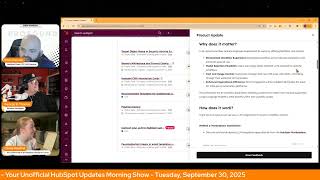
Chris Carolan, Casey Hawkins, and George B. Thomas walk through ten HubSpot platform updates. Customer Agent now suggests prompts based on page context and works on SMS, Instagram, WhatsApp, and other channels. High Cardinality associations jump to 500,000 limits and 50,000 deals per contact in private beta.
Questions this video answers
Tuesday, September 30, 2025.
7:30am Central (daily).
Expected for release October 17, 2025 (public beta).
Associate up to 500,000 records for select association types (contacts, deals, tickets, companies and custom object associations); deals-per-contact up to 50,000.
August (year implied 2025).
Chapters
Foreign. Wake Up, Customer Platform. It's time to start the day. Discover all the value you already own. Don't let solutions slip away. Wake up, Customer Platform. The tools are at your hand. No need to sleep on capabilities that can help your business stand. The answer's right before your eyes. You just need to realize. Wake up, Customer Platform. And watch your business rise. Wake up. Wake up. The platform's waiting for you. Wake up. Wake up. See what your system can do.
Good morning, HubSpot Nation. It is time to Wake Up Customer Platform with your unofficial HubSpot Updates morning show where we help you discover the platform value you already own. Chris. I'm Chris Carolyn, joined by my co hosts Casey Hawkins and George B. Thomas. We are here every weekday morning to make sure you're not sleeping on HubSpot's true capabilities. If you're joining live, drop a hello in the comments and let us know what you're building in a HubSpot today. Happy Tuesday, September 30, 2025. How we doing?
Doing well, doing well.
Yep.
Ready to rock and roll. Do some updates. Get after it today.
October Eve.
Yeah. Oh my goodness.
Yes, it is October Eve. Q4 Eve. Yeah.
What?
Man, this, this year has, has moved quick, to say the least. Speaking of moving quick, thank you for that podcast George, on the morning walk today about the Loop Playbook.
Yeah. Hub Heroes podcast.
Yes. And just a quick message to Liz. I think it is solving a customer problem that is related to not being able to show up every day in the way that we do. And George has been for long, long stretches of time. So that's why I think they had to drop. Drop that.
Yeah, there we go. There's more to come by the way. We're gonna, we're gonna flip flop, like tactical show stuff on screens, episodes and then more loop marketing coming up. So a little behind the scenes for those of you watching this podcast.
Yep. And they're serious about it too, folks. Like, I just saw a post from Dharmesh yesterday or this morning they posted yesterday about the Loop Playbook for growth and videos, how important videos and your YouTube is like for that and can we build agents for that? Like, it just so happens that HubSpot has built a platform to help us do this. So there's certainly a product element. But one of the reasons we're here every day is that if you don't know HubSpot can do this for you, it can be a very daunting, daunting call to action to try and show up every day. And personalize every single message that that goes out the door. So super interesting conversation. I'll have to ask the Mayor Rob Jones if we can maybe spend some time on that topic on Friday on the HubSpot helpline that streams from the profoundly page 3pm Eastern, 2pm Central on Fridays. And don't forget to check out the Admins hug today. Data Hub Post Inbound Data Hub update. You'll want to check that out. Some really powerful stuff going on over there. For now we will get into our updates. We've got 10 today with customer Agent Prompt recommendations in Public Beta Medium Impact what is it? Customer Agent can now display smart prompt suggestions that appear in your chat widget based on what page your visitors are currently viewing. Instead of generic conversation starters, the widget shows relevant, helpful prompts tailored to each specific page, making it immediately clear how the AI agent can assist visitors with their current needs.
Wow.
Why does it matter? Most website visitors see chat widgets but don't use them because they're unsure what the AI can actually help them with. This feature eliminates that hesitation by showing visitors exactly what questions they can ask right away. The result is higher engagement rates and more visitors getting the help they need need instead of bouncing from your site. Oh, this is. I originally thought this was like when you first read it. I thought it was like the breeze in HubSpot. This is not. This is.
This is Customer Agent.
Yeah, yeah, yeah, yeah.
Very interesting.
Again, I didn't, I didn't know like what this update was going to say. But this is how you get personal at scale.
Yeah.
Now you need those different web pages that matter to different people first. But this is one of those things. Lowering the barrier to entry. This was something you could accomplish with very programmatic, you know, development effort related to chat flows and dynamic experiences there. But it took the human design and the human configuration of that to happen and now it doesn't. So super, super cool. High cardinality associations. We're in Phase four now, folks. I want. I won't. You obviously know what phases one, two and three were, so we won't go.
Into that, do we?
What is it?
We read them.
HubSpot. I'm pretty sure it didn't. Maybe two was the first one. I don't know. Maybe they gave us all four. It's hard to keep track. What is. What is phase four though? HubSpot is rolling out pricing and packaging changes, unlocking higher association limits for select association types. The phase 4 private beta started in August for customers enrolled in this early beta limit for select association types will be increased. Contact dealer ticket associations per company. Increase your limit to associate companies with up to 500,000 contact dealers or ticket records and all custom object associations. Of course, enterprise only is where you get Custom objects can increase your limit to associate records with up to 500,000 records of a custom object or associate custom object records with up to 500,000 records of another object. New since last time I read this. Deals per contact Associate, up to 50,000 deal records per contact record.
Why does it matter? As your business grows, managing contacts, companies, deals and other records becomes more complex. HubSpot's High Cardinality association beta empowers you with the flexibility to associate more records for your portal. I do feel like we should get into the how does it work piece mostly that this higher association limits will be part of a paid capacity pack in the future, which is really the part I wanted to make sure people are aware of.
Yeah, yeah. This is a interesting space right now where we're developing a lot of capability in HubSpot that may or may not cost money in the future. It's a breeze, credits and all of this stuff. But hey, if you're getting value out of it and it's highly impactful to the business, don't be surprised if one day there's a little bit extra charge for that value. Number three, Deploy customer agent to custom channels. What is it? Businesses can now deploy the customer agent to a variety of channels like SMS, Instagram, Telegram line, WhatsApp and Slack. You can build your own channel integration with the custom channels API or click here to discover which marketplace apps offer this out of the box, with more integrations on the way.
Why does it matter? To provide truly omnichannel customer service, companies need to be able to connect with their customers on their preferred channels, whether those preferred channels be popular or niche. Historically, those channels were limited to the ones that HubSpot directly maintains, like live chat, email, WhatsApp. Now customers have even more choice over the communication channels that can offer to their own customers.
So and what I what I think I'm seeing here is that if you had an app, you could use the API integration to have customer agent in your app. Is that what I'm seeing here? Maybe.
I think so. If the app includes messaging in this case. But I think Instagram is the interesting channel here. Yeah, like whatever channel that you could say dming is happening apparently. So will that make it is a chat. What's that?
Customer agent is a chat. So like basically it's messaging anywhere.
Right?
So that's why I'm saying like, I'm super interested if you can use the API to create your own app integration for like, I don't know, whatever business you are, if you have your own app, this feels like you might be able to insert Customer Agent into it.
Now I feel like George is asking how it works. We're going to get into that with the last of this custom setup process, which is the setup of a custom channel so you can receive and send messages on your new integrated channel in the same way as any other HubSpot channel. The customer agent assignment in your HubSpot account navigate to Service Customer Agent. Navigate to the Manage tab. In the left sidebar menu, click Deployment and Channels. In the top right, click Assign. On the Channel Selection page, click the drop down menu and choose whether you want to connect a channel from an inbox or help desk and select a channel. Note Deploying Customer Agent on any channel does consume HubSpot credits, so maybe you don't just throw it out on social social media, but that's what I'm seeing. George Powerful stuff.
Yeah.
So much potential. Number four today. Target Object Name and Security Activity Export what is it? The Security Activity report now includes object names alongside object IDs when exported to CSV, making it easier to identify which object assets were affected by security activities.
Why does it matter? When you export Security Activity for audit and compliance purposes, you need to quickly understand which specific assets were involved in each security event. Previously, the export only showed object id, requiring you to manually look up each ID to identify whether it was a high value contact, critical deal, or sensitive company record. This creates unnecessary work when investigating security incidents or preparing compliance reports, especially since security activity tracking covers high risk actions like data exports, permanent deletions, user permission changes, and integration installations. I have never needed to do this, but I can see where it would be annoying.
Yeah if, if you're needing to. To pass audits and compliance. Compliance. Yeah. Situations should make things easier for you.
Is maybe a stupid question, but if we're adding in the object names with the ideas are we not creating another security incident? Potentially if this is the. Are there.
So yeah, I can't. Can't answer that.
Depends on the organization.
Compliance is always fun. I'm just gonna throw that in there. I've had, I've had clients where we had to do like I helped them with content strategy, content production and we had to put every piece that we created through compliance, every website page, every. Oh man. Yeah it was. That was fun times. Great joy in my life.
Number five. Remove white space and format casing in text properties what is it? You can now automatically remove extra white space and apply consistent casing like uppercase, lowercase, or title case to your text properties.
Why does it matter? Clean, reliable and organized CRM data enables more accurate reporting automation and personalization. Desired formatting ensures consistency with your unified data by automatically applying consistent rules to text properties. For example, you can now ensure that names use title case. Custom tags stored as properties are all uppercase and zip codes have no white space.
Very nice. I think we've run into this one.
Before, but these times.
Very nice.
Very powerful. Yeah. Updated CRM Association Cards okay, Now that we have 500,000 associations, it needs to be easier to get to them. So what is it? Association cards now support sorting, searching more display properties, and inline scrolling for easier navigation. These upgrades improve productivity by allowing you to find records faster, organized by labels and see key details at a glance.
Why does it matter? You now have more control, visibility and flexibility when navigating CRM records and relationships. These upgrades streamline workflows while keeping record context easily accessible.
Nice.
This is really a beautiful thing too.
All hubs and all tiers, by the way. So thank you HubSpot.
Thank you.
Did we mention we're past the days where everything just got one record associated to it? One contact, one company, one deal. Yeah, we're not there anymore. Recommended Templates for Dashboards and Reports what is it? We've introduced smart template recommendations in two key areas of HubSpot's reporting experience, the Dashboard Template library and the report creation flow. These recommendations help you find the most relevant dashboards and reports faster by suggesting templates based on your data and goals.
Why does it matter? Creating meaningful dashboards and reports can be time consuming, especially if you're not sure where to start. Users often face a blank canvas or struggle to find the right templates among many options. These features. This feature solves that by surfacing the most relevant templates for your business context, making it easier to build impactful analytics tools without starting from scratch or digging through the full library. I'd imagine that this would be helpful like when setting up an a newer portal, not new portal sometimes you have data. I have one client that's B2C specifically, so they don't have companies. So all those company reports are not helpful. So I imagine like it might help with things like that by seeing which reports actually have data in them.
Yeah, I anticipate that this intelligence layer, as it learns about your business, this kind of thing will get better and better. I think one of the huge upgrades that we're seeing all over the place is just like true autocomplete kind of. Kind of functionality where you don't have to get everything exactly right to be able to search and find the thing that you're. You're looking for. So that's a big part of that, that update, because a lot of reports get made because we didn't type it in right and we think we need another report. Pipeline cloning in public beta expected for release October 17th. What is it? Admin users can now clone existing pipelines across any CRM object that supports multiple pipelines, including deals, tickets, leads, custom objects, services, and more. This saves time, reduces setup errors, and helps teams scale their processes more efficiently.
I got it. I got. George is muted too. It's not just me.
Yeah, just you. I was trying to tell you you're muted as I was muted.
That's what I mean. Yeah, it was a. It was a.
And I was just looking and enjoying that.
Oh God, we're winning today.
Why does it matter? Previously, admins had to manually recreate pipelines from scratch, even when only slight variations were needed. This was time consuming and error prone, especially for growing teams or partners managing multiple brands, regions or business units. With pipeline cloning, you can create new pipelines faster, maintain consistency across teams, reduce manual configuration and setup efforts. Everything's fine.
There we go. Moving on.
Onward.
Yes.
Onward and upward indeed. Connect your LLM to HubSpot custom workflow actions I think we might have mentioned this yesterday. What is it? Connect your favorite AI models. OpenAI, anthropic, Gemini cohere. Maybe I should look that one up. I keep seeing that one and I'm not sure what it is.
I don't know.
And X AI to create custom AI powered workflow actions using your own large language model account, you can integrate outputs from these actions with other workflow actions like sending notifications or creating tasks. For example, you could prompt an AI to summarize enrolled records, then send that summary directly to a sales rep. Choose from an expanding list of supported LLM providers. Each LLM integration is managed via the Connected Apps page, providing a seamless, centralized and consistent app management experience.
Why does it matter? LLM custom workflow actions empower experienced AI users by offering flexibility and control. You can streamline your workflow experience with centralized workflow actions that reduce complexity and enhance ease of use. Model selection flexibility. You can Easily select different LLMs tailored for specific workflows. You have cost and usage control. You can manage your own API keys, rate limits, and billing through your preferred LLM provider. You have enhanced operational efficiency with direct integrations within HubSpot that eliminate the need for third party automation platforms. This centralizes the AI workflow experience, enabling customers to select from various supported LLMs directly from within one workflow action.
Lots of screenshots here, so if you're curious about this one. Oh, maybe they can tell us what cohere is. Nope, it is in a screenshot somehow though. Yeah, come check it out.
So close, yet so far away.
And lastly for today, personalization tokens in email templates now support fallback values. What is it? Fallback values for personalization tokens and email templates ensure your messages remain professional when contact, company or deal information is missing.
Why does it matter? You can now avoid common issues caused by missing token values, e.g. broken email formatting, high space comma sequence enrollment failures, poor recipient experience. By applying fallback values to personalizations tokens, you'll reduce errors and save time on manual fixes.
Pretty straightforward. Remember folks, you probably already own the solution you're looking for in HubSpot. Sometimes you just need to wake up to it. Join us tomorrow morning live at 7:30am Central or catch us anytime on Spotify and Apple Music. Drop your biggest takeaway in the comments and let us know what capabilities you want to wake up to next. Until then, I'm Chris Carolan.
I'm Casey Hawkins.
And I'm George B. Thomas.
And this has been Wake Up Customer Platform. Now go build something amazing. Have a great day everybody.
Wake Up, Customer Platform. It's time to start the day. Discover all the value you already own. Don't let solutions slip away. Wake Up Customer Platform. The tools are at your hand. No need to sleep on chapel business that can help your business stand. The answer's right before your eyes. You just need to realize Wake up Customer Platform and watch your business rise. Wake up. Wake up. The platform's waiting for you. Wake up. Wake up. See what your system can do.










