HubSpot Customer Platform Updates #hubspot
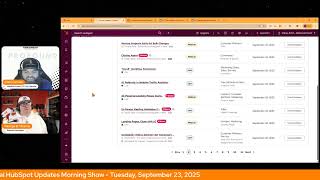
Chris Carolyn and George B. Thomas cover HubSpot's latest updates: Classic CRM cards are being deprecated starting June 16, 2025, with full sunset by October 31, 2026. New features include whitespace cleanup for text properties, Customer Agent API actions for pro+ users, and flexible lead scoring limits. Marketplace apps now have install caps of 25 per customer.
Chapters
Foreign. Wake up, Customer Platform. It's time to start the day. Discover all the value you already own. Don't let solutions slip away. Wake up, customer platform. The tools are at your hand. No need to sleep on capabilities that can help your business stand. The answer's right before your eyes. You just need to realize. Wake up, customer platform. And watch your business rise. Wake up. Wake up. The platform's waiting for you. Wake up. Wake up. See what your system can do.
Good morning, HubSpot Nation. It is time to Wake up Customer platform with your unofficial HubSpot updates morning show where we help you discover the platform value you already own.
Chris.
Chris Carolyn. Joined by my co host George B. Thomas. We are here every weekday morning to make sure you're not sleeping on HubSpot's true capabilities. If you're joining live, drop a hello in the comments and let us know what you're building in HubSpot today. Happy Tuesday September 23rd, Mr. George.
Buddy, how you doing, Chris?
I'm doing all right. Doing all right. You know, the Internet is a beautiful thing. There's been this guy named sharing my last name, Mark Carolyn, which we're from Ireland, so naturally he's from Ireland and he happens to be a transformational coach himself. I haven't ever interacted with any of his content and LinkedIn today decided to tell me that he was going live nice on some content. So I clicked in and yeah, the, the world can be very small sometimes when you, when you, when you want it to be.
So yeah, yeah, Serendipity, I tell you.
Very cool. Very cool. Yes, indeed. How was your Monday?
It was good. It was a Monday. Now we're on Tuesday and we've got what, three more days until my birthday on Friday. So looking forward to that and hopefully having a little fun over the weekend.
You're gonna be like 39, like right?
Yeah, yeah. Maybe for like the second time. No, that math doesn't track. But no, we will be turning.
We.
There's only one of me, thank God, turning 54 this year.
Wow, 54. Even I'm behind. I was gonna say 53. Yeah.
I think of what's the comedian he was interviewing Don and he's like damn. When he told him his age. Anyway, not why we're here. We're here to talk about HubSpot updates.
Yeah, well let's, let's get into that. And yesterday I did the clicking on the new to you thing. So I'm going from the all update screen and, and just like some behind the scenes here. I would love to just come from this page every day, but HubSpot does this thing where they sneak in these updates where they're dated a week or two ago, but we haven't seen them yet. So that's why I've been sticking to the new to you. But before we do that, if you're excited for the Smart CRM hug today, there's been a change of plans as the speaker isn't able to make it. But Deanna is going to move forward and I'll say like when she says worst case, we'll be having an impromptu networking or feedback session. This is a moment where if you're looking to meet others and maybe get a little FaceTime in front of, you know, 100 people and interact and share what drives you inside of the ecosystem, it's anybody's ball game in these moments. And you can get on and share your feedback and share your story in a way that is very hard to do otherwise. So if you were signed up for today, this has turned into a different kind of opportunity, you know, for you to come and learn and grow. So still check that out. Don't Forget about our HubSpot helpline. I need to work on saying the phone number that people can call in and leave messages 1-857-575-9526. Give us a call, leave us a message and we will solve the problem. We'll do our best to solve the problem real time on air. You can check out last week's episode to see exactly how that works as we, you know, worked on how to how to manage, I think buyer intent and segments and how to how to make that look good. And then if you're interested in loop marketing measurement, Danielle Urban and I had a great conversation yesterday about what that might look like for most organizations, including all the qualitative and immeasurable things that you want to keep track of too. So we'll hit the updates today. We've got Remove White space and Format Casing in Text Properties Nice. In private beta, what is it? You can now automatically remove extra white space and apply consistent casing like uppercase, lowercase or title case to your text properties.
Wow. Why does this matter? Clean, reliable and organized CRM data enables more accurate reporting automation and personalization. Data desired formatting ensures consistency with your unified data by automatically applying consistent rules to text properties. For example, you can now make sure that names use title case. Custom tags stored as properties are all uppercase zip codes have no white space. And what's crazy, Chris, is who gets it all hubs and tiers.
Yes. Well, it's needed. One of the most frustrating things when integrating other systems is running into this white space wall because for whatever reason the values aren't matched because this system over here has been automatically taking them out, but when it sends it over, it adds a bunch of white space. That's exciting. But also the just to be being able to format, you know, and I don't know if I would want to automatically make things uppercase, but hey, if that's your use case, you have the preference but you're yelling at people inside your CRM.
Yeah, only beta though. Do you have the option? Yeah, hit that beta.
We've got a high impact sunset coming. What is it scheduled for? Sunset on October 31, 2026.
Halloween.
So you got a year. 2026, not 2025.
Yeah, spooky.
What is it? Starting June 16, 2025. So a few months ago now, Classic CRM cards will enter deprecation ahead of their Full Sunset on October 31, 2026. Classic CRM cards have been a part of HubSpot for more than a decade, but they are static, limited to the right sidebar and support only a few standard CRM objects. I think we could say more than a few at this point, but yeah, as we continue to modernize, we are shifting focus to interactive app cards built with React powered by new UI extension capabilities that offer richer, more flexible experiences and have seen stronger developer adoption. From June 16, 2025 onward, new apps submitted to the App Marketplace cannot include oh wow. Classic CRM cards for listing or certification. You will no longer be able to add classic CRM cards to the HubSpot UI. And existing marketplace apps using classic CRM cards can continue using them until October 31, 2026, after which they must migrate to app cards. Additional resources and guides will be published ahead of the sunset date to support migration.
Yeah, I don't know about anybody else, but when I see, cannot include and seen stronger development adoption. Well, yeah, of course. Anyway, why does it matter? Classic CRM cards will be phased out starting on June 16, 2025. After this date, you will no longer be able to add classic CRM cards to the HubSpot UI, and new apps will not be permitted to include them. Existing Marketplace apps that currently use classic CRM cards will remain unaffected until October 31, 2026, when the cards will be fully retired. Due to this transition, you will need to migrate to app cards, which offer more advanced capabilities. App cards provide dynamic interaction support across more CRM objects and greater flexibility compared to the static and limited classic CRM cards. By adopting app cards, you can ensure their application are built on a modern future proof foundation that will continue to receive support and innovation. Man, maybe we should future proof our life so we can continue to receive support and innovation too. That might be nice, but these cards are definitely a good thing.
Yeah, definitely a good thing. And this might be another case of separating the people who build for HubSpot from the people that just kind of see HubSpot as another channel for their app. But yeah, take advantage like leverage the HubSpot functionality please. Next on the list App Settings Powered by UI Extensions okay, what is it? Use UI Extensions Tech Stack to build powerful custom UI experiences for your app settings page. This allows developers building public or private apps to build interactive settings for their apps. User developers will be able to build these experiences using the same tools that they use to build app cards, and this enables them to build contextual settings pages based on a user's role, permissions, team, and much more.
Why does it matter? Who the heck knows? Also, what is going on with that button at the bottom? I'm not sure if that's how it's supposed to be, but anyway, ladies and gentlemen, fun little update. I think it matters because it's going to be a better user experience. My words. Not hubspots but just my thoughts.
Yeah, yeah. So put some effort in. Like again, the people we're already seeing the power apps like the Happilys of the World and Arrows and the people who have been building for Hub file along, they're leveraging the hell out of this stuff and it looks amazing. Such a much better experience.
Strong language in the morning.
Very cool. New install limits for Marketplace apps built on the HubSpot developer platform. What is it? Marketplace apps that are created on or migrated to the new HubSpot developer platform now have customer install limits. Apps with the Marketplace distribution type are limited to 25 customer installs until they are listed on the HubSpot marketplace. And apps distributed privately using OAuth are limited to 10 customers or up to 100 customers for solutions partners.
Okay, why does this matter? App partners who plan to use new features on the updated HubSpot developer platform need to account for these limits when preparing their app and Marketplace listing.
Very, very interesting, I guess. Well, what this is saying is kind of the free. Maybe the free party is over in terms of being able to install as many as you want that don't have to go through like official approval processes. And like they they built a great structure and now they've got, you know, they have standards as far as what HubSpot apps are supposed to be able to do, including experiences that we've been talking about today.
Yeah.
And this is an avenue where you don't have to do any of that. Right. And what's interesting is like you would have to do a certain amount to even get approved to go to the marketplace. So now it's, I imagine they just want like if you're going to build an app on HubSpot, they want to be safe and secure and follow. Follow some standard practices. Right, Right. So understandable they're putting limits there. But probably some people that are going to be impacted by that.
Just maybe a few.
Customer agent can perform actions in your business system this went live yesterday. Real quick. Customer agent can now make API calls to your applications to perform simple tasks or give personalized answers to your customers by looking up their data via API.
Why does it matter? Over 50% of customer queries require support reps to perform a task in a software application, such as resetting the password or looking up order or billing information. Until now the customer agent had to hand over such queries to human reps. Now it doesn't. Nice.
Yeah. And one of my favorite use cases, B2B order portals, self service mechanisms. Now it's easier to do that because if you're connected to your ERP and your customer agent can see over there, you can just ask the agent for the order or billing information and it will share it with you without necessarily having to bring it into HubSpot. I'm not sure why you wouldn't want it in HubSpot, but if that's too much integration work as an example like now you have another avenue to do that available to all pro and above customers. Contact Email logging rules what is it? Contact email logging rules let admins configure their portal to automatically capture all email communications between users and existing contacts in HubSpot.
Why does it matter? The current default logging behavior only captures contact emails that are replies to already logged user emails, which can lead to important communications being missed in your CRM. When a contact responds to a sequence but their email isn't logged. When you send emails from your mobile device without using the BCC address. When you forget to click log in your email client previously you needed to use the forwarding address or the retroactive log button. Okay. Requiring extra manual steps to capture missing emails. Interesting.
Just make sure your users know.
Yeah, without a doubt.
And make sure the app is working on whatever system like Outlook as an example that it's set up over there. Then you can start to take advantage of stuff like this. Yes, that's usually where the bridge is broken, at least in Microsoft land. Next up, we've got Create lead scores with optional group limits. What is it? Groups within a lead score no longer require a limit, which means you can now have more flexibility when creating lead scoring rules and deciding how they contribute points to the total score. Here's what is Group limits are now optional. They can still be set like before and they can still add up to the score limit. Group limits for each group can now be set as high as the total score limit. The sum of group limits no longer need to equal the total score limit, and the sum of group limits can exceed the total score limit if required. For combined scores, group limits no longer set the fit and engagement score limits. Rather, each score will follow the score limit you set. And I've gone cross eyed.
Yeah, why? Why does it matter? Customers felt constrained trying to build their lead scores while managing groups and their limits, needing to add up to the total score limit rather than being able to focus on setting up rules with the best fit and engagement signals. With this update you can now focus on one Use groups for organization and add limits if you'd like to ensure a contact company or deal doesn't over qualify too quickly. Leveraging waiting. 2. Setting up the max score limit that a contact or company deal can get. 3. Which will be the last one unless Chris scrolls up on his screen setting up rules flexibly for easy auto MQL logic. Doesn't matter. It was the last one anyway. Now you know why it matters.
Oh man. Some good. How does it work? Screens in here. A lot of them screenshots. So if this is important to you, definitely come check it out. I know it's important to many, many a HubSpot customer. Yeah, some good things happening here if you rely on scores. Lots of flexibility. Although I'd love to hear about the use cases where the group limit can go above the total score limit and why that's okay. But yeah, all the flexibility this morning, right?
Like I'd invite her to the Hub Heroes podcast to do a lead scoring episode if she was here this morning.
There you go people.
This is why you don't miss a day.
Yeah, last one for today.
I don't know about that one. I have one that we haven't talked about yet.
Okay, cool. Well, we hit this one yesterday and I'm happy to hit this one every day. You guys got to check this out, Breeze powered property creation. What is it? Breeze can now generate custom properties for you using natural language. And just to like we. Then we'll go into George's like, it's not like you give a sentence and then Breeze like, like all of a sudden the property exists. Right. You have an opportunity to say, is this the property that you're looking for? And then you can change everything about it at that point. So giving it a try. There's no harm in seeing what happens after you click this generate property button. So like, please, this is one of the best ways to start understanding what Breeze can do for you, like inside of. Inside of HubSpot without any risk of actually something happening. Right. You could just cancel and not create the property if it doesn't make any sense to you. Yeah. But in most cases it'll be like maybe pick drop down. Or it needs to be multi check, multi select box. And I'll add these couple options that he's missing. You know, stuff like that. So very cool capabilities. And know that since you can do it here, you can also do it when you. When you call them up here.
Right. So, yeah, and I think we're good because I think we talked about this one that is on my list. That is not on your list, which is the personalization token and email templates now support fallback values. I think we've talked about that one. If you're tuning in for the first time, you might want to go just search that in your updates to check out what's going on with fallback values. But other than that, Chris, I think we're good for today.
I think we are good. Lots of stuff going on, folks. I activated some Google Meet stuff last night, seeing that come in for the first time. An amazing summary based on a very long call, but very cool to see. Trying to start testing a lot of these myself and understanding them. You're not the only ones overwhelmed folks. So hopefully these episodes are helpful. Just to say, like, let me take a little baby step here and there and start to get your feet wet and start to try some of these really like groundbreaking. I don't think is.
I'm not earth shattering. Is that better?
Right?
What are the levels of like groundbreaking earth shattering, like level of that universe impacting?
I don't know. Yeah, there you go. That's the scale. If you want frameworks, just head over to GeorgeB. Thomas.com yeah, not overselling how powerful like some of these are, but you got to try them. You got to get your contacts in the system and then watch the magic happen. Thought it was auto magical before. Now that AI is involved, yeah, it's a whole new level, new world. That's where we'll wrap today. Remember folks, you probably already own the solution you're looking for in HubSpot and what was it today? Let's remove some white space and get everything formatted properly so that AI can understand that structured data for you. Sometimes you just need to wake up to it. Join us tomorrow morning live at 7:30am Central or catch us anytime on Spotify and Apple Music. Drop your biggest takeaway in the comments and let us know what capabilities you want to wake up to next. Until then, I'm Chris Carolyn and I'm George B. Thomas. And this has been Wake Up Customer Platform. Now go build something amazing. Have a great day everybody.
Wake up, Customer Platform it's time to start the day. Discover all the value you already own. Don't let solutions slip away. Wake up, Customer Platform the tools are at your hand. No need to sleep on capabilities that can help your business stand. The answer's right before your eyes. You just need to realize Wake up, Customer Platform and watch your business rise. Wake up, Wake up. The platform waiting for you. Wake up, Wake up. See what your system can do.










