HubSpot Customer Platform | Updates #hubspot
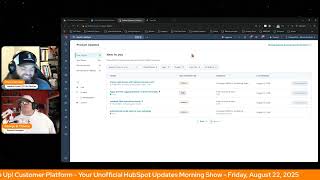
Chris Carolyn and George B. Thomas walk through the latest HubSpot Customer Platform updates, covering new AI integrations, campaign management features, and user permissions. They focus on practical ways to use these tools and how they fit into the broader HubSpot ecosystem.
Foreign. Wake up, Customer Platform. It's time to start the day. Discover all the value you already own. Don't let solutions slip away. Wake up, customer platform. The tools are at your hand. No need to sleep on capabilities that can help your business stand. The answer's right before your eyes. You just need to realize. Wake up, customer platform. And watch your business rise. Wake up. Wake up. The platform's waiting for you. Wake up. Wake up. See what your system can do.
Good morning, HubSpot Nation. It is time to Wake up Customer Platform with your unofficial HubSpot updates morning show where we help you discover the platform value you already own.
Chris.
I'm Chris Carolyn, joined by my co host, George B. Thomas. We are here every weekday morning to make sure you're not sleeping on HubSpot street capabilities. If you're joining live, drop a hello in the comments and let us know what you're building in HubSpot today. Happy Friday, August 27th.
Happy Friday, Chris. How are you doing?
Doing all right. Doing all right.
Good. I'm, I'm, I'm. I'm doing good. I am curious. I was out yesterday. I had the pleasure to go to an event called Lead Loud. I was able to be in a room with Damon Johns, Les Brown, Chris Boss, Mick Hunt, some other really cool humans. It was a leadership event. But the whole time I was sitting there, I was curious, dang it. What HubSpot update am I missing? So, like, if you think back to yesterday, like, what was the top one where you're like, wow, this HubSpot update happened.
Oh, man, I'll. I'll show you in a minute. Okay. Okay. Because this is the update of the year.
Okay.
For sure. Of course.
That day. I missed that day. Come on.
Yeah. For us at least. Maybe not for everybody else, but yeah. No, it's really cool to hear about your experience at this other event. And on that note, you know, we're excited to be recording this live at Inbound, but I might need your help, George, since you, you know, you and Kyle do the. That awesome, you know, Christian meetup. Yeah. It's at the same time as. As our first episode on Wednesday of Inbound. So if you can help me, help us replace your. Your larger than life, you know, Goat. Goat shoes. Greatest of all time.
Yeah.
I mean, did you. Did you hear folks like the people that he just casually mentioned yesterday?
Like, whatever. It was fun. Don't get me wrong, it was a fun event. Really cool people. I don't know how I would replace me with any.
You deserve to Be there. You deserve to be in places. I'm just gonna start it just so I make good on this, this thing that I told Casey I was gonna do. I'm gonna ask Dharmesh to see if he can hang out with us. Restart and, and we'll see.
Be fun.
Since he doesn't have have to be on the, on the product keynote himself anymore. He's actually got something later in the day I think on Wednesday 1 or 1:30. Yeah. So maybe you can come out, come out and hang out and figure out a way not to talk about all the updates that are going to be on the keynote.
Yeah. Or a project manager would be cool. Or Dylan Selberg.
Yeah.
Cool is if you could get Nicholas Holland to actually.
There we go.
Part of the platform. Nicholas. Hey, are you free anyway? I don't know.
There you go.
Help us out the other two days, bro. So don't.
Yeah, two sets. Yeah.
The first day it's the Christians at inbound meetup. We're gonna have some bagels, some cream cheese, some prayers, some like good conversations. I always love that. It's so fun to just together with like minded people. Well, hence HubSpot and inbound. I mean like minded people. So.
Yeah. And just to kind of wrap all this great value that you can just get for free, you know and come and hang out, see it later. Gonna be live all day today. Already had a great episode with, with Nick Nicolaakis.
What you guys talking about?
Just, you know, the old ways, man. Product launches.
Yeah.
And all that stuff. We're, you know, you gotta show up differently. We actually ended on the AI traffic, the AI referral traffic update of HubSpot and like does that mean just be careful trying to fit all these metrics in the old mindset of what you would have, you know, how you would have treated other referral traffic or other like you know, specific page traffic. Right.
Very.
Got Pedro Mikaelasso after this. We've been going through the revenue architecture playbook of, of winning by design. Kind of doing a value first take on that which has been really fun. Data modeling stuff like that. Back to back road to inbound sessions today with Clemen. You got Mark Clement from the. He was the alien, uh, in the center of the floor last year. And I think he won the click click to click competition where we click badges and whoever got the most, which made sense. I'm pretty sure he did not move from the middle of the, of the floor. Everybody had a big alien like hanging out with him. So. Yeah, yeah, yeah. Super excited for Mark. Mark Hans. Right after that, I got to be on his race to inbounds show that he's doing for Tango. And he's also got a donut happy hour. I think it's on Thursday this year. Thursday or Friday.
See bagels on Wednesday. Donuts on another day. I mean, why aren't you going to inbound if you're not going?
There's free food and then we're gonna have some fun with Rob Jones a little bit before the HubSpot helpline, but admin plus of the year bracket is continuing. They have whittled down to. To. To the Frictionless four.
When four do you know?
I do. I do.
Okay, never mind.
Yeah, moving on. So. But that's leading up to the HubSpot helpline. Excited to have Kyle back for his.
Yeah.
His out of office from his out of office as he could not avoid being involved in inbound season. Of course. So he's back for a couple weeks.
Did you imagine inbound with no Kyle Jepsen?
No, I can't actually.
No George B. Thomas?
No.
Down with no Jay Schwedelson. I could keep going, but yeah, it would be weird, but no, no Chris. Carolyn, come on.
Exactly. I'm almost there. I'm almost.
But the amount of content you've created over the last two years, you're there. TR.
Yeah.
More people probably know you than know me. Let's just be.
Ah, let's not get crazy here. And then, of course, next week, free value first data summit. Got a bunch of over 20 experts showing up. Really coming together nicely, really excited for that. Your data is one of the few things I think you can control in this world of AI. Yeah, hoping so. Let's stop accepting the dirty portals and, you know, the, The. The maintenance requirements. Like we can get our data right. And then. And then AI is gonna do stuff like this where using the Comet browser and this button that says app HubSpot. Right. So no, I've just been using it all week. Right. Just started doing my normal stuff. I haven't set up bookmarks or anything like that. And I'm just like, you know what? Usually it's a few clicks to get to the product updates page that I want to show. But. But there's a HubSpot link here. Let me just click on it. Let's see what happens. And it brought me right to where I wanted to be.
Boom. So when you see.
Similar stuff like this happening in HubSpot. Right. Recommended actions, recent behavior. This is exactly what HubSpot's trying to accomplish and it can if it understands your business and has the context and the data and all this stuff.
Yeah. Have you gone and filled out your data sources in the AI tab and settings yet? Okay, not why we're here, but if you haven't, check it out.
Indeed. So by the way, update of the year that you missed yesterday was the ability to favorite updates.
Oh.
So that now I'm not seeing any from yesterday. So we'll see. I don't know where you actually see your favorites yet, but the ability to star updates.
Oh, wow.
Yeah. Big deal for us as we go through updates every day. Maybe not a big deal for our.
HubSpot customers at the top, bro. Favorites mark desk favorites not marked as favorites as a filter.
There we go.
If you filter the HubSpot connector for chat GBT, which I just did, and I say, well, I don't want to do it right now, but mark this Favorites, I'm sure that that's what I'll see now.
Yeah.
Interesting. Because I. I wonder, here's my curiosity is like, is it for you or is it for the portal? Because what I would hope is that I, I as the admin could go in and like favorite six or seven and then be like, hey guys, go look at the favorites right now and tell me out of the six or seven, which two or three you think we should implement first. So I. We'll have some testing, but that's what I would hope. But even if it's for me as an individual user, at least that would help if I was going to go into a meeting and have a discussion around them because I could have them favorited so either way.
But yeah, yeah, very cool. Yeah. Oh, we talked about that yesterday actually with. With Lucy A Ball. We had our let's build the super admin was about how you come out of inbound. Not chasing all the shiny objects, but yeah. Finding stuff to implement where there is value to implement for your business. That balance between not getting overwhelmed and just shutting off.
Yeah.
All the new updates, but also not just all these requests we're about to get of like, oh, can we set up that agent next week?
Yeah.
Yeah, maybe not. Are we ready to pay credits? Yeah. With the context we need for that agent to work.
Yeah.
What are you gonna do person that's asking for an agent that might do a lot of what you're doing.
Yeah.
Yeah.
This is why I preach that whole hashtag one thing philosophy during the inbound season of like, at least you can streamline it down to like the main takeaways from your team and then see if there's any that like kind of match up and give yourself a little bit of a, a fundamental roadmap for the first 30, 60, 90 days of returning back from the event.
Indeed. Indeed. All right, so we're already 20 minutes in and we're just getting started on these updates, so I'm gonna be a little selective.
Whoopsie talkative on a Friday, aren't we?
Yeah. Do you have a hard stop in 11 minutes?
Oh my gosh, let me.
15 minutes.
I don't, I don't think I do. Which anybody watching right now is like, please. No, actually we can go a little bit long if you.
All right. Yeah. Cool.
All right, well, first human centric HubSpot updates today.
There we go. HubSpot connector for GPT has been around a minute. It's live now and we're starting to see this breeze tag in places. Okay, that's.
I'm gonna do that by the way.
Keep an eye on that. I have to imagine it's going to connect to credit usage in some way. And that's why it's important to have a tag on these things. We'll see. There's no like official anything saying that, but a lot of the usage of credits is based on is AI doing something for you. Right. So just be aware. That's probably one of the reasons they want to be transparent about when that is happening. So this connector has been around for a minute and one thing I'll note is just check out the prompt library. Like even if you're not using the connector.
My God, it's huge.
This prompt library is so much value.
Yeah.
And people are getting, getting better at using this. This is for me, this is all about how to have the conversation with GPT after you have it connected. Right. Because it'll help you find all those data gaps and it will find whatever you ask it to find, even if it's maybe not there. So just careful. Learn. Learn how to. How to ask for what you need and not for what you don't. Custom SCIM integration. We talked about that a couple days ago and it's acronyms up the wazoo. Not lot of personal experience, but if you're in it. And security, we got a few security updates today. Some of them are new, so I want to get to those, but this is it related acronyms. Yeah. So I'm not going to pretend to know anything about them. Yeah. Just come and check them out. If SCIM means something to you.
Then go check it out.
Go check it out. Security contact, Role in account and Billing. What is it? A super admin or billing admin can now add a security contact to their portal from account and billing.
Nice. Why does it matter? This contact type will receive critical security notifications from HubSpot. We strongly recommend designating your cybersecurity and incident response team Chief Information Security Officer or another appropriate individual for this role. Distribution list are allowed. And the role does not have to be a user. HubSpot Portal. Whoa.
Wow.
Well, first of all, two things. This feels very enterprisey.
Yeah.
Very upstream, if you will. But then does not have to be Obspot Portal, man. Do they understand it?
Yeah, just.
Just.
That is the. That should be the name of the app. Jesus, that's so good. And that's a great example of doing what they need to do, like understanding people aren't always going to come into HubSpot. Even if you make it as easy as hell to come in and just see a dashboard that asked for with this URL, sometimes that's too much. So being able to notify, that's one. The other big part of this is like, yes, now we don't have to freak out every other user.
Yeah.
That's been getting these random security notifications like the world's on fire.
Yeah.
When it's just another, you know, user being added to the portal.
Yeah. Can I just say one thing too, though? We don't have time for this, but the amount of places that I could list out right now where I wish does not have to be a user in HubSpot Portal was also a true fact. Anyway, not why we're here.
Yeah. I love thinking of things like that as this is a step in that direction. Good precedent to set for all the other use cases it might come in handy for. Manually add campaign contacts for offline or untracked interactions. Plus view all campaign influence from the contact record. What is it? You now have two new ways to work with campaigns. Directly from the contact record, you can manually add a contact to a campaign. This is in private beta, by the way, so you'll have to sign up for do all these things. If someone engages with your company outside of HubSpot's tracked assets, like attending an offline event like Inbound 2025, speaking with your team, or registering through another system, you can now manually associate them with a campaign from their contact record. You can also add a note to give your team context about why they were added. Please add those notes. Please. My words. Not HubSpot. Yeah. You can also see a contact's campaign history. You'll now see a list of all campaigns that have influenced the contact based on their interactions with campaign assets like emails, forms, and landing pages. This gives you a more complete view, a unified view, some might say, of how your campaigns are resonating with each individual without needing to dig through campaign reports or leave the contact record or go to the spreadsheet or log into the other system. So I'm gonna ask for the. George, why does it matter here? Because it should be easy to see.
Yeah. I mean, listen, it. It just matters. Like, there's context. Like, my brain goes to. To that. And. And also just from a. Like there. HubSpot is finally. No. Do I want to say it that way, maybe? No. So here's the thing. Like, there's these fringe cases and there's these ways that the campaigns tool can be used. And so the fact that now there's a beta you can turn on where it's active lists and static lists, and the way that that should reposition your brain, but also then being able to like, manually add individual humans, because when you report on the success or failure of the campaign, you don't want it to be based on a limitation of the tool that you're using to actually do that campaign anyway.
All right, yeah, I'll maybe go there. It finally starting to work.
Yeah.
The way that users have always expected it to work.
Yeah. I'm trying to be nice on a Friday.
Right. So thank you for getting us there. It's been a journey, but if you're in one of those users and you haven't checked out campaigns, to get in there is literally add all the assets, add all the people, without any of the workarounds. Like it's. It's there. Right. Not to mention some other just really cool stuff when it comes to campaign management is on the way, getting easier and easier. So check it out. Connect. All right. Updated CRM association cards. Hello, Private beta.
Wrong one.
And wow. Yeah. Come in and check out this screenshot. What we're seeing is a search bar on top of associated records in an association card. Yeah.
Hallelujah.
Hello.
Especially when you have like 27 associated humans.
So no more click that button and then take you to a different page to see all that stuff. And now you've lost the context of the page that you're on.
This is so good.
Yeah. What is it? Association cards now supporting sorting, searching, more display properties, and inline scrolling for easier navigation. These updates improve productivity by allowing you to find records faster, organize by labels and see key details at a glance.
At a glance? Why does it matter? You now have more control, more visibility and more flexibility when navigating CRM records and relationships. These upgrades streamline workflows while keeping record context easily accessible.
Man.
Goodness. Just clock out for the day right now, right?
Yeah, it's not that helpful that to be able to have 500,000 contacts associated if it's really hard to see all those 500,000 contacts.
Without a doubt.
Oh man, that's so good. So good. Connect your LLM to HubSpot custom workflow actions. Yeah, Private beta. What is it? Connect your favorite AI models. OpenAI, Anthropic, Gemini, Cohere and Xai. I am not familiar with Cohere.
Wow.
To create custom AI powered workflow actions using your own large language model account, you can integrate outputs from these actions with other workflow actions like sending notifications or creating tasks. For example, you could prompt an AI to summarize enrolled records, then send that summary directly to a sales rep. Choose from an expanding list of supported LLM providers. OpenAI, Anthropic, Cohere, Xai, Gemini. Each LLM integration is managed via the connected Apps page, providing a seamless, centralized, consistent app management experience.
Yeah, since we're. Since we're adding AI platforms again, not to name drop, but on Wednesday I had the opportunity to have a phone call with Dara from Delphi and chit chat with him for a little bit. HubSpot, I'm just going to put a bug in your ear. Can we figure out how to get a deeper integration or a connector between HubSpot and Delphi for us that are using like conversational AI intelligence as coaches and consultants and all that good stuff because there's a goldmind of unstructured data sitting in an AI platform that if. If we could get it to connect the HubSpot anyway, why does it matter? LLM custom workflow actions empower experienced AI users by offering flexibility and control, streamlined workflow experience, model selection, flexibility, cost and usage control, and enhanced operational efficiency. Go check out the update. There's more words after all those bullet points I hit. But we want to be done before 5 o' clock today. This centralizes the AI workflow experience, enabling customers to select. By the way, that's you select from various supported large language models LLMs directly within 1.1flow action, ladies and gentlemen.
And just to. To close the loop here at the end of this update that has a lot of screenshots, you should come in Case you were disbelieving that this could be done. They've got all the screenshots in here for you, but platform enhancements at the end here. Rate limiting. Intelligent intelligent buffering and management of rate limits to ensure consistent performance. So no like having to do 100 workflows. Yeah, you spread out all the. And not hit the rate limits. Structured outputs. Define output formats for easier parsing and downstream automation. Live web search with OpenAI, Anthropic and Xai in a unified experience. Comprehensive monitoring, authentication and troubleshooting via the connected apps page. Yeah, it was only a matter of time, folks.
Nice. You imagine being the person who woke up this morning and is like, what is this AI thing? Maybe.
Maybe I should. Maybe you should hang out with me and Nico on Sunday if we want to get into that.
Wow.
Unsubscribe feedback survey available on preference pages. It's been a while. It's been out for a while. We've talked about it at length multiple times. Check it out if that's important to you. Apply activity logging defaults to external emails. Also talked about a number of times. Super important update, though, that challenges managing logging of emails from all the different channels that are connected to HubSpot. Yeah, big quality of life update there.
I'm interested in this next one. What in the world?
It actually means customizable search results display.
Yeah. Yeah.
Public beta, scheduled for release September 23rd.
What the heck is it?
What is it? You can now select and reorder the properties that display on contacts, companies, deals, tickets and custom objects in your global search results.
Oh, my. Why does it matter? The properties that display in search results have historically been un. Wait, Uninform.
Uniform.
What? Why has it been uniform? Oh, I see what they're doing there. Never mind. Take two. The properties that display in search results have historically been uniform across all users and portals. The customizable search results display will enable you to individually edit the properties that appear on results for contacts, companies, deals, tickets and custom objects, making it easier to. To identify the right record in search and gather information quickly.
Man, I'm starting to get a little emotional here, Josh.
A little teardrop here or there.
Oh, man. Because what do we do instead when we want to find a specific piece of data? Whenever we search for a thing.
Yeah. Well, we click into a contact and then we click View all property. And then if we've got the beta, the sidecard flip zone. But if we don't, we go to a whole different page and then we have to search and like all sudden we're like forgetting what in the heck we even started to do. By the way, ladies and gentlemen, if you're not using HubSpot Global Search at this point in time, what is wrong with you? Because first of all, now it's customizable. But second, the fact that you can call, email or summarize a record from global search without even need to go to a record is just like bonkers in my brain.
Yeah, and another thing we do to try to help is we create naming conventions that include all of the important variables. Right. And this takes me back a few years ago where, you know, we're bringing the team in and when you start working with the other objects in HubSpot, the uniform properties make no sense to show. So when you look for, let's say, a deal, we start to add so much information into the deal name. Instead of just saying, oh, if you could show me the product or the sku, that, that's the thing I really need. Can you make that searchable? Right. And there was no way to do it. This is the kind of thing like having this object level customization now. It's huge.
Yeah, yeah. It's crazy craziness.
We've got more huge updates. Manually enroll and publish workflow permissions in private beta. Do tell. What is it? The Workflows app previously had three basic permissions that a user could have view, edit and delete. We are happy to introduce a fourth permission today.
Wow.
Manually enroll. Stay tuned. We'll be releasing a new publish permission in the near future.
Oh, you little tease, you. HubSpot. Okay, why does it matter? With the manually enroll permissions, more users like sales reps or customer support will be able to make use of automation during their day to day. Whether it's from a CRM record or list page, these granular permissions controls provide better governance over your automation processes. I love this. I feel like it's going in the direction of what I've been saying to many marketers and super admins for years is you don't have to think about workflows as being always automagic or automation, but you can create a bookshelf, if you will, of workflows that somebody could pull off the shelf and enroll them in because they know they want them to go in a certain direction, whether it be process or nurture. It doesn't always have to be based off of a form submission, ladies and gentlemen, or something along those lines. So I love where I think this is going.
Yes, indeed.
I mean, look at the. How does it Work enrolling a record from the new Automation CRM card. Okay, yeah, think about that, ladies and gentlemen.
No more abab. Back forward start like to did I I think that puts them in the workflow. I hope as a sales rep that I just filled out all the right things and the workflow activated because I can't see any of that stuff now. I can just hit one button in the workflow. We don't necessarily want everybody being able to do that though. That's what that permission solves for Great Lead Scores with Optional Group Limits Public Beta what is it? Groups with an elite score no longer require a limit, which means you now have more flexibility when creating lead scoring rules and deciding how they contribute points to the total score. Here's what is updated Group limits are now optional. They can still be set like for four and they can still add up to the score limit. Group limits for each group can now be set as high as the total score limit. The sum of group limits no longer need to equal the total score limit. The sum of group limits can exceed the total score limit if required for combined scores. Group limits no longer set the fit and engagement score limits. Rather, each score will follow the score limit you set.
Is it crazy that I wish Casey was here right now to like get her like opinion of I'm sure it'll be back on Monday and I'm still I gotta go play around with this because I'm still trying to figure out does this mean I can actually start to do like based off of a thousand instead of based off a hundred? Is that what we're I don't know because the screenshots don't show that. But anyway, why does it matter? Customers felt constrained. Ah, thanks for knowing how we felt HubSpot because you're not wrong. Customers felt constrained trying to build their lead score while managing groups and their limits needing to add up to the total score limit rather than being able to focus on setting up rules with the best fit and engagement signals. With this update you can now focus on use groups for organization and add limits. If you'd like to ensure a contact company deal doesn't overqualify too quickly. Leveraging, waiting. Nice. Setting up the max score limit that a contact company deal can get. Nice. And setting up rules flexibility for easy auto MQL logic. Very very conversion based terminology on number three, but we'll take it and this is definitely something we need to dig into and on Monday we should ask A contact company deal doesn't overqualified too quickly. Leveraging waiting Nice. Setting up the max score limit that a contact company deal can get. Nice. And setting up rules flexibility for easy auto MQL logic. Very, very conversion based terminology on number three. But we'll take it. And this is definitely something we need to dig into. And on Monday we should ask Casey her.
Yes indeed. And luckily the rest. Well, the next two we already mentioned on the first page and this one has been around for a while, but there's been a lot of social updates recently, so good reminder. Yeah, what is it? You can now add external social posts to your HubSpot campaigns. You know, maybe it hasn't been for a while. I should not say that.
I mean we talked about it once, maybe twice.
Yeah. External social posts added to your campaign.
Yep.
All right, you can do that now, folks.
Yep. Did you guys talk about account cleanup yesterday?
I did, I did.
Oh man, I gotta go watch yesterday's show then.
Yep. We're also starting to do a, a blog and some clips and stuff on the profoundly, profoundly blog. So that might be an easy go to for you, George. Yeah, we're starting to have some fun with content remix and just taking what we're doing here every day and turning it into all the things. So very excited for what's to come.
I just saw social metrics in Custom Report Builder too.
Yeah, gosh, yeah, Social metrics. We've been saying it for months. Like every social update that has come out is telling us it's okay to make social a central part of our go to market strategy. Now facts. Because HubSpot is doing everything in their power to show us the results of that easier and in powerful ways like never before.
Wait a minute, you mean we should focus on relations, not just transactions? Oh my goodness.
Oh, good reminder. After the end of that lead score update, talking about auto score, MQL conversion, all that stuff. Right, Social. Get in there folks. And remember, you probably already own that solution you're looking for in HubSpot. Sometimes you just need to wake up to it. Join us Monday Morning live at 7:30am Central. Catch us anytime on Spotify and Apple Music. Drop your biggest takeaway in the comments and let us know what capabilities you want to wake up to next. Till then, I'm Chris Carolyn.
And I am George V. Thomas.
And this has been Wake Up Customer Platform. Now go build something amazing and have a wonderful week.
Wake up, Customer platform. It's time to start the day. Discover all the value you already own. Don't let solutions slip away. Wake up, Customer Platform. The tools are at your hand. No need to sleep on capabilities that can help your business stand. The answer's right before your eyes. You just need to realize, wake up, customer platform. And watch your business rise. Guys, wake up. Wake up. The platform's waiting for you. Wake up. Wake up. See what your system can do?










