HubSpot Customer Platform Updates #hubspot
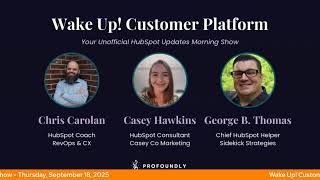
Chris Carolyn and George B. Thomas walk through HubSpot's latest product updates: send-time optimization for emails, a no-code agent builder called Breeze Studio, AI-generated formulas for properties, and daily CRM backups with selective restore. They focus on what admins and operators actually need to know.
Questions this video answers
September 30, 2025.
Daily captures for the last 14 days.
The latest 45 versions of contact property values.
Up to 20 versions for other objects.
Deleted records are retained for 90 days unless permanently removed from the Recycle Bin.
Chapters
Wake up, customer platform. It's time to start the day. Discover all the value you already own. Don't let solutions slip, slip away. Wake up, customer platform. The tools are at your hand. No need to sleep on capabilities that can help your business stand. The answer's right before your eyes. You just need to realize Wake up, customer platform. And watch your business rise. Wake up, wake up. The platform's waiting for you. Wake up. Wake up. See what your system can do.
Good morning, HubSpot Nation. It is time to Wake up, Customer Platform with your unofficial HubSpot Updates morning show where we help you discover the platform value you already own. I'm Chris Carolyn, joined by my co host, George B. Thomas. We are here every weekday morning to make sure you're not sleeping on HubSpot's true capabilities. If you're joining live, drop a hello in the comments and let us know what you're building in HubSpot today. In case you're missing Casey, she is on assignment remote to the uk. We go global, George. We've got to let people know what's going on in HubSpot. So she's doing work with the UK Hug today. Yeah. How are you, man?
Ah, doing good, brother. How you doing?
Doing good, doing good. Kind of appreciating this, you know, lighter load of updates this week.
Of course, maybe they heard us, maybe they heard us say like, slow down.
Maybe it wouldn't be that hard to hear that right now from the ecosystem.
Totally the whole ecosystem.
Just about everybody's saying it. Yeah.
Multiple client meetings this week that they're like, in, in some form fashion. I'm overwhelmed and don't know where to start. And to which I then had to basically have a therapy session with multiple clients about. Okay, here's what we need to think about. Here's what we need to do. Uh, like, and, and so we're working through it.
But, but Dan, I feel like it's a heightened, a more heightened reaction than normal where it's like, yeah, I'm overwhelmed. But it's like, what the. What, like 200 updates? Like, what am I supposed to do here?
Well, you got to remember the world that most of the people that we talk to live in, that historically they have not been needing to chase AI and the updates to AI as much. And also the updates inside of HubSpot weren't necessarily all AI or a lot of AI updates. So when you have something that people are chasing and you have something that people are still confused about and you have something that they're in their infancy. And all of a sudden the platform becomes majorly ingested with that thing. They're chasing the updates of what's happening in the other AI platforms. They're confused about that now there's all this AI in HubSpot. They don't know what to even do with that and what that means from this to that to the other and add on the updates to that of like. And they're trying to run a business. Like. Come on.
Yeah, yeah, it's. And on that note, right after this, going live with Lucy for let's build a HubSpot admin. And the theme today is going from admin to AI orchestrator. So looking forward to that one.
Yeah, good one.
Can't. Can't avoid it folks. I'm sure there's still some human orchestration in there too, so. Oh yeah, yeah. But we'll get into these updates today. Suggested email send times. What is wrong button.
The energy I'm bringing today. There you go.
Sign up right button, bro. For any email update. Shoot. What is suggested email send times? Optimize engagement with send time recommendations. Ensuring your marketing emails reach your audience when they're most likely to engage.
Yeah, why does it matter? Sending marketing emails when customers are most likely to engage increases open rates, click through rates and overall campaign effectiveness, maximizing impact and minimizing the risk of emails being ignored or marked as spam. So it's a good update. Like I've. I know There's a company, the 7 cents that has enabled organizations to do this for a while. So the fact that it's coming into HubSpot is, is cool. And, and I do like the idea of like, if you think about personalization at scale, one of the things that historically has been hard to personalize is sending them the email in a time that they actually have time to engage the thing. Because again, the beginning of the show, most of us are running on a hamster wheel and most people are sending emails at like 9 o'clock in the morning. Most humans are probably checking their emails at 9 o' clock at night. Like, so there's a, there's a.
Anyway, yep, a very interesting new client conversation yesterday about how email as a channel, they're getting more and more feedback from people about, from people that want to hear from them, that have gotten permission to hear from them.
Yep.
But they don't always open the emails. They just want to see that subject line, you know, hitting the email inbox and it's just engagement in that channel is a different, different ball game. Right. Now. So this is one way that you can. You can help with that for sure. Number 2 Dynamic Reply Editor in Help Desk.
Oh, I think I should do the. What is it this time? Holy crap.
Go for it.
What is it? A dynamic reply editor in Help Desk that resizes automatically as the user composes their reply.
Yeah, why does it matter?
Chris, I'm gonna buckle in for a minute.
Well, George, support reps need an adaptive workspace. I mean, support reps only. Like I think all reps wouldn't mind an adaptive workspace that lets them work quickly and provides easy access to the information they need without overwhelming them with visual clutter. This update to the reply editor extends the available real estate in the thread and the editor itself, making it easier to absorb customer context quickly and creating more space to focus on crafting replies. Quick note for the HubSpot team, I think the correct word is surface now instead of real estate, so maybe we can get that in there. This update brings three improvements to the reply editor experience. One More vertical space to easily read and digest thread on smaller screens users will be able to see more messages and avoid the need for frequent scrolling. More room in the reply editor to accommodate longer messages without the extra clicks of manually resizing, particularly when composing emails. Nice and easier and faster copy pasting experience. Support reps need to copy paste information in their responses to customers frequently with a dynamically resizing reply editor, they won't need to manually resize when they paste longer content. The dynamic reply editor gives reps more space to read the thread by making the reply editor smaller when it's empty and more room to work by automatically expanding as they type. No extra scrolling or re resizing required.
So I. I don't understand the copying and pasting part. I'm sure there are times that I'm not thinking of, but I gotta at least share where my brain goes. If you're doing a lot of copying and pasting in the experience, I just one question. Are you leveraging snippets? Like because I'm curious if that. Like in here you could insert snippets because you have things saved instead of some doc outside of HubSpot and copying and pasting. But again I'm sure there's reasons why you would copy and paste but just are. Are you using snippets?
Yeah, snippets templates.
Yeah.
Knowledge base articles like things that come to mind of I'm usually pasting from a previous email or another.
Yeah.
Document of some sort that has a recurring thing in it. Yeah so yeah, those spots make sure they're plugged in.
Yep.
Breeze Studio Agent Builder Powered by Breeze what is it? Breeze Studio now makes it easier than ever to customize and deploy off the shelf agents for your business. Whether you're enhancing an existing agent or building something entirely your own, you can tailor how agents behave, what they know and which tools they use, all without writing code. What you can do, you can add prompts, refine how your agent communicates and make decisions using simple no code prompt customization. You can add knowledge sources, extending your agent's intelligence with PDFs, HubSpot, CRM data, HubSpot hosted content, let's go. And more. You can connect agent tools, plug in capabilities like summarization, data lookup or record creation. Record creation to expand what your agent can do and you can automate workflows. Set up when and how your agent runs automatically in your portal so it works behind the scenes on your behalf. You can also manage and test everything directly in Bree Studio, view agent outputs in real time, monitor performance and make adjustments instantly. By giving you full control over agent behavior, knowledge and execution, Breeze Studio helps you turn AI into an integrated high leverage asset across your front office. Or as George likes to say, I'd say high leverage partner maybe. Yeah, why does this matter? George?
Yeah, well Chris, it matters because it transforms AI agents from static tools into dynamic teammates. With full control over what agents do, when they do it and how they do it, businesses can scale smarter, automate repetitive tasks across teams and time zones without sacrificing context or quality. Stay flexible. Adjust agent behavior and knowledge on the fly to support new processes, campaigns or customer needs. Yes, you should do that. Drive better outcomes. Align AI actions with business specific goals, tools and data to ensure relevance and impact and reduce overhead. Empower operations and frontline teams to fine tune agents. No engineering resources required. By putting customization and automation in the hands of users, Free Studio unlocks the full potential of AI in the front office. By giving users full control over what AI knows, how it behaves and where it acts, Breeze Studio transforms AI from a helpful add on into a strategic scalable advantage for the entire front office. My goodness, that's powerful.
And Nico and I are working through some repurposing of what we did over the weekend. On Saturday we we hung out in Breeze Studio for a little bit making all the agents. So we went through each one that we could clone and we ran each one in this demo portal just to see how little setup there was. You can see this inbox over here like Tailored case study. I mean I can't stress enough. If you're in HubSpot and you like, you even just like your data a little bit, you don't have to love it, but like it. Come over here and start clicking some buttons just to see what's going on. Like look at this plan. Social marketing dashboard. And this was like we're just, I'm just nonchalantly going through this on a live like broadcast with Nico. And this is exactly the kind of thing like agents working in the background while you're having human to human conversations.
Yeah.
If you can achieve that. And it's, it's right now, right now there's only three agents that cost credits. Right. Customer agent, prospecting agent. Oh, what's the third one? I forget there's another one. But so they're. And they're for the foreseeable future, I'd say probably until spring Spotlight, if I had to guess, March, April, time frame, next year. These will be free like to use is what it looks like right now. So get in there folks.
Do it.
What else can we do with AI? How about generate calculated property formulas with AI? Oh, this is. What is it? You can now use AI to generate custom equations for calculated properties?
Why does it matter? Building a custom equation for a calculated property can be time consuming.
Yep.
You can use that word maybe confusing for many of us. With this feature you can simply describe what you're looking to calculate and HubSpot will build a formula for you to test and modify. Nice.
How are you helping people when it comes to things like this? Because what comes to mind, and I think we've said this last time, not only time consuming, just hard, like hard to do calculated stuff when you're not a calculated person. Like in moments like this, somebody asked the question like, like should I learn how to do that myself at the same time or should I just start relying on AI since it's available to me?
Depends on the human. Typical answer is a little bit of both. Because here's the thing, like in, in this, even in this update it says so you can test and modify now you could still get the AI probably to help you modify it after you test it or if you knew a little bit enough to be dangerous, you have AI start and then because you're a little bit dangerous, you know how to modify. This is, by the way, this is me for years with css. I know enough to be dangerous and tweak and modify the things that I need to tweak outside of what you can do with no code. And it's been a superpower. So like, if you think about this, what's. What's the 20% you need to know to be able to do the modifications based off of the base that AI did? Yeah.
So the learning comes back to understand the building blocks of HubSpot.
Yeah, yeah, yeah.
And you get enabled like, like just like you said with, with css, like calculate custom coded workflows, custom coded actions and workflows. I know what variables look like, I know what the property names are. So if you give me the infrastructure, I can go in and, and change names and make sure that stuff's working right. So that's a, it's a good way to put it. Sunsetting AI Social Inbox Insights what is it? The Social Inbox AI weekly insights beta program will be sunset on September 30, 2025.
Interesting. Why does that matter? You may be wondering. Well, while this beta release is being sunset, we are applying the learnings we have gained to inform current and future product features. One example is the new Social Comment Sentiment classification feature in the Social Reply tab that enables you to quickly understand your audience sentiment towards social conversations you're involved in so that you can prioritize which conversations to reply to first.
Wow.
Interesting, Interesting.
I was not aware that we could start seeing sentiment sentiment based on social comments.
That's interesting, isn't it? Imagine doing that where else we're going to be doing that in the platform before we know it.
Yeah, but that's exactly what I was talking with Clement about this on, on Tuesday. Can you let go of your scores and all of the maybe subjectivity we've been adding to these processes to let AI do the work of giving you true behavioral and sentiment analysis in the portal. Right, because this is how you get to loop marketing, this is how you get to personal for every single person, is by letting AI do a lot of this heavy lifting. So we're not telling you stop measuring things just because it's at scale, but we're just measuring things a little bit differently now because we have access to sweet AI partners that can survey the landscape for us. Unified Data Backup and Restore. What is it? Unified Data Backup and Restore automatically captures your CRM data every day for the last 14 days, so you can roll back to any point in time without creating manual backups.
Wow, Chris, you probably aren't wondering why this matters, but why does it matter? Data issues often surface days after they occur when manual exports are already outdated. This eliminates the need for proactive Data exports and reduces the time to fix data problems. You can quickly identify what changed in your CRM and selectively restore only the data segments that need fixing without losing work your team completed after the issue occurred. Nice.
Yes. This feature is available for HubSpot Enterprise customers, of course.
Of course.
It's another example of HubSpot rolling a little bit differently because there's a constant struggle between like, should we do it in production, should we do it in sandbox? Like, what are the risks? And just this old way of thinking about it projects where you got to build and design and test and then UAT and then all this stuff that really makes it hard to go fast. Right. Things like this are like, can we manage risk effectively as long as the system's not going to fire off a bunch of automation. Right. And data climate. Because usually the two primary risks to doing something new, building something new, it's data model related, are like screwing up the data that you have or making automations fire that internal teams and external customers are going to get upset about or annoyed about or it's going to impact their experience. This is one half of that where if you know that there's a 14 day backup happening all the time, there's a little less risk there. So maybe you can move a little bit faster, ship a little bit faster.
There's also something to be said just of like ease of mind.
Yes.
Let's go back to the very beginning of our conversation and how people are feeling if HubSpot can find these small but mighty ways to ease the mind of users. Well, if you ease the mind, what does that enable? Well, it enables more trust. If you have more trust, you get more buy in like, and so it, it helps create this flywheel effect because I refuse to use this loop effect.
We got flywheels, we got funnels, we got loops.
Not all the things, lady 9.99. Get yours today. Anyway, I digress.
Get your HubSpot frameworks going, going, gone.
Yeah.
Oh man. Just a quick note on this screenshot that I think is interesting might be some limits. HubSpot automatically keeps the latest 45 versions of contact property values and up to 20 for other objects. We retain deleted records for 90 days unless you permanently remove them from the Recycle bin. Create a restore point to review recent changes and restore only what you need. Restore only what you need, man. Or export a backup to download your CRM data. Just so much flexibility here. Like, and this is one of those things I guarantee the way they're executing this is miles Better than what other systems are doing. May have taken them a while to get here, but now that it's here, like almost always a better user experience thanks to crafted, not cobbled. Yeah, well, that's all we got for today. As a reminder, about to go live with Lucy Abal. She is one of the instructors of the Spanish language super Admin boot camp. So I really enjoyed doing the show with her. And we're going to talk about what it means, this change. Like admins, this is change you must abide by. Right? I already heard. Not only are people behind, like, it's, it's this constant catch 22, George. Right. Of like, oh my God, I'm overwhelmed. But oh, what's that? Can we implement that next week? Right. So that balance, but especially with these agents, um, cause I know I might apologize a little bit there. I'm make it real hard for people not to know about the agents. So you might, you might get a leader or, you know, manager that's like, catches up with that agent and sends it over to the admin. It's like, hey, we want to start using that. Can we, can we press play on that next Monday and just, just put that in our process. So we'll talk about all the implications of that a little bit later today. Not posted yet. Mr. Joshua Oaks. We do let's build your audience. And he's been doing some really fun things with assistants, building out different assistants in HubSpot. Again, this is Breeze Studio between agents that are doing stuff proactively for you and assistants that are there to, you know, help in the usual chat interface. And then we've got HubSpot Helpline tomorrow. We are looking for a Rob Jones replacement for this week's episode. As he is, he is off. I think at the very least we're gonna maybe highlight all these different ways that you can stay up to date. There's so many great people doing great things right now. Recaps and webinars and just all of the different ways. So I'm thinking we might run down that list as we, you know, maybe take a, take a couple calls here and there. But yeah, what, what content is on is on your radar, George.
Oh, brother. You don't even want to ask me that question right now.
Okay.
I, I, I have some plans. Yeah. 2026. Well, the end of 2025 and 2026 is going to get real interesting real quick with some of the additions and changes that we're making and some content ideas that are coming, coming to the masses.
Exciting times well remember folks, you probably already own the solution you're looking for in HubSpot. Sometimes you just need to wake up to it. Join us tomorrow morning live at 7:30am Central or catch us anytime on Spotify and Apple Music. Drop your biggest takeaway in the comments and let us know what capabilities you want to wake up to next. Until then, I'm Chris Carolyn and I'm George B. Thomas. And this has been Wake Up Customer Platform. Now go build something amazing. Have a great day everybody.
Wake up Customer Platform it's time to start the day Discover all the value you already own don't let solutions slip away Wake Up Customer Platform the tools are at your hand no need to sleep on capability that can help your business stand the answer's right before your eyes you just need to realize Wake up Customer Platform and watch your business rise Wake up, wake up the platform's waiting for you. Wake up. Wake up. See what your system can do.










