HubSpot Customer Platform Updates #hubspot
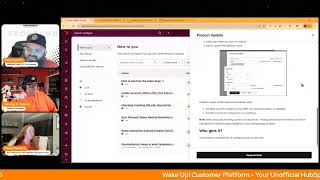
Chris Carolyn, Casey Hawkins, and George B. Thomas walk through HubSpot's latest updates: auto-charge subscription billing after the first paid invoice, a Help Desk Coaching tab with rep metrics, Microsoft Teams meeting recordings syncing into HubSpot, and new CPQ quote features from the board view.
Chapters
Foreign.
Wake Up, Customer Platform. It's time to start the day. Discover all the value you already own. Don't let solutions slip away. Wake up, customer platform. The tools are at your hand. No need to sleep on capabilities that can help your business stand. The answer's right before your eyes. You just need to realize Wake up, Customer platform. And watch your business rise. Wake up. Wake up. The platform's waiting for you.
You.
Wake up. Wake up. See what your system can do.
Good morning, HubSpot Nation. It is time to Wake Up Customer Platform with your unofficial HubSpot updates morning show where we help you discover the platform value you already own. I'm Chris Carolyn, joined by my co hosts Casey Hawkins and and George B. Thomas. We're here every weekday morning to make sure you're not sleeping on HubSpot's true capabilities. If you're joining live, drop a hello in the comments and let us know what you're building in HubSpot today. Happy Wednesday, September 17th. How we doing?
Happy Wednesday. Halfway through the week indeed, Chris. Geez. Okay.
What's that?
Cool hat. I didn't realize.
Yeah, thanks to George for helping me make sure I wear orange on Wednesdays. And I've got. Got the friendship bracelet from Casey here that's got some orange on it. Got my HubSpot socks on. We are oranged up. I need to get some orange pants and then. Then we'll be good to go.
Helped you with that.
Yeah. Take a note out of the mayor. The mayor Rob Jones playbook.
There you go.
How we doing? We're doing okay. Yeah. You doing good? Doing good. This is always a. Tends to be a stark contrast from the value first AI Daily show that, that I do with Nico. We can get off on some philosophical tangents sometimes as you know, George and yeah get to get back to reality here in. In HubSpot land.
There we go.
Yes. So we will go ahead and dive in today. But first, excited to do unboxing today with with Maggie Philbin from the HubSpot team talking about events she happened to see see us last week get a little confused on the broadcast as we were learning about app events and custom events and all the different events, she shot us a message and said hey, let me. Let me help you out with that. So excited to chat with her today. That is streaming live at 11:15 Central from the Profoundly page. So sure to check that out.
If you are a product manager watching this, we'd love to talk to you. Yes.
Yep. Nothing better. I love showing examples of the other unboxings that have happened. Just a new way to try and help people understand all these updates. So excited to chat with Maggie later today. Got click to call from the index page is back again today making it easy to do calling in HubSpot. If you see a phone number on the index page you can click on it to just get right into the call.
Won't go back into specifically desktop like a desktop update or is that true on the mobile app? I'm not a big. I haven't.
I feel like the mobile app is going to be different.
Yeah, I don't. You really don't have the CRM index views on mobile app, right?
That's what I was thinking, I guess.
Yeah. And I would imagine, I'm pretty sure that this kind of thing has been like table stakes on the mobile app for, for quite some time as far as calling. Yeah, yeah, yeah. Next up we've got Enable automatic billing after first subscription invoice payment. What is it? You now have more options for subscription billing with this update you can set up subscriptions to automatically charge after the first invoice payment, which gives you flexibility in how you collect and store payment methods.
Why does this matter? This gives your customers more options. They can now pay the first invoice manually, then have future payments auto charge using that same payment method. This saves your customers time and helps ensure you get paid. I like that ending. Like.
We like getting paid, right? George?
I. I am a big fan of getting paid. Yes. But only, only if I have added value along the way.
Yes. And I've heard that you do. So I think we're. We're in good shape. Yeah. If you haven't seen subscriptions, invoices, billing and HubSpot lately, like just. Let's take a look at this. This settings subscription settings page. All these different notifications means these things are happening in HubSpot for you to be notified about. So I think for a lot of people, if you're trying to manage revenue commerce billing in HubSpot, come over and check out this settings area of invoices and subscriptions Specifically. There's been a ton of change in the. In the past few months, so we'd love to see that and thank the commerce team for. For that Help Desk Coaching tab with new metrics. What is it? A new coaching tab in the help desk built for support team leaders and reps alike. Support leaders can seamlessly coach their teams in a permissioned environment. Support reps will be able to use this new space to access their own performance metrics. The Coaching tab will enable deeper service analytics capabilities through the new metrics of One Touch Tickets and SLA Adherence. Users will also be able to review customer agent performance by selecting the name of your customer agent in the Ticket Owner filter. The Help Desk Coaching tab will enable leaders and reps alike to dig deeper into rep centric performance data and collaboratively bring a high quality customer experience.
This matters because in today's fast paced business environment, effective management and coaching of support teams are paramount for delivering exceptional customer service and maintaining high levels of employee engagement. Leaders of support teams want to enable their reps to use data to deliver exceptional customer experience. Leaders require a permission space where they can holistically evaluate and compare support reps performance across their teams. Coaching for managers of support organizations is crucial as it directly contributes to overall effectiveness and success of the team. Effective coaching equips managers with the ability to lead their teams through these challenges, offering guidance on best practices and strategies for improvement. This Coaching tab enables leaders to equip reps with actionable insights coach effectively using rep centric performance data improve employee engagement and customer experience. It enables a coaching culture where managers and reps collaborate to raise service quality. A lot riding on this update, but.
Yeah, key phrase it enables a coaching culture, it does not execute one for you.
I see what you did there.
Never been easier than ever if you have a service enterprise seat. Yeah which makes sense. If you don't have the skill to need an enterprise seat, you can probably do this on a on a one to one level like with your team without all the fancy dashboards and metrics. Very cool. I'm loving all of these coach coaching related updates from HubSpot. And if we see it in the help desk area, I would imagine we're going to see it in other places too.
I would agree.
Sync Microsoft Teams meeting recording and transcripts to HubSpot what is it? You can now use the Microsoft Teams integration to sync your organization's Microsoft Teams meeting data to HubSpot. You can now automatically sync Microsoft Teams generated meeting recordings and transcripts to HubSpot for playback and archiving purposes, sync participant data to contact records, and create new contacts for non CRM attendees. You can access a full list of teams meetings in the call index and filter by object properties, and you can quickly preview calls on associated records. You can also use Conversation Intelligence with your Microsoft Teams meetings, allowing further meeting analysis like reviewing tracked terms, viewing AI generated call summaries, adding recordings to playlists for coaching, viewing call stats, adding inline comments to transcripts, and more. Adding inline comments to transcripts.
Interesting.
This matters because the integration bridges a key gap between your Microsoft Teams meetings and your HubSpot data. By unifying your meeting information in one place, you eliminate data silos and ensure no customer interaction goes untracked. Now your sales and service teams gain greater visibility into customer conversations, equipping them with the context and insight needed to sell more effectively and nurture stronger customer relationships. This came up yesterday for me. I have a client who primarily uses teams and they had asked me about meeting note takers and I said, great news, HubSpot has like their own meeting note taker. But then when I was sending them information on that, I remembered that Google has an Google Meet has an integration. And I was like, I wonder if teams does. And I saw this. But that got me thinking and like writing to the client, like, what are the pros and cons of using HubSpot's NoteTaker versus the Teams integration? What I said was the teams notification is only on your team's meetings. If you have meetings in other places like I do, I sometimes am on teams. I'm sometimes on Google Meet. I believe the HubSpot notetaker would follow me anywhere. I might have broken everyone's brains today. Maybe, maybe a Friday hole in show topic.
Yeah. I still have stuff to learn because even stuff like this is still surprising me. Like, if you've ever clicked on somebody's like gong, you know, recording, like to see this. Like, because I was interested in the word playback when I saw it in the update. To see this kind of experience in HubSpot. I mean, this is, this is so far away from where we were last year.
And I don't know if the note HubSpot's notetaker includes like the video recording. I just, I don't know.
Yeah, that is a challenge for me right now, understanding the difference between all these recorded meetings and syncing meetings and like HubSpot Note Taker and like how it all works together.
Yeah.
And then people like me use fathom.
Yeah.
Should I still be using Fathom? I don't. I don't know.
Yeah, right.
I use. I use a voma. And I've been trying to diagnose when or if or not to. So it is. Again, this is, this is one of the complexities that we live in when an organization like HubSpot has made a decision to try to help us decrease our tech stack. Because that's not the only area that I'm trying to figure this out. But it is a. So. So HubSpot if you're listening, a a guide. The ultimate guide to when to ditch Fathom of Voma or any other note taker. The things that we should think about would be amazing. That would be amazing.
Yeah, that would be. I, I successfully did it with one thing yesterday. But here's what it took and since I'm an individual coach and I have anybody else that was supported by this tool. Yeah right. I, I got the second email about, about the payment not working for a pretty small annual fee for reclaim which I was using just to like bring all my calendars together so that I could use one link and have everybody use that and all the availability would be right. I was like I'm betting there's other ways to do this so I'm just gonna cancel it and and instead of going down to free I deleted it. So I would actually be forced to figure out like a different way to do it because not 15 minutes after that somebody booked a meeting in a place where that normally would have been blocked off. Right. So that, that got me to like try and solve it to which then I discovered if your Google Calendar in my case is seeing your other calendar, if you invited them like with each other. HubSpot has this availability calendar option that I wasn't utilizing and now my meeting link works great and I don't need the other tool. There you go. But for me and I think in swear for a lot of teams and organizations it requires actually like removing that tool, you know, removing that functionality at least to then really help you understand like are we actually using this? Like is this going to have an impact if we remove this and how quickly will we need to solve for it? I know most people are not in that case but if we can proof of concept like with new tools we should maybe figure out some proof of concepting like what if life did not include this tool right now? Like and try and move through a couple of job tasks and see you know what, what can be done. Yeah. So that was, that was me yesterday. I was happy for like one, one thing to be removed from the, from the stack and, and the bill at the end of the day.
There you go.
So yep, quote association and quote creation from board view for CPQ. It's another unboxing that's happening on Friday at 9:30 Central. Ethan who was on the the hug yesterday sharing everything new about cpq. Excited to do some unboxing there as well. But what is this update customers with access to CPQ via commerce, professional and enterprise. Those are new seats for Those who may not be aware can now view quote associations and create quotes directly from the board view in the CRM. This enables you to instantly see which deals have associated quotes, check the current status of each quote, or quickly create new quotes via the Quick Actions menu.
This matters because sales reps rely on board views to track their pipeline and prioritize deals by surfacing quote activity and associations directly. In this view, reps can get a comprehensive picture of where each deal stands, identify which deal deals need quoting action, and spend their time more efficient effectively on deals that are progressing.
Have you been checking this out at all, George?
I really haven't at this.
I was so glad he asked you.
Yeah, yeah, I need to, but I have not. Listen, the last 30 days, 60 days has been a whirlwind pre inbound post inbound. So. But I'm sure it'll. It'll level off and I'll get to take a look at it here soon.
Yep. Certainly a lot of feelings related to there being a new seat to enable this functionality for, for people creating quotes. But just know that legacy quotes will not be impacted. So if you've been quoting in HubSpot and that is working for you, you do not need a new Commerce Hub seat. An interesting comment that was made yesterday during the hug is like, do full funnel account managers need like four seats now to see sales, service, commerce? And I'm curious if HubSpot is thinking about that at all because we got smart CRM seat now too. It's.
It's got to be like they unlock, you know, like you don't need service or sales. You can, like you don't need service and sales right now. You can't. You, you only get one seat. So it's got to be a way that they're doing it where certain seats unlock.
Like.
But yeah, I don't.
Oh, you can assign more than one seat to the same person.
A sales and service seat.
Yeah. Oh yeah.
Pardon me for misspeaking.
My goodness. Yeah, so it's interesting. Maybe we're close to that moment where there's going to be like one seat to rule them all. Yeah. But yeah, they're also trying to help people. Like if, if the person is not creating quotes, they should not get a seat. So if they just need to see stuff like how are we building out HubSpot in a way that they have the visibility that they need. But if they don't need all this other functionality, like they don't need to pay for an extra seat like an.
Admin.
Don'T tease, don't tease.
There you go. And for anybody who has customer platform like in the seats, the new seats model some. I don't know how many yet, but you get some commerce hub seats with it. And for some of this functionality, like I think the product library, new functionality like you just need one seat to unlock that for everybody. But once you get to quotes and creation of quotes and management of quotes, that's where the this every individual user kind of like if somebody wants to use sequences, they got to have a sales seat. Yeah. Last on the list today or see.
The analytics of said sequence anyway. All right, let's move on.
Personalization tokens and email templates now support fallback values. What is it? Fallback values for personalization tokens in email templates ensure your messages remain professional when contact, company or deal information is missing.
This matters because you can now avoid common issues caused by missing token values. For example, broken email formatting, high space comma sequence enrollment failures, poor recipient experience. By applying fallback values to personalization tokens, you'll reduce errors and save time on manual fixes. I actually didn't realize this was not available in email templates. It's always. Not me. Probably not always, but it's been available in marketing emails for as long as I can remember. Thanks.
That's all. Yeah. I'm curious if this is different than the default value. Maybe this just adds a little more flexibility to where you're. When you're in the template itself.
Yes.
To worry about the default value of first name. That's global and you can.
Yeah. So how fallback value.
Oh, go ahead, Casey.
How the fallback value works in the marketing emails. I know, Chris, you're very familiar with that though. Is. Yeah. So you can customize so you have the default fallback value, but with this you can customize it per email because maybe that fallback value doesn't work in the context of this email is really it.
So I can give you a great use case example. I was on a training the other day and some amazing folks decided to do something like this. They serve people in a bunch of different places. They want to know if they're doing a good job or a bad job. There are different offices, AKA Google review pages or Google site pages.
Right.
So they did this email and there's a thumbs up and a thumbs down in the email. If they click on the thumbs up and there is this URL that has the actual link to that location based on zip codes, place where they want the review, it shows it if it's unknown, then it goes to the fallback, which is just their general business Google page. And so now all of a sudden you've got this like dynamic system inside of HubSpot for the Google review to go to the location specific thing unless unknown then company wide and that's what they're using that fallback value for is the general company wide. Did that, did that make sense to everybody?
It did. Did we mention HubSpot is trying to enable personal experiences with this whole tool set that's at the heart of the new Loop Loop marketing playbook for sure. And with that, remember folks, you probably already own solutions in HubSpot that can help you do that. Sometimes you just need to wake up to them. Join us tomorrow morning live at 7:30am Central or catch us anytime on Spotify and Apple Music. Drop your biggest takeaway in the comments and let us know what capabilities you want to wake up to next. Until then, I'm Chris Caroling.
I'm Casey Hawkins.
And I'm George B. Thomas.
And this has been Wake Up Customer Platform. Now go build something amazing. Have a great day everybody.
Wake up, Customer Platform. It's time to start the day. Discover all the value you already own. Don't let solutions slip away. Wake up, Customer Platform. The tools are at your hand. No need to sleep on. Check a business that can help your business stand. The answer's right before your eyes. You just need to realize Wake up, Customer Platform and watch your business rise. Wake up, Wake up. The platform's waiting for you. Wake up, wake up. See what your system can do.










