HubSpot Hotline 9/19/25
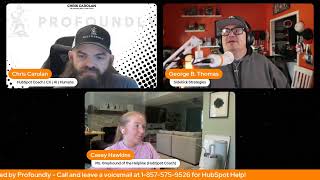
George, Casey, and Chris answer live HubSpot questions. A caller learns Buyer Intent filters at the company level, not contact. They demo Breeze Assistant, an AI tool that pulls context from Gmail, Drive, and HubSpot with citations. They also show how to build org charts using Board View and employment seniority properties.
Chapters
Hello, you've reached the HubSpot Helpline Helpline.
Help behind Helpline Helpline.
It's Rob, it's George, it's Casey and Kyle. Come with a problem and leave with a smile every Friday at 3. Come and join us as we help you with HubSpot. Open up your LinkedIn. Just make sure you call in and leave a voicemail about HubSpot. Make your Friday divine with the HubSpot Helpline.
Good afternoon, HubSpot nation. Happy Friday. Welcome to another episode of the HubSpot Helpline presented by profoundly. You may notice that Mr. Rob Jones, the mayor of inbound, is not with us today. He is taking a well deserved day off and also hanging out with his wife for her birthday. So I guess we give them a pass for that.
I guess.
Yeah.
Feels very much like the human thing to do.
It does. And so we're flexible here and on the HubSpot helpline. How's your Friday been since we got together this morning, George and Casey?
My Friday's been okay. I will be honest and human that I have logged off like at five almost every day this week. And that is kind of catching up to me now. There are some things on my list for today that I'm like, oh, so I don't know if I'm gonna be logging off at 5 today.
This mythical, mythical balance concept is so elusive.
I mean, it is achievable though. It is achievable. Like, let, let me be honest with you because I'll be the, the other kind of side of this conversation. I historically log off at 5:15, 5:30 every day. Now do I come back and swing back around on my iPad later at night when we're just sitting on the couch and people are like doing stuff like in front of the TV sometimes, like maybe. But when I think about balance, I also realize there's going to be times where the family is doing something on Saturday and I might be able to grab half a day. Now I do make sure that Sunday for me, no religious intent, by the way here of the conversation I'm having. But Sunday for me is a day of rest. It is, it is the one day where I try to try. I'm a nerd, try not to do anything, but sometimes I get caught up on an idea and then I. But, but there is a balance of. As, as a business owner, I have had to escape the five days a week mindset. And so if you escape the five days a week mindset, what does balance in seven days look like? It's Different.
So anyway, yeah, I mean I really like Saturday mornings. A lot of times I can get some work done and it's nice because it's quiet. Like there's not no meetings. No meetings, no shows. No show.
Nobody.
Yeah, yes, exactly. But I think it has a lot to do with what you often talk about, George is like the difference between play and work. If it doesn't feel like a difference then it's easy to go beyond these traditional boundaries. People say I must work 10, 12 hours a day because I'm doing the content. And in those moments it's really hard to say all of the content is work. So not everything needs to be tied to minutes by minutes of ROI and billable hours. And so we do what we can. It was an interesting conversation on the, on the power hour today, Casey. Power Hour. Trying to go through all the different enrichment, you know, possibilities. And what was your takeaway from. From that is is enrichment more or less understood than before AI got involved?
Maybe less so before you jumped on the power Hour, Chris actually saw was saying they've had mixed success with the enrichment in HubSpot which is to be expected. There is no perfect enrichment tool. To be clear to everyone.
Can we just call that the first red flag.
Yeah.
Related to this topic. Continue.
But I think. But yeah, so that's the first red flag is in the enrich records. There's this expectation that it's going to be perfect and accurate and that's impossible. It's just impossible. So I think when we rely exclusively or primarily on enrichment tools, whether that be HubSpot's smart CRM data enrichment that is now free or if that is your zoom info, your Apollo, whatever you're using. I have clients that, that have like industry specific ones too. None of those are going to be perfect. And to me that's where it comes why I think that balance between like what should we rely on from an automated standpoint versus what should we rely on our reps to do? Because I talk to you, Chris and George every day. If I was updating my CRM on your profiles, I would know way more than the Internet's gonna know. And often those like one on one conversations are going to give us the insights before any enrichment tool can catch up. But also like the nuances that go beyond any enrichment.
Yep. So that was an interesting conversation as you guys went over the, you know, smart CRM as a whole today. A lot of opportunity with smart properties and things like that to overcome a lot of the challenges. The enrichment, the standard enrichment of old. No see brought your before you share your screen, Casey, I would love we actually have a voicemail today.
There we go.
I'm excited to share it and get into this live problem solving. Here we go. I'm looking for help with my HubSpot account. I've got HubSpot marketing starter. Not sure if that makes a difference or not. I'm trying to set up the buyer intent tool. I've got my market set up. I've got some visitor intent pages configured. The tracking tag is in place. I've got data coming in to my visitors. If I try to filter the view by list, I'm not able to get that the list has existed for a while. I use it actively for email campaigns but trying to filter that list out so before I pass it off to sales I can have it filtered for with or without this particular group. When I use the filter by list feature and try to search, the drop down is empty on its own. If I search, nothing comes in. Either typing it out fully or even just a term within the name. Not sure what I'm doing wrong. I have tried it with both an active and a static list and neither one is showing up. Hoping you guys can help. Thank you. Don't hold back.
I mean Casey, go for it.
Like I was waiting. No, I already. I already think I know the what happened so. But I'm always curious if other people have thought I have it pulled up. Chris, if you want to share my screen. So the caller is referring to this buyer intent tool which is in the marketing menu under buyer intent. And I'm looking at the visitors and then in this sidebar here you have a lot of options on the visitors and how you can segment your visitors on this list. And he's looking at filter by list here. And you can choose to either exclude companies in or only show companies in and select lists. The problem that he's coming into Joel. Hi Joel. Happy to have you join us. Is you're filtering based on a contact list and buyer intent is based on companies. But no problem, we can fix this. What I would do is I would go over into my list in HubSpot my segments segments and I would create a new segment. And you're going to want to choose companies. This portal has it named accounts as it should, but yours might say companies.
I'm sure it does say companies.
And then click next and then just get out all this stuff and then I'm going to add a filter and then what I'm actually what I would do is I would change from accounts up here over to contacts and then choose memberships. This is actually the first time that I've used this list building experience, so please bear with me.
You mean segment building experience.
Segment building experience. And you can choose the list membership for the contacts and then you would choose your email list. So final dummy contacts. If that's my email list. Now I'm taking a. I'm. What I'm making is a segment of companies who have a contact on your email list.
So you're basically making a list of companies based on a list of contacts. If we dumb it down to which then because it is a company list, you can go into buyer intent and you can use that list because HubSpot sees it as a company list.
Correct. So now I'm going to just save that and now go back to buyer intent. Correct.
And so it must be working off that HubSpot's like auto understanding the associated company to that contact in the contact list. That must be how it's working to gather that information. Yep.
And now I can reference that list here because it's a company list and buyer intent is based on companies, not based on contacts.
Yep.
Interesting. I wonder if there's ever going to be a day where buyer intent would actually be companies and contacts. Because the funny thing is that it's. We just showed a hack for the real world. Problem is that humans buy from humans. They don't buy from companies. Anyway. I digress. Not why we're here.
Is it. Is it not a data privacy thing? Like, is it not just like two.
It might be maybe. I don't know, to be honest with you. Well, good job, Casey.
Thanks. I did have a head start since.
Since Joel is with us, I'm curious if you could share in the chat.
If that just got here in time.
If that was the solve. He did share that before we started getting into it. So is that. Was that your solve, Joel? Because one thing I did ask him to do, or I suggested he could do, is ask Breeze assistant. Oh.
And anyway, go ahead. Good.
And that was able to solve it in some way. So I'm super interested. This is where there's 10 ways to do just about everything in HubSpot. Like, did it suggest the same way and are we ending up with the same outcomes? Be super curious. He says yes, that was it.
So I will add. I will add one caveat on here. The way I.
Why? Why?
Well, I just want to. For Joel and any other of our loyal watchers.
Because you love people.
That's the answer, because I love people.
I love people.
That's.
That's. I love humans. I'm going to give a caveat.
So the way I set this up is looking at the association as any contact. You may want to filter this down to contact with primary company if your contacts have multiple companies associated.
Good caveat. Yeah. Oh, that's a little cleaner than what I did. So I'm going to tweak it to what Casey suggested. Oh, my goodness. Winning.
So Breeze got us part of the way there by highlighting the fact that we're trying to do something in contacts that we need to do in company lists.
Yeah. Can we talk about Breeze for a second?
I think that's allowed. Let me check the agenda. Yep. Yeah, we can talk about that.
Let me get where I can share my screen because I hope people aren't sleeping on Breeze. And let me see if I can find the actual tab where this happened or if I can get back to it. I wonder. Let me see here real quick because, man, I had. Well, I should say we had a mind blowing moment earlier today. Yep, it's still there. Okay, I'm gonna share my screen because we were just, you know, we, we like to test things at Sidekick Strategies. And so Jorge, we're. We had our like one on one call. Let's see. I just want to share screen. Can I just do that?
That'd be great.
Thanks. There it is. Okay, so we are on our one to one call and we were talking about Breeze and how it's getting really awesome. And so what we did is we literally started to have a. I might have just lost it. Oh, I might have just lost it. Because what we did. Yep. I think it just went away. That was dumb because I was prepping for. But I'll just do it here.
I'll do it here.
I was. I was prepping for actually, yeah, I'll do it here. I was prepping for. Well, I wasn't prepping for it. We were literally in the meeting and I said, jorge, let's see what happens when we prep for our meeting that we're having. And the amount of information that it gave was absolutely crazy because then we also started to ask it questions about like the thing. But here's. Here's where it got interesting. It was looking at Google Drive, it was looking at email, it was looking at HubSpot. And so it brought like all of this context in. So, like. Well, first of all, can you even see just prepping for this show, like actionable talking points. Be ready for Live and unscripted problem solving like logistics and reminders. Here's like the link. Like the. I mean look here. It's literally giving like citations of the things of like where it's getting like because Google Drive and Gmail are integrated into like. And so literally I like opened this up. Oh, you know what? Here we go, Here we go. Here we go, here we go. So check this out. Prepare me for the meeting with the Georges one on one. Because Jorge and George is the same thing. So we just call it the George. And so it says the date, says the time and like here's the, you know, invite like purpose, flexible time. So we can just chat. So I asked it what's the best thing for me and me to talk with Jorge about today? Check this out. Content creation and thought leadership cadence. Check in on video tutorials. Encourage authenticity. Brainstorm new topics together. Collaboration and confidence building. Support and feedback. Visibility in community. Optional workflow. Check in workflow progress. Client wins. Like it literally is talking about like some of our clients and like work that he's been doing to and feedback loop. Just have a conversation. By the way, sample question. Hey Jorge, I'd love to riff a bit on how you feel stepping further into our shared content strategy. Like I'm. I was just like what the. What is going on? The amount of context and like direction and I wouldn't be sharing this if I was like, well, that was a pile of poo. No, it was actually relevant stuff that we had historically talked about and could continue the conversation on. So I just, I just hope people are realizing when you hit that like prep me. It's prep me and then ask questions. Just don't hit the prep me because the prep me was like just the data. But then ask questions about the prep me and all of a sudden you start to get a flow of information that's. It's bonkers.
That is pretty cool. That was a. That was a suggested prompt or one that you just did.
I. You mean the like, tell me what I should talk to Jorge about. Yeah, no, that was my prompt. I. I don't know if I've ever used a suggested prompt ever in my life because I just conversation with it.
The prepare button is a suggested button.
Is a suggestion prompt. But then me asking questions past it was just our curiosity to if it was going to give us a, you know, kind of a doggy turd on the sidewalk or if it was going to give us valuable information that we could actually like use. And it was very valuable.
Indeed. Yeah, context like I think it's. And don't underestimate how much it's learning from your HubSpot portal right now. And when you have all of the integrations that you have, even the Google Calendar one. Right. Like when, when I click Prepare for, you know, helpline, on my side, I see a little bit different. And which, you know, not everybody's going to get excited by the nuances of these, but when, when it said, like, on Georgia's side, it said, you know, this is a show you are a part of. Yeah, right. For me, I'm just, I'm the organizer. I'm listed as an organizer. Right. And it shows me who, who has declined. Right. So it's definitely from a different, different set of context. Right. Even the earlier call. And this is where, like, this is a perfect example where, you know, Joel calls in and leaves a message and this is that message. Right. So highly likely that when he asked Breeze for help himself, he may not have given all of this context. Right. And he might have been pretty short. Like, I would have been short. I wouldn't want to type all this in. Right. So I'm just like, hey, man, it's not working with lists. Help me out. Right. Instead I copied this into reassistant and now you get this, like, possibly much more detailed, like support for what could be, could be going right and going wrong, including a little bit of a, you know, warning here that HubSpot credits are required. So super interesting. I'm glad you, you brought that up, George.
Can I be nosy?
Sure.
Ought to be nosy. You have a little add app icon. I see the Gmail and the Drive, but what's the blue icon?
Yeah, I don't know.
It looked like a. Oh, this one Confluence for Breeze.
Okay.
Okay. Yeah. By the way, like what it, what it was.
So these are all the apps that you could connect to Breeze right now. So literally getting context into Breeze Assistant, never been easier. And yeah, don't sleep on this. I did this while we were on the, the unboxing, you know, earlier with, with Ethan and Bill, as they were telling me about cpq, I had Breeze Assistant tell me about cpq. Ethan, the product manager, wasn't sure how well it was going to go with Assistant because Commerce Hub in general is one of these new things, especially cpq that just came out and he nailed it. Right. And when you see these, all these citations, you understand why. Like, he nailed it.
Yeah.
Right. So that's where this is not nearly as black boxy as it used to be. Or as people think it, it can be at times. Now you can just click in here.
And can I drop for a second?
Can you dream? I think for a second.
Imagine a day when these citations are also hooked up to HubSpot Academy. And instead of going to a knowledge article, it literally takes you from like let's say for instance, you're asking Breeze about HubSpot forecasting. And then one of the citations is the forecasting lesson. And you click on it and you can go watch the HubSpot Academy lesson on forecast. Like, come on now come everybody to think about what, like creating a CRM that now is like focused on educating the human at any level of question that they may have. Because imagine you're. You're on the screen for segments, AKA lists, and you ask a question and imagine if it could just take you to the list training or, sorry, the segments training. Like that. That is, that might be one of the best ways to battle what people are facing right now is the. Imagine, by the way, if HubSpot updates were a citation because you're like, hey, can I do this? And all of a sudden it took you to a citation where it was like, actually, there's a beta for this. Go ahead and turn it on. And now we can give you them. So all the sources need to be available in this bad boy. I'm just saying, Come on, HubSpot. That's dreaming. I know I'll pinch myself. I'll wake up in a minute.
But I like this idea from Joel. Just give them the call in. Give them the call in number. I'm for it. I'll show up for that.
There you go.
Make us a citation.
I was spot.
Yeah, someday. That's dreaming right there. Probably so. But it's okay to have dreams. I do love like. And that might be. There was an update just before inbound about how the academy was moving, like inside of the portal in some way. Like, in that it wasn't such a different experience. Do you guys remember, remember that update? Right? And bringing that together, I have to imagine making context like this easier to bring together because literally what George just described is getting to here. Like, what if this was one of the links? Yeah, in that same shot, right? It's a link here. Can we have it as a link? And I think the important thing, like, the, the beauty of this being here isn't like, now, like, okay, I understand what it is now. Let me start using it. Yeah, right. And I said, why is CPQ implementation so hard? And then we went right into Update the quantity of the line items in the line item section on the quote. Can you double them? It did double them. And then I clicked undo. And then undo like this.
It undoed it.
Please stop.
Please don't sleep on this. This part, HubSpot anymore. It's going to change everything about. If you've had any level of adoption challenge, which is pretty much every HubSpot customer ever. Like, just get it. Just get your team, get yourself comfortable. Clicking this Assistant button can just say what's on your mind.
Can I ask a favor? Sure, yeah. So, HubSpot, I don't know if you'll hear this or not or see this or not, but we're talking about how powerful Breeze Assistant is. And I went over to the little area with the apps once I. Once I saw, you know, Chris had Confluence for Breeze attached in there and I. I got joyous for a second because I thought we had added some new, new abilities here, which we have.
We have.
And I saw Asana for Breeze. I immediately was trying to figure out my life choices because when I started my agency, I chose ClickUp. If I would have chosen Asana, I would actually not be having this question or this conversation right now. But HubSpot, I have a favor to ask. Can we please get ClickUp for Breeze Assistant? Because ClickUp for Breeze Assistant would be maybe one of the dopest things possible, at least for this guy and every other human who uses ClickUp and HubSpot anyway. Okay, that's my question.
Well, thank you for calling. Thank you for calling HubSpot. George, we. We recommend that you just start getting comfortable on HubSpot projects.
Well, I knew you were gonna go there. I knew it. Which, by the way, I've talked to Multiple clients about HubSpot projects in the last week just because I think it will be an ultimate game changer, but still, HubSpot. Listen, let's. Let's get back together.
HubSpot. In the meantime, Click up Click up.
For Breeze assistance would. Would be good. Really good.
Yeah. Plug in all the things.
Yeah, all the things.
So I did the HubSpot Adoption Hug this week and my friend Hannah Fisher was on the hug with me and she had a great idea around this, which was we, us like HubSpot admin types.
You just tend to do nerds. Do you.
Want nerds? We like to build out documentation. Historically, I have created HubSpot user guides for my clients with all the links to important workflows and the properties that run their system. She suggested, you know, we can now Input that to Breeze specifically, even the internal FAQ assistant, which is one of the Breeze assistants. And then suddenly these guides that no one ever looked at are like, actually useful.
I hope they looked at them. But it does give it additional context. Right, so think about that, what you just said. Like, you now live in a world where you can give HubSpot the Casey effect, the George effect, because you could literally create a knowledge base knowledge vault that could then be attached to the Breeze Assistant to do things in the way that you might teach them to do the things.
And in case you missed it yesterday, oh, that's exactly what I did with Mr. Joshua Oaks, who's already built four different knowledge base knowledge vaults in support of assistance, not agents. Assistants are the ones that you can give Breeze a different hat, basically, and say, hey, I want to talk to the process helper Breeze. I want to talk to the sales messaging Breeze assistant, because I got to write an email. I want to make sure I get the recipe message right. I want to talk to the brand bot.
Yeah.
And it was. It was pretty cool. Again, it's along those same lines of do not start from scratch. Do not think you have to start from scratch. If you're building any of this, I guarantee there's a PDF email transcript somewhere that you can start with to get. Start getting help from these assistants. Yeah, I know everybody has a Google Drive or a local Windows drive somewhere full of stuff that you wish people would always check out and stop downloading and printing out on their desk. And yeah, I could go on.
You don't like to print stuff out anymore, Chris?
I'm not sure I ever did, but yeah, no, you totally get it. And that's why Breeze Assistant is so powerful. It's right where you work. That's why you printed it out on your desk. Like the local drive is so far away from where emails are and your HubSpot is, and you don't want to have to go click five times to figure out what that process was. Now you can have it right inside. Right inside of Breeze Assistant. Yeah. So what do you say we head into the Reddit mailbag?
Oh my. Today, I guess we can do that.
I'm gonna do that. Nice and easy one, I think.
Yeah, yeah, let's do an easy one.
Org chart. Oh, does anyone know of a way to create an org chart within HubSpot? Specifically would love a dashboard type view. We have multiple industries where people on the lower end of the totem pole move where they are needed for months at a time. And this Creates access issues if we don't update it. I'm thinking a displayed org chart could help keep these updates clear for the teams and admins.
Good news.
Yeah, go ahead, Casey.
So HubSpot, a couple of I guess months ago now, actually not even that long ago, acquired a company called Org Chart.
Org Chart Hub. Yes, Org Chart Hub, a well respected app that's been around for a while and it's so exciting to see those guys get recognized for how good that app really is for that use case.
I'm trying to find what is product update called.
But let's see. Like I think it's interesting to see how other people's other people might approach this because also that is only available at the enterprise level I'm pretty sure right now. And maybe sales Enterprise specifically at that. Here's somebody saying, you know, smarter way to is building a dynamic chart inside HubSpot using custom objects and associations. So movement auto updates without manual edits that worked in construction.
Interesting.
Yeah, that's where I was going to go. And also like if you don't sell custom objects still available at enterprise only. Yeah but you can, you know contacts can associate with each other with lots of association labels. But also the listing listing object, any of the object library objects but probably listing object makes the most sense. You could rename that as as needed.
I. I wonder. So just give me a second because I don't know, sometimes I have moments of genius. Other times it's like dude put the pipe down. But.
Kind of pipe is accurate, you.
Know tobacco like like a corn cob.
Right.
Okay, so so you now have where you can create views like a board view in context or in whatever. And so I almost wonder if you could create like a board view based off of an org chart property that was a set of dropdowns for like leadership sales marketing like whatever. And if you could have contacts inside of the sales or the VP or like so think sales leadership sales professionals. Marketing leadership marketing professionals. Like if you could create a property that would be the org chart structure and then have humans be in those properties. If you could actually hack even in Starter or Pro something that could work as a visual org chart potentially. I don't know. I don't know. I'm just curiosity. The new views and the new index pages are killing me like the amount of things that you can do with like board view and Gantt chart and report view and table view and so like are there ways with property and these new options that you can hack some things that you historically couldn't have done before.
I don't think you have to put the pipe down. Oh, there. Oh, oh. I'm trying to find the. Is there a default property that is like seniority level that you'd see on LinkedIn, like executive.
Well, I mean, well, there's role, but that doesn't.
Because that's where I would go with it. I know there's some.
One of the. To bring this back to. Well, to bring this back. Bring this back to the enrichment conversation. We started with one of the properties on contact records that HubSpot will enrich is employment seniority. We did discuss how like the accuracy of that.
There it is. That was the word I was missing. So if we have oh, so much going on here, I better share my screen, get some help from some pros. So here's where I was. So I'm in contacts and I came to Board View. Let me just start from the beginning. So instead of table view, go to Board view and in settings I can decide. Right. Usually currently, if you've never messed with.
This before, it's life cycle stages.
Life cycle stages. Right. And if we go to employment seniority, we see VP Director entry, which basically is the makings of this. Of this org chart.
Yeah. And if you drop down, what, what happens? Oh, you can select more owner, partner, Senior employee. Employee.
Yep. So we're gonna just. Let's do that.
Yeah. And then I'm super curious. The card setup. What is. Oh, for myself or for everyone? Okay. Yeah, yeah, yeah, yeah, yeah.
Right. This just came out. The ability to edit these.
Very cool, Very cool.
So this has been a long time. This always is a request from new users because out of the box we almost always have custom properties that we would prefer to see in these cards. And even these quick actions. Are you kidding me? Now I can do just about can take so much action. Even sectioning.
So. So if we save that bad boy and. Because you're in a fake portal, right?
Yes.
So if you go and add some like humans. Because what I'd love to see is like if you go add some fake humans, some of that employment status, you should start to then be able to visualize what this would look like.
Yes. Employment seniority. I'm just going to add it here because I'm guessing it must not be filled out.
Right. That's why you're empty. That's what I'm saying. If you go to some of your like fake humans.
Yeah.
And give them like it could be two or three of them. Right. Just go to like all and click.
Into, like, how about Casey Hawkins? Yeah, go to that. Fake human.
Yeah, go to that.
Yeah.
All right, so actions at the top. Or you can do it there. Yeah, that's fine. You're there. And then. No, that's not really what you wanted.
This is what I wanted because I'm going to do this.
I see what you're doing. You're going to put it in there so you can do it across a couple quickly. So you could have done it at the view level, by the way. You could have added a column in the view level called. Could have done that, too. And we could have done multiple. See, this is what you can do, like, 13 different ways to do the same thing.
And. All right, so lots of stuff going on here. I mean, if you haven't, like, long, long gone are the days where, like, you can't put exactly what the person needs to see when they want to see it, wherever they're working in HubSpot.
So let's continue that. Hit edit columns, Chris, real quick before you do that. So just do edit columns at the top. Yep. And then look for employment. Yep. Seniority. And then hit apply or bring it to the top. Yeah. And then once you save this, because you want to make sure that. Yeah. Now just choose a couple different people. Right. And, like, give them some of these, like, things. Yep. And then once you go into that board view, we'll see if, like, this actually made sense or not.
Back in here.
And then you need to set your. Yep, I'll see. This gets interesting.
Yeah. Like, it definitely starts to give you that picture.
Yeah.
Like, and.
Because. Because can't you do order these? Can't you do, like. I bet it's the order in which you click them, by the way. The order in which you add them is probably how they show up.
It's like if you click all those, I'm guessing. Oh, wow.
Yeah, it's the order in which you click them is the order in which they add them. So depending upon how you want your board set up, is the order in which you would click those options to build it. It's like if you wanted employees first, then boom. But, like. Yeah. So which you didn't pick any man. There you go. Managers. Yep, yep, yep, yep, yep.
Yeah. So here, like, if we're saying, like, this level leads to this level, like, I know that's not what these are for, but yeah, you can kind of like the visual nature of this.
Yep. And here's what's interesting to me, too, is, like, because you could first create a view that is a view based on an organization. So like right now we're talking about. Or I'm talking about, like you could view your own org chart very easily by getting your own people in here and building this. But you could literally create a view that is like a company view or something along those lines or filtered by a certain specific company or something, I imagine and be able to do this at like a very granular level.
Yeah. So we've got options definitely. Like the org chart play is. Especially if the need is only like every quarter that you need to see it. And just make sure everybody like org chart is definitely for. Do we have. Are we dynamically managing all these relationships related to this one company or one deal? And you got like heat maps of activity and just all this stuff that gives you ultimate visibility.
Yeah.
To be able to understand. So it's super powerful. But for, for that use case that I described on Reddit, I think I like what you're getting at here, George.
I mean this is totally a hack. Right. But I like that we chase this too, because I would want people to understand like, Chris, can you grab Eleanor and move Eleanor over to Executive? See, so what I want you to realize is like dependent upon what properties you create and what view you create, you literally have create. You can create processes and systems based off of views and properties.
Congrats, Eleanor. Yeah, congrats on that promotion. And then if we're really doing open book management, we could just have a meeting about it and show everybody this dashboard and be like, this is Eleanor getting promoted?
Yeah, but think about what you just did though, right? You just moved director to Executive because it changed a property. Well, what does that enable? Any workflow can set any property. So you can automate any process that you've now visualized in a board view based off of properties. Like, if that doesn't make your mind go oh ish, I can do XYZ that I never even thought about and visually be able to see see it in HubSpot. Like go use Salesforce then buy.
Not recommended.
Just kidding.
And then, you know, it's really unbelievable what they've been doing on this index page. Like because let's say also we just want to remember where everybody's at.
Yeah, yeah, yeah.
Oh, look at that, Matthew. Probably in Boston. Yeah, but you see like this visualization. Companies and companies. Companies and contacts.
I'm not going to talk about this from like a organizational ROI standpoint, but I wanted you to think about this for a second. I'M a content creator. I have a podcast. I set up my podcast in a way that people can convert and actually suggest shows or get the show notes they now convert. I put them in a view of my podcast listeners. And now you want to know where your podcast listeners are actually listening from. Oh my God, you've got a map of your podcast listeners. So you want to do an event. You go and look at where all the blue dots are and you go do a podcast event because now you know where all your listeners are. It all ties together if you just think about how you can hack the crap out of what HubSpot is building based on.
Chris, your map. We're going to Europe.
Yeah, yeah, yeah. We're taking a note. Like you, you tested, you did the proof of concept this yesterday with going to the uk. It went well. So we need to expand I think is what the data is telling us.
I know I have a hard stop, but I want to unlock people's damn brains. Imagine you've got a property and in the property you can set the product that people are interested in or they've purchased. And now you want to have like seven tabs for seven different products to see where the things are actually popular from a product level visually. Like.
The thing is hacking your data model. So I can do all of this for you?
Yep.
So. So Chris, what does that mean? That means more now than any other time on the face of this planet. You need to be paying attention to your frickin data and what you're capturing and what you're setting and what you're viewing and like how data truly is the engine of what you're optimizing in the future for your organization. More than more now than ever.
Agreed. How are you feeling, Casey? Did we help some people today?
I think we help, I hope we help some people. I think your org chart solution was very good. I think as someone that like lives and breathes the updates, it can be easy for me to like point to an update and say like this is the solution for your problem. And it's good to still look at alternatives, whether that's a subscription element or sometimes the updates are too rigid, like especially when they're in beta too, that they don't work for your specific needs.
So I think when I love your thoughts, Casey. And if I think about this, I think there's a level of you can pay attention to this, right? There's one, is there an update or a beta that allows me to do what I need to do? Two, is there an app that I can integrate that allows me to do what I want to do. 3. Can I hack the crap out of my HubSpot and do what I want to do? Like those. Those are the. Or can I build something custom? There's the fourth one. But. But like the. My, my, my. My fear is that we get to a place where people forget that they can hack their own ideas because they're so leaning on it being given to them, made for them, or suggested to them by AI or some other thing or person. Like, we've got to use our brains and do things, even though it wasn't meant to be built that way. If it gets us to what we need to do. All right, that's maybe less HubSpot, more life anyway, is what it is.
Well, that's where it starts. Like, if you don't decide you want to do the thing and you let however HubSpot's built, like, decide that for you, like, you're missing out.
It goes back, Chris, to fundamentally. And, you know, I've said this all the time, and I didn't mean to interrupt you, but if you don't start using HubSpot in a way that you're trying to wrap HubSpot around your business instead of cram your business inside of a CRM, you will never get the percentage of ROI that you are looking for.
Indeed. Had this conversation earlier today. If, if you're new to the space or if you've been, you're used to any other system of data. It's all objects, properties, databases, HubSpot. Is that right? So there's no reason. Just because it's been the happy, happy orange ecosystem doing inboundy things and the marketing people. It's still that, I'll give you that, but it's working on a platform that is a database, just like any other system out there at this point. What the, what they've done with Data Hub, like, the barrier is. It's not there anymore. Like, you can put your whole business inside of HubSpot now. I'd say probably, except for accounting.
I. Yeah, just wait. It might maybe.
Yeah, I don't know.
There's some complexities of that that are crazy.
I don't know if I'm ready for the day we have to talk about accounting updates.
Yeah.
Well, all we know is that when that day does happen, HubSpot will have done it in the easiest way that we've never seen before, and it's going to make a lot of lives easier. I think that might be the last place that it happens though.
Yeah.
So. Well, thanks to George and Casey, another HubSpot helpline. I know Rob Jones will be back and I think Kyle will be back sometime next month after his parental leave.
I think it might go.
What's that?
I don't know. I think Kyle almost until November.
Almost November. Well, we'll be. We'll be ready when he gets back. Welcome back. Yeah.
Yeah.
So we'll see Everybody next week. 3pm from the family page live. See you guys later. Bye.
Hello, you've reached the Hub Spot Helpline Helpline. Help behind Helpline Line Helpline.
It's Rob, it's George, it's Casey and Kyle. Come with a problem and leave with a smile every Friday at 3. Come and join us as we help you with HubSpot. Open up your LinkedIn. Just make sure you call in and leave a voicemail about HubSpot. Make your Friday divine with the HubSpot helpline.










