HubSpot #HubSpotCRM - 5/9/2025
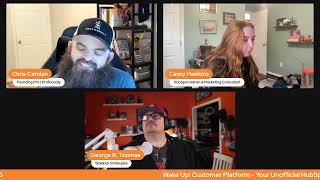
Chris Carolyn, Casey Hawkins, and George B. Thomas walk through HubSpot's latest CRM updates, including AI-powered social media tools, workflow automation, and lead scoring improvements. The Wake Up Customer Platform hosts demo the features live and show how to use them.
Good morning, LinkedIn friends, HubSpot Nation. Welcome to another episode of Wake Up Customer platform, your unofficial HubSpot updates morning show where we help you discover the platform value you already own. I'm Chris Carolyn, joined by my co hosts Casey Hawkins and George B. Thomas. We are here every weekday morning to make sure you're not sleeping on HubSpot's true capabilities. If you're joining live, drop a hello in the comments and let us know what you're building in HubSpot today. Shall we? Wake up to what's happening in HubSpot. How are you doing?
I'm in the portal that I always use so it's cleared every day. Mine is saying 141 new to you today.
Oh my.
I don't know how this happens.
Maybe we have to work on that default portal setting that we talked about earlier.
It's a big one. 141. Oh my God.
All right, I guess eight clearing the schedule today. And we're gonna start with a fan favorite right now on LinkedIn. Faster property creation experience on the CRM index page. What is it? You can now create properties on the CRM index page more quickly with a streamlined, easy to use side panel.
Why does it matter? It's easier and faster to create properties in context when working in the index page TABLE I think when this first came out I and I still remain to have mixed feelings.
You seem to be in the majority, at least for HubSpot creators on LinkedIn that all feel very similar. The best way I've seen it put what couldn't help but resonate. It's like, do we have to go this far to make it feel like a spreadsheet? Is it too easy? I actually that's where I come back to. Maybe we train our teams, tell them when it's a good idea and when it's not a good idea and how to see what properties exist.
I actually just Yesterday on my 30 day program covered properties and I intentionally made the homework for that day not to create a property but instead to review which properties that you have because I didn't want to tell people and just go, just go create one. Like what's the harm?
Yep. Maybe now you could use cloud to check out which properties.
There you go.
All the ways. So easy to just take that step and check things out first. Please do that before you just start jamming new properties in enroll records in workflows from a CRM card. What is it? You can now trigger workflows directly from the CRM card. Today sales and service professionals are performing a variety of repetitive tasks which are preventing them from focusing on high impact work like talking to customers and driving sales.
Why does it matter? By utilizing this card, repetitive tasks like updating the CRM, researching leads and logging activities can be effortlessly automated through AI skills and other workflow actions directly within the CRM page. This not only saves you valuable time every day, but also significantly reduces the potential for human error, allowing you to concentrate on high impact tasks that drive business growth.
Talking to humans and driving sales. Isn't there an agent for that? I'm pretty sure there's an agent for that. Anyway, I digress.
Indeed. And whether you're talking about the property creation experience or the CRM card workflow triggers. Neuron Jen, I I understand where you're probably coming from. I think these are all steps towards the single workspace at all costs. Yeah, so last time we talked about the property creation I talked about like what if they got that whole experience like we saw, you know, the ability to forget where it's at. But as you're building stuff there's like more property context like and how much it's used. And I think it was as you're creating filters. Right. So I would imagine some of that's coming over to that sidebar card. So this first step of just being able to create a property there is important, but same thing here, being able to trigger workflows without having to, you know, unlock the code of properties that you're supposed to be filling out and then you're like jackpot, workflow triggered. Maybe we could make that easier for our teams with the right training to know when to do that.
Yeah, you got to train the humans.
Speaking of those agents, George Breeze, Social Media Agent it's been a while since this one has shown up.
Yeah.
Interested to see what's new? Introducing the Social Media Agent which uses AI to maximize content creation. Marketers can now expedite their content process with the Social Media Agent. The Social Media Agent automatically producing effective social posts tailored to your business audience, brand, voice and social media accounts. What is new? Introducing AI Caption Optimizers Creating a post across many networks can be very time consuming. The Caption Optimizer gives you inflow AI powered recommendations to improve your copy and make it network specific in just one click in case you missed it. With the new Create with AI button, you can now add custom direction to guide your AI post. Include URLs and docs. So the Social Agent pulls from your content and upload images or video to craft Complete, ready to publish posts faster than ever. Tired of generic post suggestions? 100% valid. We hear you. This new feature gives you a smarter, more customized way to create posts with AI tailored to your voice, brand and message. Whether you're promoting a product, repurposing a blog post, or teasing an event, this is your new shortcut to create content within seconds.
Why does it matter? Content creation is a crucial part of a social marketer's daily tasks. However, teams often face challenges in generating ideas and crafting fresh, engaging content that resonates with the target audience, aligns with the brand messaging, and ultimately drives results. The social media agent works for marketers by constantly generating effective social media posts. The social media agent will consider your social media accounts, past performance data, business details, brand voice, industry audience value proposition and other marketing assets. Marketing and industry best practices and new input URLs, docs and media. I was just talking to someone the other day who was talking about. She's personally moving away from using AI to create her social media content because AI content is like, fairly easily identifiable. It depends. I'm.
If you don't have all this stuff, which a lot of people don't, then yeah, it's pretty easy to see when AI is making stuff up on your behalf.
To show and tell, do we have too many updates?
We do. We've got time.
Okay.
I would love for people to see your social media agent in action.
Can I. Can I share? And hopefully I'll share without actually exiting the studio. Studio this time. Entire screen, this one. Share. All right, so you should be able to. There we go. Okay, so like, first of all, when I come in here, one of the things I love is like, it just gives me somewhere to start. So like navigating life's grid. This is, by the way, we did a Tron legacy focused article. Like, you know, you can see here. So you. You can see here. Victim versus. I'm gonna pick this one. Review. I can look at this now. Now watch this. This is what's crazy to me. Okay. Yeah, let's. Let's go ahead and do copy and hashtags. Okay. So are you stuck in a cycle of disappointment? It's time to shift your mindset from a victim to a victor. Like this. By the way, this does not look and, or feel or smell like AI because it's using my brand voice. It's using all the things that I've put in here. Drive into insights here. It's got the link. I can regenerate this, but I get three options. Okay. I'm just gonna go ahead and pick option two. But now this is the original thumbnail. I'm gonna come back here and I'm gonna be like, hey, let's go ahead and generate an image. Super Dope Unstuck human with breaking chains. We'll see how. How good it does, right? And that's that. I would never prompt this, by the way. I'm doing this because we got updates to go into, because I would probably tell it to be wide. Notice this insert across all networks or can I actually do it per network? Okay, so like, because what. When you guys were reading that update, I was like, oh, that's not really what I want, but I'm going to insert it anyway just because of time. And so now, like, I can go ahead and, like, move forward with this thing. And look, I can go here, right? I can go here. I can go here. Each time I have the ability to do this thing based on where I'm at. And so, like, this idea of the context and everything that could be happening is just absolutely amazing. I could then schedule it. I'm not going to schedule it, but I just want everybody to realize, like, what about our products? What about our, you know, I don't know, brand content? That's probably going to be the same. What's top performing? Okay, wow. By the way, social agent details take time, ladies and gentlemen. Just take time to go ahead and do, you know, like, do the things. All right. Don't leave.
Yeah, I think you're right, Chris. I mean, I think when people complain that social media or that AI isn't providing good content, it's because they're not. They're just saying, hey, AI. Right? Something for me to post on social media.
Yeah, it's exactly like when we just bring in the social media intern or we bring in the social media agency, and then we're just like, go get us some impressions. Like, okay, can I share again?
Can I share again, by the way? Yeah, like, like, here's the thing. Like, here's the thing. Okay, I'm gonna share my screen again because by the way, I just showed you one flow, right? But. But check this out. Check this out right here. Am I sharing my screen?
Yep.
Yeah, look at this button right here. Create with AI. So starting from the beginning. Now look at this. Explain the key information of what the social post should cover. I want to cover HubSpot new MCP protocol. I don't know functionality and how it will change. HubSpot users live forever. I am fat fingering the crap out of this probably. I don't care. That's why I pay for Grammarly to do this.
Also, one of my favorite things about AI is I fat finger all the time. It's like, you've got it.
Again. I would. Oh, oh, help me prompt. Oh, hang on a second.
I was gonna ask about that question.
Copy. Help me prompt. Oh, okay. Interesting. Yeah, I don't. I don't. Oh, oh, can. Well, but I can't. I actually can't put it in there. Okay, well, I'm just gonna do my thing. I get it. Thank you, HubSpot. That's actually very helpful.
That's very cool.
Yeah. URL. I. I don't know.
I love the coaching guardrails strategies.
You can remove the URL from.
I'm gonna keep it. I'm gonna keep it. Wait, okay, so what is it telling me? Oh, I don't know what I'm missing here. So. Boom. Okay, there we go. I will remove the URL just because it's a demo. So now. Okay, so check this out. So it's doing its thing. Hold tight. Your suggestion. Okay, maybe 30 seconds. Take a break. Don't HubSpot. Please don't let me down and let it be like maybe 30 seconds. We'll come back to this.
Actually, let's continue to do 30 seconds of dead air.
And then. Oh, it didn't get it. It popped up. But let's do another update. We'll show this at the end. We'll show this.
All right. I love the. That guiding prompt, though.
I really like that too.
Yeah, it's like, it's so easy, folks. You just gotta. Man, get in here and start trying the stuff because we've got more agent stuff to talk about. Choose whether your customer agent is hands off or stays assigned. We're introducing a new way to customize how your customer agent responds when it can't answer an inquiry or when a user requests a human agent. You can now choose between two handoff behaviors. Handoff to a human agent or stay assigned to the conversation. This configuration can be updated at any time to align with your team's needs, as well as for each channel account that your customer agent is assigned to.
Why does this matter? This update is ideal for businesses that want to better manage customer expectations when human support isn't available. If you have dedicated support hours, the handoff option ensures a seamless transition to a human agent. If your team is offline, your customer agent can keep the conversation going, preventing customers from feeling abandoned.
Yeah, not. Not hands off yet. Folks, be strategic about how you're using this thing. Very cool to see. I don't think we're going to see that anywhere, but yesterday was announced on June 2, I believe, which is a Monday customer agent will be available outside of service hub all over the platform. Because apparently, George.
Yeah.
Customers have a full life cycle.
Oh.
Not just service that we need to help. Yeah. So we're taking advantage of the full customer platform when using the customer agent. And with that, there's some changes everybody should be aware of of getting some breeze credits included in your professional and enterprise licenses to support this because it is based on a credit system.
By the way, they almost had me yesterday. I don't know if I think product managers watch this. Some of them, or at least somebody who knows somebody can tell somebody. I went to buy credits because I was like, yeah, okay, I'm down. But I got to this point where like the last drop down thingy wouldn't open, so I couldn't select the terms. So then I couldn't purchase. And so then I just got busy doing work again. But somebody might want to check the, like, actually buy the credits page to see if that was just a George thing or if that was like, oh, there's a technical glitch for HubSpot buying credits right now. Anyway. Just saying. Just throwing that out there. You almost had me.
Yeah. And then they made it hard. Specify the frequency of events in scoring apps sold.
Sold.
What is it? You cannot specify the frequency of actions being scored for lead and health scores.
Why does it matter? High intent and customer seg. And customer sentiment is highly dependent on how often a specific action occurs before. The only way to allocate points for an event was each time it occurred was the score. Every timer limit two for capping points allocated regardless of occurrence. Now you can score actions that meet specific frequencies. This actually.
Oh, my God.
I like this.
They've come to my pricing page 17 times. Give them a thousand points.
Like, yeah.
Oh, man.
But not after 16.
No, no, that's only five points.
This is good because we used to work around this.
This is amazing. Yeah.
Yeah.
How would you work around it before?
Oh, well, there were workarounds for specific. I guess I could. I. What I was thinking was like, I'd be like, only give them points if number of marketing emails clicked is over five.
Yeah. But different places. Yeah. So.
But this isn't. This is. This is better because I could say, like, one. I could look at, like, different events other than. Basically all my options were like marketing emails or Page views, but also like this. Now I can say if they visited the pricing page five times. Yeah.
Okay.
So I just want people to understand the user experiences happening right now. This update just pushed me over the ledge. Meaning I historically wasn't excited to jump into the new scoring rules. Like don't, don't get me wrong, been there, had to do it. Client stuff. Excited. Maybe not. This all of a sudden makes me excited and I want to go see of what I can play and do based on this new thing. Casey, I'm super curious. Do you have a direct link or a place that people could go and see all the things that you've ever done around lead scoring with this new lead scoring tool?
No, her LinkedIn profile. We're working on that. Yeah, we need to get that.
We need to get that together so that we like have one place that we could send all the like crazy people, kids like me, who I wish.
I actually have someone building a page for all of those sessions on. What do admins do? I'll make one for lead scoring too. Or I'll have someone make one for lead scoring. I guess it's really.
There you go.
I love it when you get it.
Just for you, George.
Yeah. Send it to me. I'll share it to the entire interwebs.
Data model builder. Remember all the way back, like last week?
Yeah.
Two weeks ago when this came out.
Maybe two.
I was so excited.
Yeah.
I'm still excited now that now the.
MCP came out and you're like, now imagine this world. Imagine a world when MCP can interact with the actual data model builder and you fire up a new portal and you actually are using Claude to then build out all of the infrastructure in your portal. Are we going to get to that day? Maybe. I don't know.
I'm doing that tomorrow, bro. Without the data model builder part.
What.
Is the data model builder though? We're introducing a new centralized data model configuration space. Within this space, admins can see all of their objects, create new ones, and make association and property decisions in context.
Why does it matter? Configuring your data model in HubSpot can feel like a daunting task, requiring knowledge of key terms, the patience to click around the settings, knowledge of how to sequence tasks, and the patients to hop around while building. Unsurprisingly, HubSpot CRM admins frequently report being overwhelmed and not knowing where to start. I don't know if that exactly answers. Well, it's like this is the problem.
Which part?
The whole part. I think usually it's like, this is the problem and this is why it's better now. But this was just like this was the problem, but maybe the what is it was the solution.
Yeah, I think that the gist, like this in context part, you're usually having to like go from object to object in the settings area and like separate yourself and you're like, okay, I'm on this object. Now I'm going to add these associations and then now I need to go to the next object. And so it's very clunky and you end up having people that don't know anything about association labels because it's challenging. So that's really cool to see the progress that they're making here. And had a great unboxing session with Maggie from that team the day this came out. Search data model builder on LinkedIn and you might find it.
There you go.
Social reply on mobile. What is it? Marketers can now manage and respond to their social media interactions directly from their HubSpot mobile app. IOS and Android keep all your interactions in one place. This feature allows you to stay engaged with your audience and maintain your brand presence on the go. Let's dive deep into this feature. We will not do that.
Why is this important? Social media engagement is crucial for building relationships with your audience and growing your brand presence With. With social reply on mobile, you can stay connected and responsive no matter where you are. This means you can address questions, comments and concerns, quickly strengthening your social media presence and improving your overall marketing effectiveness.
Are there any screenshots on this bad boy? See, see HubSpot people, do me a favor, get some app screenshots and walk me through exactly how humans are supposed to do this. Oh, oh, oh. Actually, right under social publishing, there is social reply link that takes you to last 24 hours. All accounts never. Well, still add screenshots, but it's relatively easy to do right here in the app. This is just.
Yeah. And I'd say I'm literally doing something we're talking about instead of reducing this to marketers only. Especially with LinkedIn, if you get your leadership team involved and you're ghostwriting for them or they're allowing you to schedule posts on their behalf in HubSpot, show them how to use this so that they can engage with the posts that you're actually scheduling. So much easier.
I'm gonna. Yes, Angie. I'm gonna. Yes, Angie. Leadership. Yes, Marketers, Yes. Sales reps. Buy all that is holy. Like the best marketers are marketers who know how to sell and the Best sales folks are the sales folks who know how to market. And if you can market and build your brand as a sales rep to be the thought leader of your space, your wallet will be so damn fat. Okay, I'll stop. I'll stop.
Indeed. And then you can. You can add a meeting calendar to CTAs. Of course. What is it? You can now add a meeting calendar to CTAs and include a scheduling experience right inside your pop up. Instead of sending visitors to another tab or screen, they can now pick a time directly from the cta. This helps reduce drop off and makes it easier to convert high intent leads.
Yeah, why does it matter? Booking time with leads is a critical conversion point. But replace but current CTAs require extra clicks or redirection to external calendar pages. By embedding a meeting calendar directly into the cta, visitors can book time right away without leaving the page. This makes the experience smoother and helps turn interest into action faster.
I can I have a minute. Go ahead, go ahead.
I just was going to say I feel like the meetings link is so underused on like website pages and conversion points. That's all.
So. So, so a couple things. One, this should be a dope part of your strategy moving forward. Especially think about exit intent or if you click a button it pops up and gives you more of a streamlined process instead of it needing to actually be on the page. Chris, can you roll up for a second though? Back to this thing by all that is holy HubSpot. Keep on going brother. This should have said keep on going. Keep going. Up, up, further, up, further. This should have said this helps reduce drop off and make it easier to help the humans that need your help. And it should have said booking time with humans. Can we lose the word leads? Can we like quit thinking in mathematical freaking equations of ROI and conversion rates and think about being a servant in your.
I wanted to change it as I was saying it so you definitely speak in my language. George. I almost said relationships but the feature is awesome. The features and it is very nice. Michelle, good to see you get to see your name on this on this comment too. But thank you for the signature. Oh I think that's a good place to wrap any any words from the week as we roll into the weekend. Oh, we're supposed to make good on this social agent.
Yeah, yeah, yeah.
Yeah.
So check this out. So it gave me some choices. Exciting news for HubSpot users. I'm going to use Choice 2. I can review it. Okay. And then I can hit edit now when. When you do edit. Now I can do like, what social account? Let's do. Let's do X here. Okay. And we're going to go ahead and edit this and it's going to take me into the. Now check this out. How to create posts in your new social editor. Okay. Thanks, HubSpot. Got it. And then look at this. Go ahead and optimize this caption for me. Oh, my gosh. Best demo ever. Oh, okay. So it is beta. It is beta. But there's the button that we're talking about. There's the button that we're talking about. Right. And so I just. Can I just come in here and see. Oh, oh, I'm going to reload this. I'm going to reload this because I.
Think maybe I got so stressed when you reload.
Okay. Oh, hashtags X post. Generate X post.
Oh, wow. You can just select hashtags.
Yeah. Okay. So. But it's not. But we might be. Okay, here we go. See, it's either me or it's the beta. Like, I think we're having issues right now because if I try to optimize caption.
Yeah.
Or if I try to generate these. It's actually not. Yeah. Not doing it. But. But this is. I'm glad we're doing this because this is a good sign of the times that are like.
Yeah, right. It's knowing that I can just choose hashtags.
Yep. And look, look, look, look, look. Yep. Boom. Right? So like you can image hashtags. Post. And by the way, I'm. I'm being very specific to. To X right now. I don't know why I picked that one. But also, if you haven't customized your freaking times, do that. Anyway, I'm, I'm excited about it.
Yeah. And this is like you start adding the AI powered video marketing platform that I'm going to be unboxing with a couple of awesome product managers later today in a couple hours. Got a pretty mean marketing machine here, especially when it comes to social media and just getting a lot better, thankfully, moving away from such a reliance on emails and it's. Man, we're getting to that point, folks. You gotta start making decisions like if you got 10 tools in your stack, that's gonna be seen as way too many very soon, if not already. So hopefully you can check out that unboxing later today. Gonna be talking with Willem Rus, talking about what onboarding looks like in this world where AI is just handling so much surprise. We gotta get good at talking to our teams. Folks telling them how to use AI, telling them how to talk to AI.
I may have heard that a time or two before.
Inbound the Road to inbound at 11:30 Central today episode two as correspondence get together and you know, help talk about inbound on the way to inbound. And then tomorrow nico and I 9:30 on LinkedIn we're just going to dive into HubSpot MCP from scratch, build out as many use cases as we can as if we are restricted to the stack of Claude + HubSpot + Google Workspace and that's it. See how far we can get. So that's where we will wrap. Remember folks, you probably already own the solution you're looking for in HubSpot social media agent today. Probably. Sometimes you just need to wake up to it. That's some cool scoring stuff too. Drop your biggest takeaway in the comments and let us know what capabilities you want us to wake up to next. Until then, I'm Chris. Carolyn.
I'm Casey Hawkins.
And I'm George B. Thomas.
And this has been Wake Up Customer Platform. Now go build something amazing and have a wonderful weekend.










