HubSpot Onboarding | HubSpot Admins HUG | February 1, 2023
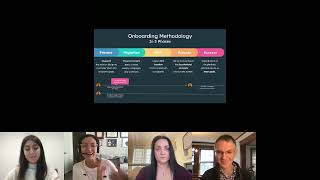
This is a YouTube video titled "HubSpot Onboarding | HubSpot Admins HUG | February 1, 2023" featuring a detailed webinar-style presentation by Sarah and Amanda Elmassi, both senior onboarding specialists at HubSpot. The content is an instructional and informational session aimed at customers and partners considering or undergoing HubSpot onboarding. It covers onboarding processes, roles, certifications, project management tools, professional services, and real customer examples to illustrate best practices and common challenges. The session includes Q&A interactions with a large international audience and focuses on helping users understand how to effectively implement and optimize HubSpot for their business needs. The video was created in early 2023 and is intended for HubSpot users and administrators.
Okay, now welcome everybody to this chat with Sarah and, and Amanda about onboarding. Yeah, I'll let, I'll let you two take it from here. Amanda, did we decide you're going to share your screen?
Yeah, I'm going to share. Let's try this out here.
Oh, my God. We have got folks from Spain, Ghana, uk. Wow. Florida. This is amazing.
International group, South Africa, Sweden.
Wonderful.
Lorca, Germany, Israel. My goodness. Thanks everyone for joining at all these many different times of day for you.
Let me see. Awesome, awesome team.
Okay, all right, so I will monitor the chat. I'm also turning on the Q and A if anyone wants to ask questions for us to try to get to at the end. But I'll, I'll keep eyes on the chat and call anything out that comes up that's, that's urgent. Otherwise I'll stay on mute.
Okay, team, so we have a sweet agenda for you guys today. So first we're going to talk a little bit about our team. We're going to set the scene for what to do when you're thinking about onboarding purchasing HubSpot. We're going to talk about some roles, key definitions that include again, roles, packages and packages that are available. And then we'll discuss the benefits of onboarding. I'll provide you some examples. So to introduce ourselves, my name is Sarah. I'm a principal customer, onboarding specialist here at HubSpot. I've been with HubSpot for about five years. I started as a support specialist and I'm located in the US In Virginia.
And I am Amanda Elmassi. I am a senior onboarding specialist here at HubSpot. I've been working at HubSpot a little over five years, just hit that five year mark in November. And I'm also in the US based in Boston, actually coming to you live in HubSpot HQ in one of our mysterious rooms.
Amazing.
So let's set the scene. I want you all to imagine here that you and your company are considering to purchase HubSpot and you are the one responsible to decide what service implementation is best service for you and your team. As you know, with many things with HubSpot, there's a lot of options you can pick from and you're not sure what's the best one for you today. Hopefully this will help you decide which one's better for you.
Before you purchase HubSpot, you may be wondering, what should I consider in terms of onboarding and implementation? Some of the questions that you should ask yourself is if you have prior experience implementing HubSpot and we have actually to waive onboarding. We have specific requirements. So you may be familiar with setting up other CRMs, but that doesn't mean that you have specific knowledge of implementing HubSpot. So when we talk about experience, it means that you are the main point of contact implementing, going through onboarding with someone else, with another business, or you were maybe working for a partner helping other customers implement HubSpot. So when we talk about prior experience that some something that you need to talk and to consider if you're thinking about maybe waiving onboarding, then it's important to consider if you have enough time to allocate for this project. We as we will go over, we do not complete work on behalf of the customer. So you'll be the one completing the task, getting into tools, setting permissions, all the steps that that are needed to accomplish the implementation. So you need time, you need to really allocate specific hours of your day to HubSpot and then finally consider your budget and timeline. Again, since you're doing the work, timeline is important. If you have any deadlines to move over from a different system, then you'll probably need to speed things up. Do you have the bandwidth? Can you spend the time recreating assets, importing content, tax? Right. And also do you have the budget because if someone else is going to be doing the work for you, it's usually a little bit more expensive. So those are some of the things to consider. Now Amanda will talk to you about some certifications that we recommend if you're getting started with HubSpot.
Thanks Sarah. So if you do not have permanent prior experience implementing HubSpot and you're not sure where you should get started, we definitely recommend the Academy courses depending on what hub you are purchasing. There are different software certifications for each one where really they gave a great high level overview of all of the tools included in your subscription. And at the end there is an exam that you can take so you can officially get certified within that hub. There's also some admin specific courses within the Academy that are really complementary to topics that we cover in onboarding. Where again, if you're new to HubSpot, my number one piece of advice for you is to dedicate the time from training because not only will you need time to learn HubSpot, but you'll also need time to implement HubSpot and do the homework tasks that are assigned to you when within onboarding meetings. So in the next slide I have an example of what I mean by Those homework tasks. Within onboarding, we use something called projects and here is an example of one of the marketing projects that we assign. Typically we will be assigning you a few different projects that align with your goals. Within these projects, the onboarding specialist would come in here and help delegate what's the most important project task you to be focusing on. They'll delegate by assigning due dates and assigning it to the appropriate team members within each task. You can go in and follow the instructions from there. And the goal is that you can do those tasks with following the projects. But if you have any specific questions or you want to clarify it with your onboarding specialist, that's what they're there for. Where going back to the earlier thought with the training, you know, every project probably takes maybe five or six hours to fully complete. So again, if you're planning for onboarding, just make sure if you already don't have those certifications, you're planning enough time for those certifications, but then also enough time to do these projects with onboarding.
Awesome team. So I'm going to describe a little bit the process of onboarding. The the first step is to define the process. We are going to talk about your goals and priorities. Again, this is where we learn any deadlines like are you moving from another system? Is there a cutoff date where we need to make sure that you're fully operating within or out of that system. We also define who should be responsible for completing the tasks. Sometimes you purchase marketing sales service, right? Who will be in charge of completing the tasks relevant for each of those subscriptions. Once we have a timeline and those priorities defined, then we start the process of migration. And this is where we discuss data structure. You spend time cleaning your data. You may have contacts that no longer have valid emails. So we'll probably have to run your database through a third party that validates those emails. You're probably going to have to check your unsubscribes. You're going to import an opt out list to prevent our system from sending emails to those people that have unsubscribed. We'll spend time thinking about again which contacts, companies, deals, tickets we need to migrate into the system the structure in HubSpot any again associations between those objects that we need to preserve and assets. For example emails that need to be recreated, campaigns, workflows, lists, forms. So we'll spend time doing that and prioritizing those steps and then we'll work on the minimum viable product. So based on the objectives you want to accomplish with HubSpot, we'll sort of set small example of how that would look like. So maybe we'll focus on an initial email campaign that you have, connecting your more important forms to HubSpot, creating your first automation so that you can test and see if things are making sense. If things are working properly after that minimum viable product is complete, then we can move on to continue working on this transition, implementing the other processes, building a more robust processing HubSpot. And finally we will review the processes that we implemented skills if there's anything that needs to be optimized and we'll focus on reporting and analytics and that's when we'll help you transition to your customer success manager who will be your next point of contact with HubSpot and will focus instead of process mapping and implementation, they will focus on high level strategy. How are you going to make the most out of HubSpot? But.
Now another thing that you will run into when you're asking all these questions, trying to make the decision of what onboarding is best for you is what kind of help that you need for you and your company. And usually the two distinct paths that you'll run into are partner services versus direct or HubSpot provided services. Now just a disclaimer here. This is not only limited to onboarding. There are partner and HubSpot services available, not specific to onboarding. It could be after you are a new customer later into your lifecycle stage with HubSpot. A key difference though between these services is whether you want somebody to do it with you, meaning HubSpot, or if you want somebody, do it for you. What I mean by that is most of HubSpot services are more coaching and strategical advising. We would not do the setup for you. And that's a key difference versus partner implementation. Services have offerings where they can do the implementation for you. So again, depending on the resources you need, you could do partner services or HubSpot services or a mix of both, which you'll see a little bit later what we mean by that. Now let's dive a little bit more into HubSpot Direct Services and some key definitions that you'll run into when you're working directly with HubSpot and our different services.
Okay, so some key definitions and here we're going to talk about common misconceptions about onboarding. So is onboarding in classroom style training? Basically you will get a dedicated point of contact. We do not invite anyone else to onboarding, but you and your team to help personalize this implementation process to your Needs and goals. And we'll do this by having calls and emails and our calls by the way are via Zoom. Now is onboarding completed by my customer onboarding specialist? As I mentioned, we do not complete tasks on behalf of our customers. We will present best practices, we will go over any roadblocks to try to find alternate solutions, but we won't be completing any tasks on your behalf. And finally, is onboarding a technical consulting service? So even though onboarding specialists are technical in nature, we do not provide a technical consulting service. Right. We're focusing on implementation, bringing your processes. If you need someone that has a little bit more knowledge on the technical side, if you're covering for example API like custom integrations that require like API troubleshooting and architecture, then we'll have someone for you which is a technical consultant and we'll talk about that later in this webinar.
So what is onboarding anyways? Right. HubSpot onboarding is strategic advising and project management that runs over a course of 30 to 120 days, just depending on what subscription that you have purchased. I love to use the analogy where if you think of HubSpot like a gym, you will be the ones that are lifting the weight. But the onboarding specialists act like those coaches that train you on how to lift those weights depending on your specific goals and background. Now when you are in onboarding, you'll either work with a customer onboarding specialist who is a strategic advisor, that coach that will help guide you on the best ways to set up those tools for to fit your business goal and your business needs. You also may run into a principal onboarding specialist. The principal onboarding team works with our most complex customers and some of the upmarket customers, you mostly will run into them if you're in an advanced type of onboarding service.
Awesome team. Now let's talk about professional service. And these are services that you can purchase in conjunction with the onboarding service or you can purchase them after onboarding. It's totally fine. So inbound consulting, they are strategic advisors that focus more on high level strategy. They get deeper into like marketing, sales service topics, for example lead scoring. Usually we don't have the bandwidth to get too detailed and too in depth with some of the topics. So an inbound consultant will spend the time to go over this within with you within a specific time frame. You will have a set amount of time of dedicated time with this consultant. Then we have technical consulting. As I mentioned, they focus on the more technical topics. Again, API connections, custom design work, advanced HubSpot software usage. Again you will be meeting with them some weekly. Depending on the service you purchase. It's usually weekly. You will be meeting with them to discuss those topics. Then we have classroom training. Basically this is a different format. This are offered for larger groups, they provide live help. But again this is not just for you. This will include potentially other customers that will join. And the idea is to provide training to the rest of your team. Think about end users. Finally we have private training similar to classroom training. But then this is a dedicated workshop. So it's just for you, tailored to your needs and your priorities and this service will be delivered again virtually.
Now some benefits of onboarding.
Okay, so with onboarding you will get again a dedicated point of contact that will work with you from 60 to 120 days depending on the service that you purchase. The good thing about onboarding is that you will meet again weekly. So that means that well every seven to ten business days or weekly if you are going with a principal onboarding specialist. So it's, you know, you will get frequent calls to discuss any again roadblocks that you may be encountering or discuss best practices. We can provide advice on marketing, sales and service best practices. So we'll, we cover all the hubs and we will provide assistance building a roadmap. So since we'll meet you, we'll identify what are going to be those phase one priorities, what we need to cover during onboarding and phase two priorities past onboarding. And we will be responsible to pass that information along to your customer success manager so that they know what they need to focus on past onboarding. And again you will have a point of contact with HubSpot. We won't let you just like float on your own. You'll have a point of contact that will be there to help and guide you.
Now I know we've thrown a lot of new information on you, but I want to share some real life examples of customers I've worked with and done onboarding for, what worked well with them and a little bit more about their goals for privacy sake. I'm keeping them anonymous. But these are completely based on real life customers. So the first customer here was a marketing professional and sales professional onboarding the customers in the SaaS industry with an employee size of less of 200. They came in and their initial goal was to migrate from their past sales and marketing systems, recreate those assets and set up the CRM foundation to record and structure their sales process to fit their needs. But then also migrating all of the hysterical data Over. At the same time, they wanted the foundation of the tools to be set in stone and operational by January 2021 so that way they could begin launching the team, training and getting the team fully comfortable with with using HubSpot by end of year 2021. Their main goal was really to not only set up that foundation, but make sure that they were also thinking about training for the team and how to further scale and have team members adopt that in these systems in the future. Now, as of recently when I checked how they're doing, they definitely have a well versed foundation set up. It's been over a year since I've worked with them and they've even optimized their CRM further and created further pipelines and more automation. Not only were they able to migrate off of their systems by the end of onboarding, but they also connected to an ERP system with NetSuite that was actually a custom integration and they did that in tandem with the onboarding process, which was honestly super impressive. Pretty proud of them. Both marketing and sales team feel trained and they have collateral in their dashboards that is consistent training. So whenever they get a new hire they have a easy onboarding plan to get them within HubSpot. And then best win is all stakeholders have best visibility between what marketing, sales and deal performance is going on. So overall I'm a proud mom, obviously.
If you can't tell.
But what worked well, there was a few different things that overall they did great at. I think one key theme was the level of organization that they had. I had one main point of contact that I directly worked with and they were the leader of both marketing and sales teams and it was really helpful because they were able to work with me on the tasks that needed to be assigned in those projects and then they would go in and help me delegate between which marketing members and which sales members would be responsible for those appropriate tasks. We also, because we had separate marketing and separate sales teams, we thought it would be best to keep the sales and marketing meetings separate, meaning we'd have sales meetings separately, marketing meetings separately. But what really, really helped too, and I appreciate so much, is they were talking and debriefing in between our meetings together. Sometimes I've seen marketing and sales will not talk to each other and I've met with both teams and I'd have to play those middlemans where they always were up to speed on the last conversation I had with the other team and fully up to speed on their common goals and overall really aligned in both marketing and Sales and really organized and it worked out really well. And then here is just an example of what that timeline looked like with when they did these particular implementation steps.
Correct team. So as you can see, the first step is the setup we have within the project. We have two projects that you can actually find and get started with. They're called Getting Started or Get Started. And we have one for sales, one for marketing, one for service. So this is just to make sure that you meet the minimum requirements to get your platform up and running. Then as you can see, we focused on the migration MVP setup, discussing that minimum viable product. Then we transition to the discussions about the integrations, the campaign, production, blog and social. And then we move to reporting. And usually reporting we do it at the end because we have data. If you try to build the reports too early in the process, we we cannot validate if you're pulling the right information because we have no data to show. Then finally, HubSpot fully live. Again, this is an ongoing process. It's not like you'll get everything ready during onboarding. There are always things that you need to monitor that you need to change, that you need to optimize. But what we make sure is that those initial priorities are completed by the end of onboarding.
Yeah, I feel like you come out of onboarding and at least you have a solid foundation. But you know, do you take that foundation over time and continue to optimize that foundation based on the feedback that your team is providing or what you're being able to see and visualize from the reporting and analytics? Another customer example of mine, this one is a special one too because not only did I work with a real customer, but this one had a partner involved with this onboarding. So this was just a standalone marketing enterprise onboarding for a customer in the legal services industry with a employee size of less than 50. They came in with an initial goal really to migrate off of their past marketing systems and apply their new campaigns and initiatives into HubSpot. They also had a dedicated IP, so they wanted to warm that up, know the best practices and be able to launch some of those more complex marketing campaigns and then additionally coach the marketing team on the best practices on the marketing tools that they would be using the most on the day to day. Now this is a more recent onboarding, a little less than a year old. The most recent outcome is that the dedicated IP is set up and warmed up. Email drip campaigns are running operately and great. The marketing team feels really confident about using the marketing tools. I remember distinctly when we had our graduation call, they mentioned how much they love the marketing email tools versus their old PaaS systems and how they felt it was so much easier for them to not only create marketing emails, but able to really drill down into the data and the list and report onto their campaigns. For this one, what worked out so well is I also had another point of contact that helped keep us organized of who does what and in this case the partner was involved. But I actually never communicated with the partner directly. My main point of contact was more of an operational type of role and they were able to take the project assignments that I recommended and be able to delegate and say, okay, the partner will be focusing on these ones, let's focus on these other tasks instead. There really was never any crossover between what the partner was doing and what the customer was doing. The partner did more of the complex types of email drip campaigns and workflows that they needed, while the focused on newsletter campaigns and email recordings that they needed to get up and running. And they were very specific on the tools and the goals that they had. They were really organized and honestly definitely went above and beyond in between every meeting where they were getting way more campaigns launched than I honestly expected them to always. But that really allowed us to have some meaningful conversations where a lot of our conversations were really in depth questions of things that they were trying to report on or understand while they're working within the email tool now, now that you've seen all the facts and some great examples, here's a condensed tips and tricks from some of our experts. Not only Sarah and I, but this is improved by a lot of our onboarding colleagues here.
Okay team, so do's and don'ts leverage the tool to organize project work. Amanda showed you our projects tool which we use to track the tasks that you've completed. But as a principal onboarding specialist, I've also used Asana and I usually love asking my customers like are you using a system? Like if. If our projects tool doesn't feel that comfortable to you, are you using something else to track? We can accommodate. Let's just talk about where you want to track and how you want to track. It's also important for you to talk to us about how you want to receive your tasks. Do you want us to assign you the tasks on the tool? Do you prefer a recap after the calls? So it's very important that you communicate how you want to receive information, assign and delegate tasks. Again, we usually try to identify the main point of contact for onboarding and also who will be leading, for example, marketing, sales and service. But if there's someone that should be involved that isn't, or if you're waiting to hire that person, we need you to also make sure that you assign that person the tasks and the certifications so you can help us out as well. Doing that allocate time for training. As Amanda said, it's better if you do it initially because I usually my customers say, I don't know what I don't know. I'm like, that will provide you what you need to know. Just take the certifications and you'll know what you purchased. Practicing the tools. If you don't want to impact your production account based on your subscription, you'll get access to a sandbox. Use the sandbox if you have it. If not, we offer free accounts. We have dev accounts that you can use to test some of these things and you won't be impacting production. Feel free to ask us. We'll provide you the information of how to create this dev account and use it. Test it, play around. Finally, come prepared with short term, long term goals. This is crucial. I usually ask some customers like, hey, what are your goals? And then some folks do not know what they want to accomplish with onboarding. And that's crucial because that will let us know how successful onboarding was and to make sure that we keep you on track. So just make sure that you take a step back and think, what do I need to complete? What's immediate? Do you have any immediate email campaign that you need to create? Do you need to structure data to see your contact information organized? Like what are those priorities? Don't attend a meeting without reviewing the projects that we assign. Just take some time, review them, make sure that you complete them because otherwise the call won't be that productive. Do not overwork and what we mean by that. Sometimes some customers have side projects or they decide to do rebranding while onboarding is happening and that can lead to chaos. If you have something that should take priority, talk to us. Maybe we can pause onboarding. Maybe you can start onboarding later on. But make sure that you don't have the rebranding, the customer integration and then onboarding because you're just one person. That is insane amount of work and we won't be able to complete the tasks on time. Try not to derail the conversation with side projects that aren't a priority. Our calls are usually 30, 45 to an hour depending on your bandwidth and our bandwidth. So to make the most out of our Time if you have a lot of like support questions like hey, where do I find this button that could derail the conversation and guess what? You can use our Support team available 247 via phone, email and chat. You can use your time to talk to support. They'll take care of that and then we can focus on implementation and best practices. Finally, again, having too many external projects, I feel like I already mentioned that. But yeah, rebranding that usually doesn't work really well while you're doing implementation. That's it for today team. We're here if you have any questions.
We've got some great questions in the chat. Thank you both so much for taking the time to put this together and to deliver it. I am going to look through the Q and A questions. I think we'll be able to get through all of them. There are not too many. But while I am reviewing those, everyone, the 107 of you who are here, thank you so much for being here. I'm dropping a survey into the chat. If you could give us feedback on this session and then if there's any future sessions you'd like to see here at the admins hug, there's just a free text box there. Let me know what you're looking for.
So let's see. I can share my screen and let me know if you guys are seeing my reports dashboard. Let me know. Okay, so sharing the sheets that we use. So actually if you have your platform up and ready, you can go to this avatar image and go to projects. This is where our projects exist. Do not get scared. This is my portal so I have gazillion ones but you won't under project template. What we usually do is we search by hub. So for example if we're talking about sales, I just put sales and see the one that says sales goals. That usually what we recommend. This getting started. Those are the tasks that are like the minimum tasks that you need to complete to get that section ready for your other goals. Now let's talk about one of the most common goals. Automation. We have a goal for that. So we have like the marketing automation. When you are seeing one of these projects, what we'll do is that based on your priorities, we'll adjust this project. So it's not that we're replicating the process. This is not copy paste. We have some documentation that guide us but based on your priorities we'll add, remove, modify, adjust this project. This is just like the baseline. Can you share the fees charged where? Amanda, do you know where that Is.
Which one?
The, the pricing. Onboarding pricing. Let me see if I can find that.
Yeah.
Onboarding services. We, I can share with you the premier services as well. This page. Let me just do Premier Services HubSpot. I'll share my screen again. Premier professional services. So I'm going to share my screen and Google knows it all. Let me see if you guys are checking professional services.
Yep.
Okay, so I'm adding the URL to the chat. So we have inbound consulting, technical consulting, the customer training. By the way, we offer migration services too. So if you need us to bring your brand color template set up, we can do that. So if you want to learn more, for example about technical consulting. And here is the price by the way. So we go and we open this window. So let me just open this window again to make sure that you're checking technical consulting. And then it will offer a description of the common projects and then it has available options so you can get ongoing consulting that will be on a weekly or monthly basis. You could also do it by project. So let's say you don't need someone that's always like available to you. You just need it to complete that custom integration. You just need guidance on API endpoints. You can use the technical consulting project and if you scroll down, here is the legal description and we also have the price, the initial offering. Okay, so based on the project, if it's a project, based on the complexity of the project, this pricing could increase.
And I found too there's, there's a page, I just dropped this into the chat. HubSpot.com services onboarding and you can see all the different Onboarding, Sales Hub Onboarding, Marketing Hub Onboarding, Service Hub onboarding, CMS onboarding. And I just randomly clicked on Sales Hub Onboarding and it tells you exactly what's included. And at the professional level it's a thousand dollars and at Enterprise it's $3,000. So the, the pricing is all there on the website. Hopefully you don't have to do too much digging to find it. There's. Oh, sorry, I was going to go to another question if you had another thing to say about that.
No, I was going to go over Sandbox.
Okay, perfect.
For Sandbox, it applies to Marketing Enterprise, Sales Enterprise Service, Enterprise, Operations Hub Enterprise and CMS Enterprise. So basically Enterprise, if you do not have Enterprise, you don't have access to a sandbox, but you can create a free developer account. They expire after 90 days, although you can renew. So if you log in you will be able to Renew. I am adding to our chat right now the page where you can start creating those platforms.
Cool. So I'm going to dismiss the sandbox question fees we covered. So Stephan, you asked please share the templates to organize also what tasks you are assigning to customer based on the hub. I feel like you covered that a little bit by showing the projects tool. Do you have additional thoughts on do you feel like you've covered it just.
To like echo on the projects tool? It depends on the hub that you have, but all of them begin with either marketing goal, sales goal, or service goal. Depending if you're a sales service or marketing, your onboarding specialist will be able to recommend which projects are going to be the best ones for you. They all have a general get started one to begin with, but then depending on what your specific goals are with that hub, we have a few different particular projects. One of the other questions about the projects, especially like for marketing hub for example, is if we organize it by tool or by topic and it's more by like the topic and the goal. From my perspective, if I got a marketing customer for example, I'm really familiar what's in the projects so I'm able to pick those projects and recommend and know the difference between some of the different projects. For example, one of my projects, it might be more into lead generation. It would include landing pages and forms. But if you are planning to keep your forms and your website on your other cms, I probably wouldn't assign you those tasks or I'd probably delete that project. Also together where normally you'll start onboarding with a kickoff with your onboarding specialist so they'll really work with you to understand what your goals are and be able to recommend those project templates that will be good for the entire onboarding process. But if you're not sure where to get started, ones are basically account setups in your settings and that's a great one to get started on even before you meet with your onboarding specialist. Correct.
Well, before we hop into these next few questions, I got, I got a DM here and I'm curious people in the room, I don't know how to do this are, I'm curious, are the 88 of you still here with us? Are you mostly partners? Are you mostly direct customers slash prospects? How about yeah. Anyway, I'm just. Because I think that the answers to a lot of these questions are going to be different and it seems like, okay, we got a lot of partners in the room. So I think these next couple questions are sort of specific to partners. Customers are asking for particular things. Do you do that? And so I just want to, I want to clarify. We do have some, some customers here and customers, most all the onboarding services Sarah and Amanda have been describing are for you. They're available to you. And again, HubSpot onboarding is very much people like these two experts here will help you do this work. And partners, if you want to pay somebody to do the work for you to actually go into your instance of HubSpot and set things up and push the buttons and all that, that's where you're going to want a partner to come in. And we've got lots of great partners in the room, as it turns out. I hope that clarifies. Now that is context. I do think these next couple questions are, are specific for partners. So if your customers, you're welcome to listen, but I just wanted to make sure we were in the right frame of mind here. So the first is customers usually do push us to take care of their email delivery rate, open rate and click through rate. But being an onboarding partner, we are not responsible for that unless they sign up for inbound services. Do you also face that? And if yes, how do you handle that? So the way I understand the question is there's a lot you can do at the initial setup, but then open rate and click rate, we're not going to know what that is until you've sent some number of emails that have been opened and clicked. And to optimize that would be some sort of future thing. Where do you, I guess, draw the lines on what is included in onboarding and what requires ongoing services later?
We do not commit to a number, by the way, because we do not know your number. Your reputation, your IP reputation, you, if you don't do things the right way, which is getting authorization, getting someone to, you know, like we do not spam people. That doesn't work with HubSpot. We will discourage you if you start just like dumping purchase lists. So if you have been doing that, then your IP reputation is probably not that great. So what we recommend is that you get consent. Like we, when you are importing will ask you, okay, were those lists purchased? Do you have authorization to communicate with those people? Those are the first questions that we ask you. So make sure again your data is clean, you follow best practices. We recommend again that you run your database through third party neverbounce zero bounce to make sure that those emails are valid. People change. Companies may not use email anymore. So that could generate hard bounces, which can impact your IP reputation. So first we'll discuss that, then we'll set the baseline. We may not know. You may come to us and say this is my open rate, my click through rate, right? If you know that grade, we can see if you improve and we can help you out with best practices. If you don't know that, we need to start sending so that we can set up the benchmark and then from the benchmark, the important thing is that you are improving. So we will cover those best practices and monitor that. But no, we do not commit to hey, you will increase by 30% because it's a random number. We need to have context, right?
And I think that's true for probably all the tools in HubSpot. Something that's specific to marketing emails that I think is worth calling out is HubSpot recently changed the way our system calculates open rate. And it turns out different tools calculate this in different ways. And so if you're coming from like a Mailchimp and you have a Mailchimp open rate and you come into HubSpot and expect your HubSpot open rate to be that exact same number, it won't be even if the exact same number of people are opening your emails. And there are technical mathematical reasons for that that I don't know off the top of my head. But I can look up for you if you're interested. Reach out to me after and I'm happy to share that with you. But I think it's just worth noting different systems calculate that differently. Even though intuitively to the human brain it seems like that should be a very straightforward number. There are lots of complicated technical things.
Going on just to add on to that too. It's natural. Sorry, but it's natural when you're switching to a new email sending platform that your rates will drop, especially during a migration period. In the chat, I linked a blog article from one of our deliberability gurus that has great explanation on the why behind it and some tips and tricks on how to mitigate that. In terms of what your role is within onboarding, I would say you can coach them on the best practices to like connect their email sending domain, have a clean list and all those great, you know, initial setup tasks. But again, given that it's natural for the email sending scores to go a little bit lower, the furthest I'd probably go is showing where you can find that information in the email health and the email analytics. But again, it's just the initial three months so that's natural that you're going to see a dips and I probably wouldn't go further into the weeds besides showing them the tools and best practices and where to find that information within the system.
Great. The last question in the Q and A and then I think there are a couple in the chat we're going to have to dig out here. But again, from a partner's perspective, Stephan asks, do you segment Marketing Enterprise onboarding by topic or tools?
That's a great question. And honestly their Marketing Enterprise is just a sku but then based on your kickoff will design those projects accordingly. Where you know, I have certain customers from Marketing Enterprise that have specific more complex enterprise feature tools that they want to be focusing on more. I have other customers that those enterprise features are less of a priority and they more did the enterprise for the cost per contact per se and they have more goals to get the foundation up and running. So it really just depends on what the customer's goals are and how we structure them. I would say no two projects I've assigned to customers look the same. Even though we take those templates like go in and detail them and cater them out to fit your needs based on what we learn in our initial discovery.
Great. So I guess the final question here, and this is actually people are discussing this in the chat, kind of going back and forth, but the initial question Zach asked, can the project management feature, the projects tool inside of HubSpot, be used only for internal staff and not impact customer stats? Can it be a lightweight replacement for Asana or similar? Oh, go ahead. Perfect, you got it.
We do not. The internal tool is not for customers. It's internal only when evaluating if you want to move from Asana. There are features that we do not have in the project stool we don't have, like a calendar view, for example. It's a very common request. So I would recommend that you familiarize yourself with the system before you decide if you can make the switch. We can. In our projects tool currently we can assign a person, we can assign a due date, we can create additional tasks and subtasks, we can add mention a colleague to make sure that they complete the work. That's what the tool currently does. So again, just take a look at what your current system, for example Asana is doing. There may be features that we don't have and if you can leave without them, then go ahead, make the switch.
I think it's a good point to say when you say customer it, can you use it with customers as your portal you can actually use it with any user. So if they're a user of your portal, you can mention them, you can assign tasks to them. But not a customer of yours. If you're talking partners. Not a customer of your partner.
Yeah.
And I think, I mean from my perspective, maybe this is a hot take. I don't know. I think the most valuable piece of the projects tool in HubSpot are the templates we have because they lay out the things that need to happen. Right? Like you want to know how to set up a particular thing. Here's HubSpot's recommendation of how to do that. To actually accomplish that work and get it done, you may need a more robust project management tool than what we offer. But if you just need a to do list of how do we get from point A to point B? That's in there. It's in HubSpot. There it is. Whereas Asana and others are very powerful project management tools. But you have to know what steps you're putting in there. It's not going to give you the to do list for you. That's just my thoughts on it. I think we have gotten through all the questions. Sarah, Amanda, this has been great. If anyone wants to connect with you after this, what's your preferred method?
Do LinkedIn. It's wonderful. I would love to see you guys connect. And also Kai, let us know if there are any questions that we didn't answer. More than happy to answer those as well.
Awesome. Amanda, how about you?
You can find me on LinkedIn as well. I think my LinkedIn is just my name.
I'll add my name again. Let me just add it here.
I just found Sarah. Grab an Amanda. I'll drop it in here. Thanks so much everyone for being here. I'm gonna, I'm, I'm also dropping in this survey one more time. Please give us your feedback. I'm anxious to know how to make these meetups as, as valuable as possible for you all. I AM Grabbing Amanda's LinkedIn here right now. We are only second degree connections. Amanda. We should, we should fix that. But there it is. Okay, thanks everyone for being here. Thanks Sarah and Amanda again for doing this. I will send out the recording and the slides after this. And yeah, that's.
Thanks all. Thanks everybody for joining us today. Hope you all enjoy the rest of your day.
Bye everyone.
Bye everybody. Sa.










