HubSpot Updated 9/22/2025 #hubspot
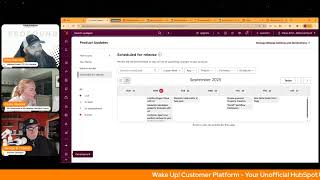
A HubSpot morning-show livestream (Wake Up Customer Platform) recorded on September 22, 2025 where hosts Chris Carolyn, Casey Hawkins, and George B. Thomas review recent HubSpot product updates and upcoming releases. Key topics covered: Flexible CRM index page visualizations (new view types like Calendar and Gantt), Data Sync expansion to "activatable" library objects (projects, courses, listings, services) with Appointments excluded, and support for fallback values in personalization tokens and email templates (private beta). The hosts also mention events (Admin Hug, AI Boot Camp), required licensing for some sync features, and the show cadence (weekday mornings).
Questions this video answers
September 22, 2025.
Projects, courses, listings, and services.
Appointments.
Data Hub Starter.
Calendar and Gantt (also map-style visualizations and enhanced column-level insights).
Chapters
Foreign.
Wake up Customer Platform. It's time to start the day. Discover all the value you already own. Don't let solutions slip away. Wake up, Customer platform. The tools are at your hand. No need to sleep on capabilities that can help your business stand. The answer's right before your eyes. You just need to realize Wake up Customer platform and watch your business rise. Wake up. Wake up. The platform's waiting in for you. Wake up. Wake up. See what your system can do.
Good morning, HubSpot Nation. It is time to Wake Up Customer Platform with your unofficial HubSpot Updates morning show where we help you discover the platform value you already own. I'm Chris Carolyn, joined by my co host Casey Hawkins and George B. Thomas. We are here every weekday morning to make sure you're not sleeping on HubSpot's true capabilities. If you're joining live, drop a hello in the comments and let us know what you're building in HubSpot today. Happy Monday. It is September 22, 2025. How we doing?
Doing well. Happy Monday.
Yeah, doing good. How about you, Chris?
Doing good, doing good. Any. Any highlights from the weekend?
You had a busy weekend, so I feel like it was just running around all weekend. I'm actually like kind of happy to be back in the office.
Wow, that's always a good thing to say and happy to be back in the office, I don't think. You know, this weekend was kind of lowkey, to be honest with you, which is not, not at all a bad thing. And so yeah, how about you?
It was fun. Doing some fun stuff with, with value first that I'm planning. So had a day with Claude yesterday. Nice developing some, some documentation and plans for that. So really excited about that. But yeah, we'll dive in here. Only three updates on the list today, but before we get into those events to take notice of this week, inbound Rebound Smart CRM is the HubSpot Admins hug tomorrow with Jocelyn Horn. This is interesting, George. The customer platform plus Smart CRM. Be interesting to see if customer platform can hold up, but I'm excited for that. It's almost like Casey and Marcy knew that this was going to be the hug. Is that why you guys talked about it on Friday at the, at the Sprocketeer power hour?
Actually, no, I. We do sometimes or I try sometimes to kind of coordinate it with the, with the admin hug. Just because I think like, you know, people are thinking about it already. But this time I can't say that was why. There's also, there's like a lot of like elements. There's like a vote piece. There's also like what we're thinking about.
A happy accident. Sounds like very cool. We've got the helpline this Friday. We look forward to having Rob back with us from the Profoundly Page. By the way, highly suggest if you like helpful HubSpot content. We're going to be streaming a lot more from the Profoundly Page where this show is coming from right now, where the helpline comes from. Last week we did a couple of unboxings once with CPQ with Ethan Senior Product Manager and Bill CPQ experts. We did an unboxing Casey and I did with wow with Maggie Maggie with Maggie about custom events in HubSpot. So we're gonna be picking up, picking up the volume and pace there of unboxing all these HubSpot things for you to help help with awareness and understanding of all these new tools to play with. And we're gonna be driving most of that through the Profoundly page. So highly recommend following there so you you don't miss miss back to today. Get flexible CRM views. Back on the list. What is it? If you haven't heard yet, we're enhancing the index page experience to make it simpler, more intuitive and more powerful so you can move faster, focus on what matters and make better decisions with ease. Check out this loom for a quick walkthrough.
Why does it matter? The redesigned CRM index pages put your data front and center so you can focus on what matters most. With new view types like Calendar, Gantt Report and more, you can now visualize your data in ways that match your workflow. Whether you're renaming views on the fly, spotting trends with conditional highlights, or diving deep into column level insights, everything is built to help you see more, click less and act with confidence. I've said it before, I'll say it again. I really like this.
Yeah, I love this update. I love where they're going with it.
I need, I need some help though, George. Before all this visualization stuff started happening over here and they started making all these flexible views, I thought I was developing a pretty clear understanding of, you know, Frontline users. We were developing the workspaces for them and the index pages we're going there out of like this is the admin kind of the admins workspace to keep track of things in index of formats and things like that. Now I'm not so sure. So how are you when directing users, the frontline users specifically on how to use HubSpot? Where, where are they mostly?
So I Never taught index pages as admin pages. I've always taught index pages for all the users to create a process where they can see what they need to see when they need to see it and interact with what they need to interact with. I think this visualization just makes it get better and I think the features over the long haul of the last six months or so make it easier to do the things instead of just viewing the things to click into. Like take a next action phone calling for for an example. So I've. I've always leaned heavily when we're training on index pages before records because again, a record is just another click.
Is.
Is there additional information there? Potentially depends how you set up your view, especially now.
That's fair. I agree with that in my attempt to like. The only reason I got towards admin space is because I'm trying to like find some line between workspaces and other parts of HubSpot. Are you teaching much workspaces at all yet?
I've been teaching the sales workspace more than anything, to be honest with you.
Yeah, right. Okay. It's gonna be interesting to see how these play out because that's where I think it was pretty clear cut. Like if you're a sales user you could like sales workspace was has gotten to a place where it is all you need but now like a map sitting over here and I guess probably long term we expect some of those visualizations over in the workspaces too. But with these new visualizations not as clear cut as it might have been before. Data Sync support for activatable library objects. Activatable as opposed to the non activatable library objects.
Is that. That is a word I guess.
Huh?
Activated.
What is it? Data sync now support syncing projects, courses, listings and services objects on top of the already existing support of most defaults and custom objects. Note, appointments is not on that list.
Why does it matter? In our Marketplace we offer 100 plus data sync apps which automate the synchronization of data fields and objects across platforms, reducing manual work and ensuring data consistency with customizable field mappings, filter settings and real time updates. Data Sync allows users to maintain up to date information across their business tools. We are now rolling out Data Sync support for some active. How did you say this? Activatable objects in the objects library projects, courses listings and services. You're right. Appointments still not there.
Usually appointments is left out because they've built it for like healthcare originally. And there's special like data compliance and security and sensitivity setups. Related, so it's usually handled separately. I'm guessing that's why it's not on this list, because those things are usually not as easy to sync when data sensitivity and regulation is involved. But a lot of data sync apps are impacted here and I just want to hit that real quick. A lot of good information in here. On the HubSpot side, generally we support syncing these objects. Calls, carts, companies, contacts, deals, emails, invoices, meetings, notes, orders, owners, products, tasks and tickets. Also, any custom objects configured in the HubSpot portal are also syncable and with this update, projects, courses, listings and services get added to the list. All of these news objects can be synced in the following data Sync apps Monday Airtable, Smartsheet, Bubble Lime, CRM, Kintone Dynamics 365, Zoho CRM Outreach, Close Insightly and Sugar CRM, among others. HubSpot can do a lot of stuff now, George.
Yeah, it can. It is very powerful, without a doubt.
Who gets it? Data Hub Starter is required to sync these objects. Interesting starter level integration, folks.
Very nice.
Personalization tokens and email templates now support fallback values. Another persistent update on the list here. What is it? Fallback values for personalization tokens and email templates ensure your messages remain professional when contact, company or deal information is missing.
Why does it matter? You can now avoid common issues caused by missing token values. Broken email forwards formatting example, high space comma sequence enrollment failures, poor recipient experience. By applying fallback values to personalization tokens, you'll reduce errors and save time on manual fixes. This might be our current like reoccurring update. Yeah, there's always one that we're just like talking about multiple times a week.
Yeah, the last one was the unsubscribe.
Survey, see, which we start really excited about. And then by the hundredth time we're talking about it, we're like, yeah, all.
Right, well if anybody knows how to game visibility systems, it is the marketers. So email templates, it's a really cool update though. So I don't mind sharing is in private beta. Keep that in mind. It's interesting that they're relating email templates to the product that or the app in HubSpot that is sequences, which makes sense, but that is not usually what comes to mind when I'm thinking email templates. What is coming up this week scheduled for release? We've got landing pages that you clone. You can clone with AI now, which is basically starting from a cloned page that you already have and then using AI to Help get to the finish line on the new page. Generated calculated property formulas with AI and customer agent can perform business actions in your system. All these three coming scheduled to come out of beta today. Tomorrow we've got Dynamic Reply editor in help desk. On Thursday we've got Breeze powered property creation. Oh, you only check out what Breeze can do related to data modeling and the like. Just had a good story from my buddy Ryan Ginsburg that said it was quote unquote remarkable how Breeze was able to compare the differences between products, deliverables and listings in a data model where we're making them very similar things and it was able to catch very small property differences that need to be aligned for integration purposes. So lots of power there. Enroll workflow permission also dropping on Thursday, coming out of public beta on Friday. Got a new data model intro page also coming out of public beta. Anything else? We're excited for this week.
You already mentioned the admin hugs. I've really enjoyed the last couple weeks as they've been kind of focused on things that came out at Inbound and kind of what's what to do, what to do with it is a lot of it. There's also these kind of a. Oh, never mind. I have an AI boot camp kicking off this week. I think that's what I Was that.
The one run by Nico Connor and Ryan Gunn?
That's the one. I thought it was something else. They also have these sessions coming up, but I don't think they're this week that are like inbound for marketers and service and sales. But I, I thought that was what was on my calendar. But that's. That's not it. My boot camp with Nico and Connor.
Nice.
And that's HubSpot Academy.
Yes.
AI Boot Camp. Nice.
Yep. And if you have missed out on any of these past hugs, here's last week's. Deanna does a great job of getting the recordings up and directly on the admin hug page, but you can also find them on YouTube as well. CPQ last week with Ethan was a good one, but I recommend joining these live if you can. We had a pretty spicy chat during the cpq. Got some passionate admins that show up for that every week. George, you think?
Yeah, admins have the.
They.
They can be passionate for sure.
Yeah, we love our power users.
Hey, I should have mentioned this when you asked about my weekend. I went to a like cook out of a football watch party. Really? But somebody I mentioned somebody was talking about HubSpot or had a question about HubSpot so I'm talking to them about that. And someone was like, what is a HubSpot admin, Casey?
This isn't a football game.
My goodness.
I was like, I don't know. How much time do you have this.
Yeah, I mean, usually when I'm at a football game, I'm like, what is this appetizer?
Like one. Yeah, you got.
What is this? What is up?
You're like, well, do you care about this football game as much as I do? If. If so, then let's take the next three hours to tell you what a HubSpot admin is.
Funny, but I might have gotten two jobs just from going to my friend's house and eating a hot dog.
Oh, man. Let's make sure we capture that in the marketing attribution. Please remember, folks, you probably already own the solution you're looking for in HubSpot. Sometimes you just need to wake up to it. And maybe it's all of this new visualization inside of flexible CRM views, maps and Gantt charts and reporting all that good stuff. Join us tomorrow morning live at 7:30am Central or catch us anytime on Spotify and Apple Music. Drop your biggest takeaway in the comments and let us know what capabilities you want to wake up to next. Until then, I'm Chris. Carolyn.
I'm Casey Hawkins.
And I'm George V. Thomas.
And this has been Wake up, Customer Platform. Now go build something amazing. Have a great day, everybody.
Wake up, Customer Platform it's time to start the day Discover all the value you already own. Don't let solutions slip away. Wake up, Customer Platform the tools are at your hand no need to sleep on capabilities that can help your business stand the answer's right before your eyes? You just need to realize Wake up, Customer platform and watch your business rise. Wake up, wake up up the platforms waiting for you Wake up, wake up. See what your system can do.










