HUbSpot Updates 1/16/2026 #hubspot
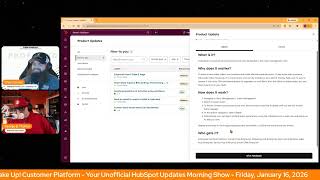
This content was created by George B. Thomas. This content was uploaded by George B. Thomas. This is a YouTube video titled "HubSpot Updates 1/16/2026 #hubspot" featuring a conversation between Chris Carolyn and George B. Thomas. The video is part of a morning show discussing updates and features of the HubSpot platform, including user management improvements, Smart Deal Progression, and Help Desk ticket creation. The hosts engage in a lively discussion about the benefits and implications of these updates for HubSpot users.
Chapters
Foreign.
Wake Up Customer Platform. It's time to start the day. Discover all the value you already own. Don't let solutions slip away. Wake up, Customer Platform. The tools are at your hand. No need to sleep on capabilities that can help your business stand. The answer's right before your eyes. You just need to realize Wake up Customer Platform and watch your business rise. Wake up. Wake up. The platform's waiting for you. You wake up. Wake up. See what your system can do.
Good morning, HubSpot Nation. It is time to Wake up Customer Platform with your number one unofficial HubSpot updates morning show where we help you discover the platform value you already own. I'm Chris Carolyn, joined by my co host George B. Thomas. We're here every weekday morning to make sure you're not sleeping on HubSpot's shoot capabilities. If you're joining live, drop a hello in the comments and let us know what you're building in HubSpot today. Happy Friday, January 16th. George, how are we doing?
Happy Friday, Chris. Doing good. Excited to get the day going, talk about these updates, talk to clients and then head into the weekend or before that, you know, maybe some other fun stuff.
Yeah, I. It's. Be honest, it's been a little bit of a. A grind this week. Getting a lot done though. A lot of new, new client work, a lot of client conversations happening. So that's a good thing that the. The HubSpot message is resonating in ways that I haven't really experienced before. So that's cool. But I am taking a moment at the end of the day today to go check out Avatar.
Nice.
I do look forward to disconnecting a little bit.
Yeah, you got to do that every now and then and. And that's a good movie to go do that too for sure.
Yeah. Yeah. So in the meantime, we will take care of some updates. For today we've got improved users table and page. What is it? The users page has been redesigned with modern data table functionality to streamline admin workflows and reduce friction in user management. Admins can now leverage inline editing and bulk operations to update user properties directly from the table without navigating away. The redesign introduces customizable and movable columns, saved custom views and optimized default views with total user counts for quick reference, enhanced quick filters and export filtered views.
Nice. You might be wondering why this matters. Well, admins report that the prior users page was slow, required deep navigation to complete simple tasks, and lacked editable columns, saved views and bulk work workflows needed for scaled Organizations basic tasks such as updating user properties, adjusting permissions or filtering to monitor inactive or pending users often require dozens of repetitive clicks, leading to frustration and operational inefficiency. This redesign focuses on reducing administrative overhead and introducing predictable modern table experiences that already exist elsewhere in the HubSpot. CRM. Nice.
There we go.
Request that beta, ladies and gentlemen.
Basically the index page. The CRM index page now inside of your users. Almost as if the users were an object themselves. Right, George?
Maybe.
Cool to see that. Yeah, it does. Deep navigation is, I think the right phrase there.
Yeah, without a doubt.
Just to give you access to the project object. Anyway, number two, we've got Smart Data Capture beta ending and transitioning to Smart Deal Progression. What's changed? Starting in late January, the Smart Data Capture beta will close and a new private beta, Smart Deal Progression, will launch. Eligible sales Hub Pro or Service Hub Pro portals will be automatically enrolled in the new beta. What is it? I have already said that. Why does it matter?
Whoopsie. Why does it matter? Smart Deal Progression is designed to help reps move deals forward more efficiently by turning conversation insights into real CRM updates and follow up actions. It builds on smart data captures functionality and adds new capabilities to support integrated post meeting workflows. Nice.
Were you able to check out the Smart Data Capture beta at all?
I wasn't able to check that out. No.
Okay. It was pretty cool. And some of this. How does it work? Like when this comes out and it's going to be super impactful. Right. So the way it works. The Smart Deal Progression beta will include the following functionality. Suggest CRM property updates for deals based on call and meeting transcripts. That was the current Smart Data Capture functionality. It will also enable admins to configure. Hell yeah. Enable admins to configure which CRM properties should be updated service high value follow up tasks like send proposal or book next meeting and notify reps when all updates are ready to review via in app, email and CRM entry points. That's what I was missing. George, let us tell you which properties we want you to update. The ones you want. AI so very cool to see that progressing. Number three, today, create associations to activities using workflows. What is it? You can now use the Create association workflow action to create associations to activities. Activities include. Included are notes, tasks, meeting event call, email communication and postal mail.
Very interesting. Why does it matter? Admins can replace manual repetitive activity association work with native automation, reducing operational overhead. They're liking that word today. And improving data consistency. This removes the need to rely on reps to remember to associate calls, meetings or communications. An error prone process that often leads to incomplete records. The result is more reliable unified activity data across workflows, reporting and automation.
Thanks HubSpot indeed. I don't know if this one this is one of those that's on the reps right? I found most of my anytime I've had to do manual like association correction is because like the email or like the meeting didn't have all the people associated to it or like didn't pull in from the deal or like certain things like that. So definitely work with the reps to this is where we we get back to our Sorry, I can't go the whole the whole show without saying unified. George Unified Customer View. Once you understand what that needs to be, then you'll be able to automate these kinds of associations properly. Yeah, so do the work folks. Number four Send an email to create a ticket in Help Desk in Public Beta what is it? Users can now send an outbound email to create a ticket in Help Desk.
Interesting. Until now, the process of manually creating a ticket in Help Desk has slowed. Support reps down with too many steps and too many clicks in order to help their customers and meet their SLAs reps need a faster and efficient way to create tickets on the fly. This update also addresses customer feedback requesting that tickets can be created in Help Desk from new outgoing emails, not just incoming messages. This reminds me very much of like how I can almost forward an email to my ClickUp. This is almost like emailing something into your Help Desk is what it sounds like.
Yeah, I want to understand how it works. I feel like it's a really good thing. It says Click the plus icon in the top right hand corner of the Help Desk view sidebar. Click Send Email and Email Composer window will appear on the right hand side of Help Desk. Enter the email address of your recipient and the contents of your email, click Send and Create Ticket. How ticket information is populated in Portals with AI settings turned on, AI will use the content of the message to generate the Subject description pipeline, status and owner. In Portals with AI settings turned off, internal HubSpot tools will populate the Subjects Description pipeline, status and owner. The ticket defaults configured in Object Settings will be used to set any other required properties. Interesting. I'm glad for that explanation because if we're already in HubSpot, why aren't we just creating a ticket? I guess then you'd have to create the ticket and then send the email. Now we can do it in one fail swoop. This doesn't apply from outside of the CRM.
No, a little different. Still cool.
Yeah. Still it's one, one less thing. Number five today, custom event occurrences can be deleted. What is it? Individual occurrences of custom events can now be deleted in the event management tool. Huh.
You might be wondering why that matters. In order to accurately reflect your business and make well informed decisions, it's key to be able to remove inaccurate data. Yes, it is. Previously, if a custom event was sent by mistake, whoopsie. Or as a part of testing, there was no way to remove it from your CRM and relevant report segments or workflows. With the ability to delete these, you can now have more trust in your data, which is something everybody needs. More trust in the data.
I like it. Special note, deletes are limited to the in app experience and are limited to 1000 event occurrences per month.
Wow.
Interesting. So we have something under that's going to tell us on the 1001 that we can't delete that one. Okay.
Maybe.
Maybe. All righty.
I think you'll need to delete a thousand or a thousand one. I don't know.
Like, I guess. I don't know, man. We'll see. Good job. Yeah. Remember folks, you probably already own the solution you're looking for in HubSpot. Sometimes you just need to wake up to it. Join us Monday morning live at 7:30am Central or catch us anytime on Spotify, Apple Music and Profoundly HubSpot Updates blog. Drop your video takeaway in the comments and let us know what capabilities you want to wake up to next. Until then, I'm Chris. Carolyn.
And I'm George B. Thomas.
And this has been Wake Up, Customer Platform. Now go build something amazing. Have a great day everybody.
Wake up, Customer Platform. It's time to start the day. Discover all the value you already own. Don't let solutions slip away. Wake Up, Customer Platform. The tools are at your hand. No need to sleep on capability that can help your business stand. The answer's right before your eyes. You just need to realize Wake up, Customer Platform and watch your business rise. Wake up. Wake up. The platform's waiting for you. Wake up. Wake up. See what your system can do.










