HubSpot Updates 10/29/2025
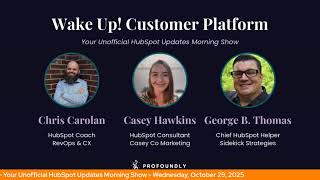
Chris Carolyn, Casey Hawkins, and George B. Thomas break down HubSpot's latest features, including dynamic AI email personalization that generates unique content per recipient using CRM data. They discuss measurement challenges when every email is different and what CRM data quality means now.
Chapters
Foreign. Wake Up Customer Platform. It's time to start the day. Discover all the value you already own. Don't let solutions slip away. Wake up, Customer Platform. The tools are at your hand. No need to sleep on capabilities that can help your business stand. The answer's right before your eyes. You just need to realize Wake up Customer Platform and watch your business rise. Wake up. Wake up. The platform's waiting for for you. Wake up. Wake up. See what your system can do.
Good morning, HubSpot Nation. It is time to Wake Up Customer Platform with your unofficial HubSpot updates morning show where we help you discover the platform value you already own. Chris I'm Chris Carolyn, joined by my co hosts Casey Hawkins and George B. Thomas. We're here every weekday morning to make sure you're not sleeping on HubSpot's true capabilities. If you're joining live, drop a hello in the comments and let us know what you're building in HubSpot today. Happy Wednesday, October 29th. Good to be wearing orange with you two. How are we doing?
Doing good, doing good.
Doing well. I remembered orange this week, so we're back on.
It's a good week. It's a good week that's happening.
How are you doing, Chris?
I'm doing good, doing good. Excited to dig into a couple of updates today. Also I was doing a a new bit with, with Rob Jones for his his show that airs on Thursdays regarding updates and as I ran through all the updates from last week, I just, you know, came in here, I put in the dates. I feel like I found some that were not talked about last week. So we might find some other nuggets. You guys can keep me honest when I interesting if I have a memory or something. But yeah, reading through it every day, it's, it's easy to remember, easier to remember. Like, yeah, I never, I never read that.
So I keep a list, Chris, so.
Oh, I know. So you'll be the, the historian. Yeah, like checking me. But today we've got Dynamic AI email personalization Private beta. What is it? Dynamic AI email enables hyper personalization in marketing email by using AI to automatically create unique personalized email copy for each individual recipient. Instead of sending the same generic email to your entire list, AI crafts personalized email body content tailored specifically to each contact at send time using the information stored on their contact records in your CRM.
Why does it matter? Today, email marketers struggle to unlock true potential of skilled personalization. With inboxes busier than ever, you need to focus, focus on sending the most relevant content to your customers. By leveraging AI the information in your HubSpot CRM, you can achieve true AI hyper personalization where every marketing email is tailored tailor made for each recipient, fostering stronger customer relationships and driving higher engagement. Every marketing email sent can now be crafted individually one to one for each each recipient.
This that's a lot of info and screenshots.
Yeah, we can always count on the marketing team for delivering there. I'll just go through the note first of all, who gets it? Marketing enterprise of course. Note each email can only contain one dynamic token. Dynamic tokens are currently only available in the email body and not, I'll add the word yet available in the subject line or preview text fields. Dynamic tokens will automatically avail of information set up in your brand identity as well as already having context on the rest of your marketing email. Admins can configure generative AI features in account management settings. Dynamic personalization requires the give users access to generative AI tools and features and CRM data toggles enabled. Dynamic personalization will return outputs in the language specified in the Setup tab inside the email editor. Tell me about the impact of this George. Like all the how many email metrics go out the window if you start. If you start doing this.
I mean, I don't know if I have an answer for you, Chris, to be honest with you. Like, I'm. I'm trying to maybe wrap my brain around how people. It'll be interesting to see if people use this. I'm sure they will and how they'll use it, to be honest with you. Listen, I'm kind of breaking my own brain. Like I've taught smart content in email for a long time and I've watched how hard it is for humans to grasp that and understand it. Like. Anyway, I'll stop there. I'm not sure. I don't know, Chris. I'm not sure.
The reason I ask it like that is that so many metrics. First of all, we've talked in the past about prospecting agent using that and it's personalizing all the subject lines like open rate metrics. No longer. You can't think of them in the same way. If everybody's getting a different subject line now if we apply that to the body like click through rates, this is where it starts to be very hard for me to find a transitional bridge that you can walk across to get there. Either you let AI and you start measuring AI as a whole, or you stay in full control over the variables. Because what we're looking at Here, adding a dynamic text token. A prompt that says Write a compelling 2 to 3 sentence. Opening paragraph. Encouraging token, first name to register for Inbound 2025. Address challenges someone in job title, role in industry would face. Like, and then there's. When there's no info, show this. And it's creating that dynamic text every time that changes the game.
Yeah, you almost like, it's a little bit of a rubrics, like you have to wrap your brain around like, well, how, how uncomfortable does a marketer get when they don't know what the actual. Like, you know what I'm saying right there?
Like, right. We're telling you that you're supposed to be the human in the loop checking the work. And I would imagine you're not gonna like, you can't check. There's a check here with the five up to five contacts. This is pretty awesome, by the way, to be able to see this. But when will we get to the point where it's like, okay, these five are good. That means I'm trusting the rest of the thousand. Right. And that comes back, brings us back to how good is your CRM data?
Yeah.
Right. But this is, this is how you get to the loop marketing, you know, world that HubSpot's describing. And we know our buyers want this kind of experience and personalization level. This is how you get there at scale. I think people will trust it sooner rather than later. But again, it's another spot where it's like, you have five examples. One's going to be awful. You're going to easily see, oh, that's because the data's bad. Let me go fix that real quick or I'm going to find it's probably debt, it's probably bad for like 80% of this list. And now I can't do it this way. So do I just revert to keep doing it the old way or do we actually solve our data problem?
I think, yeah.
She says, yeah, yeah.
So yeah, we should actually solve our data problem, I'm sure, is what you're doing.
I just, I mean, I'm immediately like, I don't know. I'm immediately like, this is. This sounds very cool, but I don't know a whole lot of Hubspots that have data to make this impactful. I just, I don't know a lot of them.
Interesting.
Yeah.
So I guess like from my, in my head, I'm like, okay, I'm gonna get, I'm gonna get emails about this and then I'm gonna have to like, explain.
You need a soundboard with one button for those calls.
Whoopsie.
Sorry.
Yeah.
All righty. Well, let's. Let's look at these data variables in other places at the CRM Improved organization and search for data variables in workflows Continuing to make this easier for us what is it? A newly organized data panel that makes it easier to find and use all the data from your CRM and workflows?
Why does it matter? Adding data variables to your workflow actions is essential for crafting tailored automated experiences. But with so much property and workflow run data available, locating exactly what you need can be time consuming. Also, the previous grouping by dropdown menus made popular options like associated record data hard to find. This made it seem like a lot of your CRM data simply wasn't available, limiting your customization options. In the newly organized data panel, your range of options are clearly presented up front, helping you discover all that's available. The new data organization helps you navigate in different types of variables while reducing clutter and overload. We've also dramatically improved the search experience. Instead of manually navigating through individual categories, you can quickly find any data variable from all your sources with one powerful unified search. You'll notice a similar update for actions that act on associated records. For example, when using a set marketing contact status action in a deal workflow, new defaults are automatically chosen for your for you to for the most common uses. While the process to choose custom logic for selecting related records is easier and faster, this update makes it easier than ever to build precise personalized workflows that drive real results.
Well, that was a journey.
I was nailing it for part of it and then I kind of lost. Got a little lost for at the end there.
It did good. My goodness.
Yeah, making easy like they do have to make it easier as easy as possible for us to access this data context that we're telling you like you got to get that right, but then when it's right, is it easy to use? And all these other tools workflows being one of the most important ones. So very cool to see them continually updating that experience. We also see round robin new ticket distribution option for help desk tickets that we've highlighted recently, and custom domains for checkout and payment links. I need to reach out to this team and unbox this thing specifically. This is a huge deal I think for anybody that's been considering payment links and just can't get past the gobbledygook URL that gets output and you ask a salesperson to give that thing that you literally cannot hide the fact that the URL does not represent your company. And it's very hard and understandable that you don't want to put that in front of someone you're asking to give you money as a way to transact your business. Be very hard for people to get on board with that.
So I wonder if that URL exists later today. Maybe. Maybe not. Gobblygook.com I need to know if that. If that's like a thing and if so, what's there? Maybe I don't want to know anyway.
Yeah, I could go several different ways, probably. So I'm gonna roll through this all tab because as I was rolling through yesterday with Rob, there was a couple that were like, I don't know that we talked about that. Creating product bundles is a big one that everybody needs to be paying attention to. I think.
We definitely talked about that one.
Yeah. Yep. See Rolling back, too. This is another beta that I should have. I forgot to click on. Right. Participant state management.
Yeah. Yeah, we did definitely talk about that one.
Because the top.
Oh, how about I do this? Like to. Actually, this is one of those. Publish workflow permission. Did we talk about that?
I believe so.
October 23rd.
This is a new.
That was a lifetime ago.
Publish. I think this is. They've been breaking down these permissions inside of workflow permissions.
You. I don't have it on my list for October 24th. We would have. If it came out on the 23rd. We would have covered it on the 24th, but we skipped the 23rd. Actually, that was last Thursday. So we had Friday. So we had a lot, but we didn't have that one.
Yeah. So what I'm going to be doing with Rob for that show is just going over updates from the previous week. So that is why I was even here in the first place. And there was one more that I feel like they're sneaky. Yeah. And we have known this. We've seen this in the past. Right. We also know that there's updates that happen inside the portal that don't even ever make it to this list.
Yeah.
So literally trying to.
Those are always fun when you're. When you're teaching and then all of a sudden there's something there that you're like, huh.
Well, I don't think. I don't know if I told you this, George, but on Monday, I was talking to Chris and Riley about lead scoring and there were a bunch of. Oh, yeah, we did mention this. There's a bunch of new lead things. You can lead score off of that. I didn't know.
God love it. That's. That's where I got the pop quiz of Social metrics. I think Chris wanted to throw my way. Chris loves to give me pop quizzes.
I tell you, I do, I do.
I'm just glad they go to you.
He's like, I know, I know. George spends his entire day sitting pondering HubSpot and looking at every nook and cranny. Let me give him the pop quizzes of the show. Like, yeah, that's what I feel like, Chris.
All right. I'm not sure if that's a good feeling or bad feeling, so we'll just keep going. Scheduled for release later this week and today, Variety mentioned yesterday we mentioned AI generated ticket language detection, custom domains for checkout and payment links is live today. Tomorrow we have Pathfinder in Customer Journey Analytics. Remember, you have to have data for for AI to find that path. If you're excited about that one, we have updated CRM association cards. Both of those dropping tomorrow and on Friday. Great lead scores with optional group limits and enriched email bounce detected. Sunset. Do you guys have anybody using this or have used this in the past?
I have not. I don't know if I knew about this sunset, though.
Yeah, I didn't know about this sunset, but I don't think I have a bunch of people using this either, which may be why it's getting sunset.
Yeah, I got really mad about a sunset a couple months ago, but. But I didn't know about this one.
Yeah, this is probably why it's getting sunset Data Enrichment customers. I don't know anybody out there who could confidently raise their hand as as one of those based on how much has changed since that data enrichment. And HubSpot has changed so much over the last year. Year and a half, two years. So that's it for today. Remember, folks, you probably already own the solution you're looking for in HubSpot, and it could be payment links. Sometimes you just need to wake up to it. Join us tomorrow morning live at 7:30am Central or catch us anytime on Spotify and Apple Music. Drop your biggest takeaway in the comments and let us know what capabilities you want to wake up to next. Until then, I'm Chris Carolyn.
I'm Casey Hawkins and I'm still George B. Thomas.
And this has been Wake up, Customer Platform. Now go build something amazing. Have a great day everybody.
Forever. Wake Up, Customer Platform. It's time to start the day. Discover all the value you already own. Don't let solutions slip away. Wake up customer platform. The tools are at your hand. No need to sleep on capabilities that can help your business stand the answer answers right before your eyes. You just need to realize Wake up customer platform and watch your business rise. Wake up. Wake up. The platform's waiting for you. Wake up. Wake up. Wake up. See what your system can do.










