HubSpot Updates 10/3/2025
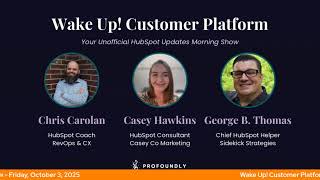
Chris Carolyn, Casey Hawkins, and George B. Thomas run through HubSpot's latest updates: Outlook contact sidebar, CRM activity timeline threading, AI-generated pop-up CTAs, Map View for contacts and companies, and expanded payment methods including SEPA and BACS.
Chapters
Foreign. Wake Up, Customer Platform. It's time to start the day. Discover all the value you already own. Don't let solutions slip away. Wake up, Customer Platform. The tools are at your hand. No need to sleep on capabilities that can help your business stand. The answer's right before your eyes. You just need to realize. Wake up, Customer platform And watch your business rise. Wake up. Wake up. The platform's waiting for you. Wake up. Wake up. See what your system can do.
Good morning, HubSpot Nation. It is time to Wake Up Customer Platform with your unofficial HubSpot Updates morning show where we help you discover the platform value you already own. I'm Chris Carolyn, joined by my co hosts Casey Hawkins and George B. Thomas. We are here every weekday morning to make sure you're not sleeping on HubSpot's true capabilities. If you're joining live, drop a hello in the comments and let us know at which point. Today you will be listening to Taylor Swift's new album. Oh, wow, that's. That's what we're talking. That's. We're here to talk about Taylor Swift updates, that is.
There are plenty today. So 50 updates.
Hang on, I've got to log into my Taylor website here and go to the updates.
Yeah.
I have a hard time logging in. This might not work. No, I'm just kidding.
Set up the two factor authentication. Anyway, how are we doing this Friday, October 3rd?
I'm doing great. I'll stop there because Casey, I probably is like bubbling over today.
Glad you could take time with us today, Casey, out of your Taylor Swift schedule.
My busy Taylor Swift schedule today. Yeah. Yeah. You guys are actually are pretty lucky that I was able to fit this in. I actually this is. Maybe I shouldn't say this publicly. I haven't finished the whole album yet because life. So you guys are really actually interrupting wow. Experience. And it feels like.
Gotta work on those priorities.
It feels like it should be a full. Like. Well, really what happened. What happened was I started it earlier but I feel like I need to listen to the whole album start to finish. And then we had to walk to the bus so I stopped and then I had to start over. So I've listened to like the first half of the album twice.
Get a specific SOP for listening to the new music.
I did buy this. I bought three versions of the album.
Wait, hold up.
At least in my lifetime there's only been one version of an album. Usually isn't there? Am I, am I insane right now?
All joking aside, has she figured it out or has she figured it out.
I am a person who has bought this CD three times and will I ever play the actual physical cd? Almost certainly no. Almost certainly no.
Yeah. Yeah.
That's marketing, ladies and gentlemen. We'll see you next week.
All right.
Marketing, branding, fandom, customer experience. I love how she actually comes up in a lot of customer experience, you know, case studies and books talking about customer experience. There's a reason that people are talking about her today, that's for sure. But we will make this show more.
About, more about HubSpot today, despite my best efforts.
And maybe if you have any questions about, you know, this new album or about HubSpot, you can, you can join us later today on the HubSpot helpline, where we will be, I think, creating some space to talk about the Loop marketing playbook a little bit today as that's on the minds of many lots of questions flying around about what does it mean? How does, how do we do it? So I know we'll be taking a few minutes on that today, but questions on any updates that we've been sharing or anything HubSpot related. This is a live show where we take, you know, we head over to Reddit. We, we just look for questions out there. Sometimes people call in and leave voicemails and we try to discuss them live on the show and do a little problem solving, you know, at the same time. So join us today at 2pm Central, 3pm Eastern for the helpline I have.
Between now and then to figure out every way I can tie Taylor Swift's new music into loop marketing. Drop song names.
There you go. You want to know, you want to see Loop marketing executed well? Just look at the Orange era.
Yeah.
Anyways, speaking of Orange error, improved contact sidebar in Outlook that speaks to some Orange era. What is it today? An updated contact sidebar Interface for the HubSpot sales Add in in Outlook that provides the same contact insights and triggers in a modernized panel.
Why does it matter? This update makes contact details easier to review and manage without disrupting your existing Outlook experience, helping you stay productive while accessing CRM data. Wish there was a screenshot here.
And inquiring minds want to know, does this make it so I don't have to log in three times a day when I'm in my Outlook experience. We'll see. Also might explain some of the recent experiences I've been hearing about. As far as this piece not working always very well inside of the Outlook instance, but we can, we can dream about the possible, you know, better experience related to Outlook and HubSpot working together. So look forward to seeing what that's about. And I got this. Just saw this new thing on the top. What is that?
Copy, link, copy, link to the updates. Okay, well that's fun. I need to tell my wife about that immediately since she's been copying and pasting links.
Yeah. Instead of doing this. Can you see this now?
Wow. Okay.
Oh my God.
That's the best update of the updates, right?
It. It copies it as one that like you can share it to any portal.
It's not one that's. Oh my God.
Oh my God. Oh my God.
Oh, it puts I in the URL.
Yeah.
Yeah.
He's gonna explode today.
Yep. Wow. That is. Oh my gosh. That's amazing. And that's not just for us. I know a lot of people, like anybody that helps people understand HubSpot even if they don't have a show. We're sharing stuff like that all the time. You gotta edit the.
Let me explain, Chris. Let me explain. Because many times in my life I will have to navigate to the portal to get the URL to give to the client that I'm trying. And now I can just go to my portal, copy the link and give it to the. Yeah. Anyway.
Wow. We could end the show right there. Honestly.
I'm saying. I'm saying that's the best.
Oh man. Good looking out product updates team. That's why you have a product manager over the product updates page. Oh man. Beautiful.
I'm speechless. I'm so excited.
We're gonna get through this as fast as we can. Just so we can see how much better the process after this is. Now generate CTAs with AI. What is it? You can now generate pop up CTAs using AI. Just write a short prompt describing what you need and HubSpot will take care of the rest.
Why does it matter? Creating CTA is no longer needs to be time consuming. With AI, you can describe the pop up CTA you want to add to your website and HubSpot will generate a version tailored to your needs.
Am I the only one seeing the word tailor everywhere now?
Unified tailored Taylor Orange album.
It's everywhere. It's very much. That might be the. The easiest word to. To throw in from loop marketing. If we start seeing if it was amplify and evolve everywhere, then we'll know. Then we'll know there's something up. Very cool. Update doesn't mean you can take yourself out of that loop. Please. So go ahead and double check those CTAs before you start publishing them everywhere. Replaceable Analyze tabs for Landing pages, Website pages, and Target accounts. What is it? You can now replace the default Analyze tab with a custom dashboard in the Pages Analyze tabs and the Target Accounts Analyze tab. Personalize your reporting view in those HubSpot tools.
Why does it matter? This change helps you tailor Analyze tab. Wait, that helps you tailor your analyzed stuff? I feel like they just actually oh my goodness.
Yeah, I just made the rest of this episode harder.
Yeah, my apologies. This change helps you tailor your Analyze tab to your specific needs, making insights more actionable and accessible in your workflow. You can contextualize data more effectively for your role or team, access relevant metrics faster, improving decision making and increase analytics adoption by customizing the view to your preferences.
Plenty of screenshots on this one. Marketing Hub, Professional and Enterprise Yep.
Very cool. Customizing the experiences all over the place.
Fair enough.
Curious if we end up with a Like the part that's hard to get to Unifying the business context not so easy to unify the process to leverage all that business context. Look forward to seeing if we come up with some best practices on how to use all these different screens that do all the different things for us like CRM Record Timeline Updates Number four Today what is it? We're rolling out an updated CRM Record Activity Timeline that combines a new modern look with powerful new filtering capabilities. To help you find what matters fast, there is a visual redesign including a threaded timeline layout. We refresh the timeline with a modern threaded layout where activities are visually connected. This makes it easier to follow the flow of engagements and understand the sequence of events at a glance. Enhanced Visual Signals A new icon system helps you quickly identify key activity types so you can scan your timeline faster without needing to read each entry. We've got new filtering features including a sticky header for easy access. The Activity Timeline header is now sticky so filters stay visible as you scroll down. This makes it easier to tweak your view without having to scroll back to the top. Assign to Filter Options Filter activities by me. Automatically scope to the current user or all deactivated and removed owners, making it easier to audit, reassign, or review activities connected to users no longer in your account. Are those the only two filter options? I'm curious. Okay, filter by Engagement properties. You can now filter activities by properties specific to each engagement type, like direction for emails, outcome for meetings and status or priority for tasks. This makes it easier to zero in on the interactions that matter most. And we've got smarter filtering for users or teams across tabs. You can now filter by user or team across all tabs, like calls, meetings, and notes, not just the Activity tab. When applied, you'll also see activity types that are not filterable by user or team while still filtering out unnecessary information.
Why does it matter? The Activity Timeline is one of the most frequently used surfaces in the CRM, and now it's faster, clearer and more powerful. You can see the full story at a glance. The threaded layout helps you follow conversations and engagement sequences with less cognitive load. Scan smarter, not harder Icons and visual hierarchy make it easier to spot key moments without digging. Get to what matters faster. New filtering options let you zoom in on specific types of activities, properties, or ownership, so you can spend less time searching and more time acting and support better team workflows. Whether you're reviewing handoffs, triaging tasks, or cleaning up old activities, these updates give you the context and control you need to work efficiently.
Have you been enjoying this, George?
I like some visual icons and I like some threaded conversations, without a doubt.
Yeah, it's been super clean, like.
Yep.
Really Breath of fresh air. Yes.
Quality of life for sure.
Yeah. Good to see them finding a happy medium too. Between like, how successful things like social media are able to thread so much and use visual cues and not changing the whole interface because when they introduced the new records that they were thinking about the new record design earlier in the year that was basically like a social media profile page. There's a lot of blowback about like, oh, we don't want HubSpot to be a social turn into a social thing, but there's a reason that social networks look like that and it's because we like things like this. So very cool to see them making progress like this. Much easier on the eyes. Help Desk Spam View filters what is it? We've added three new filters to the spam view in Help Desk. These filters make it easier to sort through, review and take action on spam. The new filters are channel, Account, channel, and contact.
Why does it matter? The spam view can get quickly cluttered, making it difficult to find and respond to real customer tickets. With these new filters, teams can pinpoint spam more efficiently and reduce time spent reviewing irrelevant tickets.
Yep.
The spam can get quickly cluttered, making it difficult to find and respond to real customer tickets. Why are the real customer tickets since.
And the spam are people reviewing the spam tickets to make sure they're not and so having the new filters makes it easier. I haven't. I have not spent a lot of time looking at the spam.
Yeah, me neither. Ticket yeah, there are people who have, but I I have not.
If you're out there enjoying this product update, would love to understand your use case and maybe help others understand it too. Map Visualization for CRM Index Pages. What is it? Map View allows you to visualize your contacts and companies on an interactive map, helping you uncover location based insights and make smarter decisions.
Why does it matter? Location data often lives in spreadsheets or requires exporting to external mapping tools, making it difficult to connect geographic patterns to your sales and marketing activities. Mapview solves this by bringing location context directly into your CRM workflow. You can use this with targeted outreach. Identify contacts near event locations and send targeted invitations. Territory optimizations Understand customer concentration patterns and identify coverage gaps. Regional analysis Filter and analyze data by geographic regions to uncover opportunities and trends. That last one actually is interesting and I have.
Yeah, if you haven't signed up for that beta, make sure you get it. Also that is a interesting who gets it? Chris Available for enterprise customers enrolled in the flexible CRM Views beta.
So you have to enroll in that one first and then this one or both I guess.
I don't know if it. Yeah. And you have to be enterprise. Yeah, enterprise. Yes. Yeah. And quick note here on all the people that struggle with parent child relationships with companies. If you've created a separate object. Oh, you manage locations or franchises or things with addresses on them. This is why you might want to think twice about doing that because that you're going to miss this. You're going to miss this update because it's designed for contacts and companies and not your custom object. So if you like help understanding how to use association labels to effectively associate companies and not use custom objects, drop me a message. I'd love to help. Decoupling headers and footers from templates in development November 12th that sounds nerdy looking statement at the front here. In development, not a promise or guarantee. What is it? We're developing new functionality that will decouple headers and footers from templates, allowing users to choose exactly which header or footer to display within a given theme at the page level. Oh wow.
Holy mackerel. The current. Why does this matter?
I'm just gonna throw that out there.
The current system of a template always having the same header can be an inconvenient experience as it prevents users from adapting their headers and foot to the needs of a specific page. It is very annoying.
Wow. Who it may apply to if released? If released, don't play with us.
That's a crazy thing to say.
It's the only time I've seen that part.
Yeah. Here's this juicy thing that you get excited about, but we might not build.
It, but expected November 12th. Okay. This functionality would be available to all users of our landing page. Landing and Website Page building tool. Oh, complete the form. No easy button here. I'll definitely be. To participate, you must be a user of the Elevate theme. Complete the form below if you'd like to be considered for the beta. Okay, Fair. In development, there are some conditions, but they are on the right track of trying to solve this problem.
Can I talk for a minute about why we're excited? For anyone that doesn't know.
Yeah, go for it.
So if you are not familiar with the Landing page header footer experience, the headers and footers are locked into your templates. Most common use cases I see are if you have more of a. What is it called, a squeeze page, which you don't want your full navigation on because maybe you're sending paid traffic there and you don't want them to have access to your whole website easily. You want them to see the form. You have to have an entirely different template than the rest of your website. And this causes some friction, especially if you're like converting a page from a website page into a more streamlined squeeze page format. But also maybe you're doing webinars or something like that. So we're excited because it is. It would be really nice to have some flexibility in how the headers and footers display on a page by page basis rather than getting locked in to a template and having to create a whole new template for each different structure you want.
Yeah, it doesn't jive with the rest of the tools in terms of. It takes quite a bit of not necessarily development, but time to clone things and make sure they're in the right places and the design manager and make sure they're named properly without having to rename them too much to where they can't talk to the main theme. To create the same kind of smart content experience that's on the rest of.
The page.
Which is what we're trying to do. We're trying to define if we are getting personal and tailoring our experiences.
Got it.
For every individual. Because we're executing loop marketing, we need this kind of. We need this kind of flexibility at the page. At the page level. So looking forward to that. If it releases new bank debit payment methods. Oh my God. All right, what is it? Customers using HubSpot Payments can now collect payment using local bank debit payment methods including sepa, bacs and pads. Everybody's favorite bank debit payment methods.
Wow. Yeah.
Why does it matter? Offering additional local bank debit options gives your buyers more choices so they can pay using their preferred payment method, helping you get paid quickly and easily. Love to see it.
This is another massive improvement.
Better because you see, you see like it's Canada uk, like it's just the global side of this is what's interesting.
Yeah. And this important, important addition here. Additionally, ACH bank debits are now available to Canada and UK customers on HubSpot payments. Been waiting for this for a while. So very excited to see this kind of flexibility shows up for HubSpot payments. Holding a lot of people back from adopting that part of the platform right now. No more. Last for today on the list, Deal Insights CRM card.
It goes straight into why does it matter live.
Yeah. Because if you don't know what it is by the name, welcome to HubSpot and your first day.
Deal Insight CRM cards matter because sales reps need actionable insights in the context of each deal. By analyzing transcripts alongside emails and notes, Deal Insights help teams spot risks earlier and with greater confidence, uncover buyer goals more accurately, find critical information faster, enable more effective outreach and coaching. Previously, Deal Insights were only available in the sales workspace. With this rollout, Insights meet reps where they spend most of their time inside deal records itself. So they always have the critical guidance at their fingertips. So that is really nice because yeah, it moves it just from the sales workspace.
Just one more bullet needed here. Helps teams sell more stuff. Yeah. And how does it work? Very interesting data sources. This is powerful stuff folks. Call transcripts for meeting recordings, emails, buy replies, objections or delays. Notes rep added context during or after interactions.
Chris, Chris, before you go any further, quick pop quiz. How many of those three things are structured data that you just listed?
Let me do the straight zero. Oh man. And the UI behavior. You have a default deal record view, a customized deal record view, there's a CRM preview sidebar, there's permissions and this example. Previously a risk like budget concerns might only surface from emails. Now if a buyer says we're cutting 30% from next quarter's budget on a call, you'll know right away. Assuming this is for the people who may not have been on that call to hear that, who gets it? Sales Hub Professional and Sales Hub Enterprise requirements. To view and act on Deal Insights, you must have an assigned Sales Hub seat so if you weren't on that call, you probably can't see this unfortunately. But we can use it to surface it in the rest of the system, we hope. But really primarily built for sales reps and sales managers. I've got one more sneaky one that I'm curious if George has seen that I stumbled upon today. E1 I'm gonna go into the editor of the CMS and they're doing some difference. Have you seen this ad section?
Oh yeah, yeah. A while. Yeah.
This thing.
Yeah, he said oh yeah.
Oh yeah, a while. How long?
I personally have seen it for at least like 30 days.
Okay.
Yeah.
All right. Not that long. Three weeks.
30 days. Yeah, yeah, it's. It's been a while because I noticed it was like. Although maybe it feels like 30 days. It might have been two weeks. I don't know. Within like the last two to four weeks I have been. Because I'm in CMS all the time.
Right.
Been relearning how to add sections instead of going to the plus sign and into sections. Now it's literally just like in the actual editor piece. I love this piece, by the way.
Yeah, yeah.
What I haven't seen, Chris, is over on your left hand side of your screen, the little brush tool. So that's interesting. I don't think I've seen that yet. Over on the side where you can just get to the global.
Yeah.
Settings instead of going edit and then theme settings. So that's.
And this is why we're here every day folks, because this is definitely an update that we have like has been listed on the updates page. This section one definitely. I don't remember talking about that. So hopefully that might help some that are always in cms. I know when I saw that this morning I got really excited and then understood I had to rethink the way that I have used it. Yes, do that thing. But yeah, always, always adding more and doing more with the HubSpot platform. We appreciate the product team so much as they continue to just do some really awesome things all over this massive platform. Remember folks, you probably already own the solution you're looking for in HubSpot. And if you're not sure, join us later today on the HubSpot helpline and we can help you wake up to it. Join us Monday morning at 7:30am Central or catch us anytime on Spotify and Apple Music. Drop your biggest takeaway in the comments and let us know what capabilities you want to wake up to next. Until then, I'm Chris. Carolyn.
I'm Casey Hawkins.
And I am still George V. Thomas.
And this has been Wake up, customer Platform. Now go build something amazing. Have a great day, everybody.
Wake up, customer platform? It's time to start the day? Discover all the value you already own? Don't let solutions slip away. Wake up, customer Platform. The tools are at your hand? No need to sleep on capabilities that can help your business stand? The answer's right before your eyes? You just need to realize? Wake up, customer Platform. And watch your business rise. Wake up. Wake up. The platform's waiting for you. Wake up. Wake up. See what your system can do?










