HubSpot Updates 10/30/2025
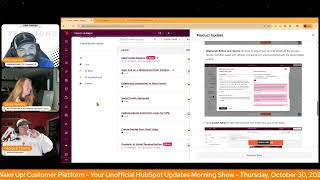
Chris Carolyn, Casey Hawkins, and George B. Thomas break down HubSpot's latest product updates. Smart Data Capture enters private beta, a new Databricks connector arrives, and Dynamic AI Email Personalization lets you auto-tailor messages to each contact.
Chapters
Wake up, Customer platform. It's time to start the day. Discover all the value you already own. Don't let solutions slip away way. Wake up, customer platform. The tools are at your hand. No need to sleep on capabilities that can help your business stand. The answer's right before your eyes. You just need to realize Wake up, customer platform. And watch your business rise. Wake up. Wake up. The platform's waiting for you. Wake up. Wake up. See what your system can do.
Good morning, HubSpot Nation. It is time to Wake up Customer platform with your unofficial HubSpot updates morning show where we help you discover the platform value you already own. Chris, Carolyn, joined by my co host, Casey Hawkins and George B. Thomas. We're here every weekday morning to make sure you're not sleeping on HubSpot's true capabilities. If you're joining live, drop a hello in the comments and let us know what you're building in HubSpot today. Happy Thursday, October 30, 2025. How are we doing?
Doing well. I'm part of the. I'm doing the AI bootcamp and that was yesterday. I was thinking about like, when you said, what are you building today? I actually have a block of time without meetings today, which is very exciting. And I'm super behind in my bootcamp homework. So.
So listening, Casey, who up until this point may have been on the edge or the beginning of AI is the AI Boot Camp. Like, give us a rating 1 to 10 so far. Like, how? What? Well, first of all, how far are you into it? And then give us a rating of like, usefulness for you and what you're doing.
And this is HubSpot's AI Boot Camp.
AI Boot Camp.
It.
We are in week five. It's run by Connor Ryan and Nico Ryan Gunn. What's Nico's last name? I know. Oh, my God.
This is Nicola Fakis.
Thank you.
Connor. And Connor Jeffers.
And Connor Jeffers.
So just three straight up, three ballers right there. Okay.
All of this to say, I mean, I can't not rate this a 10 out of 10, but it has been really good.
Like, and you need to do AI. That's a place to go.
Yeah. I've been doing like a weekly series with my friend Tricia. We're not AI experts, so we've been exploring some of the AI tools in HubSpot and this bootcamp feels very parallel to that where we're introducing a lot of the tools in HubSpot. Just this week we talked about service hubs, AI tools which are super powerful but one thing I kept hearing during the bootcamp was like, no one's using Service Hub. So like there are all these really powerful tools, but if your team is in a different platform then you don't have. If your service team's in another platform, then you're not using a lot of those, leveraging a lot of those tools. With that being said, I think that's why it's important to talk about the Service Hub tools and the AI tools and what makes them really powerful and what makes them really powerful in combination with whether you already have marketing and or sales Hub, like in combination, they work really well together.
Nice. Nice. By the way, I'm doing fine. Chris, how are you?
Doing good, Doing good. Let's dive in and move on. Smart Data Capture in private beta. What is it? Smart Data Capture uses AI to identify and suggest property updates based on call and meeting transcripts. HubSpot scans transcripts and proposes relevant property updates that you can review and approve.
Oh man, why does this matter? Sales teams spend valuable selling time updating CRM records after calls. Smart Data Capture automates this follow up work by extracting key insights from transcripts and suggesting property updates so you can keep your CRM accurate without manual data entry.
So one, I like that. This is what, what I think I'm hearing here is I've got a set of properties. Somebody says something in a conversation. HubSpot says, hey, you've got a place to store that. Which is beautiful by the way. Where my brain goes is, is there a world very soon where I get on a call, there's a transcript of the call and HubSpot says, hey, you might want to create a property to store this because over your last 10 calls it's come up over and over again. Like, do we get to a place where HubSpot can help us with the. Chris, I'll use words that I know you love the data model, but in like a proactive way versus a retroactive way of something we set up. Anyway, love this update though.
I think, I think we do. But I think there's also a world close by where it's just like breeze. Hey, George, do you want me to start keeping track of that for you? Just like put it up. I'll make a slot in my memory bank and yeah, I'll remember to flag that next time. I think we're getting there. I do want to dig like this. How to is really important. How does it work? Because I have been testing this a little bit and ran into some challenges right away. Yeah. How does it work? HubSpot automatically scans call and meeting transcripts across your account and matches insights to relevant CRM properties on the primary deal associated with each call.
Come on.
Suggested updates appear directly on the CRM record page and you receive notifications when updates are ready for review. You can accept suggestions immediately or review them later. Each property update recommendation includes citations that link back to the specific transcript content. This was awesome to find. Yeah, I love that.
Yeah.
Giving you context and confidence in the suggested changes. So as you can imagine, if an irrelevant call happens to be associated to the deal, you might get irrelevant suggestions.
And I went. My brain went a totally different direction. So yes, by the way, I still love this update. Oh yeah, but what if you're like Chris and you're an orders guy, not a deals guy? What if you're like me and you just wish it worked on other objects and it didn't necessarily have to be associated to a deal? Because not all conversations equal sales, not all conversations equal revenue. But there are still some relational data points that you might want to keep. Like, anyway, that might be the future. I'm just saying this is another example of the sales, sales, sales, deal, deal, sales. And like, let's get the broader picture going here. Yeah, I'm not complaining, I'm just talking.
I think this is another baby steps moment for sure. And also this is going to use up a lot of, a lot of tokens as it, as it gets up and running. So even here they've been focused on making sure that people are, that are part of the beta are actually using it and not just letting it run in the background. And one cool thing I liked that I, I shared is they're making use of the left panel on the record to be the place where you see these changes. So you see the smart data capture card over here and I kind of like it because I've been, you know, struggling not to focus just on the middle of the record and just putting everything there and curating that real nice. So I think these kinds of things as AI starts to help. I liked it on the left side of the record here. So yeah, very cool update. These are definitely the kinds of things that teams will appreciate the help with. But again, if the data isn't clean, if your data model is not associating the right things at the right time.
If you're not doing that, if you're not syncing meeting transcripts or comments, which is my biggest.
I've been, I've been loving Google Meet, by the way. Like Bringing that stuff in, it's. It's pretty good. Moving on Number two today Apps tab on a redesign Data Integration Home what is it? The Data Integration Home now includes a new Apps tab alongside the existing Files tab, plus a Data Studio Syncs tab that shows syncs from Data Studio. This update is part of the Data Studio beta. In order to gain access to this redesigned home, you need to join the Data Studio beta.
Why does it matter? You can now see all your data sources in one place. Instead of navigating between multiple interfaces to understand what's connected to your HubSpot account, the new Apps tab shows you the status of your integration, tracks new and updated records, and helps you quickly identify potential issues. This makes it easier to manage data flow, ensure integrations work correctly, and address problems before they impact your CRM data. For new admins Joining an active HubSpot account, it provides a clear overview of which integrations are feeding data to your sales reps.
Everybody gets a home now. Very cool. Just checking it out in the demo portal. I mean this is one of the places I was hopeful that AI would just make it easier to understand the scale of what's happening in most HubSpot portals. That's really hard to keep up with as an admin, especially as you go to connectivity and extensibility. Right. Like it's really hard to wrap your arms around and good to see them helping us out with that. It is live, but that is live within the Data Studio beta. So check that out if you've got apps and I'm pretty sure that you do.
So yeah, I don't know one HubSpot user I've helped that doesn't have apps in place.
Number three today Databricks connection to Data Studio Medium impact It is live. What is it? A native Databricks to Data Studio connector that lets you bring databricks tables into Data Studio and activate that data across HubSpot. For example, sync to the CRM, build segments, powerful power workflows and run reports.
Why does it matter? It removes a major blocker for data mature customers who use databricks as their data lakehouse or warehouse. So you can combine product usage and marketing data for richer analytics and more precise activation, better lead scoring, personalization and end to end journey analysis without manual CSV exports. It also helps enterprise teams get more value from HubSpot as their activation layer. I'm not using databricks so I can't say I have like.
Yeah, yep, a.
Personal use case here. I've never heard of something called a Data lakehouse before.
Yeah, I. I've heard data lakes, not necessarily like houses. I have heard of data warehouses.
Yeah, I've heard of data warehouses. Lake house makes it sound like it's like the vacation home.
Yeah, I've heard of the. Just like you guys. I've heard of the two separately. Lake house is where I go on vacation. Yeah, I feel like data when I'm at the lake house.
It makes me laugh to think that, like, the data just went on a little vacation and now it's like back in the HubSpot to get back to work, you know, it needs a break. The data's doing a lot of work.
Yeah, the data's working hard, ladies and gentlemen.
Yeah, it is. I feel like AI might have been involved in putting the words lake and house together here maybe, but yeah, I know a lot of people are excited when we talk about unifying business context without having to build out an entire architecture inside of HubSpot just to get the structured data right and call things the same. All the things that have gotten in the way of integration, properly integrating systems in the past, they usually, you know, have to use these data lakes or warehouses outside of any of their systems to bring all the data into and transform it and then send it back into the places. HubSpot's helping you do that right inside of HubSpot now. So it's. It's a big deal. Very cool. Available at the enterprise level. Number four, We've got social media approvals. What is it? Social Approvals introduces a streamlined workflow within the social publishing tool, enabling users to formally request and manage approvals for their social media content before it goes live. You can now ensure brand consistency and content quality by incorporating an approval step directly into your social media publishing process.
Why does it matter? Social approvals help marketing teams ensure social media content is high quality, consistent with the brand, and reviewed efficiently before publishing. Problem solved. It addresses the lack of a streamlined workflow for reviewing and commenting on and approving social posts, which can lead to brand risk, communication errors and wasted time. Using ad hoc methods, marketing managers gain visibility into the content pipeline while team members get clear guidance on the approval process.
Who gets it? Marketing hub enterprise. Number 5 updated quote expiration logic for CPQ what is it? Previously, CPQ quotes expired once the expiration date passed. Man, what a novel idea. Regardless of whether buyers had already signed, this often caused issues when payments or counter signatures weren't completed in time, forcing quotes to be recalled and resent. Now, CPQ quotes will only expire if the buyer has not signed by the expiration date. Once all buyers sign, the quote remains active for payment setup and counter signature without any time limit.
Why does it matter? This update removes unnecessary delays and rework. Buyers can sign before the deadline and complete payment later, while you can countersign without worrying about expirations. The result? A smoother, faster and more reliable quote to payment process for everyone.
I like it. I like this update a lot.
That is nice.
Those are one of the frictionful things that keeps people away from these tools. So glad they solved for that. About this one this number six here Create Quotes from Deal Index It Looks Cool is Live what is it? Commerce, Professional and enterprise users can now view Quote Status and Create quotes directly from the Deal Index table view in the CRM. This enhancement enables you to check the current status of each quote and quickly create new quotes via the Deal to Quote column and get this little association arrow there. So the way you're used to seeing associations in the index screen, that's where you're going to be able to create new quotes.
Why does it matter? Sales reps and sales admins rely on Deal Index Table to track pipeline and prioritize deals. By surfacing Quote status and quick quote creation, you can get a comprehensive picture of where each deal stands, identify which deals need quoting action, and spend your time more effectively on deals that are progressing.
And I was curious what this looked like so just pulled this up. Okay, so if you have a Deal to quote column and there aren't any quotes there, it's showing this Create Quote button.
Nice.
Let me tell you, I love that precedent being set there for lots of other situations in the portal. Very cool man.
I agree.
Index, the Index Pay the Index Spot and HubSpot.
It's becoming powerful.
What a powerhouse. Again, you do need the new commerce seats at professional or enterprise to be able to do that, but thank you to that team for making that a lot easier. Last one on the list today we touched on yesterday and I'm going to make a formal request to dig into it tomorrow on the HubSpot helpline, which is 3pm Eastern, 2pm Central on Fridays on LinkedIn Live. Dynamic AI Email Personalization what is it? Dynamic AI Email enables hyper personalization and marketing email by using AI to automatically create unique personalized email copy for each individual recipient. Instead of sending the same generic email to your entire list, AI crafts personalized email body content tailored specifically to each contact at send time using the information stored on their contact records in your CRM.
Why does it matter? Today, email marketers Struggle to unlock the true potential of scaled personalization. With inboxes busier than ever, you need to focus on sending the most relevant content to your customers. By leveraging AI and the information in your HubSpot CRM, you can achieve true AI hyper personalization where every marketing email is tailor made for each recipient, fostering stronger relationships and driving higher engagement. Each marketing email sent can now be crafted individually, one to one for each recipient. This one out. I mean I'm excited to get the request approved for this beta.
Yes. And I'm halfway through the episode this week. George, your part two on Express.
Oh, the Hub Heroes podcast. Thank you for being a listener.
Yes. And I was thinking about this use case the whole first, like the whole first half I was listening to. You need to let people express themselves to you if you're going to send them emails at this kind of personalization level.
Well, if you're going to do that, then you have to layer in. You have to be able to express themselves because this right here is tailor. This is tailoring the message based on the fact that Express is ready and handled and understood. That's, that's what we're looking at.
Yes. I'm also going to be talking about this with, with Joshua Oaks later today. A big part of the let's build you'd audience series that we've done and now gonna be moving into the value path is if you don't, if you don't know these things about the people that are in your HubSpot portal, you will not be able to tailor the message. So are you giving them opportunities to express themselves to you and your company? And whether they're a fit or all the information that we're trying to use to tailor, if we don't have it, we cannot tailor correct. So I think that's the other side of the Express coin. Maybe not 100% focused on us and what we do, but also giving customers and our target audience an opportunity to express themselves to us. So I'm sure we'll have a healthy, healthy conversation.
Oh my goodness, tomorrow.
And that's what we'll wrap for today though. Remember folks, you probably already own the solution you're looking for in HubSpot. Sometimes you just need to wake up to it. Join us tomorrow morning live at 7:30am Central or catch us anytime on Spotify and Apple Music. Drop your biggest takeaway in the comments and let us know what capabilities you want to wake up to next. Until then, I'm Chris Carolyn.
I'm Casey Hawkins and I'M George B.
Thomas, and this has been. Wake up, Customer Platform. Now go build something amazing. Have a great day, everybody.
What? Wake up, customer Platform? It's time to start the day? Discover all the value you already own? Don't let solutions slip away? Wake up, customer Platform? The tools are at your hand? No need to sleep on capabilities that can help your business stand? The answer's right before your eyes? You just need to realize? Wake up, customer Platform? And watch your business rise? Wake up, Wake up? The platform's waiting for you? Wake up. Wake up. See what your system can do?










