HubSpot Updates? 10/8/2025
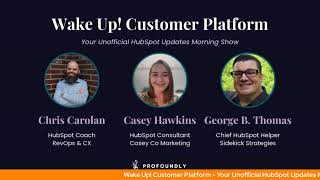
George B. Thomas, Chris Carolyn, and Casey Hawkins walk through HubSpot's latest updates, including CRM tools, social media integration, and an email editor redesign.
Chapters
Foreign.
Wake up, Customer Platform. It's time to start the day. Discover all the value you already own. Don't let solutions slip away. Wake up, customer platform. The tools are at your hand. No need to sleep on capabilities that can help your business stand. The answer's right before your eyes. You just need to realize. Wake up, Customer platform. And watch your business rise. Wake up. Wake up. The platform's waiting for you. Wake up. Wake up. See what your system can do.
Good morning, HubSpot Nation. It is time to Wake Up, Customer Platform with your unofficial HubSpot updates morning show where we help you discover the platform value you already own. I'm Chris Carolyn, joined by my co hosts Casey Hawkins and George B. Thomas. We're here every weekday morning to make sure you're not sleeping on HubSpot's true capabilities. If you're joining live, drop a hello in the comments and let us know what you're building in HubSpot today. Happy Wednesday, October 8, 2025. Good to see everybody in orange.
Yes.
Yes. I'm so glad you asked. This is a new cardigan. It is the Taylor Swift orange cardigan.
Oh, wow.
I've been waiting.
You know, I thought about. So excited, like, leading with, like, trying to force more T. Swift conversation. Good to know I did not have to do that.
So don't worry.
What's the estimated date of expiration around these conversations?
It's the Orange Arrow, bro. The Orange era. Okay, Okay. I don't know how long Taylor Swift eras last normally.
Oftentimes two years, so.
So there you go.
So I will say this. I had already purchased two Taylor Swift albums. Famously, I have purchased three of these albums. I purchased two, and then a version came out that came with this orange cardigan, and I said, I have to have it.
Oh.
I said, wow.
Yeah.
One of the best studies around for anybody interested in business growth and creating raving fans.
Yeah, it's exhausting. Inexpensive.
But worth it.
Order your orange hoodie today. From George B. Thomas at. Chris at. No, I'm just kidding. I was just kidding.
Oh, man. Next year. Yeah, man.
There we go. There we go.
A little more loyalty. We need to see a little more loyalty with the audience and then we'll start selling merch. Merchandising? Is that what that's called? Yeah.
Does Hump Heroes have any merch, George?
Well, Hub Heroes has the hats, but.
Yeah, we got some. We got some hats.
I got back from Inbound and one of my team members asked me, when are you going to make some Sidekick Strategies hats? So Those might be coming too along.
We'll see. Stay tuned.
We don't even have a logo, so.
And if you like mapping in your CRM, stay tuned to HubSpot because we've got this Map visualization for CRM index pages in a private beta. Wow. This, this is super powerful in terms of. It provides a map view that allows you to visualize your contacts and your companies on an interactive map, helping you uncover location based insights and make smarter decisions.
Why does it matter? Location data often lives in spreadsheets or requires exporting to external mapping tools, making it difficult to connect geographic patterns to your sales and marketing activities. Map View solves this by bringing location context directly into your CRM workflow. Targeted account outreach. Identify contacts near event locations and send targeted invitations. Territory optimizations. Understand customer concentration patterns and identify coverage gaps. Regional analysis. Filter and analyze data by geographic region to uncover opportunities and trends.
This is huge.
I have so many ideas.
Pop quiz. Pop quiz.
Oh God, Casey, we love this.
What do we need or what does HubSpot need to put a pin on the map?
The location data.
Yes. An address.
So I'm curious, is it, is it gonna do well? Yeah, because I guess it couldn't do ip. Yeah, yeah, yeah. It's gonna need the address.
Yeah. Good question, George. Which properties is it using? I think was the question you're asking there.
Well, I wondered how much I would be able to hack it. Right. But they can't get down to street.
Level if you're right.
IP.
So HubSpot uses the default address properties on your records to place them on the map with city, state or zip code level precision. So that answers the street level question. Not there. But guess what? It doesn't use your custom properties that have this information in it because you've been integrating with QuickBooks or some other system and that's actually how you manage your addresses. Like I'm pretty excited where I'm getting. I've been working on this with Ryan Ginsberg a lot, trying to solve the challenge of parent child relationships. Related company records like this is one of the reasons that we must solve for this like in a better way when everybody's doing it differently and we're letting the external systems decide how we do it. In HubSpot, we don't get to enjoy stuff like this. Right. And don't blame the team. Like there's no way they can develop for all these other systems and processes and all that stuff. Right?
When you say the team, you mean HubSpot, right?
Yeah, yeah, yeah.
Right.
So this Stuff like this is going to continue to force us back into the CRM that is HubSpot to to just manage address related things. You know better. So excited to see that from the team. Number two Today we've got some sales workspace updates. It's live. What is it? We've updated the sales workspace to integrate more seamlessly with the Smart CRM, making it easier for sales reps to move between systems and focus on high impact activities. Portals on the current version will keep their existing experience. How many different words can we use to describe the same kind of thing? Like one sentence?
My goodness, why does it matter? Customers told us that they loved the AI insights in the workspace but needed their CRM views to get work done. Instead of having overlapping experiences, we've rebuilt the workspace to complement the Smart CRM. This creates a more unified experience where the workspace serves as your command center that launches you directly into the right CRM tools. This was kind of intense.
Kind of intense?
I don't know. A command center launching you into the right tools. I don't know, it just felt very.
Oh man, we love our sales updates, don't we? But yeah, this is like we know something's not right. Especially when we understand the crafted not cobbled philosophy when we're talking about sales reps moving between systems inside of HubSpot. That's not the original plan folks. If we're doing that, if it feels like that we're not doing something right. I've started a new series with Zach Hushen, another profoundly pro. This is a shocking is focused on the revenue like team, the people that are using these tools and we're going to get into sales workspace and how to set that up in HubSpot and so catch us on Wednesdays 3pm Central. Excited for episode three today with Zach super super cool dude number three today breeze social Post Agent what is it? Social Post Agent is an AI powered assistant that helps you generate and publish social media posts faster and on brand it built it's built directly into HubSpot and turns key dates, events and moments into polished brand aligned content across LinkedIn, X Instagram and more. By the way on the hug yesterday they did mention that they are working on TikTok as a as another one to add to the list here and a lot of people will be happy with that. All you need to do is press run agent and this will create posts for all calendar events in the next month for you. This agent delivers post ideas, drafts and scheduling recommendations tailored to your company all in one workflow. Of course, if you've filled out your company's tone and voice into brand settings and AI sources, do that. This is our new and improved version of what was called the Social Agent. Here's what's new. Each event has three post ideas created. This helps get new angles for each topic. We've heard from customers like you that this helps get over the blank slate. Problem number two, we've got post suggestions now much more on brand and specific to your company and location. There's a. There's that word again. Oh, number three, we've got updates to the UI to make it much more friendly and quicker for you to edit your draft. Number four. You can now edit your social identity through the Train your social AI button to sound like you. The agent will remember your preferences for hashtags, tones, language structures. For every future run, you can upload any brand documents and see the post sound just like you. We recommend setting this up before you run the agent and we've got book number two here coming from Casey Why does it matter?
If you're like most B2B marketers, social media creation is one of your most frequent and most time consuming tasks. Yet it often starts from scratch across disconnected tools with the pressure to be creative on brand and on time. Social Post Agent changes that. This agent helps you turn calendar events into publish ready social posts fast. Whether it's an upcoming event, holiday or cultural moment, the agent surfaces three curated post ideas or angles, each aligned with your audience, industry and marketing goals. You'll never start from a blank page again. Better yet, the content is personalized to your brand's voice using Social Media Identity, a set of preferences you define once and refine over time. Evolve. You can tell the agent how you sound, choose your tone, define your preferred hashtags, keywords and topics, set your do's and don'ts for voice and messaging. Example, use all lowercase for Instagram posts. This means that every social every post the agent creates will sound like it came directly from your team. Ready to engage, resonate and convert. Social Post Agent doesn't just save time, it inspires better content, strengthens your brand voice, and fits seamlessly into your publishing workflow.
Go ahead, Casey.
Is this is still in beta, right?
Yeah.
Yeah.
So still free.
So still free. That's exactly what I was going to say.
I don't Do I want to do this?
Yes, you do. Let's battle.
I don't love the term social identity. My identity is way more important than some social settings we may have Gone a little grandiose on that. Like, can I set some settings that help it feel more personalized to the platform instead of it just being the same post on all three or four that I'm posting to? Yes. But just, just do your boy a favor. Be careful with the term social identity.
Yeah.
Anyway, I, I love everything that we walk through here. I love the screenshots. I love that you can do this. That's playing quite closely with the human side of things for me.
And in by Friday when we're on the helpline, we'll come up with a different word. Yeah, you can use because I'm with you. Like, and unfortunately a lot of teams think about it like this, which is why it's. We don't want to necessarily encourage it. Yeah. We don't want you showing up differently as a different kind of human than you are outside of social. Right.
There's, you know, there's a power, especially in the world we live right now with authenticity, with self awareness, with being able to show up as a whole ass human.
Indeed.
These things are tied to identity on my Facebook, my LinkedIn and my Twitter are not. Okay.
Is it different though? And I'm not saying it is, but for the three of us, like, we are our brands. But if you're brand, like Pandora's box.
Yeah.
8:51. Anyone have a night? 9:00am oh boy. But so like I, I don't know why Duolingo came to mind, but they're known for having like a pretty fun and personable social presence.
Social identity, human that works at Duolingo. And you are not fun. You probably shouldn't work there because I gotta imagine that the culture hopefully follows the brand. Because when I say authenticity, when I say say self awareness, I could also put the third thing as a whole ass organization. Ladies and gentlemen, the lines are not.
Yeah, man, this is deep conversation for sure. On another note, I was pleasantly surprised yesterday when I showed up to the Content Hub hug. That was yesterday, the admin tug. The content Hub team was there and they were showing off social tools. I was not expecting that and it was awesome. And because one of my beefs with Inbound this year is that like you introduce this framework loop marketing, what we just described here, like breeze social post agent. It will be like for the companies doing this the best they will be using tools like this, like guaranteed. Right. And like all we heard about at Inbound was everything but the social tools. So I was happy to see it on the hug yesterday because there's some really powerful stuff happening in the social part of the HubSpot platform right now and most people have no idea. Yeah, right.
Yeah.
Zero. So get in there. It's powerful. Check it out. That kind of calendaring makes me want to dive more into the Marketing Studio and start setting updates and. And all this stuff. I got halfway into the podcast today, George.
I gotta. I gotta get it live on. On the site because we have a video version too.
Yeah, that was.
I've got to get it on YouTube. I've got to get it on the site Marketing Studio, y'.
All. Anyway, good morning, Paul.
Welcome, Paul.
Good to see you.
Good morning.
We're halfway through. Let's keep it going. Not even Automation Overview Redesign. We mentioned this yesterday. What is it? After hearing your feedback, we've redesigned the Automation overview page. This refreshed page is simpler, cleaner, and easier to navigate.
Why does it matter? The new design helps you quickly see what's most important, including recommended next steps, performance, insights and apps to connect. All without feeling cluttered or overwhelming.
There was a piece of me hoping that the only update that was made was removing the end of that sentence.
Sure.
Next time. Next time. Good.
Can listen to our thoughts yesterday on it. We talked too much about social.
If you're an automation super user, you're probably loving the hell out of that. Like all in one place, right?
Yeah.
So we kid because we care. Next up, redesigned email editor.
Oh, Chris has been excited about this is live.
What is it? A redesigned email creation experience that transforms HubSpot's email editor into an intuitive, streamlined tool. This updated editor replaces the current interface with a contemporary design, making email creation in HubSpot easier and faster than before. Wow.
My goodness.
Why does it matter? You need an email editor where you can easily create and send effective, delightful messages. Email was one of HubSpot's first editors and has had many advancements and features added to the tool over the years. However, it has. This has resulted in the editor becoming clunky, unintuitive, and difficult to onboard over time. The redesign of the email editor provides you with a seamless, intuitive and modern editing experience, giving you everything you need to design professional emails and significantly reduce the time to create and send each campaign.
Oh yeah, this is a beta that you got to turn on. Okay. Okay. Because I didn't see that tab.
Did we talk live? It says it's live over here.
Yeah, I went to my pool.
Sometimes this happens.
But the Release is expected November 3rd.
So I definitely haven't.
It's. I. I have not obviously turned the beta on. So help us out. Let me fix that.
Because they. A couple months ago, they moved some of the tools from the left hand side to the top.
Yeah. Or no, they redid the top half. That's it.
They've done a lot.
They've hit this moment. We're like, all right, pencils down, everybody. Well.
Well, that's the thing. The reason I kept saying wow, the reason I kept saying wow was because, like, I thought they had already done a good job to get where we were. And then maybe this happened during inbound, the day I missed or something, because I don't know what. I. I just signed up for the beta, by the way, because unlike Chris, I do love me some email and I want to see the new experience.
So I. I've been signed up. I don't know what you're talking about.
What?
I've been signed up for the beta.
And Chris prefers not to opt into email betas just out of principle. So the fact that he opted into this one is.
Yeah, I can't. High impact, folks. This is marketing email. Not all emails.
Yeah, marketing, Marketing.
Then we've got flexible CRM views.
Yeah.
Our favorite weekly update at this point. Daily Updates as of October 7, 2025. All right.
Yeah.
Love these notes.
Thank you.
New table display settings provide a single place to configure how CRM tables look and behave with quick adjustments for data density, pagination and visual styling. In the toolbar, click the gear icon to open the display settings panel. From there, you can adjust the following options. Data density, choose default, Compact or comfortable views to control row spacing. Visual customization, select pagination style and enable zebra striping. Wow. To improve table readability, your settings apply immediately and persist for your user account. And just a quick shout out here of the HubSpot village working together. I was prepared just in case this was not on the updates list. Adam Foster posting it earlier this morning. This is awesome.
Hold up, hold up. I don't. Was I muted for all those wows?
No, you were there for it.
I. I opened this up and immediately I saw zebra striping. That was the wow. Like, I was like, oh, my God, the fact that I now don't have to change that stupid Little Pagination to 100 every time I come in my gosh darn portal, because I do. Every single time. And the amount of time that I've spent in the orange pillar of time in my life when I talk to Jesus is going to be like, yeah, half of it was changing it to 100. Now I don't have to do that. And then there's this setting that is comfortable, the row height. So, dude, I turned on comfortable and zebra striping, and it's like I'm in a whole new damn software. Like, O M G. It's amazing. Thank you, HubSpot.
All right. I can't.
Yeah, pull it up, pull it up.
Can't resist. At this point, just don't go to.
Contacts because, you know. Because then you'll show emails and stuff. But.
Well, this is the settings here.
It's right. It's right there. Table view and right to the right of setting. Yeah, yeah, hit that. Now hit zebra striping and then hit comfortable. And it's like, hallelujah, Hallelujah. Hallelujah. Oh, my God. Yeah.
See, I'm the opposite. I probably want. I probably want this.
I'll rock. Oh, no, no, no, no.
Let's get it in. Let's get it all in.
I. I'm with you because I. But I. No, I'm constantly on client calls and they're like, casey, could you please zoom in? And I'm like, true, true.
Well, let's just give. Let's just give it a moment. Just soak it. Soak this in, folks. What's happening here? When I click this button, like, zebra striping.
Oh, my God, you guys are killing me. As a designer, the white space in comfortable makes it mere mortal. Humans are going to be able to visualize and enjoy the data better with more white space around it. Like, talk about iconography in the activity feed like this and white space around the data that you're trying to see. Like, okay, I know you say you're not going to do this right now, but in one week's time. Actually, no, I'll be on vacation. After I get back from vacation, I'm going to come back and ask both of you. All right, so how long did it take before you stuck to comfortable? I. I beg you to rock it out for like two days and then turn it off and see what your brain does. I beg you.
I bet for you, you might know George, I think a little bit differently.
I think George took our human card today. He said, no lunch receiver.
That surprised me. You saying George, I think a little bit different does not surprise me, brother. I have hung out with you. We have eaten Cheesecake Factory together. I know, I know.
And I'd rather Not page through 20 pages of menu and just let's. Let's get it all done on. On one. One page.
Yeah, because you can set it to 100 so you won't have to anyway. All right, moving on.
Anywho, I think that's a great signal though for like as they bring us these new. Right. Table, board, report, map, calendar, these settings like this. Just this functionality within this space. I mean. Oh, powerful. Yeah. So more of the story. Get to know your human users and then talk to them about what they want and then you can make it happen.
Yeah, yeah, yeah, yeah.
Automatically apply checkout fees based on payment method. If you're a fee kind of person, what is it? Commerce Hub merchants using HubSpot payments and Stripe payment processing can now add fees to payment link checkouts when customers choose to pay by credit card. Set up fees for credit card transactions only or apply fees automatically to all transactions.
Why does it matter? You no longer need manual workarounds to add fees when customers pay by credit card. You to need your customers see fees clearly displayed at checkout before they pay, giving them transparency to choose the best payment method and encouraging them to select lower cost options like ach.
And if you're one of those companies that feels like you need to charge your customers for the credit card fee.
Talk.
Let's talk a little bit about product and pricing strategy and figure out a way so you don't have to do that because we don't like it. Sunset Start with AI Podcast Creation Wizard. Raise your hand if you knew this existed. What is it? The Start with AI Podcast Creation feature has been Sunset. This feature allowed users to input an idea for a podcast and generate an outline and script which could then be recorded or used with AI text to speech. What are the imperatives? Users can still generate full podcasts using content remix and apply text to speech. However, the Start with AI wizard is no longer available. Good to know again, if you're out there using this and found some value, I'd love to learn, Love to learn from you.
I. I don't know if you noticed, but I, I applauded the sunset. Not. Not that anybody cares what I think.
But a lot of people care.
I don't. I don't usually applaud sunsets. So there's. Yeah, there's a method to the madness of the way that you should be creating content, even in this world of AI that I love. That's all I'll say. I'll leave it at that.
It's. I think this is a good example of how the team is capable of not throwing AI at everything and just accepting it to stick. The podcast stuff was always like, there's spots where it's like, like who is creating an image with AI? Like, who doesn't already have some kind of thumbnail artwork, like, ready for each podcast? I do. So why would I ever create an image like, in that moment? Yeah. So it's good to know they're probably seeing data that says, not a useful tool, not a useful use of AI. Yeah, let's get out of the human's way and not make it confusing.
So what. What I love is. It's also. So we had this really weird saying when I, back in the day when I was designer, you can't fall in love with your baby. And that was somebody's baby. Hey, this would be sweet. You can't fall in love with your baby, especially when it comes to SAS software. And if the baby is ugly, then you, you. I'm sorry, I won't go there. But this, this feature, I was like, eh, not so much, not so much. And I never, I never used it like again. There is a method to the madness in the way that you create content, even in this AI world. And when it comes to podcasting, for the time being, this was not it.
Remember folks, you probably already own the baby or solution. Sometimes you just need to wake up to it. Join us tomorrow morning live at 7:30am Central or catch us anytime on Spotify and Apple Music. Drop your biggest takeaway in the comments and let us know what capabilities you want us to wake up to next. Until then, I'm Chris. Carolyn.
I'm Casey Hawkins.
I just realized I got the wrong color hat on, but I'm George B. Thomas. Dang on it.
And this has been Wake up, Customer Platform. Now go build something amazing. Have a great day, everybody.
Forever. Wake up, Customer Platform. It's time to start the day. Discover all the value you already own. Don't let solo solutions slip away. Wake up, Customer Platform. The tools are at your hand. No need to sleep on capabilities that can help your business stand. The answer's right before your eyes. You just need to realize. Wake up, Customer platform And watch your business rise. Wake up, wake up. The platform's waiting for you. Wake up, wake up. See what your system can do.










