HubSpot Updates 11/18/2025
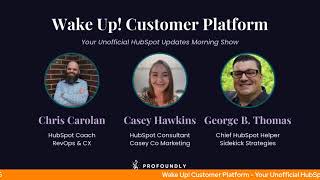
Chris Carolin, Casey Hawkins, and George B. Thomas cover HubSpot's latest updates: Microsoft Teams onboarding, AI voice agents for calls, a new Run Agent Workflow Action to orchestrate Breeze Studio agents, LinkedIn personal posts in Social Manage, and multiple dashboards in Sales Workspace.
Chapters
Foreign. Wake Up Customer Platform it's time to start the day. Discover all the value you already own. Don't let solutions slip away. Wake Up, Customer Platform the tools are at your hand. No need to sleep on capabilities that can help your business stand. The answer's right before your eyes. You just need to realize Wake Up Customer Platform and watch your business rise. Wake up. Wake up. The platform's way to for you. Wake up. Wake up. See what your system can do.
Good morning, HubSpot Nation. It is time to Wake Up Customer Platform with your unofficial HubSpot Updates morning show where we help you discover the platform value you already own. Chris I'm Chris Carolyn, joined by my co hosts Casey Hawkins and George B. Thomas. We're here every weekday morning to make sure you're not sleeping on HubSpot's true capabilities. If you're joining live, drop a hello in the comments and let us know what you're building in HubSpot today. Happy Tuesday, November 18, 2025 how are we doing?
Doing good.
Doing well. Yeah, doing well. Is anyone. Anyone having weird Internet things today or is it just me?
Cloud flares down.
Okay, that's what I thought that was really my question is cloud player down?
Listen, I was, I was still. No visuals here, please, ladies and gentlemen. But I was still, I was laying in bed, I was doing my morning devotions and a LinkedIn notification came through. Mr. Remington Beg put out like this statement to which I then went over, saw the screenshot of Cloudflare being down. He said something about let the domino effect happen. I replied oh no, and was hoping that we'd be able to get on today's show. Gamma won't open, a couple other apps won't open and it's like the Internet is mad.
Today.
So Claude and Chat GPT aren't opening for me. But it says like you have to enable something. So I didn't know if it was like on my side. Did find though that Claude works on my desktop like app version of Claude, which Chris you made me download the other day, works, but the like browser version doesn't.
What is it telling you, Kasey? What is it telling you that you have to enable? Because here's what's funny while you're looking that up, when I went to Gamma, it's not like Gamma just isn't up. It says Gamma just a moment and then it says please unblock challenges.cloud.com to proceed. And I'm like, I'm like, I can't unlock challenges dot anything.
Like and I That's what I was like. And one time, Chris is gonna be like, let's.
No. This is so interesting because I've got more to add because I'm having the opposite of experience of uk.
One time my husband went onto our, like our router and saw all the devices connected and he just started blocking. Once he just started blocking things turned out, including my laptop, including like rt, just like everything we used.
Yeah.
So I actually saw this and was like, did my husband do something?
Yeah.
No, your husband didn't do anything. This is not the day where he just wants all the Internet juice to stream some really relevant and important show.
This is.
The Internet is upset.
Okay.
Yeah. And here's where we just accept how much of this is out of our control and we don't know how it works. And like, because Casey just said it didn't work in her browser, did work on the desktop. This is my desktop app, which does not work. Meanwhile, on my laptop, Claude code is going. The Claude desktop app on my laptop has been working this morning. So I wonder if there's a difference.
Between Claude code and normal or free. And like, are. You're on free, right, Casey?
No. Chris added me to his team. Right.
Yeah. That's fair. That is a team. No. Yeah. It's not making sense. I think a lot of times like the data center stuff in the background, like one data center goes down, it impacts various services throughout the Internet space.
Impact, Chris. It doesn't impact.
Not today at least. Before we jump in, really want to highlight Nico Lafacas showing up today at the HubSpot admins hug, finding your ACP the key to smarter marketing and sales. I really think onto something here with this idea of actual customer profile. Can we. How about we use some real data to figure out who our customers are? That's basically the premise here. So excited to see him do that. That's at 11:00am Eastern. 10:00am Central. Let's go over some HubSpot updates. Number one, today, new Microsoft Teams onboarding in connected apps. What is it? Introducing a new guided onboarding experience for the Microsoft Teams app. Available directly from the App settings overview page, this update provides a clear set of grouped steps that helps customers configure, activate, and get more value from their Microsoft Teams integration.
Why does it matter? The new experience reduces guesswork by showing a clear checklist of setup actions, making it easier to complete configuration, understand what's left to finish, and ensure the integration is working as expected. This is cool. I like. I mean, I don't like Microsoft Teams But I like the like onboarding of a connected app like this and having the checklists so happy to see it move towards more integrations.
So am I not the only one that when I see a meeting I've got to join it's Microsoft Teams that I, I have anxiety. Am I not the only one?
I'm like oh anyway yeah no that's, that's fair. But I love what this signals because it's pretty easy to have the expectation of more of the boutique apps in the ecosystem that they would on to this new availability of providing better experiences. I would not have expected it from teams or like the big like the, the biggest of apps. So clearly the HubSpot team understands how we feel about things like Microsoft Teams and very cool to see general settings, communication teams, phone, webinars, meetings, all the stuff. So it's good because what they they've had that stuff developed now that the onboarding experience is better maybe it will get used to.
That's.
Yeah, that's the big piece is visibility into what is possible.
So especially this one. Skip tasks can be revisited and completed at any time. Worst. Worst feeling when you skip that task and you have no idea how to get back to it. No longer the case in the Microsoft Teams. Onboarding experience number two Today Assign customer agent to calling channels. We unboxed this one a couple of Fridays ago. Very exciting to see this. What is it? Assigning a calling channel to the customer agent enables the agent to facilitate an AI powered voice Q A experience that helps callers resolve their issues without the need for a live for live agent assistance. Live live human agent assistance. For more information on the existing capabilities of the customer agent, check out the Knowledge Base article linked here.
Why does it matter? By automating routine customer interactions, voice agents optimize resources and significantly reduce customer service contact rates. This shift not only streamlines operations, but also removes human agents from repetitive tasks, allowing them to focus on more critical and complex issues.
So I'm gonna double down on something that has been in my brain for a while, but specifically the Last like week. HubSpot. Can we get an 11 Labs integration with your portal? Because if I'm gonna do this, it'd be great if I could use my George B. Thomas 11 Labs cloned voice. The same thing by the way for the blog product team. It'd be great instead of Onyx if there was 11 labs and you could choose your voice to be the voice of your blog narrations. Anyway, I love that.
I'll. I'll sign up for Some George B. Thomas agent love. Like all day long, man. Yeah, I, I, we gotta expect that kind of stuff to be coming at some point, I hope, right? Because it does. Like, you get so excited about this stuff and then you just hear the voice and you're like, man, it's just not, not us. Yeah, that's where I go right there. It's like, come on. Like, yeah, but definitely request this beta and check this out. Um, let's say if calling is important to your business and you're taking help calls, I definitely would use this on the the more support side of of the fence. So build it to answer questions and answers or to answer questions that are common. Not quite ready for just, you know, any kind of conversations like you might find in the George B. Thomas clone number three. The Agent train continues. Run Agent Workflows Action Private Beta Somehow low impact. What is it? HubSpot Breeze Studio already makes it easy to hire, customize and deploy AI powered agents to help your business run more efficiently. But today we're taking that power to the next level. Introducing the new Run Agent Workflow Action. A powerful way to orchestrate your AI agents directly. In the Workflows app alongside your CRM data and automation logic, this new workflow Actions lets you trigger an agent directly within a HubSpot workflow. You can configure which agent to run, what information it receives, and how its output feeds back into your HubSpot ecosystem. Whether that's updating a record, triggering a follow up, or informing another step in your automation.
I'm very excited about this. Why does it matter? Until now, automating an agent was only possible through triggers in Breeze Studio. Powerful but somewhat limited in flexibility, the new workflow Action takes agent automation to the next level by bringing it seamlessly into the Workflows app, you now you can use any workflow trigger to deploy your agents. Orchestrate multiple agents together, pass outputs from an agent to any subsequent agents or automation actions, easily update your CRM data with the help of agents and so much more. Super exciting.
So much potential here.
I might need a minute. Yeah, especially with the idea of daisy chaining agents together. Also I immediately go to do you now need to hire an AI expert? Like you needed a super admin? Do you need a HubSpot AI expert in your organization pretty soon? Because yeah, these, these couple updates immediately at the beginning here are like sheesh.
Yeah, yeah, we need our admins to turn into AI orchestrators in my opinion. But yeah, this is powerful. I got to check it out when it was in alpha. Ish. And for somebody who is not a big workflows person in myself, it was very easy to set this up and feel super powerful related to the agent that I had already been working on. And this weekend, in the coming weeks and in the past weeks we've been talking a lot about scoring and signals in this world, just capturing all the data. This is the kind of stuff where if you design some agents to receive data or get triggered when new signals come in and kind of reset the narrative and story of that, of that human, it sends the right kind of notification to your team, gives the right kind of guidance as opposed to just like, you know, trying to figure everything out in a workflow of notifications and tasks. And you know, it's just this is a world that we've been, we've been talking about and are looking forward to.
Yeah, Trisha and I have been unboxing a lot of the agents and one of the things that has come up each time we unbox it is like, this is really cool, but it's annoying that you have to like come here and like send, send it off. So I'm super excited about this because this is like one of the biggest limitations I feel like of agents and it's just solved with one update. Low impact update.
Yeah, yeah, yeah. And free. Free right now. Well, while it's in beta number four, display external LinkedIn personal posts. I think we mentioned this one yesterday, but worth another mention. What is it? Previously externally published posts for personal LinkedIn accounts weren't shown in the Social Manage tab will now be showing all published posts for personal LinkedIn accounts regardless of whether they were posted via HubSpot or through another publishing tool.
Why does it matter? Users will be able to see all posts on their LinkedIn personal pages in HubSpot, not just those published from HubSpot. Will this show thinking through the metrics.
On those other posts, I believe that's what it means. Yeah.
Including clicks because I think the clicks get tracked with the pixel that gets attached when you send it. I don't know, I don't know. Just a thought.
We'll find out. Hopefully it is more than just displaying. We'll say that I did notice today as I was looking for to see how far along it was not on the calendar yet, just on the table of the Manage tab, the table view. So just keep that in mind. There was also a really nice link that said are you looking for external posts? Personal posts? It's not here on the calendar yet. Go back over here. So very cool to see them rolling this out. We've got another Project Status updates in development.
Here it comes one step closer forward.
A forward looking statement here. A lot of the stuff is in development projects. What is it? The new Project Status Updates card and an updated Project Summary Card are now available for projects. These allow you to post progress updates and view an up to date project overview and quick clarification. They will be available once this is no longer in development.
Why does this matter? Once this is out of development, you'll be able to keep all project collaborators and stakeholders informed about project status, even those outside of HubSpot. By providing easy access to current project status, you can improve collaboration among team members. Keep external stakeholders updated without granting HubSpot access. Reduce time spent on manual status reporting. The Project Summary tab, formerly called Breeze Record Summary, provides an AI generated overview of the entire project history so your team can stay updated and informed.
Lots of pretty pictures here. Come check it out if you're excited. I love it in real life about projects.
I'd have say if it was in my portal.
Yeah, All right. Multiple Dashboards in the Sales Workspace is our next update and that is live medium impact. What is it? You can now add multiple dashboards in your sales workspace and assign them to specific users or teams, all from the workspace settings. Admins have powerful new controls to customize dashboard visibility and apply dynamic filters. Sales reps will see dashboards with the relevant filters automatically applied, no manual setup required.
Why does it matter? For admins you can tailor dashboards views by team, rep or purpose, creating a clear line of sight into the data that matters most for each role. The ability to add and manage multiple dashboards simplifies setup and reduces overhead for sales reps. Dashboards now default to views that are filtered to owner equals me so you only see data relevant to you. And for teams, assign specific dashboards per team or user group. Ideal for diverse sales teams operating within the same workspace. Currently only one dashboard can be assigned per team.
Very cool. I likes a good dashboard.
Oh yeah, very nice.
Another one in development. Also mentioned yesterday. Delete or mark notifications as read on mobile Again forward looking statements. What is it? When this comes out, users will be able to select individual or all notifications to delete them or mark them as red.
Why does it matter? Users will be able to have more control over the notification center.
Easy peasy.
There we go. Later today please join myself and Clem and Robat. We're going to be doing value first data going over the value creator stage that's replacing the customer stage. And what kind of data that you need to create space for in this world of being able to capture all the signals and all the data everywhere and help people along their journey. And then after that, me and George B. Thomas getting back together for another episode of Value First Humans at 3pm Central, 4pm Eastern. Talking about enabling natural growth today instead of forcing everybody down predetermined paths.
Yeah, that sounds crazy.
It's gonna be a fun one. So remember folks, you probably already own the solution you're looking for in HubSpot. Sometimes you just need to wake up to it. Join us tomorrow morning live at 7:30am Central or catch us anytime on Spotify, Apple Music, and the Profoundly Blog. Drop your biggest takeaway in the comments and let us know what capabilities you want to wake up to next. Until then, I'm Chris Carolin.
I'm Casey Hawkins and I'm Unlock projects in my portal HubSpot George B. Thomas.
And this has been Wake up, Customer Platform. Now go build something amazing. Have a great day everybody.
Wake up, Customer platform It's time to start the day. Discover all the value you already own. Don't let solutions slip away. Wake up, Customer Platform the tools are at your hand. No need to sleep on capabilities that can help your business stand. The answer's right before your eyes. You just need to realize Wake up, Customer platform and watch your business rise. Wake up, wake up. The platform waiting for you. Wake up, wake up. See what your system can do.










