HubSpot Updates 11/20/2025 #hubspotcrm
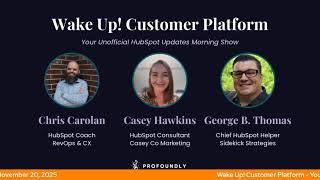
Chris Carolyn and George B. Thomas cover HubSpot's latest updates, including bidirectional owner sync with Salesforce, a new Memories feature in Breeze Assistant, and a unified reports and dashboards beta. CPQ quote customization and branded email templates are now in private beta.
Questions this video answers
11/20/2025
7:30 AM Central
Every Friday from 3:00 to 4:00 PM Eastern; phone: 1-857-575-9526
Chapters
Foreign.
Wake Up Customer Platform. It's time to start the day. Discover all the value you already own. Don't let solutions slip away. Wake up, Customer Platform. The tools are at your hand. No need to sleep on capabilities that can help your business stand. The answer's right before your eyes. You just need to realize Wake up, Customer platform and watch your business rise. Wake up. Wake up. The platform's waiting for you. Do wake up. Wake up. See what your system can do.
Good morning, HubSpot Nation. It is time to Wake Up Customer Platform with your unofficial HubSpot Updates morning show where we help you discover the platform value you already own. Chris I'm Chris Carolyn, joined by my co host George B. Thomas. We're here every weekday morning to make sure you're not sleeping on HubSpot street capabilities. If you're joining live, drop a hello in the comments and let us know what you're building in HubSpot today. Happy Thursday, George. How we doing today?
Doing good, Chris. Happy Thursday to you as well. I will tell you the hellos in the chat and just letting know that there's other humans or people or sentient beings watching these and learning always excites me. So yes, please drop a hello in there. How the heck are you doing this Thursday before next Thursday, which is Thanksgiving.
Thursday, I'm doing all right. In anticipation of probably binging stranger things next Thursday, we are re watching some of the previous seasons.
There you go.
So that's been good. Also diving deeper into some vibe coding as Google just dropped some stuff and now I'm, I guess I'm accepting the fact that IDE will be a normal part of my daily activity.
Yeah, yeah, I can't wait for our meeting to talk about that. I'm. I'm excited to kind of get into this world. I've. I've been at this point just like content focused, the creation of the fastest typist that sounds and acts like George B. Thomas possible. I'm interested to take this to the the coding side. I actually spent like copious hours last night watching YouTube videos and now I'm torn between the world that I know I'm gonna see with you and this thing that I found last night that is vibe coding. WordPress websites. That looks way dope. Anyway, I digress. That's not why we're here.
Yeah, it's been interesting as I put the website, the new Value First Team website together and a similar app to try and help people understand a lot of the concepts we talk about related to HubSpot it's easy to like look on the surface and say, oh, like you might be replacing HubSpot or whatever. Right. But constantly as I'm going through like I'm always I'm preparing the system to like integrate very tightly like with HubSpot. And even though I don't have API experience and I don't do that stuff, like the coding helps with that too. So I'm very excited to see what's going to happen there for sure. And thanks to the HubSpot team for just making that easier and easier as they've released so many APIs over the last year or so, including workflows, commerce, hub stuff, you know. Yeah. But let's get into today and remember the original integration update today sync owners BI directionally between HubSpot and Salesforce.
Wow.
What is it? It is live. Customers with the Salesforce app installed will now see owner data for activities, tickets and custom objects synced between Salesforce and HubSpot, ensuring both systems stay aligned automatically.
Oh, that's exciting. So you might be wondering why this matters. By the way, if you're Salesforce Salesforce person using HubSpot, you probably know why this matters. But by keeping ownership information consistent across systems, this update improves cross team collaboration, enhancing automation and reporting accuracy, and reduces the need for manual updates or reconciliation. Overall, it strengthens data integrity and streamlines operations for business managing businesses managing customer relationships across both platforms. Very interesting. No action is needed. By the way. I love when I see those words, Chris. This functionality has been shipped. In other words, you don't have to activate it like projects directly to production. All customers can view or manage how this data is synced between platforms from their Salesforce integration settings page.
Yeah. Submit no action needed inside the platform. Yeah, maybe some. Some talking to the team just to make sure nobody's surprised what's going on. Yeah, this, this app integration. Can I just say, I love that part where we're calling Salesforce like an app. It's come so far and it's making me want to like get, get with Lauren Ryan and do maybe an unboxing of some sort. Oh, there you go. About all of the updates that they've done with that integration. Yeah, Number two.
Oh, this one looks interesting.
Fun stuff. Memories on Breeze Assistant mobile app is live. What is it? Memories is a new feature in the Breeze Assistant mobile app that helps it remember useful details about you. Your preferences, your name, your goals and even your tone of voice so it can respond in more personalized and helpful ways. As you chat, Breeze Assistant can automatically capture important insights like you prefer concise responses or let you manually save details that matter. These memories make Breeze Assistant feel less like a tool and more like a teammate that truly knows you talk.
Nerdy Timmy. Why does it matter? Memories make your AI experience smarter and more tailored. Sales reps can have Breeze Assistant remember follow ups or customer nuances then pick up where they left off. Marketers. Thank God by the way, that we didn't stop there. Marketers can lock in content, tone or brand specific instructions for faster, more aligned content creation. Customer service reps can ask it to remember common troubleshooting steps mm or brand guidelines so they can quickly reuse responses in future chats. For example, it can remember when answering refund questions, always start by confirming the order number. This helps reps stay consistent on brand and lightning fast without needing to retype standard info. Anyone can save time by having it adapt to their preferred way of working. No need to repeat instructions again and again and again. Okay, they only said it twice. It's personalization that builds trust, AKA personalization of scale, streamlines your work and helps it support you like a true teammate. Nice. Nice.
I like it. Another interesting how does it work here? So two ways that Breeze Assistant creates memories. Explicit memories. You can tell it to remember something by saying things like remember that I like casual tone or save a message by tapping save to memories. The other way is inferred memories. It may recognize and remember recurring patterns like your writing style or role based on repeated interactions. Very, very cool. Yep, the future is here. That's all I have to say. Yeah, Y. Just use it and it will get better Right alongside you. Yep.
Just call me George Jetson at this point. I swear to God. All right.
Oh man. Number 3 File Manager Filter by extension is live. What is it? File extension filtering lets you quickly filter filter your files using common extensions such as PNG, jpg and PDFs jpeg.
Anyway, I digress. Why does it matter? Finding the right file at the right time is crucial to your workflow. That was really a nerd moment. While file extension filtering, you'll spend less time searching and more time using your file files. Yes, yes. You should spend time using your files. You've uploaded them. Hopefully they're not just laying there dormant.
Oh wow. I don't have to. I don't have to open a new new tab anymore.
I noticed that couple days ago. I think maybe because I clicked on something.
Yeah. By the way, this is why I didn't say jpeg because it's a different, different thing.
One one calls them all the same thing, I do believe. Although if you call it a jbt, if you're out on the Internet.
Versus.
A jpeg, please email Chris at. No, I'm just kidding. I'm just kidding.
It's really cool to see what this team is doing. The, like, Digital Asset management.
Yeah.
Platform is inside of HubSpot now and they've been doing some great work.
Yeah. Have you seen, by the way, have you seen when you try to upload a file and it says, this file already exists in here, do you want to keep it, replace it or add new? Have you seen that yet?
I have not.
Oh, yeah. I was like, nice.
Maybe I haven't because I do have a little bit of a gripe in that it's one of the common places I run into where the error messages are not telling me the truth. When I upload a video and it says it did not upload effectively, and then I refresh the page and it's there. I would guess that maybe somebody else is doing this and they try to upload again. Since the system is thinking it's in error mode, it allows you to upload the video again. And then I come back and I see a couple, two, three versions of that same video.
Interesting. Well, I can tell you that for me, if you try to upload an image, I'll use an image as an example. Video would probably be the same, same file name. It now sees that and warns you and gives you the options of like so that you don't end up with historically five people uploading the same image eight times. It'll be like, would you like to use the one that's already here with that name? And it shows visual reference too. Anyway.
Yeah. That's awesome. It's usually advantageous.
Yes.
You're using HubSpot for media management, without a doubt. On the other side of the HubSpot house, centralized reports and dashboards. Medium impact in public beta. What is it? Unified Dashboard and Report management interface in HubSpot that combines previously separate tools.
Interesting. Why does this matter? You can now manage your reporting assets.
Muted, buddy.
What? No, I'm not muted. No, no. Can you hear me now? Anyway, can. Can you.
There we go. Yeah, there we go.
Yeah. No, I. I didn't touch the mute button. But why does it matter? You can now manage your reporting assets more efficiently. This streamlined experience saves you time and reduces the need to switch between different tools, allowing you to focus on gaining insights from your data. You can now view and organize all dashboards and Reports in one central location. Oh my. Have to spend some time on this over the weekend. Once we hit this beta, quickly find and access your most used items and perform bulk actions like renaming, sharing. Oh God, I'm gonna cringe Deleting across ass site assets. Yeah, you might want to read how does this work ladies and gentlemen. But I'm gonna hit that beta button for sure because I need to see what everybody's going to be running into in the very near future.
Yeah, and what's actually different here? We've got dashboards in the same place.
It used to be like dashboards in one area, reports in another. And so my dashboards and my report tabs Favorite list of quick access columns including owner last updated and tags bulk action tools for renaming, sharing and deleting items.
Yeah, okay, we like it. And it is unified places, centralized places.
Leaner and cleaner it looks like too.
Yep. Number five today. Customize sections, header and summary for CPQ quotes. This one is live. What is it? Sales admins can now standardize and customize how fields display via the quote template and sales reps can easily make adjustments at the quote level, making it easy and fast to create and send quotes to buyers.
Nice.
Now you can configure which sections are displayed to customize the layout of your quote view updated section names in the sidebar to improve navigation and usability. Customize the display of fields within the header section. Customize the display of fields within the summary sections and both of those include show, hide and change field names.
Nice. You might be wondering why it matters. Previously AI powered quotes had different sections, cover letter, parties, line Items, payment acceptance, etc. Etc. Etc. Etc. Anyway, that could be deleted but couldn't be re added without starting from scratch. Additionally, the header and summary sections display specific fields, but the titles and display of these fields couldn't be customized. Nice. This reminds me that I do need to go talk to sales. I have six days left of my Commerce Hub Professional trial, meaning I need to get a commerce seat that I once did not need but I now want slash need anyway.
Very cool to see them making progress there. Number six yes. Branded Email Templates Private Beta Medium Impact this is for marketing email. What is it? The ability to apply your company's brand guidelines such as logos and colors to HubSpot's default marketing email templates, making it easier than ever to start creating and sending your emails in HubSpot.
Okay, my weekend is truly wrecked because if I think this is what it is anyway, why does it matter? HubSpot's native email templates are functionally solid but fail to reflect customers unique brand identity. This forces users into a frustrating choice. Use generic templates that don't represent their brand, which you should never do. Or invest hours customizing every element in the template to match their brand guidelines. This time consuming manual process slows down users email marketing efforts. It's interesting. How does it work? First you need to ensure you have your brand kit set up in HubSpot. By the way, if you're living under a rock and haven't seen the warning of updating all your brand stuff in the new brand area, I would suggest that you go do that so that you can then request this beta and go do this.
Yeah, kind of surprising, but not really. This hasn't been a thing already. Wasn't there something about like automatically pulling your logo in and stuff like that?
I mean there was like HTML stuff, there was AI building stuff, but nothing. Because what I think this is, Chris and I, I just requested the beta. What I think this is is if you look at screenshot number one, it's what the templates used to look like when you opened your portal. However, if you look at screenshot 2, if you've applied your brand stuff, these templates would now look like this. Meaning it would have your brand color background and like, you know, extra. So like it takes something that is like old school. Here, customize these to your needs to. Now you start a brand new portal or you go in here and it's like, wow, these actually look like I built them.
Right.
Amazing.
Yeah. So I guess prior to this, one of the first things we're doing in a portal is, is customizing an email template.
Building email templates every single time.
Yeah.
It's one of the probably top five things I get asked for when onboarding humans is like, man, could you just create a quick one or two email templates so we can get up and running? Yes. Now I might not get that question so much, which is cool. I'm okay with that.
You mean we use HubSpot for things other than emailing?
Oh, that's cool. Don't do that. Don't, don't. It's a good Thursday morning right now. I'm going to keep it that way for the rest of the day. I'm trying to be a happy, helpful, humble human.
Oh man. And if you want more of that happy, helpful, humble humanness, be sure to join us tomorrow. We're excited to have Kyle Jepsen back.
Yeah.
After his parental leave on the HubSpot helpline, which is every Friday from 3 to 4 Eastern, where we take voicemails, go over to Reddit, just find the HubSpot challenges and talk about them live. Sometimes we're solving in the portal, sometimes we might be solving in our brains a little bit. And if you give us a call at 1-857-575-9526, you can leave us a voicemail and we'll try to take care of your problem live on the air. So super excited to have Kyle back.
Oh yeah, George, I think the whole Internet is excited to have Kyle back. As I look at Instagram and different places that he's been popping back up.
For sure I know he's back indeed. So remember folks, you probably already own the solution you're looking for in HubSpot. Sometimes you just need to wake up to it. Join us tomorrow morning live at 7:30am Central or catch us anytime on Spotify and Apple Music. Drop your biggest takeaway in the comments and let us know what capabilities you want to wake up to next. Until then, I'm Chris Carolyn and I'm George B. Thomas. And this has been Wake Up, Customer Platform. Now go build something amazing. Have a great day everybody.
Wake up, Customer Platform it's time to start the day. Discover all the value you already own. Don't let solutions slip away. Wake up, Customer Platform the tools are at your hand. No need to sleep on capabilities that can help your business stand. The answer's right before your eyes. You just need to realize Wake up, Customer Platform and watch your business rise. Wake up, wake up. The platform waiting for you. Wake up, wake up. See what your system can do.










