HubSpot Updates 11/4/2025 #hubspot
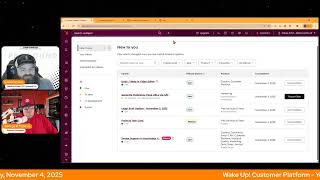
Chris Carolyn and George B. Thomas run through HubSpot's latest features: video editor undo/redo, API-generated preference page URLs in private beta, a new Projects task card coming Nov 10, and image support in Knowledge Vaults for JPEG, PNG, and WebP files up to 10 MB.
Questions this video answers
November 4, 2025
Live (not beta); supports up to 50 undo actions.
Private beta
Scheduled for release November 10, 2025
November 3, 2025
Chapters
Wake up, Customer Platform. It's time to start the day. Discover all the value you already own. Don't let solutions slip away. Wake up, customer Platform. The tools are at your hand. No need to sleep on capabilities that can help your business stand. The answer's right before your eyes. You just need to realize Wake up, Customer Platform. And watch your business rise. Wake up. Wake up. The platform's waiting for you. Wake up. Wake up. See what your system can do.
Good morning, HubSpot Nation. It is time to Wake up, Customer Platform with your unofficial HubSpot Updates morning show where we help you discover the platform value you already own.
Chris.
I'm Chris Carolyn, joined by my co host George B. Thomas. We're here every weekday morning to make sure you're not sleeping on HubSpot's capabilities. If you're joining live, drop a hello in the comments and let us know what you're building in HubSpot today. Happy Tuesday, George B. It's November 4th.
Oh my goodness. Happy Tuesday, Chris. How the heck are you doing?
I am doing well. Starting to realize again, I guess, how much we actually have at our fingertips right now.
What, what do you mean by that?
Like, be able to do the things that we want to do. Maybe we haven't done before. Maybe we wanted to do them faster, better, more efficiently, like man. And not just because of the updates. Some of these updates are going to hit, hit those notes real well. Yeah, but you know, I've been unlocking that vibe coding thing lately with the help of Nico and Ryan Ginsburg and nice, like, man, hard to say, like why I've been holding back in that department, but naturally, yeah, we change when we're ready, right?
Well, we, we change and we add to our systems when we're ready. It's amazing because, Chris, you're on that side of it and you know me, I've loved creating content for years. I've always wanted to create better content, be me, be more prepared, like not start from scratch, have some talking points, be able to like, flood my brain with the information before I actually get involved in the thing. And this morning I went on, by the way, I haven't been real vocal about this, but lately I've been doing morning walks. I've also been doing afternoon, like lunchtime walks as well. But I was on my morning walk this morning and I had taken some information that you had sent me for a show we're doing later today and I plugged it into my AI assistant and I started to just like finagle with it. As I was walking and getting it to dig deeper and getting it to look at this and getting it to look at that and like I had a 45 minute deep dive into this idea of wholeness in business versus like data. Anyway, ladies and gentlemen, you might want to tune into that later today. I'm just saying right now we're here updates, but it's just crazy how like information and what we want to do is at our fingertips and HubSpot is helping us with that as well.
Yes. And thank you for sharing value first humans. Later today, episode two, Honoring Human Wholeness will be at 3 Central 4 Eastern. Really excited after our chat last week. Also excited. I love audience members that follow directions. Hey, Kathy. She says she's working on adjusting her lead score for non digital events like a conference and trade show. That's a good thing to be working on. I love that in person stuff. We got to find a way to bring it in to the digital, you.
Know, in person where humans can be humans. I'm just saying.
Yeah. And a good morning to Sarah as well.
My fave. Hi, Sarah.
All right, I guess we got to talk about some non human stuff too, which are some HubSpot updates. Yeah, but super interesting. First one that I'm going to share it and then I saw a video from Gary V this morning that I. I'm going to relate this to you. Okay, so product update number one, Undo redo in video editor. What is it? It's live. By the way, this is not beta.
Yeah. Did you know that you had a video editor in HubSpot? I mean, I still run into people that don't know this, but. Go ahead, Chris. Sorry.
You can now undo up to 50 actions or redo your editing steps in the video editor with dedicated undo and redo buttons. This makes it easier to experiment and refine your video without worrying about making a mistake.
Yeah, and by the way, mistakes, Are there really mistakes or are there lessons? Anyway, you get 50 actions. Why does it matter? Video editing often involves trying out different cuts, trims, or adjustments before landing on the final version. With undo and redo functionality, you have more flexibility and control, allowing you to quickly backtrack or reapply actions without starting over. This speeds up the editing process and reduces the frustration of accidental changes, especially during complex edits. Oh my goodness. Ain't that true?
Oh, this is beautiful. Real quick. This is how easy it is. How does it work? Open a video in the editor. This is inside HubSpot. All of this is inside HubSpot. Open a video in the editor, make any editing change like trimming a clip, cropping or adjusting audio. Click the undo button in the top left bar to revert your last change. Click the redo button to reapply an undone change and continue editing with the confidence that you can step back or forward at any time.
I really do need to get a hallelujah sound on the like sound.
Hallelujah.
We need one of those special note.
Undo redo applies to all actions except when editing a single word via the video transcript. So that that s that you removed and now you want that back. You got to type that in yourself. Sorry guys, but yeah, this. In order for you to get value out of this, you gotta have videos. Yeah, Right. And this video I saw yesterday or this morning from, from Gary Vee, who I'm not like, I see his stuff when it's. When it shows up around my feed, I don't hunt for it.
Yeah.
And this video, he said the. This is on LinkedIn. And one of the biggest trends he sees for 2026 is random content.
Yep. Yep.
Doing random content because you never know which one's gonna lead to like 3 million views or new opportunities.
And Chris, how long have you been doing random content?
A little bit. A little bit. And I only like it sort of like if you dig into why there's really no data like to back that up. But like if you're somebody who's just trying to get people to show up every day and start like stop overthinking everything, just start doing the videos.
Yeah.
Because that's how you will stand out in a sea of AI videos showing up as a human. Right?
Yeah.
And if you do those videos, you got a bunch of video editing tools in HubSpot now that make it super easy to social. Okay. We get excited about video here on.
The morning show every now and then.
Number 2. Generate preference page URLs via API is in private beta.
Yeah.
What is it? The preference link generation endpoints. API endpoints allow you to generate secure URLs to the manage preferences and unsubscribe pages for any contact in your HubSpot CRM.
Wow. Why does this matter? You might be wondering. You can generate a contact specific HubSpot preference page to help contacts access and update their preferences. Allow your contacts to manage their email preferences directly from account settings or other authenticated areas of your website without requiring them to re enter their email or dig up a past marketing email. Wow. Did life just get easier for your users?
I think so. It's almost as if HubSpot came out with this. Now hear me out. Oh, came out with this playbook that tells people loop is that they need to.
Loopy Loop marketing.
Yeah, something like that where you can personal. Like make every single experience and every piece of the journey personal for each individual.
Yeah.
And now they're making sure we have the tools to do that.
Yeah, we may have talked about that yesterday on the Hub Heroes podcast just a little bit.
Did you get into Taylor?
We got into Taylor, yeah. Episode one of Taylor and. And I laughed thinking that we would have made it through the entire thing. So we'll be doing episode two next week.
Oh, I love it. Yeah, I love it. You know what else we love? Oh, legal updates. Nah, maybe because there's probably about 20 words here as I. Yeah, even really legal stuff. Update for November 3, 2025. Hello. HubSpot recently updated the customer terms of service. We recommend you take a look at this community post. Oh. For more information. Thanks, HubSpot.
So this is an email inside of an update that. It's very interesting formatting, but this is.
What happens when you ask the legal team to participate in product updates. And we are happy for their participation.
Yes. Thank you. Thank you, HubSpot Legal. We love you and all of your email messages in updates.
And by the way, like, Pro Tip admins, if you've been working on your legal team or your other departments to get them like exposed HubSpot, maybe share a link to this instead of those direct links. Number four today is projects. Task card.
Man, I wish. Projects in my portal. Can. Can somebody help a brother out? Okay, go ahead, Chris.
Okay, yeah, we need to get that handled. I also want like, like a jaws. I need like a jaws, a button like this. Projects and HubSpot are coming for you, George.
Like that. That kind of sounds.
Yeah. Yeah. What is it?
What JAWS is.
So. Yeah, so we've got a live here. We've also got a private beta up here. We'll see what happens. Also scheduled for release November 10th. You know, we're just working hard to get stuff out to you guys. What is it? Projects now include a default tasks card that displays all tasks associated with the project.
Nice. Why does this matter? Well, probably because you want to see your tasks. Let me see what they say. Why does it matter? Tasks drive project completion. But it hasn't been easy to view all tasks for a specific project in one place. The new task card gives you a consolidated view where you can quickly review and manage all project tasks. Nice.
Some nice screenshots here. But just to show you some real life.
Yeah. All hubs and all tiers except for Georgia.
For Georgia.
I'm just throwing that out there. I don't even know what's going on right now.
Yes. So if you're like George and you haven't haven't had the. Had the chance to. To build your own projects in HubSpot. This is a project's record view. So right out the gate, it's a big boy. Got its own record view. And now it's already got a new CRM card, task card, which shows you all the tasks right inside of the record. And I can only imagine if I hit the back button here and we can see this Gantt chart view. Imagine seeing Gantt chart views on these records.
Chris is just showing off.
Now we can train. I never thought I'd dream about project management, but yeah, we are. Here we are. Thanks. Up spot.
This one looks interesting. Me this next one.
Image support in Knowledge Vaults. Okay.
All right.
What is it? Just.
Okay, that needs to go away.
Come on, guys, work with me here. I'm just reading from a prompter here. What am I supposed to be doing?
Help a brother out.
What is it? Custom assistants and Breeze agents now analyze images in knowledge vaults, allowing users to search and reference visual content alongside text and PDF files.
Wow. Why does it matter? Previously, assistants could only use text based knowledge, which excluded essential visual information like product images and UI screenshots. Adding image support solves this gap, enabling richer and more accurate responses that use both written and visual data for tasks such as product recommendations and support guidance. I love this. How long we see like images or videos inside of Breeze Assistant when we actually ask things. Do you think that'll ever happen?
What do you mean?
Well, like, if I could put an image in Knowledge Vault and I ask a question that the image is related to. The question that I ask, like, could it show me the image?
That's what this is.
Well, this is training it.
I think we should run through how it works here, George.
Maybe it's happening now.
So. Uploading images. Navigate to your knowledge vault in Bree Studio. Click Add files or drag and drop JPEG, PNG or WebP images up to 10 megabytes per file into the vault. Images are automatically indexed with other knowledge sources. When using assistants or agents, the AI automatically searches both text and image content to answer questions. Image sources are cited in responses with clickable links to view images.
Wow. Never mind. It's here. The future has arrived. Hello.
Future visual characteristics such as colors, layouts and objects are Analyzed semantically supported specifications, JPEG, PNG, WebP, max file size 10 megabytes per image. Pending confirmation. Not sure what that means. Works with both custom assistants and Breeze agents.
Wow. Who gets in? A whole lot of people.
They listed every single product group, I think here.
Everybody. Everybody. I actually, I now I need to talk to a client about something we built to see if they want to add imagery to the things that we're doing spectacularly with a knowledge vault in their portal. So thank you, HubSpot. I'm actually. Yeah, this is the future is now. My goodness.
Yeah. You know you're doing something special when you cause George to rethink his day.
Oh, man.
We already mentioned Value First Humans later today at 3 Central. Also got HubSpot admins hug is at 11 Eastern. 10 Central focused on OpenAI and the connector with HubSpot. How to turn your HubSpot data into actionable AI next week. Always a fun one. HubSpot admins show and tell. We get to see your own people show up and share what they're doing with HubSpot. Also later today, right before the episode with George, we've got Value First Data with Clemen and Casey and myself and, you know, George are really trying to figure out related to scoring and signals. Like how do you bring a social Signal effectively into HubSpot and put it alongside all the other scoring and variables that you're used to doing? Does it even make sense to put those together? Should we be making different scores for social activities or these new places that we're able to bring into the portal?
I can't wait to see where you guys land on that.
Yeah, it's a work in progress for sure. I'm waiting to get to the part where it's like, oh wait, we got to do some social stuff and out.
Of HubSpot then that might be true for many people.
Good thing there's a whole, you know, social platform in HubSpot.
Yeah, but they might be on Agora Pulse or they might be on, I don't know, some other system and not realize how much HubSpot's social platform has changed. Just saying.
Yep. They might not already be familiar with the solution that you already own. Right. And we're here to help you wake up to it. Join us tomorrow morning live at 7:30am Central or catch us anytime on Spotify and Apple Music and the profoundly HubSpot updates blog where we are posting recaps every day now with the recording, with the podcast, with, with the text and links to all these all these HubSpot product updates. Check that out and drop your biggest takeaway in the comments. Let us know what you want to wake up to next. And until tomorrow. I'm Chris. Carolyn.
And I'm George B. Thomas. I'm so used to waiting for Casey. Did you miss her? I did. Anyway, I'm George B. Thomas and this.
Has been Wake Up Customer Platform. Now go build something amazing. Have a great day, everybody. Foreign.
Wake Up Customer platform It's time to start the day to see Discover all the value you already own don't let solutions slip away Wake up customer platform the tools are at your hand no need to sleep on capabilities that can help your business stand the answer's right before your eyes you just need to realize Wake up customer platform and watch your business rise Wake up, wake up the platform's waiting for you. Wake up. Wake up. See what your system can do.










