HubSpot Updates 12/15/2025
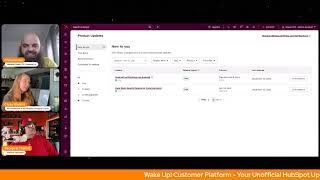
Chris Carolin, Casey Hawkins, and George B. Thomas walk through 11 recent HubSpot product updates. They explain what changed, why it matters for admins and marketers, and flag which features are in beta, in development, or being deprioritized.
Questions this video answers
11
Live (available to Android users).
Chapters
Foreign. Wake up customer platform. It's time to start the day. Discover all the value you already own. Don't let solutions slip away. Wake up, customer platform. The tools are at your hand. No need to sleep on capabilities that can help your business stand. The answer's right before your eyes. You just need to realize Wake up customer platform and watch your business rise. Wake up. Wake up. The platform's wake waiting for you. Wake up. Wake up. See what your system can do.
Good morning HubSpot nation. It is time to Wake up customer platform with your unofficial HubSpot updates morning show where we help you wake up to all of the value that's available to you in HubSpot Here with my co host Casey Hawkins and George B. Thomas. How are we doing today folks?
Doing well. It's so node here yesterday so the kids have a two hour delay. Last time I took on the two hour delay but this time my husband is taking, taking it on.
Nice.
I missed the doing. I missed the doing well part in there. Yeah, delays.
Yeah. I'd like to say I'm doing well as well, but it is a cold front here in North Carolina. I'm not liking it. I went out of the house for the first time in a while yesterday to take my daughters and wife to the new Wicked Forever or Wicked something movie. And I was like, for good.
Wicked.
For good. There we go.
Thank you. Thank you.
And yeah, it was a good dad moment but man, did I freeze my butt off. And I was like, please get me back to the house. I don't, I don't look at going out any point today. I will be bundled up, but other than that, Chris, I'm doing good. How you doing?
I'm doing all right. So I'm in Colombia at the equator and I'll just let everybody do the math.
I was like, I was like, I don't think I even want to hear what.
Yeah, no, we don't. Yeah, he's bragging.
I don't care. Actually, I don't care.
On that note, we will dive into some updates but first don't forget tomorrow admin networking at the admin tug. Always a good time, meeting fellow admins and I think just don't underestimate the amount of value you can get from events like this. Quite a few at this point. So excited to see this one.
I think this is one of my favorite like events that they do personally.
Yeah, for sure. We also got. I want to highlight Casey's resource HubSpot holiday prep checklist. You can check that out. On the valuefirstteam.com site and then also working on getting an events calendar up finally for all the content that we do. So we'll be sharing that after the show as well and I guess I should share that tab as well. So events calendar on the website. Excited for that. Very cool. But this looks nice. Thank you. Let's get into some updates. We've got 11 team working hard. You know, Kyle told us during the HubSpot helpline on Friday that team has been working hard on closing a lot of gaps and I guess we shouldn't be surprised that the 11 updates dropped on Friday that we get to go over now.
All right, let's do it.
First 1 Subscriptions Event data in Report tool Public beta what is it? You can now use subscriptions event data for individual subscription statuses and opt out all events via the report tool to build views easily track and analyze subscriber data over time. Includes source of opt change status, change date and more.
Why does it matter? Gives marketers across gifts marketers access to subscription analytics so that they can optimize their email strategy, make data driven decisions about campaigns, measure list growth, understand why people are unsubscribing and or demonstrate the ROI of marketing efforts to stakeholders.
Makes sense. I have to imagine this is a common reporting need and I'm curious what was being done before this.
I was using lists sometimes which there is like now the list analyze tab which didn't always exist but prior to that I had like and this is not a like a super great workaround but I would do like create date but even that was like a little bit of a that it did wasn't exactly didn't necessarily mean that they were subscribed at that date or anything but it was a little bit of like a a fuzzy way of looking at this and the listing only works if you it shows you the list history. So if you have a list of all your subscribers in theory you do it will show you the size of that list over time. But if you don't already have that list, you have to create that list and then it starts that day. Which was a problem for some of the clients I worked with who wanted to see what was our subscribers last year and I was like well there's not a list.
That should be good news for a lot of folks out there. Number two today and these next three are all in development. Looks like team is working hard on the user's admin experience. Got improved team hierarchy view forward looking statement at the front here what is it? A brand new will be a brand new way to see your entire organizational structure. Oh, all at once and without the endless clicking. Instead of diving into individual teams one by one, you'll now see a clean visual hierarchy that shows parent teams, nested teams and members at a glance. Previously, to understand where a team or user sat, you had to open a team, then another and another. Viewing parallel hierarchies at the same time. Was it possible? Now you will have a visual tree that lets you view the entire organizational structure at once. It's easier to understand relationships across teams, compare hierarchies and quickly locate where people sit.
Why does it matter? Managing complex team structures can get confusing, especially when there are multiple levels of nested teams. Until now, many admins found themselves repeatedly clicking into teams just to understand who sits where. Customers told us that this experience needed to be clean, clearer in their own words. It's a little challenging. I don't always know where people sit just because there's so many layers to it. It's sometimes a bit confusing. Would love to have a tool or integration to make a hierarchy organizational chart for our own company and team members. So it's visually more appealing to see the company tree. This means faster navigation. See the full team structure without drilling into multiple pages. Clearer understanding. Understand where teams sit, how they relate and where users belong. Instantly and easier team management admins gain deeper visibility into how teams are organized, supporting cleaner team management and permissions. Dare I say quality of life.
Yeah, I, I was gonna say who's gonna be the first one to say it since we joked about how much we say say it on the the call in show. But yeah, definitely quality of life. Anything that you don't have to click again and again and again. Like the fact that that was even in this update is crazy.
I mean man, this statement here would love to have a tool or integration. Like most companies, it's hard to find an up to date org chart sometimes because there isn't really a great way to keep keep it up to date if it, if it does exist. It's locked away in like HR land in some of the tools they use. This could be like the fastest way ever to get everybody into HubSpot even as view only. That could be the newest trick. Once this is available again in development and enterprise customer platform. That is very exciting. They are going down that path. Oh yeah, we've got admin control to unbounce internal user emails in development at the front. I like all the sounds over there. What is it? Admins will be able to directly unbounce internal users email addresses from the users and teams experience without needing to contact HubSpot support or use separate tooling. This new option will be available in the user's detail view for eligible bounced addresses and is limited to super admins with built in safeguards such as write limits and hard bounce protection.
Why does it matter? Until now only support had access to tools to manually unbalance internal email addresses. This created a bottleneck whenever an internal user invite or notification email bounced and needed to be retired. Admins wanted to quickly restore access for a user who fixed an email issue and teams were rolling out new workflows or notifications but discovered critical users had previously bounced. The result slower resolution times, more tickets to support and risk of users missing important internal emails such as invites, approvals, escalations and routing notifications. By moving unbalanced actions into admin experience, we give admins a fast self service way to restore email notifications for internal users reduce dependency on internal support tools and queues improve the reliability and coverage of email based notifications across the portal. At the same time we address spam and abuse concerns by enforcing limits, restricting hard bounces and logging every action for review.
Dang.
Same dynamic to think about there.
Dang.
Yeah, same dynamic. I think we need like a tally each day maybe somehow of like quality of life updates versus like I don't know what the other one is.
Yeah, maybe that's learn how to talk to your team so you don't have to deal with all these things is where my mind's at.
Yeah, well mistakes happen.
Yeah.
People.
They do. They do. Yeah, that's what I mean. Interesting dynamic. Maybe don't use these tools to effectively manage your team that you should be talking to to learn about why they did that thing that caused the balance improved users table and page. Maybe this is one of those things that can help with that. Also in development Forward looking statement. What is it? The user's page is being redesigned with modern data table functionality to streamline admin workflows and reduce friction in user management. Admins can now leverage inline editing and bulk operations to update user properties directly from the table without navigating away.
Say it ain't so.
The redesign introduces customizable and movable columns, saved custom views and optimized default views with total user counts for quick reference, enhance quick filters and export filtered views.
Why does it matter? Admin report Admins report that the prior user page was slow, required deep navigation to complete simple tasks, and lacked editable columns, saved Views and bulk workflows needed for scaled organizations. Basic tasks such as updating user properties, adjusting permissions, or filtering to monitor inactive and or pending users often required dozens of repetitive clicks, leading to frustration and operational inefficiencies. This redesign focuses on reducing administrative overhead and introducing predictable modern table experience that already exists elsewhere in the CRM. Pop that screenshot open.
Did I hear us say it isn't so, George? We got jokes this morning.
No, no, I'm just saying it's amazing, these updates. Like we're, we're really getting into some of the granular places to do things that just, like, again, make it so much better, so much nicer. But no, yeah, I was not joking. I was not being facetious, as the old people might say.
Okay, yeah. And in case you didn't catch the drift, basically we're seeing a picture of the CRM index page view inside of the users and teams view in the settings area of HubSpot, which is cool. You know, the more I get comfortable with cloud code and, and just auto coding in general and AI helping with this, I have to imagine there's opportunities like, hey, we want to put the CRM index view inside of the user Centeed views help us do that in the fastest way possible. So these things that we like all over the portal, definitely provide feedback when you see it because it's easier than ever to kind of push it to other places into HubSpot land. So very cool. That one's in development. Breeze Social Post Agent has been in private beta for quite some time. See if we got any updates here.
I love the what's changed box.
Thank you team. Very helpful. Announces transition of Social Post Agent to private beta for focused improvements. Okay. Existing users retain access. Others may request may request access, which will be granted gradually based on readiness. So I was mistaken assuming, because I've never seen this before, this, this kind of change going from public beta to private beta so that the team can focus on improvements. Please note the social Post agent is transitioning to a private beta as they focus on quality and performance improvements. And that's the same thing that was in the blue box, right? But you can still request access if you want to check out the private beta.
And if you're using it, you'll still have access.
Yes, indeed. Number six today, a deprioritization, another new type of category since last month. Private preview of Workflow UI updates. Thank you for participating in the workflow's Visual Updates beta and for sharing thoughtful feedback. Your input helped us learn a lot and we want to be transparent about our next steps. What's changing? We're deprioritizing this beta and we'll be removing the current beta experience from accounts. This means the editor will revert to the standard workflows UI and the following beta only elements will be retired. The new grid like dotted canvas, background drag and drop, rearranging within the canvas and from the action panel onto the canvas collapsible expandable trigger and action cards and the new toolbar look and location. No action is required on your end. Why are they making yes.
We'Re not quite prepared for this level of change here.
Why is it marked as deprioritized? That's the thing.
So through usage and feedback we learned these capabilities need to be more robust and scalable to meet your expectations. Rather than iterate on these early implementations, we're choosing to invest in stronger versions that address performance, reliability, accessibility and efficiency from the ground up. So I forgot about this, but once we were reading about this I remembered what this was and I do remember being really excited about it, specifically about like the dragging and dropping and everything. I don't know if I played with this enough, but this go. I mean if you didn't join the helpline on Friday, it was really insightful because Kyle talked about how historically HubSpot's been pretty quick to launch and then they'll like figure it out. And this is like an exact example of that where they were quick to launch, they wanted to get the feature out there and now they're like it maybe wasn't working as well as people want it to. Which I think is good because I find myself doing this all the time in tools. If it doesn't work like I want it to immediately, I'm pretty quick to be like this thing doesn't work when it's not necessarily the case.
Yeah, yeah, well I'm sure it'll be back.
Let's hope. I was excited about turning workflows into a canvas like experience, but I've been building something similar for data modeling on the Value first website and I'm understand like I've never been more understanding of all the things that they're saying about basically how not that easy it is to build this kind of canvas. Do whatever you want but also be structured so it doesn't break kind of experience and have that be available to like millions of users. Yeah, I could see they probably got a lot of data to shore it up now, so very cool. Next one Refine suggestions for Dedupe is In public beta. What's changed? Updated the language of the update to use the refined suggestions nomenclature. Okay, thank you for the guidance. What is it? Customers can now reject multiple duplicate suggestions in bulk using rules configured on top of the existing duplicate identification model.
Why does it matter? Portals with many different with many identified duplicates have no way to reject duplicate suggestions in bulk, making it harder to manage and clean up large volumes of duplicates. This update reduces duplicate clutter, allows new duplicates to be identified, and can lower back end computational loads by reducing the number of records to review. This is. Yep. Bulk reject of.
Has this been out for.
It came out last week or week or two ago.
I don't know.
Time, space.
Changing the titles of me. Good to know. That's the only. Might be the only.
Maybe. Maybe a week and a half, two maybe. I don't know. Recent.
All right, recent enough. Next on our list, Blog Research Agent is in private beta. Did either of you get. Get any emails last week with some. Some intentional tips for how to make your blogs better?
I don't remember that.
Yeah, I don't remember seeing that, but.
I'm not saying I didn't. You know that box when they ask you that on like ad platforms, they're like, do you know this branch? And you're like, I don't know.
Looks like we got another revert here too. Please note the Blog Research Agent is transitioning to a private beta as we focus on quality and performance improvements. Current users will keep their access. You may request access to the private beta and will grant access gradually as we evaluate readiness. Again, this guy's been around for a while.
Yep.
Yep. It's interesting. This morning I. I feel there's this movement of clawing some things back, which again, does kind of fall in line to what Kyle was saying last Friday. So it's. It's just an interesting feel that. That we're getting this morning.
Yeah. After inbound, Trisha and I went through a bunch of the agents. We did shows on like a lot of them. I know we did social post agent and I'm almost certain we did the research agent as well. And to be transparent, we like both of them. We were like, meh. So I'm actually happy to see them kind of pulling these back and re. Re evaluating them.
Yeah, I think. I think like you said, Casey, it's easy to come in and have it not work and then they make a bunch of changes. But then since you've already established it didn't work, there's no reason to go check them out. And I imagine there's something to do with the way that things get communicated to the portal and to users based on it, whether it's public beta, private beta and development. All these different designations that when talking to product managers, something they always have to be concerned with is are they about to impact the user experience in any way? And I would imagine if that keeps coming up as a reason not to do something, it's like okay, well how do we not worry about that but still make changes we need to make, maybe that's a big reason for them pulling back on these. Another one in development got expanding Help Desk customizations to account access users. Hmm, forward looking statement here. What is it? They will be expanding Help Desk customization capabilities for views and spaces to users with account access parentheses admin dash base permissions. I'm not sure I know what they mean.
Hopefully I can figure it out. And why does it matter? Opening up Help Desk customizations to users with account access removes it removes unnecessary friction for growing teams. Super admins often manage critical high level settings across the business and shouldn't be a bottleneck for team leads or frontline managers who simply need to tailor Help Desk to their teams. This update empowers more users to make relevant team specific changes without escalating every request to a Super admin. Okay, okay, there we go.
Screenshot.
Yeah, thank you.
Yeah, this is that button that you always try not to click until you can't figure out how else to give the permission. All right. Super Admin it is. So that makes a lot more sense now that they're getting granular here and maybe spreading it throughout other systems. Portal who gets it? Service Pro Enterprise and pro number 10. Today we've got Mute all notifications on Android is live. What is it? Android users can now temporarily, of course, temporarily pause all HubSpot mobile notifications for a set period using predefined time slots or custom durations.
Why does this matter? Notifications keep you informed, but they can become distracting during focused work or outside business hours. With notification muting, you can control when you receive alerts, helping you stay productive while ensuring important updates don't get lost in notification overload. You can quickly silence notifications during meetings or personal time, then resume them when you're ready to engage.
Makes sense. And do we have an 11th here today? We do Help Desk search relevancy improvements.
I think we saw this one last week, but.
What is it? Help Desk search result ranking has been improved to boost results that match across multiple searchable fields.
Why does it matter. Support teams often search for tickets that contain information spread across different fields, like the ticket name or message body. Previously, searches did not differentiate between results that matched in one source versus multiple sources, which can lead to less relevant search results appearing higher in the list. By boosting results that match in more than one place, relevance improves tick relevancy improves tickets with stronger multisource alignment in the query race to the top, ambiguous queries become clear, results with broader supporting evidence get appropriately prioritized and exact matches remain protected, ensuring predictable behavior for highly specific queries.
We love it when search gets better, that's for sure.
Paul's saying index pages everywhere. Basically.
Yes.
Everything's an index page.
Hanging out with us today, Paul. I mean, as good as the index page is getting, I wouldn't mind that, George. You're about to have some fun with your hub heroes mates and we're gonna hopefully unmute for that recording of the podcast.
Yeah, yeah. You know, first time on the Internet. Yes, we are. We are going to do another episode about loop marketing. So we'll see how that goes today.
I think It's Amplify Part 2.
Yeah. Yep, yep. You're keeping track, right?
That'll be a fun one. I know, Casey. We're talking about writing for scoring later today.
We are. We're gonna work on building.
Yeah. All right. And then right up that, I'll be hanging out with Danielle Urban doing some value first measurement. But before those, I'm going to be on with Tony getting back to some value first leadership. So full day of content coming your way and that is where we will wrap. Remember folks, you probably already own the value you've been looking for. It's just time to wake up. Join us tomorrow morning at 8:30 Eastern or you can catch us anytime on Spotify and Apple Music and of course, the Profoundly HubSpot Updates blog. Until next time, I'm Chris Carolin.
I'm Casey Hawkins.
And I'm George B. Thomas.
And this has been Wake up, customer platform. I'll go build something amazing. Have a great day, everybody.
Wake up, customer platform. It's time to start the day. Discover all the value you already own. Don't let solutions slip away. Wake up, customer platform. The tools are at your hand. No need to sleep on check that can help your business stand. The answer's right before your eyes. You just need to realize Wake up, customer platform. And watch your business rise. Wake up, wake up. The platform's waiting for you. Wake up, wake up. See what your system can do.










