HubSpot Updates 3/11/2026 #hubspotcrm
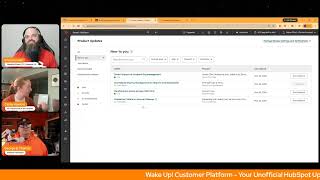
Chris Carroll, Casey Hawkins, and George B. Thomas break down four HubSpot updates from March 11, 2026. Teams Import bulk-uploads nested hierarchies in minutes instead of weeks. A new Memberships Access Groups card on contacts shows group memberships and password reset options without extra clicks.
Chapters
Wake up, Customer Platform. The tools are at your hand. No need to sleep on capabilities that can help your business stand. The answer's right before your eyes. You just need to realize. Wake up, Customer Platform, and watch your business rise. Wake up, wake up. The platform's waiting for you.
Good morning, HubSpot Nation. It is time to wake up customer platform with your unofficial HubSpot Updates morning show where we help you discover the platform value you already own. I'm Chris Carroll, joined by my co-hosts Casey Hawkins and George B. Thomas. We're here every weekday morning to make sure you're not sleeping on HubSpot's true capabilities. If you're joining live, drop a hello in the comments and let us know what you're building in HubSpot today. Happy Wednesday, March 11th. How we doing?
Doing good.
Happy Wednesday. I am happy to get to hump day. I don't know. I don't know, I didn't plan this.
We don't have to be witty in every single moment of the day, thankfully. Um, as easy as George might make it look. No. Okay, so, uh, yeah, a light day today.
Oh, thank you.
Geez, I know.
I was really glad when you opened that up before the show.
I'm not complaining, by the way.
I was like, I don't think I can take another Yeah, we've got 4 updates, uh, which gives us time to remind everybody, uh, to come hang out with us on the HubSpot Helpline. Some live problem solving with, uh, HubSpot experts Kyle, Casey, George, and Rob. Uh, join me for LinkedIn Live at 10:15 AM Central every Wednesday. Come and wear some Orange with us. Among today's topics, is a VIP inbound ticket worth it? Was a question asked on yesterday's morning show. And finally, Kickoff 2026 is tomorrow, and it is all about AROPS this year. So we'll be just touching on that agenda, which you can see here. Had a lot of fun doing this last year. Looking forward to, uh, the kind of change of, of frame now that we've got AI to talk about. I want to help some people understand what that's about. So very cool, uh, and I'll be presenting a couple times tomorrow, so excited for that. Um, how about some updates starting with Teams Import for Scalable Org Management. Hmm, what is it? Teams Import introduces bulk CSV creation of HubSpot teams, including nested team hierarchies. This solves a major gap in team management at scale. Currently, customers must create teams manually one by one, which can take days or even weeks. The new import experience lets admins generate complete team structures in minutes.
Why does it matter? Customers have repeatedly highlighted that the inability to import or bulk create teams prevents them from modeling their organization accurately in HubSpot. Examples include customers manually creating hundreds of teams and nesting them one at a time. God, uh, desire for the ability to upload existing structures and limitations with SCIM and existing user imports that do not support full team structures. This friction compounds as orgs grow, creating a scalability wall and driving operational inefficiencies.
I just can't. I can't. I can't. I just can't.
Nope.
No, can't do weeks. Weeks for the team. Hundreds.
Hundreds.
Hundreds.
Yeah.
What?
What are you—
never have I—
United States Navy using HubSpot? Is that like— I can't like— and I know, I know, trust me, trust me before you hate me. I know that there's probably orgs out there, but I can't on a Wednesday of this March 11th of the year 2026 can't wrap my brain around weeks of just working on inputting teams.
That's a no for me. Yeah.
Oh my God.
Two things came to mind is when tasks take weeks, it usually means they're just not, just not getting done. And then people live outside, outside the CRM. Second thing is I'll just say I'm glad HubSpot is being delivered in cases where there are hundreds of teams. Glad we have people doing that and getting that done. I'm not sure I would want to be one of those people.
Yeah, yeah, thanks HubSpot.
I don't have the attention span for it. I don't have it.
No, thanks HubSpot, but count me out. I'm just saying, I'm no, no, no.
Because when we have hundreds of teams, uh, we need centralized sharing management for reports and dashboards. Uh, for our next Well played.
Well played. Very nice.
What is it? A centralized view where you can manage all recurring report and dashboard shares across your account, including filtering and taking bulk actions.
Why does it matter? When a user's account is deactivated, their recurring shares break and can be difficult to find and fix. With this centralized view, you can quickly identify and resolve broken shares by updating or removing them. No need to contact support. If you're an admin managing multiple users, you can prevent disruptions to scheduled reports before they happen.
Makes sense.
Yep.
If this is for you, come and check it out and see if your join beta button is, is not grayed out. Uh, for some reason I cannot enroll.
Uh, yeah, usually it says like enrollments are limited or something like this. This time it just says, nope, not for you.
This is rare to have a public beta on my page and not have the button. So, uh, maybe look into that, team. Uh, free all hubs and tiers. All right, number 3 today, memberships access groups CRM card.
Wow.
What is it? A new CRM card that displays all access groups a contact is a member of directly on the contact record page and preview sidebar. It eliminates the need to navigate to the memberships UI, provides at-a-glance visibility into membership status, and includes quick actions for password reset and registration email resend. I like that part.
Why does it matter? The problem was that users must navigate away from contact records to memberships UI to view a contact's access group membership, creating friction in workflows. The impact: this feature now reduces navigation overhead by showing membership status in context, streamlines support workflows with immediate visibility into access group membership, enables quick resolution of common issues— password resets, email resends— without leaving the contact page. And it improves efficiency for teams that rely on membership information during customer interactions.
Let me tell you why this really, really, really, really matters. It's hard as shit to find access groups in HubSpot. You'll do 50 laps around your settings area before you even It's a pain in the— oh my God. Thank you, HubSpot, for this. Because— and please, if anybody's out there listening, can you just— when I type the word access groups in global settings, take me to the place that I'm trying to go instead of feeling like Little Red Riding Hood, whatever, in the forest and looking to run from the big bad wolf. Oh my God. Access groups suck when you're trying to find them.
Um, we have to— you, if that's you, if that resonates, uh, just check out memberships over here, uh, in your navigation.
Okay, Chris.
But, uh, I do like what's happening here, like with the marketing events cards and who's registered for that stuff, membership access, making a card for that, because as the team has moved into segments The world of segments, right? Like clicking on that list of membership spots and seeing like, and trying to find, yeah, that was not working out so well. I do want to note here, like surprise update, maybe like, I guess this is not called AEO strategy, search strategy.
I also heard.
What's that? Over in the nav here.
Oh yeah, that changed a while ago. And can I just ask, and when did, when did membership become an actual navigation item? What the flip is actually happening right now?
There's so much stuff in the navigate.
I mean, what is happening? Which is on a different planet. Is this a different timeline?
Yes, it is. I may have unboxed it., when Content Hub launched. Uh, but yeah, to your point, most people do not know this exists.
Um, can we do a little recap for other people, not me, on what memberships are?
Yes, we can. Let's just open it up. And, uh, yeah, so it is Memberships, uh, related to private content in HubSpot, right?
Um, I'm officially retiring after today. The fact that that is a menu item and it is so easy after my blatant, like, frustration of trying to find— I'm done. I'm no longer a guru.
Goodbye. I'm defending you here, George, because there's— the navigation has gotten so big that you only— you can only use the global search to realistically find things that you're not like regularly accessing.
My goodness.
I'm a George B. Thomas stan.
Uh, no, I'm not right now. I don't like George B. Thomas at all right now.
Hey, that's why we're here, folks. We, we learn too., when we're, when we're doing this content every day. Um, and that's why we read every single update, even if we think it might be something that could be old news. Uh, awareness is the first step. Uh, but yeah, some cool dashboard here. Like if you do leverage this, uh, membership conversion overview, last private content access date by member, just login activity stuff related to specifically for people that can access private content.
Um, private content, any— can you do private content anywhere on the website or just in like the portals, the customer?
No, it's, it's anywhere. You can literally create if, if you have the right— see, I do know this. Okay, maybe I'll go back to being a HubSpot guru. So if you have the right level of HubSpot, which I think it has now been brought down to Pro, it used to be an Enterprise feature. Um, you can basically create like a membership area that they could pay an amount and then you unlock a blog, or they pay an amount and you unlock this page that holds a course, or things like that.
Okay. Yep. Yeah. And one of the major changes was memberships coming down to Pro when Content Hub was launched. Um, But I think this is one of those situations where if you cared at all about memberships and portals, there's so many other ways to set this, this kind of visibility up. Um, so easy to just not need to go here.
Uh, and now I just can't unsee the fact that membership is in the fricking navigation. I can't unsee it now. Yeah. Um, son of a gun.
This is why HubSpot's forever challenged of how much is actually in the nav, what makes sense to put in there. Like, how do people know it exists if it's not in the nav? All that good stuff. So that's why we need admins in our portals. Number 4 today: Customize criteria in account cleanup. What is it? Account cleanup now lets you create custom filters for cleanup policies in addition to the existing unused and last modified time criteria.
Why does it matter? You can now customize which assets are removed by automatic cleanup by creating custom filters based on asset properties. You can tailor cleanup policies to your specific needs, protect important assets from unintended deletion, and maintain better control over your account's data hygiene. This allows you to confidently automate cleanup processes while safeguarding essential information. Very nice. Happy to see it. I like the protection of assets from unintended deletion. Um, I immediately am thinking of like a lot of times I'll create like templates, which are really just draft assets, um, for easy cloning and I could see where that might not get modified for a while or something like that. So, you know, having something in place to not get those, that stuff deleted.
Yep. We're definitely living in a new world where if we want the system and AI specifically to help us maintain, uh, uh, the integrity of the portal, definitely have to be mindful of all the workarounds, uh, that we've created in the past to get things done in HubSpot. Um, remember folks, you probably already own—
what are you trying to do? The longest pause on the freaking planet.
He's not sure what his best update of the day is. That's what he was trying to figure out, which was—
well, figure it out, dude. We can get done before 9 o'clock for once in a—
like, come on. You probably already own the solution you're looking for in HubSpot, and it's almost certainly the memberships navigation spot that makes it super easy to go find your access groups in HubSpot. Sometimes, uh, you just need to wake up to it. Join us tomorrow morning live at 7:30 AM Central, or catch us later on the HubSpot helpline at 10:15 Central. Today, uh, or anytime on Spotify, Apple Music, and the Profoundly HubSpot Updates blog. Drop your biggest takeaway in the comments and let us know what capabilities you want to wake up to next. Until then, I'm Chris Carroll.
I'm Casey Hawkins.
And I'm George B. Thomas.
And this has been Wake Up Customer Platform. Now go build something amazing. Have a great day, everybody.
Wake up, Customer Platform. The tools are at your hand. No need to sleep on capabilities that can help your business stand. The answer's right before your eyes. You just need to realize. Wake up, Customer Platform, and watch your business rise. Wake up, wake up. Wake up, the platform's waiting for you. Wake up, wake up, see what your system can do.










