HubSpot Updates 3/24/2026
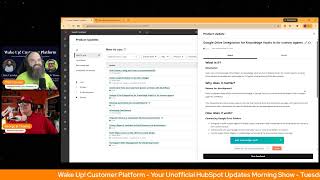
Chris Carroll and George B. Thomas cover twelve HubSpot updates from March 24, 2026. New features include AI-generated quote content, a screenshot button in chat, one-time invoice workflows, and April 27 integration of Sales Workspace with Smart CRM. WhatsApp Business can now coexist with HubSpot inbox on the same number.
Chapters
away. Wake up, Customer Platform. The tools are at your hand. No need to sleep on capabilities that can help your business stand. The answer's right before your eyes. You just need to realize. Wake up, Customer Platform, and watch your business rise. Wake up, wake up. The platform's waiting for you.
Good morning, HubSpot Nation. It is time to wake up customer platform with your unofficial HubSpot Updates Morning Show, where we help you discover the platform value you already own. I'm Chris Carroll, joined by my co-host George B. Thomas. We're here every weekday morning to make sure you're not sleeping on HubSpot's true capabilities. If you're joining live, drop a hello in the comments and let us know what you're building in HubSpot today. Happy Tuesday, March 24th, 2026. How we doing, George?
I'm doing good. How are you doing?
Doing good, doing good. You know, I think the I think, well, we know that the HubSpot product team watches this show religiously, and apparently they were watching yesterday and wanted to help George get caught up from his vacation. Yeah, so we see 12 updates, some of which we did hang back yesterday and make sure we hit on. So we've got 12, but a few repeats that we might breeze through. Yeah, no pun intended. Let's get started with AEO, uh, create a blog post from a recommendation. It's getting to the point where I get excited to see like what the update's gonna be. Yeah, a couple times.
Yeah, what's changed portion of it.
Yeah, yeah, the team has done a great job of tagging this for us. Uh, so what's changed They've updated the workflow to generate blog posts from recommendations with a quote content channel of blog instead of being limited to content type of listicle, enabling support for more content formats beyond just listicles.
Let's go. So smart. So smart, so much better.
Yeah. I mean, they're just going to keep building on the capabilities. So if when you first saw this and you first heard this from us and you were not excited about listicles, well, we can do more than just listicles now. So get in there. But remember, before you begin, for the best results, We recommend enabling brand voice for Breeze Assistant and AI blogs, which helps ensure generated content reflects your brand's tone and voice.
Yep, yep, yep.
Super important.
The good thing is, if you're curious what that is, if you click on the link, it takes you to the product update that is the improved brand voice for Breeze Assistant and AI blog. So you— they're helping you learn along the way.
Yes, indeed. Something else that we didn't hit on yesterday, but happened while you're gone. Screen capture button in the chat widget. Oh, what is it? Attaching a screenshot to a chat has never been easier with the click of a new button in the chat widget. Your visitors on modern desktop and tablet can quickly take and attach a screenshot to their conversation with your agents.
Wow, why does this matter? Support agents can't assume that all visitors using chat are able to quickly take a screenshot for use in support, uh, asks. By shortening the journey from asking for a screenshot to attaching it to a message, friction and frustration can be reduced. Love it, love it.
Yes, so some good screenshots here, and this is for the chat widget that you would put on your website as a HubSpot customer for your customers on your website.
Uh, that's pretty dope. Basically invoking like the shortcut for them and then them being able to like take it. This is, this is quality of life, ladies and gentlemen. Quality of life.
Very cool. Uh, great one-time invoices from quotes or deals with workflows.
Seen this before.
Yeah, what is it? The convert to invoice workflow action automatically creates a draft one-time invoice from a quote or deal. When the source record includes recurring line items, the action creates a one-time invoice version of those line items instead of creating a recurring invoice.
Might be wondering why this matters. By using the workflow action to create a draft invoice from a deal or quote, You can automate a repeatable invoice step inside of HubSpot. As a result, invoices get created faster in a consistent format and with less hands-on effort from your sales and finance teams, or any other human that might be doing this inside of your HubSpot portal.
Yeah, uh, because we can quote from more places now, we can add line items to more places now. Yeah, that's how you get paid, folks, is when people know how and when to pay you. Very cool. Do we have a major update alert button yet?
Major update. Yeah, we got one. We got one.
I got you. Sales workspace update. What's changing on April 27th? This probably also answers the question of when Spring Spotlight is.
Mm.
Likely on April 27th. Maybe. In development though, so we've got a forward-looking statement, but we're, the team is sharing ahead of time what we can expect, 'cause this is a major change and I think they do need to make a big deal about this. Yeah. What is it? On April 27th, 2026, the Sales Workspace is being updated to work directly with your SmartCRM. The workspace's custom-built interfaces like the Prospects tab, Deals tab, and task playlists will be replaced with native CRM index pages. Note, this update only applies to accounts who have been using the Sales workspace before August 27th, 2025. Accounts who adopted the Sales workspace after August 27th are already on the new workspace experience and will not experience any changes.
Yeah, interesting. Why does this matter? The Sales Workspace and your Smart CRM have become two separate systems for customers to maintain. Admins had to configure save views twice and train reps on two similar yet different interfaces. Additionally, users would miss out on new Smart CRM features until they were rebuilt for the workspace. This update Brings the Smart CRM and the workspace together. One step— oh no, one setup, one interface, one experience that stays current automagically. My word, not theirs. Automatically. Nice.
And if you want to switch early, uh, admins don't need to wait. Accounts can be switched to the updated workspace before April 27th using a toggle in the Sales workspace. Settings and Others. So nice. Definitely, you're not going to remember that. So just come back to this update and click on this button and it'll take you where you need to go.
There you go.
Just be careful, folks. You got a sales team on the other side of these changes. Make sure they're aware.
Yeah.
And know what you're up to. Very cool though. They've been, I mean, we've talked about this for a while. All of the changes happening in the workspaces and the CRM index pages gonna come together at some point. So, yep. I like this button, prepare your team. And if we click on that, well, there you go.
There you go.
This is so well done, HubSpot. That is this kind of stuff. Um, very cool.
Think about humans on the other side.
Now remember, admins, don't just give this link to your sales team and expect them to go through it. Like, you're still the curator of that. Um, but now it's super easy for you to do that.
Yeah.
Um, uh, something to keep in mind from Paul here. Target accounts still might be a challenge, so just keep an eye on this, folks, as they continue to, you know, I like the statement from Paul too, unification is good and they will continue to unify all these tools.
Yes.
Notifications that take you right take you to the right record across all CRM objects. It's in private beta.
Request that beta.
What is it? We've improved @mention notifications to link directly to the exact CRM record where the mention happened. We're also expanding notification support to additional CRM objects including appointments, carts, contracts, courses, listings, marketing events, orders, services, and subscriptions. Which now support @mention, follow, and assigned notifications.
I just had to give them a little cheer for that. Why does it matter? When someone @mentions you, you expect the notification to take you straight to that conversation. Previously though, notifications could route you to a different associated record, creating confusion and extra clicks. Now notifications can take you directly to the record where the mention occurred, whether it's a deal, ticket, appointment, course, service, or any other CRM object, you can jump in faster and stay in flow. Thanks, HubSpot.
And I'm going to read this one as many times it comes up because it's the only one so far that lists all the other options. Oh, making progress.
Yep.
Uh, participant state management. For marketing events is live. What is it? Update contact registration and participation status for marketing events directly from the contact record in HubSpot.
Oh, thank you. Thank you. Thank you. Why does it matter? Accurate event participation data is crucial for effective marketing segmentation and follow-up. You can now easily Update this information without time-consuming imports, allowing you to segment contacts based on their attendance, uh, record before, during, and/or after events, maintain up-to-date registration statuses— registered, canceled, attended, no-show— and improve the accuracy of your marketing and sales reporting. Very nice. Anything they can do to make marketing events easier to use. Yeah, because I like the bucket. The bucket just needs to get better. Anyway, I digress, right?
Yeah, getting better and better. And like, remember, folks, I think it's stuff like this where, you know, we always think about, oh, I want it to be like this so we can just automate the hell out of it. Nobody has to worry about it. A change like this enables like a much more valuable event debrief kind of meeting where you get the list, you import it, supposedly everybody on the list attended the event, you have a debrief meeting with your sales team, they're like, nope, that, that person didn't go or they didn't make it, so then you just edit it real quick. Now you're exposing the team to like, you know, how all this stuff works together. And it's moments like that I look forward to try and build like adoption of the system, you know, overall, cuz it exposes the team to everything that's happening. And when they just want the right follow-up to go to the right person at the right time, uh, this'll go a long way towards helping, helping that happen. Um, Cleanup automation for unused reports. Uh, what is it? Account cleanup automatically deletes unused reports to keep your HubSpot account organized.
Why does this matter? You can now easily manage report clutter in HubSpot accounts. This feature helps you remove duplicate or outdated reports created by various users, maintain a clean, efficient reporting environment, and save time on Manual account maintenance. Very nice.
Since available at the enterprise level. Now before I click into this one, George, uh, WhatsApp coexistence. What are we gonna find when we click on it?
But I have no freaking idea. Like I have, I, I don't I don't know, but I'm not like a big WhatsApp, like, but here, right, let's give it a try.
Yeah, bringing marketing and service up together. Uh, what is it? WhatsApp coexistence enables customers to use WhatsApp Business app and HubSpot inbox at the same time on the same WhatsApp Business number without causing conflicts.
Well, Okay, until now you were— oh, sorry, ladies and gentlemen, why does it matter? Until now you were not able to use WhatsApp outside of logging into the HubSpot app itself. What's new? Messages sync between HubSpot and the WhatsApp Business app in real time. Works across mobile, web, and desktop.
Woohoo!
No primary device logout required. And HubSpot backfills the last 180 days of conversations. Media messages appear as placeholders. Hmm. Chris, are you a big WhatsApp, uh, user?
Um, uh, big is not the right word.
I mean, you could say no.
Well, I— it's my primary channel for speaking to my wife, uh, on the phone. So that's a big deal.
That is a big deal.
But also running into this with the current project, building out a portal and the whole team, like 75% of business gets done through WhatsApp conversations, right? Trying to figure out— and I just linked this over to my buddy Ryan because we do you need to figure out, like, how to serve people who are used to using WhatsApp to get the job done, but also systematizing it. So this is very interesting for sure. And, but I don't have a WhatsApp account tied to this, uh, HubSpot, so I'm not gonna click that button. Uh, property history and association history improvements. Uh, We highlighted this one for George yesterday. What is it? Two updates to the historical tracking features on the HubSpot record page. Property history now opens in a side panel instead of a standalone page, and association history tracks changes to association labels over time.
Might be wondering, why does this matter? Tracking record changes is critical for maintaining data accuracy and accountability, but gaps in history make it harder to understand what changed and when.
Huh.
We talked about timelines earlier today on The AI Show. These updates address two specific needs. Association label changes, additions, updates, and removals now appear in association history, closing a gap that previously left label activity untracked. Property history now loads in a side panel, keeping you in context on the record page rather than navigating away. This is consistent with how View All Properties works today. Love it.
Yes, and this is the kind of thing, like so many of the cards you've been talking about on your Hub Heroes, uh, episodes. It's like, how do you see information like this? It's like, okay, let's, let's figure out how to build these special cards. Oh, HubSpot just updated. I guess we might not need to do that anymore. Um, uh, very cool to see them making improvements like that. Historical visibility is a wonderful thing. Custom reports included in email shares with attachments. What is it? Custom reports can now be attached when you share dashboards or reports via email. This fixes an issue that previously caused custom reports to be omitted from email attachments. Huh.
I ran into this anyway. Why does it matter? If you rely on scheduled or one-time email shares to distribute insights to stakeholders or humans who don't log into HubSpot regularly, missing custom reports broke your workflow and made email sharing Unreliable. It's a good word for it. Custom reports now behave consistently with all other report types, so your email shares are complete every time, as you would want them to be. Thanks, HubSpot. Yep, very nice.
Let's make sure the stuff works like we want it to. Um, and looks like those are the same. Uh, oh yeah, don't, don't hide this one on me. Uh, Google Drive integration for Knowledge Vaults in— for custom agents. Oh, uh, what is it? Users can connect Google Drive folders as Knowledge Vault sources in Breeze Studio for custom agents.
How, how is this not a major update? Go ahead, Chris.
Sorry, sorry. Making Drive content accessible and searchable for AI agents while enforcing Drive permissions.
Okay. Not sure what that last piece will mean for some people, but why does it matter? Or the, or, or the reason for development? Many customers store critical institutional knowledge in Google Drive but cannot easily leverage it within custom agent AI workflows. This integration lets users access, search, and use their existing Drive documentation securely with permissions and governance intact, eliminating the need to duplicate data or manage separate content sources. I need the link to this right now. For a client that we built an assistant for, that this will be nuts. Oh, wait.
Yeah. This is a big deal for sure. Yeah.
I don't know why that didn't have the old, you know, major update. I'm not sure why that wasn't there, to be honest with you.
Exactly. And then this was another one they're trying to sneak past us. Uh, multi-object syncs to the CRM from Data Studio.
I don't know if— hang on, do I see that one? I don't know if I see that one.
Data Studio users can now target multiple objects and create associations between them as they sync data from their datasets to the CRM within Data Studio.
I'm trying to see if I have it. I don't, so I'm going to your screen. Why does it matter? Multi-object sync allows you to more accurately sync your external data within Data Studio to the CRM, including the ability to create associations between these objects. It also unlocks additional objects within sync to CRM that are dependent on an association to another object, such as line items. Wow. Wow.
Yeah, still overwhelmed by the power of Data Studio, um, man. Yeah, it's, uh, this unifying context situation that we're telling everybody that HubSpot's able to do now. Like, pretty much whatever we haven't covered so far, or you haven't been able to do in terms of bringing your systems together Data Studio is solving for that in a myriad of ways. So very cool. Remember folks, you probably already own the solution you're looking for in HubSpot, and it might be Google Drive integration for knowledge vaults. Sometimes you just need to wake up to it. Join us tomorrow morning live at 7:30 AM Central. Catch us anytime on Spotify and Apple Music. Drop your biggest takeaway in the comments and let us know what capabilities you want to wake up to next. Until then, I'm Chris Carroll, and I'm George B.
Thomas, and this has been Wake Up Customer Platform.
Now go build something amazing. Have a great day, everybody.
The tools are at your hand. No need to sleep on capabilities that can help your business stand. The answer's right before your eyes. You just need to realize. Wake up, customer platform, and watch your business rise. Wake up, wake up, the platform. Phone's waiting for you. Wake up, wake up, see what your system can do.










