#HubSpot Updates | 4/16
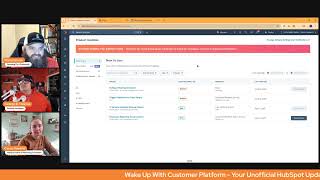
Chris Carolyn, Casey Hawkins, and George B. Thomas walk through HubSpot's latest features: meeting note takers, ticket survey triggers, object renaming, and sequences reporting. New tools to help you track customer conversations and automate follow-ups.
Foreign Good morning HubSpot Nation. Welcome to Wake up with Customer Platform, your unofficial HubSpot Updates morning show where we help you discover the platform value you already own. I'm Chris Carolyn, joined by my co hosts Casey Hawkins and George B. Thomas. We are here every weekday morning to make sure you're not sleeping on HubSpot's true capabilities. If you're joining live, drop a hello in the comments and let us know what you're building in HubSpot today. How we doing on this Wednesday, April 16, 2025?
Good. Chris, I feel like your shirt might be a little more red.
Yeah, it's definitely orange.
You gotta get some color grading done on your video bro.
Apparently. Or just not have multiple oranges in the graphics and like on the screen and on our shirts I think we have like see 1, 2, 3, 7 oranges. 5 at least 5 represented on the screen. Props to HubSpot for making that breeze like when they launched Breeze and they matched this orange and pink and man it was impressive. I remember being impressed last year and now we're finally starting to realize going beyond the design and new color scheme a lot of the AI assisted functionality of the platform. So we'll dive in. Nothing really new here today, one that I don't recognize, but we'll give the HubSpot meeting note taker some more love. What is it? Admins can turn on HubSpot meeting NoteTaker so sales conversations are automatically recorded, transcribed and stored in HubSpot. This frees your team to focus fully on customers instead of note taking. The tool seamlessly joins your Zoom, Google Meet and Microsoft Teams meetings with external contacts.
The question matter Sales reps can engage completely in Hubs in customer conversations rather than divided attention with manual note taking. Notes are automatically logged in HubSpot immediately after each call, providing valuable context for follow ups and coaching opportunities. Has anyone used it yet?
I have not.
I ran over and looked at it and started to play with it and I am pleasantly surprised. Although I don't know if I'm ready to jump ship but I still am possibly thinking about it like yeah, it's, it's, it's pretty dope. It's pretty dope.
I got distracted opening the settings for like one thing I'm curious if I can even do is run it in tandem with like my fathom and see who takes better notes.
Yeah, you definitely can. And Kim Hacker did a great. Oh yeah, has been working on a great you know, article breakdown of all the different note takers and of course she's jumping all over this right away. But at the same time we have all of the note takers like everywhere right now that are all also getting better. As an example, yesterday, like I started getting prompted for, for Google Gemini to just start automatically doing stuff and creating a doc with a summary and a transcript. And then at the end of the day I got to connect Claude to my Google workspace and then when I asked Claude for a daily update, it automatically had access and none of that was planned at the beginning of the day, but it felt amazing. Yeah, there's also some HubSpot stuff connected to that cloud. So that's where like it's getting harder and harder for me to understand which stuff to use and when and how to switch or why not to switch. I don't know if you guys have thoughts or what you're hearing out there in regards to all these new tools we have access to.
I mean, I think I want to like, want to test it out more and see like, see how it performs. I do have like some issues with Fathom sometimes. So like specifically around joining some meetings, I'm wondering if the HubSpot meeting notetaker would perform better or worse. I'm in a little bit of a unique situation because I white label sometimes so I have multiple emails and so that's where I have trouble with is depending on which email I'm using for a meeting, it doesn't always connect and I don't think this would be able to. So we'll see.
Yeah, yeah.
Is the battle for which meeting link we use gonna. Gonna heat up a little bit.
That's true.
It's like, no, please schedule with mine because that's going to come into my area and now all of my things are going to fire properly and oh man. Not to mention I have like three or four things recording stuff at any given time right now. But yeah, it's getting man, harder and harder I think to avoid picking one thing at some point to just go into knowing that almost all the functionality, like there's everything is converging on the same functionality set and in theory the place with all your customer data will end up winning that, that battle. But we'll see. Good to see HubSpot doing what they need to be doing to, to keep up for sure.
So the funny thing, I hear you say that Chris and I know we're here to talk about HubSpot updates, but if everything is converging to be almost the same, then what becomes the separate. Like, I want people to start to think about that, what becomes the separator? If you're all the same, there's got to be something that us humans love. And if it can't be features, because all the features are on all the things, what are we gonna love?
Probably, I don't know, probably the customer support. I mean I think of. I talk about the Chewy brand a lot in this. Like people are really loyal to Chewy, especially like dog food which is something that. Or cat food, whatever you want that is pretty much going to be the same price wherever you buy it. So then what becomes the differentiator? And for Chewy it's the customer service at least.
Yeah, I think the customer experience and the community like combination of those two things in theory are gonna should win out. That's at the same time like is there community around Claude and GPT right now yet? Just a ton of adoption, a ton of usage and it's gonna be super interesting. I think that's a great question that, that people need to be thinking about for sure. George. Both for the. For their own tech stacks, but also for how they go to market and how their business survives in this climate. Number two here. Trigger feedback by ticket stages. What is it? This feature allows customers to select specific open and closed ticket statuses for survey triggers. Ensure surveys are sent at the right moment, improving response relevance. If a survey is set to trigger at multiple closed stages, it will only be sent at the first closed stage the ticket reaches. Impact more accurate feedback by triggering surveys only at meaningful stages. Better agent performance tracking with correctly attributed feedback.
Why does it matter? Large customers manage tickets through multiple open and closed stages. But CES surveys currently trigger at the first closed stage leading to premature or irrelevant feedback. They need control over which closed status example Closed resolved triggers surveys to ensure feedback is collected at the right time. Different types of resolutions not all closed tickets are equal. For example, close resolved, issue fully resolved close, no action needed User self resolved or duplicate closed escalated transferred to another team closed pending confirmation waiting for customer feedback.
This wasn't already a thing.
No, this wasn't a thing. And I don't think we've ever talked about this. I think this is like the one new one or one of the new ones for today. I'm. I'm excited about this because I love the. There's a couple things I love about this update. One, I love the granularity of it being able to select exactly when I need the action to happen. Two, I like that it's painting a different mindset for the thousands of ticket pipelines I've seen out there that have like one closed.
Oh, it's okay. One more than one closed stage.
So I just love, I love the update because it's like, no, no, no, you can close it. Meaning it's going in different directions. Like, oh, it's so. Because. Anyway, I won't say the because, but I. But again, I like the granularity and I like the mindset that it's painting for people who run into this update.
Because people need to get better at utilizing HubSpot pipelines. Like, man, if you just step back and take a second to not let best practices quote unquote, run everything you do in the portal and you just think about your process, it becomes crystal clear on how you need to set up your pipeline. And if it makes. If it doesn't make sense, like, don't do it. Right. Like, look at how, look at how obvious this is. And this is, unfortunately. But fortunately, sometimes it's all. All it takes is showing somebody this list and looking at how common sense it is and why you'd want to have these different stages to be like, oh, okay. Like, literally, they. You give them permission. One of my favorite things as a consultant and coach is like, yeah, it's okay to do the common sense thing that you're thinking about. Right. Like, so very cool to see this.
I like those examples of resolutions. I mean, I don't work a ton in tickets, just where I tend to work more on the sales and marketing sides of things. But even just reading that, I had a client just the other day talking about leads and, you know, know whether they're really disqualified or like, you know, the in betweens between a disqualified lead and like a closed converted lead. And I will say this sparked some ideas to maybe kind of chat through. Maybe. Maybe it's. Maybe there's a different. Maybe there's something different for that.
Yeah. And I agree here, it's about keeping people first. This is one of the ways we can do that by actually paying attention to what closed means for that person in that moment.
Courage. I think you have a sound bite for that.
I might. I don't know which one you want though.
I don't know either.
I was thinking humans.
Oh, yeah. It's all about the humans. Pull that one out.
Yeah.
Oh, speaking of humans. Speaking of, I am naming my contact object now thanks to rename HubSpot defined objects. What is it? Admins can now configure the term they'd like to use in lieu of the HubSpot defaults. For a particular object. For example, you might label deals as opportunities. Once configured, opportunities will then be reflected across most HubSpot tools.
Why does it matter? HubSpot currently forces users to learn all of our terminology at the same time as they're learning a new platform. This adds friction to onboarding new teams to HubSpot. I feel like that's underselling why it matters, but it's one of the reasons it's.
It's a reason. Yeah.
Do you have a count yet, George, of how many, how many names you've changed?
Oh, I, me personally in my portal.
And for clients, maybe.
Oh, clients. I've just been talking to them about it. There's some that immediately were like, so for instance, I know one that changed deals to oh, what was the name they use Anyway, they changed deals. I know another one that's talking about changing two of them based on their process and I actually changed four of my own personally. So.
Yeah, I would actually go as far to argue that like, for new users, I would be like more hesitant to do this quickly because one of the big discussions on, on the streets, on the LinkedIn streets is the documentation. So if you, you change this really quickly in a new portal, then suddenly it becomes really hard for people to get support around the objects that they're using.
Yeah, you've almost fundamentally got to know the baseline. So like for instance, I can't go, I can't go online and be like, what's the custom properties for humans in a. You, you can't search that. So I have to know like humans equals contacts at the end of the day. So there, that's one thing there has to be some documentation of if you made the change. And I would say documentation and education to the team, to the organization of like, hey, we've changed this because it makes sense for our business. But if you're ever talking to HubSpot support or Googling something, do people Google anymore? Anyway, if you're Googling something, make sure that it relates to these base pieces.
Yeah, definitely puts the responsibility on the person suggesting the change to back that change up with documentation and expectation setting and training. Just like that. And I'm getting some, some practice right away as I'm putting a documented data model together and suggesting changes. It didn't take me long to understand and kind of detach from my love of HubSpot why people want to change companies to accounts and deals, to opportunities. Because in the grand scheme of things, like when you have multiple ways to serve and sell products and services Opportunities is a much more, I think general way, general umbrella to capture and not try not to like separate yourself some from possible things. Just because it's not like a sales management, you know, opportunity and then accounts, it's. Yeah. Not everybody's feel like a company. Right. It doesn't mean you have to get so specific to go like schools I guess. Which is where I still hesitate to get more specific with companies and contacts instead of the other way. Like humans and accounts. Like an account can literally be any kind of, you know, non human entity that is a business. So doing that also renaming the services object to deliverables. So it's, it's fun to put the documentation together and just note like, like we're renaming these as a part of the plan from, from the beginning. So yeah, gonna be interesting to see how that plays out. But definitely good point from Casey, which is why HubSpot has hesitated to do this for such a long time. I know, it's a huge reason like support gets more challenging when the system lets you do whatever the hell you want.
And like obviously they're leaning into some AI support, but that becomes more challenging if people are calling.
Well does it, does it like just because we're changing something on the exterior doesn't mean that it's disappeared on the interior. AI can see in every portal that humans equals contacts or this equals that. And I say, hey, I'm trying to do this with the humans object. I then see, oh they mean contacts because they actually have the context to the thing that we changed. And so is it because that AI support is going to be so relevant and so future focus for HubSpot that they knew that they could finally make this change.
I think the URLs are going to matter in support more. And whether or not that's AI reading which URL you're currently on, or whether that's you providing, hey, I'm having an issue on this human record. Here's the link. And then AI is able to very quickly see that that's so maybe, maybe.
Yeah, yeah. That's where we get to have, have some fun and some impact and hope like we can help standardize the way that people are changing these names. And if everybody decides that humans is a good idea because that what that object represents, no matter what business. But I mean then AI is going to be like people asking questions about context and AI be like, you mean humans?
Oh man, I would be so joyous if that day happened.
And a good point here about you know, small business or any Any business really that has been struggling to get to enterprise for custom objects. Just the whole world has opened up with the object library and being able to change their names. Just know the differences between those objects. Like if you choose to rename services like I'm suggesting, then you have customer success workspace that has services built in and is starting to do things with that. So always keep in mind that these superpowers the objects have as you think about your data model Number four Sequences Reporting Advancements it's been showing up a few times recently. What is it? This release provides a number of updates to sequences Reporting to help sales teams quickly understand how their sequences are performing and optimize their outreach. An updated performance tab with reporting on sequence step performance includes new call step metrics to track calls made and connected per step New task on time completion metric to track task steps completed on or before their due date. New email personalization rate reporting to understand how reps are personalizing emails by step and more.
We've got four updates today.
We gotta, we gotta, we gotta cut it short. I give.
Why does it matter? Sequences are scalable ways for a team to implement processes across their team and it's incredibly important to understand the impact of these processes. These updates are designed to help teams better understand what is working well and what isn't and how they can improve performance. I think I said this the last time this got brought up. Unless this is a second update on this, but a few days after this came out, a client asked me about reporting in sequences and I was like I've got something for you.
Yeah.
Which is always nice when an update happens like that.
Yeah, something interesting, an insight from yesterday. I felt like it was an insight or something we have to deal with. I've spent the last two episodes of let's Build Communication with Clemen unboxing the prospecting agent and it became very clear to me that if the prospecting agent is automatically building sequences email 1 email 2 email 3 at which point do we stop using our own pre built sequences and just rely on prospecting agent? So if anything, I think we mentioned this last time too. Like the reason to use sequences can go well beyond, you know, sales and prospecting. And if you have a prospecting agent to rely on, maybe that's where you start drawing the line of what, which tools you're counting on because it goes into the idea of control. And like if the prospecting agent is so good and we trust it and it can ultra personalize every motion, we need to let it decide between two and three days and things like that. So it's going to be interesting to see how these tools, you know, start to play together from that, from that perspective and how easy it'll be to report on them together.
Yeah. It's a whole new world, ladies and gentlemen. Yeah, world.
I don't know how I feel about these low number update.
Dad.
I know how I feel about them. No, like listen, I know it's just a moment in time. It's a moment in time. Trust me. They are probably like, okay, spotlight's over, let's take a nap, let's eat a snack. You know, let's go play some video games. Okay, break now let's get back to work.
So yeah, remember last week when we had two hour long shows?
Come on.
Exactly. Did you guys get to check out the marketing events hug?
Yesterday I had a client call scheduled so I got the second half. But I will say it wasn't my best attempt of self during the second.
Half because yeah, if you, if you folks haven't checked out marketing events lately, man, it's come a long way and very powerful stuff happened. They shared the roadmap of what they're planning and basically everything that we've been asking for. You know, being able to associate things that don't necessarily require campaigns. Being able to manage events in a way that we all want to manage events.
I know what I'm watching this weekend.
Forms automatically adding people to the event.
Oh, that's crazy.
Coming up soon.
Also crazy talk.
Yeah, I heard that there was a.
Question about like dietary, I don't know about like event based like dietary needs.
Yeah. So there's a participants object behind the scenes, not revealed. And I mentioned in the chat like they have three months to reveal it to us because, because it's. Everybody builds that. It's like the registrant object or whatever. So you can keep track of like if somebody registers for five different events, like you see, you see all those as separate instances of that person engaging. So there is an object, one of those background objects that exists so that if you are asking things on your forums like that it's managing the data in a way that you can, you know, use it effectively. It's just not revealed like the rest of the CRM objects are. But knowing that there is a record view specific to marketing events now that's usually where we start. And now we start to see associations. Just the rest of the CRM functionality start to come in. It was really cool and I highly recommend had 300 people on it yesterday. Marketers always, they always show up. So it was good to see. And Namrata did a great job. So that's where we'll wrap for today. Remember, folks, you probably already own the solution you're looking for in HubSpot. Probably renaming objects at this point. Sometimes you just need to wake up to it. Join us tomorrow morning as we continue exploring what's new in the ecosystem. Drop your biggest takeaway in the comments and let us know what capabilities you want to wake up to next. Until then, I'm Chris. Carolyn.
I'm Casey Hawkins.
And I'm George V. Thomas.
And this has been Wake up, Customer Platform. Now go build something amazing. Have a great day, everybody.










