#HubSpot Updates 4/18 - They did what?
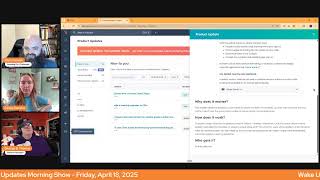
Chris Carolyn, Casey Hawkins, and George B. Thomas break down HubSpot's latest platform updates, including enhanced date time properties, automated exchange rates, AI-generated app review titles, and new workflow metrics. They react to what's new and what it means for users.
Foreign HubSpot Nation. Welcome to Wake up with Customer Platform. Your unofficial HubSpot morning updates show where we help you discover the platform value you already own. I'm Chris. Carolyn, joined by my co hosts, Casey Hawkins and George B. Thomas. We are here every weekday morning to make sure you're not sleeping on HubSpot's true capabilities. If you're joining live, drop a hello in the comments and let us know what you're building in HubSpot today. Happy April 18th, Friday, 2025. George, Casey, how are you doing today?
I am doing well. We're back. We're back. It seems.
Back to double digits.
Back to double digits.
Is that really. Is that really what it means to be back?
But okay, well, George missed yesterday. We're back together. We're back to double digits.
Yeah. Less than right? In the world, the average was less than 5 all week. So clearly we've got to get that average back up.
Yeah.
And we will dive in.
It would be nice for me if they, like, dispersed it a little more, but, you know, beggars can't be choosers.
Yeah.
Yeah. Not to mention all of these. No tricks today either. All these say April 17th, so let's dive in. Enhanced date time property in marketing email medium impact. Scheduled for release expected May 6, 2025. But starting April 16, 2025, any date time properties created in your HubSpot CRM now display both date and time when used as personalization tokens in marketing hub emails.
Why is this matter? With both date and time context, you can send truly personalized meeting reminders, event notifications and confirmations that include exact times, creating clear communications that drive better customer experiences.
Join that beta, ladies and gentlemen.
So there's no time. All right. So there's no situations where I just want. Okay, so we have different. We have date properties now and we have date time properties. Correct. Okay.
Yeah. Yeah.
Okay.
So that's. Yeah. I. I also immediately had that same thought, Chris. I was like, what if I don't want the time?
What if we just want to date? Right.
But then I would in that case, use a date property.
Good looking out. HubSpot granularity. We love it. Number two, schedule automatic exchange rate updates. This one has been a reoccurring star. You can now automate exchange rate updates for your currencies in HubSpot. Schedule updates monthly, quarterly or annually. Eliminating manual work and ensuring accuracy.
Why does it matter? Maintaining accurate and up to date exchange rates is crucial for businesses operating in multiple currencies. Manual updates are time consuming, prone to errors and can lead to financial discrepancies. This automation feature saves time, reduces errors, and minimizes financial risks associated with manual updates, allowing you to focus on growth.
As well. Going worldwide.
Yeah.
And if you need local growth and if you need help with tariffs, check out, check out Nico's app that he made that makes that very easy.
I don't know if it's quite a drum.
You're going in a different direction with that. Yeah, check out Nico's app.
Yeah. Yep. You know, Nico's app is real, folks. Don't pay no attention to the man behind the soundboard anymore.
Where are we about to go?
Anyway, Improved app card configuration experience for Marketplace apps in development continues for future looking statement here at the front, we're excited to release an easy and fast experience that addresses today's challenges with discovering and configuring cards offered by apps in the Marketplace. We, we've heard your feedback and are enhancing the App Cards tab, which acts as a one stop shop for all your needs, all of them. Now, CRM admins can easily view all available app cards in one centralized location, manage and configure these cards for all available locations and multiple views. Marketplace partners can now also direct customers to this tab after installation. This is the big one, folks, enabling a faster onboarding process and helping you get immediate value from your new apps and integrations. Say goodbye to tedious and confusing configurations and hello to a simpler, more efficient experience in development. Not available yet.
Why is there a random two? Anyway, I digress.
Sorry, I was muted too, so thank you George, for filling in that moment in time for me.
Started to look if there was a one first of all. And then I was like, why is there a two? And then I was like, why is there a two without a space? Anyway, I bet we'll see this one again when they update when they edit it. Yeah, sorry HubSpot, I'm not trying to be that guy, but I guess I was just that guy.
So we'll keep it going today because clearly they just took care of the matter. Like say goodbye. This is why it matters. Say goodbye to tedious and confusing configurations, which is real, real life for app partners in a lot of ways. And hello to a simpler, more efficient experience in development. More enhanced date time property in SMS. High impact expected April 28, but starting April 16, any date time properties created in your HubSpot CRM now display both date and time when used as personalization tokens in your SMS messages.
Why does it matter? It's the same as emails. Yeah, Same reason.
All right, we got it again. We appreciate the granularity. Until we don't. Okay. Create and view notes in Help Desk replacing comments High impact. I guess we're not going to rely on the dates anymore because they just update the dates when they would do these over and over.
Well, it says last updated.
What's that?
The date's last updated.
Yeah, just updated maybe.
Important information, please read.
Oh, exclamation mark.
Check out this video. I think this is what we said last time and we skipped all the rest. To learn more about this product update, please watch this video prior to requesting access to make sure your team is a good fit for the current beta experience. Once ungated, you will not be able to manually unenroll from this beta. To leave the beta, please email us at helpdeskfeedbackhubspot.com/Microsoft and Gchat integrations have not yet been added to support notes in Help Desktop. What is it? Okay, we get to the what is it? Part, but this is. I. I kind of love this. This is like do not pass go unless you're ready to pass go. You cannot turn around and I read this. Make sure your team is a good fit as like, please do not scare the hell out of your team. Yeah, by switching to this out of nowhere. What is it? Support teams can now view, create and edit notes in Help Desk, replacing comments as the primary means for internal collaboration in Help Desk, notes are already the building blocks that power internal collaboration is that right across the rest of the HubSpot platform and now they power collaboration that takes place inside of Help Desk as well?
Why does it matter? Since the release of Help Desk, we've heard constant feedback that support teams are struggling to collaborate internally and with cross functional stakeholders like sales agents. When troubleshooting and resolving tickets. These changes will effect effectively. Remove comments, replace comments with notes addressing two of the biggest pain points our customers have shared. One Streamlining collaboration between Help Desk and the ticket record by making information consistent across both and users will be able to create notes on blank tickets from Help Desk.
Okay, so this update both makes me excited a little bit sick to my stomach at the same time meaning like the amount of warning that they gave at the beginning of this match. But here's where my brain goes though is like yes, this might be like an. An issue, a real issue. Like I'm not saying it isn't and. And it says up top that there's a ton. But here's where my brain goes is because I like to try to connect the dots. It's like. Or is it that the way that Notes was built, that it's easier for AI to interact with that versus the way Comments was built? And therefore it can't do the magic stuff with comments, but it can with notes. And so let's just get rid of comments because we want it to be notes in there so we can do the magic stuff, but we're about to blow up somebody's world. So make sure your team is a good fit for this thing that we want to do, because we want to do future magical. I'm going to shut up, but my brain totally went to. This is a HubSpot transition to be able to code something better anyway, right?
I mean, even without the AI part, Notes itself has grown in functionality across workflows, across all the tools of being able to, like, act like Its own object vs comments are in conversations because, like, Notes themselves can also have, you know, comment threads. So that's what I was.
Yeah, that's what I was about to ask. Because, like, in the screenshot there, you can leave a comment on a note, which famously, I am not spending a whole lot of time in service Hub tick tools. But yeah, that was a little confusing for me reading this.
Yep. So it did get me to stop from clicking this button.
I thought you were about to, Chris, because I have. You didn't watch the video.
I have not watched the video.
Yeah.
Be careful. So, well done, team with the. The right amount of preface here. Even though I don't have anybody that could be alarmed by that change. I'm still not clicking the button.
I know yourself. Yep. My team, me, was not ready for this. Can I please go back?
Mission accomplished. Publish app reviews with AI generated titles.
Wait, what?
What is it? In the app? In the HubSpot App Marketplace, customers can now generate app review titles by using AI to speed up the process of leaving a review.
Why does it matter?
No.
Sell us.
I don't think I'm sold on this. To be clear. I just have a job. I just have a job here. I'm supposed to read objective.
I'm sharing the news here.
Why does it matter? Reviews play an important role in helping potential users pick the best app for their work, acting as a form of social proof. Previously, app reviews lacked meaningful titles. Now app reviews can use AI to generate a more impactful title to aid peer app users to quickly scan and get value when evaluating an app.
Let me translate. For years we've watched you dummies put some stupid stuff.
What?
No, nothing.
No. Okay, here's the, here's the truth of it. I, I, when I write a review for something in 2025, I send it to chat GPT and I say, write this better. Write this in words that are better. So I'm already, I'm already doing this.
That energy though, like, it requires that effort and interest on your part to do it. Like, and if their titles aren't good, it's probably because you're asking people and you're forcing people to go do it. And they're like, okay, let me get this out of the way. This is why places like G2 and all the review sites are not going to have nearly as much weight and are already getting demoted from their, like, top of the results. And AI is looking at social, like, where these real conversations are having. In what world does this make sense, George?
Not this one. I'm just. Oh my God, I nailed it. So many pent up feelings right now. Well, no, I guess I've released them.
Yeah.
There's so much more I could say and I don't want to.
Just think about it like, we need authentic reviews.
Yes.
And if, if I don't, if I can't muster the energy to fill out some stuff in this review, like, I shouldn't give it a review.
Yeah.
Certainly not a five star review. Yeah.
To all my humans. To all my peeps. If you, if you keep can't do a title, just hit the X.
All right, this is like the epitome of not customer focused here.
Well, and it's the epitome of like, where you should or should not lean into using AI. In my opinion.
Yes.
Just because you can doesn't mean you should.
All right, convert static lists to active lists.
I'm excited about this one.
What is it? Let me guess. You can convert static lists to active lists. Ooh. While keeping the list ID and references intact.
Nice.
Chris started that sarcastically and then he ended it and he was like, wait a minute. Actually this is cooler than I pretty much. Why does it matter? Previously, after creating a static list, if you discovered that you had applied the wrong filter or wanted to update your list with a new filter, you either had to clone the list or start over. These workarounds are not only time consuming, but also mean the list ID updates, you lose the list id. Oh, the list ID updates. Okay. And you lose all the references where the list was being used. Sorry everyone for that.
So like, this is really important. If you're using a static list or like memberships or something along those like different things like that there's a bunch of different ways. My question is, is it going to be like. Because I don't think it says, again, we haven't read the how does it work? But I hope it's like email where I can do like. You know how you can do like regular to automated and then go automated to regular? Like, I hope it's like, I think so. Static to active and active to static. Like it goes both ways. Hopefully.
I think so.
Okay.
Because you can already convert an active list to a static list.
Oh, well, okay, there we go.
Have any of you done the workaround where you have an active list, but the only criteria is list membership in your static list so that if you end up needing to change your static list, you don't have to change the id.
And so now that can go away, right?
Yeah. You basically have a duplicate list in there just so that you can have one that you can, in theory change and reference.
I saw Chris hit a button.
And a Good try here, Mr. Matthew. He was actually talking about publish app reviews with AI generated titles. So go and check that update out when you get a chance. Love to hear what you think about that one. Manage workflow metrics in Workflow Settings Medium Impact. What is it now? When reviewing and publishing a workflow, customers can enable metrics. They'll also receive guidance on whether metrics is recommended for that specific workflow and see the number of workflows in their portal. Currently using metrics, we're introducing a limit of 20 workflows per portal that can have metrics enabled at the same time. Customers can easily turn metrics off for one workflow and on for another via each workflow's settings.
Why does it matter? With workflow metrics, customers can see conversion and performance data to help them understand each part of the workflow. Now, when reviewing and publishing a workflow, customers can enable metrics to ensure all enrollment data tracked from the moment the workflow is published.
Oh.
Yeah, so. So, and I'm not saying that because of this update. I'm saying that because this is the beginning of something. Like I scrolled down, right? And I literally see the screenshot where it's like, compare conversion for each branch and endpoint. And it says, see the conversion rate of each branch and endpoint, how many records reached each step and how many had errors at each step. Analytics could actually be a reality in the future. Imagine being able to have like, oh my.
Yeah, and no one should be surprised. We've got both reasons to, like, maximize the value of HubSpot so, so of course it's at enterprise level only. And yeah, this should be powerful. I love the fact that they are coaching that they make suggestions too because this doesn't mean like every workflow should have metrics that we track if it's just a few steps and just.
I also love Chris. 11 of 20 metric slots are in use.
Yeah.
Literally as you're using it, you know how many more you have or don't have to compared to what you just saying.
We love you and we think that the conversion rate is probably the goal of the workflow.
No, I, I don't think it's the goal of the workflow. It's the conversion rate of each branch. So like I think that, so that I even think this. Like you have the goal because you know you have the percentage of like they reach the goal. But then these are like micro metrics based on the branch or endpoints that you're sending people to. Because not every endpoint in a workflow is the goal. Right. So like yes, that's, that's why I'm saying if you think about like the, the goal and the percentage rate and now what they have added here and what they'll build over time, like I'm, I'm imagining in the future. HubSpot. Please slap me if I'm wrong, but I'm imagining like an analyzed tab. Oh my God. Like, like and.
Yeah, got the data.
That's what I want. I think, I think I need more screenshots and I'm hoping that HubSpot will add them.
Yeah, we'll get there. We'll get there and we'll get here. To hidden fields. Hidden fields. Hidden fields in logic and redirects on forms. What is it? We're expanding the power of conditional logic and redirects by introducing support for hidden fields as trigger criteria. With this update, you can now use hidden fields in conditional logic, dynamically show or hide fields and skip steps based on hidden values like a campaign id, Persona or page source. Example, show a custom question only if the hidden field equals Page ID equals pricing is present. Or we can use hidden fields to power redirects. Redirect visitors to different thank you pages, HubSpot pages, meeting links, or external URLs based on hidden field values like UTM source equals partner. This update unlocks powerful new automation and personalization capabilities, allowing forms to adapt in real time based on visitor context without any manual input required. Whether you're personalizing messaging, streamlining follow ups, or improving campaign attribution. Hidden field Triggers make your forms smarter and more responsive than ever.
Why does it matter? Forms should adapt dynamically to a visitor's context, whether they arrive from a specific campaign page or audience segment. Until now, hidden fields pre populated with default values or query parameters couldn't be used as triggers for logic or redirects, limiting automation and personalization options.
Oh my God. My. My brain is exploding right now. I'm so happy and still want more. Can I get cute fields back please? Anyway, but I'm super happy about this. Like the amount of routing that you should be thinking about doing or the amount of customizing the questions that are being asked that you should be thinking. Like, I've been preach second smart questions for years and like to be able to do this at a granular level. This is. This is.
Yes. This is why our marketers need to take time to put together a forms strategy. Podcast Slide in CTA template. Huh? What is it? Showcase your podcast episodes directly to website visitors. With the new Podcast Slide in CTA template, you can now promote your latest episodes anywhere on your site. But just a few clicks.
Why does it matter? With HubSpot's integrated CTA tool, you can strategically place podcast promotions across your website to grow your audience, track listener engagement through your existing HubSpot analytics dashboard to measure performance, gain audience insights, and create more of the content your visitors love.
I mean, this. This sounds pretty cool, George.
I want to know what it actually like.
Well, there's a video demo here. Yeah, check out after the show.
Yeah, we need it. Yeah, we need to do that.
Because.
Because my curiosity is like if. If it's just a normal CTA kind of template, like slide in pop up. But if it's like something that's a CTA slide in that has like the player or something, I don't. Anyway, needless to say, I've. I've button and I've also opened the the link to watch this video.
Yeah, because even if it was like dynamic, it was CTA you set up and then it dynamically shows the latest episode. That feels powerful. Create new list from indexed pages is live. What is it? You can now create a new static list directly from index pages. For example, contacts, companies, deals, tickets, appointments, courses, listings, services, and more. Why does it matter? Casey?
Previously you could only add records to an existing static list. If you wanted to add records to a new list, the experience was confusing. Now you can create a new static list directly from the index page without having to bounce between different areas of HubSpot spot.
There you go. Straightforward. And that's live for everybody. Just manage. Maybe, maybe train your people before you just tell them to do it. Go create a bunch of lists. Add a meeting calendar to CTAs. This is live and we couldn't do it before. What is it? You can now add a meeting calendar to CTAs and include a scheduling experience right inside of your pop up. Instead of sending visitors to another tab or screen, they can now pick a time directly from the cta. This helps reduce drop off and makes it easier to convert high intent leads.
Why does it matter? Booking time with leads is a critical conversion point, but currently CTAs require extra clicks or redirection to external calendar pages. By embedding a meeting calendar directly into the cta, visitors can book a time right away without leaving the page. This makes the experience smoother and helps turn interest into action faster.
Yeah.
Great. This is.
You're muted.
You're muted.
George. This is the worst.
Oh my God. Oh my God. I can't believe I was muted. First time on the Internet. Listen. Oh, CTs are getting hot. CTs are getting hot. This is amazing, by the way. I couldn't wait. I muted myself because I went to the video so I can skip around on the whole podcast thing, bro. And bro, it's everybody human. Oh my God. It has a player right on the slide in.
Oh my gosh.
All right. And so now we're in this one and like you can book a meeting right on the slide in.
Wow.
I want everybody to start. So first of all, CTA's team. Now if we can just get smart CTs back in the mix. But, but here's my thing. Like this is getting amazing because it's around the user experiences that we can create. And I go back to something I've been saying more often lately. It's about less scrolls, less clicks. Bottom line, end of day, less scrolls, less clicks. That's how you create a better user experience. This.
Yeah, this one definitely coming to a profoundly homepage near you very soon. Powerful stuff and. Exactly. Seth one. Whoa.
Yeah, yeah, exactly. Is a. Wow.
Unique value enforcement for custom phone number properties. What is it? You can now apply unique value enforcement to custom phone number properties.
Why does it matter? This enables admins to establish unique values for phone numbers. For example, you may want to ensure that two contacts don't have the same phone number to reduce phone contact record duplication.
Okay. I did not know you. You could not do that prior to now. That's very cool.
Be careful with this one, especially if you're in B2B, a lot of times the phone number is your office phone number.
Indeed. Lots of things to consider before just smashing that button. User Time Zones for Marketing Content Scheduling and Marketing index pages oh, April 2nd. Huh? That right? What is it? We're excited to announce the rollout of the User Time Zone feature, the first step for the seamless time zone experience across HubSpot. You can now set your preferred time zone for marketing, content scheduling, email, social and SMS and marketing index pages. Our aim is to expand this feature throughout the platform for consistent time zone experiences, and we'll keep you updated on developments.
As will we why does it matter? Customers operating across multiple geographic regions such as North America and Europe, in case you didn't know, often face challenges due to users existing in different time zones. This can impact their ability to effectively utilize HubSpot tools. With the upcoming changes, we aim to enhance the experience for teams with users in diverse time zones within the same account.
Helpful.
Okay.
George's official review of that one.
Okay, let's wrap it up so I can move all my podcasts from wherever they are into the HubSpot podcast.
We're moving. We're moving.
That's where we'll wrap for today. Remember folks, you probably already own the solution you're looking for in HubSpot, and certainly it is CTAs today. All of the CTAs. Sometimes you just need to wake up to it. Join us on Monday morning as we continue exploring what's new in HubSpot. Drop your biggest takeaway in the comments and let us know what capabilities you want to wake up to next. Until then, I'm Chris Carolyn I'm Casey.
Hawkins and I'm a big dork, George.
And this has been Wake up with Customer platform. Now go build something amazing. Have a great day.
Everybody drop. Everybody drop a Happy Birthday to Chris in the comments.










