#HubSpot Updates 4/21 (What will you use?)
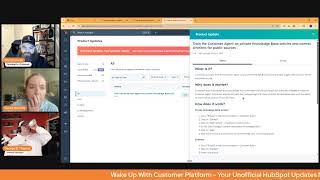
This is a YouTube video titled "#HubSpot Updates 4/21 (What will you use?)" recorded in April 2025. It features a conversational morning show format called "Wake up with Customer Platform" hosted by Chris Carolyn, Casey Hawkins, and George B. Thomas. The hosts discuss recent updates and new features in the HubSpot platform, including knowledge base automation, invoice syncing, workflow improvements, and AI-powered insights. The content is an informal, informative discussion aimed at helping users understand and leverage HubSpot's capabilities effectively.
Good morning, HubSpot Nation. Welcome to Wake up with Customer Platform, your unofficial HubSpot morning show where we help you discover the platform value you already own. I'm Chris Carolyn, joined by my co hosts Casey Hawkins and George B. Thomas. We're here every weekday morning to make sure you're not sleeping on HubSpot's true capabilities. If you're joining live, drop a hello in the comments and let us know what you're building in HubSpot today. Happy Easter. Monday, April 21, 2025 George Casey, how are we doing?
Good brother, doing good.
I'm doing well. I am working from my families this week. So what could go wrong? What could go wrong?
Let me count the ways.
Already showing your flexibility and agility by moving around the room to get that lighting right.
Yeah, I came on the camera and there's a big window here so my just entire thing was like backlit and I jumped on and I was like oh this is the worst lighting that has could have happened. It's not better that much better now. There's a lot of windows in this room. Like every time I turn I'm like oh there's another window.
I'm like knocking out quick natural light is a great thing until it isn't true facts. Oh, speaking of good things, Knowledge Base Agent Private Beta this was one of my favorite updates I think coming out of coming out of Spring Spotlight that I don't think we heard about before that this means so many things. This agent. What is it? Breeze Knowledge Base Agent leverages customer agent knowledge gaps and support tickets to create article drafts for your knowledge base automatically. You can simply review article content, make edits and and publish.
Why does it matter? On top of the regular day to day, day to day support agents, marketing managers and technical writers spend hours identifying gaps in their knowledge base to determine what type of content customers are looking for. Users then have to search to find answers common inquiries that likely exist somewhere in the ticket repository. Our new knowledge base agent will eliminate the need to manually find answers to customer inquiries and write and create knowled knowledge articles by offering self service content that is fresh, relevant and automatically at your fingertips.
Have you had a chance to try this out yet? George?
I have not had a chance to try it out yet. I see the first thing that comes to my mind is you've kind of got to probably have a knowledge base, got to have some knowledge based articles. You've got to have a process around that and so some of my clients do but we historically haven't had I Don't want to say a need or a reason because there probably is a need and, or a reason and I don't want to say time sounds like a cop out, but we haven't built that system for us internally yet. So I have not played with this.
Okay. One of the interesting things that pops out to me is like how often do you see these two groups of people together?
I stuttered over it because I was like, wait, what, why are these, why are these people at a bar together?
Wait, you mean they're not siloed? Oh my God.
I mean this is how you need to approach this topic. This is why you have so many knowledge based gaps already because you don't put these teams together and just like from front to back, it's good to see them put. To be clear, this is a good thing that these two groups are listed right together because you need that to, to develop, you know, the best content for your customers before and after the sale. So. Okay, let's. So how does it work? You must have customer agent set up. All right. That's another milestone that most people probably don't have in place yet. And a set of knowledge gaps to work with. Your portal should have at least five tickets. You should be on our newest knowledge base tools and have a knowledge base set up. English content will work best during the beta phase. So that's good to know some prerequisites here as George, you know, described before we even got to this section. So you need gaps in order to fill gaps? Apparently, yeah. Can't just say, all right, knowledge base agent, get after it. Check out our website and build some, build some articles.
Maybe that's next. Yeah, I wanna from scratch. Here's what we're doing, here's who we are.
That's when we start working with the content agent, I think at the same time. Yeah, yeah, right around the corner, I'm sure. Powerful stuff here. I highly recommend getting those prerequisites in place because that's what's going to take. As Trish says here, we need some, some trustworthy articles as well.
Biased.
And that's always like the concern with any implementing any AI tools. Like is it reliable, is it trustworthy? Things like that. And I mean AI is only as good as the information you're feeding it.
So no content, no AI. Trustworthy help. Two way invoice sync for zero. What is it? You can now sync invoices from HubSpot to Xero and from Xero to HubSpot. In addition to syncing invoices Payments applied to invoices will also be synced whether the payments are created in HubSpot or in Xero. You can control which direction you want to sync invoices and use filters to control which invoices are included in sync. You can find our beta documentation here which includes detailed information and screenshots.
Why does it matter? Until now, Hubs HubSpot Zero integration only supported one way syncing of invoices from Xero to HubSpot. With this new functionality, you can use Invoice sync to send both from Xero to HubSpot and HubSpot to Xero two way sync. This update makes it easy to reflect invoices and payments in your accounting system. You no longer need to manually export invoices from HubSpot and upload them to Xero. Any invoices that are created in HubSpot can be synced to Xero within minutes and will be updated if the invoice is changed in HubSpot or vice versa.
This is a big deal for anybody using that platform. Like we've had, you know, the QuickBooks integration for a hot minute now. So yeah, some somebody is super excited when they see this beta.
Yeah, just, just find your your zero lifeguard. Last last year it took about six months to actually sunset the old QuickBooks integration people. Still there's a learning curve when you start messing around with the revenue side. Oh yes. So it's not just easy because what really needs to happen here, and this is the toughest part with invoicing quote to cash, is once you figure out that you want to involve HubSpot at this level to really manage communication effectively. An example is maybe 10 people need to get the invoice but in QuickBooks and Xero I don't know about Xero but in QuickBooks you can only list one person as a billing contact. So that has driven all the process that way and people think that's like best practice. And if you want to use HubSpot to manage communications, it often works better if you create the invoice in HubSpot first and send it to the invoicing tool which once you talk people through it it's very common sense why you would approach it that way. But it blows minds when you give people permission to create the invoice in HubSpot first and send it over to the invoicing tool. So a lot of work to do there as far as education goes. But this is why mainly making sure the the communication so that people can pay you effectively getting to the right people at the right time, getting paid.
Is always good indeed.
New Card Message analytics in the Help Desk Summary tab what is it? You can now monitor operational health of your help desk by reviewing message analytics right in your Help Desk Summary tab. These new analytics are designed to empower leaders of support teams with actionable data, driving better decision making and enhancing our overall support operations.
Why does it matter? Ticket complexity varies ticket by ticket. The number of messages sent by customer and support reps is an indication of how complex a ticket is. Understanding key message analytics of today's messages is a key information for leaders of support teams to monitor the health of their teams and to identify where they can step in to help out. Step in to help out.
Nice.
Makes sense.
I think this almost feels a little bit like a deal. Well, yeah, almost like. You know what I mean Pipeline.
Well, like the deal insights. Yeah, give us those insights and some really well designed cards. Team again Team's doing some kind of work to put everything in such a small, small area. Small screens in the portal. So great work there A New Workflow Creation Experience what is it? The Create Workflow process now starts directly in the Workflow Builder. With the ability to browse all available workflow triggers up front, why does it matter?
In the past, when creating a workflow, the first step was to choose an object type. For newer users who hadn't yet learned HubSpot terminology, this choice was overwhelming even for experienced users. This meant committing to a specific object before committing, confirming if the trigger you need will be available there. If it wasn't, you may have assumed the feature doesn't exist in workflows and miss out on an automation opportunity. At best, you'd need to go through the trouble of abandoning that workflow, creating a new one, and repeating that process until you find the trigger you needed. With this change, you'll go directly into the Workflow Builder after clicking Create Workflow, where you can immediately begin browsing all available workflow triggers. You can more easily switch between different trigger options while in this flow, and maybe even discover some new triggers you didn't know existed. When a trigger is selected in the new experience, HubSpot will set the workflow object type automatically when possible, to save the time and clicks. This update makes it easier for you to find the best trigger for your process while removing decision points with limitations that made it hard to get started. I did a walkthrough of this a couple weeks ago after this first came out. I liked it. I famously don't like navigation changes and spend a Lot of time in workflows, so don't really love when they change workflows. But I do think for all of the things I just read, this was a positive change.
Yeah. Watch that five minute video for sure. And also, like, just dig into it. It's funny because you mentioned changes and not liking changes. Anytime HubSpot changes something, I try to go into it with like a I'm just gonna go play mindset. Like maybe not wait till it's an immediate, like emergency thing that I need to do. Let me get ahead of it and just go play for a hot minute. And so I would suggest again, Chris is literally sitting here on the leave beta button. Go play with it. Because you can always kick it back. You can be like, nope, or you can be like, heck yeah.
Yeah. Really? That big change that was super welcome was the being able to see all the triggers up front, like all the different objects. It was like they described, like this process of either assuming. Getting to the point where assuming that trigger doesn't exist, no matter how many times you saw it on LinkedIn, you cannot find that trigger because you're not starting with the right object. But also, George, real quick, which. Which hub is missing on this list?
Oh, you're making me read first thing in the morning.
Yeah, my job isn't to read. That's not. That's you. Your job.
Well, immediately I might. There's no commerce hub, but yeah, services there. Sales. Is there.
Content hub.
Content hub.
Can I get. Can I get some workflow?
I did see a comment from Kyle Jepsen this morning where he said one of the reasons internally they haven't added more objects to workflows is because of that first screen. So maybe you'll get your wish, Chris.
We'll see. There's. It's the only hub that you pay for that you don't get access to automation at the pro level. Meanwhile, we do have content remix, so maybe I'm just barking up the wrong tree here.
Yeah, be grateful for what you have, Chris.
Oh, geez.
Oh, enterprise though. Come on. Content of Enterprise shift. Anyway, Claire, clarification. Do you allow Deny list behavior for Inbox and Help desk? What is it? We have clarified the behavior for the Allow Deny list for the case in which an email address or its domain appears in both the Allow and Deny list.
Wait, what?
So confused. Why does it matter? Creating consistency and managing your incoming email data. Thank you.
Okay, so let's get into how it works so that we can hopefully come out of this understanding this.
I feel like the most important part of this update is the last line.
Yeah.
Learn more on the knowledge base. But. Okay, let's keep going.
So if a domain is in the Deny list, but a single email address of that domain, example personompany.com is in the allow list, then incoming emails from personcompany.com will be allowed.
That actually does surprise me. I can see why they're clarifying this.
If a domain is in the Allow list, but a single email address of that domain, example personompany.com is in the deny list, then incoming emails from personcompany.com will be denied. If a domain or a single email address is duplicated verbatim in the Allow and deny list, HubSpot prioritizes the allow list. That's how it works, folks.
Where do these Allow and deny lists live?
I believe they're in Settings.
Help Desk. Connect. Help Desk.
Like I said before, learn more. Knowledge base. No. No.
Okay.
Oh, no. Why didn't.
No, it's a help desk thing. I'm. I'm just saying this is different than marketing email suppression list situations.
Always right click and open a new tab, my friend.
So many of these just open up in new tabs. What have we done?
Actually?
Yeah, I just lost the rest of our updates.
I thought I was going to be the problem today.
I know.
Well, that's the show. Have a good day.
That was the end of April 18th.
I know. That makes it worse. That makes it worse.
Oh, yeah.
So I. So I'm. I'm close. I don't know if I'm exactly. To what you had, but I'm close to what you had. So if we. If we follow on that because there was how many 17 updates I think you guys had? Yeah. So actually we might. Huh?
Yeah. It was nine.
Nine left.
Yeah.
So. So the next one I see on April 17 is feedback submission object rename. That's. That's the next one I see.
Feedback Submission object rename.
Yeah. Is. Is a good way to get. Is a good way to get to it. Or you could search it, I guess.
Okay.
Feedback, Submission object, rename.
Let me get back to where I was because I tried to go see and this is job. The job is hard, folks.
Please hold while we have technical difficulties. All right, enough of that.
All right, well, we got a new one just by clicking on.
I was worried this was live or not. Yes.
So. So go to all and then search Feedback Submission object. There it is. Top one. You got it. Just with feedback.
Alrighty. Thank you, George.
Yep.
Teamwork makes a Dream work.
I won't move my screen so I can give you the next view.
Alrighty. Feedback Submission object renamed to Survey Response what is it weir? HubSpot is renaming the core object in the Feedback tool from Feedback Submission to Survey Response. This change brings consistency across the product and aligns with standard survey terminology.
Why does it matter? Users of the Feedback tool need clear, consistent terminology when working with survey data, especially as we expand to support non survey sources. Today the same object is inconsistently referred to both as submission and response, which leads to confusion when creating properties, analyzing data or referencing documentation. I like like this. I find it confusing. I have to usually type it twice when I'm looking.
Everything's getting renamed and you can rename everything. The next one Chris is change the name. Speaking of changing names, change the name of your export.
I'll just note Trisha makes a good comment here. The forever challenge with the HubSpot product team is making changes that people responds to what people are actually doing in the portal. We are seeing an uptick in in service hub in general and usage. So good to see that they're also focused on creating some consistency and some better experiences there. I'm just glad they're not letting us rename this one. I'm being honest, that's what I was worried about when I first first heard that. So I remember George said the word name.
Change the name.
There we go.
Yep, it's the second one down there.
This one definitely caught my attention when I just saw the name of it. What is it? You can now edit the name of your CRM exports.
Why does it matter? Previously, users were unable to edit the name of their exports. It simply defaulted to the name of the index page, view list or property history you are exporting. This made Huntingdon specific export a big guessing game. Going forward, users will be able to name their exports so they they're easily identifiable. If you look at my downloads on my computer, you will see this. You will see this to be the case.
Yeah, small but mighty update right there.
Oh man. If this doesn't give you a signal that HubSpot is literally serving all the use cases and not trying to keep you in the portal at all costs.
Yep.
Oh man, this is a big one. Because in reality we don't want you doing this a whole lot if you're, if your CRM is on point.
But.
If you, if you're, if your process says you got to export this the same type of data set over and over. It gets a lot easier when you can name them exactly, exactly how you want to. So yeah, it's also a good first step when building out integrations with things like ERPs and accounting systems.
So Chris, your next one is right under it. New name comma, home. Nope, just go down three. Yep, there you go. There it is. That's the next one.
New name home and limits for target markets. All this. I know all these names.
Change it all.
Yeah. Markets. What is it? We've updated how you manage target markets. They are now simply called markets and have a new centralized home within your account master settings. Previously, setting up and managing target markets happened within the configuration tab of buyer intent. To ensure optimal performance, we're also introducing a limit of 20 markets. If you're currently. If you currently have more than 20, your existing markets will remain unaffected. However, to create new markets, you'll need to remove some of your current ones first.
Why does it matter? Starting today, you can now do the following. Centrally manage and permission your markets. Utilize market across applications. See who created the markets.
So two revelations here, George. We care about markets outside of buyer intent. This is a good thing. And apparently we want to try and keep it at a low number below 20 so that we can do some effective targeting. I don't know. Why can't we serve everybody, George?
Well, we all in there serve everybody. But I can tell you right now there's probably some people out there when they, when they get this update are going to be like. Because they're not used to like keeping it small like that. I'm just gonna throw.
I was thinking that too.
I was like, oh, might be the ones abusing buyer intent.
Myself.
Yeah.
This is a cool step though, in the direction like we've been talking about related to AI data sources and ICPs and very limited functionality in terms of it like telling the AI, you know, which markets you are targeting and why. So good to see some expanded functionality here.
Yeah.
But let's have a chat if you need that. 21st and you. And you can't get it. Like let's maybe talk about some strategy.
Wait, strategy? Oh my God. Saying ain't so.
Although this, this, this list of. Of market titles is. Yeah. Anyways, moving on, we do have two more.
The next one is Build. By the way, I think this is actually huge. The name doesn't make it sound huge, but I think this is huge. We'll get there. Build lists using document Events.
Yeah, we'll hit this one again for sure. What is it? You can now use Document Events example viewed, shared finished viewing to build lists.
Why does it matter. You can now easily segment contacts and their related objects based on document events. You can use document filtered list to assess whether contacts have interacted with your documents to help inform follow up actions like calling email and workflows or build custom reports. I think they added some pictures since we saw this last.
Yes. Scroll down. Yeah, see I want to, I need to, I need to mess with this. I haven't messed with this yet, but I want to know how granular I can go. Because if I could like if I knew I had a presentation, aka a document and I knew there was like 12 pages of it and I knew that page seven had pricing on it and if I could build a list where people who did not see page seven of my document. Oh my God. Anyway.
Yeah, looking at the screenshots, I don't know if we're quite there yet.
I don't know if we're there yet. But maybe we're getting there.
Could be getting there.
I think that was, I thought that was an example.
Well, there's fully viewed, but I guess you, for now you might be able to do like not fully viewed because then you know there needs to be additional conversations. Like you need to look in and see what they didn't see. But if we can get super granular like that would be great.
Yeah.
Did not view page number.
And here's one more renaming request. Maybe instead of marketing interactions, we can just go with interactions.
Chris. Everything.
Everything interactions.
Come on now, come on. This is already the HubSpot that we've been using for years.
We're getting there, we're getting there.
All right, the next one, App Marketplace Q1 Roundup.
Yeah, this one we've definitely went over a Couple weeks ago. 95 plus new apps, 60 plus apps recently updated with new features. If you don't know this roundup exists, they've done it a couple quarters in a row. Check it out. Maybe the word roundup.
You can see the old ones too, I think.
Yeah, maybe App Marketplace. There we go. Now we just get some naming conventions in place and we'll help people be able to see all these teams doing a great job of starting to bring us up to date, especially on behalf of the app. The apps that put in all the work of developing for HubSpot. Be very hard to. I wonder.
Plus space new to be honest with you. Just, just to see. Oh, that's an equal sign. But hey, you're close. Bam.
There it is.
Bam.
That's why we bring the experts in.
No, I just see patterns. It's a little bit of a disease.
Yeah. Okay.
So here, here's the thing. I'm gonna roll through the next few and you tell me if you want to cover them because they feel like they're ones that we have already covered. But. But if we were going to keep going, it's sync recordings and transcripts with Google Meet would be the next one.
Okay, keep going.
Okay. User. Yeah, exactly. User time zones for marketing content scheduling.
I think we saw that.
Yep. We did remix multiple pieces of content. We've seen that one.
Yeah.
Upload a PDF to Breeze Copilot. Yeah, we've seen that one. We got all excited. Customer survey, API, NPS and csat. I believe we've seen that one.
Yep.
We have train the customer agent on private knowledge. I think that's maybe private knowledge base. I don't know if we've seen that one. So maybe search customer agent and get out of the new to you on private knowledge. Yeah, you have to go to all and then customer agent maybe. There it is. I don't know if we've gone over this.
We have, but it's important because a lot of the people worry about control and curation. Again, if you don't have content, this is not going to help you. But if you do and you're worried about which ones it uses when like you have this kind of granular control on your customer agent to pick and choose articles and citations, maybe we don't want to create too big of a gray area here for our customer agents. But just know that I think that the takeaway is they have granular control over which sources it's using.
And if we jump to the last one, AI Companion summary insights.
AI. That feels like a new one. Maybe a companion.
Yep. Or campaign AI Campaign summary insights. Wow.
This is why we don't have George doing the reading.
Coffee?
What is it? The newly embedded AI campaign summary on each campaign's performance page makes generating insights and results faster and easier than ever. With just a glance, you can quickly review key metrics effortlessly, identify top performing assets, instantly uncover highlights and key learnings.
Why does it matter? The campaign page for the campaign's performance page. That's what I get first. Talking about, George. The campaign's performance page shows a large amount of insights. With this new summary section, you can quickly digest key data, spot top performing assets, and uncover valuable learning with ease.
It's not so hard to read sometimes. Ladies and gentlemen.
I was, I was reading with my niece this weekend and I was like, man, I do this every day still.
Has there been a sneakier transition to a very record view like experience? True. Than campaigns.
You almost did it. Companions we all need.
They should be your companions, folks. If you're using marketing Hub, you gotta check out campaigns.
Yes.
The marketing events from last week, man. So it's a different world over there. Marketing campaigns might as well be a completely different tool right now than the campaigns you knew like one, one or two years ago.
Yeah.
So it actually can give you a large amount of insights now because you can attach just about everything you always wanted to to a campaign. It's a great episode. 2 weeks ago last week. George, about the campaign still on Hub.
Heroes, I think two weeks ago. Yeah.
Yeah, it was good stuff. Of heroes.
Find it on Spotify, Amazon, wherever. Your favorite podcast thing. Anyway, I'll shut up.
There you go. That's where we'll wrap. Remember, folks, you probably already own the solution you're looking for in HubSpot, and today is definitely campaigns. Sometimes you just need to wake up to it. Join us tomorrow morning as we continue exploring what's new in HubSpot. Drop your biggest takeaway in the comments and let us know what capabilities you want to wake up to next. Until then, I'm Chris. Carolyn.
I'm Casey Hawkins.
And I'm George B. Thomas.
This has been Wake up with customer platform. Now go build something amazing. Have a great week, everybody.










