HubSpot Updates 4/25 #HubSpotCRM
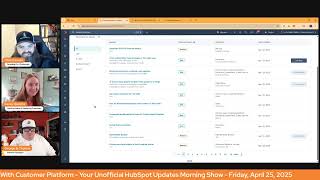
This is a YouTube video titled "HubSpot Updates 4/25 #HubSpotCRM" containing a conversational morning show episode recorded on April 25, 2025. The show features three hosts: Chris Carolyn, Casey Hawkins, and George B. Thomas. They discuss recent updates and new features in the HubSpot platform, focusing on data management, customer service improvements, and marketing tools. The conversation is informal and informative, aimed at helping users better understand and utilize HubSpot's capabilities.
Good morning, HubSpot Nation. Welcome to Wake up with Customer Platform, your unofficial HubSpot Updates morning show where we help you discover the platform value you already own. I'm Chris Carolyn, joined by my co hosts Casey Hawkins and George B. Thomas. We are here every weekday morning to make sure you're not sleeping on HubSpot's true capabilities. If you're joining live, drop a hello in the comments and let us know what you're building in HubSpot today. Happy Friday, April 25, 2025.
Happy Friday.
Doing all right, Casey?
I'm doing good. I'm back in my office, back in my space and I'm going to look at two greyhounds today, this afternoon.
So be dogs and not buses.
They will be dogs.
Okay, cool.
So I might have. I said to somebody yesterday this afternoon, I might be 800 poor, but a lifetime richer in.
There you go. That's a good way to look at it. Sounds like a good investment. Speaking of good investments, Associate CSAT to Contact Object is live has medium impact related to feedback surveys. Apparently you could not do this before now. What is it? Last CSAT survey rating, comment and date are now available on the Contact object.
Why does it matter? C Stat data wasn't previously stored on contact records, limiting teams from using it in health scores, workflows or feedback summaries. This update fixes that.
Nice. So not actually association, right?
It almost seems like it's a. Well, it says a roll up. Like it almost seems like a sync property in functionality.
Yeah. So how does it work? View CSAT responses on the right hand CRM card of a contact record, Use CSAT data and health score calculations via associated contacts. No setup required. Automatic rollout for all users and portals.
I feel like it's just bringing the information from the survey over to the associated contact or whatever in a card. Like no, no. Almost like we see with like some of the other things like the web analytics card. Not that it'll be in the same place, but like there's just cards that kind of magically show up based on other pieces of HubSpot. This feels very much like that.
Yeah.
Yeah. So very cool. Almost like a. Like a functional bug fix in a way. So good to see that that's context that we need. That's context that AI needs. So, moving on, track subscription type changes in the audit log Public beta expected for release on May 7th. Talking about marketing subscription types here, what is it? The centralized audit log now displays all user actions related to subscription types in your including creation, editing and archiving. You can now track changes to names, descriptions, brand, if applicable, in primary language settings for any subscription type.
Why does it matter? This enhancement provides better visibility into all modifications made to your subscription types, improving accountability and helping you maintain accurate records of account changes.
And I'll continue to work on how to effectively differentiate the word subscription when talking about HubSpot. Yeah, but this is the version that relates to communications and, you know, marketing emails and transactional emails. I guess what people are subscribed to as far as permissions as to how you can communicate with me as a customer, as a, as a person, versus the subscriptions that we have in Commerce Hub are related to Commerce Hub and revenue. So hopefully we get to a point where it doesn't need like a full paragraph description when when talking about it. Access Data Quality Insights from Property Settings Public Beta scheduled for release May 5th. This sounds exciting. I. Oh, okay. What is it? You'll now be able to access Data Quality Insights from the Data Quality Command center in Property Settings View. You can view a list of property issues, duplicates, unused or those missing data completely so that you can troubleshoot problems. You can understand whether there are data quality issues for a specific property in context of the property editing experience so you can set up the right validations or logic. That's amazing. Visualize property data sources when editing a property, giving you insight into how the property is being used so that you can tweak your property setup.
Why does it matter? You'll be able to make more informed in context decisions about how to set up and maintain your property data model. Set up formatting rules for properties like name or email. In context. Monitor sources of property updates to inform decisions about property permissioning and validation. Set up monitoring for data for property anomalies right after creating a property. This looks very cool.
Yeah.
Has this crossed your mind ever, George? In terms of creating properties? Property validation, what caught my attention was definitely like having the data problems right next to where you're supposed to input the rules for how to validate properties. I imagine usually we've got two screens up or we've got multiple tabs open. It's beautiful to see this stuff starting to come together.
I feel like they might be listening to the show or maybe listening to me or maybe listening to a bunch of HubSpot users. Less clicks, less scrolls. Let's now add less screens. Like those three things. Like, come on, it's gonna make our life better.
Yeah. And whenever we see, I think almost whenever we see some kind of chart in a place that we did not Expect it. It's like, oh my gosh, this is. Must be amazing. Let me, let me think, let me look into it more. Very cool. And even when the property is provided by HubSpot. So awesome. Great work team. Clients can close tickets in the customer portal. This is live already. Medium impact or service hub. What is it? Customer portal. Clients can now close their their support tickets without waiting for an agent. With one click, clients can mark as closed when their issue is resolved. Empowering your clients to manage their support requests prevents unnecessary confirmation, unresolved issues and improves SLAs so your support team can focus on active tickets. Support teams will remain able to revert the status to open or another stage as required.
Thank you for that last line.
Yeah, yeah. Why does it matter? Clients in the customer portal have a limited set of actions they can take on tickets. They can create, view and reply to a ticket. However, they can't close tickets when they consider the issue resolved. This leads to unnecessary back and forth and extra work for support teams and their clients. Give your clients more control with the option to close tickets in the portal. With this update, customers can close tickets immediately. When they no longer need assistance. Support teams can focus on active issues rather than manually closing old tickets. This is very nice.
Very nice. Yeah, yeah, I like it, man.
I love paying attention to the ordering of these things. Right. Because in order for this to happen, which was probably the end goal, we had to have the other update where you could even reopen a ticket like in the first place.
That's a good point. Yeah.
So very cool to see that. Yes, we want. Everybody's surprised at how much work a customer is willing to do to help maintain the data in your system when you just simply give them access to do it. They want the data to be clean just as much if not more than you do. So when you give them this access, they definitely take advantage of it. And thanks so much for coming by and signing. Now, Michelle, let's work together on getting to the bottom of this, but thank you for signing for now. Yeah. She says data quality stuff will definitely tighten up data or associations between records. Indeed. Lots of progress made there. And because I got so excited yesterday, there's one not on the list that we will get to that kind of starts to bring all of it together too. Number five, View property fill rate in property settings. What is it? It is now possible to view the fill rate of your properties in property settings.
You'll be able to more easily identify unfilled properties and make decisions about what to do with These properties, for example, you may want to filter on unused properties and then delete unused properties that have 0% fill rate. Yes, you be able to see this, but you'd have to click into like the details on each property. So just making it more visible, basically.
So it's interesting though, whenever I see a rate as a marketer, it makes me start to think about strategy. And I don't know if anybody gets this granular or not, but what this update did to my mind is if I have a property and I see that it has an 18% fill rate, does that mean that I should maybe think about a. The label or the way that I'm renaming the label in the form? 1, 2, does it make me want to think that I should reword or rethink the actual options that I'm giving people or when they're filling it out, if it's a multi select or a drop down select. So like, because there's a percentage rate now here's what I would ask HubSpot will, will be. It would be nice if we could see fill rate over time if we were going to use this for like a strategy to pull on to try to get more of what the quality answers to the questions that we're probably using these or if you even take it out of the form and into the fact that like your sales reps and service reps have to be filling this in. Like there's just some threads that you could pull if this was like a data point that was extrapolated potentially. Anyway.
Well, it's, it seems like from the Update at least HubSpot's intention with this is identifying properties to like clean up. Yes, but to, but there is more, higher, more implications of this.
Yeah, yeah. Which I'm down with the cleanup, trust me. But, but I think, I think in their effort to help with cleanup, they may have uncovered something else that would be very useful to marketing teams.
Yeah.
Yeah. And that's sort of like why we like to start with the power of just creating visibility. Like starts to unlock the what could we do conversations. And like if we're, if we can store this anywhere, like it does open up trend analysis that AI will be able to do and start to flag. Like, you know, can we create rules that if this hits below 80%, somebody's getting notified because something must not be working anymore. Yeah. And like this is almost always like when we're doing audits, like we had to start here to see like just because this thing is 90 because it's used in all the forms doesn't mean this fill rate is going to be, you know, 100% so. And it's cool to start to see this come over to Settings because it's been available in the data management area, you know, for a while. It's just nobody's built the muscles to go over there because they're so used to doing it in Settings. That's where we got to go to make properties. I imagine this is like they're starting to build the bridge from each side now and then what we're going to show in a minute. It's kind of the singular space that they're building to manage the data. Model number 6 automatic ticket topic identification. Powered by AI. I really remember this one at this point last next year.
I really like this update but it's such a, such a mouthful, man.
And then they just pull the rug out like this.
Oh, bummer. This is a very cool update. AI will now categorize your tickets for you. Very helpful. Check it out.
This is one of those things like in a few months we're not going to remember what it was like before this happens. Like what? I have to categorize it? What? No, that automatically happens.
Very powerful update.
Yes. So the ones that I accidentally missed yesterday because I was so excited about, let me just jump into that one and find it. Data model builder. Oh, they had me. A data model. What is it? We're introducing a new centralized data model configuration space. Within this space, admins can see all of their objects, create new ones, and make association and property decisions in context.
Why does it matter? Configuring your data model in HubSpot can feel like a daunting task, requiring knowledge of key terms, the patience to click around settings, knowledge of how to sequence tasks, and the patience to hop around while building. Unsurprisingly, HubSpot CRM admins frequently report being overwhelmed and not knowing where to start. Even insert. Chris. Carolyn.
Oh man, I had a. It was awesome that Maggie came on yesterday to, to unbox this a little bit. Like same day she announced it. By the way, if there's any other product managers at HubSpot, like same day doesn't matter. Like let me know. We'll, we'll go unbox some stuff so we can start educating outside of these product cards.
I'm constantly confused how Chris's schedule works.
Yeah, me, me too, me too.
Honestly, AI robot, then we just don't know it. He's like from. And he doesn't have to sleep and like he's Actually like you know, the third 37th, like grandchild of like Elon Musk and has like a bazillion dollars in the bank. Doesn't want to.
All right, all right.
But I will also say there's a short video that people should watch maybe after.
After I read your clone cloning expertise book, George, to do that.
I can't. Can't wait.
So we'll drop a link in the comments for the 25 minute unboxing. The one thing I do want to say is if I go over here, this is how simple it can be. If you can change your mindset. And this is a part of HubSpot evolving into less about the let's just get things done tool. Let's make it easy to create properties, change properties, make all these changes. The button, the label of this button. Edit data model. Right. Like if you can understand that, that's where it should start. If it's I gotta go change your property, I gotta go make an association label, I gotta change something around about the way that the data is working in the system. If you can understand that no matter how small that change might be, it could impact and likely will impact your entire data model. Yeah, you start to think about it differently. And if we can drive, this is will be interesting to see if the product team can get here. Because so much of the challenges of HubSpot is there's 10 ways to do just about everything right. If we can drive this property management, this object management, association management through this one button, right? Like you always got to be in this place to do this thing. Like we're going to prevent and going to prevent a lot of the messes and the frustrations that people come up with. Because one of the most common things that people ask for help with. Can I just get some help cleaning this data? And then it's like, well, there's this data model that we got to take care of first. So obviously I could go on, but super cool. And let me just click this. Just, just real quick. I'll show it. Right? Check it out. Like get into the beta. Like super visual. Even this like mini mapping thing here that can easily check out. You can't rename over here yet. So this is renaming I've already done in the object library. But basically get ready and try to prepare yourself for this like space to be able to always have context around you when you're making changes. Like please embrace that part. Like stop making changes in vacuums. Right. Okay. Get a little passionate.
Tell me how you really feel.
About it.
Yeah, I was basically when we got to this update, I was like, Chris is. Chris is going to take it from here. He's. He knows why this is important.
I mean, let's be honest. I put in the Slack channel. Well, five hour episode here.
George and I are going to start doing other stuff, but Chris is gonna.
Talk to you the next four hours and 47 minutes. We're done.
Yeah, I'm gonna filibuster and until everybody signed up for this beta. Social reply on mobile.
A comparable update.
Helps get the word out about data model builder. I bet. What is it? Marketers can now manage and respond to their social media interactions directly from their HubSpot mobile app. IOS and Android keep all your interactions in one place. This feature allows you to stay engaged with your audience and maintain your brand presence on the go. Let's dive in through this feature.
Let's.
That's AI, but okay.
Do you want me to read how does it work? Why is it important?
Wherever you want to take it.
This layout changed. I hate when they do this.
Yeah. I got so many new questions and sections. What's happening here?
It's important. That's where I'm used to kind of. It's important because social media engagement is crucial for building relationships with your audience and growing your brand presence. With social reply on mobile, you can stay connected and responsive no matter where you are. This means you can address questions, comments and concerns, quickly strengthening your social media presence and improving your overall marketing effectiveness. Effectiveness.
So can I just. I'm curious, like, I, am I gonna go to my HubSpot mobile app or am I just gonna go to my Facebook app or my LinkedIn app or my Twitter app? Like, like I, I.
Yeah, I mean.
I get it and I love it. And if there was like a. And if you do it here, we can see this or do that or like.
Well, I think that's where the, how it works comes in. Because immediately I was in the same boat. Like, we already talk about, like, our sale is sales, our sales teams even using the mobile app. I gotta imagine marketers haven't like touched this thing like ever. But this could be the thing that gets you into this app. Because if, like, the more you scale, like the problem of scaling social activity with automation is that it becomes very hard to be there when engagement happens. And that's the part that people miss. And it's like, oh, I can ghost right for CEO and all these people. And then all these posts go out and then people comment on them and then the CEO is not there to engage. Right. So this commenting and responding and engaging through HubSpot has started showing up in the social tools. But as I saw this, I started thinking about maybe this would, you know, make it easier to even keep up with that. Because sometimes that context nearby to see like a post is trending or to see, you know, whatever can help. Like okay, let me put the work in this one minute I need to do to just respond to this real quick and keep this going. Yeah. So very cool. And not to. Not to take us back, but thank you so much Michelle and and I should accept this challenge that you have laid down. Creating a course for HubSpot Academy on creating editing data models. It would probably help many. I have been looking for something to do. I was accepted into the creator program.
I thought I was like I've been.
Bored lately because I haven't been doing anything.
And I'm like, yeah, no, not that part.
That's exactly what I thought too, George. I was like, what do you mean, dude?
Do you hear what you're saying right now?
Anyway, yeah, well that's the hard part. Like if I. If you've seen my content, I'm not necessarily a an academy course kind of guy. So that's the part that can be hard. Like outside of the shorts, I do want to do very much data model and object content in shorts.
Is that your brain saying that or the world saying that? Anyway, I'll leave that lay there.
Right? That's impossible to leave there. Okay, what else we got that I missed from yesterday? Serverless functions for the CMS what is it? Serverless functions enable developers to execute JavaScript on the server side within the HubSpot CMS environment. This is crucial for tasks such as making API requests with sensitive information. As server side execution prevents exposing credentials to clients, HubSpot manages the server execution, eliminating the need for developers to manage their own servers. These functions rely on the Node JS runtime.
Why does it matter? This really need to focus on these ones service Serverless functions are beneficial for various CMS tasks. Collecting and storing data in HubDB or the HubSpot CRM. Running complex data calculations. Dynamically fetching and displaying data from external systems. Sending form data to external systems. Providing a secure and efficient way to extend CMS functionality. You know, that's why we cover why does it matter? When you were reading what it is, I was very lost. Now that we've I read why does it matter? I'm a little more grounded.
Well, I'm just curious why this is showing up right now. I was hopeful that it meant that it was not going to be locked away on enterprise, but it still is. It's been available for a while. So I guess this is the official. Maybe it's been in beta for three years. I don't know. Just know that this exists and this is one of those things that any kind of limitations you hear about related to HubSpot CMS, most of them are untrue. You just gotta know how to use the tool set that's in front of you. What else we got? We got Sort by associated company and contact in Tasks tab in Sales and prospecting. What is it? We're making it easier to stay organized in the sales workspace. You can now sort your tax tasks by company or contact association, making it simpler to group related work and stay focused on the accounts and relationships that matter most.
Why does it matter? This new sorting feature lets you quickly organize tasks by the associated company or contact so you don't have to search manually. You save time and stay focused on high impact sales activities.
I guess we don't have to get too creative with our task names anymore. Maybe we still do. We'll see. And last for today. Schedule Automatic Exchange Rate Updates what is it? You can now automate exchange rate updates for your currencies in HubSpot. Schedule updates monthly, quarterly or annually. Eliminating manual Work and ensuring Accuracy why does it matter?
Maintaining accurate and up to date exchange rates is crucial for businesses operating in multiple currencies. Manual updates are time consuming, prone to errors, and can lead to financial discrepancies. This automation feature saves time, reduces errors and minimizes financial risks associated with manual updates, allowing you to focus on growth.
All the way down at the starter level. And I think this is an important note because often we get worried about these automatic changes. And especially with revenue and dollars, it's a lot of auditing regulations. So important note. While the currency settings table displays the latest exchange rate for open deals, closed deals are handled differently. When a deal is closed, HubSpot will record the exchange rate in effect on that specific day. This ensures the exchange rate used within HubSpot for your closed deals reflects the rate at the time of closure, improving data accuracy.
That's kind of crazy cool.
Yeah. So we are entering the world where almost all data. There's going to be this historical possibility to look at all the changes and that's where trend analysis just starts to be super powerful. So I think it's pretty clear what my top update for today is. And that's the data Model Builder. I'm curious, Casey, what your go to would be from what we've covered.
I agree with you that the Data Model Builder is probably the biggest update of today. What I might reframe is, is it the most impactful in my day to day? Not immediately. I think from my day to day probably access data quality insights from property settings. But I still think Data Model Builder is like the biggest update overall.
How about you, George? What's your biggest one?
Without a doubt, social in the app, number one. No, I'm just kidding. What you guys said. And it's the build, it's, it's the anything that you can clean data and anything that you can pay attention to the core data model. Because I just don't think that that's fundamentally what most users think about. They go in and they have so many other things that they're thinking and they have a doer mentality instead of like a janitorial mentality or like a architect mentality. And like we need more of those two things in the CRM world, to be honest with you. Architect janitors.
Indeed. And I'll just apologize to Madeline ahead of time. Now we got to figure out how we pick three separate updates when we all agree on the same top update.
Oh, we were supposed to have one each. I thought we were agreeing on one.
No, we'll work on it for next time. I think we have named the three.
We're workshopping this, everyone. This is a workshopping event.
Working on better ways to bring you all the updates in a consumable way and a fun way as well, in a meaningful way most of all. And we'll wrap there for today. Remember folks, you probably already own the solution you're looking for in HubSpot, and clearly it's the Data Model Builder. So sometimes you just need to wake up to it. Join us tomorrow morning as we continue Monday exploring. Yeah, we won't be here on Saturday.
Chris will.
We'll be here on Monday morning. Drop your biggest takeaway in the comments and let us know what capabilities you want us to wake up to next. Until then, I'm Chris. Carolyn.
I'm Casey Hawkins.
And I'm George B. Thomas.
And this has been Wake up with Customer Platform. Now go build something amazing. Have a great day, everybody.










