HubSpot Updates 4/28
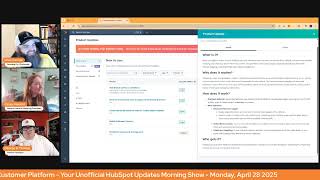
Chris Carolyn, Casey Hawkins, and George B. Thomas walk through HubSpot's latest features: AI-powered workflow actions, email translations, connected email analytics, mobile calendar integration, and video management updates. They share practical use cases and tips for leveraging these tools.
Good morning, HubSpot Nation. Welcome to Wake up with Customer Platform, your unofficial HubSpot updates morning show where we help you discover the platform you already own. I'm Chris. Carolyn, joined by my co hosts Casey Hawkins and George B. Thomas. We're here every weekday morning to make sure you're not sleeping on HubSpot's true capabilities. If you're joining live, drop a hello in the comments and let us know what you're building in HubSpot today. Happy Monday, April 28th, folks. How are we doing? How was our weekends?
Good. We picked up a new dog on Friday. So it is. It was a busy weekend.
Yeah, new pets always make it busy. My weekend more. Not busy. At least for one of the days. But it was a good weekend. It was a good weekend. How about you, Chris?
That's good. It was all right. It was all right. Got a bunch of value first stuff done. So excited about that. Getting closer and closer. But congrats on the new addition to the family, Casey, Thanks.
We are still deciding on a name. George is actually in the running, which I was.
Let's go.
Which I was about to join this morning and I was like, george, oh.
I'm down with it. I'm down with it. Let's. But I, I. Oh, everybody on the Internet that thinks Casey's dog should be named George, hit comments right now.
George, throw it up. All right.
There you go. Anyway, I'll shut up.
What else do you want to vote up? How about Ask Breeze action in workflows?
Oh, I see what you did there.
Public beta expected May 5. What is it? A new workflow action called Ask Breeze allows customers to leverage the power of AI within their automated product processes.
Why does it matter? AI is transforming the way we work. It's helping us sort through mountains of unstructured and why. Why are they doing this to me today?
So much.
I don't know that word.
Monday.
I don't think I know that word. Unstructured data interpret that data and then better action that data on. In our day to day processes, we've introduced several AI powered features that help with workflow creation. But what about AI powered actions within a workflow? The new aspreys action introduces the ability to leverage AI to analyze, summarize and categorize data inside a. Inside a workflow. For example, building a conditional branch. Building conditional branches based on unclear data attributes. Here's how this could work in an example where I'm trying to sort companies by industry, but I don't have the info saved as a property. In my CRM, new companies are enrolled in a workflow with the objective of sorting them into specific lists based on industry. I use an Ask Breeze action to research each company's domain name and return an industry categorization. A subsequent action outputs branch and a subsequent action output branch sorts each company into the correct list based on the value returned from the AI query. You can also use this action to create hyper personalized content to insert in automated marketing emails. Marketing enterprise only.
All right, so let's. Let's talk about the 10,000 pound elephant in the room obuscated data. Anyway.
Obfuscated.
That's the 10,000. So anyway, what kind of SAT prep.
Were they doing here?
Like here. Here's the thing. I literally googled it like multiple different ways so we could tell people if they didn't know. Like a process of hiding sensitive data is true, meaning to protect it from unauthorized access or misuse. Could we not have just said that? Anyway, anyway. Or maybe we're getting smarter today because they didn't say that and now we know how to say or what to say or.
Anyway, in the common instances when you're looking to talk about.
Hard to reach data is another way to think about it. I'm pulling up a. A use case that makes way more sense to me just what's going on here. But I'm curious if you guys have been playing with this at all or any clients have been.
I haven't. And part of that is like I've seen in the community that it's not surprise. It's not like as straightforward as this update is making it sound like it is. So I, I haven't played with it much, but I know Chris, you have spent some time with it.
I mean just a little bit, but. And I'm sure George can speak to this too. There's an AI learning curve built in here that you can't just say hey Breeze, I want this and then all of a sudden it does exactly what you want it to do. I don't know if you've experienced otherwise, George.
No, there's definitely a learning curve. But also remember this is beta, so I just hit that button. I guess I need to play around with it, but for sure learning anything.
AI so here is my favorite use case and the only one I've used so far. But everybody should be like it's an immediate, you know when. For anybody already using how did you hear about us? As an open text field because we don't want to lead the witness and tell them how they heard about us, we want to let them tell us how they heard about us. And so open text field and this is like basically any kind of form submission that's open text because you want to give them the space to tell you what they really feel like the answer is instead of, you know, giving a drop down that says Google first. So they just pick Google first because we've required it. We asked Breeze here and props to Willem for making a data making a database but a guide right away. He's of kind a website. I don't have a link handy, but on some example use cases and how to prompt and Exactly. So this is an engineered prompt of how to take an open text answer and categorize it. Right. Because we don't want to get rid of the open text answer either. Like there's context in there. But we do want to, you know, categorize it to know that our main initiatives are working like for us at profoundly after doing this became very clear that LinkedIn, you know, is far and away the number one driver of traffic and conversions. So that's, you know, on the, on the surface. And this is where I think you've got to pick at this point in the game. You pick use cases where it's not hard and fast. Like there's not like it's harder to say. There's like perfect data and, and bad data like when you try to get company information where if it's wrong you can make a huge mistake. Right. Those are the situations where we want it to be like picture perfect and it's just not yet. Right. So those are the. Whenever I see like, oh, it's not that good yet. It's like we're asking some, we're asking some kind of crazy things sometimes of what we expect it to do, especially when our own data is not clean. But the other cool thing I added here, so you can see it branch into the different, you know, buckets, but then also saying hey, if they happen to mention anybody's name or any proper names in here, pull that out and put it in a referral field. Right. So it doesn't take much to kind of, once you get it tuned in, you can start to create a lot of powerful things that would have taken. These are the kinds of things that either you have a team of people doing data analytics and analysis to kind of pull this out because people are due money when they get referrals and all this stuff. Right. Or it's always on the list of something. I'm going to go back and review that data. I'm going to review those form submissions. At some point, we're going to get together as a team and we never do that.
Yeah.
So I'm gonna. Someday I'm gonna. It's funny because, Chris, the other thing, I love all of this and I love the use case. And. And I. Obviously, I'm gonna dive into it. I hope everybody else dives into it. The interesting thing is you said a word yet.
Right.
And that really just kind of punched me in the cranium of like, again, this is beta. It. And you are the worst it will ever be pertaining to the thing that you're trying to do. So, like, tag yourself in there, go mess around with it, hit the beta button and see what you can do to make this. Because some of the stuff that is going to happen based on what you just showed is. Is magical. Like, there are people sitting out there that have nothing close to this wish that they could do this. And. And it's just a little learning and a beta away.
Yeah. And that learning part, when I first did that, when I first tried that workflow, it wasn't giving me any good data at all. And instead of saying, oh, Breeze is not good, or this, this isn't ready, I was like, okay, what am I doing wrong? Because Willem says it should work and I'm doing exactly what he. Oh, wait, I didn't do exactly what he told me. I wasn't giving Breeze any data at all. It was just trying to guess at the categories. And guess what? As soon as I connected that property. 100% accuracy, right? Love it. Love it. So take a step back. It's not always the AI, actually, it's. It's rarely the AI falling short, in my opinion. Number two, email AI translations now available to Marketing Pro plus. There's that plus again. George, what is it? Email AI translations is a feature that allows you to quickly and easily create email content in multiple languages using AI powered by Deeple, the Deeple Deep L. This feature streamlines your communication workflow, saving you time and reducing the manual effort involved in translation. With support for 31 languages, you can ensure consistent and accurate translations. For best results, please make sure to review translations before sending, as translations might be inaccurate depending on how much context the AI model can build upon.
Why does it matter? Email is a crucial channel for marketing, but creating campaigns in multiple languages can be time consuming, inefficient, tedious, and costly. Email AI translation eliminates these challenges by providing a native HubSpot solution, removing the need for external translation services or manual copy pasting between platforms. This enables you to communicate effectively with your global audience in the native languages, ultimately increasing customer satisfaction and engagement.
And I'm guessing it's deep L because I again I think my job today is just to Google stuff. Translator is a machine translation service that uses neural networks to produce high quality translations. That's. There's more but that's what I'll give you.
In addition, here's the, here's the problem though. If I'm trying to use this for translations, I probably don't have anybody on staff that can actually check the translation. And this is the part that a lot of teams don't understand as far as the context. Like localization is not the same thing as translation. Right. And that's why services cost what they do because without human eyes like that's from that country or from that region, whatever it's it can be very challenging to you know, translate and localize well.
Well my brain goes two different directions that one I wonder if it would be cheaper to use said service if you already had something that was 90% there by by a translation system like this. But then two I'm curious if you could just reverse engineer and take the translation and put it back into something to see if it re translated into. I. I don't know. I don't know but anyway I'm sure we'll get to the point where we're like and never mind because AI figured it out.
Yeah, pretty much. I think we're pretty close. It's not there already. Just don't pick hard words and everything gets easier.
HubSpot.
Connected email analytics great in custom report builder what is it Connected email analytics allow you to track and report on your one to one open email opens clicks and reply rates directly in.
The custom report builder why does it matter Email campaign Email performance metrics provide valuable insights into your sales team's effectiveness and engagement with prospects. By tracking these rates over time you can measure the impact of your efforts to to improve sending reputation, identify trends in prospect engagement, make data driven decisions to optimize your sales communication strategy.
I feel like you were excited Kasey.
When we first I was mention this.
Have you set anything up?
I was excited about this I think that happens sometimes where then we get a update so many times that it I have not personally set anything up but I did have a couple of clients since this has come out ask specifically for this and it's been exciting and I I love when like it's a new thing that I Get to recommend. I love when I'm like, it is possible actually, but it's new or even like it's possible. You just have to opt into this beta that happened last week with the new lead views. Also, where the first step is for my client is having them opt into the beta sometimes.
Yeah, well, this one's live. Have you used it yet, George?
I have not used yet.
If you're out there looking for help from some quote unquote expert about email deliverability, check out this part of the portal. It might might help you out. Mobile Calendar Connect what is it? Mobile users can now connect their third party calendars, Google Calendar, Outlook or Office365 directly to HubSpot through the mobile application.
Why does it matter? Sales representatives need to manage their schedule and booking meetings while on the go. This integration eliminates the previous limitation of having to use the desktop version for calendar connections, allowing users to view their schedule directly in the mobile app. Book meetings efficiently from the mobile devices. From their mobile devices, initiate sales activities without switching to desktop.
Wow.
My goodness. I feel like this is one of those quality of life updates that if you're. If you're a avid app user that has to do meetings or like pay attention to man.
Yeah, closing that gap of calendars and emails that are not connected to HubSpot.
Yeah. Now if we just get the HubSpot app, they'll look good on iPads. That would be dope.
There we go.
Sorry, I digress.
And last for today, simplified video limit management. What is it? When you upload videos to your HubSpot account, advanced features are now turned off by default and are automatically enabling only when you insert them into content. This prevents unnecessary usage of advanced features, eliminates manual toggling, and streamlines your video management.
Why does this matter? Previously, when you uploaded a video to HubSpot, advanced features were automatically enabled, causing you to quickly hit your video limit, even if the video wasn't embedded into web content. This required manual toggling of advanced features to stay within limits. Now your newly uploaded videos will have advanced features off by default, saving you the hassle of manually managing video limits.
Pretty straightforward. Thank you, video team. That's it. That's our. That's our update list for today. So we're going to talk about.
That's crazy.
Do I have to vote on the top update?
Yes, you do. Yeah, I got that.
I got that.
Pass breeze for me.
I know. Oh, is it? Oh, yeah, yeah. I mean, that's a. I. I'm actually gonna go with mobile calendar Connect. To be honest with you, I like it.
I also think ask breeze, but if Chris already took that one, I'll do. Oh, I'm between. All right. I'll do connected email analytics. I know I was. I was the. I was more excited for that when it first came out than I was email a AI translations. So I'm trying to. I'm trying to keep my original excitement level.
Maybe it'll help. Just tell us 60 seconds. Why people should, like, appreciate that one.
The email analytics. I mean, you should definitely care about not just your marketing email analytics, but also the email analytics from your sales team. That gives. I think people focus a lot of times on the marketing emails, but the sales emails have just as much, if not oftentimes more impact on closing deals and things like that. So it's going to give you visibility on which of your sales reps or your messaging from your sales reps is getting the most engagement.
That's a good, good call.
Chris loves email, so he likes any.
Something else is. Something big is going on this week, right, George? No.
Love when you put me on the spot, but I feel like I know what you're talking about that if you're not focused on. Hopefully I'm right, by the way, because otherwise this show is going to get awkward real quick. But it is the launch of the world certification.
There it is.
There we go. We're actually in a little bit later today I'll be on a panel because we're launching this bad boy off with HubSpot academy. And if you need to renew your certs, if there's certs that you've been wanting to get, definitely hop in there this week because a, you're helping yourself, but you're also helping a good cause. So, yeah, focus on getting those certifications for World Certification Week 2025. My life is flying by. Okay.
Yes. Up to 25, 000 gets donated. I'm pretty sure they usually hit it. I did a fun week last week as I was getting started with this series. Had a few people on including Jorge at that point. I think he was the reigning champion of. Of certifications. I don't know if he's kept that belt.
I think he keeps re certing.
Yeah.
It's what he had. 50 something.
Yeah.
Yeah.
Casey, you're doing a bunch of stuff this week, right?
Yeah. Too much stuff. Too much. Yeah.
That. Yeah. Was like a wow. Yeah.
No, too much stuff. Chris got me. Chris got me too. Chris got me too live. I'm too live.
Too live.
Too live.
Too Live true.
Yes. Today at one eastern I'll do a lead scoring. Yeah, thanks. I have that pulled up too. I post this every week now. It's mostly for me.
So you know what you're supposed to be when you're supposed to be there.
Exactly.
That's funny.
Yeah. So today one I'm gonna do a session on like what whether you really need lead score or what to do if you don't have access to lead scores anymore with the lead score prop or with the HubSpot score properties going away, especially if you just have sales hub, you're not going to have access to the scores. So what to do then? Then tomorrow at one I have I'll do a live sample session of my upcoming 30 minutes of HubSpot for 30 days. And then Wednesday I have a double hitter of my HubSpot setup secret series which you both have already been on. And, and then Thursday my friend Tricia and I are digging more into Journey automation and how that compares to traditional workflows in HubSpot.
I like it. We also have the reporting team joining the admins hug tomorrow. So much has happened there over the last year. So if you haven't checked it out yet, not only the emails one to one, but basically everything is an object world has really kind of exploded. What's possible for the reporting?
I can hear myself a couple years ago say oh, I don't really use HubSpot's reporting tools. They're not like. And now that's not true anymore. I definitely don't say that anymore.
That's.
And then the other one I want to highlight is a group of awesome people coming together to talk about an interesting topic right now. AI and SERPs, adapting your SEO strategy. This is like three or four hugs humans. Yeah, three or four hugs coming together which might be what it's going to take to solve this this topic. So good work Jennifer, bringing all those amazing people together. So no. No shortage of education to be had this week per usual in the HubSpot ecosystem. No. And I think that's, that's probably a great place to wrap. Oh, one more later today. Two and two hours or so. I'm having part two of our with Stefan Longcar of to go over the Shopify HubSpot integration that is being sunset in a matter of weeks. We started a four part series a couple weeks ago. Talked about deciding like getting clear on the roles of HubSpot and Shopify before you do anything else. And now today we're talking about deals versus orders.
So Chris you're in heaven today, aren't you?
If you've been avoiding that conversation, which I know all of you have, join us. Even if you're not, even if you don't have Shopify, come learn a little bit about orders versus deals. It's, it's probably a more interesting conversation than, than you might think. That's going to help a lot of people. So excited for that and excited for this week and we will wrap right there. Remember, folks, you probably already own the solution you're looking for in HubSpot, and it might be called Ask Breeze. Sometimes you just need to wake up to it. Join us tomorrow morning as we continue exploring what's new in HubSpot. Drop your biggest takeaway in the comments and let us know what capabilities you want to wake up to next. Until then, I'm Chris. Carolyn.
I'm Casey Hawkins.
And I'm Thomas.
And this has been Wake up with customer platform. Now go build something amazing. Have a great week, everybody.
Yeah. George thought.










