#HubSpot Updates 4/29 - Here we go again...
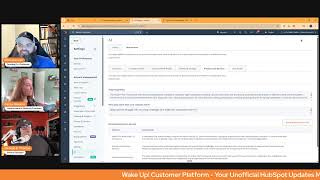
Chris Carolyn, Casey Hawkins, and George B. Thomas break down HubSpot's latest platform updates from April 29, including new OpenAI and Anthropic apps, a Social Media Agent, and CRM improvements. They share practical tips for using the new AI integrations and features.
Good morning HubSpot Nation. It is time to wake up Customer Platform with your unofficial HubSpot updates morning show where we help you discover the platform value you already own. I'm Chris Carolyn, joined by my co hosts Casey Hawkins and George B. Thomas. We are here every weekday morning to make sure you're not sleeping on HubSpot's channel true capabilities. If you're joining live, drop a hello in the comments and let us know what you're building in HubSpot today. Happy Tuesday, April 29, 2025. How we doing?
Good. Doing good.
It's going well. It's going well over here. The sun is shining. We are. We've made it past Is it weird.
That one of my biggest fears right now is that I pull up this page and there's zero updates on it?
No, that's not weird.
Okay.
I mean, I feel like it also might be a little bit of a heaven that day, but it's not weird. And I don't know if we'll ever see it.
Yeah, can you imagine?
Because I was doing some stuff this morning and accidentally saw the this page in a different portal. I was like, oh, just breathe Social media agent today. That'll be okay. And then these other ones came up. So it's like, never fear, there will always be something to talk about.
There will be.
And probably that will relate to AI for the rest of this year.
Oh, maybe the rest of our life.
Yeah. Number one new OpenAI app for HubSpot public beta scheduled for release May 19th Low impact what is it? Introducing the OpenAI app for HubSpot. Bring your own OpenAI credentials to HubSpot and take control of your AI powered workflows. This app lets you access your existing OpenAI account within HubSpot's powerful automation ecosystem so you can integrate your preferred LLM provider when and where you need it most. Use OpenAI accounts to power AI driven workflow actions and control costs within your OpenAI account. For more information, read HubSpot's Knowledge Base article and watch the demo.
Why does it matter? For businesses and developers looking to use their own OpenAI accounts within HubSpot for AI powered automation, the OpenAI app provides the flexibility you're looking for seamlessly use your OpenAI project API keys and AI driven workflow actions to enhance automation content generation and intelligent decision making, complementing HubSpot's built in AI services.
I so want to read that Knowledge article and watch that video right now, but it'll have to wait till after the show's over.
Yep. Who gets okay Enterprise so Marketing Enterprise Ops Enterprise Sales Enterprise Service Enterprise.
No Content Enterprise. Interesting.
Wait for it. Sincerest apologies to Joshua Oakes, who would really like this to be available at professional level. Maybe someday, but not surprised to see this one pop back up. It's been out for a minute. This one has not. This is a first appearance, as far as I know. New app for integrating anthropic and HubSpot if you're used to calling it Claude, that's the LLM from Anthropic and my preferred LLM.
I was like what is this?
Yeah, they make cool stuff. Not so good at the branding and that and all that stuff. Product naming. What is it? This app enables customers to connect their own anthropic accounts to HubSpot using API keys from their anthropic workspace to power AI driven workflow actions. By providing a direct link to Anthropic, this app delivers flexibility for businesses that prefer anthropic models and helps reduce reliance on HubSpot's default AI services. Users can manage the connection from the Connected Apps page, ensuring a seamless, unified experience across HubSpot. The anthropic app can be installed through this link and you can learn more here.
Why does it matter? This update benefits business developers and cost conscious customers looking to leverage their own anthropic accounts within HubSpot for AI powered automation. The Anthropic app is a powerful AI automation tool that allows HubSpot users to connect their own anthropic account and leverage AI powered workflows. This app provides flexibility in AI usage, enables businesses to manage costs, customize AI interactions and integrate their preferred AI models directly into HubSpot. Customers can seamlessly use their Anthropic workspace API keys and use AI driven workflow actions to enhance automation, content generation and intelligent decision making without relying on HubSpot's built in AI services. Sounds very similar to.
It'S interesting because like these two being back to back, like I remember talking a while ago and I'm trying to remember if it was on this show or if it was on the AI show that we do on Fridays about how like sometimes you don't want to come off the platform that you're on. Like that's what you're used to. And so again this is, this is a sign of maybe a shift, an internal mental shift of HubSpot of like the WordPress update. These updates, the like let's not get everybody here, but let's be everywhere like type mentality.
Let's bring Everybody together.
Yeah. This is interesting.
Yep. Who gets it? This one includes all the enterprises. But interesting fact, Content Enterprise does not give you access to the workflows app in HubSpot. So I've already reached out to the Content Hub team to try and understand. If this only thing available is a workflow action, then that doesn't necessarily give it to me in Content Enterprise, but sometimes there's some stuff going on with Content Remix and, you know, content scaffolding and all that new stuff going on over there. So hopeful for a connection of some point because I have a lot of value invested in cloud already and this is going to be amazing. Very excited for this.
I do think it's interesting how HubSpot is kind of at the same time building out their own tools, but also open to integrating with other AI tools. We'll see how that kind of shakes out long run.
Yeah, we might talk about that every week on the AI show. Super interesting to see all these things develop and kind of build off of each other. And a lot of HubSpot's tool sets, like they built some stuff in house, but relies on GPT for some things. And as GPT gets better, ups about stuff gets better. And we're seeing that all over the place right now, so.
So do you think we'll ever see a day? Because when I think of Claude, I definitely think of coding a content as well. But coding, do you ever. Because a Content Hub in that last update and Claude coding. Do you think we live in a world where the future is. I could create something in Claude but then just have it pushed to my HubSpot content hub. Like that gets. That gets very interesting to me. And I love the visceral response out of like what you did. Kind of like a giddy school girl for a second.
Oh my God, I hadn't even gotten there yet. But that's such a gap. Like you create these cool things in Claude so easily.
Yeah. And now how do we, how do.
We put it on the website now it's like, yeah, that would be amazing.
Wouldn't it be interesting?
And since you brought up coding, I mean, can we just build our own apps in the HubSpot now? Speaking of building our own personalized tech stacks by the end of this year, the writing is on the wall, I think. Breeze Social Media Agent. What is it? Introducing the Social Media Agent, which uses AI to maximize content creation. Marketers can now expedite their content process with the Social Media Agent. The Social Media Agent automatically producing effective social posts tailored to your Business audience, brand voice and social media accounts.
Why does it matter? Content creation is a crucial part of social marketers daily tasks. However, teams often face challenges in generating ideas and crafting fresh and engaging content that resonates with their target audience, aligns with their brand messaging and ultimately drives results. The social media agent works for marketers by consistently generating effective social media posts. The social media agent will consider your social media accounts, past performance data, business details, brand voice, industry audience value proposition and other marketing assets. Marketing and industry best practices, new input URLs, docs and media.
Yeah, I actually like this agent. Like one of the things you. Well so let me back up. I like this agent because it is a really cool way to augment a human that is actually powering like your social media. So like one of the things, when you go into the social media agent you'll see that there's these social post categories that are always generating ideas for you. So like calendar events or products or marketing events or brand content or top performing posts that you've had or educational content. So you can go into these different categories and it will show you these pre made posts that you can then take and tweak and modify to your needs. Like for instance, I had no idea that you know, today, I believe it's today is World Telecommunications Day or National Small Business Week or the fact that it's like International Nurses Day or May Day. Like but, but you see these things in front of you and then that might be the spark of an internal conversation to do something creative around the thing that you would have never really had. Maybe any insights into without like digging deeper than just going to your agent and being like, hey, show me some cool ideas that I could run with today, tomorrow and for the rest of my life.
I feel like this was one of your first adopted.
Yep.
AI tools in HubSpot. Yeah, George.
Yep, it was. So is that content? But yes.
So are these new to you guys? Because I think this section is kind of new.
Include URLs and docs. I think that's always been there. Upload images and video. That's, that's. I believe that's been there too. I think this might just be the fact that this is coming out of beta. And so now it's like. Because again there's. Well no, it says request beta on there, doesn't it? Yeah, yeah, I don't, I don't necessarily know anything that's new.
Okay.
Looks. It looks kind of the same as it has been, but.
All right, well if you're using it.
Yeah, yeah. Marketing pro, Marketing enterprise. Get in there.
Yeah, it's. It's worth the. It's worth messing around with. Here's what I will say. You're going to want to go to settings, go to AI and go to data sources and set up your data sources so that you get the best out of your agent. Again, please this agent, but all agents, but for sure this agent. Because if you paid attention, one of the things that I literally said was products. Well, if it's going to suggest social posts around products, you need to educate the machine what products are. Anyway, we're here for updates. I digress. I'm sorry.
Well, I remember this being one of my favorite ones because you literally couldn't start using it without your products filled in.
Yep.
Right. So always appreciate the guardrails. HubSpot SIR Number 4 Enhanced DateTime Property in SMS Starting April 16, any date time properties created in your HubSpot CRM now display both date and time when used as personalization tokens in your SMS text messages.
Why does it matter? With both date and time context, you can send truly personalized meeting reminders, event notifications and confirmations via sms. That includes include exact times, creating clear communication that drives better customer experiences. I was just creating some properties, some date properties last night and I think now more than ever it's important when you're creating properties to consider whether they are date or date and time properties. Because if I created one of those properties that's date as date and time just because I was like, well, you know, maybe we'll change it to time in the future. Who knows? Then if I use that date in personalization, it's going to give a weird time or like midnight or I don't even know what time it would say. So just, you know, it's great that we now have the option for date and date time properties, but it also requires you to think a little bit more about how you're using them in which.
Yeah. And where they're displaying on the screen and who's going to be looking at them. Because I've been noticing some stuff with Deal Create date around me. Like as it gets added, it's just a date prop. It's a date property, but it shows me time and I can change the date but I can't change the time. Working on figuring out how to manage that before we have an integration set up. Number five Intelligence tab for contacts. What is it? We've added the Intelligence tab to contact records, bringing the power of Breeze Intelligence directly to your contacts. This feature gives you helpful context about the contact and highlights when additional enrichment data is available. With a single click you can enrich your contact records, making high quality data readily accessible.
Why does it matter? Previously available only for company records, the Intelligence tab is now available for contacts as well as making it even easier to keep your CRM accurate and up to date.
That's definitely a huge deal if you're invested in Breeze Intelligence. That was the gap everybody wanted to see build. And I think this is again as much as I'm, you know, let's say at least on the fence about intelligence data from outside of the CRM getting coached and guided on what's available. And in this context it's just such a more responsible way to do it. Some in the usual sense that they take their time to to not try to recreate, you know, all the struggles that the rest of the industry has created. So good to see that show up in the portal. Convert static lists to active lists. You can now convert static list to active list while keeping the list ID and references intact.
Previous why does it matter? Previously, after creating a static list, if you discovered that you had applied the wrong filter or wanted to make an update to your list with a new filter, you either had to clone the list or start over. These workarounds are not only time consuming, but also mean the list ID updates and you lose all references to where the list was being used. I just used this last night.
Nice, Nice.
I had to, I had to go into the account I was working in and opt into the beta, but I was like this is possible. I know it's possible.
Yeah. Can you share anything about the use.
Case as to why this yeah, somebody had created a list of. It was actually deals that didn't have some data filled out on them and they'd created it as a static list. I don't really even know why but, but I wanted it to be active because I was going to have somebody else kind of review that list and if any new deals were created where that was still true, I wanted those added. So I was converting it to an active list and I had already. It was nice to be able to do this because I had already sent the list to some people. So if in the previous, in the previous world I would have had to like resend that list to everyone, but instead I was able to just convert it to an active list and the IDs get the same URL.
Doesn't change.
Yeah, nice.
Little things.
I was very, I was very tickled.
We also have create new list from index pages. You can now create a new static list directly from index pages. For example, contacts, companies, deals, tickets and more.
Why does it matter? Previously you could only add records to an existing static list. If you wanted to add records to a new list, the experience was confusing. Now you can create a new static list directly from the index page without having to bounce between different areas of HubSpot. I like this one a lot because I remember when I was a little like baby HubSpot marketer. I mean I would create lists for everything, like anytime I needed to. I just didn't, I think I just didn't really know that like views and index pages, how they worked or anything. So I think back on that and I think about how now with this, now I would train someone to start with an index page, find who you're looking for and then make that into a list if you want to reference that later on.
Yep. And now that it's easier to create static lists, we need to be able to convert them to active lists. Last one today. New card ticket Priority on the Help Desk Summary tab. What is it? On your Help Desk Summary tab, you can now review your most important tickets through the new Tickets by Priority Card.
Why does it matter? A support organization has to deal with a large number of tickets every day in order to make sure teams work on the most important and time sensitive tickets. Support leaders need to close need to keep a close eye on the priority of a ticket. The Help Help Desk summary tab enables leaders to monitor operational health every day. With the new Tickets by Priority Card on the Help Desk Summary tab, leaders will be able to keep a closer eye on tickets with high urgency, enabling leaders to gain deeper insights into their team's performance and effectively manage workload distribution. Key benefits include instant clarity, enhanced focus, streamlined efficiency.
A lot of those do sound like he benefits. George, how'd it go yesterday? Launching World Certification Week?
Oh, my friend. It went well. It went well. Without a doubt. It was, it was interesting to be on a panel and hear just the power that HubSpot Academy has had in the world. Changing lives in a bunch of different directions and industries and so yeah, it was, it was fun, my friend. And hopefully everybody's out getting their certifications at this point too.
Yeah, it has prompted me to take a look. It's been a while since I've been in there, if I'm being honest. Any, any that you two are targeting.
This week There is a content hub for marketers certification. I don't know how new it is, but I hadn't seen it before. So when I was looking at the certifications yesterday, that's, that's the one I'm gonna do this week. I know that I'm not using Content Hub to its full abilities and every morning when I talk to you guys, it's only more clear that I'm not using it to its. So I'm excited to kind of do that this week and get some more insight into. Into Content Hub.
Yeah, I would do that. It used to be called CMS Hub for marketers, but I'm sure that they've probably updates some, updated some stuff along the way because there's been additional features and things added through, through it becoming Content Hub. But me, my, my goal is. And again, it might be one, it might be two, it might be three. We'll see. It just depends on the week that I have to go in and see certs that either have fallen off or are about to fall off. And then I'm just gonna do some researching of the certs that I've already had. That's my plan for, for this week.
Very nice.
What about you, Chris? Any, any you're targeting email marketing?
No, not that one.
The order certification.
Yeah. You might be touching on why I haven't been in there in a while. I am trying to, you know, support. Even the team knows like as, as the. They've expanded so much with the customer platform, especially on the Commerce Hub side.
Of things, as it, as it just.
I mean, we're here doing updates every day, right? So imagine trying to create a course for a product that gets updated every single day. And the closer, the farther away you get from Marketing Hub, it's almost like the more iterative they've been. So I totally get why, you know, you end up coming in here for like how to do the invoices, how to subscribe, how does subscriptions work? Like quick hit videos. That's where. So, so my value recently has been on the go, the on the Go Academy videos, which are actually super easy to access via the mobile app. One of the things I have used the mobile app for, and in case you didn't know, you can access all these on the mobile app, which is really cool. But Journey automation, I haven't seen that yet. But I just like to highlight this, this Inbound Marketing optimization cert as kind of like a sleeper, like how to be a good human being like cert at the same time. Because when you look at it, it's becoming an effective inbound marketer. And this is like, I first took this after, like having not understood these things inside of an organization. It's like, all right, I'm going to get everybody on Inbound. Let's build HubSpot. Let's all. I'm just going to build it and then you guys are going to use it and everything's going to be good.
Yeah, easy.
That's not how it works out. I gotta. You gotta understand interpersonal communication, collaboration, like a lot of just team working with other people, how to communicate with others. So this is one I like to recommend all the time. That even if you're not, even if you haven't done Inbound already, like, that's ram. It would be nice if this had a more appropriate name, in my opinion. But this one is one of my favorites for sure. So.
Nice.
That's, I think, where we're going to wrap for today. Remember, folks, you probably already own the solution you're looking for in HubSpot. It's probably somewhere in the Academy. Sometimes you just need to wake up to it. Join us tomorrow morning as we continue exploring what's new in HubSpot. Drop your biggest takeaway in the comments and let us know what capabilities you want to wake up to next. Until then, I'm Chris. Carolyn.
I'm Casey Hawkins.
And I'm George B. Thomas.
And this has been Wake up, Customer platform. Now go build something amazing. Have a great day, everybody.










