HubSpot Updates 5/16/2025
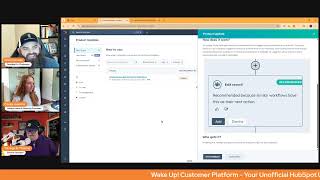
Chris Carolyn, Casey Hawkins, and George B. Thomas walk through HubSpot's latest platform updates. Automated sales tax collection is now available, deal metrics are customizable, and the legacy Shopify app integration is being sunset.
Good morning HubSpot Nation. It is time to wake up customer platform with your unofficial HubSpot updates morning show where we help you discover the platform value you already own. I'm Chris Carolyn, joined by my co hosts Casey Hawkins and George B. Thomas. We're here every weekday morning to make sure you're not sleeping on HubSpot's true capabilities. If you're joining live, drop a hello in the comments and let us know what you're building in HubSpot today. Happy Friday, May 16th. All is well in the world. We have 11 updates to go through. Yep, 11.
Yep, 11.
And some, some, some favorites on here. Do some, some legacy hits, so we'll jump right in. Speaking of needing to educate the user base, George, we have automated sales tax collection.
Yeah.
With Commerce Hub. What is it? Automated sales tax allows Commerce Hub customers to use accurate on demand sales tax calculations when selling with invoices, payment links, quotes or subscriptions. Sales tax is automatically calculated based on the buyer's location and then collected at checkout. And now automated sales tax is also available to Commerce hub customers using HubSpot payments.
Did you guys know HubSpot has a payment tool? Did you know?
I, I did, I do now.
Many people do.
But yes, I like how they're just like sprinkling it in here too. They're like, while we're at it, why does this matter?
Go ahead, go ahead, go ahead, go ahead.
Keeping track of ever changing tax rules and tax rates is incredibly difficult. With automated sales tax you can shift the burden of tax compliance to Commerce Hub so you can focus on selling instead of calculating tax. Easy enough.
Yeah. So by the way, the fact that they're sprinkling in should literally tell you something about the adoption overall with how many HubSpot portals or users there are versus the ones that have actually embraced to be able to do their entire payment system in the. Because by the way, by the way, one of the smartest things that I think I did and I don't do that many smart things is like decide that I'm going to use HubSpot payments for all the things of taking payments for our business because it made it so much easier and so streamlined to be able to like understand the flow and the revenue and just like our, like our accountants and bringing them into HubSpot and then being able to see like the whole area and like match stuff up and like, and, and I've worked with clients that have this disparate like systems just for billing and like bill.com and processor and that like.
Yeah, when you come like, man, when I had to deal with this internally and then I did made the same choice. I'll never forget the first time I opened up the out of the box like commerce reports and I didn't have to make any adjustments or, or think about anything like, and it was literally like, oh, this is what it's like to use one platform.
Yeah. Here's the other thing, Chris, you mentioned, I think it was on this show or one of the shows that we're on. You mentioned that there's a new theme that is like a commerce theme. And I want you to think about that like being able to be on HubSpot with the content hub and use a commerce theme. Theme that you know you're selling stuff that is gonna need to actually have like taxes and. And now all sudden this comes along.
To pair with it. Like this is one of those things where it's like, oh, you need tax management. I guess we still got to use Shopify then. Nope. And that kind of stuff, it's chipping away. And I'll tell you what, you want to get even the nicest human being to say the word hate. Bring up tax management for the business. The other options that have been available to people. Not fun. Not fun. And it's a guarantee that when it's brought up, it's like you just suck all the air out of the room and want to think about it. But it's also a conversation that when you get to it, no matter what the situation is, they are open minded to. To a change.
Oh yeah.
That's how much they don't like it. So take a look folks.
That beta button.
And I guess it's time to go to market with payments. So it's good to see that happening. Deal metrics, customization. What is it? The Deals index page now offers a customizable data. Well.
Easy enough, easy enough. Why does it matter? Instead of fixed metrics, you can tailor it to display the information most relevant to your business, enabling faster, more informed decision making. Can we keep going? I feel like I haven't heard enough words that I quite.
It doesn't look like there's many more words.
I'm taking pretty pictures.
So I read this headline and I was like, this sounds great. Maybe the pictures will help me though. Is it, is it just calculating, customizing which ones are at that top?
Yeah, this is the, the data.
Well, okay, okay, yeah, maybe that's. I wasn't quite sure what they meant by data.
Well, yeah, because like how, how loaded is this title deal metric customization.
Yeah I'm trying to maintain my excitement over this one even though it's. It's still cool. It's just. I think they the name may have oversold it.
Yeah, well it's. It's an important update because that was definitely the biggest gripe with this spot. So usually people are just clicking hide insights right away but now if, if that's you go over and click unhide and make it look the way you want it to because this is a super valuable way to let people know just drip drip drip like that Things are happening and even though they might be looking at index like having goal I don't know exactly what you can add there yet but having the things that matter to your business always around like it it just be. It's like this the mere exposure effect where everybody on the team being aligned and enabled to do the things you're asking them to do. So take this view seriously. User based ticket capacity limits by ticket type what is it with this release? Service managers can individually limit the number of open tickets by ticket type calling, messaging, email or other that are automatically assigned to their support reps allowing more flexibility while also reducing rep overwhelm. Service reps and help desk can also see when they are at capacity and be aware of other users capacity when reassigning a ticket of that type.
Okay, nice. Why does it matter? Support reps can become easily overwhelmed when they have too many open tickets assigned to them. More senior reps can take a larger load and than newer reps with less experience. It's important that service managers can set ticket capacity limits on individual users relevant to the size of the workload and response times expected by the ticket type. I really like this update.
Yeah yeah.
Like this is my favorite part. Like be aware of other users capacity. How many things fall through the cracks because either a I I say oh I don't want to hand that off like they're probably super busy right. So I don't want to worry them and then it and that doesn't get done or I'm just shipping it. It's their job. They're going to do it like they're going to get done and they're overloaded and it's definitely not getting read today which means it doesn't get handled today. Like just this awareness of capacity. It's so good. You mean you should care about the.
Humans you work with?
Yes, and thankfully AI is pitching in because I'm guessing this maybe this is like you know related to that Automatic ticket categorization.
Ah, maybe.
Which hasn't. Apparently the full title has not completely been burned into memory, so I think we needed to check again automatically.
We should, we should get it another, another hit or two just to really nail it in.
Automatic ticket topic identification categorization. Sales Workspace Daily Digest email. Yes, I've been getting this one. It's pretty cool.
I'm excited about this.
What is it? A daily morning email that highlights your most important sales actions for the day.
Why does it matter? This feature helps you prioritize your day by delivering a clear list of important actions directly to your inbox. You can access a consolidated view of critical tasks without any setup. Take immediate action with one click access from the email. Prepare for upcoming meetings. Available in the private beta.
Yeah, I love this so much because it's, it's literally like getting your own personal sales coach right up in your inbox and being able to kind of start your day with, I don't know, clarity and focus. Which if you're a salesperson, which by the way, I, I play, I play that in the TV show that is Sidekick Strategies. I play a salesperson sometimes it can get gnarly and clarity and focus are definitely things that will help.
I obviously I am a big fan of the product update email. So I really like this one. I like that they're kind of customized because the product look, the product update email, if you're a sales rep is not gonna be great for you. You're gonna feel, if anything you're probably gonna annoy your HubSpot admin because you're gonna be like, hey, I saw this beta. I saw this, I saw that. But I like that there are. They're creating more of these types of emails that along with the workspaces and I would imagine this is going to help adoption with the workspaces because you're also seeing an area.
Yep.
That's gonna help adoption of HubSpot.
Yeah, it's gonna help adoption of HubSpot Affairs.
And that's where if you're a sales manager or the coach on the team, sales enablement, you know, manager, and you're having stand ups right now that do this like turn your attention to like the energy of those standups. Should be making sure this stuff is working now, like setting this up, taking the time, making sure the team is using the stuff instead of just what needs to be done today. Because this should be doing that for you. And if it can do it via email, it can do it on the HubSpot homepage it can do it in the sales workspace, right? So gift that strategy just a little bit. Oh, we got some sunsets apparently apparent.
Allegedly.
I think we maybe talked about these a couple times.
So we'll do this one first because.
Yeah, you're skipping the order.
The legacy Shopify app for HubSpot is no longer supported and data syncing will cease after May 22nd. Okay, that's an update, so you've got time still. The legacy app will automatically will be automatically uninstalled from your portal starting June 1, 2025. Does that happen? Automatically uninstalled? Holy. To ensure uninterrupted service, upgrade to the new Shopify data Sync app for HubSpot. It's so easy just by coming to this this page and clicking on these links. Do that before May 22, 2025. A migration tool is available within the Shopify app in your HubSpot account to assist with installing the new integration, transferring your workflows and sync configurations and removing the old integration. For detailed guidance, consult this Knowledge Base article.
Why does it matter? In 2023, HubSpot introduced a new and improved Shopify Data Sync app for HubSpot featuring an improved data model with dedicated order and cart objects designed for more accurate to more accurately represent e commerce data. This integration supports two way syncing for the contacts and products, offers advanced sync settings and provides detailed insights into syncing errors.
I only have one thing to say about this whole shenanigans ordeal this morning.
Wow.
That's it.
That's fair. So if that's you come over to this card or dm, me and I will share the link. Whatever we got to do folks. Maybe we should just put the link in the comments.
Just in case.
So of course closely associated with that sunset of the of the reporting and emails and whatever you've been doing related to that, this one has been removed already. So just if if you have a Shopify integration in place, get on it. New Modern Marketing Email Templates High Impact. What is it? Get ready for a major upgrade to your marketing emails. With this rollout you will gain access to a variety of modern high quality responsive email templates designed for common email marketing use cases including newsletters, webinars, product announcements, events.










