HubSpot Updates 5/19/2025
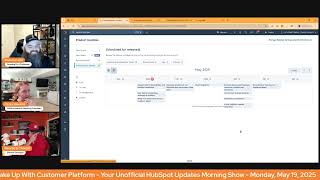
Chris Carolin, Casey Hawkins, and George B. Thomas break down HubSpot's latest platform changes: knowledge base migrations, new AI tools, subscription management updates, workflow metrics, video SEO improvements, and sales sequence analytics.
Oh.
Wake up, customer platform, it's time to start the day.
Discover all the value you already own. Don't let solutions slip away.
Wake up, customer platform, the tools are at your hand.
No need to sleep on capabilities that.
Can help your business stand. The answer's right before your eyes. You just need to realize Wake up. Just from my platform and watch your business rise. Wake up, wake up. The platform's waiting for you. Wake up, wake up. See what your system can do.
Good morning, HubSpot Nation. It is time to Wake up Customer Platform with your unofficial HubSpot Updates morning show where we help you discover the platform value you already own.
Chris.
I'm Chris Carolyn, joined by my co hosts Casey Hawkins and George B. Thomas. We're here every weekday morning to make sure you're not sleeping on HubSpot's true capabilities. If you're joining live, drop a hello in the comments and let us know what you're building in HubSpot today. Happy Monday, May 19, 2025. How are we doing today?
Doing well, doing well. Thank you Chris for putting the. The new song together.
Yeah, if you're. If, if you're not awake after listening to that, I don't know what's wrong with you. Like go, go out to your kitchen, fire up your coffee pot, do something like I was ready to hang on. I got a sound for that. Well, it'll be interesting to see what, what happens there. If he comes back quickly, if he lost power, if he wrong button, something happened there.
Yeah, too many buttons on the mouse. That's what that is never actually used. So I just need to go get one of those. But like the two button mouse and then I'll never accidentally hit the back button.
Yeah, I, I need, I need to get that.
Whoopsie.
Like I need to get that sound and, and add it in. Yeah, just for those occasions.
While you're getting that sound. George, the rest of us can migrate our existing knowledge base onto the new suite of customization tools. High impact. A lot of knowledge based users out there. What is it? Our previous release customization tools for new knowledge bases required that users start from scratch to take advantage of new customization features. With this update, we offer an easy path for existing customers to migrate their legacy knowledge base to the new platform. Note, this release is only applicable to customers that have legacy knowledge bases to migrate to the new tools.
Go figure.
To confirm if you should be utilizing this migration tool, check out your knowledge base dashboard and look for our legacy interface. If you see a configure dropdown in lieu of the customized template and Organize categories button, you're already taking advantage of our newest tools. New customization features in the Knowledge Base tools are outlined below. We have themes, we have navigation menus, we have an editor, lots of management. But please note, custom themes and developer tools are not supported for the KB at this time.
Why does it matter? For years we've been hearing your feedback about the limits of styling knowledge based articles, especially when compared to other types of HubSpot hosted content like website pages and blog posts. The related post on the Ideas forum is one of the top 10 most upvoted ideas in HubSpot history. Simple updates to the navigation menu, fonts or text alignment were not possible and Knowledge Base often couldn't match the branding of the main website. These updates are the are a big first step in addressing that pain.
Yeah, by the way, this is high impact. I will agree with this because I was sitting on my recliner this Sunday. I happen to be watching church at this point in time by the way, and I got a slack message from one of our clients wanting this exact migration done for them. So there are people who are hearing it, paying attention to it and want it because again it's going to enable I think a better life in so many different ways of things that attach to this moving forward.
Yeah and like this is one of those I noticed it in a portal early on. Like it's been easy to dabble like check it out in the past and then realize it didn't have all the tools that we're looking at now and then not use it. If you did that you activated the legacy and then could not use the new ones without using this migration tool. If that sounds like you where you tried Knowledge base before it wasn't for you. Now you see these amazing tools and just get back in there. The drag and drop experience, a lot of the editing experience that we love about CMS has made it over this way. I don't believe they talk to each other yet, but still you have a lot more customization capabilities than we've ever had before. So so very cool to see that moving forward.
Yep.
Sun setting AI data source marketing goals.
This does not surprise me if you paid attention to something I posted on LinkedIn over.
Thank hallelujah.
This does not surprise me.
What is it? HubSpot allows you to add contextual data to breeze copilot, AI agents and other AI tools to enhance responses and outputs. After evaluating the usage of these AI marketing goals we found that they have low adoption and do not significantly improve the performance of Breeze copilot of our. Or our AI agents. As a result, we are sunsetting this feature.
Why does it matter? We are sunsetting the AI data source marketing goals. The AI agents that were using this source will no longer be able to retrieve this context when generating a response.
I don't. I'm not sad at all. Like, I talked about this during. Well, I should say we. Not we on this show, but we on the Hub hero show talked about this and we sort of made like some fun over to. To begin with. And I like where they're headed because. Dang. Gone anyway. Yeah.
Can I even. Oh, by the way, that page is amazing. Yeah. Let's just. Just confirm why we're. We're waving like goodbye to this. Like.
First of all, that's like. I feel like I'm at Panera. I need a pick two, please. Some sandwich and some soup. No, like, and some of these that. Trust me.
Yeah.
Should be 100% of the time. It should. You know what? This quarter. Jenny, Jenny, this quarter, let's focus on trust.
Yeah. So if you haven't been picking trust, which is what I fear most people have just slammed that lead generation button and leaving trust. Like, can we not maybe enable some of these. Yeah. Industry worst practices.
Yeah, but the brand identity.
Yeah, but.
But y', all, there's some good stuff coming because if you keep scrolling down all the things that you can open that say unknown right now that eventually in the very new near future are going to be editable and the amount of AI context that is going to give your system and also it's going to get you to think about some things that your organization might not even be thinking about yet anyway. I'm just saying.
Yeah. Channel optimizations, data sources. Just wait until this. Like we announced last week the breeze reconstruction redevelopment from scratch, the copilot with frame AI and dashworks and just everybody's. We talked about a lot this weekend. There's this V2, V3 happening of everything that's been AI based.
Yep.
And when HubSpot says they're rebuilding from the ground up with the latest AI tools, it's gonna be something special.
That's another sound I need to give this sound I keep. It's a whole new world. I need to get just that clip like on this show. And the AI shocking. Just bam, hit it. Because y' all gotta wake up, ladies and gentlemen. I'm just saying it's.
Before we do that right in the title. Before we do that, we're gonna Keep managing user permissions manually. In this case, we can now do it for subscriptions, which is awesome.
Which one? Which type of subscription?
This one going back here. So free billing, marketing subscriptions. Good call out George. What is it? It's now easier than ever for HubSpot administrators to control user access to subscription data. Subscriptions permissions give HubSpot administrators the ability to manage access to subscriptions and subscriptions data for their users. The portal admin can now can define user specific access controls for creating subscriptions, viewing and editing data and switching on payments for subscriptions. Finally, a word that signifies this is different from marketing subscriptions. Help us out, Casey.
Subscription data carries important and sensitive information. This update ensures that admins can control which users are able to view, edit subscription information, create subscriptions and manage payments for subscriptions to keep data secure.
Like it so commerce Commerce sub team, while you're continuing to improve your go to market by making payments available in the marketplace, please throw the word commerce in front of this subscriptions or please, like I know it's an extra word but not only do you help clarify which subscription this is, you remind people that there is a commerce hub that they should be using. So we're definitely joining.
I don't know if they realize how confusing it is for like because you know what I mean? Like if you're in the email team at HubSpot, you're like email subscriptions every day. Like you wake up bed, you're dreaming about it, you're in Commerce Hub, you're like subscriptions all day, every day. Like you're as users, you got the word two times. Two totally different things. Like, anyway, I'm not saying change the word, I'm just saying I agree with Chris.
A little bit of context would be good. Make verification optional for quote E signatures.
Yeah.
What is it? You can now make E sign email verification optional, simplifying the signing process for your buyers.
Email verification isn't always necessary when signing quotes and requiring it can disrupt the buyer's quote and purchase experience. We've made this step optional, enabling you to choose whether to enable or disable email verification during signing of a quote. That's nice.
It is, yes. This is. I don't know.
Chris, Christine, Skeptical.
Well, it's a step in the direction we know they're going. It's one of my favorite parts about when Jack and Adam were on the Hub Heroes podcast talking about the Commerce Hub vision with cash flow. They highlighted this as like a, you know, a common.
Yeah.
Challenge where it's like how many emails are we going back and forth just to get something signed? So I imagine this is a step to really, like, reduce that friction while they start to implement, you know, better, better solutions. So good to see that progress there, I'd say, if you like, if there's any concern, like, I saw some posts about making sure the right person gets it and signing and. Or if they move forward, like, I think there's some safety in that. Like, the payment is what a lot of. A lot of companies care about. So if that happens, you know, there's less risk for you to be able to move forward with stuff. Manage workflow metrics in workflow settings. What is it now? When reviewing and publishing a workflow, customers can enable metrics. They'll also receive guidance on whether metrics is recommended for that specific workflow and see the number of workflows in their portal. Currently using metrics, we're introducing a limit of 20 workflows per portal that can have metrics enabled. At the same time. Customers can easily turn metrics off for one workflow and on for another via each workflow's settings.
Does it matter? With workflow metrics, customers can see conversion and performance data to help them understand each part of the workflow. Now, when reviewing and publishing a workflow, customers can enable metrics to ensure all enrollment data is tracked from the moment the workflow is published.
So we.
Yeah, go ahead, go ahead, go ahead.
I was gonna say, I think I wasn't on last week when this first came out, but I was excited to see it because I think I feel like workflow metrics have been a pain point in my life.
Yeah. So I was gonna say, I think this is like the. I think this is like the second or third time we've seen this bad boy, which is fine. And I was trying to. You're scrolling down, Chris. I was trying to see, like, what the. Here's where my brain goes. I'd love to know what is creating the recommendations. Like, can you put in the update the three to five things that it's looking at to give us the recommendation of that workflow needs metrics or not? Because I feel like if I knew that, it might also tease in my brain how I might reverse engineer the way I would make a workflow if I knew what you were looking at for the. Anyway, by the way, that was not technology breaking. That was me popping.
Yeah, if we don't get that guidance, this is where it's like, oh, let's just pick this metric and now design the rest of the workflow to get to that metric instead of thinking about the actual things going on in the workflow and whether or not they're needed or not.
Yeah, I'm not a big fan of like little black boxes and this is a little black box behind this recommendation that I'd love to have some some site to.
Yep.
And the conversion rate is likely the goal of the workflow, we think.
Yeah. Maybe available at enterprise level. So it'll be a minute before we actually hear about use cases related to that. Probably. But if you're out there, we'd love to, love to hear from you. Boost Video SEO Performance with Structured Data what is it? Video structured data is now available for your video content. This new feature automatically adds SEO optimizing metadata to your video pages, making them more visible to search engines and improving indexing.
I think I've been hanging out with George too long because when you said automatically, my brain said auto magically.
Hey yo.
Like in my brain.
How's that for legacy?
I know, right?
Why does it matter? Search engines can't watch your videos and rely on metadata to understand your content. With structured data, your videos become more discoverable in search results, enhancing your SEO efforts without requiring manual optimizations.
Okay, so we got to read the next part. How does it work?
Yeah, yeah.
Publish or update content that includes videos Structured data will automatically be applied. Your existing video content will be updated, updated throughout the month to include structured data as well, like automagical, and updated along the way. Put more videos on the pro level or in your content to see what that page looks like.
Oh, okay. See Google Search Central telling us exactly what video structured data is. So if you're like me, not sure which which data it's actually referring to here. Here you go.
Good job. HubSpot.
Sequences Reporting advancements this one shown up a few times. What is it? Enhanced analytics for sales Sequences that provide detailed step performance metrics and cross sequence trend analysis to help sales teams measure and optimize their outreach effectiveness.
Why does it matter? Understanding which sequence strategies drive results is essential for improving sales performance. These analytics help you identify which channels and content drive the most engagement in meetings. Optimize sequence length and step ordering based on conversion data. Track rep engagement with personalized requirements. Measure task completion time line timeliness to improve process adherence. Evaluate account based outreach effectiveness with company level metrics. Company level metrics is actually nice.
Yeah, it's almost like they set up a sequence to update this product card.
Maybe.
There'S much new here. Also, like I kid because I Care. But if anybody was going to game our product update system just to get their thing out, it might be the sequences team. Really cool overall to see this level of granularity. When we see this over here, you think about prospecting agent and the new stuff happening. All this stuff just comes together to really give us that visibility. Because I guarantee, like, to build trust in the prospecting agent, people are going to want to see a granularity like this.
Yeah. Also, like, I. I feel like sales teams a lot. I work with a lot of sales teams who are hesitant to use HubSpot. I think sequences are like, one of the easiest ways to get a sales team on board. If you can get them to, like, understand how sequences work and how to benefit them, there's pros and cons there. I think Chris might have made a face because he's seen some bad behavior with relying too much on sequences, I'm guessing. But for adoption, it's a good tool. That's all.
I'll rewind back to. I've worked with a lot of sales teams.
This is you.
Your words, by the way. A lot of sales teams that don't like to use HubSpot.
Twitch.
I say, what like, I mean, what, like, between snippets, templates, meetings, documents, playbooks, then layer on sequences once you actually know what you're doing. Like, what.
I think my. My lack of poker face was related to, like, I might be over the concept of trying to find the thing that's going to make the sales team happy enough to start using HubSpot.
That's fair.
Because, like. And like, oh, this is great. Like, all right, what happened? Where's the data? Like, how great it is? Like, where's the deals information that we need to actually make this stuff matter?
Anyway, Also, also, let's just talk about if you're a sales rep and you could do like, a summary of a contact before you're getting on a meeting and asking all the historical questions you want to ask it to give you the context to look like you're dope instead of a dummy. Like, why wouldn't you? Anyway, I'll stop.
Yeah. So that's it for today's. I'm just gonna hit a quick refresh here, make sure we're at zero. Oh, got one more. Today's Insights feed. Hey, in the help desk version. What is it? Today's Insights feed is a new feature designed to streamline access and consumption of service hub data. It enables leaders of support teams to monitor operational health with a holistic view Bring together multiple data points into a single centralized location. Today's Insights feed will provide a new format of insight consumption with the goal of more timely, actionable insights in the help desk. With today's Insights feed, insights are delivered in an intuitive text format that simplifies your data review process. This means quicker, more informed decision making and less time spent on manual data analysis.
This matters because support organizations usually have a large amount of data at their fingertips. But leaders don't always have the tools and resources Resources to extract meaningful insights. The number of data points available to leaders of support teams is becoming increasingly overwhelming, making it difficult to identify relevant metrics and understanding the relationship between different data points.
Available at the pro level.
Nice.
And if we see it in this workspace, we might see it in the other workspaces as well.
It looks like it's like part of an, like, notification window thing. I don't know. I guess I'm just wondering. I'm wondering how many people are gonna see this.
Right? Well, it's got a summary right here on the left side.
So wait, I think that's the page they're on. Like, that's the background page.
That's true. Or.
Or is that that they're. They click that and then that opens. Or is that just. Oh, maybe not. Yeah. So how do you open that side panel? Interesting. Because if it's hidden, that's not necessarily great. Oh, there's a button on the right hand side. You should probably find it and be able to click it.
How many times are we training people and guiding people and so go ahead and create that. Go ahead and create the deal. What is that? The big orange button. Happens to everybody.
I know. I don't look at the like notifications tab and I use HubSpot differently than like, I use. I go in different instances. I'm not like in one HubSpot all day every day, so. And maybe it's different, but that's just. I don't know, something. I'm. I'll. I'll see if. See if people find it. That's all.
Yeah, but are we just loving. We're loving this experience. I like that spot right now. Right. This. Welcome back, Chris. Like the personalization stuff that's happening everywhere.
The only thing that would make it better is all sudden if you heard the welcome Back Cotter song. Come on. Welcome back.
Anyway, next year. Digress, right?
Yeah, that's inbound 2027. It'll. It'll show.
Yeah.
All right, let's see what's happening this week.
Oh, Geez, the calendar.
Lots of stuff. AI generated video subtitles. New app for integrating Anthropic and HubSpot. Bring your brand voice to your customer agent. Sequence enrollments via workflow. Now use Contact Time Zone Smart Properties. A lot of people are liking that one. Real time AI powered duplicate checks for contacts and companies. Service hub journey analytics feedback. AI summaries. A new workflow creation experience. Not everybody loving that one. Oh, apparently. Nope. There's.
There's scuttlebutt on LinkedIn about that bad boy right there.
And then sunsetting AI data source marketing goals.
I like the new workflow experience. I'll say it. And I don't like navigation changes. I'm a hater of navigation changes. And I like the new experience.
Yeah. And if anybody needs help learning to love that experience. Casey unboxed a couple weeks ago. Yeah.
Yeah, I should. Maybe I'll do another. Maybe I'll do another session now that more people have tried it out. I don't know what it. There's something. There's something there. There's the outline of something.
Yeah. And then later today, part three of our let's Build Integration Shopify to HubSpot integration series. Me and Stefan Longcar, who is a HubSpot partner and a Shopify partner, are gonna go over native integration versus custom and how to know which one you need. This was after talking about deals versus orders in part two and part one was all about the roles deciding, understanding what they could, should, would be doing for your business. HubSpot and Shopify as systems. So excited to do that. Part 3 as this week, May 22, data will no longer be syncing if you have the legacy Shopify integration. So we're going to touch on that at the beginning of the episode. If you're in that spot and you have waited till the last moment because it's going to disrupt your business, we'll give you some tips. We will give you some tips on how to survive through the week. Please don't wait till Thursday. The deal with this and that's. That's where we'll wrap for today. Remember, folks, you probably already own the solution you're looking for in HubSpot. Sometimes you just need to wake up to it. Join us tomorrow morning as we continue exploring what's new in HubSpot. Drop your biggest takeaway in the comments and let us know what capabilities you want to wake up to next. Until then, I'm Chris Carolin.
I'm Casey Hawkins.
And I'm George B. Thomas.
And this has been wake up customer platform. Now go build something amazing. Have a great day, everybody.










