HubSpot Updates - 5/21/2025
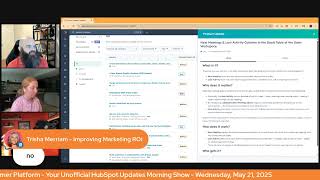
Chris Carolyn, Casey Hawkins, and George B. Thomas walk through HubSpot's latest updates on permissions management, workflow improvements, and new UI elements. The show covers practical features to help users get more out of the platform.
Foreign. Wake up, Customer Platform. It's time to start the day. Discover all the value you already own. Don't let solutions slip away. Wake up, customer platform. The tools are at your hand. No need to sleep on capabilities that can help your business stand. The answer's right before your eyes. You just need to realize. Wake up, customer platform. And watch your business rise. Wake up. Wake up. The platform's waiting for you. Do wake up. Wake up. See what your system can do.
Good morning, HubSpot Nation. It is time to Wake Up, Customer Platform with your unofficial HubSpot updates morning show where we help you discover the platform value you already own. I'm Chris Carolyn, joined by my co hosts Casey Hawkins and George B. Thomas, and we're here every weekday morning to make sure you're not sleeping on HubSpot's true capabilities. If you're joining live, drop a hello in the comments and let us know what you're building in HubSpot today. Happy Wednesday. We wear orange on Wednesdays and it's May 21st already.
I set a reminder for next week. Some of us, I can't. I don't know why this doesn't work in my brain. Well, and a little behind the scenes, obviously, we don't jump on too much farther before the show starts.
Yeah. I just got one thing to say. Gosh, come on. Oh, is it okay that I'm drinking an Orange Crush first thing in the morning with my orange hat? Yeah, with the orange bars and other people some wearing orange, I. I think it's fair.
I mean, I'm guessing Casey has not worn a lot of orange in her life.
Here's the thing. The. It. It clashes with the hair. I don't own that as orange something.
I get it. Like, you're in a tough spot. You gotta commit. Oh, in other news, we're all caught up. I accidentally hit the button yesterday on the way to HubSpot Academy to. To share a manufacturing course with somebody and, you know, just hit that drop down and just go right to the product updates button. As soon as I click, I'm like, okay, this let me get a screenshot. I am surprised that it's still at zero from yesterday at about 5pm that is shocking. So we'll click on all here. Thankfully, we've got all these options to help us stay. Stay engaged and stay on top of things. And we'll get started with create permissions for contacts, companies, deals, tickets, and custom objects. But what kind of permissions? A new permission for each. A new permission each for contacts, companies Deals, tickets and custom objects that allows admins to control whether a user is able to create each specific type of object separately from their permission to edit that object. Note changes to custom objects and create and merge permissions will not show up in the permissions history page, but we're working on adding this change.
This matters because currently any user that has permission to edit an object at all, such as contact, company, deal, ticket or custom object, is allowed to create new records for that object type. This has resulted in a concern from customers around data hygiene. They must allow their users to edit records to perform their job, but in doing that they're also forced to allow their users to be able to create contacts.
And I think I heard the word duplicate about 187 times yesterday during the admins hug about the primary problem that admins would love to just be automatically handled for them. I have to imagine this is a start in that direction.
Yes, feels like it.
Yeah. I was surprised we didn't talk yesterday with such a big update day. We didn't even talk about.
Thanks Casey for making that post to my people.
But yeah, I do think this is part of that. I think it's a good update. I just, I think with all of these permissions used to be a lot simpler, they're getting more complicated. I think you do have to think through the activities of like who has permissions for what a little bit more now because once you start taking permissions away. Yes. In the, in this case for data hygiene, you know, then suddenly contacts or your people at your company are like.
Hey.
So just it's all about training and being transparent with your team and.
Stuff like that things and Casey, are you saying that organizations need a super just for permissions?
Is that what it feels like? It feels like it right now, doesn't it?
We're getting there.
Well and especially like for new HubSpot users, like you can think through the permissions, who needs what. But for people who are already in HubSpot that might be taking things away. I think you might not always realize. I don't always realize everything people my team is doing. You know, I don't know every single step that everyone's taking. That would be impossible. Just think through it, that's all.
Yep. And permissions management was another thing that came up yesterday. I do believe AI will do the brunt of that work in the long term as far as like understanding user behavior and then applying appropriate permissions, helping create user templates so when the next salesperson comes in automatically gets applied. But yeah, it all comes back to training and enablement.
I do wonder how this will work like with integration. So like if I have my email inbox connected, will my email inbox still be able to create contacts even if I'm not able to like go in and create them?
Oh yeah, that's a good point. I think it does open the door for much more granular management of this everywhere. Like when I first was scrolling through and we know that the next update Breeze Copilot is going to be able to do this stuff, are we going to be able to easily apply permissions to that that we might want to do? So yeah, I think in many of the spots this is the lack of permissioning spoke to the lack of granular separation of these activities that pops up in lots of other use cases in the portal. Speaking of Breeze Copilot, I did say yesterday I'd be happy to talk about this as much as possible. Didn't expect it to come back the very next day. But long story short, rebuilding Breeze with all of the latest tech and tools and all the learnings that have happened over the past couple years, what has been added in a very important notice, I think for many people interested notice, opting into this private beta will hide all previous conversations with Copilot in your chat's history. Do not opt into this beta if you need to continue referencing previous chat threads. Also an important notice about Zero data retention. Our zero data retention policy does not apply to this private beta. Wow. Data processed by this new version of Breeze Copilot may be retained for up to 30 days by OpenAI in order to support certain functionality in Copilot. All other terms in our AI Trust and Safety center still apply. And just to say like how transparent I am sharing this information with you folks. I wish I didn't have to read that just because that's gonna turn so many people away from this private beta. But that's why we love HubSpot. They're transparent and they've been great about how AI works in their system and so be aware of this if this kind of thing is super important to you. Yeah, maybe you can't opt into this beta yet.
Yeah, that's them. Some loaded words that got added. Yeah, just saying.
So thank you team for updating the card so we could bring it to the attention of everybody that might be interested. Right? Manage. So merge permissions for contacts, companies, deals, tickets and custom objects almost exactly like Create permissions. So long story short there merge getting separated from Create edit other stuff. So I'd Love to hear from you to like what what you see this enabling or what kind of challenges we've had in the past because we didn't have merge permissions.
I think to be. Yeah. So if it was previously an edit, if you could edit, you could merge. I think the biggest thing I've seen personally is I don't in every portal I'm in have edit permissions on contacts just because of my role in certain portals it and you know, blah, blah, blah, things, stuff and things. However, my role does sometimes need to merge. So like just speaking from like my personal use case. There are instances where merging would be a helpful permission for me to have but editing is not necessarily part of my role and I'm sure there's people in the same and opposite positions as well.
I'll double click on that.
Yeah. Yeah. And I think my 2 cents is often this is something that is relied on from the people who are not on the front lines to keep. To clean up the data, keep the data clean like admins. When in my opinion, you know, the people that are on the front lines are in the best position to. To keep things clean. Especially when we're merging and worried about which one is the right contact. Is everything associated, you know, to the record the right way? Which information do I want to come over? Not want to come over very hard for the people not like in the relationship with that contact record in this case to make that call.
I agree. I think merging is one of those things that people are scared of. I actually just, just yesterday had a request come in from a client to she had two contacts and she said this is the primary one. Can you merge them together? And I was like I can, but did you know you can also. It's.
Yeah.
And I agree. I think that I as like an often outside consultant, I'm not usually the best person to be merging records. However, because it feels scary I often end up being that person.
Yeah. Redesigned CRM index pages. Private beta. Oh, what is it? We're improving the index page experience to make it simpler and more intuitive for you to get the most out of its functionality. Check out this loom for a full walkthrough.
We love a loom.
Yeah, we.
Why does it matter? The redesigned index page brings together a streamlined UI and new visualization types, enabling users to more easily visualize, manage and action on their data in HubSpot. So this screenshot is a little different. Not a lot different.
Yep.
Okay.
We always have a loom. I don't know if we always had A loom.
We don't. We usually don't. So I'm just gonna hit that button first. Always interested. I trust the team. They actually are making improvements and I don't have sound shared, but maybe at the end we can come back and reset this. The share to show that loom. I think that's a good idea. Search workflows by descriptions. What is it? Customers can now search for workflows using keywords from the workflow descriptions directly in the search bar on the workflows listing page. Before you get into the. Why does it matter? Casey, real quick, what is needed to be able to search workflow descriptions?
A good naming convention. I'm just saying. Listen, it's funny, I think maybe you're doing that because you've heard me train on it before, but I do this thing where I talk about a tagging naming convention where it's like this Persona, this part of the funnel, this department, this action, this outcome, whatever it is for you. But it's like boom dash, boom dash, boom dash, whatever. And then when you search. And by the way, a good folder structure doesn't hurt, but that's not search anyway or some views since. Since they're not.
See, this is how.
Anyway, I'll stop.
No ingrained. This behavior has been for George. He trained. He's got a whole like, talk track. Right.
I mean, I could probably go for like 10 minutes just. Just on work and since.
But descriptions, like, we need. We need them, like to be able to search them. Right? And since that hasn't been available, we create all these other mechanisms that George is talking about. Right. To help us find them, help us organize them and yeah, we need some descriptions in there people, if you want to. If you want to take advantage of this.
Yeah, I'm really excited about this. I haven't been great about workflow descriptions in the past. The Breeze automate automagical workflow descriptions have definitely improved that. But sometimes if you've used them, you know, they're like, not always easy to read, I guess is the like. Sometimes they use like internal names or they don't quite explain what's happening. It's more technical, I think, is the way I'm. What I'm trying to say. But recently, Chris just. I was building a fairly complex network of workflows, if I'm being honest, for a client. And I had. I used ChatGPT. I had been working with ChatGPT to map it out, the workflow process. So I went into the chat I was using and then I had There were like four or five different workflows that ChatGPT had helped me map out. And then I was like, hey, can you write the descriptions for these workflows? And that was better than what Breeze automated because Breeze like was using the technical pieces versus ChatGPT was talking about like what they actually were like accomplishing, right? So why does this matter? If you have workflow descriptions, then this matters because workflow descriptions often contain key details that help users quickly understand the purpose, logic, or unique characteristics of each workflow. Whether created manually or generated using AI, these descriptions are essential parts of workflow management. Until now, customers haven't been able to search workflows by their descriptions, making it harder to locate specific workflows, especially in complex portals with dozens or even hundreds of them. We're addressing this pain point by enabling customers to search workflow descriptions directly from the search bar on the workflow listing page alongside the existing options to search by workflow name.
Makes sense. I love that use case too, and I forgot to mention that when I saw the update with Breeze Copilot yesterday. I'm curious if if that caveat of data like 30 days retention means that Breeze Copilot is going to be leaning on ChatGPT more than it has in the past, which I actually love. Because I think one of the problems with Breeze Copilot, especially with workflow descriptions, is that HubSpot's training data is largely based on the user base of HubSpot and if you don't match those use cases, you get some some pretty wonky descriptions. Sometimes that may not apply to your use case. So yeah, also that situation helps with the one that Casey described. If you're doing that just at the end, especially if it's a set of stuff, just say hey GPT. What would be a good naming convention for all of these?
Speaking my love language.
So one more on the list today. Next Meetings and Last Activity columns in the Deals table of the Sales Workspace. What is it? These are two new columns in the Sales Workspace Deals tab designed to improve visibility into Deal engagement. Next Meeting shows the next upcoming scheduled meeting tied to a deal, and Last Activity shows the most recent engagement like a completed task call or meeting on the deal.
This matters because sales reps manage dozens of deals at once and it's easy to lose track of where active conversations are happening. Previously, the Next Activity column bundled all activity types, tasks, meetings, even overdue tasks, making it hard to identify high priority meeting. By introducing a dedicated Next Meeting column, reps can easily prepare for and follow up on live conversations, the interactions most likely to move deals forward. Last activity gives quick insight into recent touch points, helping reps and managers access deal momentum and decide on whether to re engage together. These improvements reduce the risks of missed follow ups, clarify where action is needed and support smarter and more informed decision execution.
I like this, Chris. Does everybody get this? Is this all hubs? Like oh, sales. Like sales.
Yeah. Pro starts at Pro. Yeah, yeah. Just because it's related to the sales workspace. Yeah, yeah, yeah. Pop quiz. Where, where did these already exist in the portal.
Oh wow.
In this format. In this dynamic format that they're talking about.
Next meeting end last activity.
Yep. Target accounts.
Oh, oh wow.
Didn't know that, dude.
Did you like ChatGPT or Google that or no, no account.
George, ask your clone. Did your clone know that this is.
A specific use case where like these are one of the most common columns. You'll see that people manually edit in their spreadsheets when doing sales. One on ones and just keeping track of sales like in a dynamic way. Like what's happening right now. Right. Do we have a meeting schedule? What's the next step? What happened? Right. And it can be very hard. It has been traditionally hard to dynamically see that very easily. You know, in, in the HubSpot portal in a, like until the target accounts view, you know, you were having to develop, you know, some custom. You haven't put some custom effort in to show stuff like this.
So Trisha asked for details, Chris.
Details. So yeah, my last in house gig, new sales leader comes in and just shows her example of what she wants to see. Her wonderfully complex spreadsheet. And those two columns are the most important columns like in her spreadsheet. And she says it over and over and over. And that's where I found the target accounts area and said, hey, let's build this out over time. It did get built out, but I'm sorry, Tricia, can you be more specific of what you're looking for? That was the guess. Okay, maybe I was right. Streaming, there's a little bit of a lag here. So appreciate you engaging, Tricia.
Oh, by the way, Casey, it did know that it was in Target accounts and it also told me that I could put it on my left sidebar if I customize my left sidebar.
So just the clone is clone.
Some clone madness there because you asked.
Yep, there you go.
The clone became the master.
Yeah, buddy.
Yeah.
It literally says when you're in target accounts home, you'll see a list of your Target accounts with columns that include activity metrics.
Boom.
Next meeting, last activity. This way you'll have a clear snapshot of upcoming engagements and the most recent interactions with your target accounts. All in one place anyway.
Indeed. And I guess I should have been using this new beta from. From Streamyard. I wonder. So supposedly we can show comments on stage now.
Oh, it looks.
With this little black box.
Trisha, put a comment in.
Yeah, it's.
It's a.
It's.
Oh, oh, there we go.
There it is. Yeah.
Thanks for the show. Thanks for being here. Else it wouldn't be a show.
Indeed. So delivering value every day. We appreciate it.
Value first brother.
Yeah, indeed. So I think we're at time, so I'm gonna let everybody just understand this loom exists. Maybe we'll throw it in the comments of this episode. Check it out. I'm sure it'll be back on our list soon and we'll be ready to play it for you there. But get in there, let the team know what you think. We're gonna see a lot of this tabbed tab to based design continue. We see it in the workspaces right now, so appreciate the team starting to create some standardization over in that direction. Remember folks, you probably already own the solution you're looking for in HubSpot. Sometimes you just need to wake up to it. Join us tomorrow morning as we continue exploring what's new in HubSpot. Drop your biggest takeaway in the comments and let us know what capabilities you want to wake up to next. Until then, I'm Chris. Carolyn.
I'm Casey Hawkins.
And I'm George B. Thomas.
And this has been Wake up, Customer Platform. Now go build something amazing. Have a great day, everybody.
Wake up, customer platform it's time to start the day. Discover all the value you already own. Don't let solutions slip away. Wake up Custom the platform the tools are at your hand no need to sleep on capabilities that can help your business stand the answer's right before your eyes you just need to realize Wake up, customer platform and watch your business rise Wake up, wake up the platform waiting for you Break up, wake up See what your system can do.










