HubSpot Updates 5/22/2025
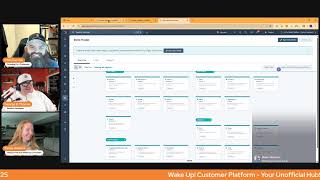
This is a YouTube video titled "HubSpot Updates 5/22/2025" containing a conversational podcast-style discussion recorded in May 2025. The participants include Chris Carolyn, Casey Hawkins, George B. Thomas, Maggie from HubSpot's product team, and other speakers. They discuss new features and updates in the HubSpot platform, focusing on AI-powered video chapter editing, CRM index page redesign, and AI-powered data model recommendations to improve user experience and efficiency in HubSpot setup and usage.
Foreign Wake Up, Customer Platform. It's time to start the day. Discover all the value you already own. Don't let solutions slip away. Wake up, customer platform. The tools are at your hand. No need to sleep on capabilities that can help your business stand. The answer's right before your eyes. You just need to realize Wake up, Customer platform and watch your business rise. Wake up. Wake up. The platform's waiting for you. You wake up. Wake up. See what your system can do.
Good morning, HubSpot Nation. It is time to Wake Up Cusper platform with your unofficial HubSpot Updates morning show where we help you discover the platform value you already own. Chris I'm Chris Carolyn, joined by my co hosts Casey Hawkins and George B. Thomas. We are here every weekday morning to make sure you're not sleeping on HubSpot's true capabilities. If you're joining live, drop a hello in the comments and let us know what you're building in HubSpot today. Happy Thursday, May 22nd.
Can I tell you something? This morning I'm listening to the intro and I'm envisioning somebody driving to work and they turn on this podcast because they can now go to their favorite podcast app and they can listen as they're driving to work. And I imagine that intro coming on and they're, they're just head banging, bro. They're like, somebody's looking over and they're like singing at the top of their lungs and their head banging and they're excited because they can learn about HubSpot on their way to work or their way home or their way to their favorite restaurant. I don't know where you're headed, but like, I just imagine them jamming to that new intro.
I'm loving it. I'm loving it for sure. Sleep or hit, it's going to be.
Yeah, it really does get. It gets stuck in my head. It's more.
Like, yeah, let's go.
I'm ready.
Like I was walking the dogs this morning and I'm like humming it and I actually turned to my husband and I was like, have I told you that Chris made a song?
It begins worldwide conquest begins right here. A light day. We always find a way to make the most of it, though. Three updates to run through. We've. We've seen two of them before and get to dig a little bit deeper on the third one. So we'll start with redesign CRM index pages. High impact. I don't know if it was high impact last time we, we read it, but just came up earlier this Week. All right, what is it? We're improving the index page experience to make it simpler and more intuitive for you to get the most out of its functionality. Check out this loom for a full walkthrough.
Why does it matter? The redesigned index page brings together a streamlined UI and new visualization types, enabling users to. To more easily visualize, manage and action on their data in HubSpot.
Nice. Moving on.
Video chapter editing.
This is interesting. I mean, it was there, so what happened? But okay.
Oh, they've been updating a couple of different things. What is it? You can now manually customize AI generated video chapters for content uploaded to YouTube or embedded on your website.
I like this. Why does it matter? Users can manually add or revise chapters generated using AI.
Which by the way, that has nothing to do with why it matters. What it is. Why it matters is because you need to pay attention to user experience. You need to realize that everybody's busy and if they want to jump to a minute and 14 seconds just to hear the conclusion because you're an idiot, then they can't. By the way, I'm using the example of the screenshot. That is a very short video. I don't know why you would chapter A 1 minute and 14. But here's the thing. If you're putting out long form content and you haven't historically been chaptering it for your website because it wasn't possible with HubSpot video before this or YouTube. Come on. That's why it matters. I'm busy. I want to get into the good stuff and get back to work there. Can they write that on the why does it matter? And then bring it back over so Casey has to read all of that next time.
Take the transcript from the recording.
I'm saying.
Yeah, but in order to use any of this stuff, you've got to enroll in the AI powered video marketing beta. If. If you haven't yet do it. It's amazing. Not just some bolt on where it's like, oh, you can. You can just trim and that's about it. Like we see in other systems. Yeah, it's fully. It's gonna be fully baked out. Video editing at the end of. At the end of this process. I believe we already have the ability to update chapters. It's where clipping is happening. The transcripts are really good. The summaries that they come up with, keywords.
Just the amount of oh, oh, yes, oh, moments that I had as I went through it was ridiculous. By the way, I said this last time that we brought this up. But if you haven't gone and watched the unboxing that Chris did with the HubSpot team, like, that's a great place to start. And what's nice is if you have dual screens, put the unboxing on one screen, get signed into the beta and put the beta on the other side and mess around it as you're watching the unboxing. Oh, man.
I'm just saying, trying to make it easy for the folks to keep up, George. That's all I can do. So definitely jump in if you haven't yet. That's a big reason why the podcast is happening now. Honestly, the process is just so easy. I can't possibly make any more excuses for not turning this into a podcast. So thank you, HubSpot.
I think they did it just for us.
Yeah, just for Chris, definitely. They're like, you know what? Chris needs his life. He needs a podcast tool. Hey, let's spend some R D money. Couple mail. Get Chris that podcast.
He's not using it yet. Oh, I think we need to spend money on a video marketing platform. There you go. There you go.
It's not easy.
It worked. Success. Check that KPI off.
Good job.
You got Chris 10. 10 out of 10 is my MPS or whichever score you want to apply.
Yeah, that's the right score.
And this is really like, this stays for me, I guess. AI powered data model recommendations Every day.
Is for you, Chris.
Thank you. Orders.
Like, if today had an orders update, like, then this would be Chris's day. Hands.
What is this? We're developing AI powered data model recommendations to simplify HubSpot setup and deepen usage. We will utilize information that we have about your business to generate a tailored set of easily applied applied configurations.
This matters because manually configuring HubSpot can be time consuming and overwhelming, especially for new admins. AI powered templates will allow us to meet needs of HubSpot's broad customer base and build upon industry specific templates released last year. The personalized content will allow you to get your HubSpot account up and running quickly and efficiently.
Nice. Oh, there's a short video that you watch too.
I think we should watch it because it's super interesting to think about the difference between new setup and somebody that's already using HubSpot and trying to transition from this world.
Are you saying using or already jacked up their HubSpot?
All the above, yeah. Okay.
Well, in people's defense, voice of the people, sometimes HubSpot is jacked up because these features didn't exist.
True, true, true.
See, See, that's what I love. Casey Hawkins, advocate of the humans since 2024 or whatever year we're in.
Yeah, yeah, yeah, there we go. Whatever year we're in for sure we're going to check out this video. Get rid of that. Hit the plus here.
Hi there. I'm Maggie from HubSpot's product team, and I'm here to explore a new feature where you can use AI to get data model recommendations. For the purpose of this demo, I'm going to imagine that I run a landscaping company. I'm eager to get started setting up my HubSpot portal. So right now I'm on the data model part of data management, which you can get to by clicking on this sidebar. And I noticed that there's this box in the upper right hand corner that says define data model with templates. All right, I see that we have a couple of options down here for real estate and education. Neither of those make sense for my business. So I'm going to get started with Breeze. All right. It seems like Breeze pulls in some information about my business and then it gives me a prompt to add some additional context about how I'm using HubSpot spot. I'm going to go ahead and add some information to make sure I get the best recommendation.
Can you.
Landscaping company. I want to.
So as you watch this video, first of all, we need to let them know they're on the show. By the way, I'm just gonna throw that up, but yeah, Maggie, they're on the show. When you get to this point, if you're doing this, please, by all that is holy, think rich and robust. When you do the example section for what you're trying to get in the outcome, I go back to everything we teach on the AI show and that I'm talking to clients about. Context is king. When it says enter information context. Okay, you can hit play. Sorry.
Ah, that's. I wanted to say something similar to where any of the AI tools in HubSpot, the first question is going to be either how do you use HubSpot? Or how do you want to use HubSpot? And if you just say lead management, you're not going to get good results. Okay. So it's like, what is HubSpot supposed to do for your business? And you. It might be the first time that you're having to document that in that moment. And I bet you anything if you have a hard time answering that, you can just pull up Breeze or go over to GPT or Claude and have that conversation, but have it before you start building and getting recommendations from AI that doesn't have enough context to give you good ones.
Track my prospective customers and their lawn care needs. I also want to keep track of my customers requested service. So that's generally why I'm using HubSpot. I'm going to go ahead and see what kind of recommendation I get back. Okay, interesting. It's generating my data model. Looks like it's getting some recommendations. Eager to learn what comes out of this. All right, just like that. I now have an AI powered recommendation. It says to make sure to review breezes recommendations before saving. It says a data model for landscaping companies to track their prospective customers, lawn needs and requested services. Awesome. That's exactly what I was looking for. Okay, cool. It seems like there's information about the services object, including service notes, the expected completion date, start date and returning service. Okay, I don't think service notes makes the most sense, so I'm going to remove that. And then we use the term repeat service instead of recurring. So I'm going to update that language just in line here or it's cool that I can see that. If I hover next to any one of these properties, it helps me understand what the purpose of that property is. Now I see association labels and so here it's between the service and contacts. And it seems like on this side it's the requested service. On this side it's requested by. That makes sense to me. Let me see a little more information. Okay. It says connects a customer to the requested service. That makes a ton of sense. To make sure I can understand all the relationships within HubSpot. Now I also see some information under contacts, so I guess I could. Oh, okay. So if I do this, it'll allow me to deselect or select all of the recommendations under contacts. I'm going to keep it because some of this seems really good.
Here we have Chris, like as you're driving down the road or you're watching this in your office or wherever you're at, I hope you realize, because here's what comes to my mind. The amount of hours of meetings now not needed, the amount of typing and clicking that may not be needed by these like automagical additions into your data model because you took the time to add the dope context, like giving people's lives back to them with the use of AI inside of HubSpot. Okay, I just had to throw that in there. Like this is where my brain is.
And this is like an extra 15 minutes. Right. Versus where we were. Like, we just want to get started. We just want to get into HubSpot and start using it. If you take just 15 minutes and this is where we get to, we're going to move on from the, you know, open up HubSpot. And the question of, is this your first time using a CRM? Do you know what CRMs are? You a CRM super user that doesn't actually help build out the HubSpot. It's going to be all, what is your business? What are you trying to accomplish? What are your goals?
Well, and even the layer of what kind of humans or how do you help the humans with the business that you have? Like.
Yes.
Yeah.
Yep.
Preferred service frequency. I can see there's some options. I'm going to hover over that. Awesome. This makes sense to me. Weekly, biweekly or monthly budget range. Looks like I got some options there as well. And then service type. I'm just going to update this a little bit to be budget because I think range. I don't know. Anyway, it's there for me to update and that's pretty cool. I think this is now just the inverse of what I was looking for from contact to services. And I can see that there's also a label here between contacts and deals of decision maker. All right, it feels like it is good to go. I'm going to just hit next. All right, here's my summary of changes. So some information for contacts, deals and services. We are really excited for you all to test this out.
We are excited, I think.
I mean, I've. I've been afraid of custom objects. I'm getting more comfortable with them.
Really.
I still have.










