HubSpot Updates 5/27/2025
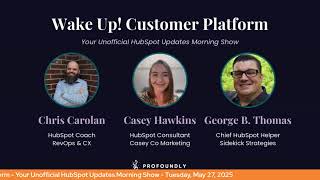
Chris Garland, Casey Hawkins, and George B. Thomas walk through HubSpot's latest platform updates from May 2025. New AI tools, workflow automation improvements, and mobile report features are the main additions. They cover how these changes help users get more out of their CRM.
Foreign.
Wake Up Customer platform. It's time to start the day. Discover all the value you already own. Don't let solutions slip away way. Wake up, Customer platform. The tools are at your hand. No need to sleep on capabilities that can help your business stand. The answer's right before your eyes. You just need to realize Wake up, Customer platform and watch your business rise.
Wake up. Wake up.
The platform's waiting for you.
Wake up. Wake up.
See what your system can do.
Good morning, HubSpot Nation. It is time to Wake Up Customer platform with your unofficial HubSpot updates morning show where we help you discover the platform value you already own. I'm Chris Carolyn, joined by my co host Casey Hawkins and George B. Thomas. We are here every weekday morning to make sure you're not sleeping on HubSpot's true capabilities. If you're joining live, drop a hello in the comments and let us know what you're building in HubSpot today. Happy Tuesday, May 27, 2025. Did we have good holiday weekend?
They were good. I got sunburnt. I need to get sunburnt once a year to remember that I get sunburned. That's. It's just the annual.
It's the annual. Oh, yeah. That's who I am.
Maybe things are different. Yeah.
Yeah. I like to. I like to think that maybe I'm not pale and redheaded every, you know, early summer and then I'm like, oh, oh, yeah, that's. That's. That's right.
Maybe this is the year. Maybe this is the year it changes. Yeah, it was. It was good. I got to eat some Hawaiian food and sit by the pool for a little bit one day because some friends had a little Hawaiian luau party, which was nice. I got to finish also. Sons of Anarchy. I finally finished. All of the seasons. It's been a journey. RIP Jack's Teller. But if, you know, you know. And by the way, if I just spoil it, shame on you. It's been years.
Yeah, it's too. It's too late.
Oh, man. Well, I took the opportunity of some. Some quiet time to. To get this going. Excited.
Classic. Classically. George and I are like, yeah. We were outside relaxing and Chris is like. So I was inside.
Chris was like. I was hustling.
Oh, man. That's fair.
Some work too. I did some work too. So Chris isn't by himself. But I wasn't talk about that. But since we're talking about. This is awesome, dude. I love what you're showing. If you're listening this by the way you already know because you're listening to the thing he's showing. I'm just saying.
Yeah, it was. It feels good to get it up and running and now got the process in place to keep this thing updated every day because. Updates every day. And by the way, this is all hosted in HubSpot using the podcast tool and what it was, the video marketing platform stuff really like finally lowered the the activation energy enough to be like, all right, we can get a decent description up, we can get titles with keywords in them and so check it out. Maybe do some HubSpot update searches, see if our episodes come up. Tried my best to pick some good updates as we went through, but can't throw all 10 in the title. So let me know if you can't find what you're looking for and we'll help point you in the right direction.
That'd be a great title, but it would not be SEO optimized. I'm just.
Yeah, yeah.
What. What I'm most excited about is I've been referring to this as a podcast for a while. It just like has felt easier to like my parents and my husband to explain what this is. And now I'm like, it actually is.
Yay.
Yeah, yeah, yeah. I find whenever you're talking to anybody not in the industry, it's best to keep it to one words. Podcast speaker marketing. Oh, okay, I get it. Thank you.
Have a good day.
Just always felt easier.
Oh, for sure. That's. And that's been interesting as I've done all this content on LinkedIn Live. I've had called podcasts, webcasts, webinars, shows, Q and A's, like all the things. So yeah, now we actually have a podcast. So now even I'll feel comfortable calling it a podcast. So excited about that and excited about Breeze Summarize Record Workflow Action. Saw a post about this yesterday, so getting some people's attention. What is it? Introducing the new Breeze Summarize Record Workflow Action.
That's a line right there.
Easy.
That was the quickest handoff in history.
I didn't have enough time to scroll past this long.
I'm not ready.
All right. It matters because Breeze Copilot is HubSpot's conversational AI tool that supports your sales, marketing and service goals. But until now, the AI assistance has only been available on demand as the team does their day to day work. With the introduction of re actions in workflows, AI tasks can now be automated at scale using the Workflows tool. For example, when using A workflow to distribute new leads to sales. Summarize Record action. Use the Summarize record action to create a concise and information packed snippet that can be inserted into a notification to get your reps up to speed quickly.
Go ahead. Oh no. Okay, so I'm. I'm excited about this but at the same time my brain goes to that I hope we can do something in the future. Let me explain why I'm excited about this. For years I have taught this thing called that. I talk about the reverse engineered lead sheet which basically it's when you get to the bottom of the funnel and right before you're passing off to sales like an MQ or SQL depending on your organization, we would send an email that would use personalization tokens, AKA properties to deliver them the information that they need to best be equipped with the call that they're about to get on or the meeting that they're going to have. Okay. So I envision a world now where all of a sudden I could just be like hey, they're mq, SQL, depending on your organization, we're handing them over to sales. Let's go ahead and send them this notification with a summarization of the information. Now here's the thing. Right now as it stands my belief I could be wrong. If I am, please tell me this just generates a summary of the record or records for you. But what would might be nice is if you could kind of give it some direction of the summary that you would want. For instance, if I was going to use this at the top of the funnel I would want a different summary than if I was going to use this at the bottom of the funnel. So if in the future there was some like and you can give it custom instructions to what you wanted to summarize based on the default and custom properties that are in your portal. A. I like this. I'm just saying it would be nice if that's all.
Yeah, well this is where I think like without any additional see with so there's some level of we need the Breeze rebuild to happen because we know right now it's very focused on leads as the example and focus on marketing and sales and tends to forget about the rest of the portal because 80 to 90% of of HubSpot customers are focused on marketing and sales and CRM. Right. But I think if you want to do that right now George, it would be summarize record in this step and then ask Breeze in this step as another workflow action that we already have access to to say take this kind of information or if we don't see that kind of information, we're going to say that in the prompt. But definitely some curation I think could happen here. Yeah, yeah. But yeah, that kind of context. Just be aware of it before just throwing it at your sales team. Like that's for sure. But also might be a good idea. Good way to say hey guys, if the summary wasn't right, maybe it's because we don't have the data that we need on the record.
As I let my brain wander by the way, before I forget I even with me talking about this one now hit the beta button. I'm just, you know that I hit the beta button. But here's what would be very interesting too because you talk about the copilot rebuild. Wouldn't it be interesting if and of course if becomes true we would want documentation on what if means. But wouldn't it be interesting if it was a different summary based on lead or a different summary based on MQL or a different summary based on SQL or a different summary based on customer? Like we have lifecycle stages and we've got lead statuses and we've got things in there. Wouldn't it be a cool if it was conditional based on the properties that you're supposed to be using in your portal? Anyway, that might be nice.
Yeah. You start to combine that with just the property management in general. Imagine a workflow that just branches right? And like if it's in this industry, we're doing this, it's in this industry we're doing this. It's just there's so much potential and but again it comes down to we still don't need to walk away from the place that what does a record look like for our users? The user might be AI now in some cases, but it's still got to be composed in a way that's not confusing. That gives us. Gives the user the information they need to take the next step. Right. I do want to note this action has a usage limit of 3,000 executions per month. Limits are subject to change during the beta period. And I'll just give a hunch heads up for people that the more we see like usage limits and number of executions per month that is the world of you know, credits and usage based costs which makes a lot of sense once you understand once you just have a complete layer executed by AI now like, like seats for people like isn't going to make sense in the same way that it did, you know, previously. So I Expect customer agent to be kind of a foreshadowing of what we see. You know, anything related to these AI doing stuff, doing things on our behalf. Going, going the credits. Route number two for today. Add customer agent to rule based chat flows. What is it? You can now add your customer agent as an action within rule based chat flows. This gives you more control over exactly when and how your AI powered customer agent steps into customer conversations.
Why does it matter? AI agents are powerful, but there's still new territory for many teams when it comes to live customer interactions. Not everyone is ready to hand over full control to AI. This update gives you the flexibility to decide when the customer agent should engage, allowing you to build trust in its capabilities while still maintaining control over the customer experience.
It's interesting allowing you to build trust, like there's something in that statement, even though it feels like there might not be something in that statement. Meaning like if I'm the person writing this, it's like we fully trust it. We're probably letting it go autonomously and doing the things. But so that for your comfort level as somebody who is dipping your toe into the world of CRM AI. Because by the way, there is a level of trust that you end up having with your AI assistant.
It reminds me, I have this client that works in healthcare tech and healthcare tech is notoriously a little more old school. And I remember a few years ago I was talking to one of their executives and he said he wanted something as a PDF. And I was like, why? I was like, we have it as a web page. I like, why would, why would you want this as a PDF? Basically I probably said it nicer than I.
You did.
I. I did. I'm sure I did. I. Well, I guess I more was like, I'm whatever. And he said to me, he said, casey, I am old school. I want it as a PDF. Like, he was like, I don't care that he was like. Because I'm starting to list all these reasons why it would be better as a web page. And he's like, I don't care. And I feel like AI is one of those things where like some people, they don't care at this point that it will make things like more efficient or whatever. They just, they're used to talking to a human or they're used to their systems being run by humans.
Yeah, I, I see your PDF and I double down on, I had a client once, can I print the page? And I said, what 1895 are we talking about right now? I want to be able to print the pages. They're like, is there a print version? And I'm like, no, there's not.
No, there's not.
But. But I will say this is one reason why I love the Chrome extension, by the way, that I have. It's called Go Full page.
I love Go Full because if you.
Want a PDF of this page, I'll have it to you in about three seconds. Or I can just grab. Here you go, there's the PDF. Like, take it on a plane, take it on a train, eat it with a fox, eat it on a box. I don't care what you do. Like, here is a PDF for you.
Like, oh, man, George, got some rest this weekend?
I wasn't ready.
But here's a question here. It says you'll now see a new option, send to customer agent. What do you think we are doing before that?
I think searching knowledge base maybe. I don't know.
Yeah, we're doing some level of qualification. Well see how best to solve your problem. And while this is definitely experience focused, as it should be, as we get to the world of every customer agent conversation costs money. We're already at the place where it's like, oh, like you gotta prove that you need the customer agent and there's not just some knowledge base article. Right. So this, yeah, this is where it start. You start to. It's really powerful. Like you can automate some first steps, you know, because you know better, you know which questions are asking. You don't need to let AI, you know, just work from a blank slate whoever comes in the door, even as simple as, like which, like tell me what kind of human you are. Right. That qualification doesn't necessarily go away. And I think that's really important to understand one, to control the experience or to, you know, guide the experience a little better. But also, you know, make making sure from a, you know, business standpoint that we're just not throwing AI out there that has usage costs and just anybody can show up and start talking to this thing and then we look tomorrow and all our credits are gone. Yeah, right.
Yeah.
Especially when credits are used across the portal and it might impact other teams in other places. So this makes sense to me from, from that side of things as well.
Yeah, you probably don't need to spend credits on customer agent to tell them to refresh or reboot. You might be able to do that before you actually send to customer agent. But before we leave this one, I still hit that beta button for sure.
Number three, AI report insights on mobile. Now mobile Users can generate AI powered insights on their reports.
Chris, I think you are having an easy day. Like all of your. What is it? One Line brother, like what is going on today for you?
And I almost appreciate the HubSpot team. That's what's going on.
I almost said this in the last one too. I liked that in the last one they put the picture at the bottom because I like Chris has like two seconds of speaking. I gotta find my way through these.
Long images and you got a backpack and boots on. Trying to get to the. Why does it matter? Which by the way, compared to Chris's One Line is a book anyway.
All right. Reading and understanding a report can be challenging on mobile devices. First of all, users must be familiar with the data shown in the report to digest the values and trends shown. This takes time that many mobile users don't have as they use their mobile devices in short bursts to gain quick understanding of their numbers. Secondly, many reports with lots of data points are simply hard to see on a small screen. AI Insights for Reports on Mobile solves both these challenges, offering an alternative way to consume the information shown in a report now as a handful of easy to read bullet points. We say this all the time whenever mobile updates come up, but I am just like the future of the mobile app is like so interesting to me. Like the more that they add here, the more I'm like, am I, am I gonna be doing things on my phone that I'm currently like tied tethered to my laptop for?
Yeah, maybe you might not be, but you will. You will be helping others do that for damn sure. And in some of these use cases it looks like they are laser focused on things that have gotten the way of adoption in the past. And what immediately comes to mind here are those executives that just like get a, get a bee in their bonnet and need to know this kind of report or this status. Like just because I feel like it right now, this might be. This is probably the quickest bridge to get them to using HubSpot related tools. Because I've been saying this for a while from an admin perspective, it's no longer your job to build the report, help your team use these capabilities so that they can just come in and start asking questions themselves. Right?
Yeah. Well, and have you guys seen. Because I think I saw it over the weekend and I was like, wait, when did this holy crap moment happen? Have you seen on like dashboards when you hover over any report now that you have a generate insights with copilot on each Report.
Yep.
Like if you're listening this and you haven't noticed that maybe you haven't gone to a dashboard lately or looked at your reports lately, but if that's not the case, then go into your portal and in the top right hand corner there used to be like a. Well, there still is, but there used to only be like a filtering option and the three dots option. But right next that the left is. And by the way, when you're not over the report, you can't see it. But if you hover over the report then you can see those things and then you see this little like co pilot, like star piece and if you hover over, generate insights with co pilot and so like if you're driving down the road and you're like, wait, what? Go check it out.
Yeah. Do everything in your power to enable and train, you know, the people who don't need to be doing stuff in the CRM like data management and data entry and that this is how you give them the experience they want. Because what happens when you quickly make the report? They, you show it to them and then they got questions, questions you might not even be able to answer. But since you're the one that gave them the report, they're asking you and instead they can ask breeze when they click this button.
Yeah.
And now it turns into a consultative relationship from an admin perspective where you're not the one. It like objects. It makes it more objective for you to handle these conversations where you're not the one giving the bad information, the misinformation, the data is dirty, all this stuff, it's the system. Now you get to come in and say, well that might not be. That probably doesn't sound right because we're missing data in this place. Or maybe we're not tracking the right things. Super powerful. And they're going to continue this journey of mobile optimization of the app. Really transformation of the, of the mobile app is what we're seeing here because you know, voice activated CRM is on the way.
Yep.
And that's what we use our phones for.
And I, I do believe that, I do believe we're moving into a different world where you might actually. And also imagine like when mobile app actually becomes good on iPad. HubSpot. Do you hear me? Do you hear me? When mobile app becomes good on iPad and you could be on the top of a mountain with like Elon's WI fi system and on. And an iPad like generating copilot summaries and reports and like.
I see that for Myself. Chris doesn't see it for me, obviously.
Are you taking out an iPad or are you taking on your phone? Casey? Like that's. That's my thing.
I'm old so I need big text but. But I guess I can setting to zoom it in and be like whatever.
Well right now I'm on a mountain with my little laptop and my little.
But really next year it's George with his phone, VR glass or AR glasses on. Like that's. Yeah, I think that's what's coming.
You're that or I'm a hermit with a garden on the top of a mountain and no Internet. I don't know. We'll see what next year looks like.
Before we get there. We have faster property creation experience on the CRM index page. Fan favorite right now? Not really, but I appreciate it. You can now create properties on the CRM index page more quickly with a streamlined, easy to use side panel.
I was going to complain that you didn't have enough to say, but I have very little here too.
He actually says more than you.
By working on this, it's easier and faster to create properties in context when working in the index page. TABLE now you know Chris likes it. I don't like it. Where are you George? Where do you fall?
I just don't know why it keeps showing up over and over and over again.
Just tired.
You're just tired Changing, like quit putting an extra comma in there somewhere or something.
Sheesh.
I guess that's how you get adoption. You just keep talking about it.
Oh gotta say like 23 times or something like that for it to sink in.
There's something out there.
But take note here. Like users must have edit property settings. So a lot of the talk about making it easy. Like the people that you don't want to be using this probably shouldn't have the settings that you have for them right now. Right? If they have edit property settings, great properties, any of that stuff, they should be trained on best practices when it comes to creating properties. So any. Any insights going into the week? What is our We've got customer success tomorrow on the admins hug or today. Yeah, it's Tuesday. In a couple hours the customer Success team is talking about the customer success workspace and the success they've seen with that. Personally, I've had a ton of fun starting to build those out for clients. You can do amazing things when you can put the post sales experience right next to the deal and revenue experience so that one hits at 11am Eastern, 10am Central.
To the rest of the math from there.
Yeah. So remember folks, you probably already own the solution you're looking for in HubSpot. Sometimes you just need to wake up to it. Join us tomorrow morning as we continue exploring what's new in HubSpot. Drop your biggest takeaway in the comments and let us know what capabilities you want us to wake up to next. And if you're listening to this, if you've been listening to this on LinkedIn or YouTube, you can now check us out and subscribe on Spotify and Apple podcasts to catch up on episodes there. Until then, I'm Chris Garland.
I'm Casey Hawkins.
And I'm George B. Thomas.
And this has been Wake Up Customer Platform. Now go build something amazing. Have a great day.
Wake up, Customer platform It's time to start the day. Discover all the value you already own. Don't let solutions slip away. Wake up, Customer platform the tools are at your hand. No need to sleep on Jeff Possibilities that can help your business stand. The answer's right before your eyes. You just need to realize Wake up, Customer platform and watch your business rise.
Wake up. Wake up.
The platform's waiting for you.
Wake up. Wake up.
See what your system can do.










