HubSpot Updates 5/28/2025
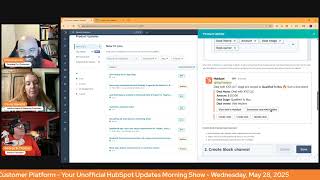
This is a YouTube video titled "HubSpot Updates 5/28/2025" featuring a morning show format where hosts Chris Carolyn, Casey Hawkins, and George B. Thomas discuss recent updates and new features in the HubSpot platform. The conversation covers topics such as chat queue for in-app help, export improvements, app marketplace analytics, commerce analytics suite, Salesforce app sync enhancements, Android app updates, and Slack app workflow improvements. The hosts provide insights on how these updates impact users and share practical tips, making it an informative session for HubSpot users and specialists.
Foreign.
Wake Up, Customer Platform. It's time to start the day. Discover all the value you already own. Don't let solutions slip away. Wake up, Customer Platform. The tools are at your hand. No need to sleep on capabilities that can help your business stand. The answer's right before your eyes. You just need to realize Wake up, Customer Platform and watch your business rise. Wake up. Wake up. The platform's waiting for you.
Do.
Wake up. Wake up. See what your system can do.
Good morning, HubSpot Nation. It is time to Wake Up, Customer Platform with your unofficial HubSpot Updates morning show where we help you discover the platform value you already own. I'm Chris Carolyn, joined by my co hosts Casey Hawkins and George B. Thomas. We are here every weekday morning to make sure you're not sleeping on HubSpot's true capabilities. If you're joining live, drop a hello in the comments and let us know what you're building in HubSpot today. Happy Wednesday, May 28, 2025. Kudos to Casey. She's wearing orange today. George, let's go.
Hashtag winning.
I told Chris already, but yeah, I went to the store, I found all the orange that they had in my size. My arm was full of orange and I just looked around and thought, I wonder what these people think of me.
I was gonna say, did you get any weird looks like heck.
Next year they will be thinking, oh, she must work with HubSpot in some way.
Well, I did realize I'm an idiot. I live in Maryland. The Orioles are here. They are our baseball team. They are notoriously orange.
Could think of worse things.
So I think they were just more likely. They were like, does she work for the Orioles or something?
Yeah, that's fair. The mountain. The mountain is high for sure.
Valley is low and the river. Okay, never mind. Not why we're here.
Why are we here? We are here to announce things like chat queue for in app help.
Open it up.
I like super general ones like this that keep you guessing.
Inquiring minds want to know, can we just click it?
Well, HubSpot is again giving Chris the easy.
What is it? Introducing a new chat queue system for in app help.
That's so helpful. Thank you so much, Chris, for your work. Why does it matter? This improves customer satisfaction. The system aims to enhance the customer experience by reducing wait time and improving access to support service. Increases efficiency will allow for better utilization of the AI assistant while customers wait for human agents address customer demand. There have been significant customer feedback requesting a queued system. How does it work?
So in your HubSpot. I'm actually happy to go through this George. Like it's surprising sometimes at you know how little some, some users know how easy it is to get support in, in the portal. So how does it work? But this is the part that they might not know how to do. Like to start a chat? Yeah, but I'm not going to make any assumptions. If this is changing, maybe that's changing. So hopefully that becomes super clear and maybe the team can, can help us out here. Start a chat. If all agents are currently busy, you'll be automatically placed in a queue. Track your place chat with the AI assistant while you wait available to answer simple questions. I kind of like that positioning of the AI assistant. Share your info. Everything you share with the AI will be visible to the support specialist when they join. If there's any support specialists out there, please read that part before engaging in the conversation with me as the person requesting support and do not ask me the same questions that have already been answered. And number five, choose your next step. Unless your issue is resolved by the AI and you can leave the queue at any time. Don't want to wait. You can convert the chat into an email ticket. A support specialist will follow up within 24 hours. Who gets it started? Plus customers. So just to clarify, this is for HubSpot customers using HubSpot, not talking about the customer agent or any of the tools a HubSpot user might be using to serve their own customers.
I was going to ask that because I wasn't immediately clear on that.
Yep. So usually when they say in app we're talking about the HubSpot portal itself. But as I close this out, I'll highlight. You know this question mark right here is how you get to that stuff right now. But notice copilot right over here. Often a good option for getting the help that you need as well. So just head up this way if you're running into issues. Number two, Removing associated records display properties by default in export. What is it? Users now have the option to exclude the display property for associated records in their exports. Excluding this property will result in a much faster export.
Why does it matter? By removing the display properties for associated records in exports, we greatly increase the speed and performance of larger exports. For larger exports. Removing this one column can save hours on your export, giving you the data you need out of HubSpot faster. I know. Hours.
Hours.
I didn't know exports took that long.
You hear stories of these, of these company records that have thousands of contacts associated with them. But interesting why the display name or the display properties. Yeah, I guess we just have to trust HubSpot on this one. Good call. Thanks for making that faster and easier App Marketplace Analytics Enhanced Data and Export for Page Views by Domain what is it? As HubSpot continues to release more information about individual app performance on the App Marketplace, new data points are available, including page views by domain.
Why does this matter? Page Views by Domain provide App Partners with useful contact data for customers and prospects visiting their listing. Previously, this information was limited and only visible inside HubSpot. Now partners can export data to a CSV, including new data points like whether or not the contact has a specific app installed.
I think they call this eating your own dog food or drinking your own champagne when you use. I guess, yeah. App Partners getting easier than ever to create great experiences, which has been missing in a lot of cases in terms of onboarding customers. But also understand how's your how's your App Marketplace listing doing from an organic inbound perspective? So very cool to see that Number four Commerce Analytics Suite what is it? Commerce Analytics Suite is a new reporting suite that makes it faster and easier than ever to track invoice, subscription and payments data. Now you can view your sales reports alongside your commerce reports to get a full picture of your business. Specific reports include invoices. For invoices we have aging summary balance due build versus Actual revenue. A lot of people are excited about that one. Invoice Status Subscriptions we have Churn subscriptions, Value, Churn subscriptions, new subscriptions value and new subscriptions. And for payments we have gross payment revenue and total payment volume.
This matters because if you're using Commerce Hub to bill and collect payments, you need an easy and fast way to analyze and report on your accounts receivable, subscriptions and payments data. Previously, there wasn't a readily available dashboard to analyze this data. If you're a sales admin, you could easily find sales reporting in the Reporting app, but not billing and payments reporting. The Commerce Analytics Suite simplifies reporting by streamlining your sales, billing and payment analytics in one unified dashboard.
Is it in your portal yet? George?
Oh my gosh. I haven't looked lately, but I'll have to go look for sure.
See.
Move on to the next one. I'll let you know.
Well, here's something to keep in mind and I was looking for a reason to share this post today anyways and lo and behold, they give us one. Saw this post. We're looking to connect with independent HubSpot specialists as we build out our trusted roster. We're particularly interested in individuals with deep experience in HubSpot, CRM marketing or sales. Whether you specialize in one area or work across the full platform. Having not mentioned Commerce Hub, Content Hub or Service Hub, we're looking for people who can implement clean scalable setups, build intuitive workflows that support real world processes and design reporting dashboards that deliver real value across marketing and revops. From campaign performance to pipeline health and conversion tracking, we know how powerful HubSpot can be in the right hands and how rare it is to find specialists who combine strategic thinking with hands on delivery. If that's you or someone you'd recommend, I'd love to hear from you. Fair warning. Like I said, this is missing half of the platform.
Yep.
In my opinion, over half. Right. And this is a good example of what you will not be able to resist. But most people don't know about Commerce Hub like that it's available in HubSpot and even in the partner ecosystem, in the consulting ecosystem. It's kind of a self fulfilling prophecy right now where because people aren't using it, it's hard to consult on it because it doesn't necessarily add value to the conversation and there's other things in the business doing it. So for all these reasons most people are not up to speed on what's available in Commerce Hub specifically to lesser extent Content Hub and Service Hub and Operations Hub. But like be careful Tom and I'm going to link this in Tom's comments because sometimes the longer that the people have been in HubSpot land, the less likely they are to know about the new, new tools. So it's very much this is the challenge obviously that we've been focused on it profoundly to try and gather all the expertise available together because that's what it really means to service the full platform, which is a customer platform. Six hubs. Right. And I think it's time for an unboxing for commerce analytics suite. Yeah, could be very exciting because all these report these things are people have been begging for you know for a while and that's where when you position it like marketing and sales and CRM, it's missing all this stuff like. Right. So that's my pedestal for today.
Nice. And by the way, it's here. Yeah, it's, it's in my portal. So that's beautiful.
Awesome.
For those of you wondering, by the way listening or watching this episode, we've talked about this before and last time I was like really sad but now I'm really happy. Okay.
Yeah, it Was last week, I think. Same day we were in there, like, all right, where is it at? Can't find it.
Just your weekly reminder that HubSpot has commerce hub. And if you're not using it, consider using it. Tldr do the work.
Sunsetting AI data source marketing goals. We have sunset the AI data source marketing goals. The AI agents that were using this source will no longer be able to retrieve this context when generating a response.
This matters because after evaluating the internal usage of marketing goals in our AI settings, we found that this section had low adoption. We also found that including this context did not significantly improve the performance of Breeze, Copilot or our AI agents. Thus, we determined it was best to sunset the tool entirely.
Thank you, Jesus.
We talked last time. Not a fan of this anyway, so.
Yep, good call. Good call HubSpot, because the rest of this AI data sources area is becoming bonkers. Good. Like it's so good. If you haven't been over there, check it out. Brand identity, all that, all that good stuff.
I was just showing it to one of my clients yesterday and they were very impressed with that entire section.
Yeah. All the granularity, a lot of it, let's say on the way to all of it.
Yeah.
To be able to manage what the AI says, what it doesn't even. I discovered yesterday if I can figure out why I couldn't click the save button. Like the fact that it spells my last name wrong every time. I just need to capture all the ways that it does that and then I can put it in. Whenever you see this, change it to this.
Yeah.
In theory.
An ever growing list, I feel.
Yeah. Number six, Salesforce app sync new object associations for tickets, tasks and custom objects. What is it? The Salesforce app for HubSpot already supports syncing object associations for standard contacts, companies and deals. Today we're expanding that list to include bi directional syncing of associations for tickets, tasks and custom objects.
Why does it matter? Now you can see more object associations between Salesforce and HubSpot to enable better reporting sales motions and marketing campaign execution. Today the expanded association sync support will provide even more visibility into your data and help you make more informed actions.
Interesting. Has this been around and this is just to bring it back to the top or is this like brand spanking new? Last update this might. Is it new?
I believe so.
It came out like a year ago. There were some new object associations that may have just been the supporting singing ostriches for standards. Yeah, like a year ago a beta came out around this. I don't know if like it has stayed in beta and now it's like on the way out of beta. That's my like best guess.
Yeah.
Or if, or if it was like a little, just a little bit different.
Yeah.
Now it's. Yeah.
Yeah.
So I've been doing this for a while is what I'm hearing.
Well I have.
Yeah. That's. That's where my brain went to. I have a client where we literally were talking about one micro issue that we have with syncing tasks between Salesforce and HubSpot and, and I was like wait, I feel like I've already been doing this with somebody. And so that's which I flew over to their portal. They have been in the beta for a while. So if you, if you, if you're using Salesforce and HubSpot and this is the first time you're hearing of this, go join the beta, hit the button. Because it is a world of difference compared to what it used to be before this beta was available.
Correct.
Interesting. I know they've been doing a lot of updates to it as they've been improving all of the data sync based native apps. So good to see you guys are getting some good run out of it. Android Conditional properties and required Associations when creating contacts and companies what is it? Conditional properties and required associations recently rolled out for all objects excluding contacts and companies. With this launch we are extending the functionality to contacts and companies as well as making other changes to the Record create form. On Android.
This matters because admins can make a number of customizations to the record create form including required associations when records are created and displaying conditional properties. In the past these customizations weren't respected on mobile. Now they will be for all objects or at least on Android.
And usually Android's second to the party.
Okay so it's probably already with HubSpot.
Updates.
You still want to over promise right?
I. Yeah and I should be careful when I say that I. I was hoping it would be down here. Sometimes they add that information here but just to highlight if you're listening are watching as of May 28th the limitations right now nested conditional properties are coming soon. Conditional options are coming soon. Upload file.
That'S nice.
ETA TBD so must not be soon enough for coming soon but in the future it's coming and association labels also ETA TBD we also have made. We've also made a number of changes to the contact and company create experience. There is a link to check out more details, but fields are displayed at once instead of progressively. If a Contact with the same email exists, users will see a message at the bottom of the screen. If a company exists, users will no longer see the duplicate notification. Interesting. In upcoming iterations, we intend to add back that the message users were previously seeing. Okay, well, on our way towards the mobile app having full parity with Alan Yu.
The desktop app on a mountain creating contacts.
I'm telling you, it's crazy.
It is crazy. Last for today, a Slack app update. Improvements to Workflow Actions is live. What is it? New improvements to Workflow Actions for sending Slack notifications and creating Slack channels are now available in the slack app for HubSpot. With the send Slack notification workflow action, you can now add actions to the Slack notification, allowing users to immediately execute in response to a specific event right from Slack. Or you can select users to mention with the notification. With the Create Slack channel workflow action, you can now select specific users to automatically add to the channel. Select the types of activity updates to send to the channel, set a channel description and use the workflow action on ticket based workflows.
Why does this one matter? Yeah. Collaborate more efficiently with teammates directly where conversations happen. Transform informative Slack notifications into opportunities for immediate action and teamwork. Set up automated alerts that let you do things immediately like create tasks or update records without leaving Slack. Automatically tag colleagues in notifications so that the right eyes see important updates instantly, which leads to fewer missed pings or chasing people down. Additionally, automatically creating channels with the right people and information saves time and improves collaboration. Set up new Slack channels for specific projects or issues with the right team members already added and the important inflow flowing in from the start. This workflow action works for ticket based workflows too, keeping everyone aligned on resolving issues fast.
That seems really, really powerful.
Yeah.
Look at this.
I'm excited about the add actions to the notification. I've built a couple workarounds for that. Most commonly, there's like an internal form that people will fill out to update the data from the HubSpot notification. This seems much better.
Yeah. Look at these actions, man. Yeah, wherever you want to manage your HubSpot, folks, it's. It's. The world is your oyster. Do you. Do you have a lot of in your own personal Slack, George? Do you do a lot of HubSpot a little bit?
Not a ton. But as we're talking about this, I'm. I'm rethinking it. Gee, summarize. Deal. What? Like, when I look at those actions and knowing that I wouldn't have to go somewhere like I mean, let's be honest. This is what excited me about MCP is like not needing to go somewhere else. But then here in slack, like not needing to go somewhere else. Like. Yeah, yeah.
That's an interesting call out to summarize deal with copilot.
Yeah, yeah. Is that coming?
Yeah. Professional or enterprise level hubspots to get those things. I know there is some free access levels that you can take.










