HubSpot Updates 5/30/25 #HubSpot
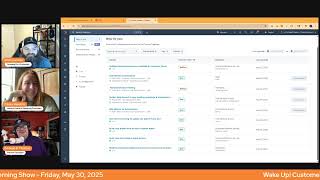
Chris Carolyn, Casey Hawkins, and George B. Thomas break down HubSpot's latest updates. HubSpot now hosts customer portal domains directly, email previews work faster across 100+ clients, and Google Meet recordings auto-transcribe into HubSpot. You can also edit subscription billing addresses and add rich-text formatting to labels.
Chapters
Foreign. Wake Up Customer Platform. It's time to start the day. Discover all the value you already own. Don't let solutions slip. Step away. Wake up, Customer Platform. The tools are at your hand. No need to sleep on capabilities that can help your business stand. The answer's right before your eyes. You just need to realize Wake up, Customer platform. And watch your business rise. Wake up. Wake up. The platform's waiting for you. Wake up. Wake up. See what your system can do.
Good morning, HubSpot Nation. It is time to Wake Up Customer Platform with your unofficial HubSpot updates morning show where we help you discover the platform value you already own.
Chris.
I'm Chris Carolyn, joined by my co hosts Casey Hawkins and George B. Thomas. We are here every weekday morning to make sure you're not sleeping on HubSpot's true capabilities. If you're joining live, drop a hello in the comments and let us know what you're building in HubSpot today. Happy Friday May 30, 2025. How are we doing?
Feeling good. It's Friday. I get to attend my niece's dance recital this weekend, so that's very exciting.
Nice, nice. I love that. I'm doing good. Super excited to see what HubSpot has cooking. It looks like it might be a lot. Chris, how are you doing?
And some new stuff. I'm doing good. Love seeing customer portal at the top here. So excited to get in there.
Well, there's one, there's one that actually is exciting. Now hold. I'll hold what it is until we get there, but I saw one and was like, thank you, baby Jesus. And all of the things that I can be thankful for that this is a thing. So. But we'll get there.
But I do need to shout out my wonderful mother who watches more of my content than anybody realizes. Her birthday is tomorrow and I need to wish her a very happy birthday.
Happy birthday to you.
Happy birthday.
Okay, that's enough.
That's very sweet that she watches your content. My parents.
By the way, if anybody struggles keeping in touch with parents, this might be a hack for you. Just pro tip there.
I gotta be honest with you, my pops is out mowing the lawn, riding on a tractor, golfing, or something else other than watching my content. So. Mom, Mom, Chris's mom, we love you. Thank you for being a watcher of the content.
Yeah, well, usually she's listening while she's doing, doing work stuff like, like we know a lot of people, you know, listen to these, listen to these shows. So it's been cool Definitely a surprising but welcome outcome of all this content. So I love you mom. And we'll dive into updates.
Get emotional over here.
I know. HubSpot hosted Domains now available for customer portal Medium impact and it's live already. What is it? You can now set up your customer portal using a HubSpot hosted domain. Configuring an external domain during activation is no longer a requirement. Previously this created unnecessary setup complexity and caused many customers to get stuck during initial onboarding. That's no longer the case. You can get a customer portal ready and running with a HubSpot hosted domain update to an external domain at your convenience.
Very cool. Why does it matter? With this update, an admin can now get a customer portal up and running within minutes. No it help needed. That gives your team more time to customize the portal and share it with their clients. This is similar to how customers currently create and host other content types across HubSpot. If you want to use your own domain, you still can. Adding a custom domain can be done initially or later. It's no longer a blocker to getting started.
I mean can I just ask the question that needs to be asked? How many people are comfortable with sending customers to 497-16-342 hsites.com? i mean I get that this is great that you can do that and you could start to build or work or whatever, but are you really gonna share it with that domain? Maybe. I don't know. Maybe I'm just like don't use. No, I better not say that I'll get canceled from the community. Never mind.
I mean I think a lot of people would send their customers to that domain.
Did you say would?
Not to say. That's best. But you know, I think there are, there's a lot of businesses out there that do some quick and dirty work to set things up. A customer portal is, I feel like an less used part of HubSpot. Yes, definitely.
Fair.
So I think if you're using customer portal then you're probably not among the group of people who would be like, yeah, I'll send people to whatever. I don't care. I just need this like up.
Okay. Okay. I know we only have a certain amount of time, but this thing called customer experience.
Yes. I'm not saying it's best, I'm just saying I think people would. I'm thinking of my father in law, he has a small business. He would probably be like, I need a portal for people to log into. Whatever, I'll just send them this one. Whatever.
Yeah. And I Too am thinking of all the portals I've gone into that people have been sending marketing emails and don't have an email sending domain set up. So it's like via hubs. So I, I hear you, I see you. But I, I want to just be very, very honest when I see this one. I'm like, that's my response. Okay, that's my response to this.
I think the value here is that you could set up your Customer Portal without having the domain connected. But before you launch it. Yeah, everyone, we think you should connect your domain.
Yeah. Because this even impacts the domains you already have. Like that's why I was looking for this, this list where, you know, you. I think you had to pick a secondary domain for Knowledge Base and Customer Portal. Like they had to be separated from website, blog, landing pages and now we're seeing all this extra stuff. So it's good. This will allow for more people to test this out and proof of concept it and get it in front of those trusting customer relationships where they might not care about the URL because there's hand holding and there's just so many little things like this that have gotten in the way of some of these powerful tool sets and HubSpot.
So here's a question before you go on to the next one. In the last six months, how many Customer Portal updates have we talked about.
More than like in the past five years? I don't know, like, I think five.
Okay, six months. Five. Is there anybody else wishing that Customer Portal would be like, maybe it could grow up a little bit or is that just me? Like, like, and I'm not trying to be rude this morning and I'm, I'm not in any sort of funky mood so don't like send me like we love you George emails or anything but like I think about Customer Portal and I'm like projects and Customer Portal, like are those two places that we might get a little bit more love in the future now that we can code like 10x the speed because of AI. Like could, could those actually. Anyway, I'll shut up.
Yeah.
I'll say that they are like that domain. That switch alone probably enables the ability to use CMS themes like across. Right. And that's the kind of stuff Knowledge Base and Customer Portal have not been on that infrastructure. So it's not been fun. Right. So usually like when people do want to take this customer experience that seriously, we're just building it all out in cms. Right. So it'll be cool to see this continue to grow. I Did get to meet the PM of that team a couple months ago and they are serious. Like just to know that they have a team and there's a new PM and they're focused on it. Right.
Okay.
Once they're focused on it, once you confirm, then updates happen, right? Yeah.
So you just gave me some light at the end of the tunnel, Chris.
Thank you. Yep, my pleasure. Deal metrics customization. I think we've seen this one before. What is it? The Deals index page now offers a customizable data well. And just to make sure you know what data well means is this spot up here, which you've been clicking on the Hide Insights button to get rid of that data well, now you might want to open it back up and customize it.
Yeah. Why does this matter? Instead of fixed metrics, you can tailor the data well to display the information most relevant to your business, enabling faster, more informed decision making. I did not know what a data well was until this update came out last time.
That's true. We love our HubSpot words.
Yeah. My curiosity is, what is a data unwell?
Most HubSpot portals number three.
There you go.
Faster Email client testing Medium impact. What is it? Preview your emails instantly within a new UI across 100 plus email clients, including Gmail, Outlook and Apple Mail before you hit send.
This one matters because email testing shouldn't slow you down. Our redesigned experience with Litmus makes testing emails faster than ever before, letting you confidently send perfect emails to every inbox. This one came up a few weeks, maybe even months ago. This was available in HubSpot. It was just like kind of hidden. Um, it's easier to find now. I actually like a year, maybe even two years ago, time flies. Made a post about like hidden HubSpot features and this was one of them because I think people don't. Didn't know it existed and probably still don't.
So first of all, that this has. Well, this is the one I'm just. This is the one that I'm excited about because by the way, I've been teaching the first version of this because I wanted to realize this is a beta, which is V2 of what has been a hidden feature that you're talking about, talked about that was, might I say slightly geriatric with a K. When you tried to generate the preview of your freaking emails. When I was trying to train people, I'd be like, oh, just wait, it's coming. We're gonna see a preview in a minute and then it's gonna be cool. Next one I'D be like, don't worry, it loads, trust me. And so like I love teaching that piece of the tool because it is so vitally important to like be able to show them. Look, if you have image blocking on and you didn't change the alt text and it says logo 96 PNG like that isn't because there's a word called user experience. Anyway, I digress, but thank you that this is actually going to be faster and better and hopefully when we go to teach it, I'll, I'll probably tell everybody to turn the beta on before we even get into the freaking training them on the email marketing tool. But yes, yes to this.
If you're email marketing, you should definitely be doing this. I think I told a story the last time about I had this client that had Outlook and if you email, you know that Outlook does not, does not email. Well, historically, historically, historically Drag and Drop.
Editor actually solved like 95% of the outlook issues.
But well, this is pre, this was pre Drag and Drop Editor and I think I spent hours in this little hidden slow Gerry and shrink tester telling.
You it needed a cane or a walker or something.
Which maybe you should have that stuff around if you're still relying on email so much. Enable Auto Record Let it Go.
Meeting.
Recordings and Transcripts from Google Meet to HubSpot this is. If you're doing this stuff, you probably don't need the, the cane and that kind of stuff. What is it? By switching on Enable Auto Recording of Meeting in Google Meet from your integration setting in HubSpot, you will give HubSpot permission to activate this setting in your Google Meet account on your behalf. This means that all your Google Meet meetings will be recorded and synced to HubSpot without you needing to record and sync every meeting. This will happen seamlessly for you. Why does this matter? Casey.
This matters because with Auto Record with autorecord, all of your Google Meet meeting recordings and transcripts are automatically synced to your HubSpot account. This means that you can stay organized, enhance collaboration, and ensure that every meeting contributes to your team success. Set up Auto Recording today and experience the full benefits of your HubSpot Meet integration. Auto Record is a setting in your Google Meet account that allows you to ensure all your Google Meet meetings are recorded by default. HubSpot offers the ability to enable this Auto Record setting in your Google Meet account directly on your behalf from your Google Meet Integration Settings page in the HubSpot UI.
Chris when you were going over your section, it sounded like you might have Some trepidation or hesitance of turning this on when you read the word every meeting. Talk, talk me, talk me through that.
I guess I'm not good at my intonation then, because I'm wondering why people shouldn't turn this on. Like, if you use Google Meet Meet. And I am coming from the space of seeing HubSpot as a communication management platform for the business.
Yep.
Which means everything goes in HubSpot.
Yep.
So I was trying to emphasize the fact that, like, which tool are you getting rid of now? Like which, like what you're paying for Google Workspace, you're paying for HubSpot. You are one button click away from auto recording and transcribing things and having them sync to HubSpot.
See, here's here. Well, so, yes, and I agree and I, I subscribe to what you're saying and I'm glad I brought this up because I like the direction that it was like, yeah, use this tool. The only thing I wish, by the way, like, I would, I would think about leaving my current tool and going to Google Meet if Google Meet would just give me a dope set of annotation tools like I have in Zoom. Because that's the only downfall as a trainer of when I'm trying to show people on the screen the thing that they need to like go to or do. Like the. Maybe the day that that feature is added into Google Meet and it becomes a true business training like meetings tool, then, then all of a sudden we, we gotta, we're there, we're there.
So definitely, like, if you're already a Google Meet user, it's, that's who I was talking to. Because there's lots of reasons where, you know, people get, aren't able to use Google Meet, you know, if you're dealing in a Microsoft environment is often one of those reasons. But also Zoom has a lot of features that George mentioned that are hard to get away from. But yeah, if you're already using Google Meet, I know that you're bringing information from those meetings. Either you're using another recorder like Fathom, or your team is copying and pasting stuff. Whatever, just try this out at least, like understand that it's available and see what happens when you click the button.
Yeah.
Any thoughts, Chris, on like internal meetings? I mean, I think you would say, you would say log them all is what I'm hearing.
Yep.
But I can, I already sent it to one of my clients, so I'm locked in.
But some of those HR meetings, maybe.
Not, but I am like I'm already anticipating them to push back, potentially because of the internal meetings thing.
Yeah, no, that. That's where it needs to be. There needs to be an internal communication strategy which most businesses do not have, because then you can say, all right, everything's going in. And either. Except for these things. And we all know to turn off the button and not have things recorded in a way that we don't want to when we have those meetings or even when the meeting starts to go there. Or we have permissioning set up in HubSpot so you don't have everybody seeing things that aren't they're not supposed to see because we have that level of granularity and permissions now.
Yeah, yeah.
Right.
Yeah.
So. But very hard to do that on the fly. So instead of doing that, people just don't click the button. And now every. And now we're paying for other tools. We're creating just so much work to support. Yeah. Alignment.
Next one that you're about to click. We are not talking about email subscriptions. Okay.
Billing here. Well, what's billing? I didn't know HubSpot had a billing section edit address for commerce subscriptions. What is it? You can now edit more properties of subscriptions billed within HubSpot. With this update, you can edit the subscription billing address and increase the accuracy of your information on subscriptions.
Why does it matter now? You can easily edit addresses for subscriptions to keep your subscription data accurate. Once you change an address, it updates that subscription, all future invoices, and any tax calculations that depend on it. It's fine.
Guess what gets everybody this tax calculations piece. Right. Is often based on address information. And now like, I'm so happy they added that part. It's not just about keeping information, like, up to date. It's about doing it in a way that systems will work and your finance team won't start yelling at you because the taxes got screwed up. Right. Those. Those things are why HubSpot hasn't been able to do things like that for the organization. And what's interesting now that you can do this in HubSpot, if the company decides to move, it's so much easier to maintain than the other systems in place. One of which is a is a fan favorite called Avalara that made it tough for people. So check this out. Definitely hitting this button.
There you go.
Rich text formatting for labels and data privacy tech.
Cool.
That could be a big deal. What is it? You can now apply rich text formatting, bold, italic, underlying hyperlink and color to labels and Help task help text. Additionally, bold, italic, underline, and hyperlink formatting are now supported in data privacy text.
Why does this matter? Until now, labels, help text, and data privacy text have been limited to plain formatting, making it harder to emphasize key information or align content with brand guidelines. This could lead to poor user comprehension, lower engagement or compliance risks when displaying critical information. Nice.
Are you excited for this? George?
I don't know. I'm torn. Part of me.










