HubSpot Updates 6/13/25 #HubSpot
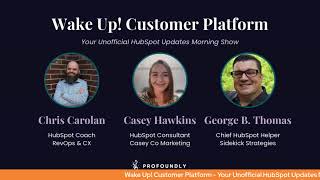
Chris, Carolyn, Casey Hawkins, and George B. Thomas cover HubSpot's latest updates: two-way invoice sync with Xero including payments, a tracking-code validation tool, iOS improvements for conditional properties, and Commerce Hub enhancements. They walk through practical use cases and adoption tips.
Chapters
Foreign. Wake up customer platform. It's time to start the day. Discover all the value you already own. Don't let solutions slip way. Wake up, customer platform. The tools are at your hand. No need to sleep on capabilities that can help your business stand. The answer's right before your eyes. You just need to realize Wake up. Wake up, customer platform and watch your business rise. Wake up. Wake up. The platform's waiting for you. Wake up. Wake up. See what your system can do.
Good morning, HubSpot Nation. It is time to Wake Up Customer Platform with your unofficial HubSpot Updates morning show where we help you discover the platform value you already own. I'm Chris. Carolyn, joined by my co hosts Casey Hawkins and George B. Thomas. We are here every weekday morning to make sure you're not sleeping on HubSpot's true capabilities. If you're joining live, drop a hello in the comments and let us know what you're building in HubSpot today. Happy Friday the 13th, June 2025. How are we doing today?
You have to do that again.
I. I'm going to do it every time.
We just did it on the last show.
Good, good news, George. You're on three shows with Chris today. See?
Yeah.
Yes.
It made me this Friday the 13th. No, I'm just kidding.
Yeah, I'll make sure Rob includes it.
Yeah. Thanks. Thanks. I appreciate that. I appreciate that. Not that I'm like, I'm not worried about it.
I'm just.
And I'm not superstitious.
Sounds like some more research to do. Like where that, like.
Yeah, we need to do research.
How you doing, Casey?
I'm doing. I'm doing great. I feel like Tuesday afternoon I was like, I'm really surprised it's not further in the week. And then last night I was like, it's Thursday night. We made. Wow, we're here.
We're indeed. If I had been at my desk for the past couple days, it's good to know how, like, how this updates page works a little bit more. Obviously there's some browser situation happening where I haven't been here at home for the last couple days. So actually, according to Casey, we only have four updates to go over.
Your screen does not look like our screen.
Yeah. I am glad that this happened because this has happened to me a few times and I've been so confused about it.
Yeah.
But now I. Now we know. Now we know.
Oh, man. So we'll dive in, share feedback on betas. It's been around for a while.
It has.
Update. I love it when they do this for us.
I do too.
Right. You can now share feedback on live product updates for up to 30 days after their release date.
Nice.
And what is it? Admins can now submit feedback for betas they're enrolled in from the product updates page.
This matters because our product team, HubSpot's product team, cares deeply about building a product that works better for our customers and feedback plays a big part in that. But until now, there hasn't been a clear way to share feedback during a beta. Insights often get lost across in app surveys, support and the community. This new centralized flow gives you a direct line to the product team, so you can tell us what's working, what's confusing or what's missing. Right when it matters most.
Casey, it's. It's not your team.
It's not my team. I just want to clarify.
Okay.
My product team doesn't care.
Is it really only admins?
Allegedly.
I didn't remember that from last time, but either way, you can see right on the screen here I've got to give feedback button.
Well, here's my question. Are they using admin in the general sense? Like, I don't know if they're actually tying that word to like a permission set like most of us do that are HubSpot nerds.
Right.
I mean it doesn't say super admins in which that would be like the permission set.
Yeah, yeah, yeah. It's probably like admins, AKA the only people who will ever be looking at the product updates page.
Right?
Right.
So yeah, once you join the beta you will see this give feedback button and this New Year betas, which I'd say is reason enough to join this. Seeing your betas all in the same space can be helpful.
I've said it before, I really like this update. I remember prior to this update, I think it was the forms. When the new forms tool came out, like many people immediately ran into some issues and I, and I was like, where can I tell someone? And now there's a place.
Yeah. Yep. Prior to that, you either had about three seconds to decide what your feedback was going to be as you first checked it out, because there's a pop up that shows up and if you didn't take advantage of that, then you're like, okay, your first 3 seconds PM is how am I going to like, let me find their email.
Yeah.
Or just wait for it to. To show up again. Now we don't have to worry about that stuff. So get your feedback in there.
What a time to be alive.
Two way invoice Sync for Xero, you can now sync invoices from HubSpot to 0 and 0 to HubSpot. In addition to syncing invoices, payments applied to invoices will also be synced whether the payments are created in HubSpot or in Xero.
Wow.
You can control which direction you want to sync invoices and use filters to control which invoices are included in sync. You can find our beta documentation here which includes detailed information and screenshots.
Nice. This one matters because until now HubSpot Xero integration only supported one way syncing of invoices from Xero to HubSpot. With this new functionality, you can use invoice syncing to send invoices both from Xero to HubSpot and from HubSpot to Xero. This update makes it easy to reflect invoices and payments in your accounting system. You no longer need to manually export invoices from HubSpot and upload them to Xero. Any invoices that are credited in HubSpot will be zinc to zero within minutes and will be updated if the invoice is changed in HubSpot or vice versa.
So now we've got QuickBooks, we've got Xero. I wonder who's next. Wonder if there's like a roadmap for a Next or if that's it. I don't know.
It won't be it.
You heard it here first, everyone.
Yeah, one of the other things I got to do this week besides AI Summit was get to check out the new apparently only month old San Francisco office for HubSpot. And I got to meet the Commerce Hub team in person yesterday and had some great conversations about what they're up to and how we can enable people to understand what the hell Commerce Hub is.
Nice.
But George, why would somebody want to send an invoice from HubSpot instead of the accounting tool?
Are you being serious right now?
Okay, listen, for all the people that are asking that question because they're used to sending invoices everywhere else.
I don't send any of my invoices from my accounting tool. All of my invoices come from HubSpot. Why wouldn't you like it is the source of all knowledge and truth other than God above. Like for business, it's like, so why would I not have the revenue data next to the website data next to the sales data to like? Yeah, and because then it just automatically like goes where it's supposed to go and the people who need to see it know what to do with it on the other side that I gotta be careful. Care about, don't care about. Like, I'm not. I didn't. I wasn't born to be an accountant. I don't want to play one on tv. Like, let them. I. I pay them to do the thing. Like. But at least I can invoice from HubSpot because I'm in there and I have Commerce Hub. Anyway.
And when you communicate better, which usually is what HubSpot is allowing you to do.
Yes.
People pay faster and on time and more. Like.
And more and more.
But. But faster is a true thing. Like, I've got a couple clients that I'm like, I don't say this verbally, but I'm like, I think to myself, it's not due for another 15 days. Like, but it's so easy.
Boop.
Done. Out of mind, out of sight. Done.
Get it out of the way.
They roll. That's just how they roll. Yeah.
I asked that because that's the first step in this conversation. If you're in the ecosystem and you want to help, which I hope that you do.
Yeah.
Increase adoption of Commerce Hub. You have to start there and not assume that people understand things like that, because best practice has always been for the life of sas. This stuff is owned by the accounting System or the ERP, and HubSpot's the marketing and sales system. Well, once you help them cross that bridge, of course you want to send invoices from HubSpot just like George said. Right. You send the data that the accounting system needs over there, which is not who's doing what, where, when is it paid or not? Right.
You know what bridge I'm not sure that I'm comfortable that we've crossed. Chris, is your comfort level to just ask me in the moment questions about you hope that I'm gonna have an answer about? I see that we've arrived across the bridge because you've done it multiple on this show and other shows.
So today I always come equipped with.
Like, what's Chris gonna ask me today? Don't know, but I'll do my best.
This is how I help the. The original gangsters stay on their toes and get better every day. George. Website tracking code.
Speaking of original gangsters.
Yeah.
Verify installation. Not expecting to see something like this on the slate today. What is it? You now have access to a new validation tool in the tracking code settings page that allows you to test if your HubSpot tracking code is correctly embedded on your website. Simply enter your URL Click test and get notified of results when validation completes, either success confirmation or diagnostic guidance for next steps.
Casey, before you go, I got one thing to say.
Thank God.
That's all I want to say. I'll talk about it in a minute. But Casey, why does it matter?
It matters because your tracking code is the foundation that unlocks HubSpot's most powerful tools, ads, CTAs, forms, reporting and automation. Without proper installation, you're missing critical website data and can't action on core insights. Until now, many customers faced uncertainty around whether the code was property properly installed, creating friction, delayed insights and slower activation. This tool addresses that gap by providing a clear validation and diagnosis, helping you confirm correct setup, get guided on next steps on failure.
Until now, you had to go to the website right click the website view source. You know how many humans don't know that you can actually view the source of a website page and then actually understand what your HubSpot ID is? You know how many HubSpot you just don't pay attention to their actual portal ID and then control F and search for the ID to see if there was a dot hs, jsps, plfm, whatever file line in the coat. And then you're like oh yes, yes Mr. Or Mrs. HubSpot user, your tracking code is officially doing the thing that it should be doing. Like so now I don't even have to leave the portal and I can just be like yeah, it's working. Look like.
I'm just I think 99.9% of the humans is what you're is who you're referring to. I think they're George but love this how it works example like the kind of guidance you'll get during a failure. Sounds like George has done this a few times. You'll get actionable diagnostics like incorrect hub ID, JavaScript conflicts, cookie banner issues.
Yep, listen this. It might blow your mind to hear this if you're watching or listening to this as the podcast form as you should on Spotify or Apple. I have gone into portals where people have been using it for months and or years without a tracking code installed and it I immediately just start breaking down and going into convulsions and crying for all of the things that haven't been working that they just assumed worked out of the box and then my brain goes to who in the he double hockey sticks onboarded this porcelain so no longer saying this to go check join this beta. Oh hang on, I need I need the little like and make sure your dang tracking code is working Today, please just go do it.
Yeah. I think this is great. I mean, I'm not a developer. I don't like to pretend to be one. But I am. Yes. I don't want to play one on tv. I do. This is one of the cases where sometimes I am pretending that I am because this happens so often. So from my perspective, I like to that I won't have to pretend to be a developer on TV. HubSpot's going to help me.
Yes.
Thank you, HubSpot. And.
There'S some pretty cool updates here that we went over this week. So I'm just going to name them as I try to find the fourth elusive one that Casey has mentioned.
If you have to, if you have to search it, it's the iOS.
Yeah.
Properties.
Oh, I'm hoping it's on page two.
Oh, well, you hope for different things than I hope for.
Okay.
Chris is doing a highlights reel on.
Yeah. Remix Google Drive files. Stay tuned for an unboxing episode. Which origin. Nico. Soon we got to get into Remix and start putting it through its paces. Powerful things happening there. Elevate the new REACT based CMS theme now has multi language support. Can use your own landing page and website page templates in Remix now. Much easier than you could before. Updated Commerce Hub payments API write access is what's been updated there. URL property can redact sensitive data in CRM activities and in this case redact means delete from the system, not just put a black sensor box over it. We can make hashtag management easier now with the new hashtag bank in the social editor. Got rich text formatting for labels and data privacy. Text ticket routing engine has been updated to balance distribution and not give people who are on a current call an assignment to take care of a ticket. Yeah. By the way, I was sitting next to a support rep yesterday at the office and after a few calls I just had to say. Can I just say thank you? Like thank you for what you do?
Yeah.
Because one of them was like, can you please take your tone down? Oh, thank you for the hard work that you do.
Yeah.
Customization customized guided actions in the sales workspace.
He just skipped right past the one he just wanted to talking about.
We're gonna get back to it.
He's. He's doing the whole highlights thing. It's a new bit. It's a new bit.
It's a new bit. Yeah. Going with the flow here. And then native table reports on iOS.
Speaking of iOS, new conditional properties and required associations.
No, we saw that the other day. You might have missed it. George is like, I've been on Lives with you, Chris, for the last 55 minutes. Come on.
What is it? Conditional properties and required associations recently rolled out for all objects, excluding contacts and companies. With this launch, we are extending the functionality to contacts and companies, as well as making other changes to the Record create form on iOS.
Nice.
This matters because admins, not only super admins, can make a number of customizations on Record Create form, including requiring associations when records are created and displaying conditional properties. In the past, these customization organizations weren't respected on mobile. Now they will be for all objects.
Okay, so this is the second time we've seen this and my brain just went somewhere. Not second time we've seen this update. Second time we've seen the word admins. These always used to say users and I'm super curious if this is a strategic move to get people to not see themselves as users of a thing, but admins of a thing, and therefore ownership over the thing that they're actually supposed to use anyway.
Could be human setting up the fact that there's more admins than just the super admins too. And we keep saying down here, smart CRM professionals, enterprise. Yeah, when are we going to see more about that in the US?
I'm gonna, I'm gonna customize my HubSpot portal today, change contacts to admins.
Oh, don't do that. That's a terrible idea.
It's not good.
Just, just trying to. I'm against the whole renaming altogether, so I just.
I will say, I will say. Mine does say humans.
Yes.
Instead of contacts. Although my wife looked at me sideways one day because she's like, she does billing, by the way. She's like, I'm trying to find deals in HubSpot.
Where.
Where did my deals go? And I hadn't had a chance to tell her that I renamed stuff. And I'm like, oh, oh, that's.
Yeah, well, that happened to me last week on the Call in show.
Yeah, yeah, it did. It did. I was like, oh, my bad. We changed that to opportunities. I'm sorry.
Yeah, this guy right here.
Yeah, you got it.
And George was like, casey, just type in. And I was like, that's not the problem, George.
Yeah, so just the moral of the story, if you make changes, tell your team about any of the. Any updates that you turn betas on or you start to tweak things, just tell your team like, educate, educate, educate, so they can execute, execute, execute.
The other moral of the story is join us later today at 3:00pm Eastern, 2:00pm Central for the HubSpot unofficial helpline on the Profoundly page. Call in and get help. It is Rob Jones, Kyle Jepsen, Casey and George on the show. I'll be producing from the background. Had a great time last week handling like complex situations live like the only way we know know how. In HubSpot people have challenges. They call in, they leave voicemails. We problem solve live on the show. So join us for that second episode. And remember folks, you probably already own the solution you're looking for in HubSpot. Sometimes you just need to wake up to it. Join us on Monday morning live at 7:30am Central or catch us anytime on Spotify and Apple Music. Drop your biggest takeaway in the comments and let us know what capabilities you want to wake up to next. Until then, I'm Chris Carolyn I'm Casey Hawkins.
I'm hoping you'll dance at the music, but I'm George B. Thomas and this.
Has been Wake Up Customer Platform. Now go build something amazing. Have a great weekend everybody.
Wake up Customer Platform it's time to start the day. Discover all the value you already own. Don't let solutions slip away. Wake up, Customer Platform the tools are at your hand. No need to sleep on capabilities that can help your business stand. The answer's right before your eyes you just need to realize Wake up Customer platform and watch your business rise. Wake up, wake up, wake up. The platforms waiting for you Wake up, wake up. See what your system can do.










