HubSpot Updates 6/20/2025 #HubSpot
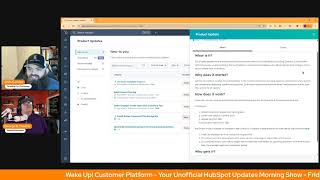
Chris Carolyn and George B. Thomas walk through four HubSpot updates: AI Email Template Import converts HTML to drag-and-drop, record cloning works across CRM objects, the Help Desk Summary tab now shows delta and time comparisons, and the Email Editor has better tab navigation.
Chapters
Foreign. Wake up customer platform. It's time to start the day. Discover all the value you already own. Don't let solutions slip away way. Wake up, customer platform. The tools are at your hand. No need to sleep on capabilities that can help your business stand. The answer's right before your eyes. You just need to realize Wake up customer platform and watch your business rise. Wake up, wake up. The platform's waiting for you.
You.
Wake up, wake up. See what your system can do.
Good morning HubSpot Nation. It is time to Wake up customer platform with your unofficial HubSpot updates morning show where we help you discover the platform value you already own. I'm Chris Carolyn, joined by my co host George B. Thomas. We are here every weekday morning to make sure you're not sleeping on HubSpot's true capabilities. If you're joining live, drop a hello in the comments and let us know what you're building in HubSpot today. Happy Friday, George. June 20th.
We. We made it. We made it to Friday. Hey, Chris, I have a question. This is like, this is a pretty serious question. Inquiring minds want to know. I'm. I'm super curious. During the intro, do you sing it at the top of your lungs?
In my mind. My mind, I probably should. It would be good. I just saw a nice video on LinkedIn about doing vocal exercises. That could be a good one.
Yeah, I can't help but sing and like dance or like move my head to that song. I don't. There's something about that song and I love that it ends on see what your system can do. Because that's exactly why we're here. So people can understand what their system part of which being HubSpot can actually do with them and for them. So yeah, I just, I just, I like to sing the song, man. It's so catchy.
I tell you, a song that I can't stop singing right now is the. The HubSpot helpline song. Oh, that we debuted last week. Yeah, that's later today. By the way, the HubSpot Helpline goes live on the Profoundly company page on LinkedIn. Oh, it's George, it's. It's Kyle Jepsen. It's Rob Jones, Casey Hawkins. I pop my head in every now and then.
You're there, you're there.
Live call in show to help people with HubSpot. 3pm Eastern, 2pm Central.
There you go.
Yeah, it was George. After, after we surprised him with it last week, he was like, I gotta have it. Give me that song.
Yeah, I Mean, it's just speaks to the inner. I don't know, the inner, like, city guy on the gospel. It's got a little gospel vibe. Like, it's that a little rap, you know, piece to it. Like, I'm just like, oh, I need, I need the whole song. Like, I can't. You gotta, you gotta email it to me right now.
Yeah. So, yeah, hopefully you can join us even if you don't need help. There's a lot of good conversation about, you know, different approaches to HubSpot, but we are solving, you know, real problems from real people. And yeah, now if there's one with that problem, there's probably 10 more on the other side. So it's been exciting to get that show up and running too. But we are here every morning to talk about updates and, you know, we got, we got five here on my screen at least. Yeah, the first one. AI Email Template Import. What is it? AI Email Template Import eliminates the need to manually rebuild email templates. When bringing external designs into HubSpot. Simply paste HTML from your existing templates from Mailchimp, Klaviyo, Figma, or other platforms into our new AI template import tool. The AI instantly converts your design into a fully editable drag and drop template within HubSpot's email editor. No coding required.
You know, I just wonder if people. It's almost like this is becoming like, of course that's in there. But I hope people don't lose sight of the power and the hours that this buys back for some individual humans. Any. Why does it matter? Are you tired of manually rebuilding email templates every time you want to use an external design in HubSpot? Whether you're migrating from platforms like Mailchimp or Klaviyo, or using designs from tools like Figma, recreating templates in the HubSpot email editor takes time. This manual process can delay campaigns and lead to frustrating inconsistencies. The new AI Email Template Import tool allows you to skip the rebuild entirely. Just upload or paste your existing templates. HTML, poof. Let AI recreate it within HubSpot in seconds. Man, the world we live in right now.
Indeed. And I've actually got an email story. I'm gonna save it for this next update that I see on the list. Email Editor, it's number four. But you know, working with a client yesterday. Oh, by the way, we're trying to do this thing with email. Oh, they say that and I'm like, oh, I don't like email very much. I don't. I Don't spend a lot of time in those tools. But let's see, let's see what we can do and has to do with this next update. So we'll save it for that.
Save it.
Number two, Basic record cloning. What a world indeed. What is it? Introducing record cloning. Users can now create a new record based on an existing record. Any of the properties and associations that are configured in the create form of the object may be included in the new record.
Yeah, yeah, I, I've used this. We, we have a process, Chris, that we go through for our billing where we clone deals and historically we used an app for that. I love happily, I love Clone Attack. This came out. I immediately wanted to try it. It, I like that it says basic record cloning because there are still reasons why you might want to use Clone Attack dependent upon your flow and what you're trying to do. For us though, we quickly realized we can now do what we've been paying for natively inside of HubSpot. So why does this matter? All or some parts of records may be reusable. Today users HubSpot users are burdened with tedious manual work of copying information from one record to another because they can't duplicate records. With this update, users can. Are you. With this update, users are able to duplicate CRM records from their record. Page cloning is an essential function that saves time and minimizes the risk of mistakes from manual input. Yeah, so good.
Yeah. And like any, anybody who's used to cloning in other systems, it does represent other possible mistakes that can, can happen in terms of, you know, not checking everything and making those edits. We've all done it in Excel, right? You ship the, you ship the list like oh yeah, I forgot to change that, that variable. But you start to add this stuff to all the data management mechanisms and it's, it's just a space that people have been wanting and now the power to do this is in your hands. I love the way I gotta give them props for the way they introduced it in this version.
Yeah.
Of the, of the product update because we don't need to highlight which objects anymore.
No.
Like the more we say oh for contacts, companies and deals, the more people think oh, that's all we got in HubSpot. So any, any object. Right. So how does it work? The clone functionality can be accessed from the records pages, actions dropdown for all CRM records, contact, company deal ticket, custom objects at the enterprise level, appointments listings, services and courses and by the way, like payment links. A lot of Commerce objects. You've been able to do this already. Like invoices. You can clone some of the new quote. The new quoting experience that's coming out makes cloning a little bit easier. So yeah, I think that's, that's where like the next steps. Right. Step one, like you mentioned, you know, there's still some stuff like if you have more advanced things you're doing, like there's advanced, more advanced tools like Clone Attack out there to help you do that. But one thing I'm looking forward to is when I can do this from a workspace. Right. Or the sidebar. Right. So. But really cool to see how this works. And again, we've been waiting for this for a long time. I think they've done a great job of implementing it to say, hey, all the properties are coming over. This is actually helpful to know associations that are configured in the create form of the object, which is an interesting thing. Like, are we loading up our create forms now just so we can stuff over.
You're making sure that the line items in it, if you're doing deals and invoices, I'm just throwing that out there, but yeah.
Yep. And that deal one I think is the most common one I've run into where it's like we set up a deal, we've got a bunch of line items on it.
Yep.
Oh, man. If our sales team could just, just copy that one each time, our life would get so much better. Well, your life can be better now. Oh, how about this question, though?
Cloning records.
Yeah. But this question, is the Clone Action traceable?
Oh, super.
Admins may monitor Clone Action in the audit log by setting the filters to the category CRM object and the action clone.
Boom. Boy. It's almost like they're thinking about everything and everybody.
Yeah. Getting close to the object. Parody number three, Delta changes on the Help Desk Summary tab. What is it? We're excited to announce the new time comparison feature on the Help Desk Summary tab. This update introduces delta changes for all relevant metrics, enabling you to see day over day performance shifts at a glance. With clear indicators showing increases or decreases in comparison to the same time yesterday, you can quickly assess your team's current performance, which is crucial for making informed decisions and ensuring operational health. Yeah, I think we've seen this one a couple times, George. So I'll save you the. I'll save you the book here. Thank you.
That's a journey that. Why does it matter?
Yeah, but time comparisons like, so important on Help Desk in terms of speed to response and SLAs and all that stuff. So yeah, this makes a lot of sense.
Yeah, time is important. I literally was on a call yesterday with a client and I was like, what else would you like to see here? And they're like, well, some kind of date. And I'm like, no, no, no, no, no, no, no. Now that that stuff just happens automatically, like, what else would you like to see here? From an informational stamp. Oh, it automatically. Yeah, yeah, yeah. Oh, okay. It's beautiful.
Yes. Getting into these precise insights faster. Number four Email editor Improved tab navigation. What is it? Back on Thursday 10th April 2025, they started rolling out a reorganized tab structure within the marketing email editor. By moving features into more intuitive categories. This change aims to improve the findability and discoverability of key tools and settings. This will ultimately lead to a more efficient and user friendly email creation experience.
Yeah, yeah. Once you get used to it. Okay, why does it matter? Over time, as more functionality was added to the email editor, the interface bec became overcrowded. I won't argue with that. This updated tab structure directly addresses that by thoughtfully reorganizing settings and features, making it significantly easier to navigate and find the specific functionality you need. Chris, you have a story about this. I'm curious.
I want to hear your sigh first because I do think there's a balance that we're seeing all over the place is HubSpot's exploding in terms of customer base. You get all these new people with no expectations about how HubSpot has always worked. But more of the feedback we get is from the people that have always used it and their expectations. And while I haven't heard a lot here, we're hearing that on the workflow creation side of things and the first step. And so I want to hear like from your take of somebody who's used to doing it a certain way.
Listen, Linda, digital muscle memory is a real frickin thing. And the amount of times I've gone in and created emails for myself and for clients to know how fast I can get to the thing to do the thing that I'm trying to do. And then all of a sudden there's these screeching breaks of like, wait, that's not where it is anymore. Crap, there's an extra tab or two. Wait, now I've got to figure out where they've actually put the things that I've used in seconds. I'm wasting minutes. I know that I'll get the new muscle memory back, but this is going to be a journey like, immediately I was like, wait, what do you mean? The tab that I just clicked on isn't where I add my list of people that I want to send to. Oh, crap, that's over there. So it's just, I'm not complaining. It's just it's going to take time for people to get used to it. If you've been using, like, listen for years, man, it's been one way anyway.
Yep. No, I hear you, but sounds like the message is build the muscle memory.
Yes.
Yes. There's lots of reasons why they develop into this. There's lots of feedback they've gotten about how clunky the usual ways have been and understand that there's a bunch of new people entering. Yeah. Land that this makes a lot of sense to. Right. So also a lot of other ways that you create emails and access emails and do a lot of stuff from elsewhere in the platform and they are bringing all of that context together into these places in ways that we didn't think like was possible. Yeah. And that's going to help AI do things for us as well.
And not only that, Chris, but like, where my brain goes too. When I saw the, like, explosion of tabs in the best way possible. It does leave for room for future functionality that we might not even be thinking that we need yet. So there's that.
Yeah. And so the end of my story is yesterday on a call and the initial ask was, hey, we need some help adding a social icon to a footer in the cms. Oh, right. So CMS I love. I've got experience there, you know, even though it was super.
Yeah.
Clunky and like we figured out how to do it, you know, clicking through all the things. Because I know how CMS works. I'm comfortable there. Comfortable exploring.
Yeah.
But then inevitably and cms, like, so that's content Hub. Right. Often, even though they didn't have it because they're in landing pages. But the CMS stuff, I don't explore marketing Hub that much. It's not my expertise. Right. But it could. It usually happens the other way where somebody marketing Hub experience and then somebody asks about sales Hub or service over tickets or, you know, all this other stuff. And so then they say, oh, we want to do something just like that in our email.










