HubSpot Updates - 6/23/2025
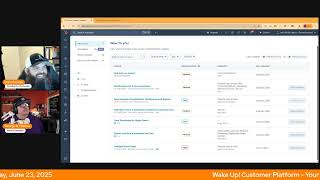
Chris Garland and George B. Thomas walk through HubSpot's latest platform updates, including revision history, form automation notifications, dashboard templates, and a redesigned homepage. New features let you customize help desk views, control buyer intent permissions, and export workflow enrollments.
Wake up, Customer Platform. It's time to start the day. Discover all the value you already own. Don't let solutions slip away. Wake up, Customer Platform. The tools are at your hand. No need to sleep on capabilities that can help your business stand. The answer's right before your eyes. You just need to realize Wake up Customer Platform and watch your business rise. Wake up. Wake up. The platform's waiting for you. Wake up. Wake up. See what your system can do.
Good morning HubSpot Nation. It is time to Wake Up Customer Platform with your unofficial HubSpot Updates morning show where we help you discover the platform value you already own. I'm Chris Carolyn, joined by my co host George Be Thomas and we are here every weekday morning to make sure you're not sleeping on HubSpot's true capabilities. If you're joining live, drop a hello in the comments and let us know what you're building in HubSpot today. Happy Monday June 23rd. George. Only one more day without. Without Casey.
Oh yeah, let's. Let's get her back. Come on. Like.
But.
But it's been fun. It's been fun, but it's definitely. She's missed.
Yeah, we miss her. We miss her for sure.
Hopefully she's having fun though.
Yeah, it sounds like she was based on a conversation during the the Helpline show on Friday, right?
Yes.
Driving across the country, which is always.
A fun thing to do. Yeah, adventures are fun.
Indeed. Indeed. We'll dive in today though. This one pretty interesting in development on everybody's wish list. Probably roll back and import what is it again in development. So there's a future or forward looking statement in the front. What is it? Revision history introduces a new way to undo an action. Instead of exporting property history and re importing the data when unwanted changes occur, you'll be able to use revision history to filter and revert property edits without ever leaving the ui.
Wow. Why does this matter? In order to protect customer data, users require the ability to quickly restore property values to a previous state. Mistakes may occur. This is true not just in HubSpot, probably in life anyway. Totally different podcast with workflows, integrations and import actions. But historically there wasn't a great way to revert these changes. Without a clear history of data notifications or modifications, it becomes challenging to locate the exact point of change and understand the cause, leading to prolonged downtime and inefficiencies in data management. I wonder when this will actually go live.
So this is. Yeah. Interesting. When it does, it'll be available at the Enterprise level and makes sense to start there probably because this is, this is complex folks.
Yeah.
And I found the more I work outside of HubSpot in terms of under, in, in terms of understanding how other systems work and why they work that way. HubSpot's always been driven by usability and do for the customer first and you know, in a lot of times figure out the rest later.
Yeah.
These other systems come at it from the opposite approach and especially as we get into the world of financial data. Right. Invoices were a good example of in HubSpot where you couldn't make changes easily and it was very clunky for a lot of people that were used to just you know, creating records here and there and you know, moving forward. But there needs to be auditability and traceability when regulations and between data both from customer perspective like GDPR and financial perspective. And that means the system needs to be built to support that visibility. So like they're talking here without a clear history of data modifications.
Yeah.
Not only does it become challenging to locate but also tell your auditor what happened and why things changed. So good to see again as they move up and they have things like, you know, sensitive data and we reach into these realms of healthcare and financial. It's not just here you go, there's CRM you can use. We gotta show how we're following all those rules. So yes, I mean we help them improve their, their some of their time, time more and best practices at the same time. Number two notifications for form automations. I love it. I kind of like it when I don't exactly know what it is. Yeah. Before I click in a little bit it's like a little gotcha mechanic. What is it? Customers can now set up their preferred way of notifications, e.g. email or in app etc. To stay informed on issues occurring to automations created in forms app and out of range changes inform submission rate. I, I still don't know what this is, so hopefully Interesting.
Interesting. Okay, well let's see why does it matter and see if that closes the gap a little bit. Automations built within the forms app play a crucial role in helping marketers streamline lead generation. However, issues or unexpected changes can sometimes arise. It's important for customers to have visibility into these events. Obviously they're talking about HubSpot customers to have visibility into these events and receive timely updates when they occur, ensuring their automations continue to run smoothly and as intended. And so Chris, as you look at the screenshot, basically you see this is inside of the forms tool that you can then now have notifications when the automation in the forms tool needs reviewed or get notification if the enrollment rate changes. There's also some other buttons that weren't mentioned in this update, some switches as well. But this is cool because one of the things I've been teaching probably maybe for the last six months, nine months, Maybe a year. Maybe a year is the idea of actually leaning in and when it makes sense. Building your automations at the form level. Also, I talk about building your automations at the pipeline level so that you get the connective tissue of being able to see where it's actually happening and occurring. Because back in the day it was just like this whole blind mess of like, forms were over here and workflows were over there. And so to see that they're tightening what you can get notified on based on you've actually built the automation in the form. Actually it excites me because it shows that somebody's paying attention to that. Maybe this creation of automations in forms and creation of automations and pipelines may be becoming best practice as we move forward.
Yeah. And as they create this world where you can see, which was a previous update, like this automation place, to see all the automations in HubSpot, not just in workflows and see their health. I'm sure there are situations where you could see them together, but then you can't do some things that you could do in workflows like these notifications if it wasn't built in workflows. Right. And what we've seen recently is HubSpot is starting to flex a little bit in terms of building stuff where you want it to be built and not forcing us all to go to a place like workflows and understanding the different levels of need. Right. But because this is pretty powerful at the forum level, get notified when this automation needs review. Get notified if their enrollment rate changes. Use breeze intelligence button. Use a manual range. Notify users, notify teams.
Yeah. It's very reminiscent of when they brought list notifications into lists. Right. And now it forms notifications inside a form. So hit that beta, ladies and gentlemen.
Hit that beta. But know that it's available at the enterprise level.
Man, that's twice. Come on. Got it. All right.
Number three, recommended templates for dashboards and reports. Interesting, because we've got. We've had those for a while, I think. So Wonder what's new here. What is it? We've introduced smart template recommendations in two key areas of HubSpot's reporting experience, the Dashboard Template library, and the report creation flow. These recommendations help you find the most relevant dashboards and reports faster by suggesting templates based on your data and goals.
Oh, okay. Why does it matter? Creating meaningful. Okay, why does it matter? I'm sorry, it's breaking my brain a little bit. Why does it matter? Creating meaningful dashboards and reports can be time consuming, especially if you're not sure where to start. 99% of humans using HubSpot users often face a blank canvas. By the way, my words, not theirs. Now we'll go back to their words. Users often face a blank canvas or struggle to find the right templates among many options. This feature solves that by surfacing the most relevant templates for your business context for your business context, making it easier to build impactful analytics tools without starting from scratch or digging through the full library. Oh yes, hit the beta. I'm super interested to see what in the world this actually looks like or means.
It looks like. Well, let's just hit the how does it work real quick in the Dashboard Template Library. When you browse templates, HubSpot now highlights recommended dashboards based on your data setup, usage patterns, and key objects like deals, contacts, or tickets. Of course, yeah, these suggestions help you quickly spin up dashboards tailored to your needs. Likewise, in the report creation flow, as you begin creating a report, the system suggests report templates that match the object and goal you've selected. We got to have a goal before we start building reports. I mean, whether it's tracking, pipeline, performance, marketing, attribution, or customer support metrics, these recommendations are dynamically curated and involved with your usage, making it easier to create meaningful insights with less guesswork. Guess how they guess how they curate and evolve with your usage, folks.
Well, that would be AI, let's just throw that out there. But I love that this is all hubs and tears. And let me rewind myself for a second and explain why my brain was breaking because I immediately went to a custom object use case where like it would know the custom object, it could see the properties. Because you're a smart HubSpot user, you actually put descriptions in there and now all of a sudden it could give you based on the amount that it's being used in the places that's being used type of reports that you might want. Now they don't say custom objects in this, but that's where my brain was going of like, oh, this could get real interesting real quick from a reporting on what truly matters. When you've wrapped HubSpot around your business standpoint.
Yeah, lots of convergence here. Like we've got. At first I thought this was like. It's just hard to balance between like, hey, this already exists. Or maybe you could create it like this, like instead. Right. Yeah. We're getting both sides. Right. Because we got breeze. We can get breeze suggestions during report creation, which variables to use, which properties to use now, and this whole world of just dynamic curation and evolution with your usage. Yeah, right. That's the. I see people having trouble wrapping their minds around that.
Well, It's.
That's the HubSpot. You can expect that inbound, like that experience across the platform.
It's. It's hard to wrap your brain around something you've never seen. Right. And again we talk about this on other shows and all the time, but it's a whole new world and it's becoming quite quickly a whole new world in HubSpot when it comes to this, like self evolution, you know. Yeah. Yeah.
This is.
It's. It's getting interesting.
It is. Number four Help Desk Views, Customization experience and improvements. What is it? This set of updates unlocks more ways to customize and manage the view sidebar in the Help Desk via the new Views customization page and settings. You can now 1. Have complete visibility over the views in Help Desk, including private views. 2. Manage sharing for default and custom views. 3, Set a homepage view. 4, Be notified when the portal is encroaching on custom view limits.
Another notification thrown in there this morning. Why does it matter? Large support teams, especially those with complex structures, depend on views to segment and organize the Help Desk. One of the most consistent pieces of feedback HubSpot has heard is the need for greater control and flexibility in managing these views. Admins face challenges due to limited visibility into view usage and a lack of options for tailoring the view sidebar to make the workspace focused keyword there. With these enhancements, the Help Desk Views section is now fully customizable. Admins benefit from a scalable way to manage views, making it faster and easier to set up and maintain workspace organization. Support teams can focus on the views relevant to their responsibilities. That makes a lot of sense with reduced distractions and a more focused workspace. Who gets it? Let's. Let's scroll down there.
Pro and enterprise.
All right. All right. There we go.
We like it. Enjoying it? Yeah, yeah, it's. Honestly, for me, it's been hard not to be overwhelmed when I go to Help Desk settings.
Mm.
It's definitely more settings like in a new way like it's necessary. Right. Help desk is complex and they're doing a lot of big and bold things in Service Hub alongside customer success. And so these two experiences, you also have sales workspace. They have different settings setups, and it's been very interesting to see them evolve. Number five, view permission for buyer intent. What is it? Get more granular control over who sees buyer intent with a new dedicated view permission. Previously, you could only control who could edit buyer intent configurations.
Why does it matter? Starting today, you can restrict access for external collaborators. If you work with partners or contractors, you can now prevent them from seeing buyer intent while still giving them access to other parts of your HubSpot portal. Protect sensitive information. Keep your intent data, like which high value prospects are visiting your site, confidential and visible only to the teammates who need to see it and eliminate distractions. If you have sales and marketing teammates with current priorities outside of buyer intent, you can decrease distraction by removing their access until it's needed. I like that chuckle. Chris, please explain.
Oh, we love our silos. It's like, why is marketing getting in our business? Why? I don't want sales reaching out to those people prematurely. Oh, man.
Yeah, it's like a tennis game.
See, this is where I'm sure somebody asked for this because we've got siloed departments. Got siloed metrics.
Well, probably more than somebody. Somebody's. Yeah, it became a thing, which then you have to sit back and go, well, just because there's a lot of somebody's, does that mean it's right for the buddies and who gets it?
HubSpot credits gets it. That's who. George, can we identify those people? All right, Can I say how much I love this comment from Michelle regarding dashboard reporting templates? Not only useful for all admins or the rest of users, but that AI piece is a helpful feature for admins who are brand new or maybe not thinking about all the things.
Yeah, yeah. Sometimes you don't know all the things to think about, so. Exactly.
Well said and thank you, Michelle, for referencing the specific update. Yeah, so hard to go back after the show. Be like, oh, I wonder what they were talking about. So well, well done there. We appreciate you watching. Export workflow enrollments into lists. What is it? Customers can now export their workflow enrollment data into static lists from workflows on Canvas Enrollment history panel.
There's a lot of words there that I'm like, wait, what?
Okay, all of the works.
And I've been using HubSpot since 2012, so that's shocking. Workflow enrollment logs offer detailed visibility into enrollment data, which customers often need to download for internal collaboration, analysis, error troubleshooting and manual RE enrollment. Without an easy export option, users are forced to manually select each enrollment, compile the data in Excel, and then re import a cleaned up list, which is an inefficient and time consuming process that increases the risk of human error. Yes indeedy. To address this need, we're HubSpot is introducing a more streamlined way for a customer's or for customers to extract, review and work with workflow enrollment data. And it looks like a whole metric button of people get it.
Yeah. Pro and enterprise. I love it. George, keep those lists in HubSpot. It reminds me, you know, today I was downloading some YouTube data and when you click download you can download it or you can just make it a Google sheet right there. Keep us on the platform. Now this is a beautiful thing because we definitely need to understand everything that George mentioned about who's getting workflows, when, why, how, etc. Very cool. Fairly large quality of life date. Life update there, I'd say.
Yeah, yeah, without a doubt.
Last for today we've got the HubSpot homepage. Speaking of a new HubSpot experience, what is it? HubSpot Home is a personalized, smart and relevant navigation and discovery experience. All of the things to help you use HubSpot to its full potential as marketers, sales reps, admins or analysts. Maybe some service reps or some some finance people.
I was wondering where the rest of the humans were too, Chris.
Some content people, some leadership teams working on multiple things at once and bombarded with team requests, all calling for our attention. HubSpot customers need to get to the right task and right data as quickly as possible and take the next best action. We seek to make HubSpot feel more purposefully built for your core jobs, get you to your tasks quickly and show you how to expand the value you get out of HubSpot.
Hey, that's why we do this show too. To expand the value. How does. Why does it matter? Global Home helps you navigate to the right data as quickly as possible and take the next best action. It's a page personalized to your role and activity, designed to make you more efficient at navigating HubSpot, which includes the ability to get to your tasks quickly to expand the value you get out of HubSpot.
Please. If you have not signed up for this yet, you got to check it out. Another usage based behavioral dynamic experience. The team could use your feedback. I've been giving them a lot of feedback. But it's got, it's getting, it's getting pretty good, man. And it's exciting. Like it, it should give you a couple of good experience points of what you can expect. Right? Like if they can serve you dynamic usage based tasks or the last thing you're looking at or approvals relevance to you, they can do it other places in the platform. Right. We were talking about the reporting earlier. It's all connected and this is that intelligence layer that we're all getting to benefit from right now. It's. Oh, it's a, it's a fun time to be alive, my friend.
Yeah.
Remember folks, you probably already own the solution you're looking for in HubSpot. Check out that homepage, please. Sometimes you just need to wake up to it. Join us tomorrow morning live at 8:30am Eastern and 7:30am Central.
There you go.
Or catch us anytime on Spotify and Apple Music. Drop your biggest takeaway in the comments and let us know what capabilities you want to wake up to next. Until then, I'm Chris Garland.
And I'm George B. Thomas and Casey.
Hawkins will be joining us tomorrow. Back from vacation this has been Wake up, Customer Platform. Now go build something amazing. Have a great day, everybody.
Wake up, customer Platform. It's time to start the day. Discover all the value you already own. Don't let solutions slip away. Wake up, customer Platform. The tools are at your hand. No need to sleep on capabilities that can help your business stand. The answer's right before your eyes. You just need to realize Wake up, customer platform and watch your business rise. Wake up, wake up. The platform waiting for you. Wake up, wake up. See what your system can do.










