HubSpot Updates - 6/25/2025
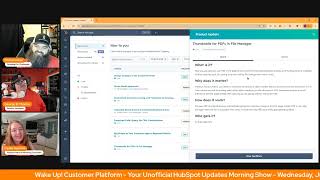
Chris Carolyn, Casey Hawkins, and George B. Thomas walk through HubSpot's latest updates: Customer Portal design improvements, Social Media Approvals for Enterprise, email scoring with a Contains filter, and better CRM card visuals. The File Manager now shows PDF thumbnails on the first page.
Questions this video answers
June 25, 2025
Chris Carolyn (host), Casey Hawkins (co-host), George B. Thomas (co-host)
Chapters
Foreign.
Wake Up, Customer Platform. It's time to start the day. Discover all the value you already own. Don't let solutions slip away. Wake up, Customer Platform. The tools are at your hand. No need to sleep on capabilities that can help your business stand. The answer's right before your eyes. You just need to realize. Wake up, Customer Platform. And watch your business rise. Wake up. Wake up. The platform's waiting for you. Wake up. Wake up. See what your system can do.
Good morning, HubSpot Nation. It is time to Wake Up, Customer Platform with your unofficial HubSpot Updates morning show where we help you discover the platform value you already own.
Chris.
I'm Chris Carolyn, joined by my co hosts Casey Hawkins and George B. Thomas. We are here every weekday morning to make sure you're not sleeping on HubSpot's true capabilities. If you're joining live, drop a hello in the comments and let us know what you're building in HubSpot today. Happy Wednesday, June 25, 2025.
Yeah, I need a minute to catch my breath, man. I was doing some jazzercise or Zumba style dancing during that intro.
I almost forgot to start the show when it was ending.
Goodness. Casey, how you doing?
I am doing well. It is hot as anything out here and so it's just really an inside day. And that is also why, as George said after the show yesterday, my air conditioning sounds like a jet. An airplane.
I thought I was back on an aircraft carrier for a second. What's happening?
I told my husband that last night. I said, george V. Thomas, we need to do something about the air conditioning.
Hey, as long as it keeps you cool. Listen, yesterday here it was 101 degrees and I was like, what is going.
On weird right now, like down in Houston, Texas, like lower than the rest of the country.
It's the upside down world.
Be careful.
Yeah, Stranger things happened. Yes, there we go. That dad joke.
I. I liked it. I liked it a lot. Looking forward to season five, that's for sure, brother.
Heck, yeah.
Prior to that, we're going to continue doing updates about HubSpot. Prior to that, we have an opportunity as inbound correspondence to possibly record this show live from inbound.
Oh, yeah.
So if you're going or you like watching this show and you'd be interested in seeing us record live from. From inbound. Drop. Drop some comments or likes or DM us so we can make sure the inbound team understands how awesome that will be.
Yeah. You think I'm stupid inside my little office area to get me on an inbound Stage with this show. I'm just saying.
Yeah. And how better is there any better way to bookend an inbound day with wake up customer platform at the beginning and after hours with George at the end? Yeah, I think I like that.
Yeah.
Chris has no idea if that will help anything, but you know, it can hurt. It can hurt.
Just put the energy out.
You gotta put it in the universe.
It's gonna help. Number one.
Yeah.
Design changes in the Customer Portal already live.
Oh boy.
What is it? We recently made several behind the scenes improvements to the Customer Portal that translate into a sleeker experience for your customers. This upgrade also modernizes the portal's look on the client side. In addition, we're simplifying the Customer Portal theme editor by removing some outdated and unused design options. If you've applied custom CSS or made edits using the theme editor, you may notice some minor visual changes on the portal.
Oh boy.
This matters because this update mainly allows for faster load time and a more polished look for your customers visiting the portal.
This did not go in the direction that I was hoping for before we clicked into it. I'll just throw that out there. But this would also be a great place for a screenshot of that new Seleeker experience that possibly to. Yeah, well, it's right.
You're asking a lot to see this team. This team is probably new to the product updates. Clearly this tool has not been getting a lot of love for a long time and this year it is starting to get some. So I love this as just another signal that they care. If I can say that, that they care about this, this tool that could provide a ton of value.
It does make me wonder, like sometimes, you know, how you have to clean house before you renovate. I wonder if this is a little bit of a signal of like, okay, let's clean the house for a hot minute. Okay, now let's build the new addition to it. And by the way, new addition, not the band, but, you know, new addition, like the new piece of your house. I might do this all day today.
There you go. We're here for it whether we want to be or not.
I think a lot of people don't know that Customer Portal exists in HubSpot also. So if you don't know, yeah, it's.
In the service hub and traditionally and kind of still, although you can rename tickets to something else in the Customer portal view now, which is the first signal that we got a couple months ago that things might be changing, it's been restricted to the tickets object still is even though you can rename it. And that's where in most use cases I found at least most people want more than a help desk experience when you say customer portal and that's when luckily we have a CMS nearby to go and build over there to support that with memberships and all that stuff. Since there's a lot of people doing that, I can definitely see some convergence on functionality in HubSpot. I've been hoping for that for a long time. I have some hope that we are on that path now.
Hope is a good thing, Casey. I'm glad that you dove into now you know, because knowing is half the battle. Go Joe.
Social Media Approvals in Private Beta what is it? Social Approvals introduces a streamlined workflow within the social publishing tool, enabling users to formally request and manage approvals for their social media content before it goes live. You can now ensure brand consistency and content quality by incorporating an approval step directly into your social media publishing process.
This matters because social approvals help marketing teams ensure social media content is high quality, consistent with the brand, and reviewed efficiently before publishing problem solved. It addresses the lack of a streamlined workflow for reviewing, commenting on and approving social posts, which can lead to brand risk, communication errors and wasted time using ad hoc methods. Marketing managers gain visibility into the content pipeline while team members get clear guidance on the approval process.
Oh, who gets it?
Sorry, I just scrolled and saw that too.
Come on. Well, I gave you. Enterprise, Platform Marketing, Enterprise and Marketing plus Enterprise. So if you're watching this or listening to this and you're a pro user and you're like, yes, finally, we love you, we're sorry. Or upgrade, there's that too.
Yep. To be fair, enterprise features like this support big team, big teams doing big things. And if you have small teams doing a little bit here and there, like don't set up crazy approval processes like please that slow everybody down or just get used to social media or social agent.
And if you're agent, if you're a small team doing big things, you might have a big budget upgrade.
There you go. Because not only okay, we won't, we won't make this a sales pitch. By the way, that's not the only thing you would get if you went to Enterprise.
But yeah, yeah, yeah, without a doubt, without a doubt.
Scale Email Inform Scoring with Contains in scoring apps oh, Casey.
Oh, what is it?
You can now use the Contains filter to specify which marketing emails, including within marketing campaigns and forms are included in your scoring rules for both lead and health score Scoring. This team understands the power of screenshots.
Why does this matter? This helps you build complete and accurate scoring rules that scale and automatically capture engagement across current and future marketing emails and forms. Previously, scoring on engagement with marketing emails in forms required manually selecting each individual asset. This meant that scoring rules had to be manually updated every time new marketing emails and forms were launched in order for the score to capture engagement with the new asset. Now you can use the contains filter to specify which current and future marketing emails and forms to score engagement for based on specific keywords used in their name. Leveraging consistent naming conventions, you can create the scoring rule once and all engagement associated with the marketing emails and forms containing a certain name will automagically capture. Will be automatically captured.
I've been saying it for years. Have a tagging naming convention offers, dash, awareness, dash whatever the heck you need to put it. Now, if you've been listening and doing that, you could literally score all of your awareness emails and forms differently than your consideration emails and oh my gosh, the power of a good naming convention. And that's not a joke. There will be no rim shot from the drum this time.
Not yet.
I am very excited about this. I have been annoyed with this in the past.
The best policy is anybody.
Is anybody doing this? This sounds.
No, I wasn't.
Yeah. And then we surprise. We have lead scores that don't matter. Like, see?
And I. I went. Was it. Was it a. One of these shows? A different show? I listen, like, it has to be updated. Like your scoring can't be for. Oh, it was on the Hub Heroes podcast.
Yeah.
You can't set it and forget it.
It.
It does have to be. If you launch a new campaign, if you create new assets, you should be scoring them or to get to. At least to be in reality. Okay, I'll shut up.
Hot topic right now. Yeah. Great podcast episode from the Hub Heroes crew.
Thanks.
This week and sets up well for. For you guys talking about value for scoring tomorrow.
Oh, yeah, yeah.
Serious about helping people with this, you know, this issue, this long standing issue of. Of getting scoring right.
Yeah. It's been kind of wild that this wasn't a thing because to your point, like, no one was going back and updating every time they launched a new form or a new email. So then you're either scoring on like all emails the same, which, yeah. Is not reality. Or your scoring gets outdated because the new stuff launches. Yeah.
By the way.
Oh my God, so many screenshots.
This team is killing it. Chris is busy reading a book Inside product update at the moment. If you're not watching this.
14 step screenshots.
Yeah, there you go. So. So here's the thing, right? You know what would be great when I see this, by the way, I am not dissing anybody in any shape or form. I love this product update. I love all the screenshots. But what would be really cool is if we could just have a video tutorial in a product update when it gets to something like this. Now all of a sudden we're talking like some real. Well, you know. And I'm not even saying a link because we've got links to like looms before. But like, if you could just put rich media video. Anyway, by the way, one last thing before Chris moves on, because I know he's trying to get the hook out. Pull me off stage here. If you're scoring all of your emails or all of your forms the same. That's what I say. That's what it.
That's nailed it.
If you're doing that, definitely join the. The new Mastermind group that Casey's starting in July, please. Or if you. Or if you need that video that is not here yet from the team. Yeah, good opportunity to get the help you need to. To take the next steps. Please don't wait till August 30th.
No.
Associate Social accounts to brands for business units oh yes, and I think this is where business units is now known as brands.
Yeah, there was a like late name change per se.
Yep. Makes a lot more sense now. What is it? This feature extends HubSpot's brands formerly known as business units functionality to HubSpot social media tools. You can now assign your social media accounts to specific brands, streamlining management and reporting for organizations with multiple business units, divisions, products and brands.
This matters because many enterprise organizations manage multiple brands, divisions or regional entities within their company. Business Units allows these customers to effectively manage and organize their marketing efforts for each distinct brand within a single HubSpot account. Problem solved. This feature this feature allow. This feature addresses the need for large organizations to segment their social media accounts, users, settings and reporting by brand. It enables better organization targeted configurations and clear reporting across different business units operating within one HubSpot portal. If you're. If you. If you're listening and not watching, there's this new structure going on in the why does it matter? Section.
But.
But can I. Can I. No HubSpot brands formerly known as business units. Then in why It Matters, can we please call it brands? In Problem solved. Can we please call it brands? Like if it's formerly known as business units. Quit calling it business units. I'm sorry, I'm.
Who gets. Who gets it? Customers with the brands. Add on.
There we go.
Yeah, team, Just one request. Like, I know that AI is the way in terms of writing these out just once or twice. Like take a look at it before you. Before you publish. This is a clear evidence that when AI can't. This is what I run into when it's like I'm not being clear about what's happening. And like when you let it run just off of this is going to just use those words like forever. That's why we're losing our minds.
Control f find and replace.
How many different ways can we refer to this thing in one, in like ten lines here.
Overwhelmed a little bit.
Now here's the thing. Here's the thing. Let's go back to the original update. I love the update. Okay. Like, I think this is super powerful. I think this has been so important. I think this has been a missing piece that is now, yes, problem solved. So great job on the actual implementation of us being able to do this because I know multiple clients that I've taught over the years that have had formerly known as brand units or business units brains. Now here we go. Other people are going to be confused too. Formerly known as business units that are now brands that are probably like just so happy, joyful, maybe even that they probably are dancing at their desk at this update when they see it.
Send us videos of that if that's you. We'd love to see it.
Preferably use our intro music in Corset Dance.
Now let's say another like challenge that should be challenge.
People dancing to the intro music. You could just throw together like this minute, two minute clip of HubSpot users dancing to the intro of the song. I would be in heaven if I was ever able to see that.
And they agreed. Once we get sweet sponsors, maybe we can come up with some giveaways to. To help with that.
There we go. Like to sponsor this show. Call Chris.
DM me on LinkedIn. Actually, don't call me. I don't pick up the phone.
Oh, that's right. He doesn't like phone calls. That's right.
Call George.
Improved, improved card library for CRM customization. I like where this is going.
It looks nice.
What is it? To improve the CRM card management experience, the new card library provides a more engaging interface for discovering, previewing, creating and adding cards. The redesigned add card button is now placed between cards for a more contextual experience. Decreasing the time needed to rearrange card order. You can hover over any position to create new cards or add existing cards to a view with ease. With the new card library, CRM cards are now presented visually, making it simple to preview and customize them and helping admins quickly understand each card's appearance and purpose. I'm so excited for this one.
Yeah, yeah.
This matters because the Improve Card Library offers a more intuitive visual experience for managing cards in HubSpot, making it easier for you to explore and create. This update addresses previous challenges which often left admins creating a new card without a clear understanding of their function or a visual preview. This new experience was informed by customer research, highlighting the need for better guidance, ensuring fast and easy customization.
Yeah, I love this so much. Also, can we just say the power of a hang on disclaimer, do not send me hate mail or your opinion on the words that are about to come out of my mouth. The word GIF or gif, I don't give a crap. But the power of whatever you call it in an update to see it hover over and see the plus sign and see them click on card library and see them create like the power of that in this update is Chef's kiss. Like beautiful. Great. Great job.
If you're listening to this, when Casey makes her post later today with all the links to these updates in it, check out this one. It was hard for me to read these two paragraphs. I'm so attracted to the GIF and I'm super excited. I saw this last year, like I gave some feedback on this last year and it was in beta for a while and then it was one of the rare situations where they like removed it. Right. They removed the plan for it and I was hopeful that it meant they were just changing the approach. And here, here it is back. Cause it was a different screen. It was kind of like almost a marketplace style feel, like the app marketplace they were setting up. But this is. This is awesome. So if you're a card CRM card person, you're going to love this experience. It's really good.
I feel like I haven't been a CRM hard person, but part of that I think is like it hasn't been super easy or straightforward.
So did Casey read the why does it matter of this one?
Yeah. Oh, I also busy thinking about your GIF and GIF rant. Focus on that part.
Okay. Just making sure. Don't want to leave anybody hanging. By the way, we, we have signed up for a couple betas this Morning.
Yes, we have.
That's to cover the ones I forgot about.
Meanwhile, big boosts.
Big boost and I cannot. Oh, I'm just kidding.
Wrong thing.
Sorry, my bad, my bad.
To your customer agents response quality. Let's see what big boosts means. What is it? We've made significant improvements to the customer agent to help it deliver faster, clearer and more accurate answers.
This matters because customers have told HubSpot that accuracy, speed and clarity matters most. And they listened. With these latest changes, the customer agent is now much better at finding information in your support documents, even if it's buried deep inside. Slide. More accurate when citing sources so your customers can trust what they're reading. Smarter at identifying different ways your customers ask questions, even if the wording isn't perfect. And more responsive in different languages, ensuring a great support across a global customer base. So here, when we're talking big boosts to customer agent response, we're talking about HubSpot customers using customer agent. Correct?
I think we're talking about the customers of HubSpot customers using the customer agents of those customers. Because it almost.
That's what I've thought too, but that felt very Inception.
I made it through that. Holy crap.
Take a break.
Here's. Here's where my brain goes. It's like basically what I envision I'm going to date myself is they took this customer agent and they $6 million mandate, meaning they added bionic eyes so that it could look deep inside of your support documents. Right. And. And they gave it bionic legs so that it could do it faster and more accurately. Anyway, I'll stop. You guys get my point. It's the bionic customer agent.
Now this is the whole. This is. Yeah, today is a whole thing.
I love this energy, but that's the kind of stuff we talk about on Fridays with Nico all the time on the AI show. If Breeze is improving, it's highly likely that the rest of HubSpot's AI is improving. If chat, GPT, if Claude. If all these AI platforms and tools are improving, it's likely that the rest of the AI tools built on top of them will also be improving.
Listen, not that this is even part of the show, but Delphi is launching an entire new version of their platform. So you are right. As everything gets better. Everything gets better.
Well, can I just have a couple days with Content Remix first? You can dive into Delphi.
You can.
Oh man.
My George B. Thomas clone is very happy. We can't wait to see what updates happen.
Oh man, that is exciting. What a Time to be alive.
Yep.
And now instead of asking people to give clear verbiage instead of big boosts, I think I'm just going to start calling phrases like that's like vibe. Vibe phrases like the difference between big boosts and response quality. One's measurable, the other one probably not.
There's a lot of like marketing happening in these update titles today. Well, just the big boost to customer agent and then the scale, email and form scoring. Like I don't know, I don't know. Interesting.
I feel like somebody in their prompt said and give the titles a little spice.
Yeah, yeah, yeah, yeah, yeah.
It's like significant improvements. That's not really doesn't send the message. What does? How about big boosts?
Yeah, well, maybe they, they're watching the show. They already said improved card library. They were like, we need to do something else. We can't be saying the same thing over and over.
There you go. Oh, managing the whole experience now. Thumbnails for PDFs in File Manager. I like file Manager updates usually. What is it now? You can preview your PDFs first page directly within the Files details panel. Quickly identify documents at a glance without opening each file, saving time and making file management more visual.
This matters because without visual previews, you need to remember file names or open multiple PDFs to locate the correct document. This is time consuming and frustrating, particularly when managing similar documents. PDF thumbnails provide a visual preview of the first page of each PDF, allowing you to quickly identify the correct file.
I love this so much. I just, just listen. I've been in a portals where it's like there's 17 versions of the guide and you just wish you could see like the COVID page because you know it was updated each time with like new graphics and you'd easily be able to pick the right one. Thank you.
I have a client that changed their brand at some point and so, so they had old files and old brand files and new brand files and I could imagine this being much a much better experience.
I mean cleanup process that should be happening based on being able to see old visual brand and being like, get out of here. You gots to go. Like yeah would be way easier indeed.
Now we just need documents and files to come together and we'll be good. Be good. Careful.
Like this is such a small but like quality of life improvement. I understand. Like I don't know. All seven updates for none of them were like good one.
This was a good day.
No duds. And I think all of these brand new so yes.
And all brand new.
Yeah. Thank you to the HubSpot team. Still don't understand that the June 5th and June 16th here and how this whole thing works, but it's a plus today from the Wake Up Customer Platform team.
So that's what you're aiming for, right?
Indeed. I mean, yeah, I'll accept to be because of the pace that they move like delivering stuff. Quality versus quantity. It's a balance.
Remember folks, philosophical and stuff.
You probably already own the solution you're looking for in HubSpot. Probably that improved card library for CRM customization. I know everybody has that. Sometimes you just need to wake up to it. Join us tomorrow morning live at 8:30am Eastern, 7:30am Central, or catch us anytime on Spotify and Apple Music. Drop your biggest takeaway in the comments and let us know what capabilities you want to wake up to next. Until then, I'm Chris Carolyn.
I'm Casey Hawkins.
And I'm George B. Thomas.
And this has been Wake up, Customer Platform. Now go build something amazing. Have a great day everybody.
Wake up, Customer Platform. It's time to start the day. Discover all the value you already own. Don't let solutions slip away. Wake up, Customer Platform. The tools are at your hand. No need to sleep on capabilities that can help your business stand. The answer's right before your eyes. You just need to realize Wake up, Customer Platform. And watch your business rise. Wake up. Wake up. Wake up. The platform's waiting for you. Wake up. Wake up. See what your system can do.










