HubSpot Updates 6/4/2025 #hubspot
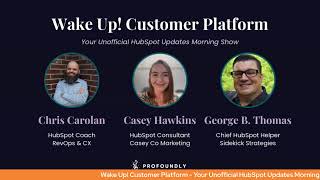
Chris Carolyn, Casey Hawkins, and George B. Thomas walk through HubSpot's latest updates including Help Desk Summary tab enhancements, Customer Journey Analytics, Connected Apps, buyer intent criteria improvements, and checkout page updates.
Foreign Wake Up Customer Platform it's time to start the day. Discover all the value you already own. Don't let solutions slip away. Wake Up Customer Platform the tools are at your hand. No need to sleep on capabilities that can help your business stand. The answer's right before your eyes. You just need to realize Wake Up Customer Platform and watch your business rise. Wake up. Wake up. The platform's waiting for you. Wake up. Wake up. See what your system can do.
Good morning HubSpot Nation. It is time to Wake Up Customer Platform with your unofficial HubSpot Updates morning show where we help you discover the platform value you already own. Chris I'm Chris Carolyn, joined by my co hosts Casey Hawkins and George B. Thomas. We are here every weekday morning to make sure you're not sleeping on HubSpot's true capabilities. If you're joining live, drop a hello in the comments and let us know what you're building in HubSpot today. And if you're just discovering us, we're now available as a podcast on Spotify and Apple Music so you never have to miss an episode. Happy Wednesday, June 4th. Everybody's wearing orange two weeks in a row. I like it.
Let's go.
I said to Chris I'm on a streak.
There you go.
The longest streak I've had.
There we go. Speaking of streaks, delta changes on the Help Desk Summary tab. This one's in development, so we have a forward looking statement at the front, but what is it? We're excited to announce the new Time Comparison feature on the Help Desk Summary tab. This update will introduce delta changes for all relevant metrics, enabling you to see day over day or week over week performance shifts at a glance. With clear indicators showing increases or decreases, you can quickly assess your team's current performance, which is crucial for making informed decisions and ensuring operational health.
Why does it matter? To make informed decisions and strategically guide their teams, it is imperative to establish mechanisms that facilitate a comprehensive comparison between current metrics and historical benchmarks. Effective context settings will not only enhance the Support team leaders Support team leaders ability to recognize performance deviations, but also empower them to proactively address them. Without time comparison, it can be challenging to contextualize a metric, interpret data, and identify trends. Leaders are unable to assert whether the current data signifies positive progression or if it shows underlying concerns needing immediate attention. With the new Time Comparison feature, you'll gain precise insights into your team's performance by comparing current metrics with those from the exact time yesterday or the same time last week. This level of detail Empowers you to quickly identify areas needing attention, celebrate successes and optimize your support strategies.
So.
In ChatGPT canvas, there's this thing, this feature that you can use that is grade level. Whoever is doing the HubSpot updates, thank you. You could just drop down the grade level one or two notches for the that we're using to create. By the way, love the update. This is important.
A little bit of an SAT.
Thing that I love to call simplifying the complex. Can we use words that first of all, Casey doesn't have to like climb a Mount Everest mountain to say and most of us mere mortal humans are like, oh, I get that.
I'm just kidding. I'm like, I know all of these words but like once a quarter to be clear. To be clear, I know words.
The best words.
This is less about you and more about the like. I know hundreds of HubSpot users that would look at trying to climb that update and be like, let me just.
Go play time comparison. Got it. Headed over to help desk.
Yep, we got too many updates today. I think it's great. I want to see time comparison more. That's my.
Yeah, there's so many things that because they're making changes like we can now see today's dates like as soon as that happened we started seeing it as options and drop downs and now it probably makes things like this, you know, much more possible. And with AI there, the ability to pattern match like at scale is something that's going to be really powerful for organizations. Number two Explore paths in Customer Journey Analytics Private Beta what is it you can now uncover the most common paths leads and customers take with your brand automatically. With Customer Journey Paths identifies the top flows in your journey based on a start or end point you define without the need to manually map each stage.
Why does it matter? Understanding how customers move through your funnel just got easier. Journey paths highlight the most frequent steps before or after a defined stage, helping you quickly spot drop offs, key milestones or high converting paths. There are two modes. Top Paths before this stage See how leads or customers typically arrive at a key outcome. Top Paths after the Stage Discover what happens after a key milestone in your journey. You can also control how many steps include are included in this analysis. What events are required to appear in the path if applicable, Configure this in settings.
That's exciting.
Yeah, so like this is exciting. I think I need to play with it. But I know a question I get asked all the time is like what are. What's happening just before Someone becomes an mql. And sometimes that's hard because depending on how you have your HubSpot set up, maybe everyone that fills out your demo form is an mql, in which case it's always the demo form, which isn't really the answer to the question. So I'm hoping this means that we're getting closer to that.
Yeah, obviously people have been begging for stuff like this for a while, but anything close to it, I think why it's taken so long is if you don't have all the data, this, the outputs just get so much worse. And we've actually been doing like the last iteration of scoring is a lot like this, where you could score parts of the journey you could see, but if you're not scoring the rest of the journey, like how valuable of the, you know, the predictability of actually deciding what is the real path people are taking, like, goes out the window. So this signals that, you know, with the inclusion of things like frame AI and being able to manage unstructured data from emails and all the other stuff, they can actually compile a complete journey and give you good results here. So this is very exciting to see and for me this makes sense at enterprise level because the amount of the complexity required here and the scale required to actually, like, you can't do this off of like five data points. So. Yeah, yeah, yeah, yeah. Number three. Connected Apps, new Global and App Overview pages. We went over this earlier in the week. It's a new and improved experience for how you manage and monitor your integrations within HubSpot. Our new global Overview page and Enhanced App Overview pages located in the Connected App section of your HubSpot portal are designed to empower admins with greater control, visibility and peace of mind over your entire integration ecosystem. I know we hit this on Monday. Go over and check it out. Like, just go to your connected App section. Like click the beta, go over there. You'll see immediately as an admin, everything you've been wanting to see to understand all of the apps, all the apps that are connected, including private, how things are working. We finally get that, that big picture multiple intent criteria for buyer intent. What is it? Say goodbye to a one size fits all visitor intent criteria. Bye, Felicia. You can now create up to 10 unique visitor intent criteria, giving you the flexibility to define different criteria for different markets, intent levels, brands and more.
Why does it matter? This update unlocks several powerful, highly requested use cases that include tailoring intent to different target markets, defining different intent levels. You can now create criteria for different Levels of intent, like low, medium, and high. Managing multiple brands for those managing multiple brands within HubSpot, you can now set up distinct intent criteria for each brand.
The world keeps getting better and better and better.
Yeah. At the beginning of this, I was like, all right, we're gonna have to continue explaining the difference between buyer intent and research intent. Use these words. But this is beautiful. Like, this is what doing it right looks like, in my opinion. Like, not everybody that shows up to the website is a buyer. Okay. And prior to HubSpot, everything had been calling that buyer intent. And when it's just like, yeah, we won't go into it, but this is, this is beautiful. Like, people have different intent as they interact with your brand. And you either understand that, like, but if you're bucketing it all into one place, you likely don't understand that and are making serious business decisions based on some large assumptions.
Careful with that.
Making hashtag management easier.
Wait, what?
Tell me more Social. This is exciting. Hey, what new hashtag hashtag bank in the social Editor Hashtag bank. Hallelujah. What is it? We're introducing a hashtag bank in the Social Composer that helps marketers save and use repeated hashtags for the future. Helps filter through hashtags and quickly add remove them, auto detects and pre selects hashtags already in the post.
That's pretty nice. This one matters because marketers often struggle with managing hashtags efficiently, either retyping them manually or sifting through long lists. This new hashtag bank does drastically improves post creation workflows by enabling real time filtering, seamless switching between selection and management, and smart text handling that saves time and reduces errors. With hashtags, you can use your favorite hashtags repeatedly and HubSpot will remember this for you.
Okay. It's the little things in life. Let me just say that because here's the deal. The amount of time that I personally and Maddie, my daughter, AKA Social media manager will say by not having to type hashtag HubSpot, hashtag HubSpot CRM, hashtag hubspotcms hashtag inbound marketing, hashtag inbound sales. Oh my God. Like it'll just be there.
Yeah.
I might need a minute.
Yeah, it is the little things.
Wow.
That have been existing for like a while, right? Like hashtags have been around like for a minute.
I mean, I used to call it the pound sign on my rotary phone. It was like the last thing I think you could choose.
Anyway, I wonder if phone instructions are starting to say press hashtag instead of press this is Beautiful. Thank you. HubSpot Auto Add Backfill for Buyer Intent what is it? With our existing Auto Add feature, you can automatically add companies that enter your saved views to your CRM lists or workflows. This is a powerful way to automate engagement with companies as they show intent. Now, with Auto Add backfill, you can also add companies that already exist in your saved views to those same destinations.
This matters because when you set up auto ads and pair it with the new auto ad backfill, you set yourself up to take action like kicking off rep assignments, triggering outreach flows, and building ad audiences on companies that both will show intent and are already showing intent. This means creating instant pipeline that will only continue to grow on its own over time.
We use such hopeful language. This means creating instant pipeline. Be careful.
Instant by one what is it?
It's well, if you're listening to the podcast, you can't see what I'm about to do, but it's like it's magic. Maybe I just did.
I just click this button and our pipeline just grows on its own.
It does.
Why do we even need all these people?
By the way, that's the next HubSpot Super bowl commercial. I just press the button and pipeline flowers.
Oh man, I wouldn't doubt it. A new Monday.com data sync app back on the board what is it? This new Data Sync app mirrors the comprehensive integration capabilities found in our 100+ data sync apps which automate the synchronization of data fields and objects across platforms, reducing manual work and ensuring data consistency with customizable field mappings, filter settings, and real time updates. HubSpot data sync allows users to maintain up to date information across their business tools.
This matters because the app is not the first Monday.com integration to exist in the HubSpot ecosystem. In fact, a one way integration built by Monday.com has existed in the marketplace for some time, so syncing certain Data points from HubSpot into Monday.com Our new data Sync app offers an alternative approach by enabling not only the import of data from HubSpot into Monday, but also ensuring that the updates flow seamlessly in the opposite direction from Monday.com back into HubSpot. Additionally, it can help you migrate data from Monday.com into HubSpot. While it's possible to install both apps concurrently, we recommend turning on the sync process process in only one of the apps to avoid potential sync loops and confusion.
I like the fact that they explained what the Data Sync stuff is because that is a very powerful feature that has shown up in the last couple of years that they've been improving things and it's helped so many apps get significantly better. So those of you who probably wanted a good Monday integration and maybe didn't have it because of the one way integration, we now have much more accessible apps, data syncing and if you're using.
A tool like Zapier or something to work around that worth checking this out and seeing if it works better because Zapier is very helpful but also sometimes breaks.
Indeed Multiple Domain Support for Buyer Intent it is a buyer intent kind of day.
It really is.
What is it? Have multiple websites set up in HubSpot and want to know who's visiting what site? Wonder no more. We've added multiple domain support to Buyer Intent so you can now see and segment visitor activity by full URL. Previously you could only see and filter by page paths examples, pricing. Now you'll be able to do the same with full domain example HubSpot.com pricing.
Why does it matter? This update provides a critical context for anyone managing more than one website within HubSpot. Starting today, you can now differentiate visits by brand. If you manage multiple brands in HubSpot that have different websites, you can increase clarity by distinguishing between visits to brand X's site versus Brand Y's. Differentiate products versus Marketing traffic Better tailor how you take action knowing if companies are visiting your marketing site, e.g. hubSpot.com or using your product app. HubSpot.com differentiate visits by vertical, region and more. If your company is broken up into teams that focus on different verticals regions, for example, each has its own website. You can now break out visits and intent accordingly. This seems like it's similar to the multiple intent criteria. Like related.
Yeah man, this is powerful.
Yeah.
For those of us that have like multiple domains in our HubSpot portal and like know that people could come to different locations and you're trying to like decipher like you used to need a decoder ring, I swear to God. And now it's like no, we're gonna just make it's magic. We're gonna make your life easy.
Like I like yeah, pretty sure we're, we're close to the point. If you're paying any other data vendors for intent data, please at least consider moving to HubSpot because this is very, very powerful. Like, like take my money. Like just I'll pay you the credits like if you can give me this kind of granularity and I take the time and my team understands how to set it up to actually use granularity, the cost of credits to get this kind of insight.
Yeah.
Oh well worth it. Yep. Gain deeper insights into your Help Desk Summary tab Metrics in development probably right alongside.
I know I actually scrolled up. I was like didn't we do this already?
So forward looking statement in development. What is it? Metrics on the Help Desk Summary tab. Now we'll link directly to relevant Help Desk views.
This matters because the Help Desk Summary tab enables leaders to gain high level insights in today's operational health of your support team. With this enhanced functionality, you can now dive deeper than ever before into today's support team performance. Each metric seamlessly links to relevant Help Desk tickets so you can quickly move from insights to action. Why is this so important? Because fast, informed decision making is key to exceptional support. Whether it's a spike in ticket volume, a drop in response times, or a specific channel that is not performing as expected, you'll be able to pinpoint exactly what needs attention and act on it immediately. With just one click you can drill into the precise tickets, driving a metric and taking and take necessary steps to support your teams and improve customer experience.
Nice.
Excited for these updates. I always think of these quick paths as they create them. Like when they say just one click that means I can do the same thing and this is how it's going to be. Servicing insights. Relevant insights. They're already doing it in places in the portal. It's becoming better and better and like it's like a new way to be surprised and delighted by HubSpot when you think you're gonna have to go to the navigation, find something and then it's right there. Like say you probably want to do this right now.
Yeah.
You're like God damn. Yes, that's exactly what I want to do.
Right there's just got passionate about it being right there right then.
Oh man, it was so good earlier this week when it happened. The new homepage folks sign up for that beta.
We need to get Chris a button Apple podcast for being explicit saying they're.
Gonna get me for that one. Hopefully not Updates to stored payment method on the checkout page oh oh yep. What is it? We updated the checkout page to create a simplified checkout experience for your buyers. Previously your buyer would need to check a checkbox on the checkout page to consent to storing their payment method. If you haven't enabled any checkboxes on your checkout page, like a buyer needing to consent to terms of service, then your buyer will no longer see a checkbox to store their payment method. Instead, they can consent to the terms of storing their payment method by clicking the pay button.
Why does this matter? This update improves and simplifies your buyer's checkout experience.
So I'm.
They lost me somewhere.
Okay, so first of all, I'm, I'm sort of confused, or maybe something ended abruptly, but I have to talk about this. Like saving the car details to your portal piece. Just in an overarching conversation. I. I had a, like, oh. Moment yesterday. Okay. And let me, let me explain. We send people invoices. People decide to pay those invoices. I was going through the process of sending an invoice to a client, and I almost hit a button, but then I realized the button was actually, like, charge now instead of send invoice, because there's a place where it is auto selecting their card debt.










