HubSpot Updates 7/16/2025 #hubspotcrm
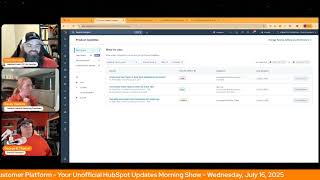
This is a YouTube video titled "HubSpot Updates 7/16/2025 #hubspotcrm" containing a conversational morning show episode called "Wake up Customer Platform." The episode features hosts Chris Garland, Casey Hawkins, and George B. Thomas discussing recent updates and features in the HubSpot platform, focusing on improvements in Help Desk collaboration, ticket capacity limits, and deal scoring. The conversation is informal and informative, aimed at helping users better utilize HubSpot's capabilities. The recording is from July 16, 2025.
Wake up, Customer Platform. It's time to start the day. Discover all the value you already own. Don't let solutions slip away. Wake up, customer Platform. The tools are at your hand. No need to sleep on capabilities that can help your business stand. The answer's right before your eyes. You just need to realize Wake up, customer platform. And watch your business rise. Wake up. Wake up. The platform's waiting for for you. Wake up. Wake up. See what your system can do.
Good morning, HubSpot Nation. It is time to Wake up Customer Platform with your unofficial HubSpot Updates morning show where we help you discover the platform value you already own. I'm Chris Carolyn, joined by my co hosts Casey Hawkins and George B. Thomas. We are here every weekday morning to make sure you're not sleeping on HubSpot's true capabilities. If you're joining live, drop a hello in the comments and let us know what you're building in HubSpot today. Happy Wednesday. July 16th.
Happy Wednesday.
Happy, happy.
I am on a streak with my orange. I just want everyone to applaud me.
Okay, okay. We, yeah, we could, we could give you the orange streak.
That's all, that's all I ask.
There you go.
There you go. That's a fair ask. Yeah, it's a high bar to hit. So good, good work.
If you're a newer listener. I. For the first few weeks we did this orange thing, maybe months I, I would forget and Chris and George would wait until we were live. Just publicly shame me about it.
No, no, no, no. We just mentioned it. We didn't. Shame. We would never do.
Learning and growing. Learning and growing.
Yeah, that's all I have for today.
Only three updates today on my end. It's a good thing we're tag teaming this because apparently Casey has has the 90 some on her side.
I have 99.
I have 99 and I have four. But they're four completely different and well, no one, one is the same as what we're seeing on your screen, so.
Alrighty. Well, we'll dive in. Create and view notes in help desk in parentheses replacing comments. Important information, Please read number one. Check out this video. This video that HubSpot has created, not the video that you're watching right now. To learn more about this product update, please watch this video prior to requesting access. To make sure your team is a good fit for the current beta experience. Once ungated, you will not be able to manually unenroll from this beta.
Underlined number three.
Slack, Microsoft and Google chat integrations have not yet been updated to support notes in Help Desk. If you have the Slack teams or Google Chat Help Desk integration set up, the experience will be degraded in the private beta. For this reason, we'd recommend holding off for a future iteration if your team uses any of these integrations and will not approve requests for customers who have these integrations configured. Don't worry though, we're already working on another update to address this. Nice what is this? Support teams can now view, create and edit notes in the Help Desk, replacing comments as the primary means for internal collaboration in the Help Desk. Notes are already the building blocks that power internal collaboration across the rest of the HubSpot platform, and now they power collaboration that takes place inside of the Help Desk as well.
Why does it matter? Since the release of the Help Desk, we've heard consistent feedback that support teams are struggling to collaborate internally and with cross functional stakeholders like sales reps when troubleshooting and resolving tickets. These changes will effectively replace comments with notes addressing two of the biggest pain points our customers have shared, the first being streamlining collaboration between the Help Desk and the ticket record by making information consistent across both. I guess we only have three updates.
So I can go through this whole thing.
We've heard a lot of frustration about comments which live in the Help Desk and notes which live in the ticket record and the fact that these two things aren't synchronized. Consolidating the experience by using notes as the single source of truth for internal collaboration aligns Help Desk with the rest of the platform and makes it easier for Ticket for teams to stay up to date. Two users will be able to create notes on blank tickets from the Help Desk. We've heard a lot of feedback related to not being able to comment on a ticket in Help Desk unless an external customer facing communication thread has been started. This set of changes will remove this limitation.
Nice. Gotta always love when it like aligns with the rest of the tool, you know.
Yeah, I agree. I mean I I say all the time come from a marketing background. Most of my time in HubSpot is spent in marketing and sales tools. So I love reading these updates because it shows me how powerful some of these support and service tools are.
Yeah, it's definitely a different day than it used to be because I mean it was kind of like marketing hub, little bit of sales hub. And we've got this thing that you might be interested in for service too. Now you just have three power packed hubs. Well you have more than three. I'm just saying for the conversation right now.
Yeah I'm Just going to hit this list of the ways that they talk about the note because you can understand why comments couldn't do any of this. Teams were having trouble and that leads to less adoption and ultimately leads to forwarding emails all over the place. Because we can't use the tools, especially when you get tagged and then can't see the thing that you've been tagged on.
Yeah.
So here are a few ways your team might leverage notes in Help Desk. By the way, really cool screenshot where the note is literally replacing the comment spot. In here we're seeing a live chat, but this is also where you start to type out emails as well. Creating a note, editing a note, responding to a note, associating a note with other records, using notes to search for tickets, viewing note at mentions and getting notified. And clearly I'm most excited about associating a note with other records. I'm glad they highlight that because notes are in other places besides tickets.
Yep.
And this being able to do this as one of the easiest ways to inform somebody else that hasn't been involved instead of forwarding them an email thread that they gotta go through like seconds versus you know, minutes, sometimes hours and like okay, I read the thing, now can we have a conversation about it so I can truly understand like everything in context? Removing silos. Oh, we're getting there. We're getting there folks. Very, very cool. Yep, high impact indeed.
Without a doubt.
Number two User based Ticket capacity limits by ticket type Scheduled for release expected July 31 in public beta right now. With this release, service managers can individually limit the number of open tickets by ticket type type meaning calling, messaging or email slash other that are automatically assigned to their support reps, allowing more flexibility while also reducing rep overwhelm. Service reps and help Desk can also see when they are at capacity and be aware of other users capacity when reassigning a ticket of that type.
Why does it matter? Support reps can become easily overwhelmed when they have too many open tickets assigned to them. More senior reps can take a larger load than newer reps with less experience. It's important that service managers can set ticket capacity limits on individual users relevant to the size of the workload and the response time expected by ticket type.
Yes indeed.
I like this update. I think. Yeah, I mean it can be very easy to get overwhelmed. I know, I know myself and when I have a long list I get paralyzed with like where to start. And so I think that can slow things down for some people whose brains.
Work like mine, which probably is most Humans by the way.
Just good chance.
Lots of different brains out there. I'm not trying to brain shame anyone.
Yeah, yeah, yeah.
And if you want to understand more about this update, they put just about everything in this update card as I'm continuing to scroll for the last 30 seconds.
Lots of screenshots.
Yeah. Important notes at the end. First of all, service Service Enterprise which makes sense. But this feature is only available in Help Desk and for Help Desk tickets inbox associated tickets are ignored. This feature is only available to service seated users at Service Hub Enterprise. What counts towards a user's ticket capacity? Defined as any Help Desk ticket that is in an open pipeline status where the user is the ticket owner and the ticket was assigned to the user in the last 30 days. Tickets assigned to the user with an associated inbox conversation do not count towards ticket capacity. Document your processes. People double edged certified spot 10 different ways to do just about everything. So keep an eye on that number. 3. Manually score deals and companies with Sales Hub this is an exciting update. I don't think it should be, but it's.
We've talked about it so many times.
It'S been surprising that this hasn't been available like literally scoring deals now available in Sales Hub. Oh, the place that we manage deals, that's. That's cool.
Go figure.
What is it? You can now manually score deals in companies using the scoring app with Sales Hub, professional or enterprise, you know, you.
Know, it's the little things. Effective scoring provides accurate, actionable insights that empower sales reps to identify which deals to prioritize and which companies to prospect first. With manual scoring, you and your sales team can customize the scoring rules that are most important, impactful for your business, ensuring efforts are always focused on accelerating deal closure. With the lead scoring app now in both Marketing Hub and Sales Hub, your marketing and sales teams can seamlessly collaborate and maintain consistent criteria for evaluating contacts, companies and deals in a unified and single scoring solution. Sales teams are also able to migrate their manual deal scores from the Legacy scoring property that is sunsetting August 31, 2020 25. I have two thoughts here. One I had yesterday and it's escaping me. But the second we'll go back to I had a client just yesterday send me a message and they said hey Casey, have you ever seen people do deal scoring well?
Oh, they know what's up. Oh wow.
To which I answered, it can be done.
Well, not that you've seen it. That's funny you should ask.
Funny you should ask. It's like a mythical creature Right. Like, man, I opened up these. These. Let this be the, the beginning of the petition to remove the word lead from this.
You're right. I'm with you.
Situation. Right. Like, so we see lead scoring here. We see lead scoring here. Everywhere else we see score, score, score, score. And we're not seeing leads anywhere here. And like again, just score without the word leads. Just rip the band aid.
I mean it really, it really does need to happen because it's not part of the leads object. It's contact company and deals. Yeah. It's. It's outgrown the name that everybody knows it by. That's the problem. Everybody knows it as lead scoring, but it just is scoring.
Yep.
By the way, if, if you're listening to this or watching this and you. Well, more listening. It's a beta. Make sure you sign up for it if you're interested in scoring those deals properly.
That is true. The other thing I was going to say about this one is it specifically, and I thought of this yesterday, it says manually scoring deals. Is there automatic scoring? That was. I'm a little. I'm confused what that means.
Speaking of, Dean suggests deal scoring makes me think of the AI score in the sales workspace.
Maybe that's it.
Definitely at the enterprise level you can start a score with AI.
My brain immediately went to the probability or likelihood as well like that could somewhat of a automagical score potentially.
Right. And I think that's the future we're gonna see. It's like AI is going to be better at trend analysis and objectively scoring, you know, relationships. As long as you get all your data and behavior and context into the system. Right. And. And with this thing that we traditionally had challenges with for where the people literally say that's not an unusual question to get. Have you ever seen lead scoring, deal scoring done well? Right. There's a reason they're asking that question because they haven't seen it done well. And it's very hard to find. I mean when people do it well and they have aligned teams, great handoffs. The sales process like is. Is, you know, friction free. The experience is great. They crush. But the amount of work they had to do to align the teams to define strategically what scores meant and how many points what points mean and all the things is most people want to, they want to skip over, over that stuff. And that's where we end up with scores that, that don't mean anything. Teams that are misaligned. I think it was two years ago. George, you gave a great, great talk about Sales and marketing alignment at Inbound. So Michelle has a good comment here. I like the idea of deal scoring, but I feel like this can lead to considerable subjectivity and possible bad data. I would rather it be something that can be done in the background by a set of rules. And it's based on a number of factors. Yes, George. Auto magical. Because people will upscore themselves to look good on it.
That's probably truer than we want to believe.
That reminds me. Sorry, there was a weird sound out of my computer that I've never heard before. I must have gotten a notification somewhere. I've never gotten a notification before or I entered a different portal. I'm unsure right now. But the. Oh, Playbooks. It would be nice if there was a way to score based on playbook responses too.
Yeah. And I can see a world where the campaign, like the campaign structure, where we can just add all of the assets that might impact a journey or relationship should not be different from the way that we. We build scores. Right. Gotta have access to that. And I'm thinking, like, as people do the journey mapping, this is where, like, all the tools and the usage starts to come together in the right way. Finally, I think it. It's super slow because of how complex it is. Means it's a lot of work and effort and cost on the side of HubSpot, so they got to put it at enterprise. But then you need people giving enough data so it makes sense at an enterprise level. So again, AI is helping bridge a lot of these gaps and creating the space for this stuff to just get better. I got something I need to. To talk to George about.
Oh, gosh. And I thought I was gonna get out of this episode without getting put.
In the spotlight, but. Okay.
Okay.
First of all, fan, fantastic episode. Finally, somebody else talking about Commerce Hub.
The Hub Heroes podcast.
Okay. This week, talking about Commerce Hub. Yeah, Love. I love hearing Chad nerd out.
Yeah, we let. We let him get real nerdy. Real nerdy.
It can be hard to keep up with what he's saying, but a lot of what he describes is the difference between people using HubSpot and people not using HubSpot.
Yep.
So he made a bunch of great points where. I would love to work on your talk track. George.
Am I hearing that I'm in trouble?
Oh. Is products equals line items and line items equals products.
Oh, okay.
I disagree.
Well. Well, tell me.
You can have each without the other.
Okay.
Right.
Create custom line items. Without a doubt. But let me ask you a question. Where do you go build the Thing that is a line item. You go to your products. That's where you build it. So you don't have spot. The naming of product in HubSpot is a line item. Therefore a line item is a product. Spot is a. You know, I'm saying, I'm talking about HubSpot terminology. Just like fields, properties and. What's the other one? Fields, properties and filters. They're the same dang thing. Well, sort of because it's properties and activities. Anyway, I digress. My point on that talk track, and then I'll shut up so that you can try to like, get into my talk track a little bit more, is if I want to create a line item before I'm actually creating a line, Fields, properties and filter, I go to HubSpot products to create the thing that will be a line item. Okay, I'll be quiet.
You don't have to, though. You can create quotes that are all custom line items all the time. And teams do that. Right. Because they don't like the structure of the product library or whatever reason they find. Right. That's why add to.
I have to add to my talk.
Track and then it leads to. That's where I think the equivocation of the objects and. And the reason they need to be separated in terms of their purpose is that once it's in line item land, you can just leave the name the same and then change. Everything else on every single property can change because it's not connected to the product anymore. And that confuses the hell out of people.
Yes.
When they look back and they're thinking that I thought this was the same thing and I see it on a quote now and it's different and it's. It's just in my experience, has been a very confusing concept. I'm one of the ones that it needs to work that way because that's the kind of flexibility that you need on the sales side. But that's where I just like, I'd love to help evolve. Evolve the conversation to help people understand. Because this is, you know, cash flow starts doing work. I've talked about this with the cash flow team all the time. We've got a lot of work to do to educate people so that they can get the value that that cash flow is building and even, quote, happily. And all of these tools that just get brought in and people, you know, still don't have an understanding of how the system works and how it can work for their business.
Yeah.
So. But you've had this conversation. Unless you decide to do an episode about Commerce Hub. So thank you so much for that.
I think Chris is pitching himself for.
Chris is putting more information into my brain to extrapolate my future talk, track around products and line items to give multiple scenarios of users based on how they might use the tool. So I get it. I get it. Very nice.
Yes. So thank you for, for allowing for that.
Yeah.
Because it's fun. Like what they're doing. The updates you talked about on that show, the capability of invoices and subscriptions. I love Max's just so simply like in most scenarios, you have everything you need now in HubSpot to run a business from front to back, audience to revenue. Right. So it's a beautiful place to be and we're going to keep sharing that progress with you every day. So remember folks, you probably already own the solution you're looking for in HubSpot. Sometimes you just need to wake up to it. Join us tomorrow morning live at 7:30am Central or catch us anytime on Spotify and Apple Music. Drop your biggest takeaway in the comments and let us know what capabilities you want to wake up to next. Until then, I'm Chris Garland.
I'm Casey Hawkins.
And I'm George B. Thomas.
And this has been Wake up, Customer Platform. Now go build something amazing. A great day, everybody.
Wake up, Customer Platform. It's time to start the day. Discover all the value you already own. Don't let solutions slip away. Wake up, Customer Platform. The tools are at your hand. No need to sleep on Capability that can help your business stand. The answer's right before your eyes. You just need to realize Wake up, Customer Platform. And watch your business rise. Wake up, Wake up. The platform's waiting for you. Wake up. Wake up. See what your system can do.










